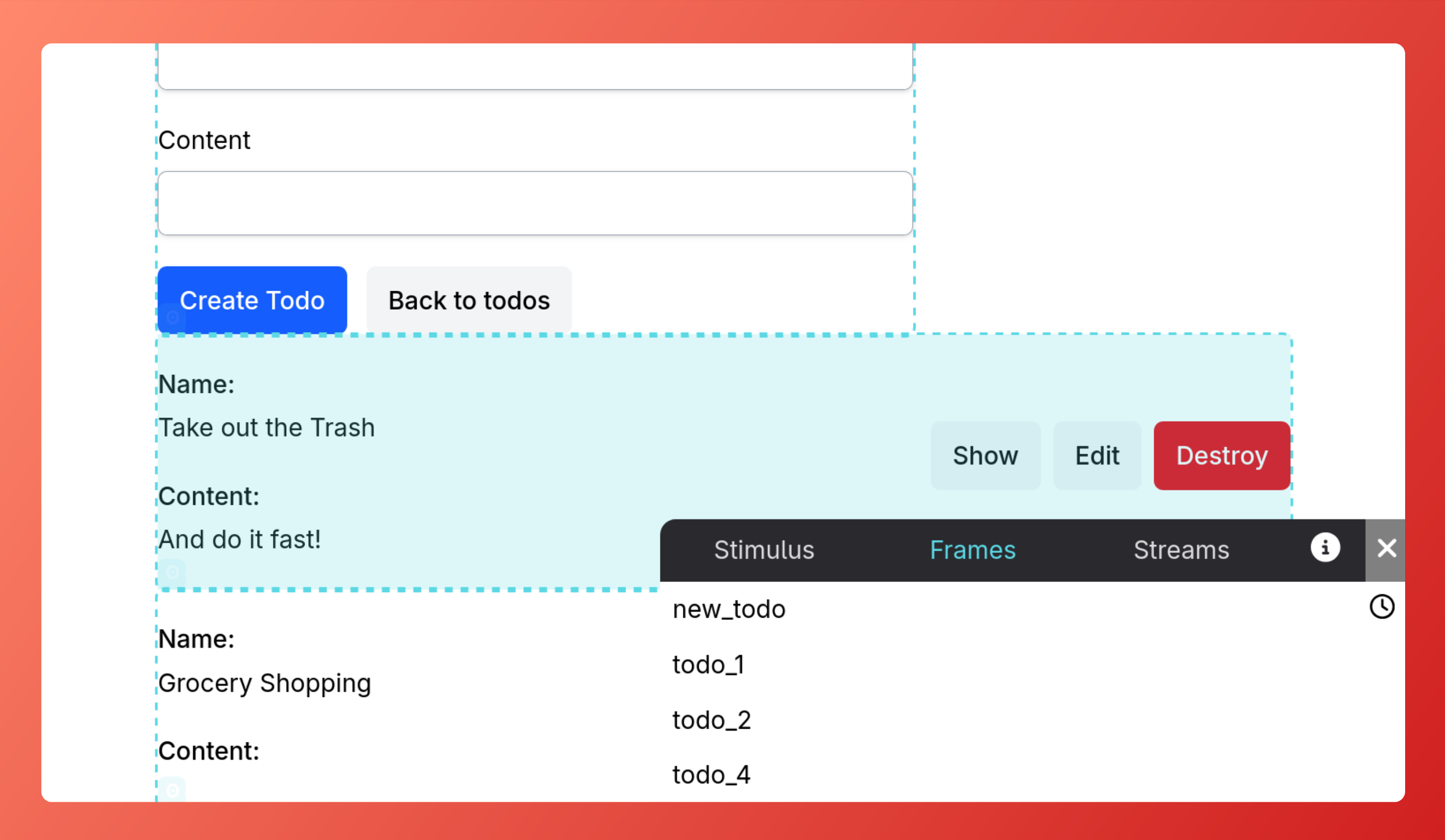
Hotwire Dev Tools is a browser extension designed to help developers inspect their Turbo and Stimulus applications.


Turbo:
data-turbo-permanent but no ID or a non-unique IDStimulus:
data-controller doesn't match any registered controllerThe extension can be installed at:
Once installed, click the extension icon (or press Alt+Shift+S) to open the DevTools options.
From there, you can enable/disable the features you want to use.
[!NOTE] On Firefox you may need to select "Always allow on example.com" to enable the extension on your site
npm installnpm run dev - to build the extension and watch for changesnpm run build - to bundle the extension into static files for productionnpm run format - to format changes with Prettier[!NOTE]
By default, the extension will be built for Chrome. To build for Firefox or Safari just addfirefoxorsafarias an argument to the build command:npm run build firefoxornpm run build safari.
chrome://extensions/Load unpacked and select the public folder (make sure to build the extension first)The easiest way is to make use of the web-ext tool:
npm install --global web-ext

cd public
web-ext run
That will open a new Firefox instance with the extension installed and hot reloading enabled.
First configure Safari to run unsigned extensions:
This may depend on the version of macOS and Safari you are using.
So if you can't find the settings, you may need to search for the specific version you are using.
Then you can load the extension by following these steps:
Bug reports and pull requests are welcome on GitHub at https://github.com/leonvogt/hotwire-dev-tools.
This project uses Prettier to format the code and ensure a consistent style.
Please run npm run format prior to submitting pull requests.
This Dev Tool were inspired by turbo-devtool and turbo_boost-devtools 🙌
297 followers · starred Jun 2024
420 followers · starred Jul 2025
475 followers · starred Jul 2024
299 followers · starred Nov 2025
Hotwire Dev Tools is a browser extension designed to help developers inspect their Turbo and Stimulus applications.
Turbo:
data-turbo-permanent but no ID or a non-unique IDStimulus:
data-controller doesn't match any registered controllerThe extension can be installed at:
Once installed, click the extension icon (or press Alt+Shift+S) to open the DevTools options.
From there, you can enable/disable the features you want to use.
[!NOTE] On Firefox you may need to select "Always allow on example.com" to enable the extension on your site
npm installnpm run dev - to build the extension and watch for changesnpm run build - to bundle the extension into static files for productionnpm run format - to format changes with Prettier[!NOTE]
By default, the extension will be built for Chrome. To build for Firefox or Safari just addfirefoxorsafarias an argument to the build command:npm run build firefoxornpm run build safari.
chrome://extensions/Load unpacked and select the public folder (make sure to build the extension first)The easiest way is to make use of the web-ext tool:
npm install --global web-ext

cd public
web-ext run
That will open a new Firefox instance with the extension installed and hot reloading enabled.
First configure Safari to run unsigned extensions:
This may depend on the version of macOS and Safari you are using.
So if you can't find the settings, you may need to search for the specific version you are using.
Then you can load the extension by following these steps:
Bug reports and pull requests are welcome on GitHub at https://github.com/leonvogt/hotwire-dev-tools.
This project uses Prettier to format the code and ensure a consistent style.
Please run npm run format prior to submitting pull requests.
This Dev Tool were inspired by turbo-devtool and turbo_boost-devtools 🙌
297 followers · starred Jun 2024
420 followers · starred Jul 2025
475 followers · starred Jul 2024
299 followers · starred Nov 2025



