
Browser extension for inspection Preact applications
See the codeREADME
Preact Devtools
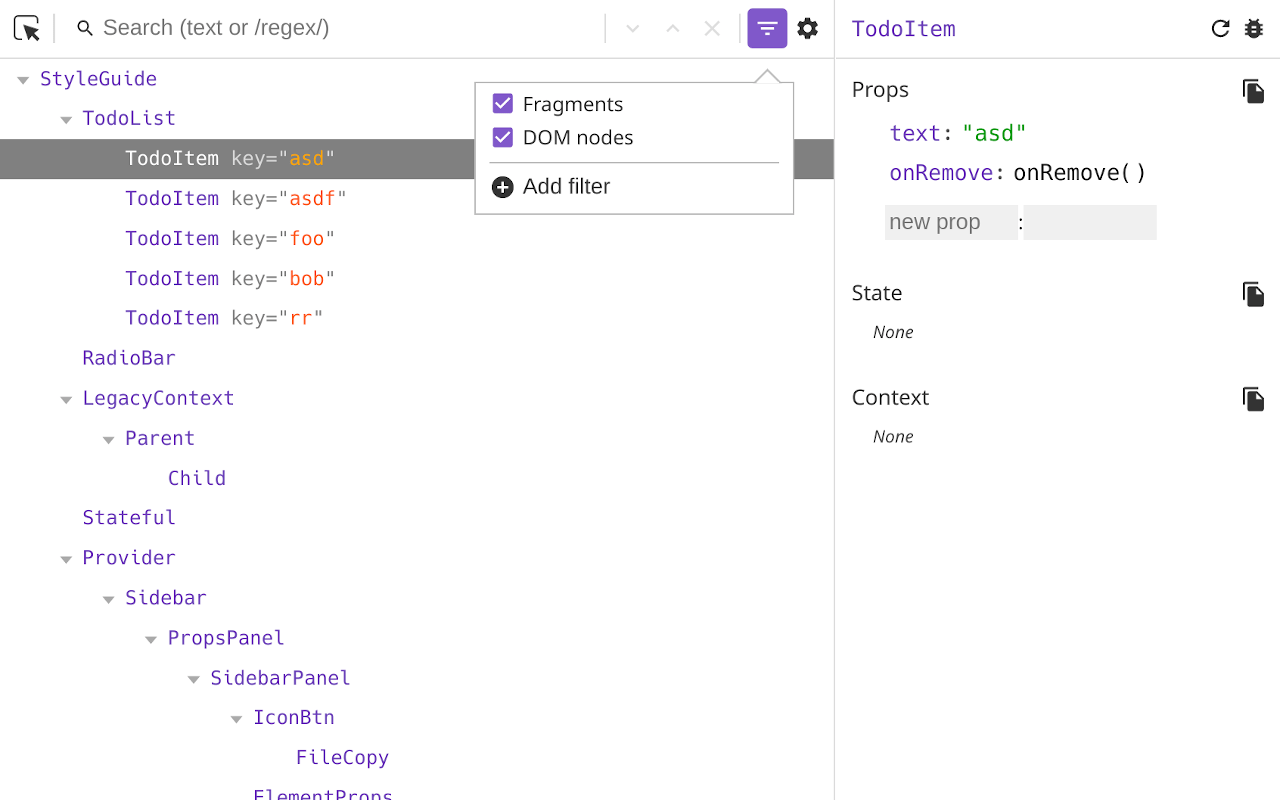
Browser extension that allows you to inspect a Preact component hierarchy, including props and state.
Requires Preact >=10.1.0
Usage
Firstly, we need to import preact/debug somewhere to initialize the connection
to the extension. Make sure that this import is the first import in your
whole app.
// Must be the first import
import "preact/debug";

// Or if you just want the devtools bridge (~240B) without other
// debug code (useful for production sites)
import "preact/devtools";
Then, download the Preact Devtools extension for your browser:
Contributing
- Use
npm run devto start a demo page - Use
npm run watchto rebuild all extensions on any code changes - Use
npm run build:firefoxornpm run build:chrometo create a release build
Chrome:
- Go to extensions page
- Enable developer mode
- Click "Load unpacked"
- Select
dist/chrome/folder
Firefox:
- Go to addons page
- Click the settings icon
- Select "Debug addons"
- Click "Load temporary addon"
- Select the
manifest.jsonindist/firefox/
For extension reviewers
These commands will build the extension and load it into a browser with a temporary profile. The browser will automatically navigate to preactjs.com. There you can test the extension.
Chrome:
- Execute
npm run run:chrome - Click on
Preacttab in devtools
Firefox:
- Exectue
npm run run:firefox - Open devtools + click on
Preacttab in devtools
Contributors


Similar repos



Languages
TypeScript
81.6%
JavaScript
11.1%
CSS
6.5%
Browser extension for inspection Preact applications
See the codeREADME
Preact Devtools
Browser extension that allows you to inspect a Preact component hierarchy, including props and state.
Requires Preact >=10.1.0
Usage
Firstly, we need to import preact/debug somewhere to initialize the connection
to the extension. Make sure that this import is the first import in your
whole app.
// Must be the first import
import "preact/debug";

// Or if you just want the devtools bridge (~240B) without other
// debug code (useful for production sites)
import "preact/devtools";
Then, download the Preact Devtools extension for your browser:
Contributing
- Use
npm run devto start a demo page - Use
npm run watchto rebuild all extensions on any code changes - Use
npm run build:firefoxornpm run build:chrometo create a release build
Chrome:
- Go to extensions page
- Enable developer mode
- Click "Load unpacked"
- Select
dist/chrome/folder
Firefox:
- Go to addons page
- Click the settings icon
- Select "Debug addons"
- Click "Load temporary addon"
- Select the
manifest.jsonindist/firefox/
For extension reviewers
These commands will build the extension and load it into a browser with a temporary profile. The browser will automatically navigate to preactjs.com. There you can test the extension.
Chrome:
- Execute
npm run run:chrome - Click on
Preacttab in devtools
Firefox:
- Exectue
npm run run:firefox - Open devtools + click on
Preacttab in devtools
Similar repos
Contributors
Languages
TypeScript
81.6%
JavaScript
11.1%
CSS
6.5%