The original code from the DeepMind article + my tweaks
Lua
1,830
22 commits
updated Jan 23, 2018
This repository hosts the original code published along with the article in Nature and my experiments (if any) with it.
Tested on Ubuntu 14.04 with nVidia GTX 970:
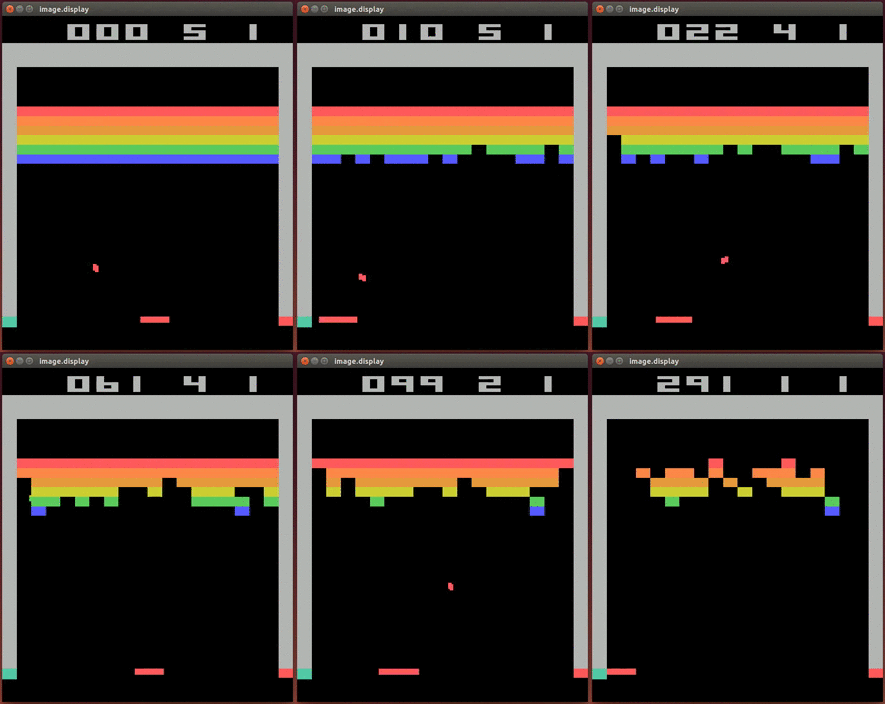
More videos on YouTube Playlist: Deepmind DQN Playing
This project contains the source code of DQN 3.0, a Lua-based deep reinforcement learning architecture, necessary to reproduce the experiments described in the paper "Human-level control through deep reinforcement learning", Nature 518, 529–533 (26 February 2015) doi:10.1038/nature14236.
To replicate the experiment results, a number of dependencies need to be installed, namely:
Two run scripts are provided: run_cpu and run_gpu. As the names imply, the former trains the DQN network using regular CPUs, while the latter uses GPUs (CUDA), which typically results in a significant speed-up.
The installation requires Linux with apt-get.
Note: In order to run the GPU version of DQN, you should additionally have the NVIDIA® CUDA® (version 5.5 or later) toolkit installed prior to the Torch installation below. This can be downloaded from https://developer.nvidia.com/cuda-toolkit and installation instructions can be found in http://docs.nvidia.com/cuda/cuda-getting-started-guide-for-linux
To train DQN on Atari games, the following components must be installed:
To install all of the above in a subdirectory called 'torch', it should be enough to run
./install_dependencies.sh
from the base directory of the package.
Note: The above install script will install the following packages via apt-get: build-essential, gcc, g++, cmake, curl, libreadline-dev, git-core, libjpeg-dev, libpng-dev, ncurses-dev, imagemagick, unzip
Prior to running DQN on a game, you should copy its ROM in the 'roms' subdirectory. It should then be sufficient to run the script
./run_cpu <game name>
Or, if GPU support is enabled,
./run_gpu <game name>
Note: On a system with more than one GPU, DQN training can be launched on a specified GPU by setting the environment variable GPU_ID, e.g. by
GPU_ID=2 ./run_gpu <game name>
If GPU_ID is not specified, the first available GPU (ID 0) will be used by default.
Once you have a snapshot of a network you can run
./test_gpu <game name> <snapshopt filename>
to make it play one game and store the .gif under gifs. For example
./test_gpu breakout DQN3_0_1_breakout_FULL_Y.t7
Options to DQN are set within run_cpu (respectively, run_gpu). You may, for example, want to change the frequency at which information is output to stdout by setting 'prog_freq' to a different value.
890 followers · starred Dec 2015
468 followers · starred Dec 2015
299 followers · starred Apr 2015
57 followers · starred Mar 2015
The original code from the DeepMind article + my tweaks
Lua
1,830
22 commits
updated Jan 23, 2018
This repository hosts the original code published along with the article in Nature and my experiments (if any) with it.
Tested on Ubuntu 14.04 with nVidia GTX 970:
More videos on YouTube Playlist: Deepmind DQN Playing
This project contains the source code of DQN 3.0, a Lua-based deep reinforcement learning architecture, necessary to reproduce the experiments described in the paper "Human-level control through deep reinforcement learning", Nature 518, 529–533 (26 February 2015) doi:10.1038/nature14236.
To replicate the experiment results, a number of dependencies need to be installed, namely:
Two run scripts are provided: run_cpu and run_gpu. As the names imply, the former trains the DQN network using regular CPUs, while the latter uses GPUs (CUDA), which typically results in a significant speed-up.
The installation requires Linux with apt-get.
Note: In order to run the GPU version of DQN, you should additionally have the NVIDIA® CUDA® (version 5.5 or later) toolkit installed prior to the Torch installation below. This can be downloaded from https://developer.nvidia.com/cuda-toolkit and installation instructions can be found in http://docs.nvidia.com/cuda/cuda-getting-started-guide-for-linux
To train DQN on Atari games, the following components must be installed:
To install all of the above in a subdirectory called 'torch', it should be enough to run
./install_dependencies.sh
from the base directory of the package.
Note: The above install script will install the following packages via apt-get: build-essential, gcc, g++, cmake, curl, libreadline-dev, git-core, libjpeg-dev, libpng-dev, ncurses-dev, imagemagick, unzip
Prior to running DQN on a game, you should copy its ROM in the 'roms' subdirectory. It should then be sufficient to run the script
./run_cpu <game name>
Or, if GPU support is enabled,
./run_gpu <game name>
Note: On a system with more than one GPU, DQN training can be launched on a specified GPU by setting the environment variable GPU_ID, e.g. by
GPU_ID=2 ./run_gpu <game name>
If GPU_ID is not specified, the first available GPU (ID 0) will be used by default.
Once you have a snapshot of a network you can run
./test_gpu <game name> <snapshopt filename>
to make it play one game and store the .gif under gifs. For example
./test_gpu breakout DQN3_0_1_breakout_FULL_Y.t7
Options to DQN are set within run_cpu (respectively, run_gpu). You may, for example, want to change the frequency at which information is output to stdout by setting 'prog_freq' to a different value.
890 followers · starred Dec 2015
468 followers · starred Dec 2015
299 followers · starred Apr 2015
57 followers · starred Mar 2015