Self-hosted AI gateway for coding CLIs — one OpenAI/Claude/Gemini/Codex-compatible endpoint, with a multi-tenant web console, request logs, and spend quotas.
Go
1,040
3,832 commits
updated Oct 13, 2026





A self-hosted gateway that puts your AI coding subscriptions and API keys behind one endpoint — with a multi-tenant control panel to run it.
Route Claude Code, Codex, Gemini CLI and any OpenAI-compatible client through the accounts you already pay for.
See every request, cap every key, and fail over automatically when an account runs dry.
English | 中文
Docs · Control panel · Releases · Report a bug
A heavily extended fork of CLIProxyAPI, rebuilt around a production management layer, a web control panel and day-2 operations.
CliRelay turns AI CLI subscriptions, OAuth credentials, provider API keys and OpenAI-compatible upstreams into one managed API layer. Clients talk to a single endpoint using the OpenAI, Anthropic or Gemini protocol; CliRelay authenticates them with its own client keys, picks a healthy upstream account, translates the request when needed, and records what happened.
It is built to be run by a team. Tenants keep their accounts, keys and data apart; users get roles with fine-grained permissions; every security-sensitive change lands in an audit log; and portal accounts let end users hold several API keys and check their own usage without asking an admin.
PostgreSQL 15+ is the source of truth for runtime data. Redis 7+ holds caches, locks, rate limits, queues and other rebuildable state.
| 🔌 One endpoint, every provider | Claude, Codex, Gemini CLI, Antigravity, Vertex, Bedrock, xAI/Grok, Qwen, Kimi, iFlow, OpenCode Go, ClinePass, Ollama Cloud, Command Code and any OpenAI-compatible upstream behind http://your-host:8317, speaking OpenAI Chat / Responses, Anthropic Messages and Gemini. |
| 🧭 Routing that survives bad days | Channel groups and custom paths decide where traffic may go; round-robin, fill-first and session-sticky scheduling spread it; cooldowns and automatic failover move it off exhausted or failing accounts. |
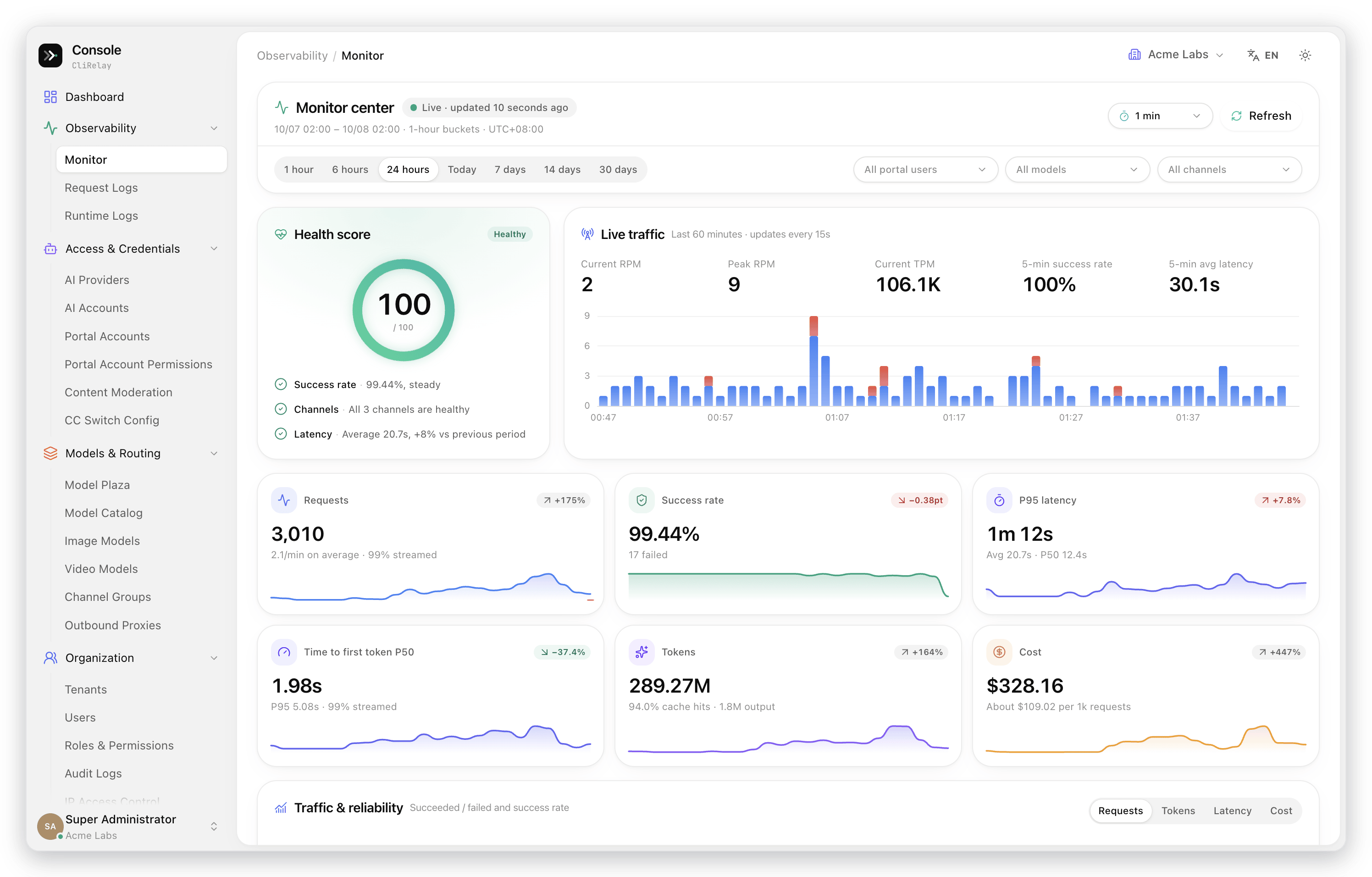
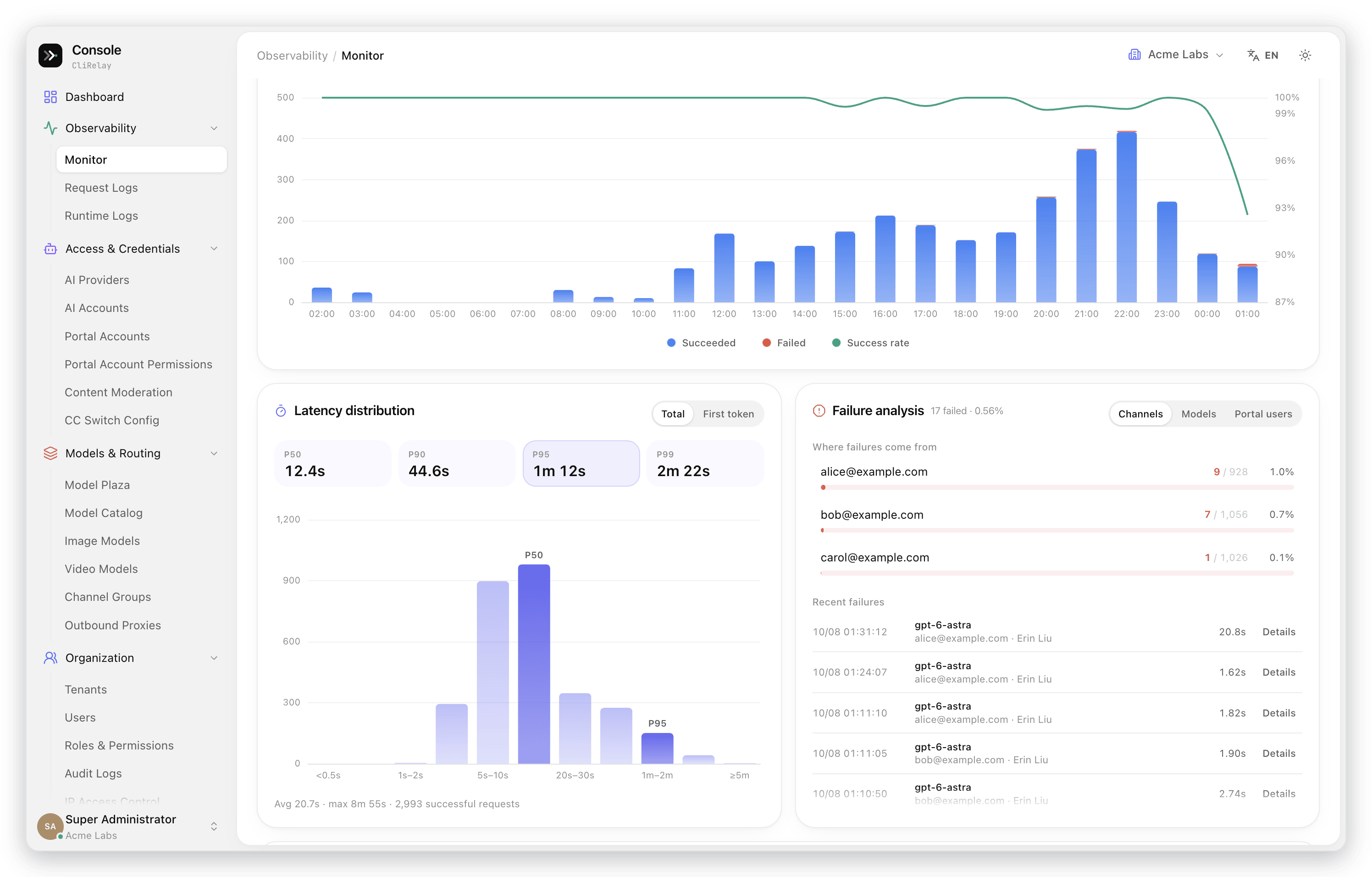
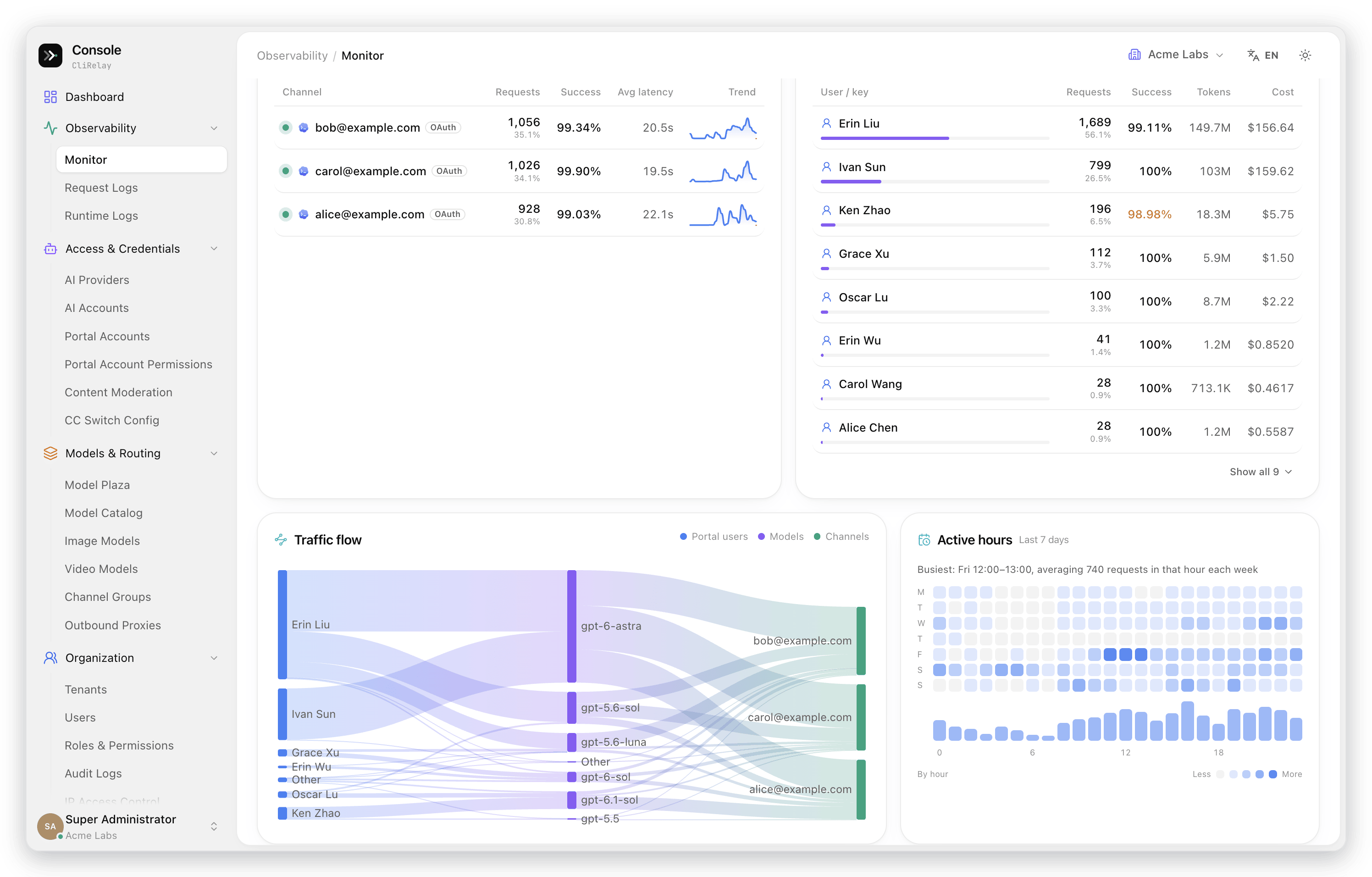
| 📈 See everything | A monitor center with a health score, per-minute live traffic, P50–P99 latency and time to first token, failure analysis and a portal user → model → channel traffic flow, plus a searchable log of every request with tokens, latency and cost. |
| 💳 Control spend | Client keys grouped under portal accounts, reusable permission profiles, daily / period / lifetime quotas, RPM and TPM limits, per-model pricing and one-click period resets. |
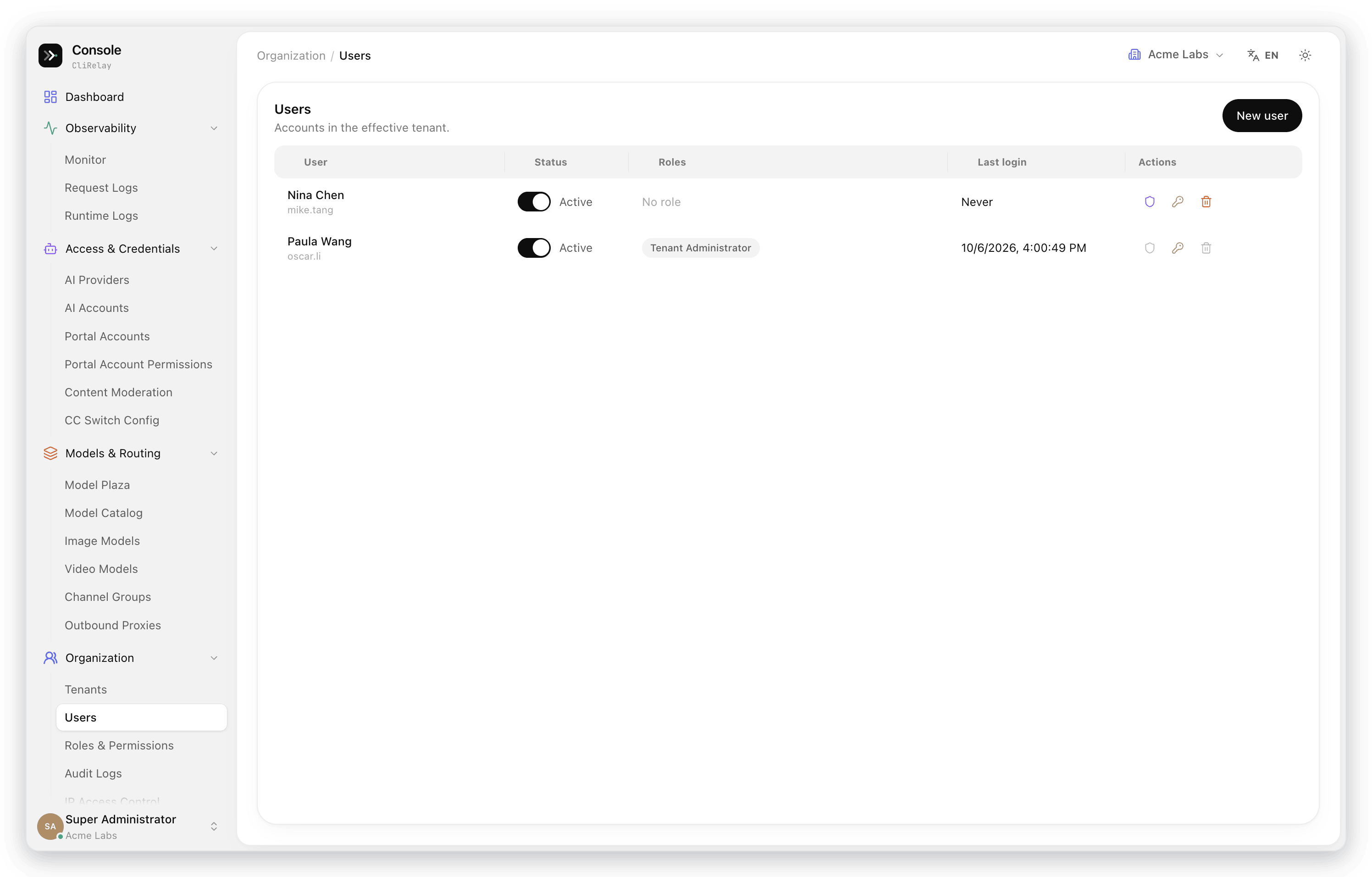
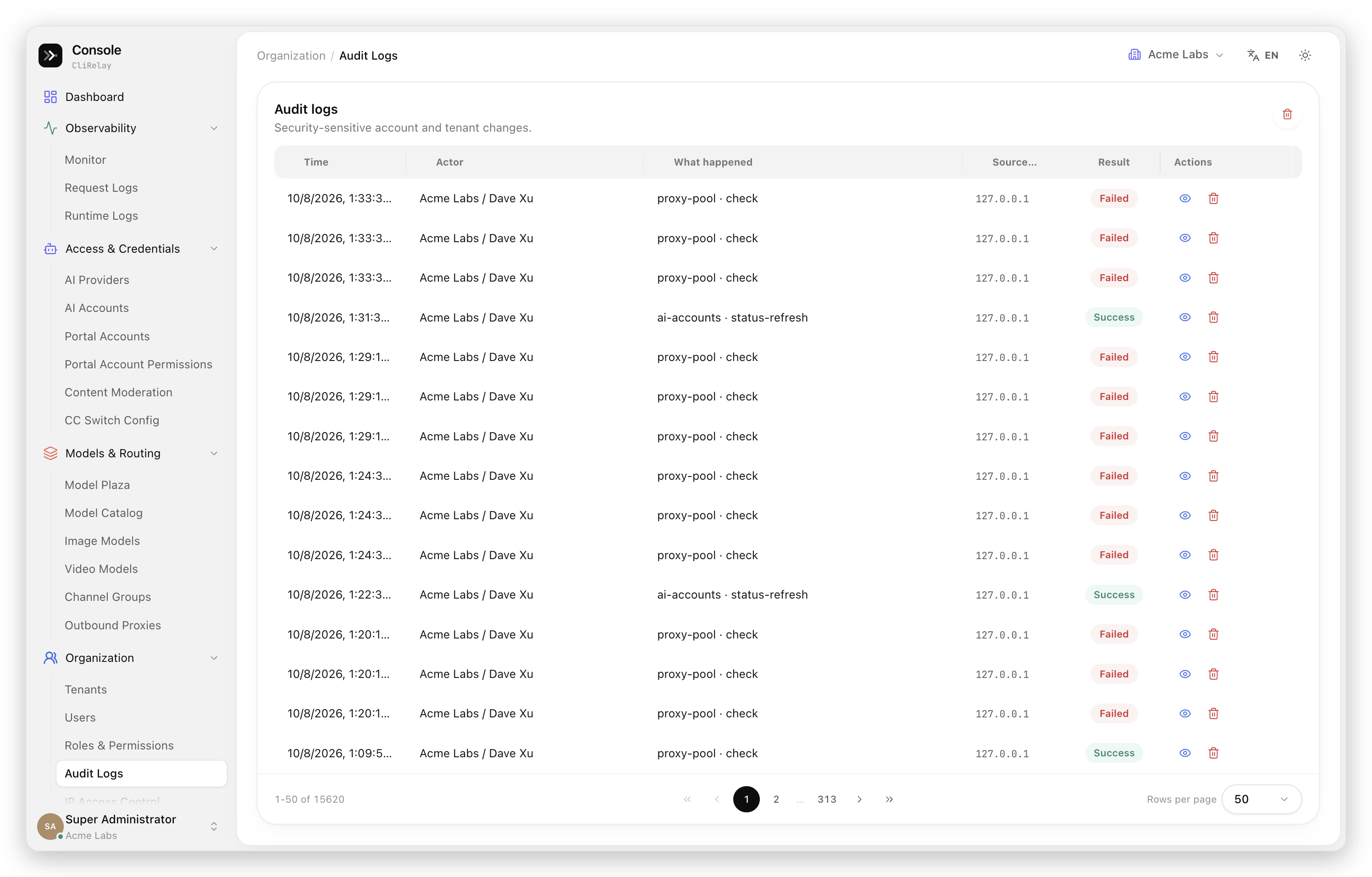
| 🏛️ Built for teams | Tenants, users, roles, resource.action permissions, a curated menu per tenant and an audit trail for security-sensitive changes. |
| 🖥️ Operate from the browser | A /manage control panel to add accounts with guided sign-in or credential import, edit config visually, manage models and pricing, and check for updates — in English, Simplified Chinese and Russian. |
flowchart LR
    subgraph clients["Your tools"]
        cc["Claude Code"]
        cx["Codex CLI"]
        gc["Gemini CLI"]
        oa["Any OpenAI-compatible client"]
    end

    subgraph relay["CliRelay :8317"]
        auth["Client key<br/>portal account · permission profile"]
        quota["Quotas & rate limits"]
        route["Channel group routing<br/>scheduling · cooldown · failover"]
        exec["Provider executors<br/>protocol translation"]
        auth --> quota --> route --> exec
    end

    subgraph upstreams["Upstream accounts"]
        oauth["OAuth accounts<br/>Claude · Codex · Gemini · Antigravity · Grok · Qwen · Kimi · iFlow"]
        keys["Provider keys<br/>OpenAI-compatible · Vertex · Bedrock · OpenCode Go · ClinePass · Ollama Cloud"]
    end

    clients --> auth
    exec --> oauth
    exec --> keys
    relay -. "request logs, usage rollups" .-> pg[("PostgreSQL")]
    relay -. "cache, locks, limits" .-> rd[("Redis")]
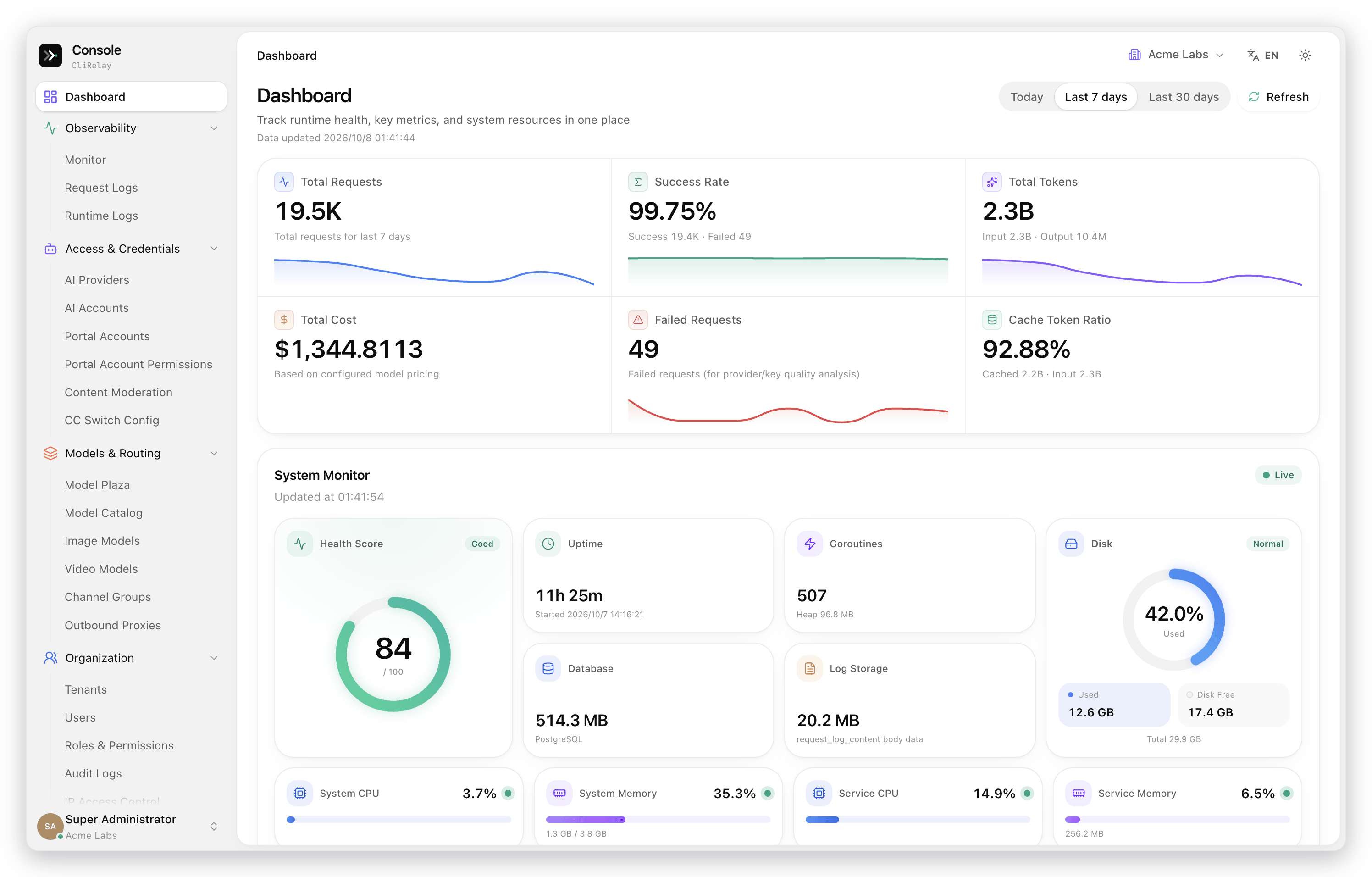
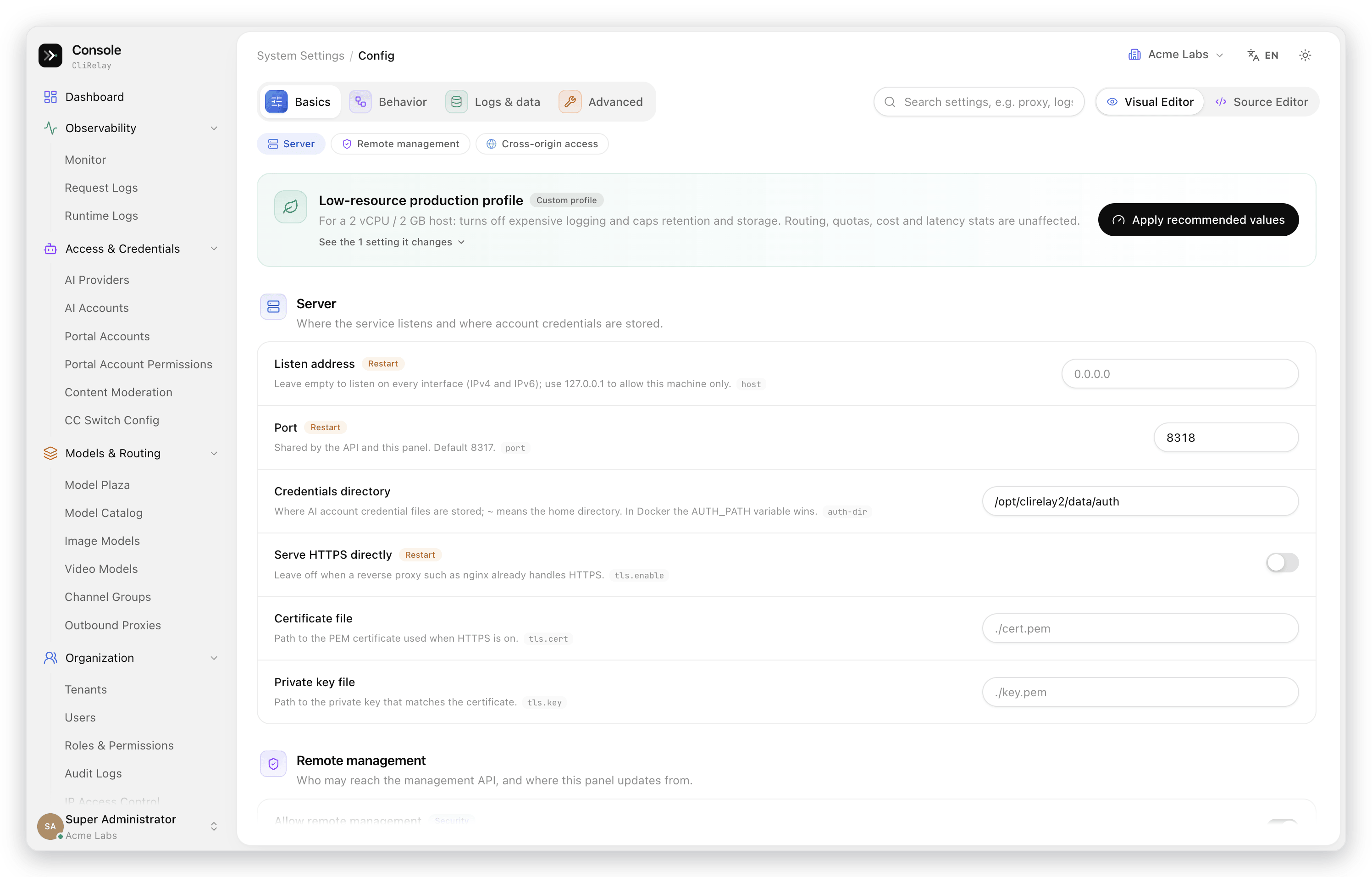
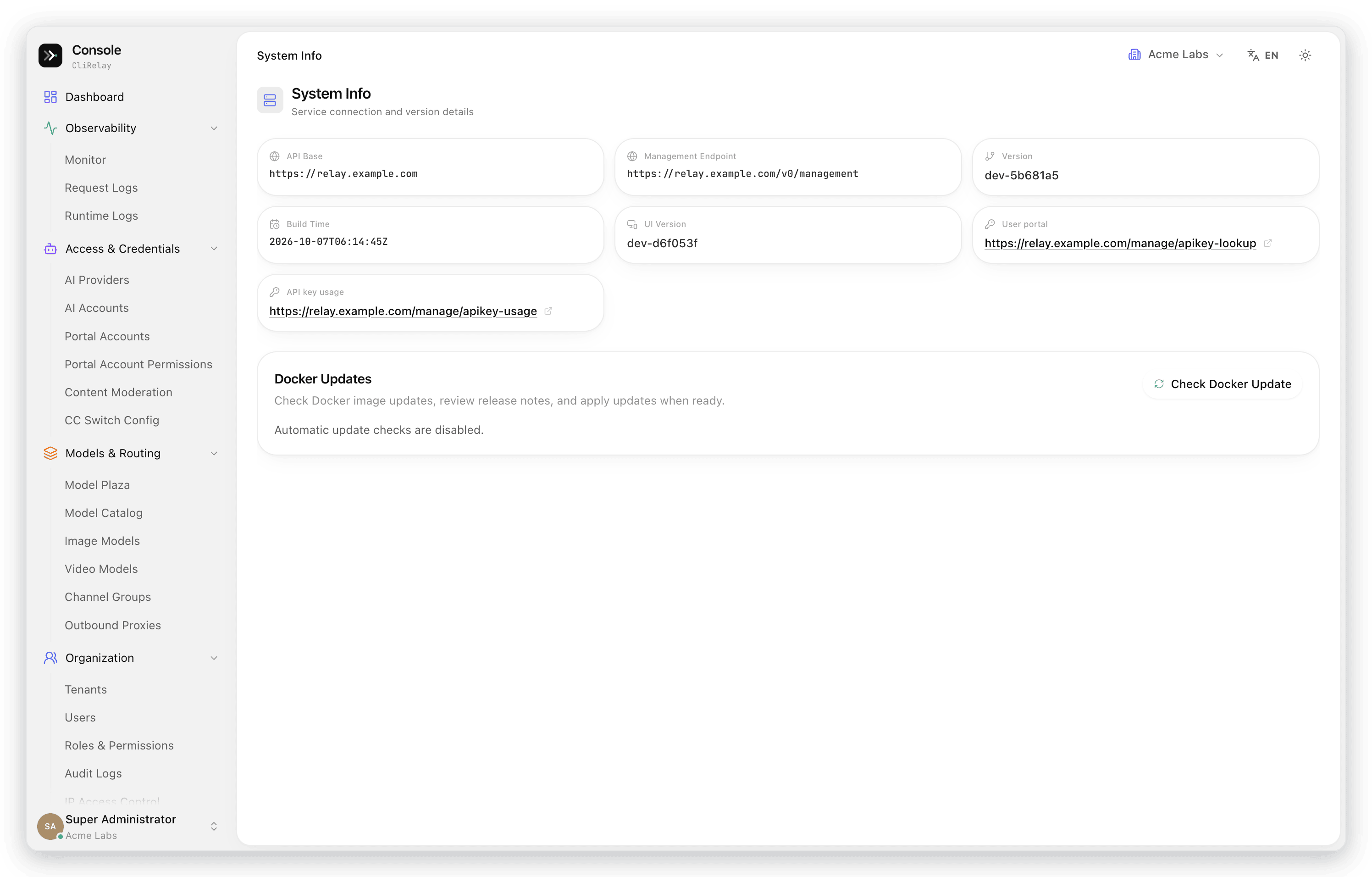
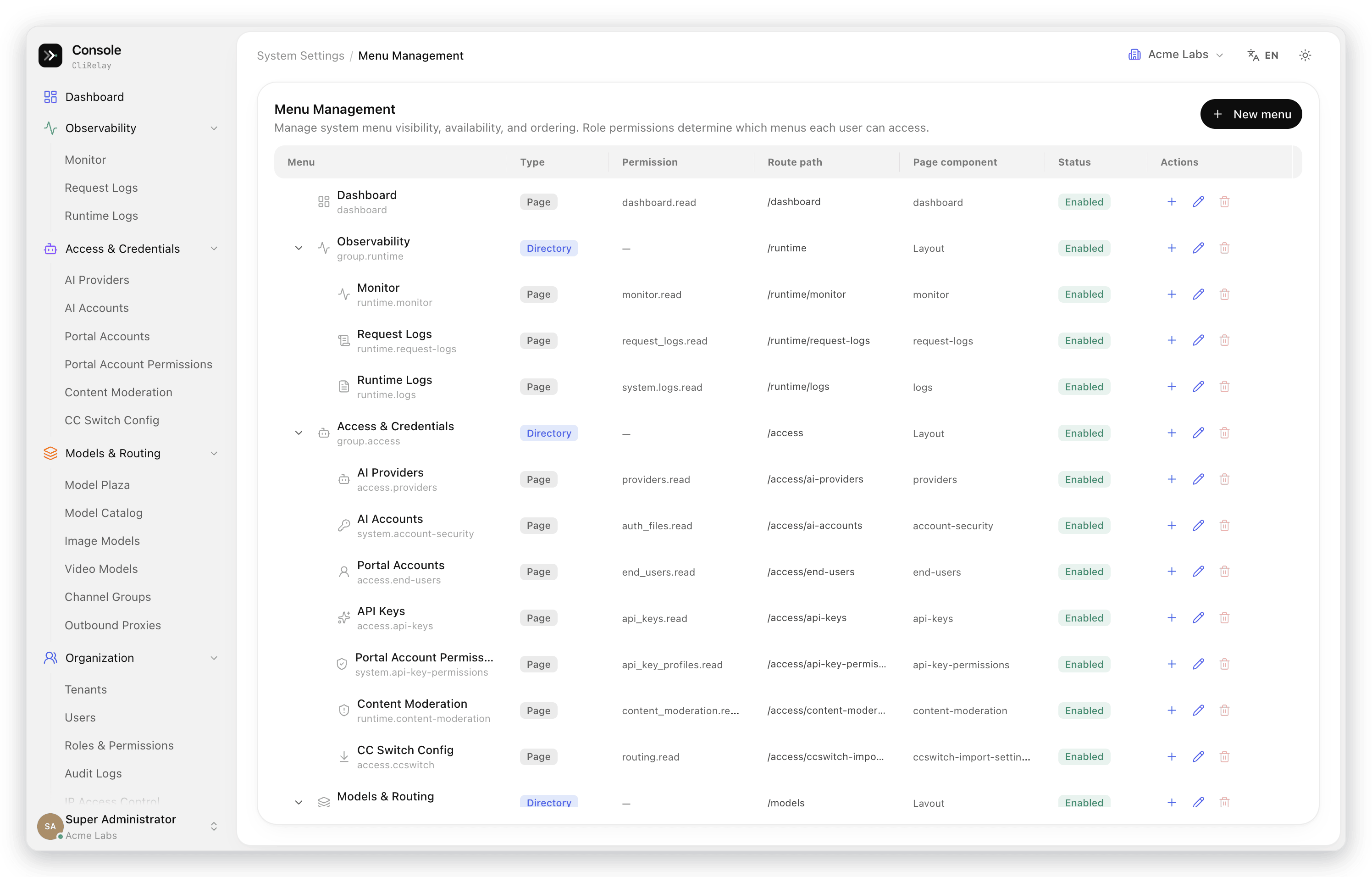
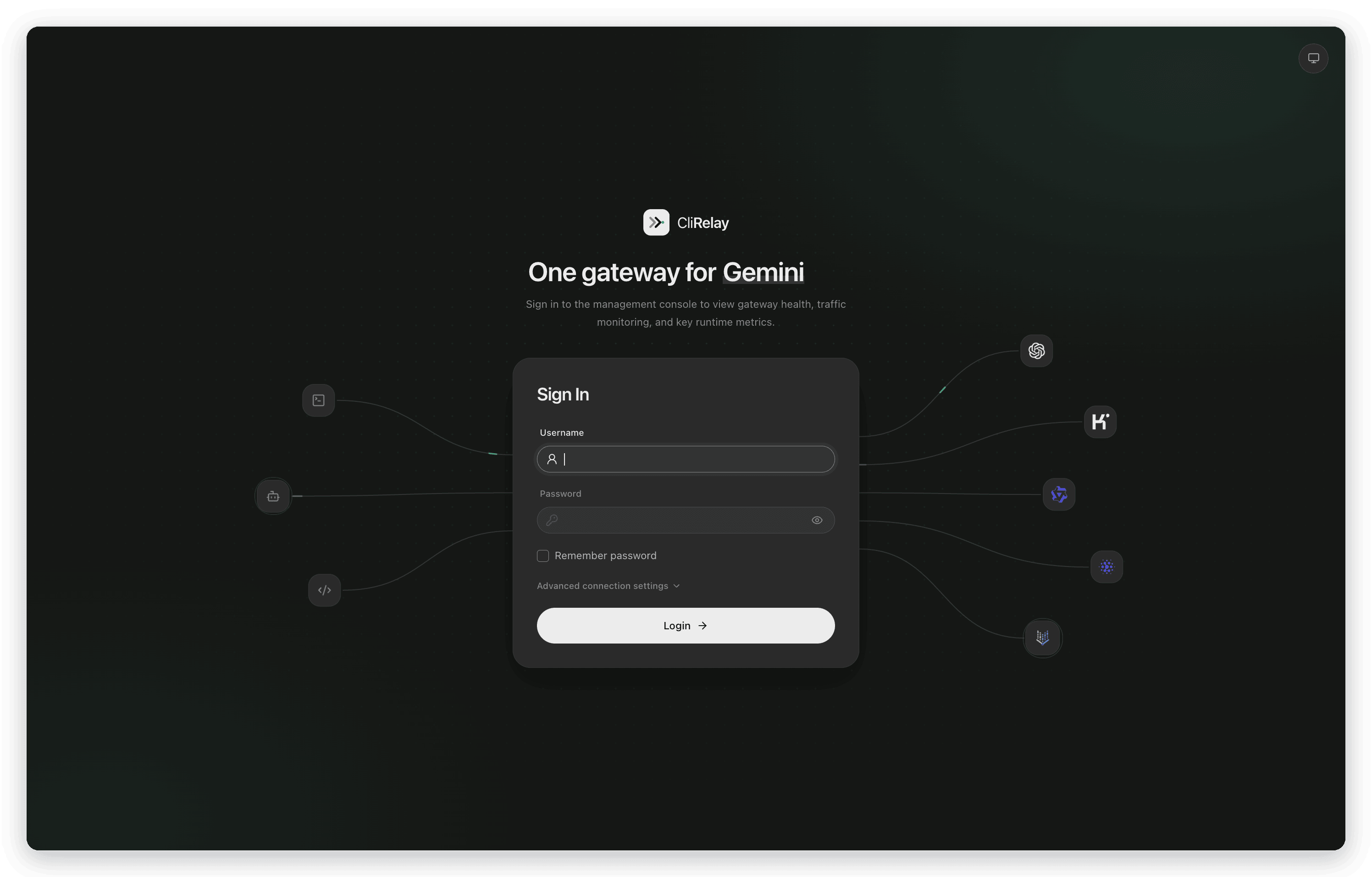
The control panel (kittors/codeProxy) is served by CliRelay at /manage. The screenshots below follow its own navigation and were taken from a live deployment; names, keys, addresses and accounts are replaced with sample values.
| Monitor center — traffic and reliability over time | Monitor center — rankings, traffic flow and active hours |
|---|---|
 |  |
| Dashboard | Request logs |
|---|---|
 | 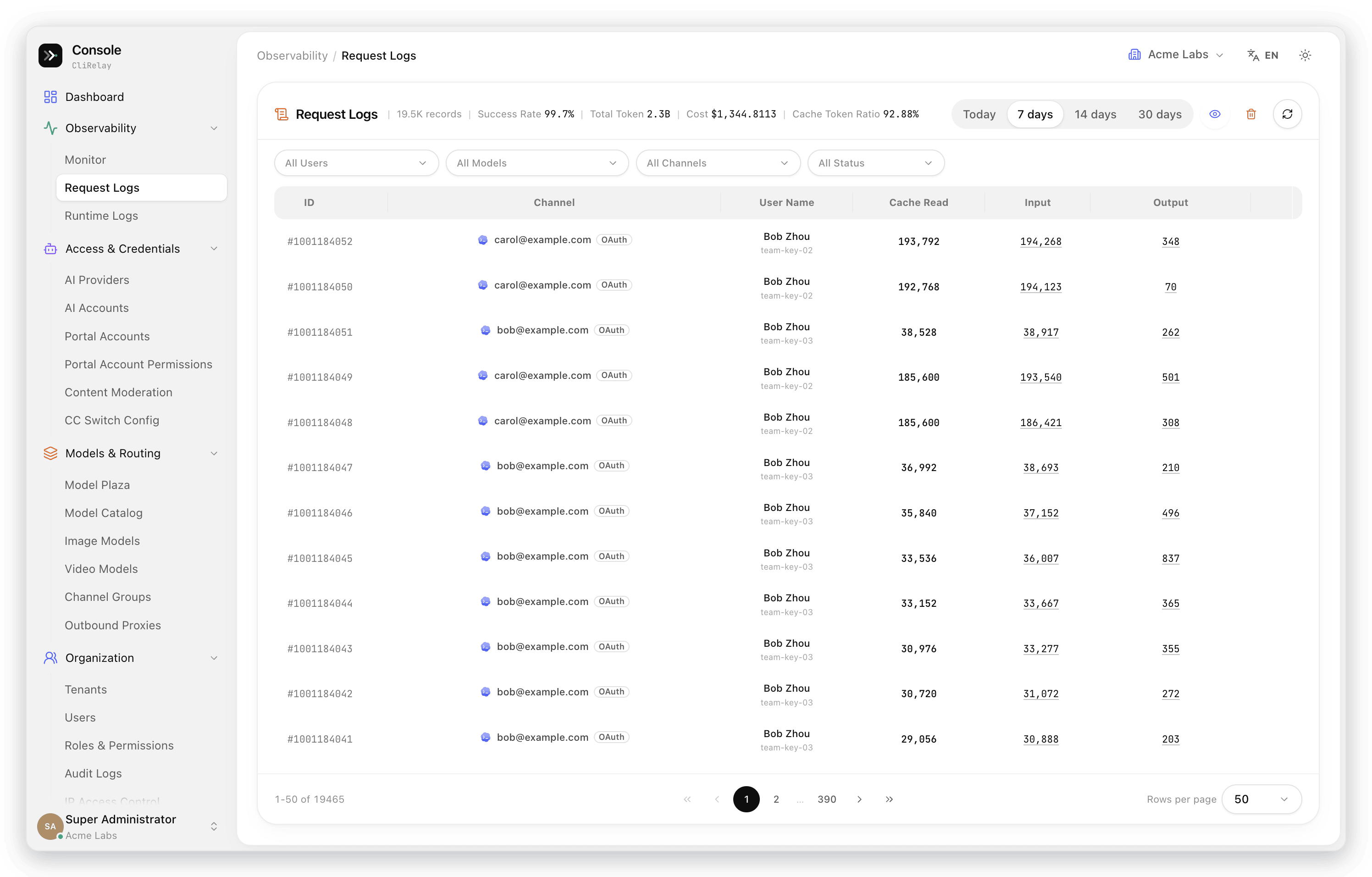 |
| Model performance, channel health and portal users | Dark theme |
|---|---|
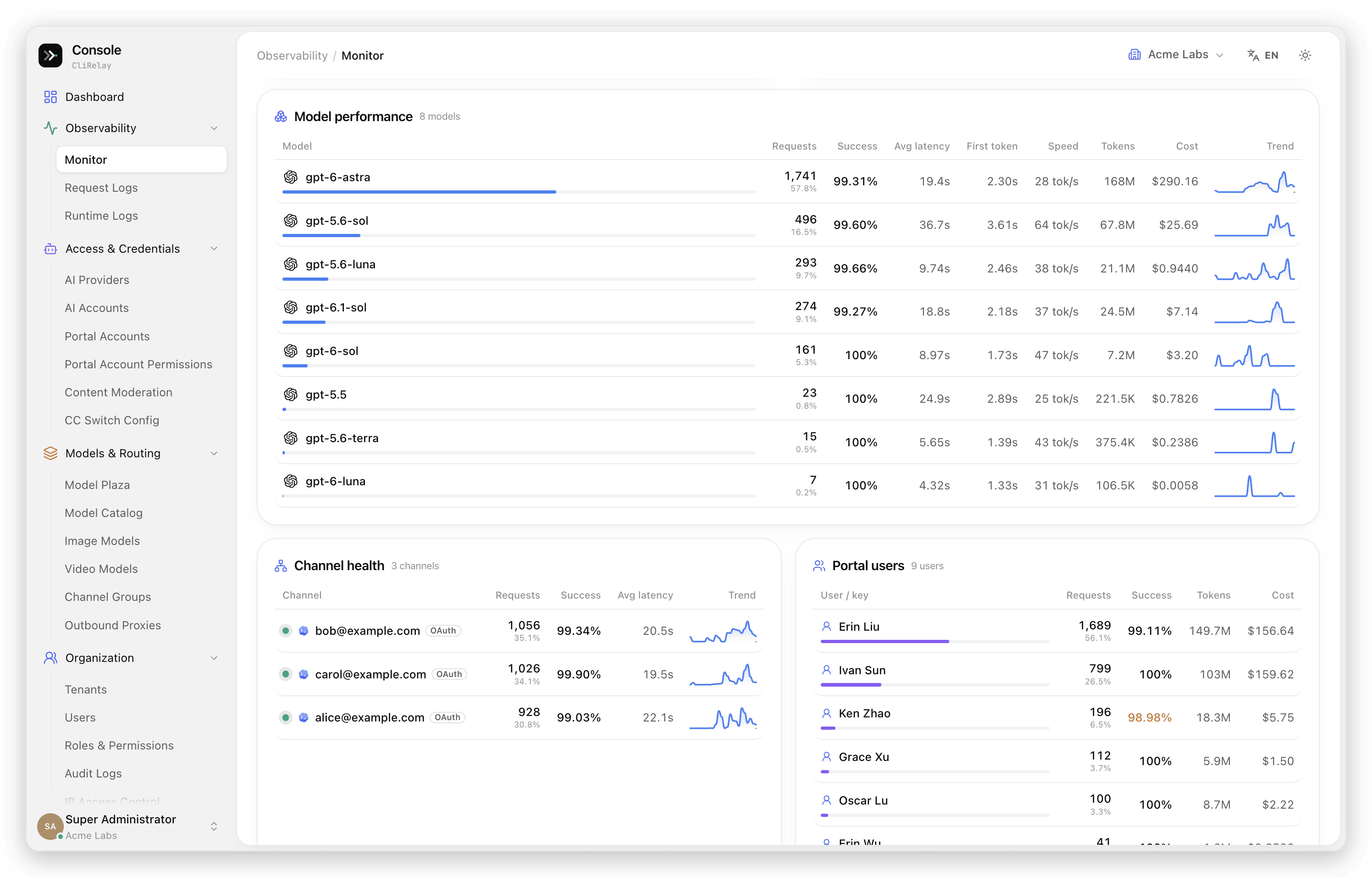 | 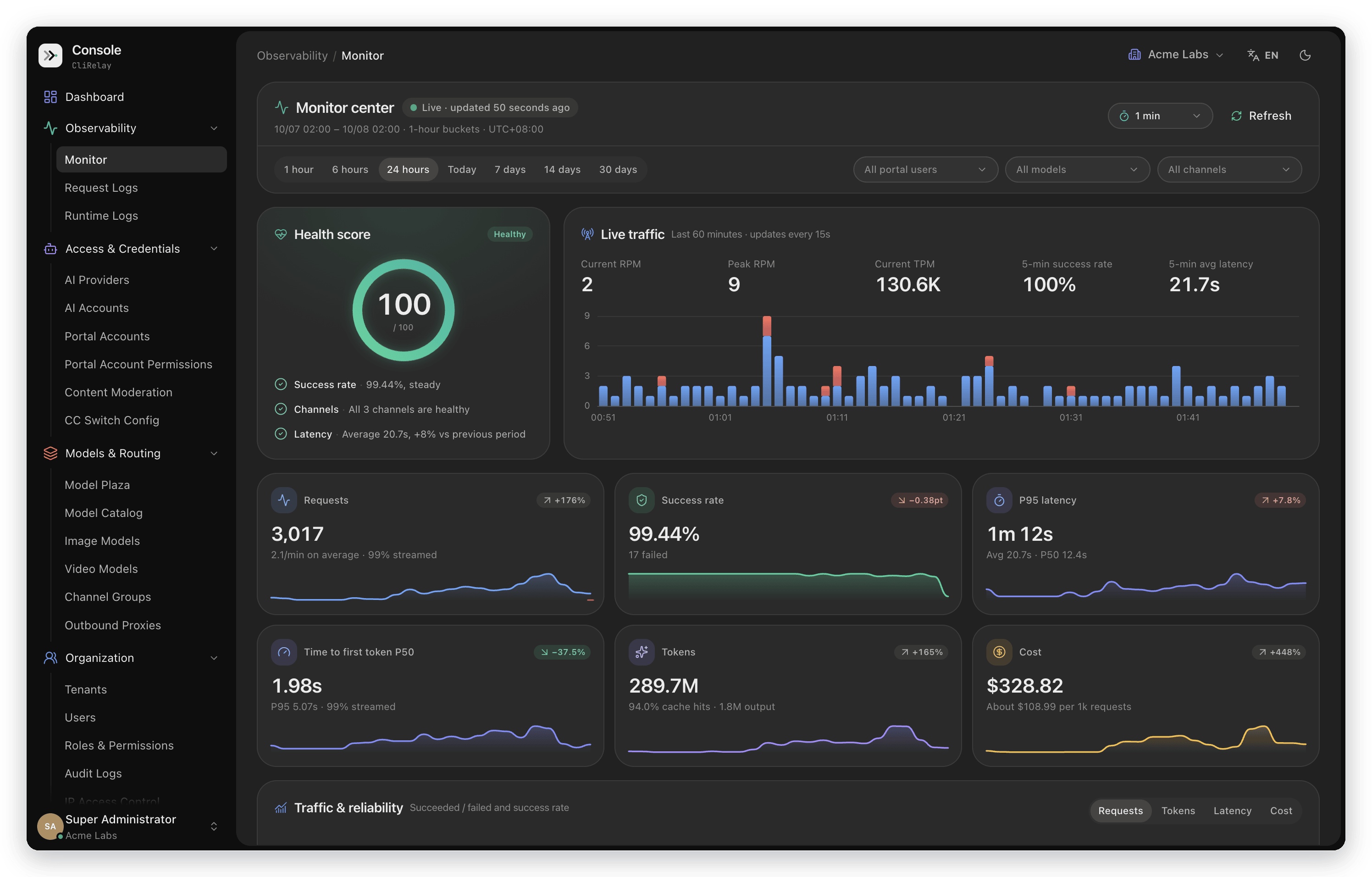 |
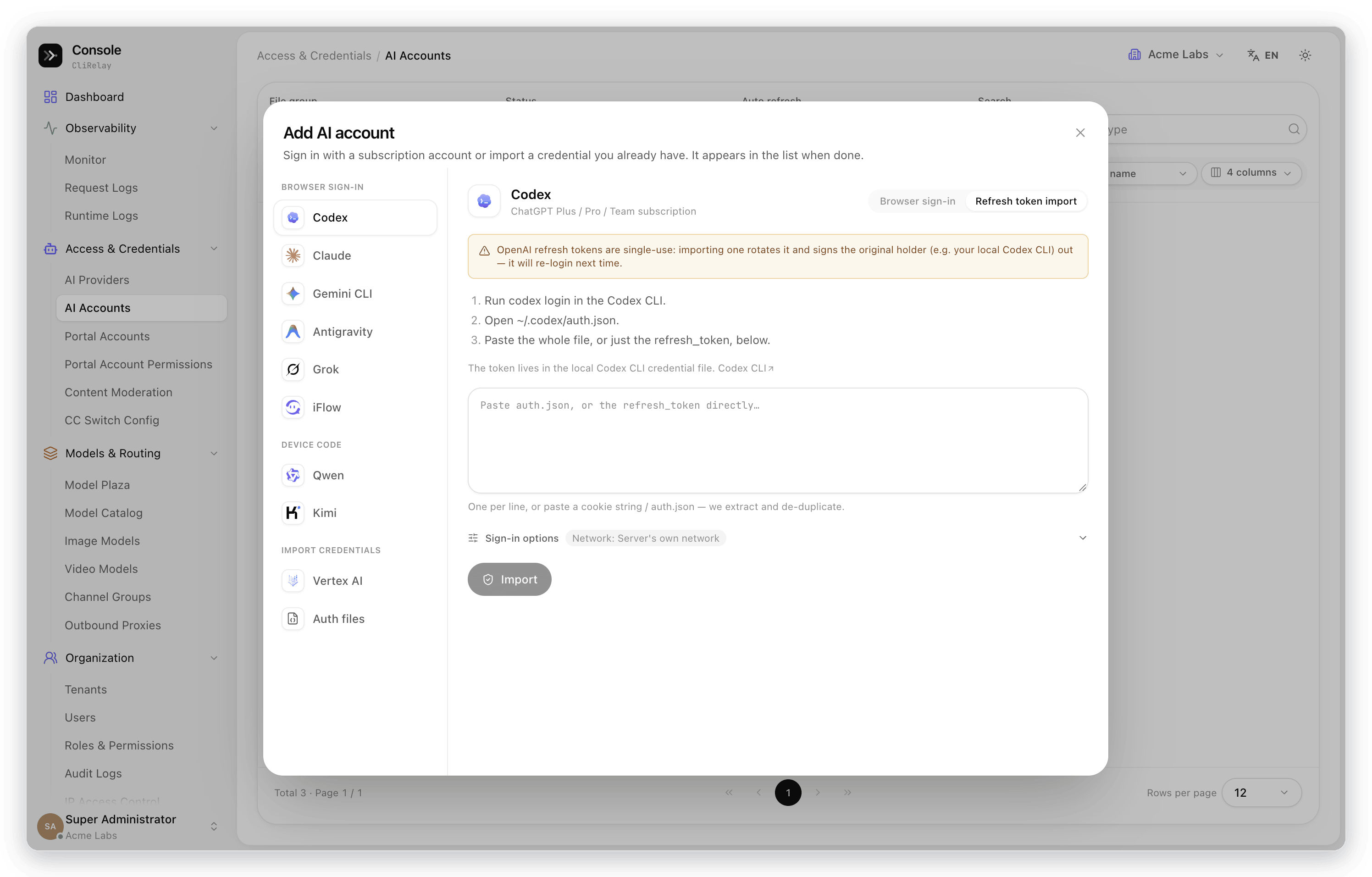
| Add an AI account | Import credentials you already hold |
|---|---|
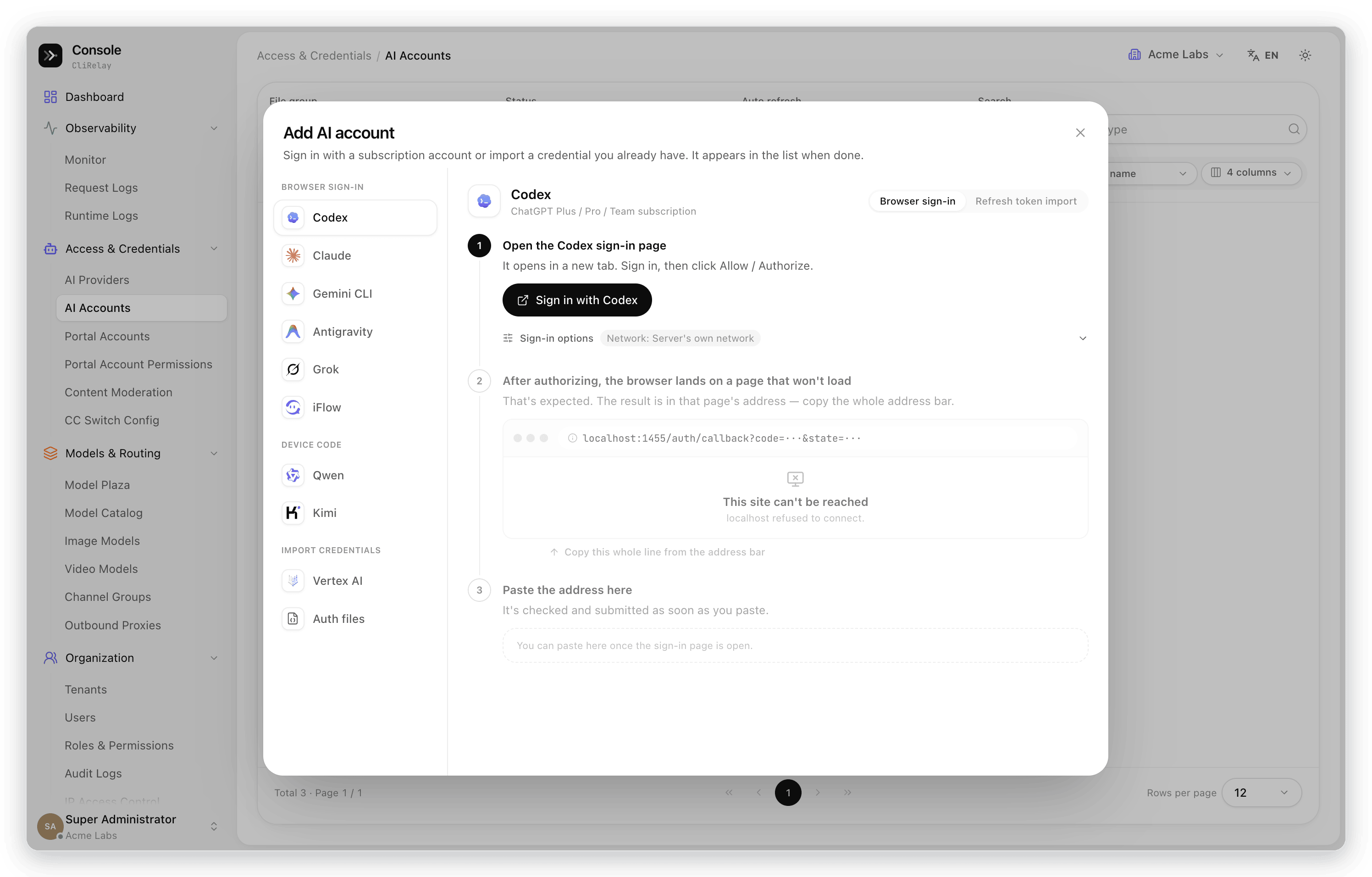 |  |
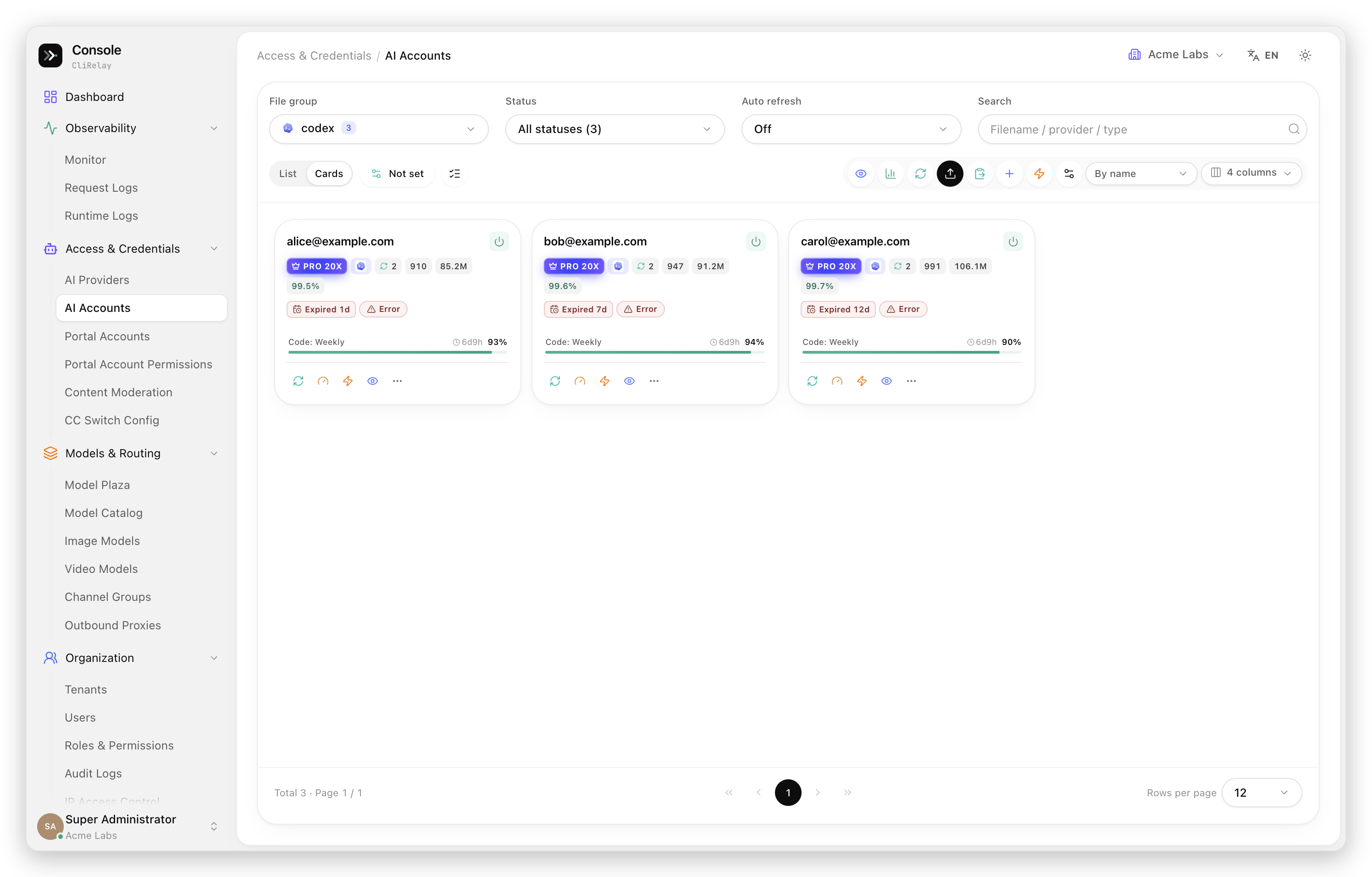
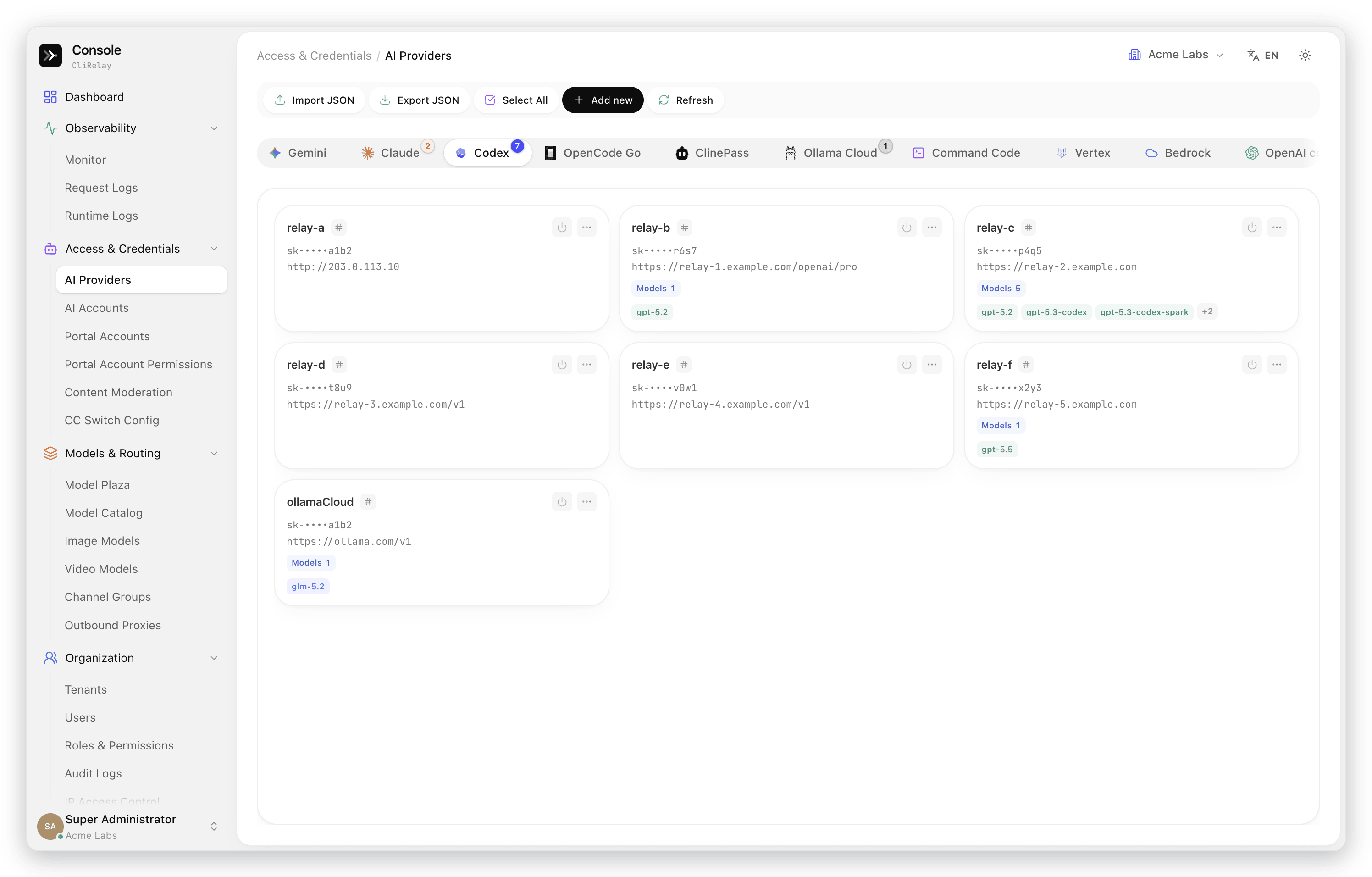
| AI accounts | AI providers |
|---|---|
 |  |
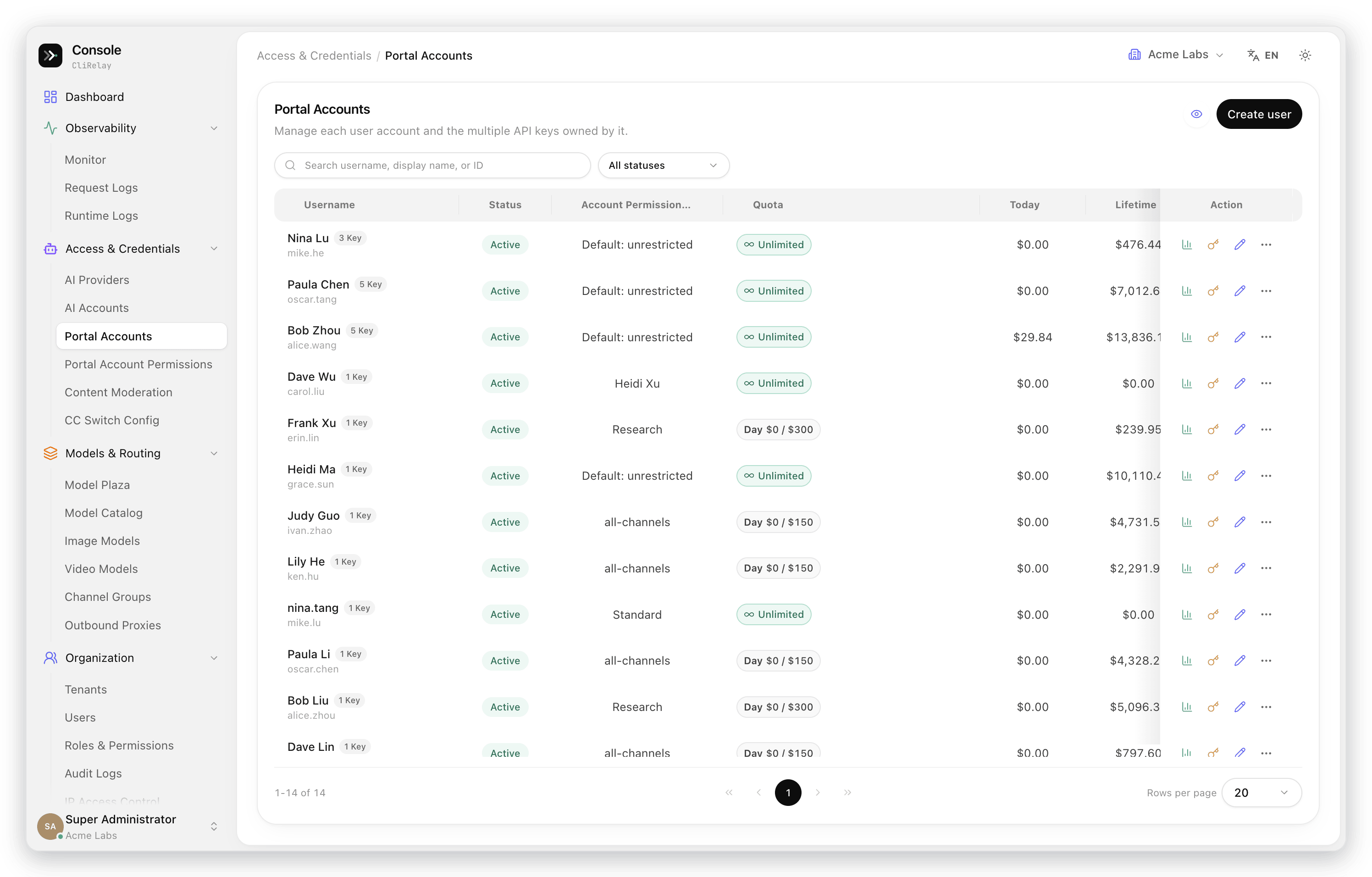
| Portal accounts | Portal account permissions |
|---|---|
 | 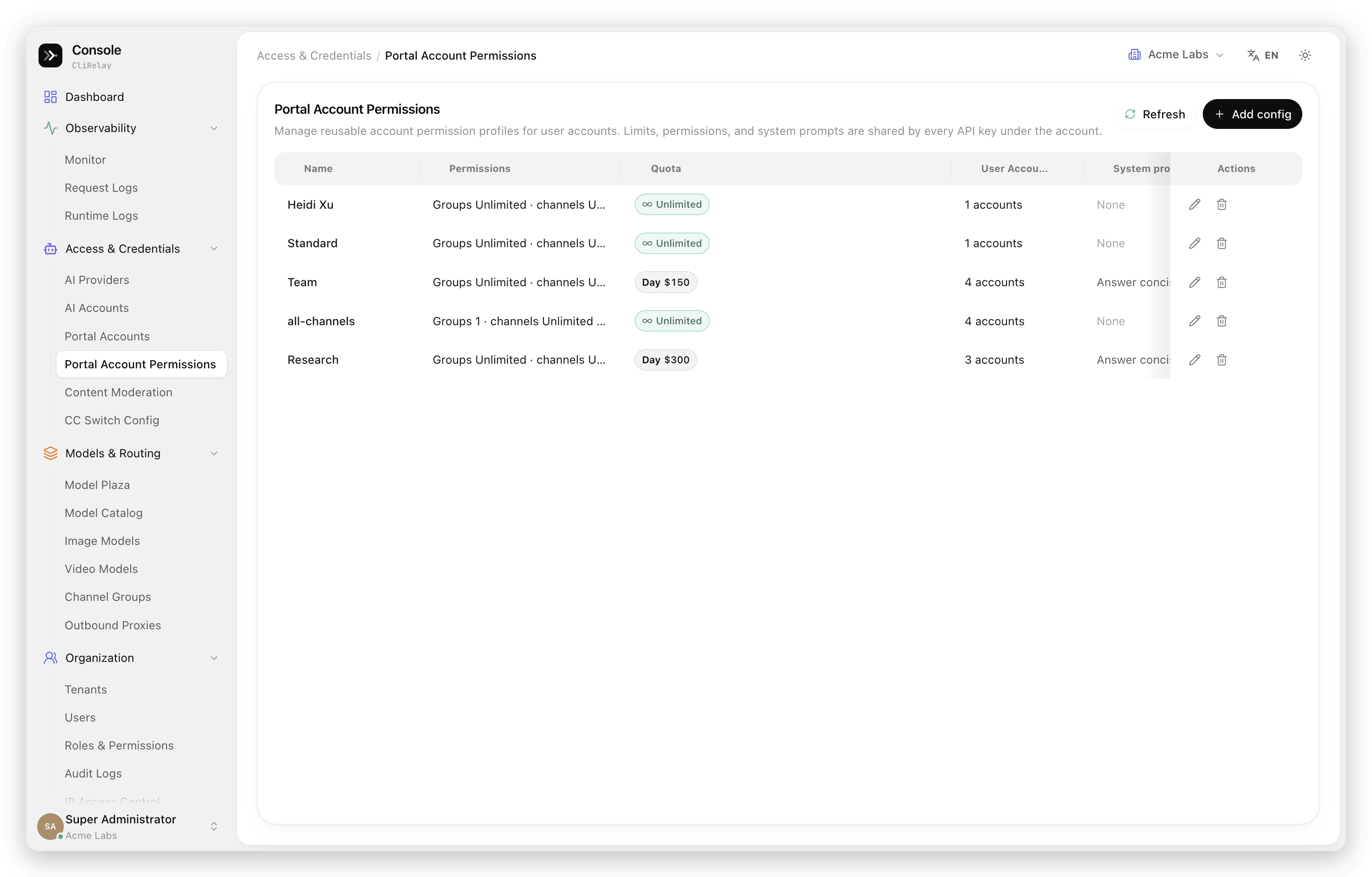 |
| Content moderation | CC Switch config |
|---|---|
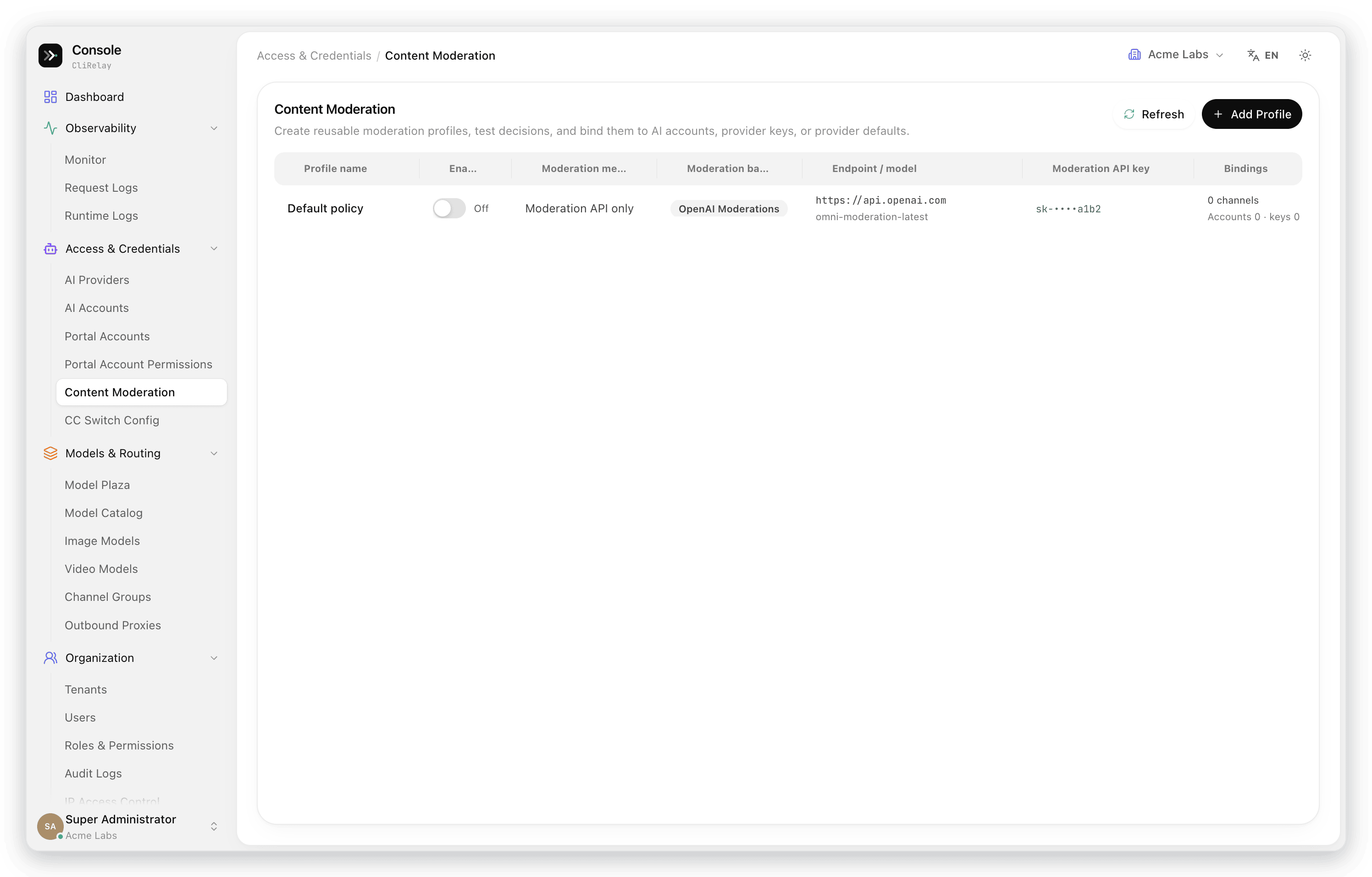 | 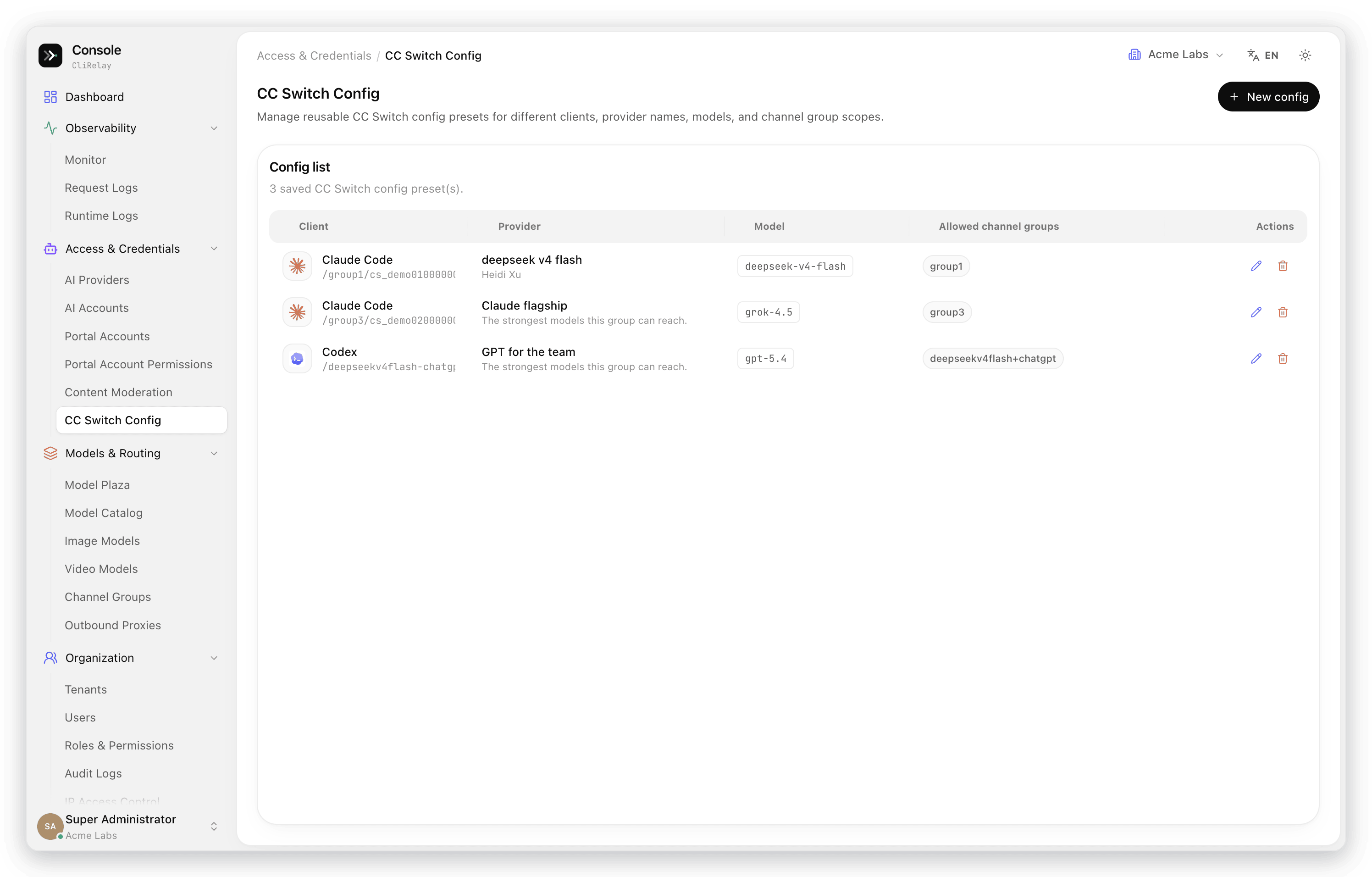 |
| Model plaza | Model catalog |
|---|---|
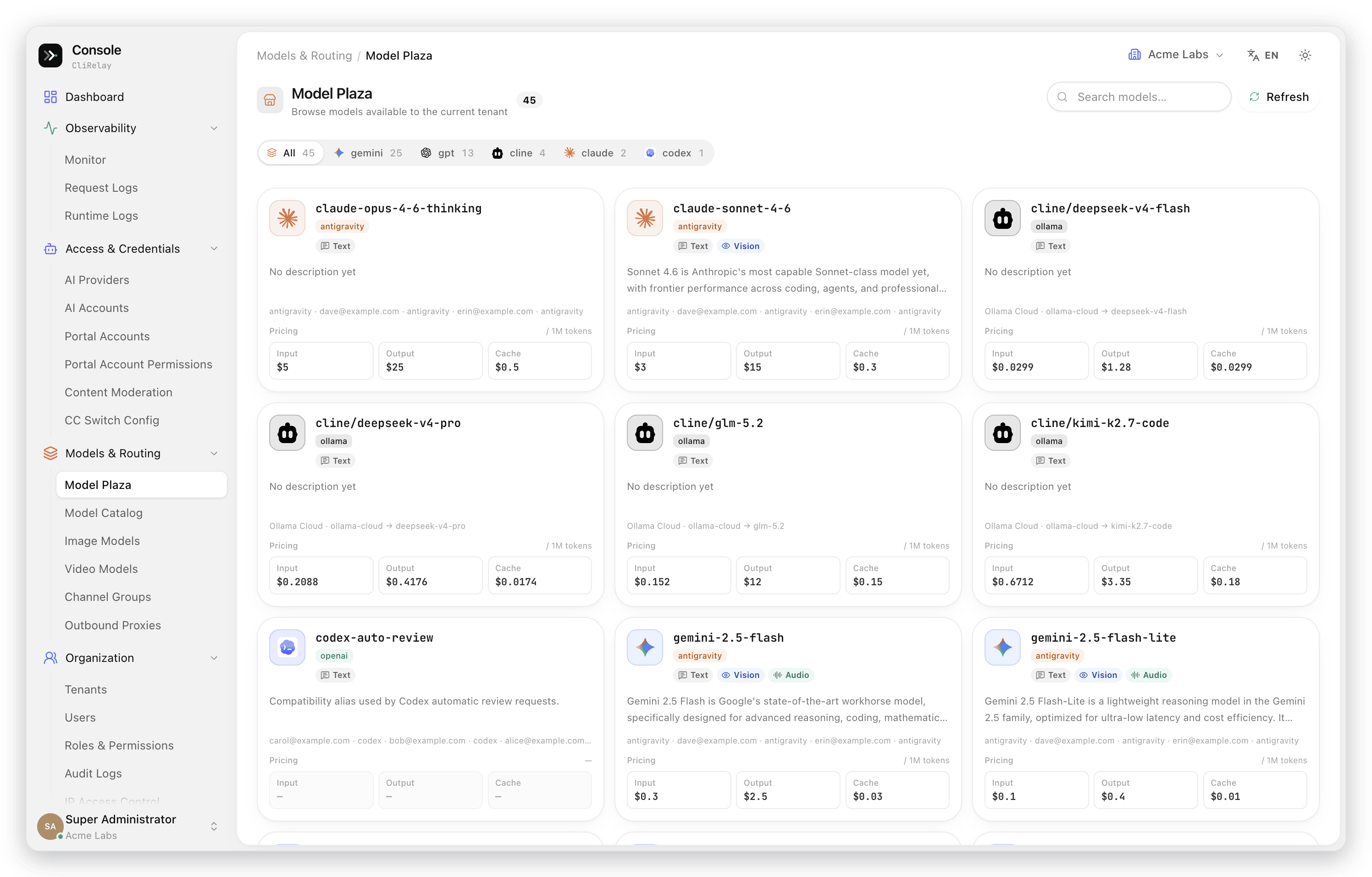 | 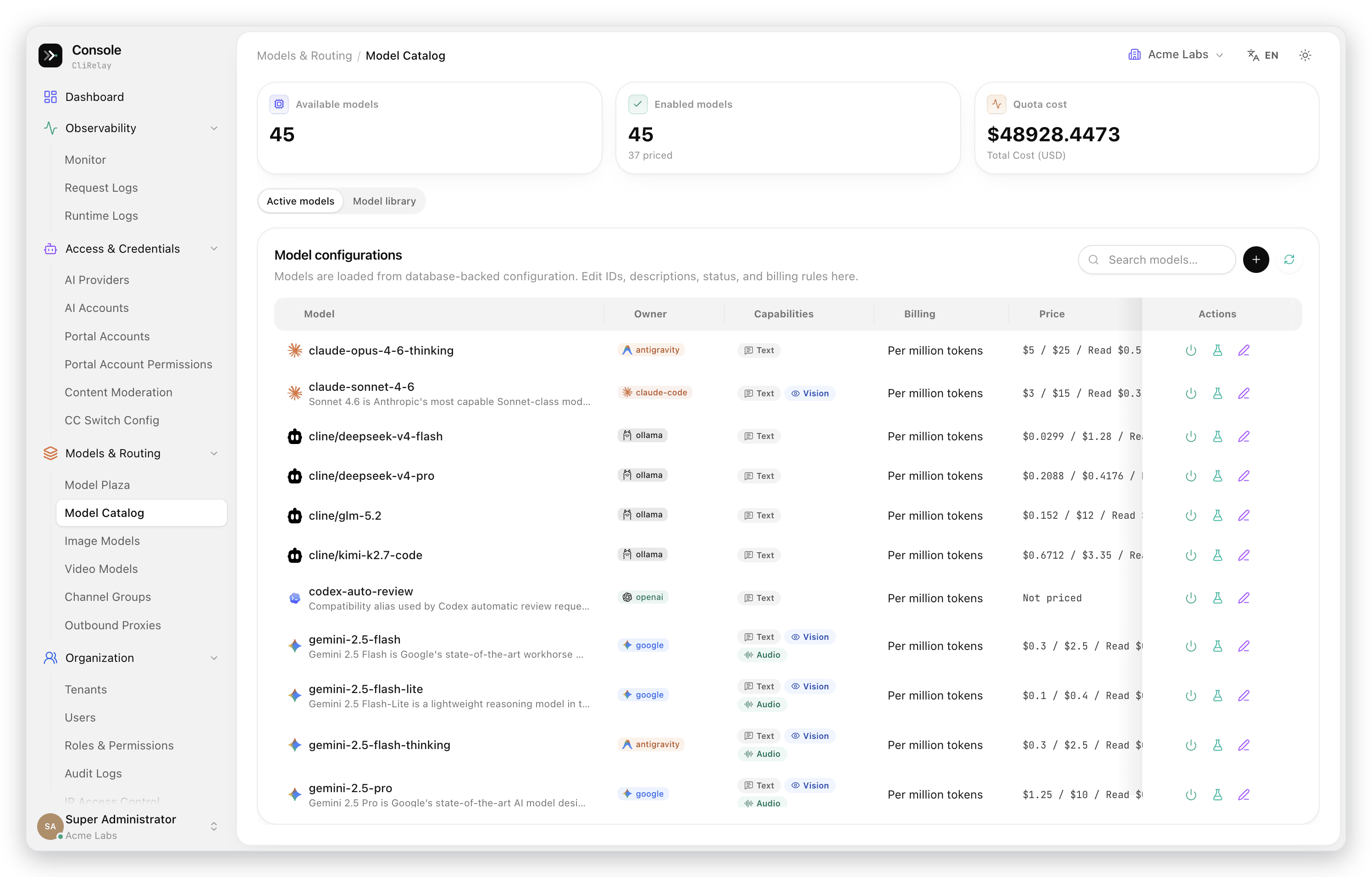 |
| Channel groups | Outbound proxies |
|---|---|
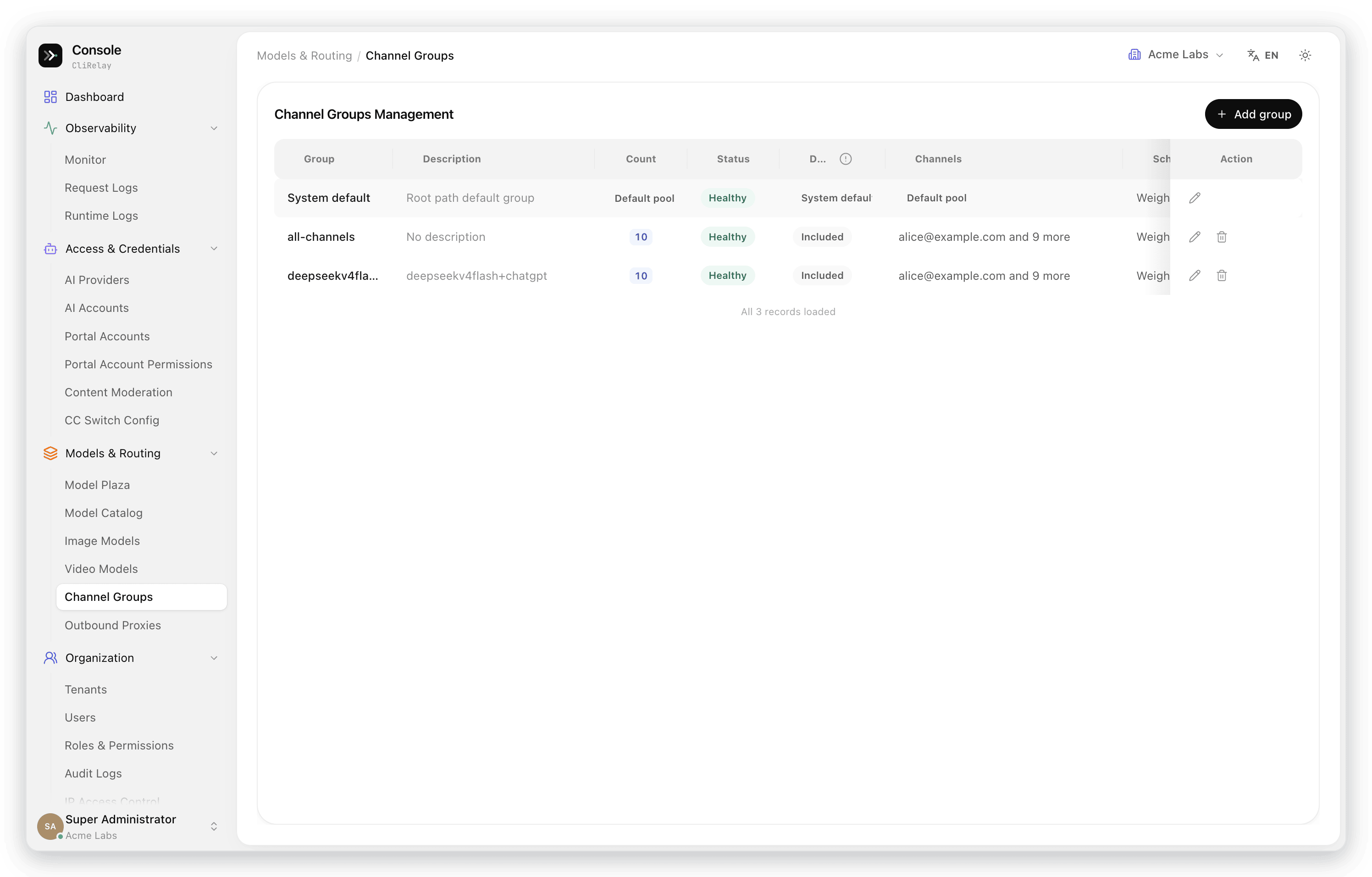 | 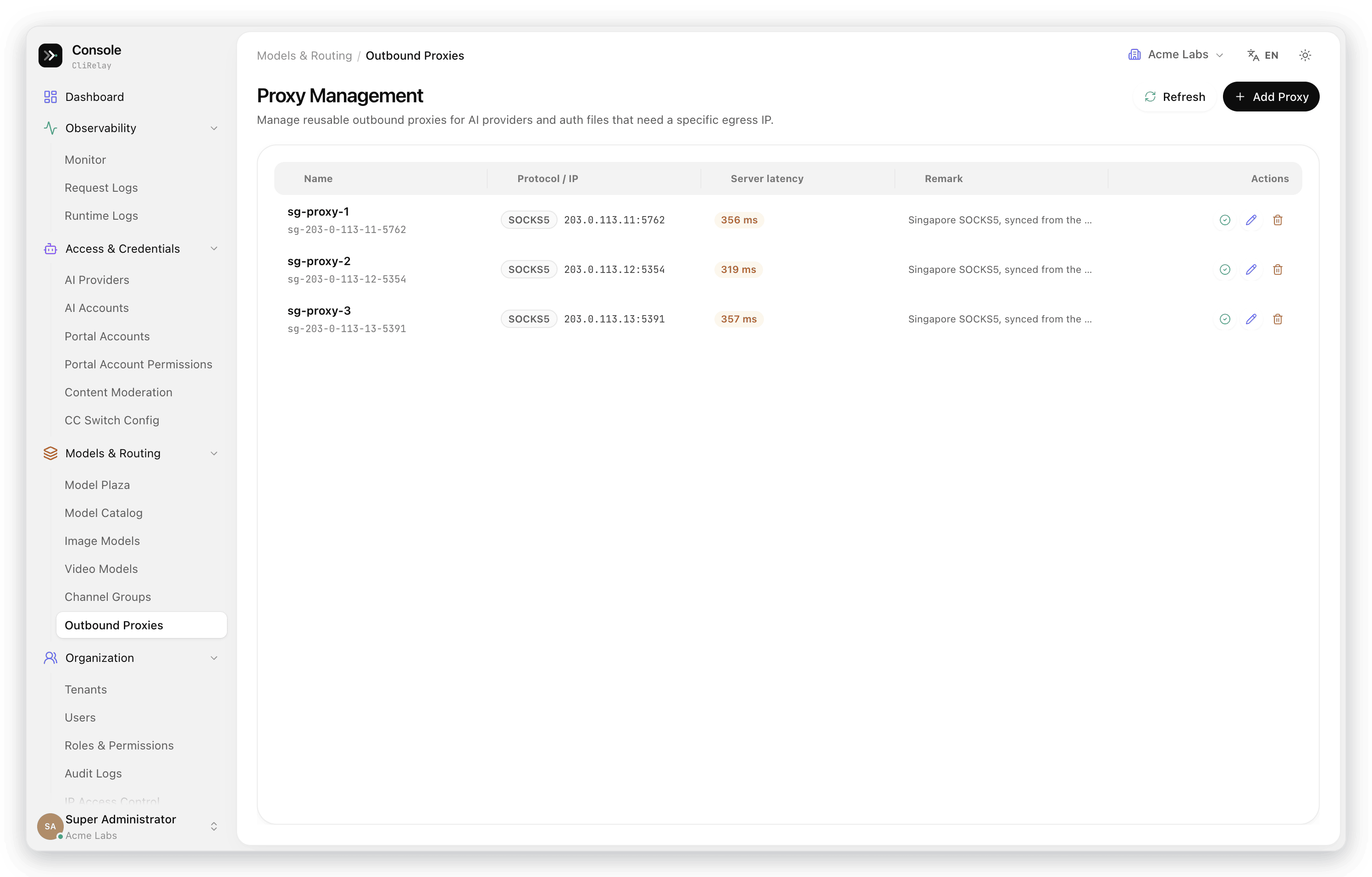 |
| Tenants | Users |
|---|---|
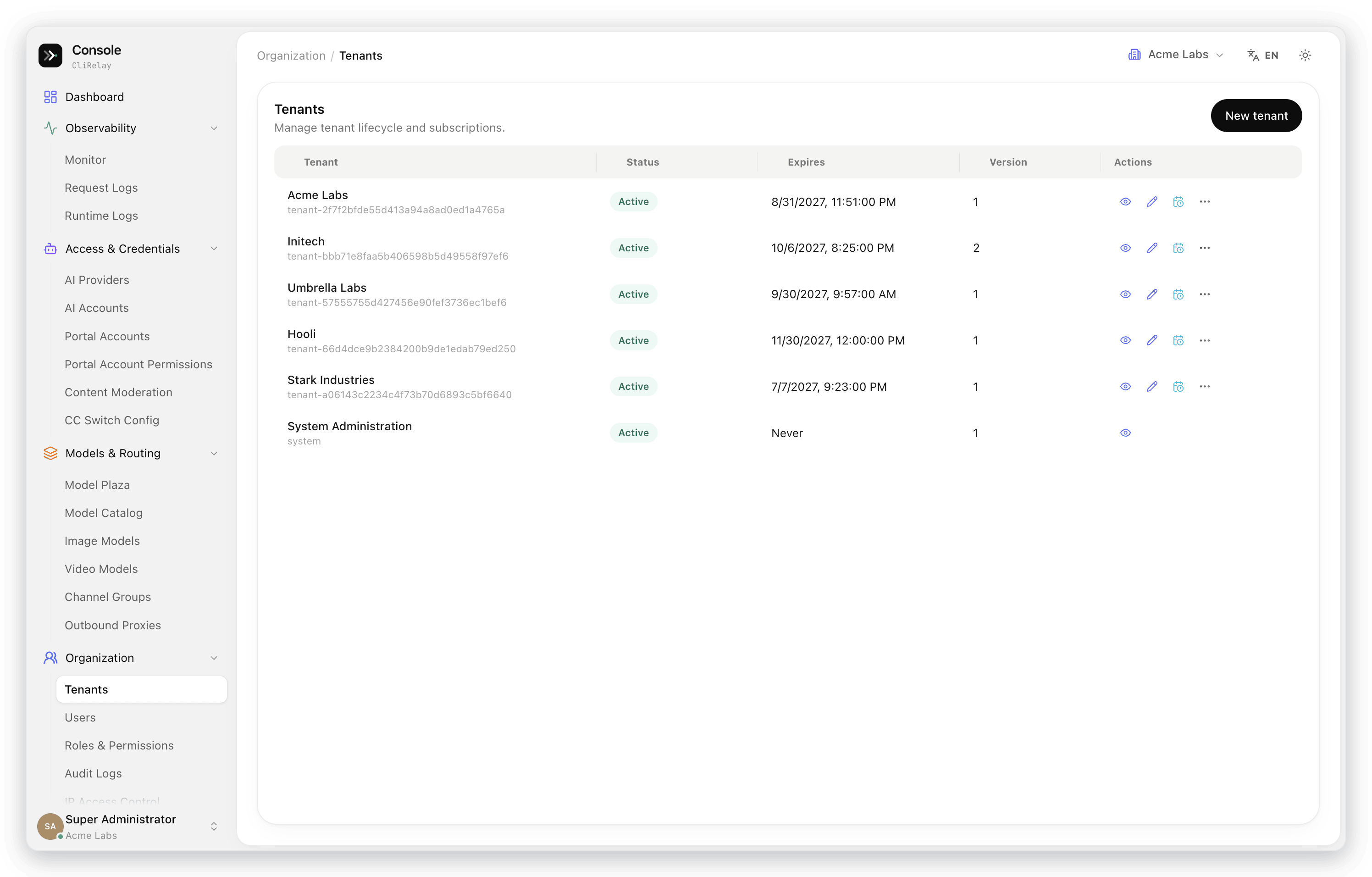 |  |
| Roles and permissions | Audit logs |
|---|---|
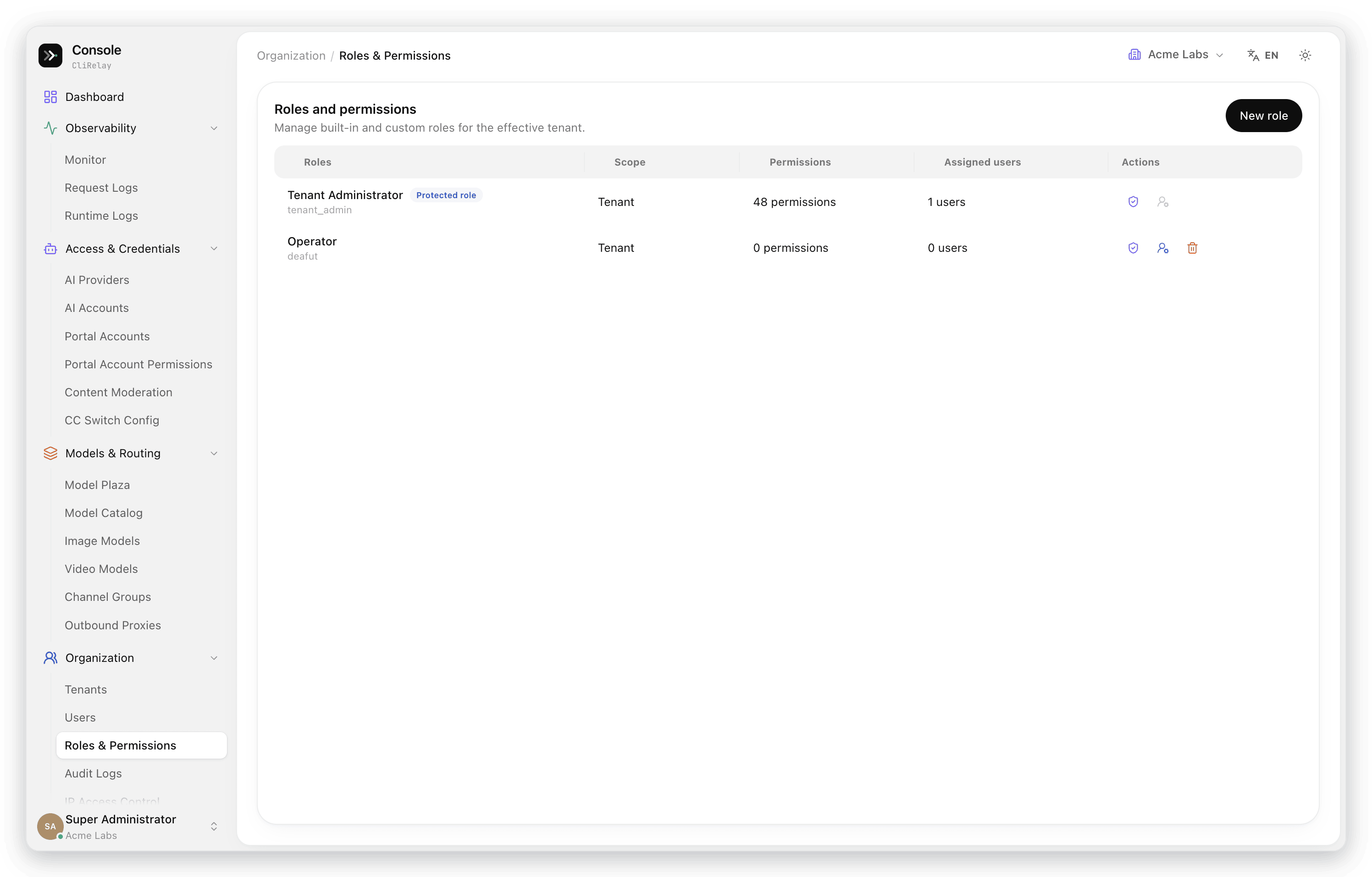 |  |
resource.action permissions such as providers.test or models.write, which decide the pages, buttons and API calls each user gets.| Visual config editor | System info |
|---|---|
 |  |
| Menu management | Sign-in |
|---|---|
 |  |
| Provider / channel | How it connects | Notes |
|---|---|---|
| Anthropic Claude | OAuth (browser or code page), session-key import, API key | Claude Code and Claude-compatible clients; Messages and Responses entrypoints |
| OpenAI Codex | OAuth, refresh-token import, API key | Responses over HTTP and WebSocket, image generation bridge |
| Google Gemini | OAuth (Gemini CLI), API key | Gemini CLI and AI Studio style flows |
| Antigravity | OAuth, refresh-token import | Gemini and Claude model families, quota warmup |
| Vertex AI | Service-account JSON, API key | Custom base URL, headers, aliases and exclusions |
| AWS Bedrock | API key or SigV4 | Region-aware Bedrock Runtime with Claude model mappings |
| xAI / Grok | OAuth, SSO-cookie import | Grok CLI identity and quota metadata |
| Qwen | Device code | Qwen Code style sign-in |
| Kimi | Device code | Kimi CLI identity headers |
| iFlow | OAuth, cookie | iFlow and related model families |
| OpenCode Go | API key | Usage windows read with the same key; vision fallback model |
| ClinePass | API key | OpenAI-compatible routing with model-access control |
| Ollama Cloud | API key | OpenAI-compatible routing with model-access control |
| Command Code | API key | Plan usage windows and model access |
| OpenAI-compatible upstreams | API key | OpenRouter and any service that speaks Chat Completions |
| Amp | Upstream key and model mappings | Amp CLI and IDE integration |
Docker Compose is the recommended installation. It starts CliRelay, PostgreSQL 15, Redis 7 and the updater sidecar.
git clone https://github.com/kittors/CliRelay.git
cd CliRelay
# Linux bind mounts need write access for the non-root container user:
# sudo chown -R 10001:10001 auths logs data
docker compose up -d
On the first start, the clirelay-init service creates .env and config.yaml if they are missing and generates the secrets it needs (CLIRELAY_ADMIN_PASSWORD, CLIRELAY_POSTGRES_PASSWORD, CLIRELAY_UPDATER_TOKEN). Existing non-empty values are kept.
| What | Where |
|---|---|
| API endpoint | http://localhost:8317 |
| Control panel | http://localhost:8317/manage — sign in as admin with CLIRELAY_ADMIN_PASSWORD from .env |
| Logs | docker compose logs -f cli-proxy-api |
| Restart / stop | docker compose restart cli-proxy-api / docker compose down |
| Terminal UI | docker compose exec cli-proxy-api ./cli-proxy-api -tui |
Then, in the control panel:
your-api-key-* values in config.example.yaml are placeholders that are always rejected.[!NOTE] The container runs as
10001:10001;config.yamlmust be readable by it, and writable if you want to save config from the panel. If a Synology/DSM shared-folder ACL blocks the entrypoint'schown, fix ownership on the host and restartcli-proxy-api. If you pre-setCLIRELAY_ADMIN_PASSWORD, use at least 12 characters with an upper-case letter, a lower-case letter and a symbol; a weaker value is replaced on the next start.
Use a client key created in the panel wherever a tool expects an API key.
Claude Code
export ANTHROPIC_BASE_URL=http://localhost:8317
export ANTHROPIC_AUTH_TOKEN=sk-your-client-key
claude
Codex CLI (~/.codex/config.toml)
model_provider = "clirelay"

[model_providers.clirelay]
name = "openai"
base_url = "http://localhost:8317/v1"
requires_openai_auth = true
Any OpenAI-compatible client
curl http://localhost:8317/v1/chat/completions \
  -H "Authorization: Bearer sk-your-client-key" \
  -H "Content-Type: application/json" \
  -d '{"model": "gpt-5.5", "messages": [{"role": "user", "content": "Hello"}]}'
[!TIP] CC Switch Config in the panel builds a one-click import link for Claude Code and Codex, with the model mapping and channel group already filled in.
Full client guides: help.router-for.me.
Everything below can be changed in the panel's Config page or in config.yaml.
| Setting | What it controls |
|---|---|
port, host | Where the API and panel listen (default 8317, all interfaces). |
remote-management | Whether the management API accepts non-local callers, whether /manage is served, and which repository the panel updates from (panel-github-repository, default kittors/codeProxy). |
routing.strategy | Default scheduling inside a group: round-robin, fill-first or session-sticky. |
request-retry, max-retry-interval, quota-exceeded | How many times a failed request is retried and what happens when an account's quota runs out. |
proxy-url, proxy pool | Global and per-account outbound proxies. |
request-log-storage | Whether full request / response bodies are kept, for how long and up to what size. Off by default; metadata and request details are always recorded. |
auto-update | Update checks and the channel they follow (main by default, dev for preview builds). |
cors-allow-origins | Browser and extension origins allowed to call the API. |
# Keep full bodies for 7 days, capped at 2 GB
request-log-storage:
  store-content: true
  content-retention-days: 7
  max-total-size-mb: 2048

# Follow dev builds, or turn update checks off
auto-update:
  enabled: true
  channel: dev
Config and credential storage can also live in PostgreSQL, Git or an S3-compatible object store instead of local files, selected through environment-based bootstrap settings.
| Setup | When to use it | Guide |
|---|---|---|
| Single node, Docker Compose | Personal use, small teams, NAS | Quick start · Production checklist |
| Behind nginx or another reverse proxy | Public HTTPS, custom domain | Reverse proxy (Chinese) |
| Several nodes on one shared PostgreSQL | Spreading traffic, automatic failover, rolling deploys | Multi-instance deployment · Node bootstrap (Chinese) |
Online updates run through the updater sidecar: the panel shows the target version, each stage as it happens, and the result, and reconnects on its own if the API restarts during the update.
CliRelay/
├── cmd/server/               # Binary entry point and CLI modes
├── internal/api/             # HTTP server, management routes, middleware
├── internal/auth/            # Provider OAuth, cookie and device-code flows
├── internal/runtime/         # Executors per provider, scheduling, cooldown
├── internal/translator/      # OpenAI ⇄ Anthropic ⇄ Gemini ⇄ Responses translation
├── internal/identity/        # Tenants, users, roles, permissions, menus, audit logs
├── internal/usage/           # Request logs, rollups, monitor endpoints, retention
├── internal/config/          # Config parsing, defaults, migrations
├── internal/store/           # Local, Git, PostgreSQL and object-store persistence
├── internal/managementasset/ # /manage panel hosting and asset sync
├── internal/tui/             # Terminal management UI
├── sdk/                      # Embeddable Go SDK, handlers and executors
├── deploy/                   # Cluster building blocks and deploy scripts
└── docker-compose.yml        # Default container deployment
| Layer | Technology |
|---|---|
| Runtime | Go 1.26, Gin, Docker Compose |
| Data | PostgreSQL 15+ via Ent, Redis 7+ for rebuildable state |
| Proxy core | OpenAI Chat Completions and Responses, Anthropic Messages, Gemini; SSE and WebSocket |
| Operations | /manage web panel, Bubble Tea terminal UI, updater sidecar |
| Document | Description |
|---|---|
| Getting started | Installation and client setup guides |
| Management API | REST reference for the management endpoints |
| Amp CLI | Using Amp CLI and IDE extensions with CliRelay |
| Production checklist | Shared gateways and NAS installations |
| PostgreSQL / Redis runtime | Runtime data stack setup and validation |
| Multi-instance deployment | Several nodes on one PostgreSQL: failover, switchover, rolling deploys |
| SDK usage · advanced · access · watcher | Embedding the proxy in Go applications |
git clone https://github.com/kittors/CliRelay.git
cd CliRelay
git fetch origin
git switch -c feature/your-change origin/dev
# make your change, then
git push origin feature/your-change   # and open a pull request against dev
Please target pull requests at dev, not main; main is updated by releases. See CONTRIBUTING.md for the branch and merge workflow.
CliRelay is released under the MIT License.
It stands on the core proxy logic of router-for-me/CLIProxyAPI. Our thanks to the original project and all its contributors — their foundation made it possible to build the management layer, request logging, quota control and the control panel on top.
15,987 followers · starred Apr 2026
576 followers · starred May 2026
792 followers · starred Apr 2026
85 followers · starred Apr 2026
Self-hosted AI gateway for coding CLIs — one OpenAI/Claude/Gemini/Codex-compatible endpoint, with a multi-tenant web console, request logs, and spend quotas.
Go
1,040
3,832 commits
updated Oct 13, 2026
A self-hosted gateway that puts your AI coding subscriptions and API keys behind one endpoint — with a multi-tenant control panel to run it.
Route Claude Code, Codex, Gemini CLI and any OpenAI-compatible client through the accounts you already pay for.
See every request, cap every key, and fail over automatically when an account runs dry.
English | 中文
Docs · Control panel · Releases · Report a bug
A heavily extended fork of CLIProxyAPI, rebuilt around a production management layer, a web control panel and day-2 operations.
CliRelay turns AI CLI subscriptions, OAuth credentials, provider API keys and OpenAI-compatible upstreams into one managed API layer. Clients talk to a single endpoint using the OpenAI, Anthropic or Gemini protocol; CliRelay authenticates them with its own client keys, picks a healthy upstream account, translates the request when needed, and records what happened.
It is built to be run by a team. Tenants keep their accounts, keys and data apart; users get roles with fine-grained permissions; every security-sensitive change lands in an audit log; and portal accounts let end users hold several API keys and check their own usage without asking an admin.
PostgreSQL 15+ is the source of truth for runtime data. Redis 7+ holds caches, locks, rate limits, queues and other rebuildable state.
| 🔌 One endpoint, every provider | Claude, Codex, Gemini CLI, Antigravity, Vertex, Bedrock, xAI/Grok, Qwen, Kimi, iFlow, OpenCode Go, ClinePass, Ollama Cloud, Command Code and any OpenAI-compatible upstream behind http://your-host:8317, speaking OpenAI Chat / Responses, Anthropic Messages and Gemini. |
| 🧭 Routing that survives bad days | Channel groups and custom paths decide where traffic may go; round-robin, fill-first and session-sticky scheduling spread it; cooldowns and automatic failover move it off exhausted or failing accounts. |
| 📈 See everything | A monitor center with a health score, per-minute live traffic, P50–P99 latency and time to first token, failure analysis and a portal user → model → channel traffic flow, plus a searchable log of every request with tokens, latency and cost. |
| 💳 Control spend | Client keys grouped under portal accounts, reusable permission profiles, daily / period / lifetime quotas, RPM and TPM limits, per-model pricing and one-click period resets. |
| 🏛️ Built for teams | Tenants, users, roles, resource.action permissions, a curated menu per tenant and an audit trail for security-sensitive changes. |
| 🖥️ Operate from the browser | A /manage control panel to add accounts with guided sign-in or credential import, edit config visually, manage models and pricing, and check for updates — in English, Simplified Chinese and Russian. |
flowchart LR
    subgraph clients["Your tools"]
        cc["Claude Code"]
        cx["Codex CLI"]
        gc["Gemini CLI"]
        oa["Any OpenAI-compatible client"]
    end

    subgraph relay["CliRelay :8317"]
        auth["Client key<br/>portal account · permission profile"]
        quota["Quotas & rate limits"]
        route["Channel group routing<br/>scheduling · cooldown · failover"]
        exec["Provider executors<br/>protocol translation"]
        auth --> quota --> route --> exec
    end

    subgraph upstreams["Upstream accounts"]
        oauth["OAuth accounts<br/>Claude · Codex · Gemini · Antigravity · Grok · Qwen · Kimi · iFlow"]
        keys["Provider keys<br/>OpenAI-compatible · Vertex · Bedrock · OpenCode Go · ClinePass · Ollama Cloud"]
    end

    clients --> auth
    exec --> oauth
    exec --> keys
    relay -. "request logs, usage rollups" .-> pg[("PostgreSQL")]
    relay -. "cache, locks, limits" .-> rd[("Redis")]
The control panel (kittors/codeProxy) is served by CliRelay at /manage. The screenshots below follow its own navigation and were taken from a live deployment; names, keys, addresses and accounts are replaced with sample values.
| Monitor center — traffic and reliability over time | Monitor center — rankings, traffic flow and active hours |
|---|---|
| |
| Dashboard | Request logs |
|---|---|
| |
| Model performance, channel health and portal users | Dark theme |
|---|---|
| |
| Add an AI account | Import credentials you already hold |
|---|---|
| |
| AI accounts | AI providers |
|---|---|
| |
| Portal accounts | Portal account permissions |
|---|---|
| |
| Content moderation | CC Switch config |
|---|---|
| |
| Model plaza | Model catalog |
|---|---|
| |
| Channel groups | Outbound proxies |
|---|---|
| |
| Tenants | Users |
|---|---|
| |
| Roles and permissions | Audit logs |
|---|---|
| |
resource.action permissions such as providers.test or models.write, which decide the pages, buttons and API calls each user gets.| Visual config editor | System info |
|---|---|
| |
| Menu management | Sign-in |
|---|---|
| |
| Provider / channel | How it connects | Notes |
|---|---|---|
| Anthropic Claude | OAuth (browser or code page), session-key import, API key | Claude Code and Claude-compatible clients; Messages and Responses entrypoints |
| OpenAI Codex | OAuth, refresh-token import, API key | Responses over HTTP and WebSocket, image generation bridge |
| Google Gemini | OAuth (Gemini CLI), API key | Gemini CLI and AI Studio style flows |
| Antigravity | OAuth, refresh-token import | Gemini and Claude model families, quota warmup |
| Vertex AI | Service-account JSON, API key | Custom base URL, headers, aliases and exclusions |
| AWS Bedrock | API key or SigV4 | Region-aware Bedrock Runtime with Claude model mappings |
| xAI / Grok | OAuth, SSO-cookie import | Grok CLI identity and quota metadata |
| Qwen | Device code | Qwen Code style sign-in |
| Kimi | Device code | Kimi CLI identity headers |
| iFlow | OAuth, cookie | iFlow and related model families |
| OpenCode Go | API key | Usage windows read with the same key; vision fallback model |
| ClinePass | API key | OpenAI-compatible routing with model-access control |
| Ollama Cloud | API key | OpenAI-compatible routing with model-access control |
| Command Code | API key | Plan usage windows and model access |
| OpenAI-compatible upstreams | API key | OpenRouter and any service that speaks Chat Completions |
| Amp | Upstream key and model mappings | Amp CLI and IDE integration |
Docker Compose is the recommended installation. It starts CliRelay, PostgreSQL 15, Redis 7 and the updater sidecar.
git clone https://github.com/kittors/CliRelay.git
cd CliRelay
# Linux bind mounts need write access for the non-root container user:
# sudo chown -R 10001:10001 auths logs data
docker compose up -d
On the first start, the clirelay-init service creates .env and config.yaml if they are missing and generates the secrets it needs (CLIRELAY_ADMIN_PASSWORD, CLIRELAY_POSTGRES_PASSWORD, CLIRELAY_UPDATER_TOKEN). Existing non-empty values are kept.
| What | Where |
|---|---|
| API endpoint | http://localhost:8317 |
| Control panel | http://localhost:8317/manage — sign in as admin with CLIRELAY_ADMIN_PASSWORD from .env |
| Logs | docker compose logs -f cli-proxy-api |
| Restart / stop | docker compose restart cli-proxy-api / docker compose down |
| Terminal UI | docker compose exec cli-proxy-api ./cli-proxy-api -tui |
Then, in the control panel:
your-api-key-* values in config.example.yaml are placeholders that are always rejected.[!NOTE] The container runs as
10001:10001;config.yamlmust be readable by it, and writable if you want to save config from the panel. If a Synology/DSM shared-folder ACL blocks the entrypoint'schown, fix ownership on the host and restartcli-proxy-api. If you pre-setCLIRELAY_ADMIN_PASSWORD, use at least 12 characters with an upper-case letter, a lower-case letter and a symbol; a weaker value is replaced on the next start.
Use a client key created in the panel wherever a tool expects an API key.
Claude Code
export ANTHROPIC_BASE_URL=http://localhost:8317
export ANTHROPIC_AUTH_TOKEN=sk-your-client-key
claude
Codex CLI (~/.codex/config.toml)
model_provider = "clirelay"

[model_providers.clirelay]
name = "openai"
base_url = "http://localhost:8317/v1"
requires_openai_auth = true
Any OpenAI-compatible client
curl http://localhost:8317/v1/chat/completions \
  -H "Authorization: Bearer sk-your-client-key" \
  -H "Content-Type: application/json" \
  -d '{"model": "gpt-5.5", "messages": [{"role": "user", "content": "Hello"}]}'
[!TIP] CC Switch Config in the panel builds a one-click import link for Claude Code and Codex, with the model mapping and channel group already filled in.
Full client guides: help.router-for.me.
Everything below can be changed in the panel's Config page or in config.yaml.
| Setting | What it controls |
|---|---|
port, host | Where the API and panel listen (default 8317, all interfaces). |
remote-management | Whether the management API accepts non-local callers, whether /manage is served, and which repository the panel updates from (panel-github-repository, default kittors/codeProxy). |
routing.strategy | Default scheduling inside a group: round-robin, fill-first or session-sticky. |
request-retry, max-retry-interval, quota-exceeded | How many times a failed request is retried and what happens when an account's quota runs out. |
proxy-url, proxy pool | Global and per-account outbound proxies. |
request-log-storage | Whether full request / response bodies are kept, for how long and up to what size. Off by default; metadata and request details are always recorded. |
auto-update | Update checks and the channel they follow (main by default, dev for preview builds). |
cors-allow-origins | Browser and extension origins allowed to call the API. |
# Keep full bodies for 7 days, capped at 2 GB
request-log-storage:
  store-content: true
  content-retention-days: 7
  max-total-size-mb: 2048

# Follow dev builds, or turn update checks off
auto-update:
  enabled: true
  channel: dev
Config and credential storage can also live in PostgreSQL, Git or an S3-compatible object store instead of local files, selected through environment-based bootstrap settings.
| Setup | When to use it | Guide |
|---|---|---|
| Single node, Docker Compose | Personal use, small teams, NAS | Quick start · Production checklist |
| Behind nginx or another reverse proxy | Public HTTPS, custom domain | Reverse proxy (Chinese) |
| Several nodes on one shared PostgreSQL | Spreading traffic, automatic failover, rolling deploys | Multi-instance deployment · Node bootstrap (Chinese) |
Online updates run through the updater sidecar: the panel shows the target version, each stage as it happens, and the result, and reconnects on its own if the API restarts during the update.
CliRelay/
├── cmd/server/               # Binary entry point and CLI modes
├── internal/api/             # HTTP server, management routes, middleware
├── internal/auth/            # Provider OAuth, cookie and device-code flows
├── internal/runtime/         # Executors per provider, scheduling, cooldown
├── internal/translator/      # OpenAI ⇄ Anthropic ⇄ Gemini ⇄ Responses translation
├── internal/identity/        # Tenants, users, roles, permissions, menus, audit logs
├── internal/usage/           # Request logs, rollups, monitor endpoints, retention
├── internal/config/          # Config parsing, defaults, migrations
├── internal/store/           # Local, Git, PostgreSQL and object-store persistence
├── internal/managementasset/ # /manage panel hosting and asset sync
├── internal/tui/             # Terminal management UI
├── sdk/                      # Embeddable Go SDK, handlers and executors
├── deploy/                   # Cluster building blocks and deploy scripts
└── docker-compose.yml        # Default container deployment
| Layer | Technology |
|---|---|
| Runtime | Go 1.26, Gin, Docker Compose |
| Data | PostgreSQL 15+ via Ent, Redis 7+ for rebuildable state |
| Proxy core | OpenAI Chat Completions and Responses, Anthropic Messages, Gemini; SSE and WebSocket |
| Operations | /manage web panel, Bubble Tea terminal UI, updater sidecar |
| Document | Description |
|---|---|
| Getting started | Installation and client setup guides |
| Management API | REST reference for the management endpoints |
| Amp CLI | Using Amp CLI and IDE extensions with CliRelay |
| Production checklist | Shared gateways and NAS installations |
| PostgreSQL / Redis runtime | Runtime data stack setup and validation |
| Multi-instance deployment | Several nodes on one PostgreSQL: failover, switchover, rolling deploys |
| SDK usage · advanced · access · watcher | Embedding the proxy in Go applications |
git clone https://github.com/kittors/CliRelay.git
cd CliRelay
git fetch origin
git switch -c feature/your-change origin/dev
# make your change, then
git push origin feature/your-change   # and open a pull request against dev
Please target pull requests at dev, not main; main is updated by releases. See CONTRIBUTING.md for the branch and merge workflow.
CliRelay is released under the MIT License.
It stands on the core proxy logic of router-for-me/CLIProxyAPI. Our thanks to the original project and all its contributors — their foundation made it possible to build the management layer, request logging, quota control and the control panel on top.
15,987 followers · starred Apr 2026
576 followers · starred May 2026
792 followers · starred Apr 2026
85 followers · starred Apr 2026