Petal: low-latency, multi-window screensharing for macOS and Windows. Every shared window becomes a real native window on every participant's desktop.
See the codeLow-latency, multi-window screensharing for macOS and Windows — built for small engineering syncs.
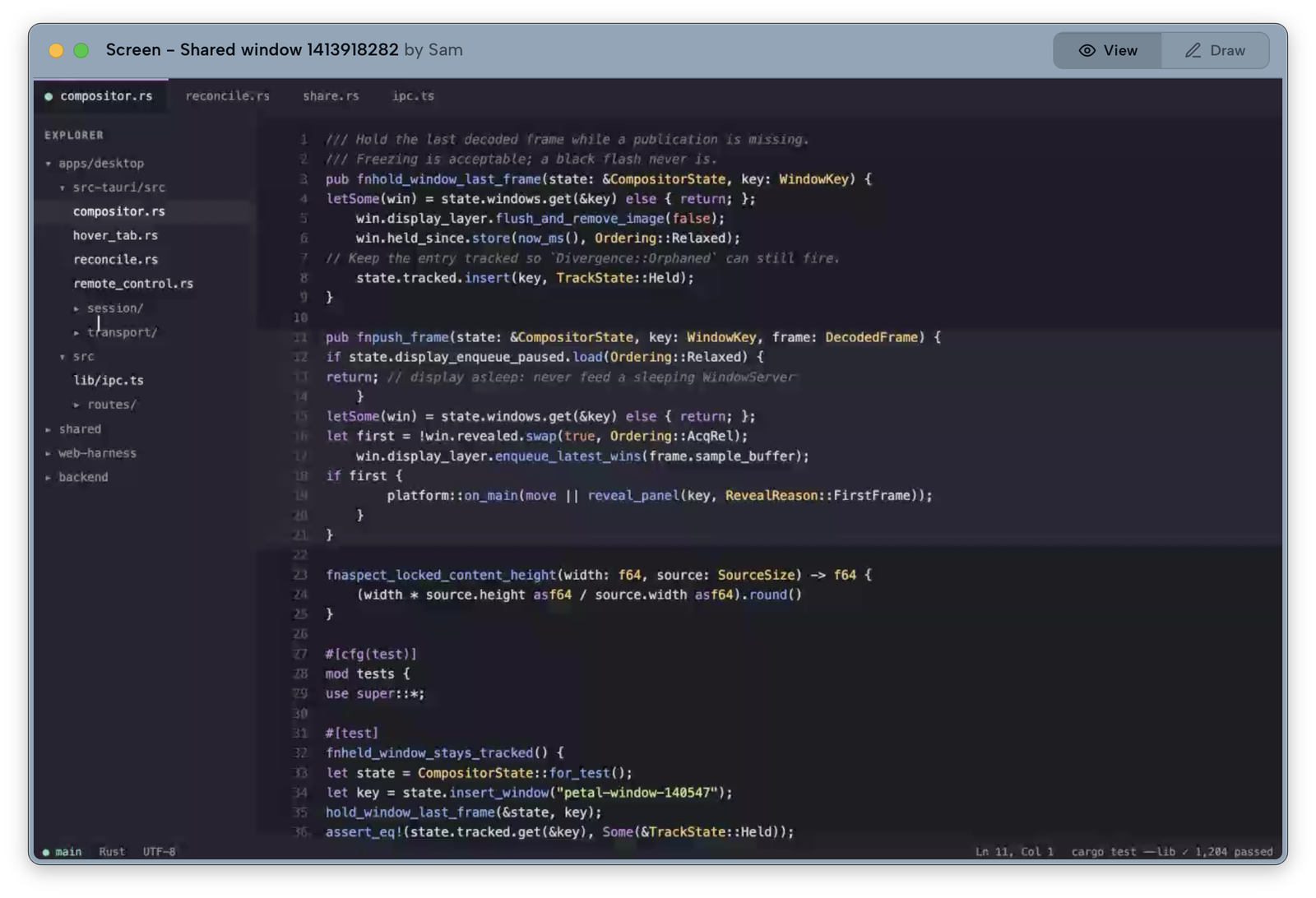
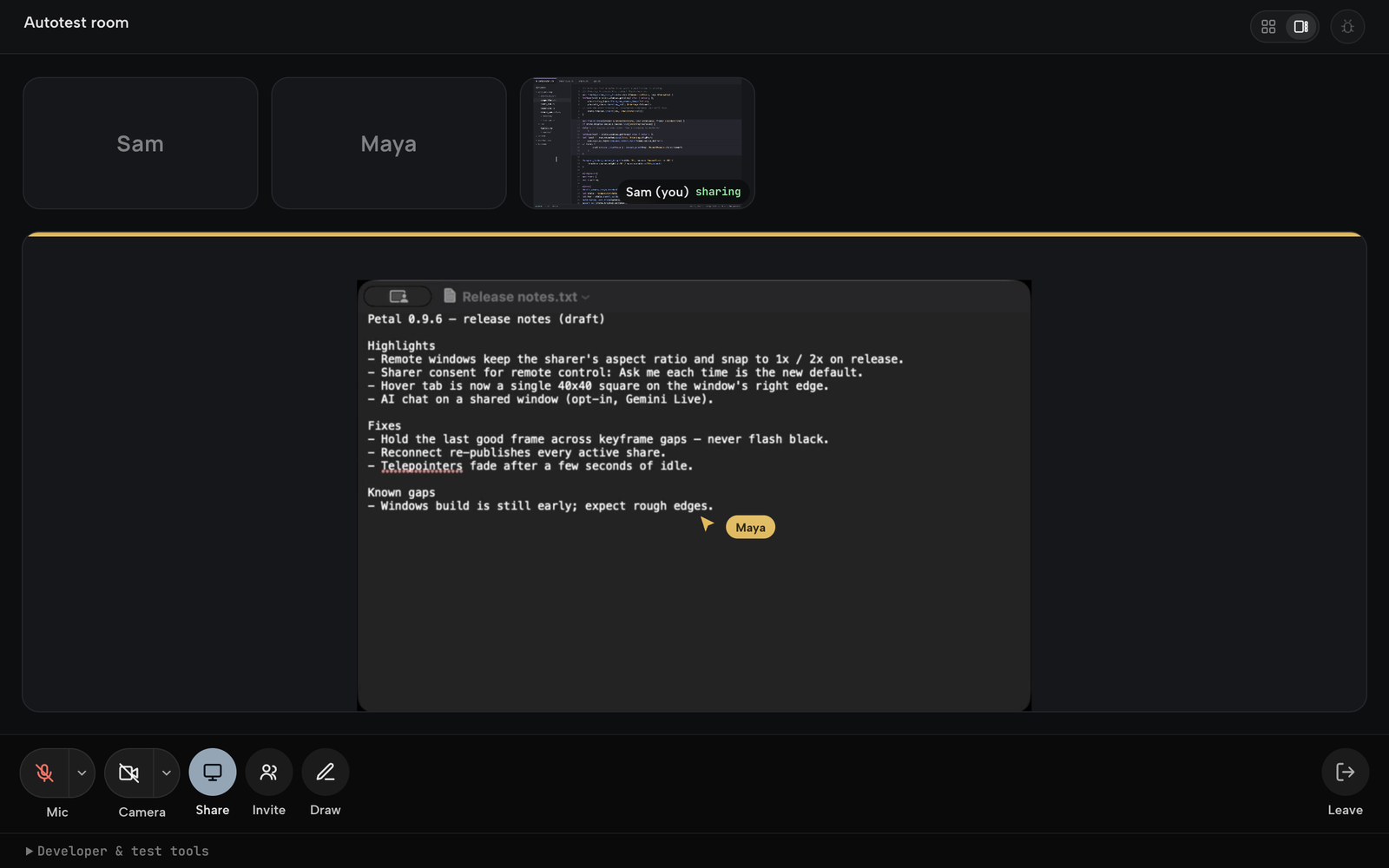
When someone shares a window, it appears on your desktop as a real, movable, borderless native window — not a tile locked in a meeting grid. Move it, stack it, keep it docked next to your editor while the call keeps going.
User docs: petal.live/docs — install, permissions, sharing, remote control, self-hosting. This README is for people who want to build or contribute.
Petal is young. The macOS app is signed, notarized, and in daily use, but the
project is pre-1.0: interfaces change, some features are further along than
others, and remote control in particular should be treated as early. Windows
support is early: basic sharing (WGC capture, D3D11 compositor, Media
Foundation camera, WASAPI audio, rooms) works, but the platform is still
incomplete and buggy and under active development. An x86-64 Windows NSIS
installer is published unsigned for Authenticode and may trigger SmartScreen;
macOS remains the more mature client. See
docs/VALIDATION.md for an honest account of what has
been verified and what has not.
Always serves the latest signed, notarized universal build.
The Windows installer is currently unsigned for Authenticode and may trigger SmartScreen. Its automatic updates still use Tauri's updater signature.
Petal.dmg.That's it. Petal is notarized, so macOS opens it without any Gatekeeper warnings.
⌘⌃⇧S). Each is its own hardware-encoded H.264 stream.docs/remote-control-trust-model.md.petal://join/<code> invite links with live presence.⌘⌃⇧P brings it back), and a menu-bar pill shows mic state, participant
count, and one-click leave.There's also a browser client (web-harness/, deployed at
meet.petal.live) so people without the app can join
from a browser by code or invite link.
Build-host requirements are stricter than runtime requirements. Petal runs
on macOS 13+, but building it currently needs the macOS 26 SDK (Xcode
26.x): the apple-metal crate, pulled in transitively by our vendored
screencapturekit, uses Metal APIs that do not resolve against earlier SDKs.
On an older SDK the Swift bridge fails to compile.
Prereqs:
livekit-server (brew install livekit) for local meetings# 1. local SFU
livekit-server --dev # ws://localhost:7880 (devkey/secret)
# 2. the desktop app
cd apps/desktop
npm install
PETAL_BACKEND_URL= \
LIVEKIT_URL=ws://localhost:7880 LIVEKIT_API_KEY=devkey LIVEKIT_API_SECRET=secret \
npm run dev:clean
The empty PETAL_BACKEND_URL= selects the debug build's local token mint, so
your local LiveKit credentials are the ones used. There is no hosted default:
a build that never sets PETAL_BACKEND_URL has no token backend at all, which
is deliberate — a build from this source should never quietly use someone
else's service. Point it at your own with
docs/SELF_HOSTING.md.
Use npm run dev:clean (not tauri build) for GUI iteration — it keeps the
Screen Recording grant stable across rebuilds. App logs live at
~/Library/Logs/Petal/petal.log. Verify a change with scripts/ci-local.sh.
Prereqs: Windows 10/11, WebView2 runtime (ships with Windows 11), Node 20+, Rust stable.
cd apps/desktop
npm install
npm run tauri dev
No CLT/Swift recipe or notarization applies on Windows; scripts/ci-local.sh
is macOS-only (run npm run check && npm test + cargo test --lib instead).
Builds from source are unsigned, and are not the same artifact as the notarized download above.
To run Petal against your own LiveKit and token backend rather than the hosted
one, see docs/SELF_HOSTING.md.
petal/
  apps/desktop/    the desktop app (macOS + Windows) — Tauri 2 (Rust core + Svelte 5 SPA)
  web-harness/     the browser client
  backend/         token/rooms API + release distribution (Vercel)
  shared/          UI + logic shared by the desktop app and the browser client
  contracts/       cross-language wire fixtures
  docs/            architecture, contracts, testing, and self-hosting guides
  scripts/         build, verification, and CI helpers
  sbom/            CycloneDX bill of materials + license audit
  site/            the documentation site
Tauri 2 (Rust core, WKWebView on macOS / WebView2 on Windows) · Svelte 5 + TypeScript · ScreenCaptureKit capture on macOS / Windows.Graphics.Capture on Windows · Media Foundation camera + WASAPI audio on Windows · VideoToolbox H.264 on macOS / D3D11 receiver compositor on Windows · WebRTC over an SFU (LiveKit).
Start with CONTRIBUTING.md, and read
docs/ENGINEERING.md before touching native window code
— it documents crash classes that are easy to reintroduce and unpleasant to
debug.
docs/ARCHITECTURE.mddocs/CONTRACTS.mddocs/TESTING.mdSECURITY.mdPRIVACY.mdApache-2.0 — see LICENSE, NOTICE, and
THIRD_PARTY_NOTICES.md.
The Petal name and logo are not covered by that grant; see
TRADEMARKS.md.
Petal: low-latency, multi-window screensharing for macOS and Windows. Every shared window becomes a real native window on every participant's desktop.
See the codeLow-latency, multi-window screensharing for macOS and Windows — built for small engineering syncs.
When someone shares a window, it appears on your desktop as a real, movable, borderless native window — not a tile locked in a meeting grid. Move it, stack it, keep it docked next to your editor while the call keeps going.
User docs: petal.live/docs — install, permissions, sharing, remote control, self-hosting. This README is for people who want to build or contribute.
Petal is young. The macOS app is signed, notarized, and in daily use, but the
project is pre-1.0: interfaces change, some features are further along than
others, and remote control in particular should be treated as early. Windows
support is early: basic sharing (WGC capture, D3D11 compositor, Media
Foundation camera, WASAPI audio, rooms) works, but the platform is still
incomplete and buggy and under active development. An x86-64 Windows NSIS
installer is published unsigned for Authenticode and may trigger SmartScreen;
macOS remains the more mature client. See
docs/VALIDATION.md for an honest account of what has
been verified and what has not.
Always serves the latest signed, notarized universal build.
The Windows installer is currently unsigned for Authenticode and may trigger SmartScreen. Its automatic updates still use Tauri's updater signature.
Petal.dmg.That's it. Petal is notarized, so macOS opens it without any Gatekeeper warnings.
⌘⌃⇧S). Each is its own hardware-encoded H.264 stream.docs/remote-control-trust-model.md.petal://join/<code> invite links with live presence.⌘⌃⇧P brings it back), and a menu-bar pill shows mic state, participant
count, and one-click leave.There's also a browser client (web-harness/, deployed at
meet.petal.live) so people without the app can join
from a browser by code or invite link.
Build-host requirements are stricter than runtime requirements. Petal runs
on macOS 13+, but building it currently needs the macOS 26 SDK (Xcode
26.x): the apple-metal crate, pulled in transitively by our vendored
screencapturekit, uses Metal APIs that do not resolve against earlier SDKs.
On an older SDK the Swift bridge fails to compile.
Prereqs:
livekit-server (brew install livekit) for local meetings# 1. local SFU
livekit-server --dev # ws://localhost:7880 (devkey/secret)
# 2. the desktop app
cd apps/desktop
npm install
PETAL_BACKEND_URL= \
LIVEKIT_URL=ws://localhost:7880 LIVEKIT_API_KEY=devkey LIVEKIT_API_SECRET=secret \
npm run dev:clean
The empty PETAL_BACKEND_URL= selects the debug build's local token mint, so
your local LiveKit credentials are the ones used. There is no hosted default:
a build that never sets PETAL_BACKEND_URL has no token backend at all, which
is deliberate — a build from this source should never quietly use someone
else's service. Point it at your own with
docs/SELF_HOSTING.md.
Use npm run dev:clean (not tauri build) for GUI iteration — it keeps the
Screen Recording grant stable across rebuilds. App logs live at
~/Library/Logs/Petal/petal.log. Verify a change with scripts/ci-local.sh.
Prereqs: Windows 10/11, WebView2 runtime (ships with Windows 11), Node 20+, Rust stable.
cd apps/desktop
npm install
npm run tauri dev
No CLT/Swift recipe or notarization applies on Windows; scripts/ci-local.sh
is macOS-only (run npm run check && npm test + cargo test --lib instead).
Builds from source are unsigned, and are not the same artifact as the notarized download above.
To run Petal against your own LiveKit and token backend rather than the hosted
one, see docs/SELF_HOSTING.md.
petal/
  apps/desktop/    the desktop app (macOS + Windows) — Tauri 2 (Rust core + Svelte 5 SPA)
  web-harness/     the browser client
  backend/         token/rooms API + release distribution (Vercel)
  shared/          UI + logic shared by the desktop app and the browser client
  contracts/       cross-language wire fixtures
  docs/            architecture, contracts, testing, and self-hosting guides
  scripts/         build, verification, and CI helpers
  sbom/            CycloneDX bill of materials + license audit
  site/            the documentation site
Tauri 2 (Rust core, WKWebView on macOS / WebView2 on Windows) · Svelte 5 + TypeScript · ScreenCaptureKit capture on macOS / Windows.Graphics.Capture on Windows · Media Foundation camera + WASAPI audio on Windows · VideoToolbox H.264 on macOS / D3D11 receiver compositor on Windows · WebRTC over an SFU (LiveKit).
Start with CONTRIBUTING.md, and read
docs/ENGINEERING.md before touching native window code
— it documents crash classes that are easy to reintroduce and unpleasant to
debug.
docs/ARCHITECTURE.mddocs/CONTRACTS.mddocs/TESTING.mdSECURITY.mdPRIVACY.mdApache-2.0 — see LICENSE, NOTICE, and
THIRD_PARTY_NOTICES.md.
The Petal name and logo are not covered by that grant; see
TRADEMARKS.md.






