
Curated Kling 4 prompts and video examples with original sources.
See the codeSee what people are saying
README
Awesome Kling Prompts
A curated collection of Kling video examples, with original sources, result previews and available prompts.
The collection currently contains 21 verified examples, with sources reviewed through 2026-09-29.
Long-Form Dragon Attack on a Burning Kingdom

A 28-second cinematic sequence follows a dragon from a cliffside roar into flight and a sustained fire attack over a burning kingdom.
Model: Kling 4.0
How to adapt it
Use distinct visual beats and a clear escalation across the full duration. Keep the subject, environment, lighting, and direction of motion consistent between beats.
Source: Kling AI
Original source · View in the KingVid gallery
Natural Vlogger Introduction at Home
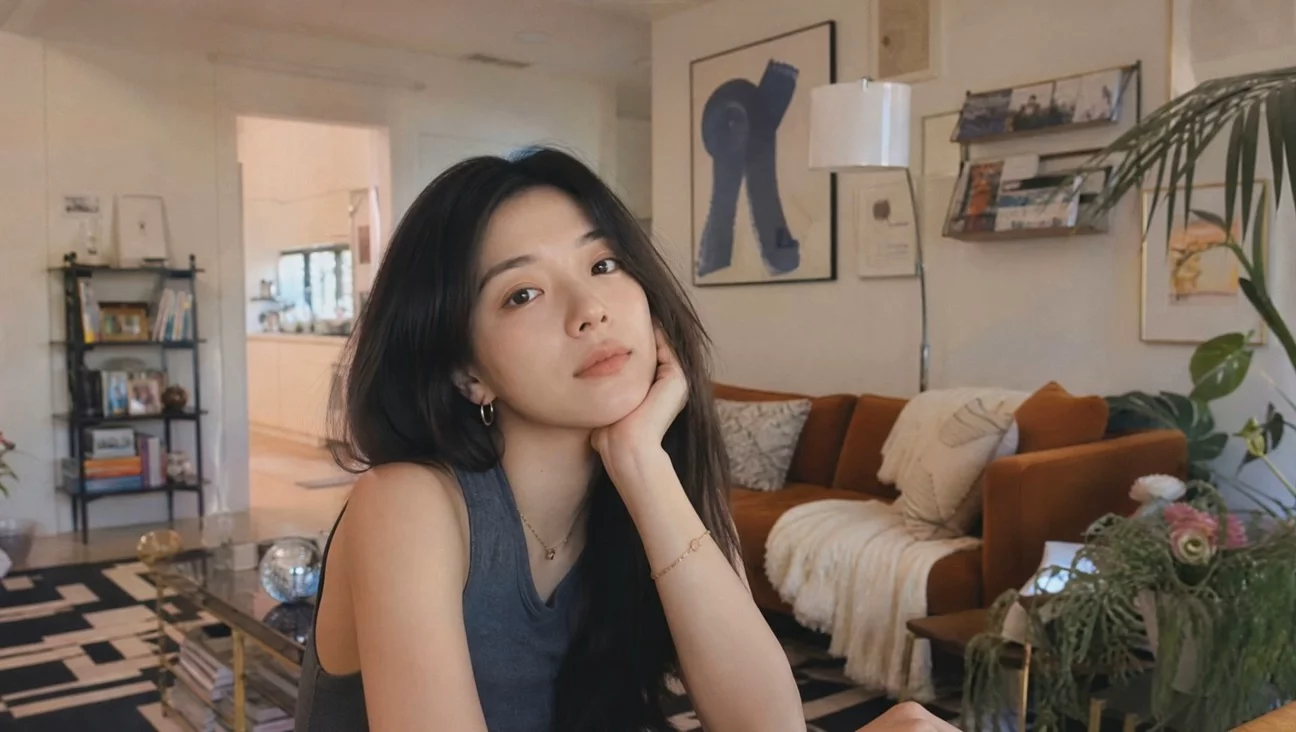
A concise prompt produces a relaxed direct-to-camera introduction with natural facial detail and a believable home-video look.
Model: Kling 4.0
A vlogger-style video in which the woman cheerfully introduces herself to the audience. Maintain a natural, authentic look and realistic image quality.
How to adapt it
Replace the subject and setting, but keep the prompt focused on delivery, expression, realism, and the relationship with the camera.
Source: Kling AI
Original source · View in the KingVid gallery
Old Man Ranting About AI
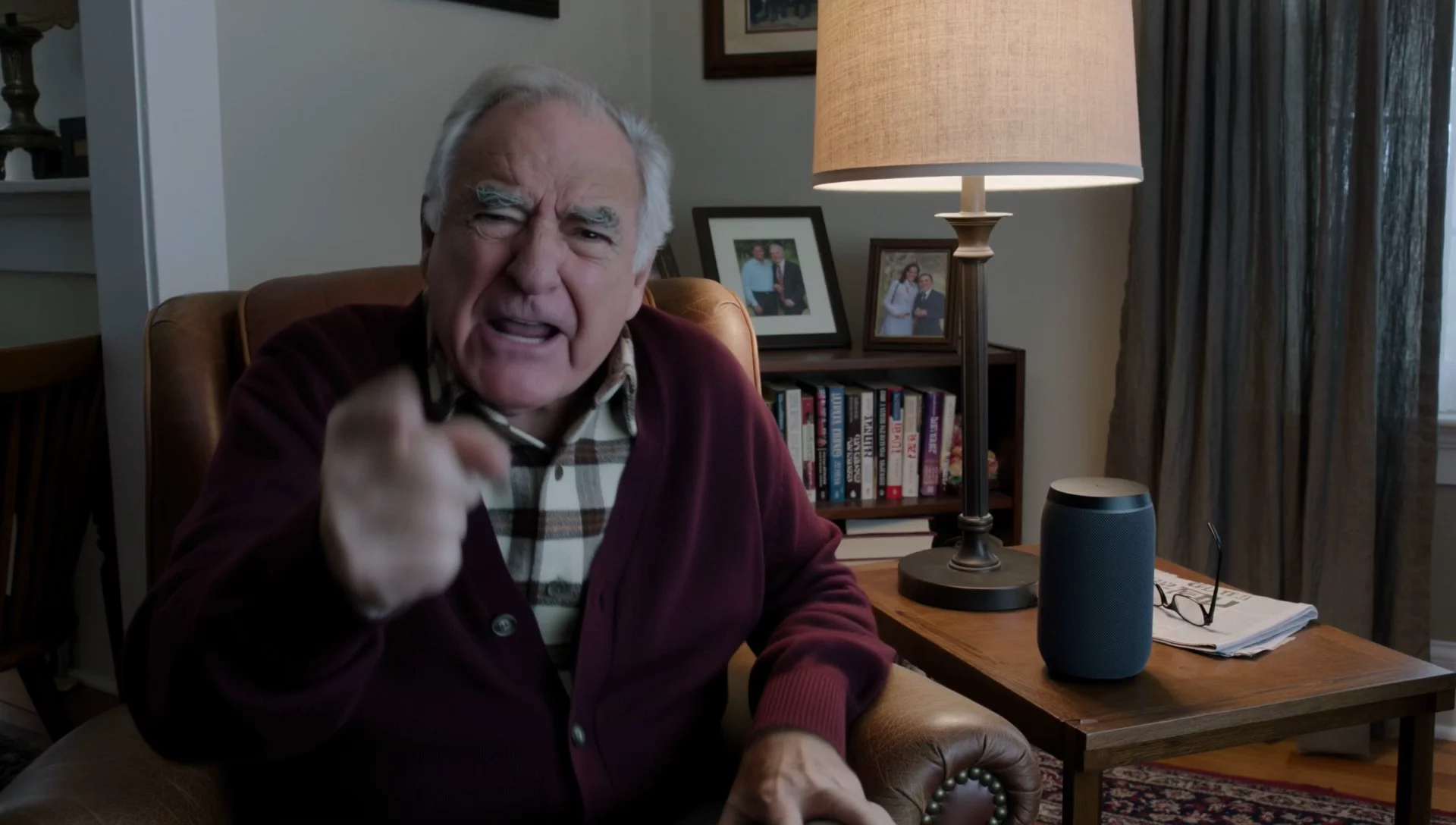
A five-word prompt expands into an expressive seated monologue, demonstrating Kling 4.0's interpretation of minimal direction.
Model: Kling 4.0
An old man ranting about AI.
How to adapt it
Use the same compact pattern—character, action, and topic—to test how much staging and performance Kling can infer from minimal direction.
Source: Kling AI
Original source · View in the KingVid gallery
One-Shot Reunion on a UK Street
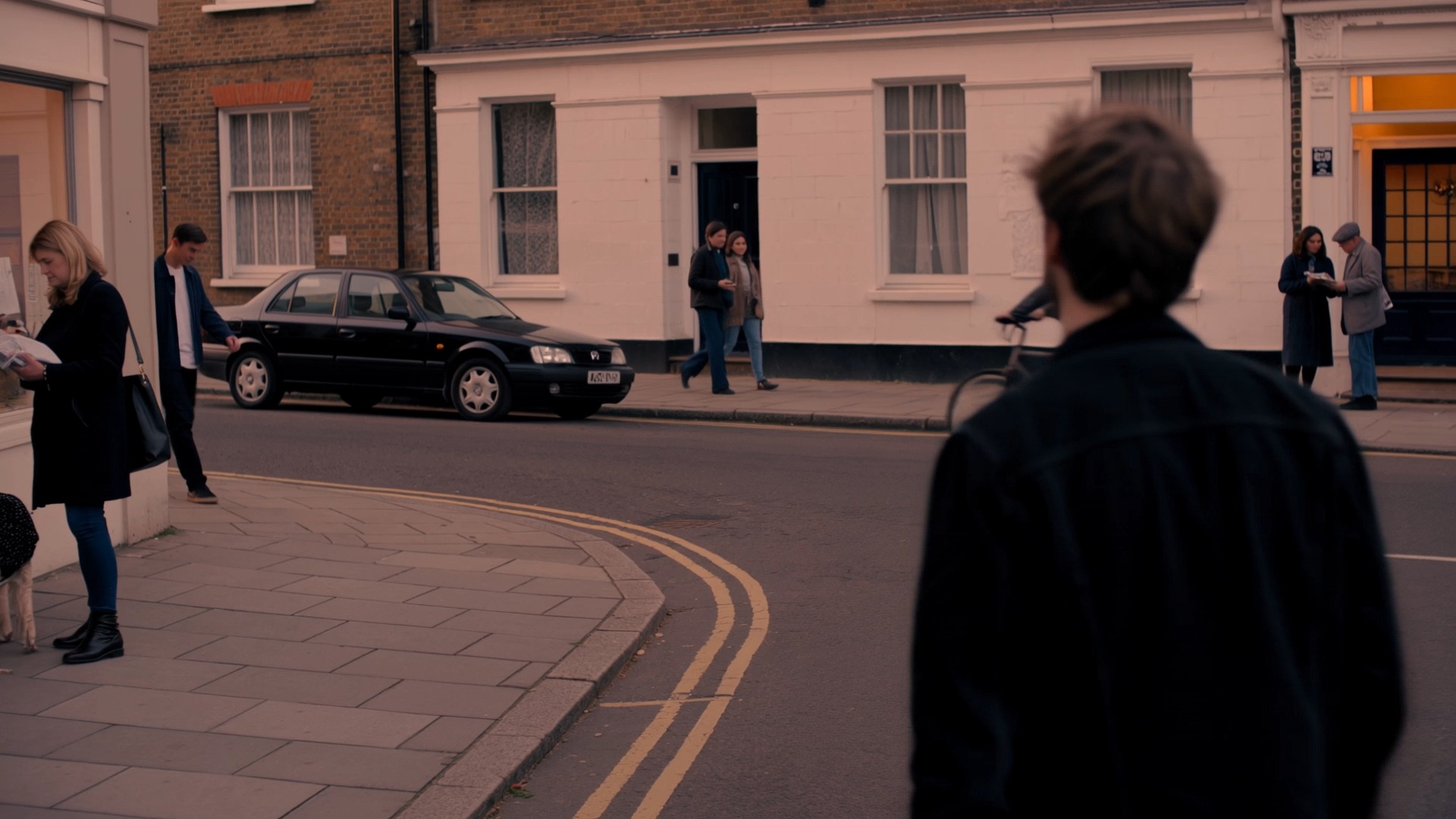
A detailed seven-second prompt coordinates a warm reunion, handheld tracking, crowd motion, dialogue, ambience, and music.
Model: Kling 4.0
A continuous 7-second shot set in the UK. Two friends who have not seen each other for a long time meet at the corner of a quiet street at dusk, surrounded by a diverse crowd going about their daily lives. They smile, walk quickly toward each other, and share a warm embrace. Their facial expressions and body movements are natural. A handheld camera follows them with subtle camera shake. Soft, warm lighting with a nostalgic cinematic film look. Include natural footsteps, street ambience, background music, and English dialogue.
How to adapt it
Preserve the duration, emotional beat, camera behavior, lighting, and audio layers; swap the relationship, location, and meeting action.
Source: Kling AI
Original source · View in the KingVid gallery
Café Scene Guided by Two Keyframes
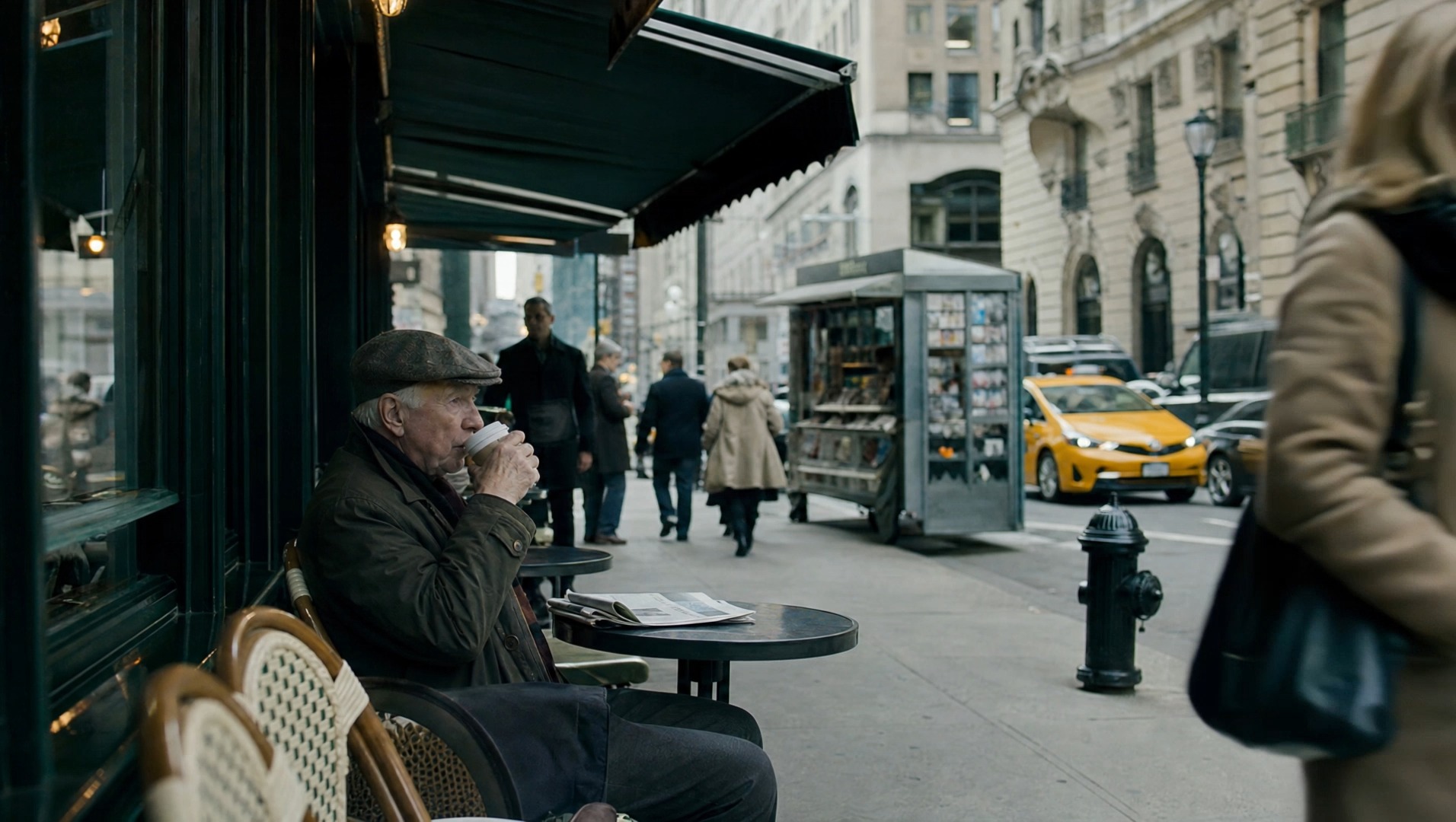
Two visual anchors guide a coherent live-action café sequence while preserving the subject, setting, and cinematic realism.
Model: Kling 4.0
How to adapt it
Choose keyframes with a clear progression and consistent subject design. Let each image define a story beat rather than a minor pose variation.
Source: Kling AI
Original source · View in the KingVid gallery
Lion Dance From a Grid Reference

A single reference grid supplies character, setting, composition, and story cues for a cinematic rooftop lion-dance sequence.
Model: Kling 4.0
How to adapt it
Build one grid that separates subject design, environment, composition, and story beats into readable panels with a consistent visual language.
Source: Kling AI
Original source · View in the KingVid gallery
Clay Rocket Guided by Storyboard Frames
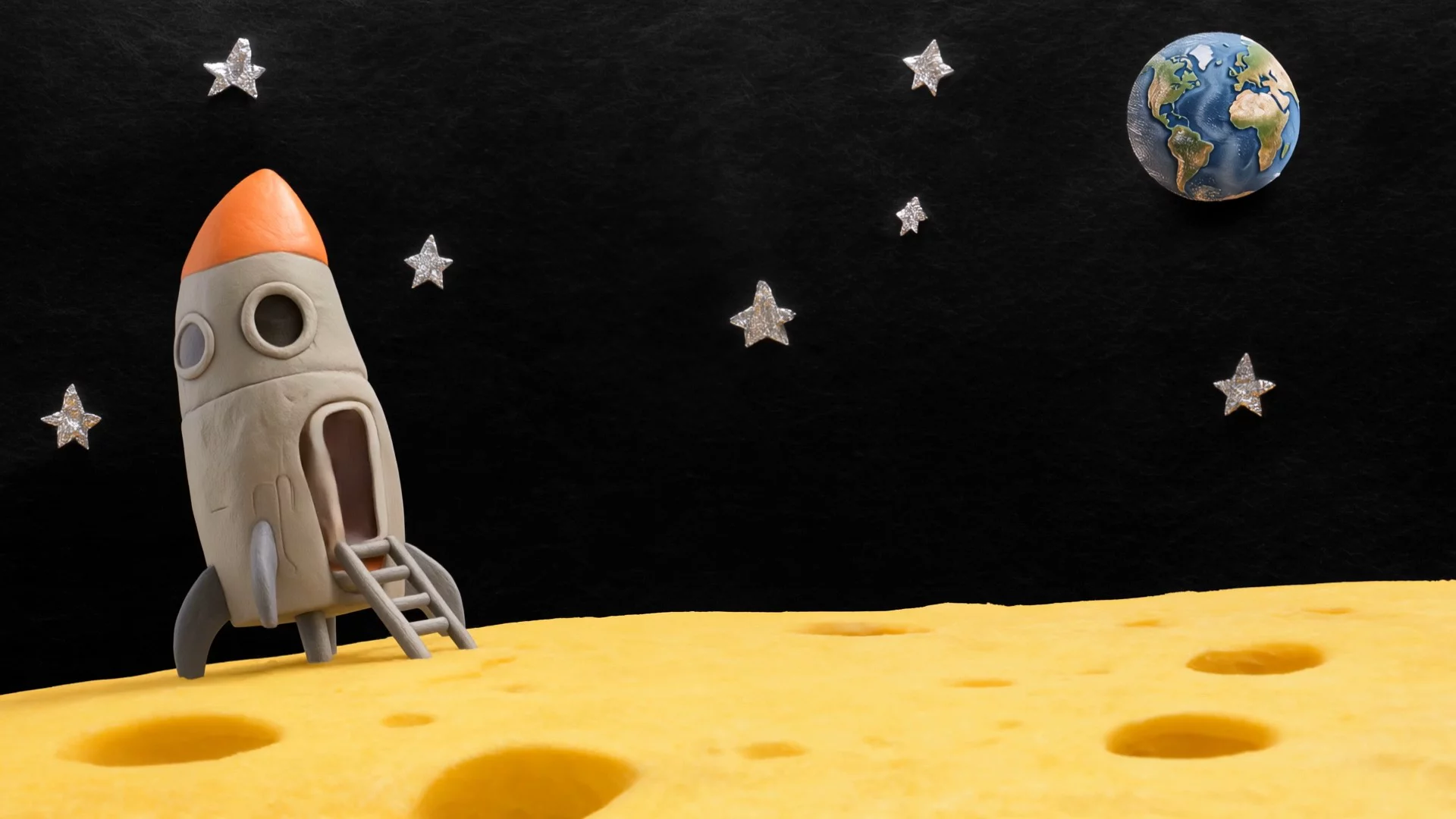
Two storyboard images establish the handmade clay style and story progression for a playful rocket journey through space.
Model: Kling 4.0
How to adapt it
Use storyboard frames that define both the material style and distinct narrative beats. Keep shapes, lighting, and texture consistent across panels.
Source: Kling AI
Original source · View in the KingVid gallery
VR Match Cut From Polar Bear Battle to Living Room

A survival fight freezes at impact before matching the same hand movement into a grounded VR reveal at home.
Model: Kling 3.0
FORMAT: 15s / free rhythm / 1 MATCH CUT / CONTINUOUS MOVE UNTIL MATCH CUT + IMMEDIATE ACTION FROM FIRST FRAME

SUBJECTS: A lone sword-bearing woman in weathered fur and leather fights a massive polar bear with desperate, two-handed survival movement. The same woman is later revealed at home in loose indoor clothes, where a VR headset appears only after the match cut and is pulled off in one clear motion.
ENVIRONMENT: Frozen wilderness under hard daylight, wind dragging snow across blue-white ice, then a modest lived-in home reached through a precise visual match. Winter glare and visible breath give way to soft clutter, indoor daylight, and a faint game-lit glow.
MOOD: Visceral survival tension snaps into grounded reality without breaking physical continuity.
COLOR LOGIC: Naturalistic Film Print Emulation

TIMELINE:
0:00-0:07: One unbroken handheld move, WS collapsing into MCU as the woman backpedals across the ice and the bear launches through blowing snow. The camera runs beside the leap at eye level, 28mm shifting to 35mm, slightly unstable and close enough to keep both bodies heavy and readable. The bear closes fast while she plants, recoils, and keeps the blade between them. SFX: (howling wind, boots grinding ice, low animal roar, cloth strain, blade cutting air, snow scrape). Hard winter sun side-lights the ice and throws sharp blue shadows.
0:07-0:11: Same unbroken move, no cut, tightening into a dead-on CU as the bear surges into the last inches, claws near her shoulders, jaws filling the frame edge. Right in the middle of the attack, a man's voice calls, Karla... then sharper, KARLA. She answers with a tired off, and on that reaction the world drops into slow motion. Snow drifts almost still, the bear hangs in its strike, and only she keeps moving at normal speed as the camera orbits into her face. Bored, not afraid, she drops the sword and brings both empty hands toward her temples in one smooth interrupt gesture. No headset, visor, or device is visible in the frozen world. Stay continuous until the match cut, keeping the same face size, hand height, head angle, lens distance, and clockwise drift. SFX: (cloth strain building to near impact, a man's voice calling Karla... KARLA, her tired off, then stretched wind fading toward silence). Hard winter sun catches the slowed snow around her face.
0:11-0:15: MATCH CUT. CU to MS. Seamless mid-motion transition as her rising hands cross the same screen position and the frozen close-up becomes the home interior with the same framing and clockwise drift. The motion continues uninterrupted, and now a VR headset is visibly strapped over her eyes for the first time. She grips both sides, pulls it fully off her face, and the camera opens into a medium shot as she drops it above her forehead and steps into a small living room in loose home clothes. The handheld orbit continues, revealing couch edges, scattered blankets, and cold window light as her posture falls into mild annoyance. She turns toward the voice, rolls her eyes upward, and says, What is it. 35mm natural lens, spherical. SFX: (headset strap stretch, plastic rub, quiet room tone, socked foot scrape, faint game audio, her breath settling, her dry voice saying What is it). Indoor daylight replaces the winter contrast.
How to adapt it
Keep the hand position, face scale, camera direction, and orbit aligned across the match cut. Replace both worlds and the interrupting action together.
Source: Kōda
Original source · View in the KingVid gallery
Bullet-Time Fall on Icy Wall Street

A compact prompt freezes a falling businessman, coffee, ice, and water while the camera completes a low 360-degree orbit.
Model: Kling 3.0
Bullet time effect. A businessman in white shirt and black tie slipping and falling backwards on icy wet street in Wall Street, New York. Coffee cup standing on ground, liquid exploding outward frozen in mid-air. Ice chunks, water droplets, and coffee splash all completely suspended — time is frozen. Tall buildings on both sides creating a canyon effect. Camera smoothly orbits 360 degrees around the falling man at low ground level angle, only the camera moves while everything else remains perfectly still. Cinematic, overcast dramatic lighting, wide angle lens distortion.
How to adapt it
Replace the person, location, and suspended props while retaining the single frozen instant, low orbit, and explicit rule that only the camera moves.
Source: Oogie
Original source · View in the KingVid gallery
Rural Thriller Explosion Frozen in Time

A 15-second survival scene moves from a live explosion into a frozen debris orbit, then resumes behind a pickup truck.
Model: Kling 3.0
[STYLE + CAMERA + ATMOSPHERE]
Ultra-photorealistic cinematic 15-second action sequence from a grounded rural survival thriller film. Nighttime in a remote forested area next to a cabin. Pine trees, dirt ground, old pickup truck. Moonlight mixed with warm light from the cabin windows. The visual language is tense, intimate and realistic with hyper-realistic practical destruction. Camera is handheld-dynamic with grounded moves.

[IMAGE REFERENCES]
No reference images provided. Generate a fully consistent lead character: a rugged male in his early 50s, short beard, intense protective expression. He wears a worn jacket, jeans and work boots. Maintain exact same appearance and clothing throughout the clip.

[TIMELINE SECOND BY SECOND]
0-3s: [Dynamic handheld tracking shot from side-rear] The man runs toward an old pickup truck while being shot at. A propane tank next to the cabin explodes in a massive realistic blast. Fire, metal, wood and dirt are thrown violently in all directions. The camera tracks him urgently across the dirt as the explosion expands.

3-7s: [Slow continuous orbiting camera moving around the frozen explosion] At the peak of the explosion the entire blast and debris field suddenly freezes in perfect realistic physics. Thousands of metal fragments, wooden planks, dirt clods and burning debris hang motionless in the air with accurate weight and trajectories. The camera performs a smooth, continuous orbit around the frozen destruction, moving between large suspended metal pieces and passing close to sharp wooden fragments while the man remains visible.

7-15s: [Dynamic tracking shot as time resumes] At the 7-second mark time snaps back to forward motion with a slight realistic temporal residue. Some outer debris shows a very subtle reverse lag before continuing. The man has used the frozen moment to dive behind the pickup truck. When motion resumes, several large burning pieces miss the truck. He stays low and moves around the vehicle as debris finally crashes down around him. The camera tracks with him through the settling dust and fire.

[STYLE & QUALITY BOOSTERS]
Photorealistic 8K, hyper-realistic rigid body destruction with correct material properties, perfect frozen mid-air physics, seamless transition from explosion to freeze to resume, natural fire, wood and dirt interaction, heavy cinematic motion blur on fast debris, stable character performance, movie-level practical destruction VFX quality.
How to adapt it
Preserve the three-phase rhythm—live action, frozen orbit, resumed escape—then replace the character, hazard, shelter, and debris materials.
Source: TechHalla
Original source · View in the KingVid gallery
Slow-Motion Flood Crowd Chaos

A water-level handheld close-up layers crowd action, suspended spray, stable faces, and coarse 35mm texture around one subject.
Model: Kling 3.0
Slow-motion handheld close-up, 16:9. Shaky organic handheld shot shoving in close on an older grey-haired man in a soaked white shirt and tie, chest-deep in churning green-grey flood water clutching a glass bottle, mouth open mid-shout — while all around him a dense crowd churns: a woman shoves past his shoulder, two men wrestle a floating chair behind him, someone falls backward into the water beside him sending up a slow sheet of spray, more panicking bodies wade and thrash in the background. In slow motion water explodes across the whole frame, droplets suspended everywhere. Dynamic jostling handheld movement at water level in the thick of the crowd. Sickly institutional palette — seafoam green, cream, muted teal, cold reflective water. All faces anatomically correct, stable, realistic, genuine emotion, no warping. Heavy coarse analog 35mm film grain baked into every frame, thick and consistent, grain crawling over highlights and shadows, like a scanned celluloid film print, never clean, never digital-looking. Flat overhead fluorescent light, dramatic slow-motion intensity, cinematic photorealistic, ultra-detailed.
How to adapt it
Keep one foreground anchor, two or three readable background actions, and a unified material effect. Replace the crowd event, palette, and film stock treatment.
Source: 余温
Original source · View in the KingVid gallery
Film Set Scene From a Multi-Character Reference
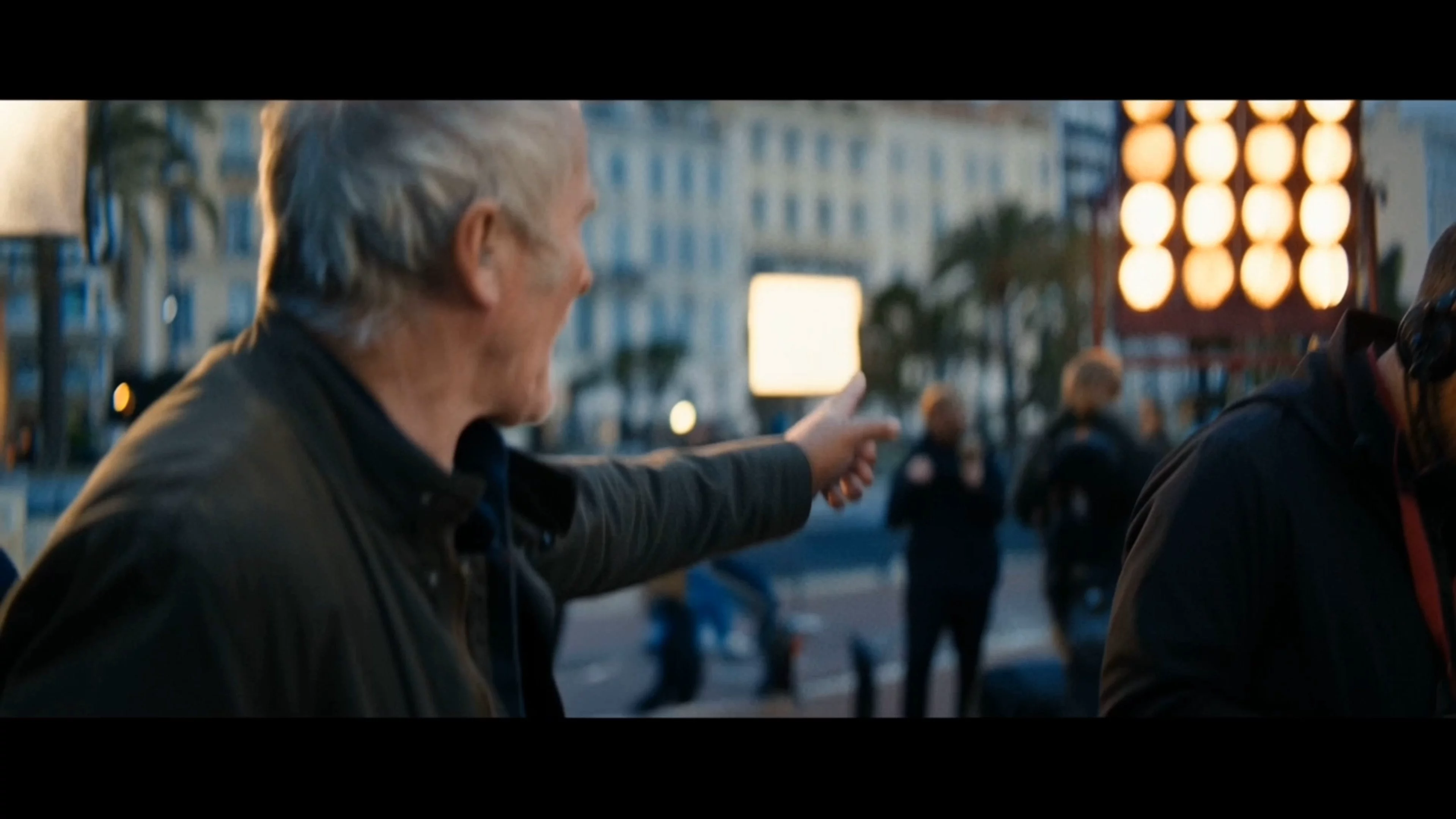
One multi-character reference guides an ensemble film-set scene while keeping the people, staging, and live-action look coherent.
Model: Kling 4.0
How to adapt it
Use a clear group reference that separates each person visually, then keep the requested blocking and relationships simple enough to follow in motion.
Source: Kling AI
Original source · View in the KingVid gallery
Fantasy Boss Battle From Game UI References
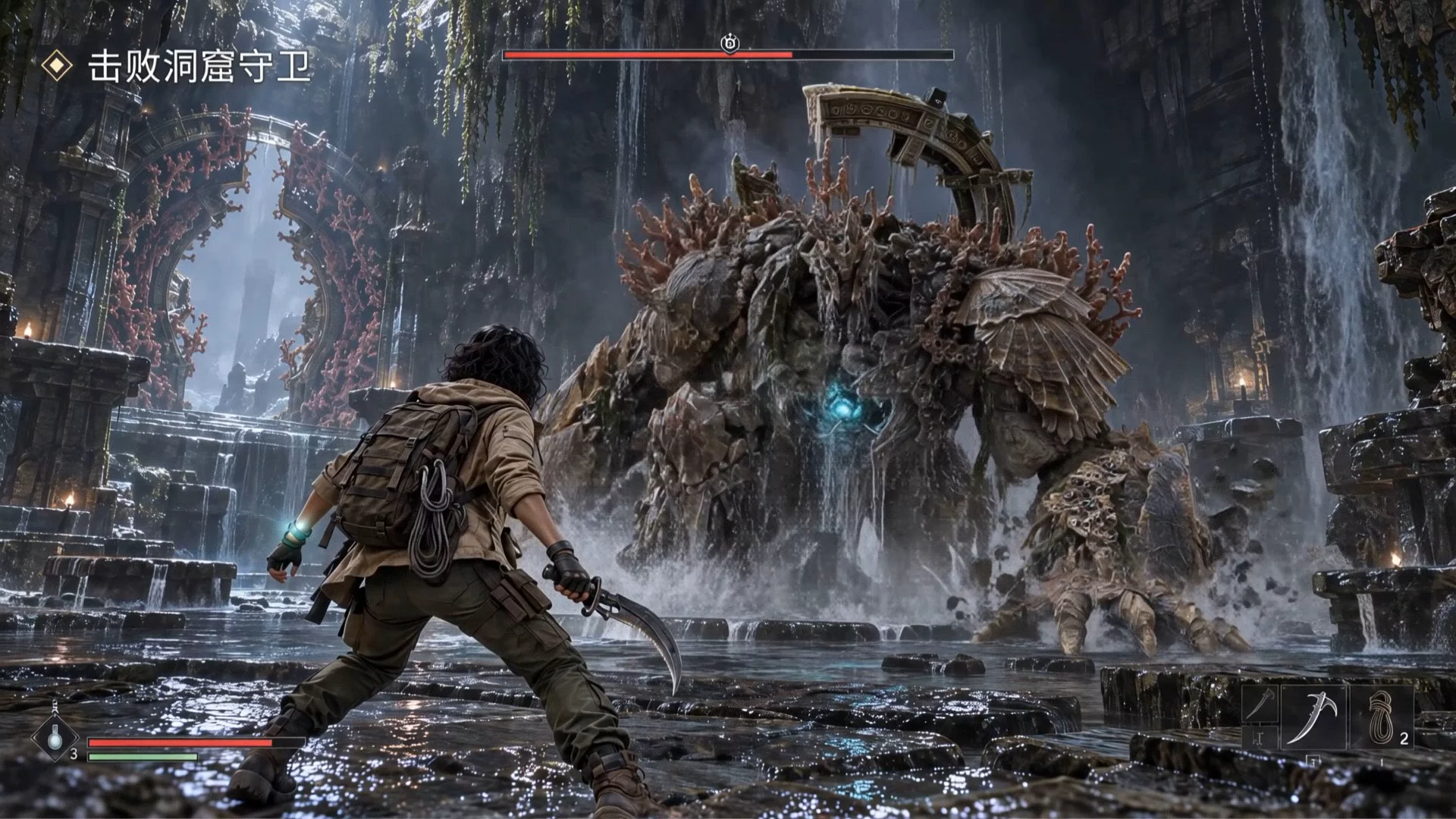
Four game-interface references guide a cinematic fantasy boss battle with recognizable characters, environment, and UI language.
Model: Kling 4.0
How to adapt it
Supply references that separately establish the hero, opponent, environment, and interface, then describe one readable action beat.
Source: Kling AI
Original source · View in the KingVid gallery
Fashion Walk From a White-Model Motion Reference
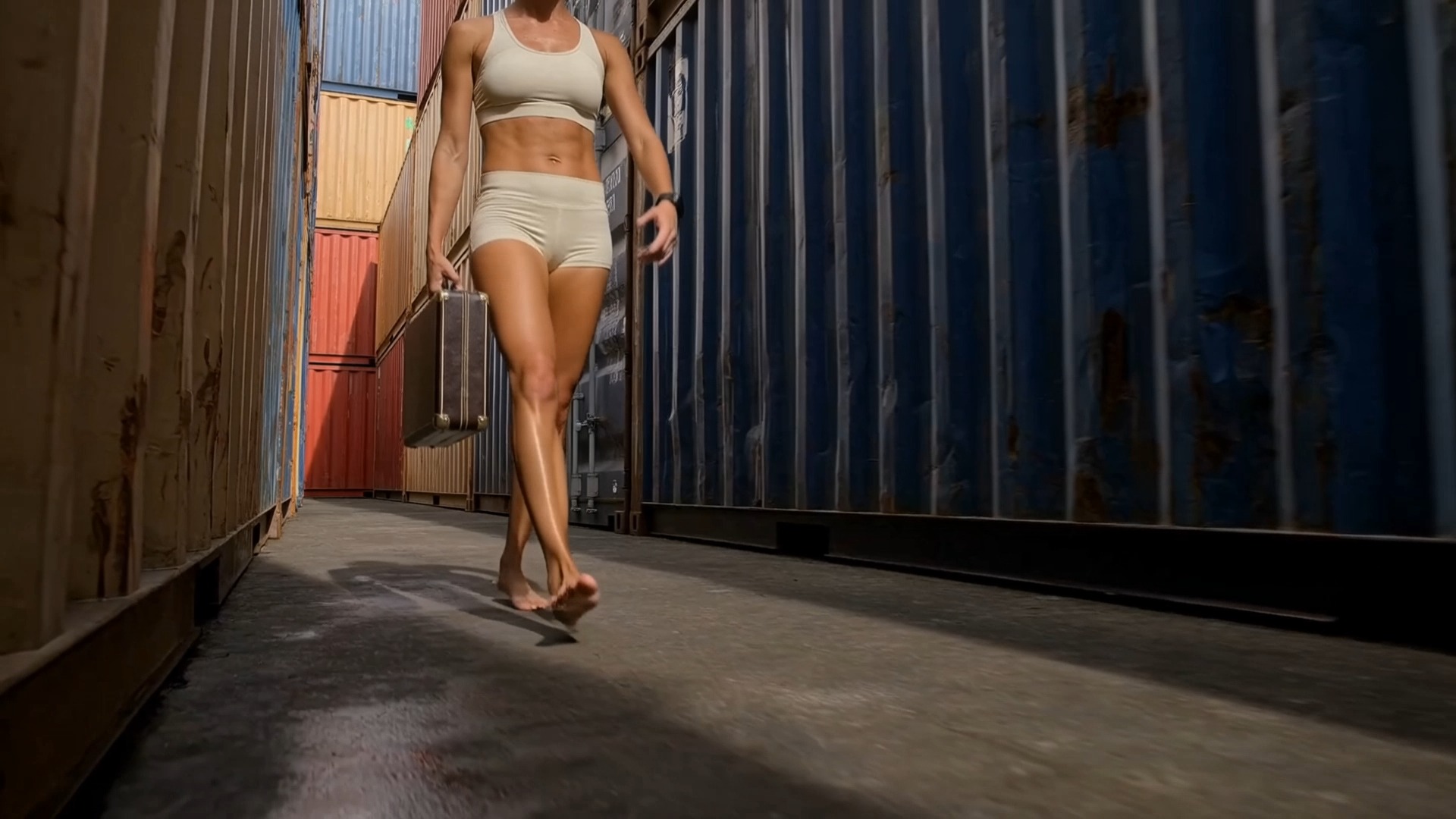
A white-model motion video and reference images transfer a runway-style walk into a photoreal fashion scene.
Model: Kling 4.0
How to adapt it
Choose a motion reference with an unobstructed silhouette and use still images to define wardrobe, subject, and location separately.
Source: Kling AI
Original source · View in the KingVid gallery
Period Drama With Referenced Character Elements
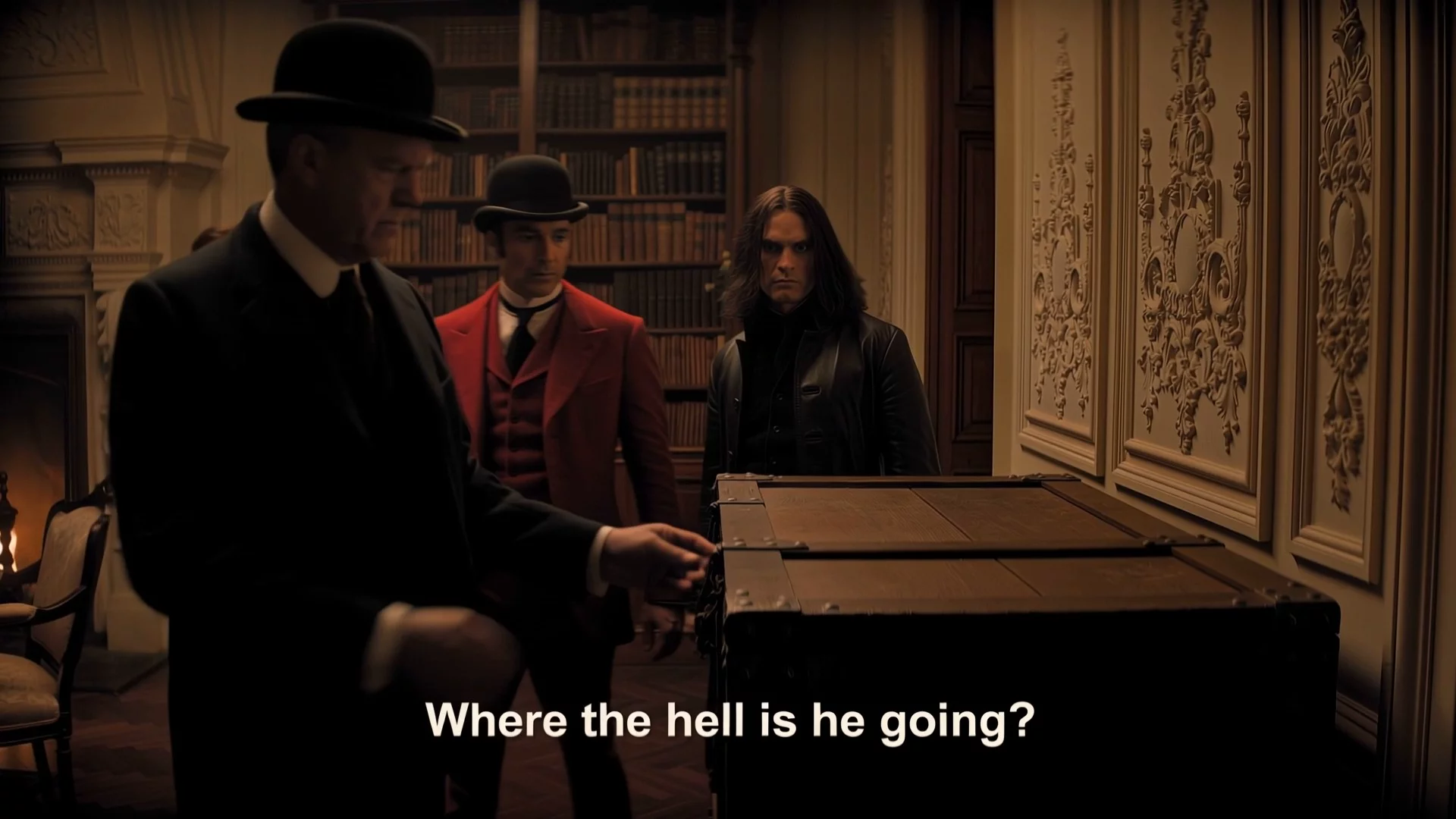
A reference video and three character images guide a dialogue-driven period scene while the surrounding composition stays stable.
Model: Kling 4.0
How to adapt it
Use distinct, well-lit character references and identify each role consistently when adapting a source scene with multiple people.
Source: Kling AI
Original source · View in the KingVid gallery
Storefront Scene With Multi-Character Replacement
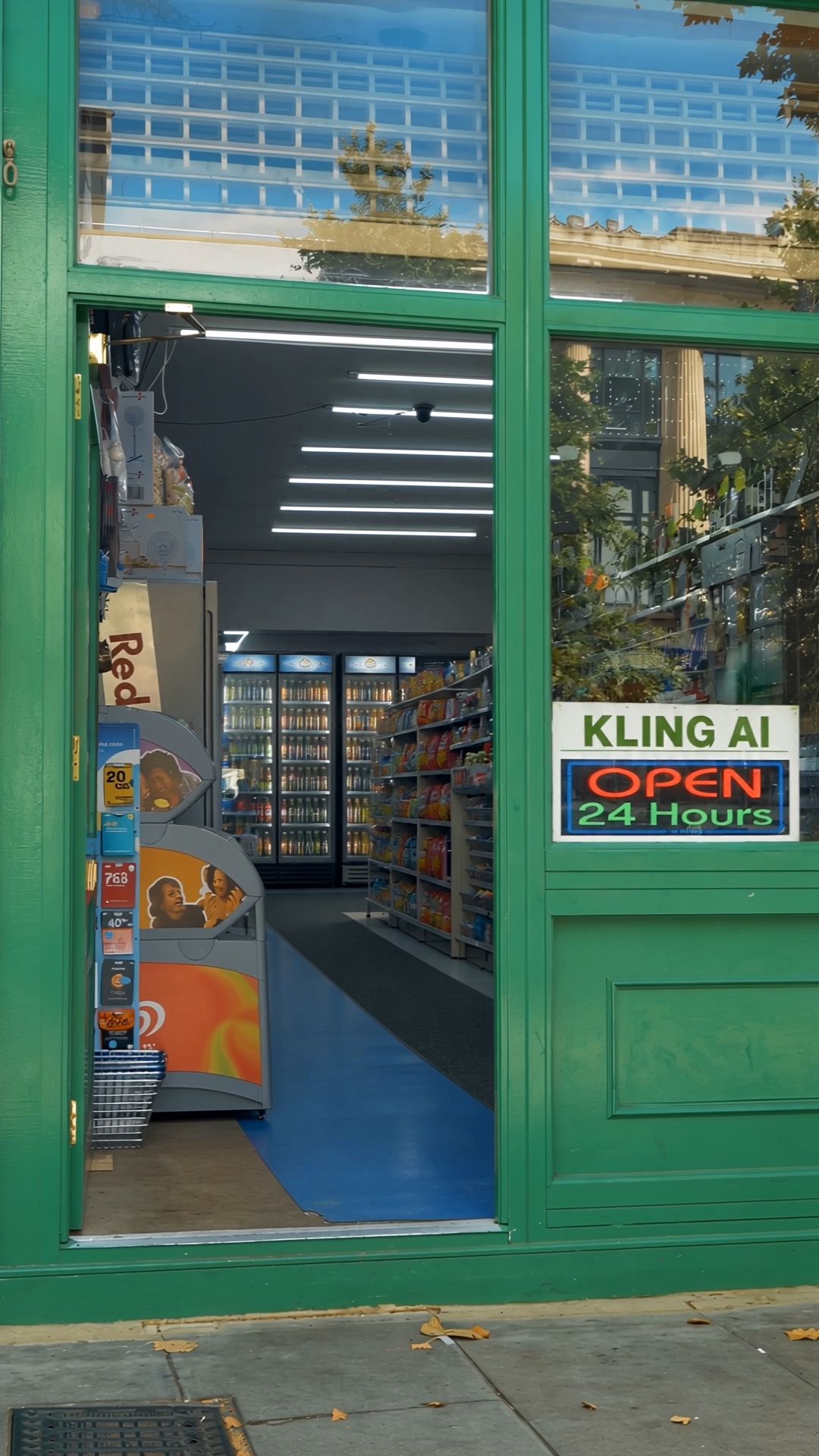
Three character references replace multiple people in a source video while preserving the storefront framing and scene structure.
Model: Kling 4.0
How to adapt it
Provide one clean image per replacement subject and preserve the source video's staging when character identity is the main change.
Source: Kling AI
Original source · View in the KingVid gallery
Live Band Scene With Element Removal
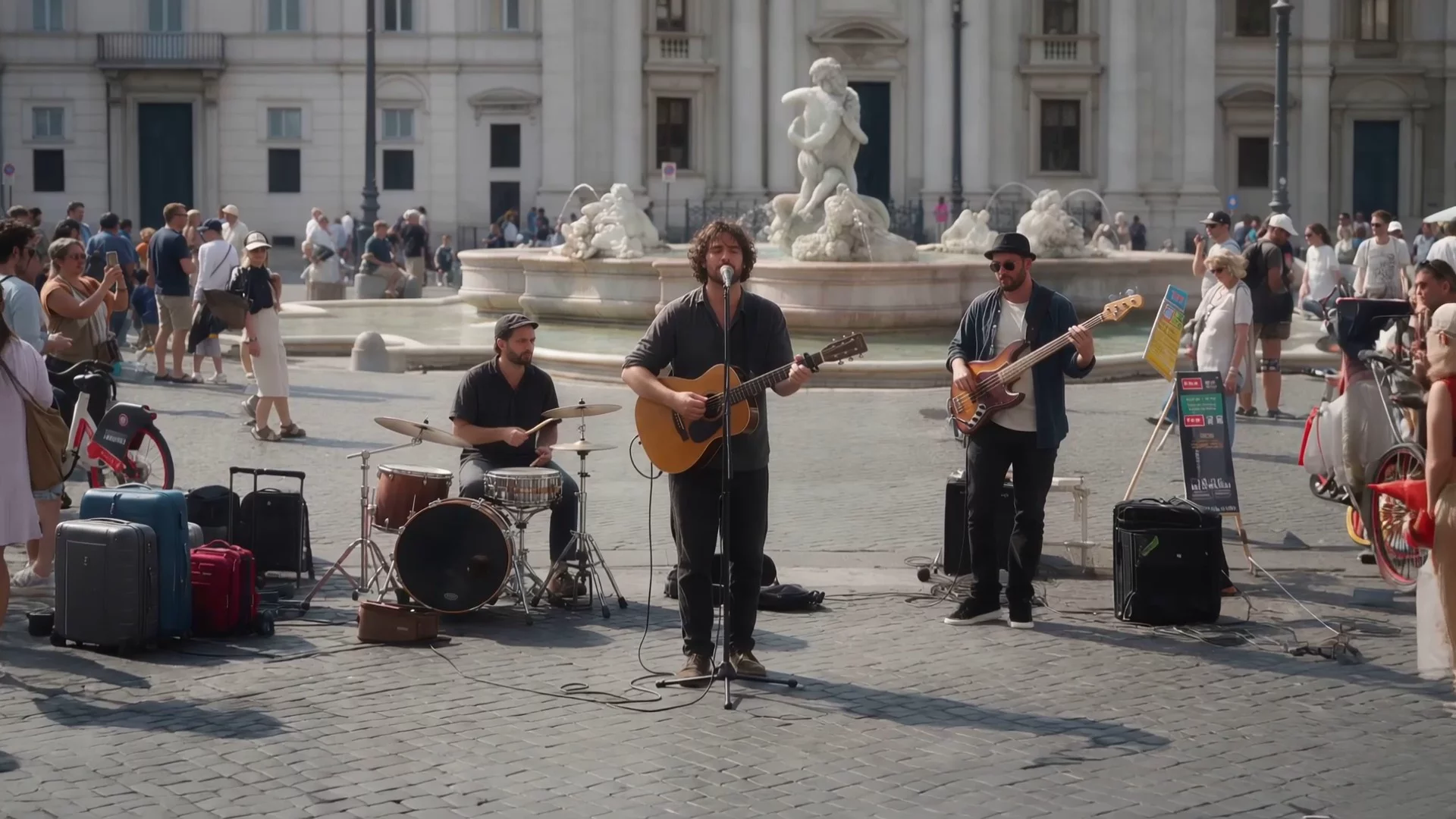
A targeted video edit removes an element from a busy outdoor band performance while retaining the crowd and camera composition.
Model: Kling 4.0
How to adapt it
Keep the edit request narrowly scoped, identify the removable element clearly, and ask to preserve camera motion, lighting, and surrounding people.
Source: Kling AI
Original source · View in the KingVid gallery
Snowy Porch Scene With Style Modification
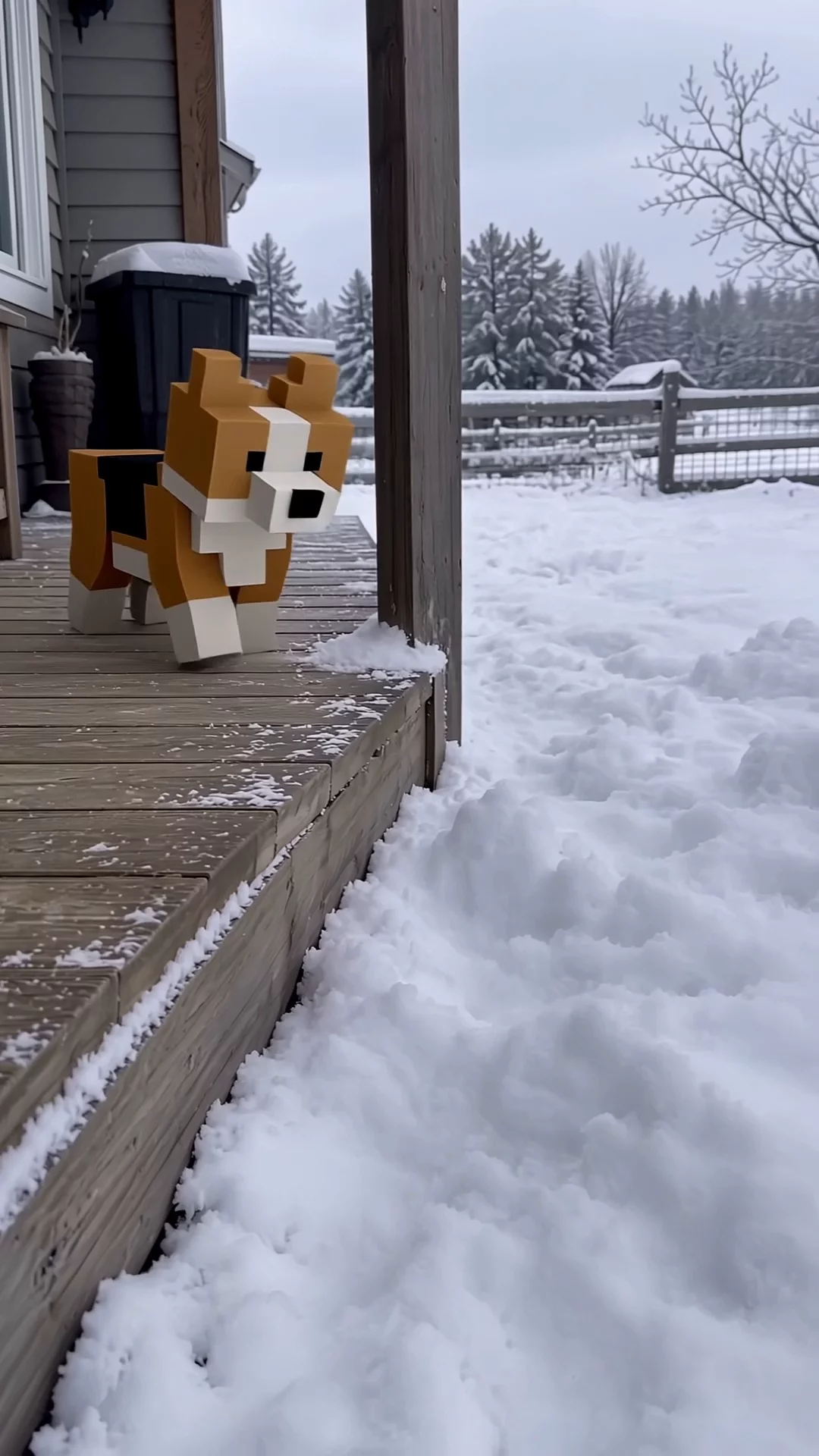
A source video is restyled as a wintry porch scene while its vertical composition and underlying action remain recognizable.
Model: Kling 4.0
How to adapt it
Name the desired environment and visual treatment, then specify which motion, framing, and subject details from the reference video must stay unchanged.
Source: Kling AI
Original source · View in the KingVid gallery
UGC Fashion Product Promotion
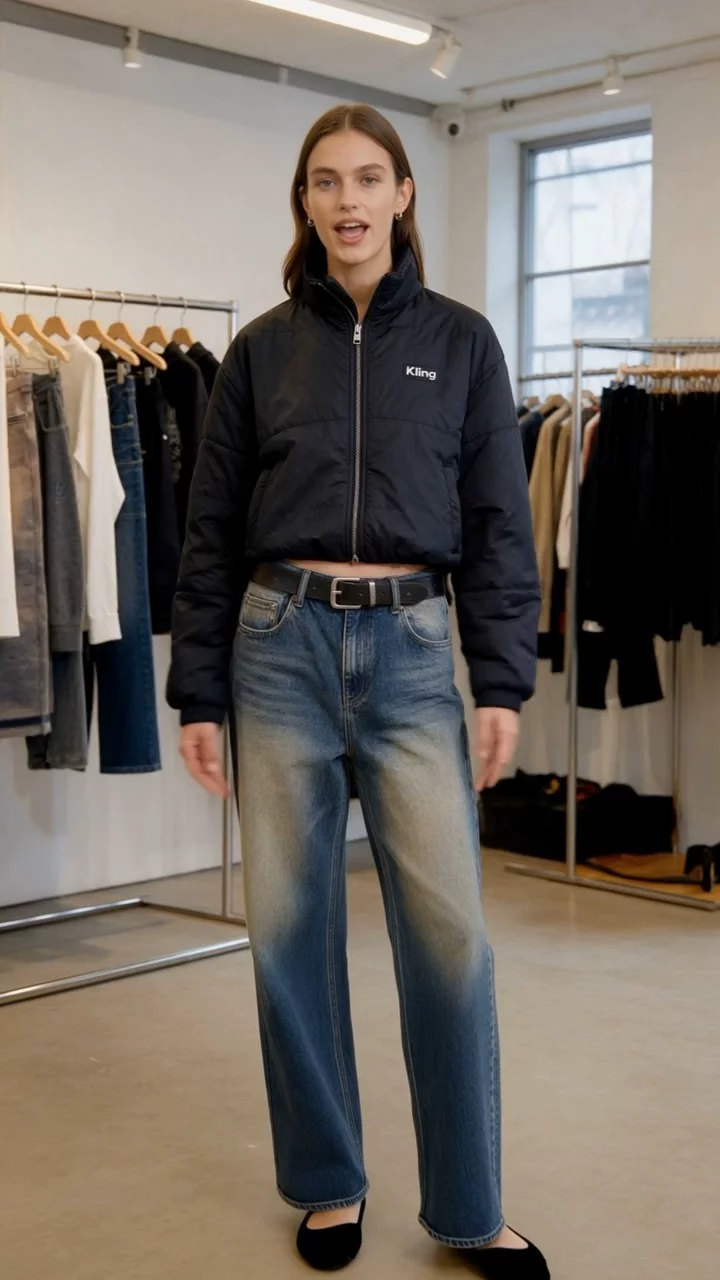
A single product reference becomes a vertical creator-style fashion promotion designed around direct presentation and social framing.
Model: Kling 4.0
How to adapt it
Use a clean product reference and describe how the presenter handles, wears, or demonstrates it in a short vertical-video sequence.
Source: Kling AI
Original source · View in the KingVid gallery
Glitch-Art Video Style
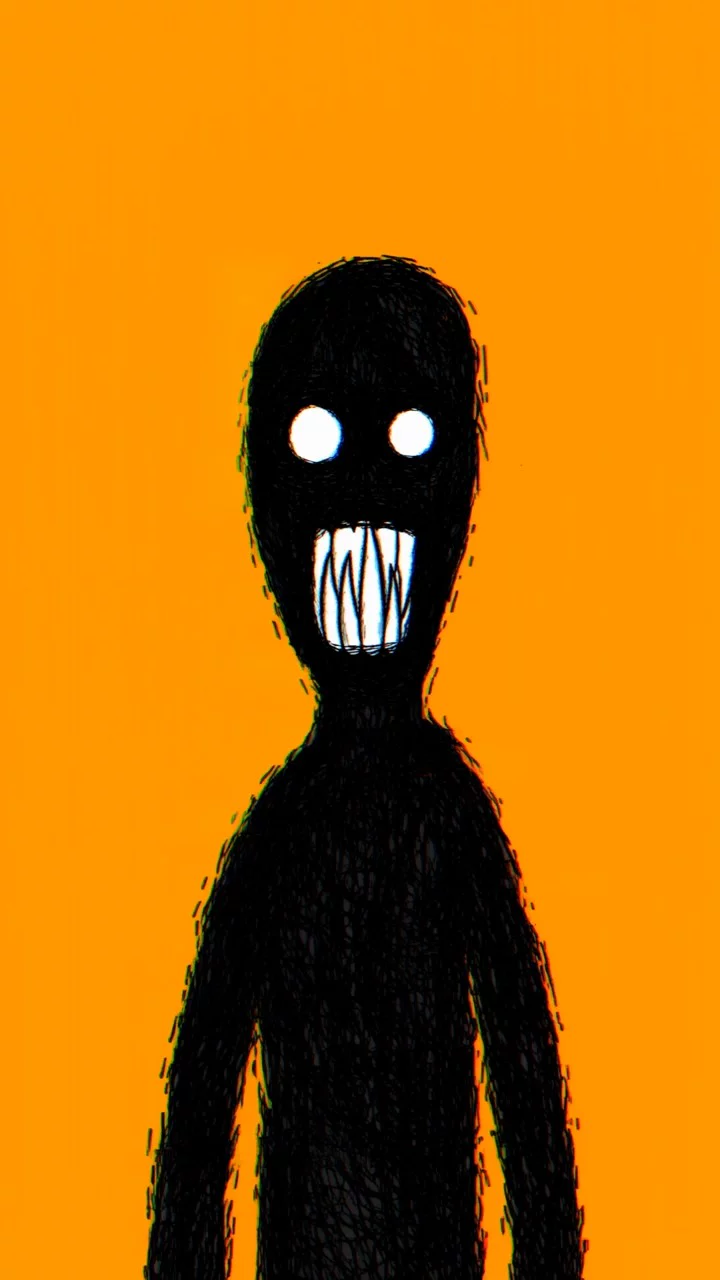
A stylized example demonstrates Kling 4.0's glitch-art rendering with deliberate digital distortion and graphic color treatment.
Model: Kling 4.0
How to adapt it
Define the subject first, then add glitch intensity, color palette, texture, transition rhythm, and any details that should remain legible.
Source: Kling AI
Original source · View in the KingVid gallery
Kling 4.0 Flash Coastal Character Scene
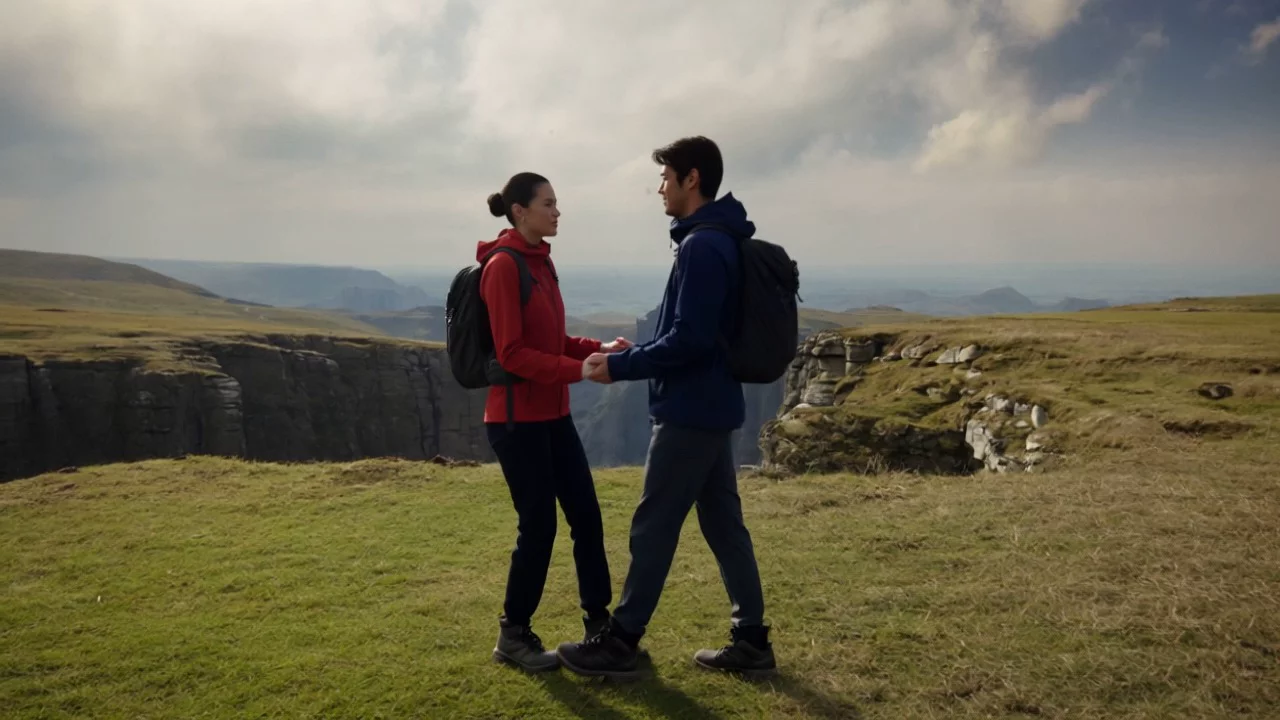
Three reference images guide a two-character outdoor scene in the Kling 4.0 Flash showcase, preserving people and setting cues.
Model: Kling 4.0 Flash
How to adapt it
Separate character and environment references, then describe the interaction and camera framing in a compact prompt suited to a shorter Flash workflow.
Source: Kling AI
Original source · View in the KingVid gallery
Attribution and corrections
Prompt text and media remain attributed to their original publishers. Contact the maintainers for corrections, attribution changes, or removal requests.
Similar repos


Curated Kling 4 prompts and video examples with original sources.
See the codeSee what people are saying
README
Awesome Kling Prompts
A curated collection of Kling video examples, with original sources, result previews and available prompts.
The collection currently contains 21 verified examples, with sources reviewed through 2026-09-29.
Long-Form Dragon Attack on a Burning Kingdom
A 28-second cinematic sequence follows a dragon from a cliffside roar into flight and a sustained fire attack over a burning kingdom.
Model: Kling 4.0
How to adapt it
Use distinct visual beats and a clear escalation across the full duration. Keep the subject, environment, lighting, and direction of motion consistent between beats.
Source: Kling AI
Original source · View in the KingVid gallery
Natural Vlogger Introduction at Home
A concise prompt produces a relaxed direct-to-camera introduction with natural facial detail and a believable home-video look.
Model: Kling 4.0
A vlogger-style video in which the woman cheerfully introduces herself to the audience. Maintain a natural, authentic look and realistic image quality.
How to adapt it
Replace the subject and setting, but keep the prompt focused on delivery, expression, realism, and the relationship with the camera.
Source: Kling AI
Original source · View in the KingVid gallery
Old Man Ranting About AI
A five-word prompt expands into an expressive seated monologue, demonstrating Kling 4.0's interpretation of minimal direction.
Model: Kling 4.0
An old man ranting about AI.
How to adapt it
Use the same compact pattern—character, action, and topic—to test how much staging and performance Kling can infer from minimal direction.
Source: Kling AI
Original source · View in the KingVid gallery
One-Shot Reunion on a UK Street
A detailed seven-second prompt coordinates a warm reunion, handheld tracking, crowd motion, dialogue, ambience, and music.
Model: Kling 4.0
A continuous 7-second shot set in the UK. Two friends who have not seen each other for a long time meet at the corner of a quiet street at dusk, surrounded by a diverse crowd going about their daily lives. They smile, walk quickly toward each other, and share a warm embrace. Their facial expressions and body movements are natural. A handheld camera follows them with subtle camera shake. Soft, warm lighting with a nostalgic cinematic film look. Include natural footsteps, street ambience, background music, and English dialogue.
How to adapt it
Preserve the duration, emotional beat, camera behavior, lighting, and audio layers; swap the relationship, location, and meeting action.
Source: Kling AI
Original source · View in the KingVid gallery
Café Scene Guided by Two Keyframes
Two visual anchors guide a coherent live-action café sequence while preserving the subject, setting, and cinematic realism.
Model: Kling 4.0
How to adapt it
Choose keyframes with a clear progression and consistent subject design. Let each image define a story beat rather than a minor pose variation.
Source: Kling AI
Original source · View in the KingVid gallery
Lion Dance From a Grid Reference
A single reference grid supplies character, setting, composition, and story cues for a cinematic rooftop lion-dance sequence.
Model: Kling 4.0
How to adapt it
Build one grid that separates subject design, environment, composition, and story beats into readable panels with a consistent visual language.
Source: Kling AI
Original source · View in the KingVid gallery
Clay Rocket Guided by Storyboard Frames
Two storyboard images establish the handmade clay style and story progression for a playful rocket journey through space.
Model: Kling 4.0
How to adapt it
Use storyboard frames that define both the material style and distinct narrative beats. Keep shapes, lighting, and texture consistent across panels.
Source: Kling AI
Original source · View in the KingVid gallery
VR Match Cut From Polar Bear Battle to Living Room
A survival fight freezes at impact before matching the same hand movement into a grounded VR reveal at home.
Model: Kling 3.0
FORMAT: 15s / free rhythm / 1 MATCH CUT / CONTINUOUS MOVE UNTIL MATCH CUT + IMMEDIATE ACTION FROM FIRST FRAME

SUBJECTS: A lone sword-bearing woman in weathered fur and leather fights a massive polar bear with desperate, two-handed survival movement. The same woman is later revealed at home in loose indoor clothes, where a VR headset appears only after the match cut and is pulled off in one clear motion.
ENVIRONMENT: Frozen wilderness under hard daylight, wind dragging snow across blue-white ice, then a modest lived-in home reached through a precise visual match. Winter glare and visible breath give way to soft clutter, indoor daylight, and a faint game-lit glow.
MOOD: Visceral survival tension snaps into grounded reality without breaking physical continuity.
COLOR LOGIC: Naturalistic Film Print Emulation

TIMELINE:
0:00-0:07: One unbroken handheld move, WS collapsing into MCU as the woman backpedals across the ice and the bear launches through blowing snow. The camera runs beside the leap at eye level, 28mm shifting to 35mm, slightly unstable and close enough to keep both bodies heavy and readable. The bear closes fast while she plants, recoils, and keeps the blade between them. SFX: (howling wind, boots grinding ice, low animal roar, cloth strain, blade cutting air, snow scrape). Hard winter sun side-lights the ice and throws sharp blue shadows.
0:07-0:11: Same unbroken move, no cut, tightening into a dead-on CU as the bear surges into the last inches, claws near her shoulders, jaws filling the frame edge. Right in the middle of the attack, a man's voice calls, Karla... then sharper, KARLA. She answers with a tired off, and on that reaction the world drops into slow motion. Snow drifts almost still, the bear hangs in its strike, and only she keeps moving at normal speed as the camera orbits into her face. Bored, not afraid, she drops the sword and brings both empty hands toward her temples in one smooth interrupt gesture. No headset, visor, or device is visible in the frozen world. Stay continuous until the match cut, keeping the same face size, hand height, head angle, lens distance, and clockwise drift. SFX: (cloth strain building to near impact, a man's voice calling Karla... KARLA, her tired off, then stretched wind fading toward silence). Hard winter sun catches the slowed snow around her face.
0:11-0:15: MATCH CUT. CU to MS. Seamless mid-motion transition as her rising hands cross the same screen position and the frozen close-up becomes the home interior with the same framing and clockwise drift. The motion continues uninterrupted, and now a VR headset is visibly strapped over her eyes for the first time. She grips both sides, pulls it fully off her face, and the camera opens into a medium shot as she drops it above her forehead and steps into a small living room in loose home clothes. The handheld orbit continues, revealing couch edges, scattered blankets, and cold window light as her posture falls into mild annoyance. She turns toward the voice, rolls her eyes upward, and says, What is it. 35mm natural lens, spherical. SFX: (headset strap stretch, plastic rub, quiet room tone, socked foot scrape, faint game audio, her breath settling, her dry voice saying What is it). Indoor daylight replaces the winter contrast.
How to adapt it
Keep the hand position, face scale, camera direction, and orbit aligned across the match cut. Replace both worlds and the interrupting action together.
Source: Kōda
Original source · View in the KingVid gallery
Bullet-Time Fall on Icy Wall Street
A compact prompt freezes a falling businessman, coffee, ice, and water while the camera completes a low 360-degree orbit.
Model: Kling 3.0
Bullet time effect. A businessman in white shirt and black tie slipping and falling backwards on icy wet street in Wall Street, New York. Coffee cup standing on ground, liquid exploding outward frozen in mid-air. Ice chunks, water droplets, and coffee splash all completely suspended — time is frozen. Tall buildings on both sides creating a canyon effect. Camera smoothly orbits 360 degrees around the falling man at low ground level angle, only the camera moves while everything else remains perfectly still. Cinematic, overcast dramatic lighting, wide angle lens distortion.
How to adapt it
Replace the person, location, and suspended props while retaining the single frozen instant, low orbit, and explicit rule that only the camera moves.
Source: Oogie
Original source · View in the KingVid gallery
Rural Thriller Explosion Frozen in Time
A 15-second survival scene moves from a live explosion into a frozen debris orbit, then resumes behind a pickup truck.
Model: Kling 3.0
[STYLE + CAMERA + ATMOSPHERE]
Ultra-photorealistic cinematic 15-second action sequence from a grounded rural survival thriller film. Nighttime in a remote forested area next to a cabin. Pine trees, dirt ground, old pickup truck. Moonlight mixed with warm light from the cabin windows. The visual language is tense, intimate and realistic with hyper-realistic practical destruction. Camera is handheld-dynamic with grounded moves.

[IMAGE REFERENCES]
No reference images provided. Generate a fully consistent lead character: a rugged male in his early 50s, short beard, intense protective expression. He wears a worn jacket, jeans and work boots. Maintain exact same appearance and clothing throughout the clip.

[TIMELINE SECOND BY SECOND]
0-3s: [Dynamic handheld tracking shot from side-rear] The man runs toward an old pickup truck while being shot at. A propane tank next to the cabin explodes in a massive realistic blast. Fire, metal, wood and dirt are thrown violently in all directions. The camera tracks him urgently across the dirt as the explosion expands.

3-7s: [Slow continuous orbiting camera moving around the frozen explosion] At the peak of the explosion the entire blast and debris field suddenly freezes in perfect realistic physics. Thousands of metal fragments, wooden planks, dirt clods and burning debris hang motionless in the air with accurate weight and trajectories. The camera performs a smooth, continuous orbit around the frozen destruction, moving between large suspended metal pieces and passing close to sharp wooden fragments while the man remains visible.

7-15s: [Dynamic tracking shot as time resumes] At the 7-second mark time snaps back to forward motion with a slight realistic temporal residue. Some outer debris shows a very subtle reverse lag before continuing. The man has used the frozen moment to dive behind the pickup truck. When motion resumes, several large burning pieces miss the truck. He stays low and moves around the vehicle as debris finally crashes down around him. The camera tracks with him through the settling dust and fire.

[STYLE & QUALITY BOOSTERS]
Photorealistic 8K, hyper-realistic rigid body destruction with correct material properties, perfect frozen mid-air physics, seamless transition from explosion to freeze to resume, natural fire, wood and dirt interaction, heavy cinematic motion blur on fast debris, stable character performance, movie-level practical destruction VFX quality.
How to adapt it
Preserve the three-phase rhythm—live action, frozen orbit, resumed escape—then replace the character, hazard, shelter, and debris materials.
Source: TechHalla
Original source · View in the KingVid gallery
Slow-Motion Flood Crowd Chaos
A water-level handheld close-up layers crowd action, suspended spray, stable faces, and coarse 35mm texture around one subject.
Model: Kling 3.0
Slow-motion handheld close-up, 16:9. Shaky organic handheld shot shoving in close on an older grey-haired man in a soaked white shirt and tie, chest-deep in churning green-grey flood water clutching a glass bottle, mouth open mid-shout — while all around him a dense crowd churns: a woman shoves past his shoulder, two men wrestle a floating chair behind him, someone falls backward into the water beside him sending up a slow sheet of spray, more panicking bodies wade and thrash in the background. In slow motion water explodes across the whole frame, droplets suspended everywhere. Dynamic jostling handheld movement at water level in the thick of the crowd. Sickly institutional palette — seafoam green, cream, muted teal, cold reflective water. All faces anatomically correct, stable, realistic, genuine emotion, no warping. Heavy coarse analog 35mm film grain baked into every frame, thick and consistent, grain crawling over highlights and shadows, like a scanned celluloid film print, never clean, never digital-looking. Flat overhead fluorescent light, dramatic slow-motion intensity, cinematic photorealistic, ultra-detailed.
How to adapt it
Keep one foreground anchor, two or three readable background actions, and a unified material effect. Replace the crowd event, palette, and film stock treatment.
Source: 余温
Original source · View in the KingVid gallery
Film Set Scene From a Multi-Character Reference
One multi-character reference guides an ensemble film-set scene while keeping the people, staging, and live-action look coherent.
Model: Kling 4.0
How to adapt it
Use a clear group reference that separates each person visually, then keep the requested blocking and relationships simple enough to follow in motion.
Source: Kling AI
Original source · View in the KingVid gallery
Fantasy Boss Battle From Game UI References
Four game-interface references guide a cinematic fantasy boss battle with recognizable characters, environment, and UI language.
Model: Kling 4.0
How to adapt it
Supply references that separately establish the hero, opponent, environment, and interface, then describe one readable action beat.
Source: Kling AI
Original source · View in the KingVid gallery
Fashion Walk From a White-Model Motion Reference
A white-model motion video and reference images transfer a runway-style walk into a photoreal fashion scene.
Model: Kling 4.0
How to adapt it
Choose a motion reference with an unobstructed silhouette and use still images to define wardrobe, subject, and location separately.
Source: Kling AI
Original source · View in the KingVid gallery
Period Drama With Referenced Character Elements
A reference video and three character images guide a dialogue-driven period scene while the surrounding composition stays stable.
Model: Kling 4.0
How to adapt it
Use distinct, well-lit character references and identify each role consistently when adapting a source scene with multiple people.
Source: Kling AI
Original source · View in the KingVid gallery
Storefront Scene With Multi-Character Replacement
Three character references replace multiple people in a source video while preserving the storefront framing and scene structure.
Model: Kling 4.0
How to adapt it
Provide one clean image per replacement subject and preserve the source video's staging when character identity is the main change.
Source: Kling AI
Original source · View in the KingVid gallery
Live Band Scene With Element Removal
A targeted video edit removes an element from a busy outdoor band performance while retaining the crowd and camera composition.
Model: Kling 4.0
How to adapt it
Keep the edit request narrowly scoped, identify the removable element clearly, and ask to preserve camera motion, lighting, and surrounding people.
Source: Kling AI
Original source · View in the KingVid gallery
Snowy Porch Scene With Style Modification
A source video is restyled as a wintry porch scene while its vertical composition and underlying action remain recognizable.
Model: Kling 4.0
How to adapt it
Name the desired environment and visual treatment, then specify which motion, framing, and subject details from the reference video must stay unchanged.
Source: Kling AI
Original source · View in the KingVid gallery
UGC Fashion Product Promotion
A single product reference becomes a vertical creator-style fashion promotion designed around direct presentation and social framing.
Model: Kling 4.0
How to adapt it
Use a clean product reference and describe how the presenter handles, wears, or demonstrates it in a short vertical-video sequence.
Source: Kling AI
Original source · View in the KingVid gallery
Glitch-Art Video Style
A stylized example demonstrates Kling 4.0's glitch-art rendering with deliberate digital distortion and graphic color treatment.
Model: Kling 4.0
How to adapt it
Define the subject first, then add glitch intensity, color palette, texture, transition rhythm, and any details that should remain legible.
Source: Kling AI
Original source · View in the KingVid gallery
Kling 4.0 Flash Coastal Character Scene
Three reference images guide a two-character outdoor scene in the Kling 4.0 Flash showcase, preserving people and setting cues.
Model: Kling 4.0 Flash
How to adapt it
Separate character and environment references, then describe the interaction and camera framing in a compact prompt suited to a shorter Flash workflow.
Source: Kling AI
Original source · View in the KingVid gallery
Attribution and corrections
Prompt text and media remain attributed to their original publishers. Contact the maintainers for corrections, attribution changes, or removal requests.