Keyty - modern open-source keyboard and mouse visualizer for macOS
See the code




English | Deutsch | Nederlands | Español | Français | Italiano | Português (Brasil) | Polski | Türkçe | Українська | 日本語 | 简体中文
Keyty is a free, open-source app that visualizes your keyboard and mouse actions in real time, making demos, presentations, tutorials, and livestreams easier to follow. It gives your audience a clear view of every shortcut, click, and input so you can communicate more effectively on screen.
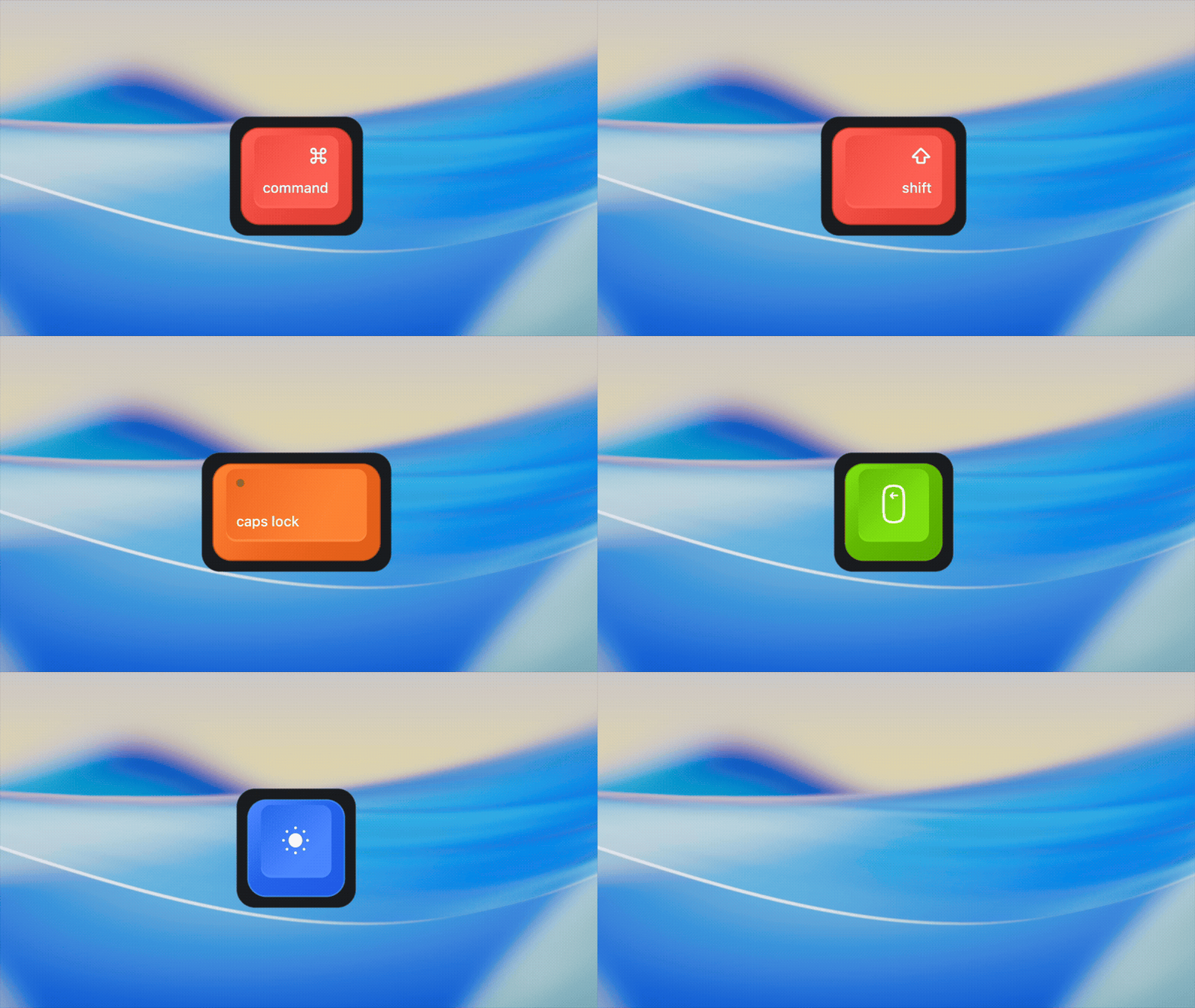



Keyty can be tuned from Settings to match your workflow and presentation style:
Download the latest release from GitHub
brew install --cask keyty
To build Keyty locally from source, see BUILD.md.
Keyty requires your permission to receive events from macOS in order to display your keystrokes and mouse clicks. See PERMISSIONS.md for setup and troubleshooting.
Input events are processed locally on your Mac. Keyty does not record, store, or upload your keystrokes, typed text, mouse clicks, or pointer activity. See PRIVACY.md for details, including Sparkle update checks.
If Keyty is useful to you, consider giving the project a ⭐ on GitHub. It helps more people discover it and is the easiest way to support its development.
1,186 followers · starred Aug 2026
4,276 followers · starred Aug 2026
1,390 followers · starred Sep 2026
219 followers · starred Jul 2026
Keyty - modern open-source keyboard and mouse visualizer for macOS
See the code
English | Deutsch | Nederlands | Español | Français | Italiano | Português (Brasil) | Polski | Türkçe | Українська | 日本語 | 简体中文
Keyty is a free, open-source app that visualizes your keyboard and mouse actions in real time, making demos, presentations, tutorials, and livestreams easier to follow. It gives your audience a clear view of every shortcut, click, and input so you can communicate more effectively on screen.
Keyty can be tuned from Settings to match your workflow and presentation style:
Download the latest release from GitHub
brew install --cask keyty
To build Keyty locally from source, see BUILD.md.
Keyty requires your permission to receive events from macOS in order to display your keystrokes and mouse clicks. See PERMISSIONS.md for setup and troubleshooting.
Input events are processed locally on your Mac. Keyty does not record, store, or upload your keystrokes, typed text, mouse clicks, or pointer activity. See PRIVACY.md for details, including Sparkle update checks.
If Keyty is useful to you, consider giving the project a ⭐ on GitHub. It helps more people discover it and is the easiest way to support its development.
1,186 followers · starred Aug 2026
4,276 followers · starred Aug 2026
1,390 followers · starred Sep 2026
219 followers · starred Jul 2026



