A powerful, lightweight theme for Hugo built with Tailwind CSS.
See the codeCongo is designed to be a powerful, lightweight theme for Hugo. It's built using Tailwind CSS with a clean and minimalist design that prioritises to your content.
🌏 Demo site 📑 Theme documentation 🐛 Bug reports & issues 💡 Questions & feature requests
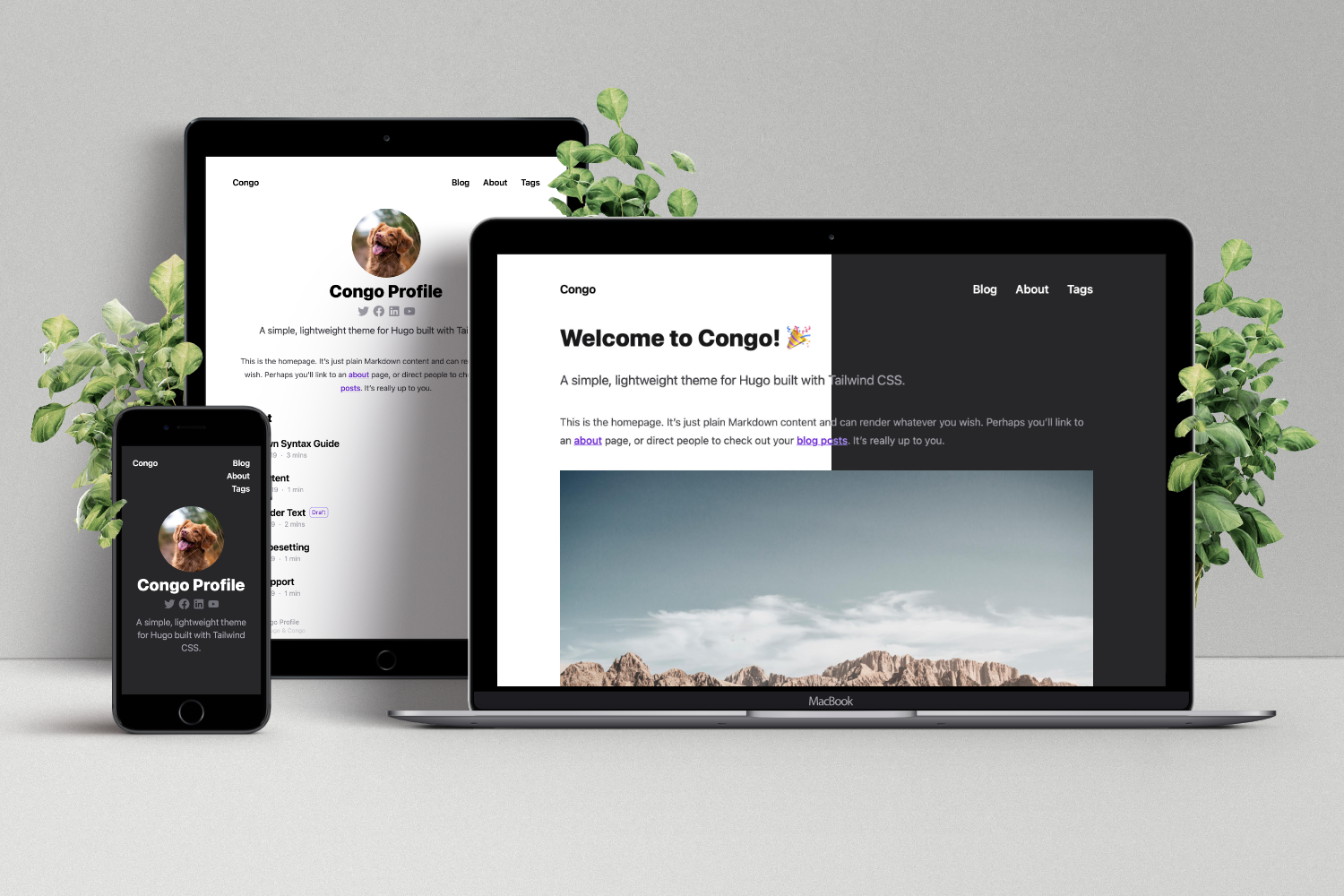
Congo has extensive documentation that covers all aspects of the theme. Be sure to read the docs to learn more about how to use the theme and its features.
Congo supports several installation methods - as a Hugo Module (easiest), a git submodule, or as a completely manual install.
Detailed instructions for each method can be found in the Installation docs. You should consult the documentation for the simplest setup experience. Below is a quick start guide using Hugo modules if you're already confident installing Hugo themes.
Note: Ensure you have Go and Hugo installed, and that you have created a new Hugo project before proceeding.
From your project directory, initialise Hugo Modules:
hugo mod init github.com/<username>/<repo-name>
Create config/_default/module.toml and add the following:
[[imports]]
path = "github.com/jpanther/congo/v2"
Start your server using hugo server and the theme will be downloaded automatically.
In the root folder of your website, delete the hugo.toml file that was generated by Hugo. Copy the *.toml config files from the theme into your config/_default/ folder.
Note: Do not overwrite the
module.tomlfile you created above!
You will find these theme config files in the Hugo cache directory, or download a copy from GitHub.
Follow the Getting Started instructions to configure your website.
As new releases are posted, you can update the theme using Hugo. Simply run hugo mod get -u from your project directory and the theme will automatically update to the latest release.
Detailed update instructions are available in the docs.
Congo is expected to evolve over time. I intend to keep adding features and making changes as required.
Feel free to get in touch with any issues or suggestions for new features you'd like to see.
If you're able to fix a bug or implement a new feature, I welcome PRs for this purpose. Learn more in the contributing guidelines.
1,208 followers · starred Jan 2025
2,808 followers · starred Dec 2021
305 followers · starred Jun 2023
186 followers · starred Jan 2025
A powerful, lightweight theme for Hugo built with Tailwind CSS.
See the codeCongo is designed to be a powerful, lightweight theme for Hugo. It's built using Tailwind CSS with a clean and minimalist design that prioritises to your content.
🌏 Demo site 📑 Theme documentation 🐛 Bug reports & issues 💡 Questions & feature requests
Congo has extensive documentation that covers all aspects of the theme. Be sure to read the docs to learn more about how to use the theme and its features.
Congo supports several installation methods - as a Hugo Module (easiest), a git submodule, or as a completely manual install.
Detailed instructions for each method can be found in the Installation docs. You should consult the documentation for the simplest setup experience. Below is a quick start guide using Hugo modules if you're already confident installing Hugo themes.
Note: Ensure you have Go and Hugo installed, and that you have created a new Hugo project before proceeding.
From your project directory, initialise Hugo Modules:
hugo mod init github.com/<username>/<repo-name>
Create config/_default/module.toml and add the following:
[[imports]]
path = "github.com/jpanther/congo/v2"
Start your server using hugo server and the theme will be downloaded automatically.
In the root folder of your website, delete the hugo.toml file that was generated by Hugo. Copy the *.toml config files from the theme into your config/_default/ folder.
Note: Do not overwrite the
module.tomlfile you created above!
You will find these theme config files in the Hugo cache directory, or download a copy from GitHub.
Follow the Getting Started instructions to configure your website.
As new releases are posted, you can update the theme using Hugo. Simply run hugo mod get -u from your project directory and the theme will automatically update to the latest release.
Detailed update instructions are available in the docs.
Congo is expected to evolve over time. I intend to keep adding features and making changes as required.
Feel free to get in touch with any issues or suggestions for new features you'd like to see.
If you're able to fix a bug or implement a new feature, I welcome PRs for this purpose. Learn more in the contributing guidelines.
1,208 followers · starred Jan 2025
2,808 followers · starred Dec 2021
305 followers · starred Jun 2023
186 followers · starred Jan 2025



