ssh rdp vnc telnet sftp bastion/jump web putty xshell terminal jumpserver database audit realtime monitor rz/sz 堡垒机 云桌面 linux devops sftp websocket file management rz/sz otp 自动化运维 审计 录像 文件管理 sftp上传 实时监控 录像回放 网页版rz/sz上传下载/动态口令 go
See the code

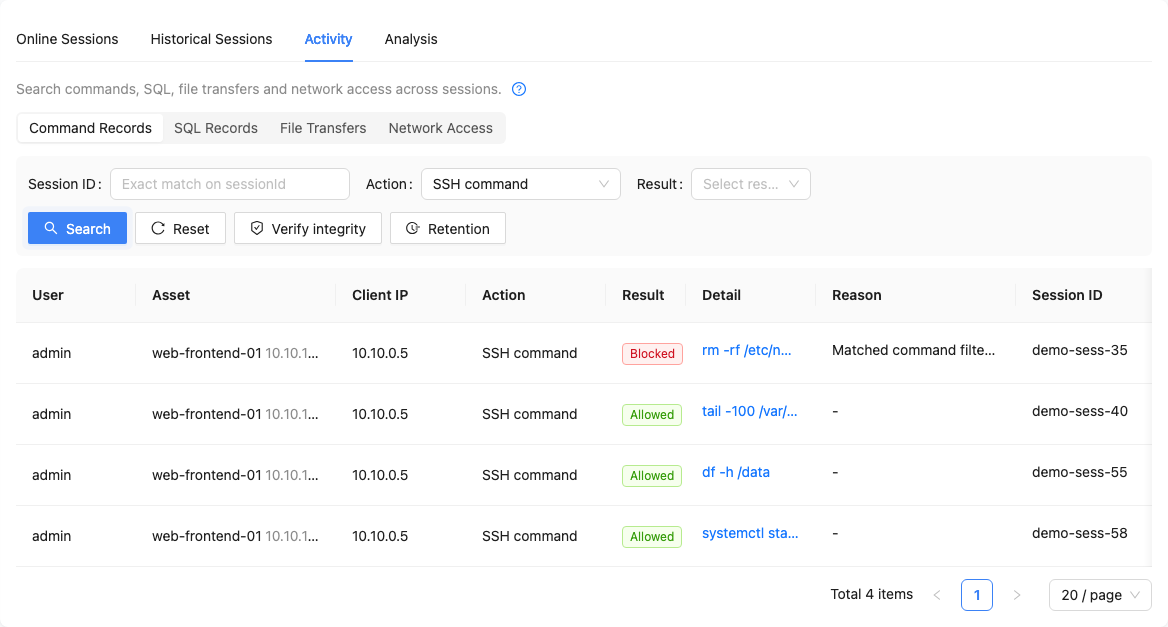
Webterminal is an all-in-one privileged access platform: unified asset onboarding, authorization control, session auditing and operation replay. Run SSH / RDP / VNC / database operations directly in the browser, or connect with native clients (ssh, mstsc, mysql, navicat…) through the built-in protocol proxies.
Webterminal 是一体化特权访问管理平台:统一的资产接入、授权控制、会话审计与操作回放。浏览器里即可完成 SSH / RDP / VNC / 数据库运维,也可通过原生客户端(ssh、mstsc、mysql、navicat…)经内置协议代理直连。中文文档 →
📌 Use the 1.0 Docker image (this document). The Python/Django source in this repository is the legacy implementation — see README_LEGACY.md.
1.0 is a ground-up rewrite: Go backend + React frontend, shipped as a single all-in-one container — the webterminal server, nginx and SQLite in one image, no external dependencies (no Redis; single-node deployments fall back to in-memory state). One tag serves both amd64 and arm64.
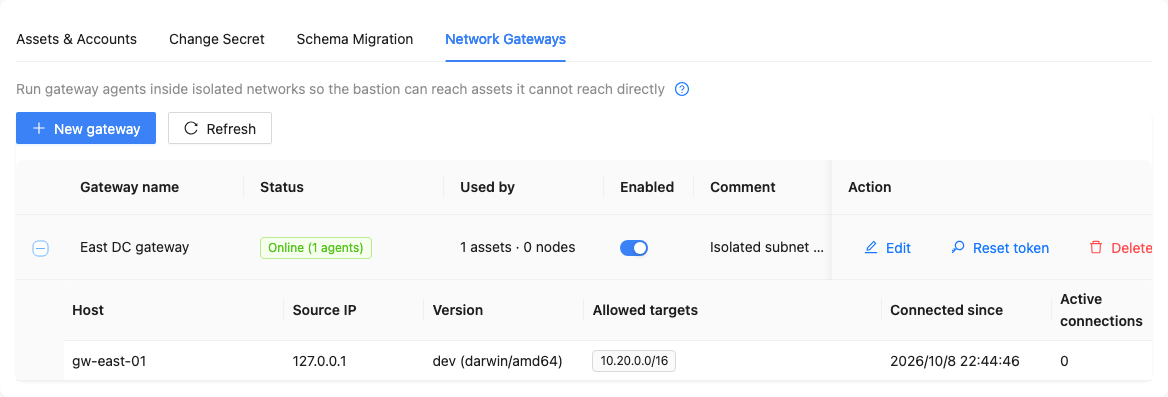
gw-* agents over encrypted tunnels; asset routing resolves asset → node → directdocker run -d --name webterminal --restart unless-stopped \
-p 443:443 -p 80:80 \
-p 2222:2222 -p 3389:3389 \
-p 13306:13306 -p 15432:15432 -p 11433:11433 -p 11521:11521 \
-p 16379:16379 -p 37017:37017 \
-v webterminal-data:/data \
webterminal/webterminal:1.0
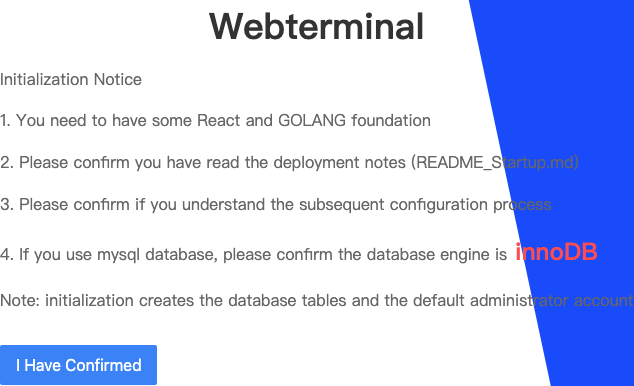
Open https://<host-ip> (port 80 redirects to 443; a self-signed certificate is generated on first start) and finish the init wizard to set the admin password. After initialization, sign in as admin with the password you set in the wizard. 443 carries all web-side functionality; 2222/3389 and the database ports are the native-client proxies — keep the ones you use.
On Linux hosts, also mount the host identity files (used for online trial registration / license binding):
  -v /etc/machine-id:/host/machine-id:ro \
  -v /sys/class/dmi/id/product_uuid:/host/product_uuid:ro
| Port | Purpose | Required |
|---|---|---|
| 443 | Console HTTPS (web terminals / API / file transfer) | yes |
| 80 | 301 redirect to 443 only | recommended |
| 2222 | Native SSH / SFTP proxy | optional |
| 3389 | Native RDP proxy | optional |
| 13306 / 15432 / 11433 / 11521 | MySQL / PostgreSQL / SQL Server / Oracle proxies | optional |
| 16379 / 37017 | Redis / MongoDB proxies | optional |
Map only what you use. When host-published ports differ from the container ports, declare the public endpoint via BASTION_PUBLIC_HOST / BASTION_SSH_PROXY_PORT / BASTION_RDP_PROXY_PORT (otherwise issued wterm:// URLs point at the wrong ports), e.g. -p 12222:2222 -e BASTION_SSH_PROXY_PORT=12222.
| Asset center | Workspace |
|---|---|
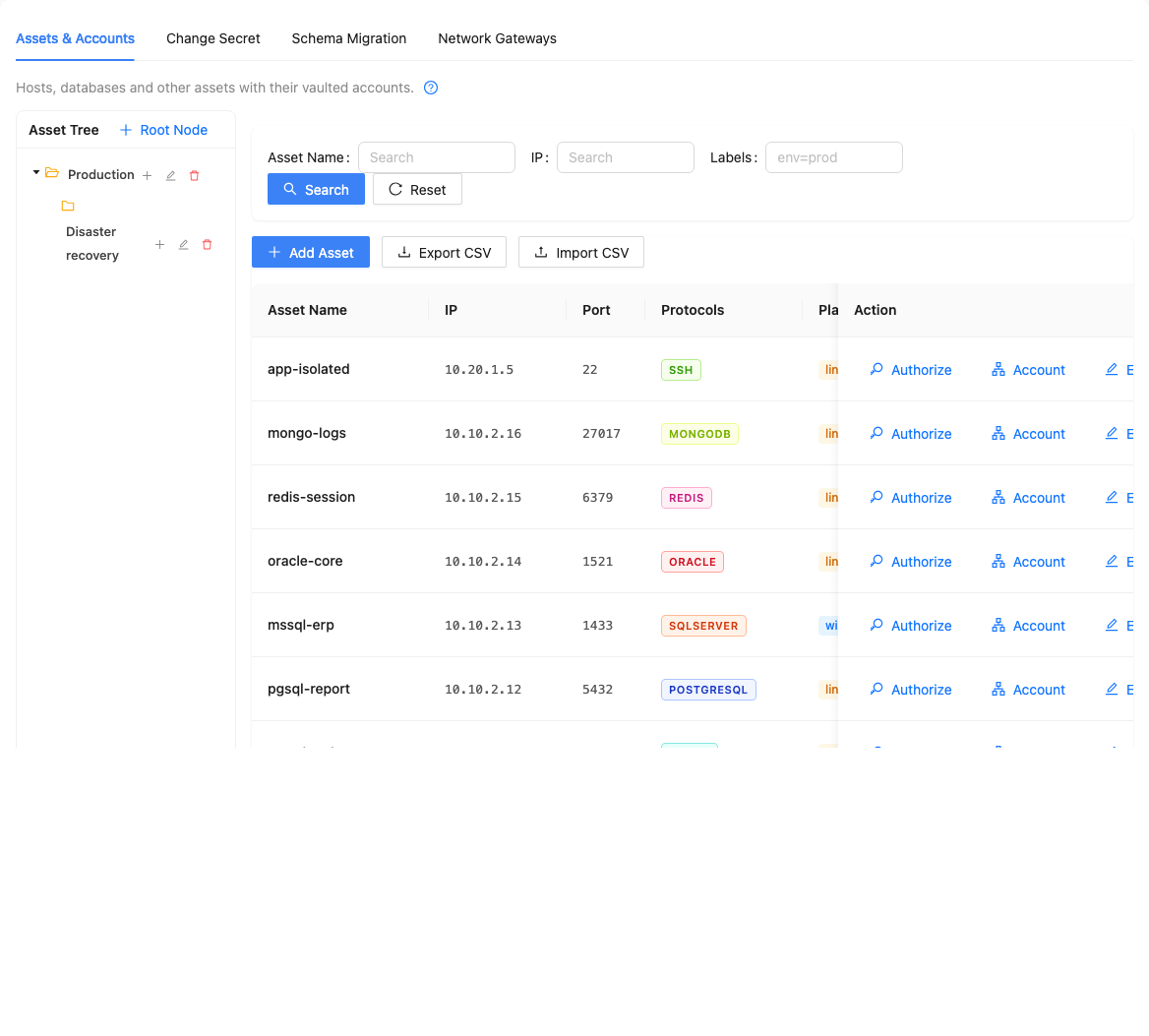 | 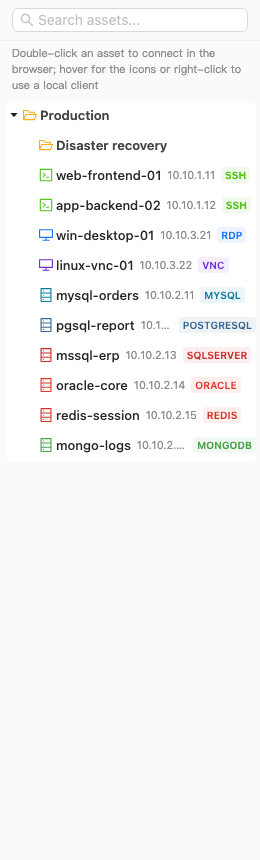 |
| Native client access | Session audit |
|---|---|
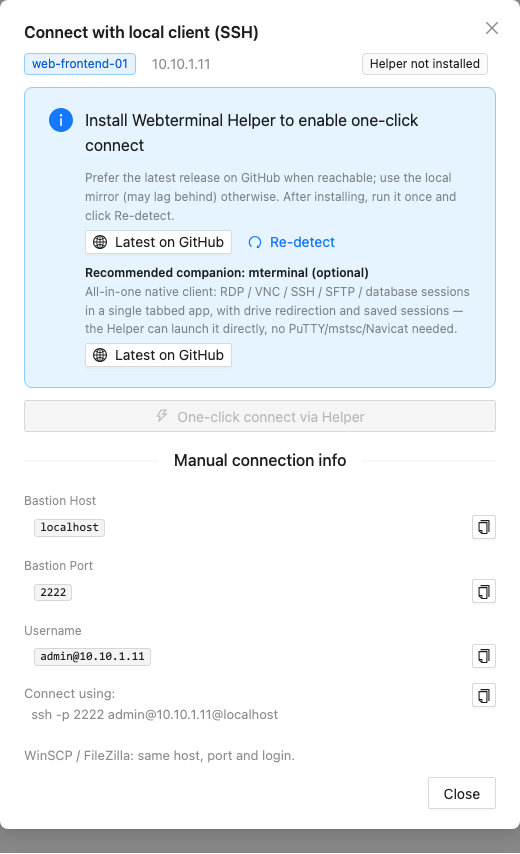 |  |
| Gateways | Licensing |
|---|---|
 | 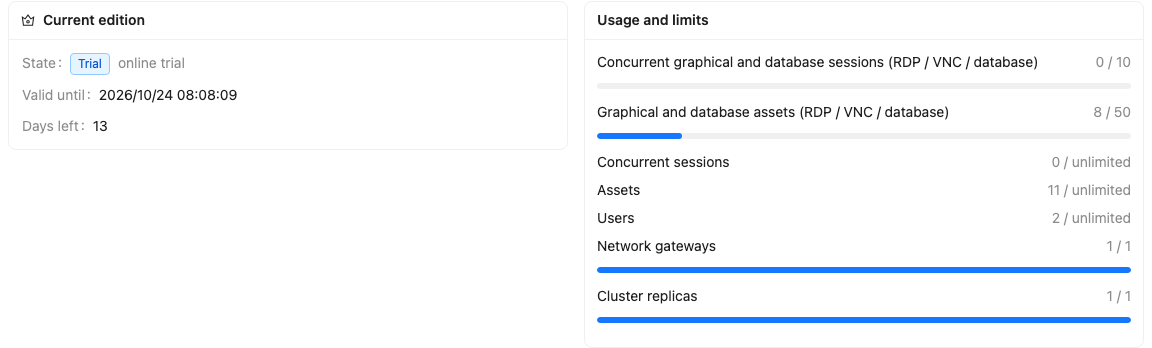 |
A default install runs the Community edition: 50 restricted-protocol assets (RDP / VNC / databases), 5 concurrent restricted sessions, 1 replica, 1 gateway — SSH-type assets are not limited. A 15-day online trial unlocks all Enterprise features:
/host identity mounts above, open System Settings → License → Register trial online — done in one click.WTR2. code, send it to the vendor, and upload the returned WTS1. license file on the same page.The license page shows current state, expiry and per-feature availability; on expiry or limit breach, security-policy features remain read-only and auditing keeps working.
/data volume: SQLite, configuration, TLS certificates, SSH host key, session recordings, logs. Backing up = archiving this volume.docker pull the new tag and recreate the container; data carries over./data/ssl/server.crt / server.key and restarting.222 followers · starred Apr 2021
205 followers · starred Mar 2023
86 followers · starred Feb 2021
6 followers · starred Sep 2020
ssh rdp vnc telnet sftp bastion/jump web putty xshell terminal jumpserver database audit realtime monitor rz/sz 堡垒机 云桌面 linux devops sftp websocket file management rz/sz otp 自动化运维 审计 录像 文件管理 sftp上传 实时监控 录像回放 网页版rz/sz上传下载/动态口令 go
See the code
Webterminal is an all-in-one privileged access platform: unified asset onboarding, authorization control, session auditing and operation replay. Run SSH / RDP / VNC / database operations directly in the browser, or connect with native clients (ssh, mstsc, mysql, navicat…) through the built-in protocol proxies.
Webterminal 是一体化特权访问管理平台:统一的资产接入、授权控制、会话审计与操作回放。浏览器里即可完成 SSH / RDP / VNC / 数据库运维,也可通过原生客户端(ssh、mstsc、mysql、navicat…)经内置协议代理直连。中文文档 →
📌 Use the 1.0 Docker image (this document). The Python/Django source in this repository is the legacy implementation — see README_LEGACY.md.
1.0 is a ground-up rewrite: Go backend + React frontend, shipped as a single all-in-one container — the webterminal server, nginx and SQLite in one image, no external dependencies (no Redis; single-node deployments fall back to in-memory state). One tag serves both amd64 and arm64.
gw-* agents over encrypted tunnels; asset routing resolves asset → node → directdocker run -d --name webterminal --restart unless-stopped \
-p 443:443 -p 80:80 \
-p 2222:2222 -p 3389:3389 \
-p 13306:13306 -p 15432:15432 -p 11433:11433 -p 11521:11521 \
-p 16379:16379 -p 37017:37017 \
-v webterminal-data:/data \
webterminal/webterminal:1.0
Open https://<host-ip> (port 80 redirects to 443; a self-signed certificate is generated on first start) and finish the init wizard to set the admin password. After initialization, sign in as admin with the password you set in the wizard. 443 carries all web-side functionality; 2222/3389 and the database ports are the native-client proxies — keep the ones you use.
On Linux hosts, also mount the host identity files (used for online trial registration / license binding):
  -v /etc/machine-id:/host/machine-id:ro \
  -v /sys/class/dmi/id/product_uuid:/host/product_uuid:ro
| Port | Purpose | Required |
|---|---|---|
| 443 | Console HTTPS (web terminals / API / file transfer) | yes |
| 80 | 301 redirect to 443 only | recommended |
| 2222 | Native SSH / SFTP proxy | optional |
| 3389 | Native RDP proxy | optional |
| 13306 / 15432 / 11433 / 11521 | MySQL / PostgreSQL / SQL Server / Oracle proxies | optional |
| 16379 / 37017 | Redis / MongoDB proxies | optional |
Map only what you use. When host-published ports differ from the container ports, declare the public endpoint via BASTION_PUBLIC_HOST / BASTION_SSH_PROXY_PORT / BASTION_RDP_PROXY_PORT (otherwise issued wterm:// URLs point at the wrong ports), e.g. -p 12222:2222 -e BASTION_SSH_PROXY_PORT=12222.
| Asset center | Workspace |
|---|---|
| |
| Native client access | Session audit |
|---|---|
| |
| Gateways | Licensing |
|---|---|
| |
A default install runs the Community edition: 50 restricted-protocol assets (RDP / VNC / databases), 5 concurrent restricted sessions, 1 replica, 1 gateway — SSH-type assets are not limited. A 15-day online trial unlocks all Enterprise features:
/host identity mounts above, open System Settings → License → Register trial online — done in one click.WTR2. code, send it to the vendor, and upload the returned WTS1. license file on the same page.The license page shows current state, expiry and per-feature availability; on expiry or limit breach, security-policy features remain read-only and auditing keeps working.
/data volume: SQLite, configuration, TLS certificates, SSH host key, session recordings, logs. Backing up = archiving this volume.docker pull the new tag and recreate the container; data carries over./data/ssl/server.crt / server.key and restarting.222 followers · starred Apr 2021
205 followers · starred Mar 2023
86 followers · starred Feb 2021
6 followers · starred Sep 2020



