jcs/progman

progman.exe^H^H^H^H

C

597

182 commits

updated Sep 15, 2026

See the code

README

progman

progman is a simple X11 window manager modeled after the Windows 3 era.
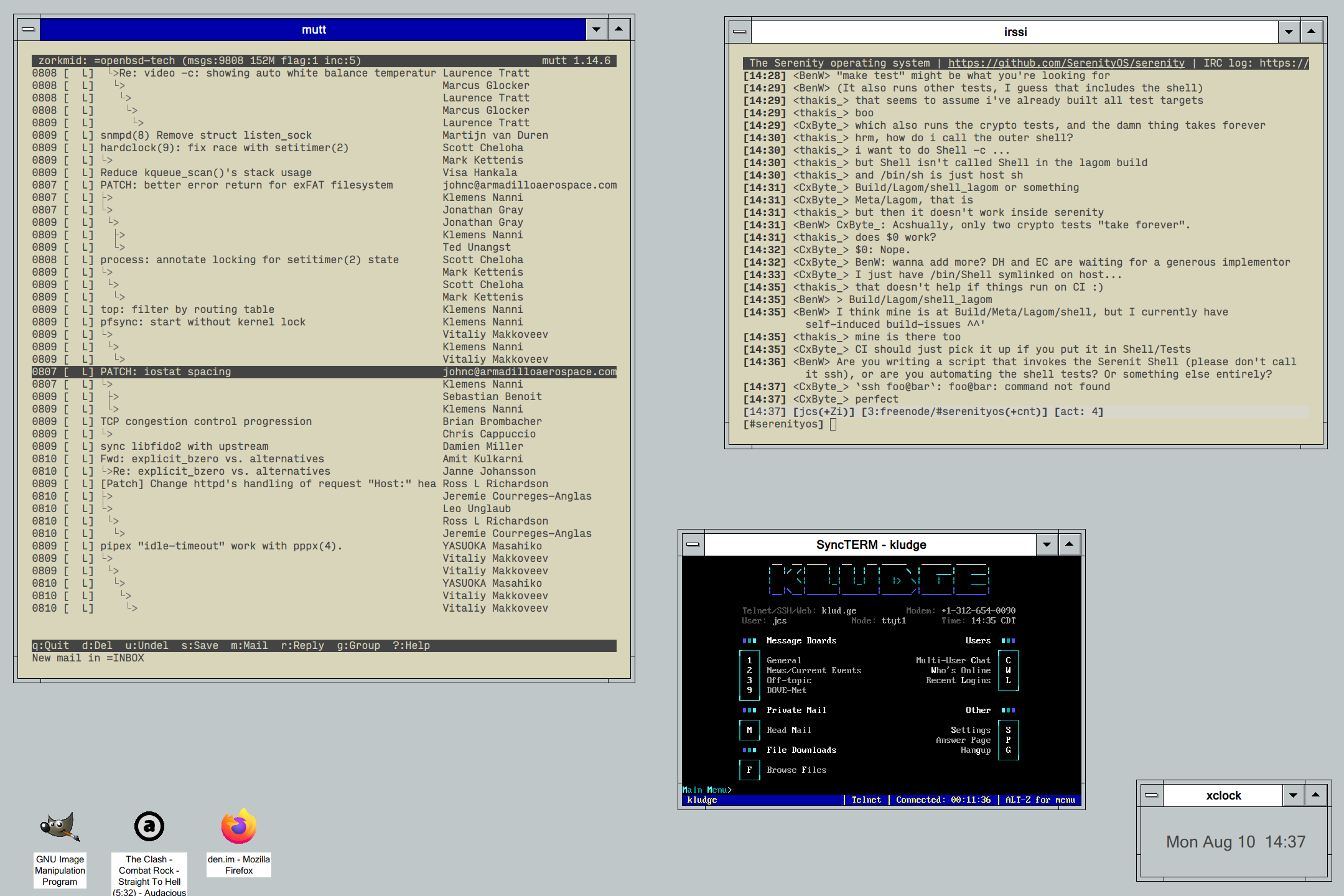
progman screenshot

License

MIT

Compiling

Run make to compile, and make install to install to /usr/local by default.

Features

  • Window minimizing, drawing icons and labels on the root/desktop
  • Window maximizing by double-clicking on a window titlebar, and full-screen support (via _NET_WM_STATE_FULLSCREEN)
  • Window shading by right-clicking on a window titlebar
  • Window moving by holding down Alt (configurable) and clicking anywhere on a window
  • Window cycling with Alt+Tab and Shift+Alt+Tab (both configurable)
  • Built-in keyboard binding support by adding items to the [keyboard] section of ~/.config/progman/progman.ini such as Win+L = exec xlock
  • Built-in mouse button binding on the desktop by adding items to the [desktop] section of ~/.config/progman/progman.ini such as Mouse3 = exec xterm, with right-click setup by default to show a configurable launcher menu containing programs listed in the [launcher] section of progman.ini
  • Virtual desktops with keyboard shortcuts for switching between them bound to Alt+1 through Alt+0 (by default), and using the mouse wheel on the desktop to scroll through virtual desktops
  • Dragging a window to the left or right screen edge will automatically advance to the previous or next virtual desktop
  • Theme support
  • Optional HiDPI scaling support to magnify icons and buttons

jcs/progman

progman.exe^H^H^H^H

C

597

182 commits

updated Sep 15, 2026

See the code

README

progman

progman is a simple X11 window manager modeled after the Windows 3 era.

progman screenshot

License

MIT

Compiling

Run make to compile, and make install to install to /usr/local by default.

Features

  • Window minimizing, drawing icons and labels on the root/desktop
  • Window maximizing by double-clicking on a window titlebar, and full-screen support (via _NET_WM_STATE_FULLSCREEN)
  • Window shading by right-clicking on a window titlebar
  • Window moving by holding down Alt (configurable) and clicking anywhere on a window
  • Window cycling with Alt+Tab and Shift+Alt+Tab (both configurable)
  • Built-in keyboard binding support by adding items to the [keyboard] section of ~/.config/progman/progman.ini such as Win+L = exec xlock
  • Built-in mouse button binding on the desktop by adding items to the [desktop] section of ~/.config/progman/progman.ini such as Mouse3 = exec xterm, with right-click setup by default to show a configurable launcher menu containing programs listed in the [launcher] section of progman.ini
  • Virtual desktops with keyboard shortcuts for switching between them bound to Alt+1 through Alt+0 (by default), and using the mouse wheel on the desktop to scroll through virtual desktops
  • Dragging a window to the left or right screen edge will automatically advance to the previous or next virtual desktop
  • Theme support
  • Optional HiDPI scaling support to magnify icons and buttons

Significant stargazers

Emir SARI

33 followers · starred Feb 2023

Anton Kochkov

705 followers · starred Feb 2024

Mingye Wang

377 followers · starred Feb 2024

Paul Tsochantaris

79 followers · starred Feb 2024