



100kHz to 6GHz VNA
This is the improved version of my first attempt at a VNA.
sudo apt install libusb-1.0-0 libqt6widgets6 libqt6svg6 libqt6network6
wget https://raw.githubusercontent.com/jankae/LibreVNA/master/Software/PC_Application/51-vna.rules
sudo cp 51-vna.rules /etc/udev/rules.d
sudo udevadm control --reload-rules
sudo udevadm trigger
cd $UNPACKED_ZIP_FOLDER$
./LibreVNA-GUI
latest in the name.13.7 in the name./Applications folder.Please also take a look at the FAQ.
If you notice bugs or have ideas for improvements, please create an issue for that.
For general questions or discussions, the LibreVNA group is probably the best place.
Some specifications are available but this project is still under development and the specifications might change.
There are also some initial example measurements.
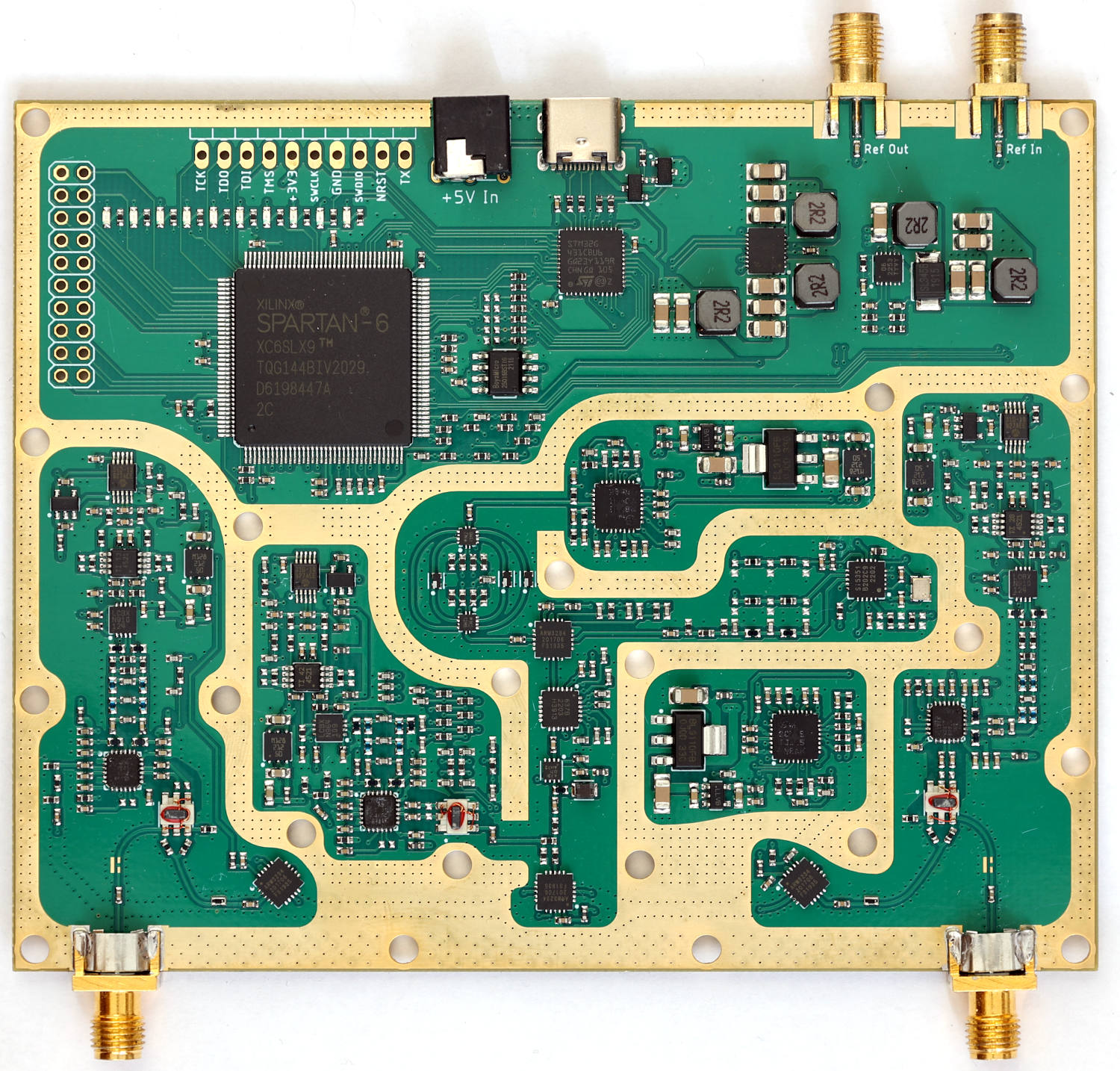
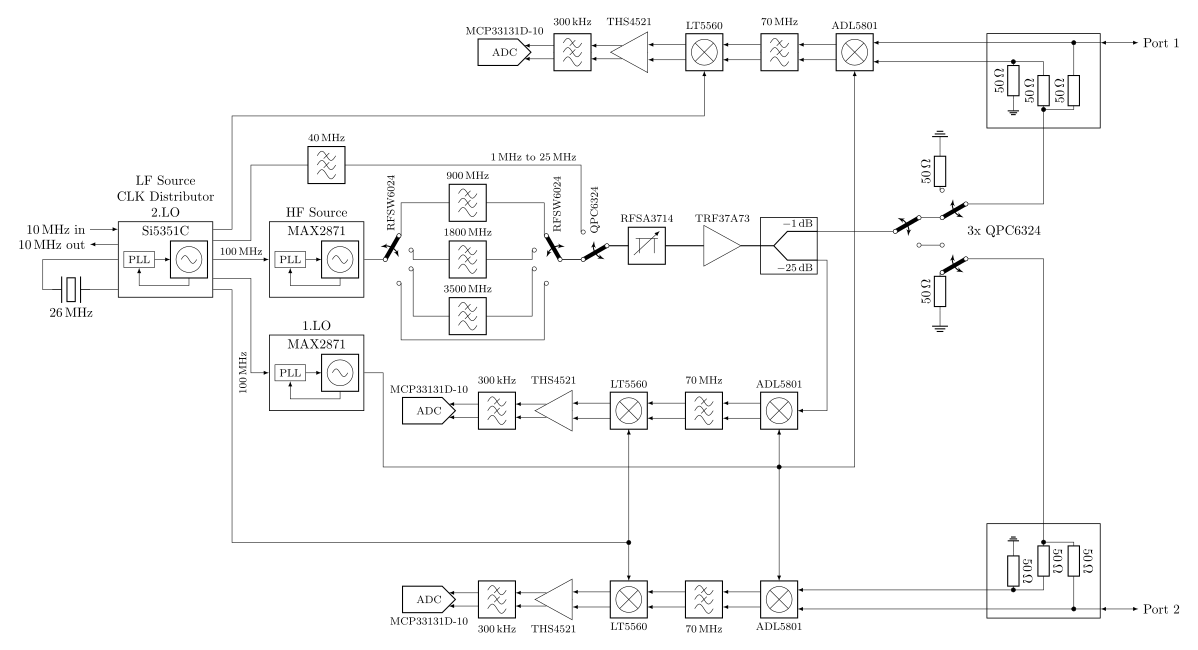
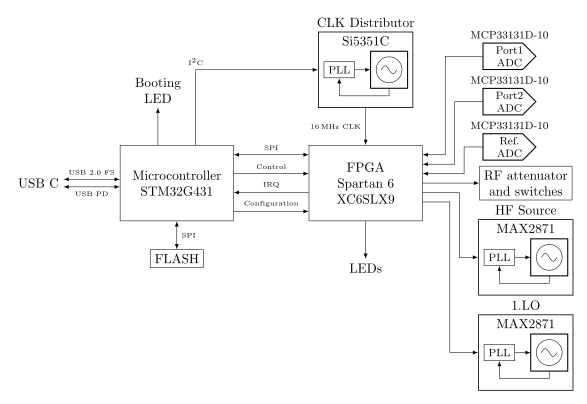
The PCB is really only the RF frontend with some processing power. Everything else is handled in the PC application once the data is transferred via USB. You can try out the application without the PCB (obviously no measurements are possible, but you can import provided example measurements and get an idea about what it can and can't do).
480 followers · starred Sep 2020
848 followers · starred Feb 2024
134 followers · starred May 2025
122 followers · starred Feb 2024
100kHz to 6GHz VNA
This is the improved version of my first attempt at a VNA.
sudo apt install libusb-1.0-0 libqt6widgets6 libqt6svg6 libqt6network6
wget https://raw.githubusercontent.com/jankae/LibreVNA/master/Software/PC_Application/51-vna.rules
sudo cp 51-vna.rules /etc/udev/rules.d
sudo udevadm control --reload-rules
sudo udevadm trigger
cd $UNPACKED_ZIP_FOLDER$
./LibreVNA-GUI
latest in the name.13.7 in the name./Applications folder.Please also take a look at the FAQ.
If you notice bugs or have ideas for improvements, please create an issue for that.
For general questions or discussions, the LibreVNA group is probably the best place.
Some specifications are available but this project is still under development and the specifications might change.
There are also some initial example measurements.
The PCB is really only the RF frontend with some processing power. Everything else is handled in the PC application once the data is transferred via USB. You can try out the application without the PCB (obviously no measurements are possible, but you can import provided example measurements and get an idea about what it can and can't do).
480 followers · starred Sep 2020
848 followers · starred Feb 2024
134 followers · starred May 2025
122 followers · starred Feb 2024



