Fully-featured web interface for Ollama LLMs
TypeScript
1,425
76 commits
updated Jun 5, 2025
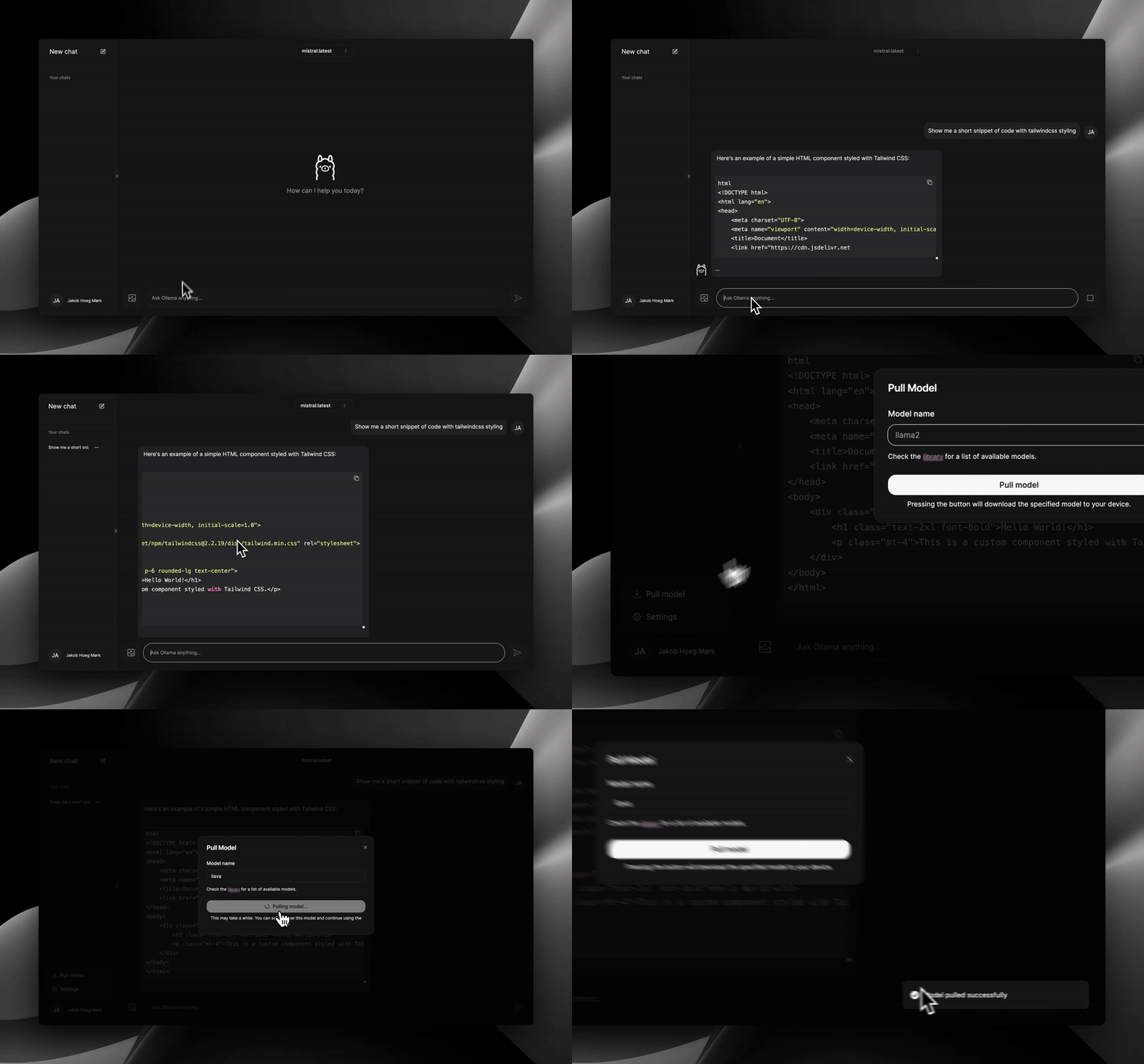
Get up and running with Large Language Models quickly, locally and even offline. This project aims to be the easiest way for you to get started with LLMs. No tedious and annoying setup required!
This is a hobby project. If you want a more complete experience, I suggest taking a look at this instead.
To use the web interface, these requisites must be met:
docker run -d -p 8080:3000 --add-host=host.docker.internal:host-gateway -e OLLAMA_URL=http://host.docker.internal:11434 --name nextjs-ollama-ui --restart always jakobhoeg/nextjs-ollama-ui:latest
docker run -d -p 8080:3000 --add-host=host.docker.internal:host-gateway -e OLLAMA_URL=http://example.com:11434 --name nextjs-ollama-ui --restart always jakobhoeg/nextjs-ollama-ui:latest
You can also change the default 8080 port if you wish.

Use a pre-build package from one of the supported package managers to run a local environment of the web interface. Alternatively you can install from source with the instructions below.
[!NOTE]
If your frontend runs on something other thanhttp://localhostorhttp://127.0.0.1, you'll need to set the OLLAMA_ORIGINS to your frontend url.This is also stated in the documentation:
Ollama allows cross-origin requests from 127.0.0.1 and 0.0.0.0 by default. Additional origins can be configured with OLLAMA_ORIGINS
1. Clone the repository to a directory on your pc via command prompt:
git clone https://github.com/jakobhoeg/nextjs-ollama-llm-ui
2. Open the folder:
cd nextjs-ollama-llm-ui
3. Rename the .example.env to .env:
mv .example.env .env
4. If your instance of Ollama is NOT running on the default ip-address and port, change the variable in the .env file to fit your usecase:
OLLAMA_URL="http://localhost:11434"
5. Install dependencies:
npm install
6. Start the development server:
npm run dev
5. Go to localhost:3000 and start chatting with your favourite model!
This is a to-do list consisting of upcoming features.
NextJS - React Framework for the Web
TailwindCSS - Utility-first CSS framework
shadcn-ui - UI component built using Radix UI and Tailwind CSS
shadcn-chat - Chat components for NextJS/React projects
Framer Motion - Motion/animation library for React
Lucide Icons - Icon library
Medium Article - How to launch your own ChatGPT clone for free on Google Colab. By Bartek Lewicz.
Lobehub mention - Five Excellent Free Ollama WebUI Client Recommendations
3,227 followers · starred Mar 2024
509 followers · starred Jan 2025
37 followers · starred Aug 2024
121 followers · starred Apr 2025
Fully-featured web interface for Ollama LLMs
TypeScript
1,425
76 commits
updated Jun 5, 2025
Get up and running with Large Language Models quickly, locally and even offline. This project aims to be the easiest way for you to get started with LLMs. No tedious and annoying setup required!
This is a hobby project. If you want a more complete experience, I suggest taking a look at this instead.
To use the web interface, these requisites must be met:
docker run -d -p 8080:3000 --add-host=host.docker.internal:host-gateway -e OLLAMA_URL=http://host.docker.internal:11434 --name nextjs-ollama-ui --restart always jakobhoeg/nextjs-ollama-ui:latest
docker run -d -p 8080:3000 --add-host=host.docker.internal:host-gateway -e OLLAMA_URL=http://example.com:11434 --name nextjs-ollama-ui --restart always jakobhoeg/nextjs-ollama-ui:latest
You can also change the default 8080 port if you wish.
Use a pre-build package from one of the supported package managers to run a local environment of the web interface. Alternatively you can install from source with the instructions below.
[!NOTE]
If your frontend runs on something other thanhttp://localhostorhttp://127.0.0.1, you'll need to set the OLLAMA_ORIGINS to your frontend url.This is also stated in the documentation:
Ollama allows cross-origin requests from 127.0.0.1 and 0.0.0.0 by default. Additional origins can be configured with OLLAMA_ORIGINS
1. Clone the repository to a directory on your pc via command prompt:
git clone https://github.com/jakobhoeg/nextjs-ollama-llm-ui
2. Open the folder:
cd nextjs-ollama-llm-ui
3. Rename the .example.env to .env:
mv .example.env .env
4. If your instance of Ollama is NOT running on the default ip-address and port, change the variable in the .env file to fit your usecase:
OLLAMA_URL="http://localhost:11434"
5. Install dependencies:
npm install
6. Start the development server:
npm run dev
5. Go to localhost:3000 and start chatting with your favourite model!
This is a to-do list consisting of upcoming features.
NextJS - React Framework for the Web
TailwindCSS - Utility-first CSS framework
shadcn-ui - UI component built using Radix UI and Tailwind CSS
shadcn-chat - Chat components for NextJS/React projects
Framer Motion - Motion/animation library for React
Lucide Icons - Icon library
Medium Article - How to launch your own ChatGPT clone for free on Google Colab. By Bartek Lewicz.
Lobehub mention - Five Excellent Free Ollama WebUI Client Recommendations
3,227 followers · starred Mar 2024
509 followers · starred Jan 2025
37 followers · starred Aug 2024
121 followers · starred Apr 2025



