Product videos from web pages: a Claude Code skill, a frame-by-frame renderer, and a scripted recorder for your real app.
See the codeProduct videos made from web pages, with Claude Code doing the work.
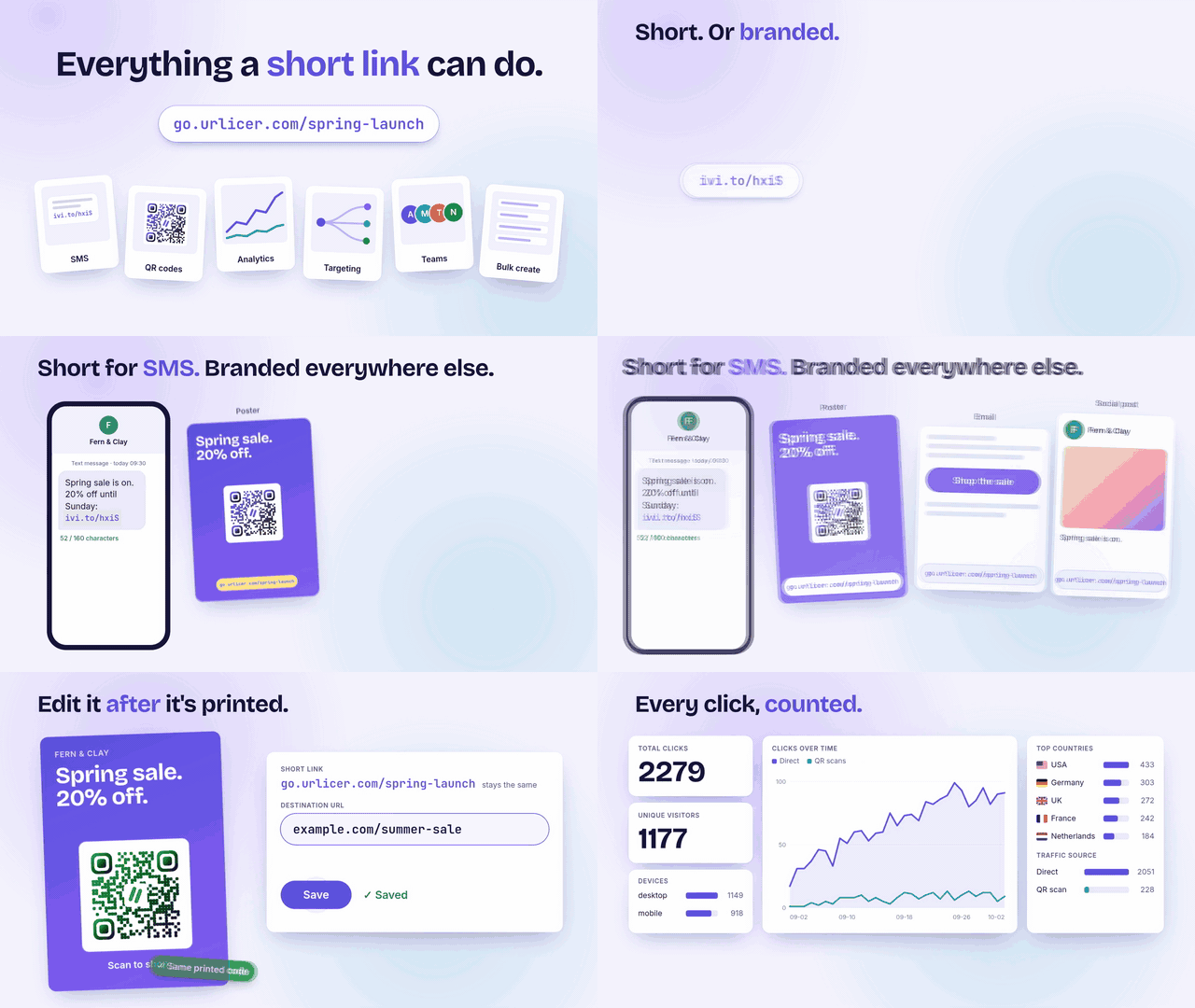
Drawn: a web page animated with CSS. No screenshots, no video editor. This is the start of the walkthrough made for Urlicer; the full 41 seconds, with music, is on YouTube.
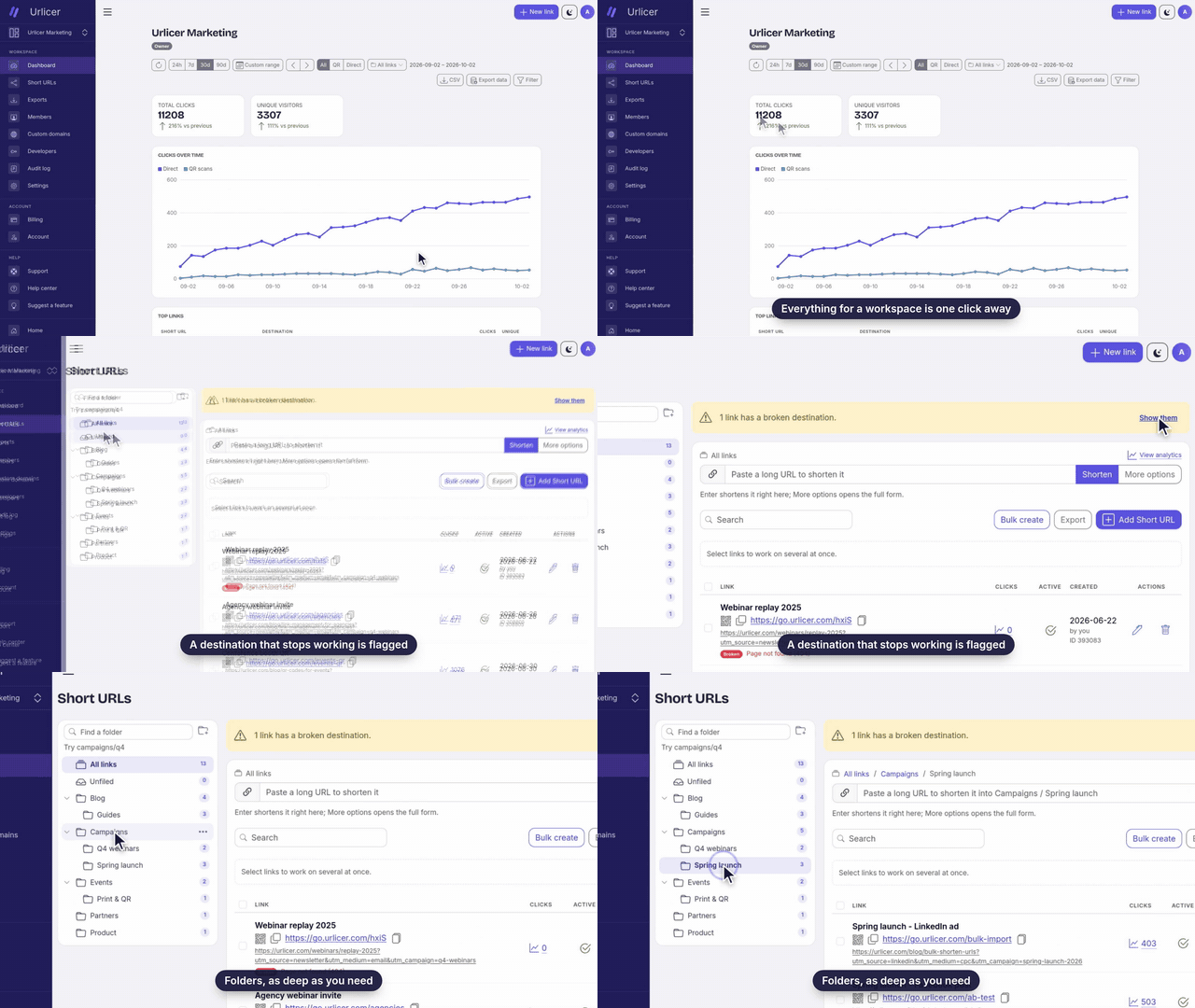
Recorded: the real app, driven by a script. Nobody is holding the mouse. Change the UI, run the script again, get the same video of the new UI.
Both were made with what is in this repo. A video is a plain HTML page animated with CSS, or your real app driven by a script. Headless Chrome takes one screenshot per frame and ffmpeg encodes them. No React, no Remotion. The repo includes the Claude Code skill and a set of prompts to direct it.
git clone https://github.com/ivanvoitovych/motion-videos.git
cd motion-videos
npm install
npm run check        # says what is missing, if anything
npm run hello        # out/hello-wide.mp4 and out/hello-wide.jpg, in under a minute
npm run hello:music  # out/hello-music.mp4: the same video with sound
The second example records a real web app. It films a small sample app that ships in this repo, so it needs nothing of yours:
npm run tour:check   # runs the script fast: does every step still find its target?
npm run tour:record  # the take, about 5 minutes
npm run tour         # out/tour-wide.mp4, about 5 more minutes
Open a video's index.html in Chrome and it plays. A scrubber at the bottom seeks by hand. Add
?format=tall for the portrait layout, ?cut=slow for the example's slower cut.
This is the fast way to review: no waiting for a render. What you do not see there is what ffmpeg
adds afterwards: motion blur (--blur), the encoding, and the music. Timing, layout, words and
motion are the same as in the MP4.
Start Claude Code in this folder. The skill in .claude/skills/promo-video/ loads by itself.
Give it the brief, with your own address:
Use the promo-video skill. My app runs at http://localhost:3000. You are the director and
the one who has to sell this. Look at the app, fill in the Project settings table in the
skill, then pitch me three scenarios, one idea each: the hook, a shot list as a table
(time, action on screen, caption), and the closing line. Nothing gets built until I pick.
Pick a scenario, change it until you like it, then say "build it". Claude Code puts the video in
videos/<name>/, shows you still frames, and renders the MP4 when the frames look right.
The first version will most likely not be what you had in mind. That is normal, and it is not a reason to stop. Claude Code cannot see the video the way you do and cannot hear the music at all. You screen it, you give notes, it fixes them, and you screen it again.
The first cut made with this kit was a slideshow. The good ones came from notes like these:
You do not need the vocabulary of a film set. Say what you see and what you expected. When you cannot describe what you want, ask for options: "give me five directions in a table". PROMPTS.md has the full set, ready to paste.
| You want to | Say to Claude Code | Or do it by hand |
|---|---|---|
| Change the words on screen | "Change the headline to ..." | Edit the block marked COPY in the video's index.html |
| Make it faster or slower | "Too many pauses. Cut the dead air." | The start times at the top of the page's <style> |
| Use your colours and fonts | "Use my brand: ..." | The tokens at the top of lib/stage.css |
| Get a portrait version | "Make a tall layout" | --format tall, and [data-format="tall"] rules in the page |
| Get a slower edit for YouTube | "Add a cut called yt where every scene can be read" | --cut yt, and [data-cut="yt"] rules in the page (see examples/hello, cut slow) |
| Re-shoot after your UI changed | "The UI changed. Run the take again and fix what broke." | node videos/<name>/record.mjs --dry, then without --dry |
| Change what the script does in your app | "After saving, open the settings page" | The steps in videos/<name>/record.mjs |
| Add music | "Score this. Five directions in a table first." | Copy examples/hello/music.mjs, edit, run |
| Make the music quieter | "Piano down, lose the pulse." | LEVEL at the top of music.mjs |
| Get a thumbnail | nothing: it is made with every render | out/<name>-<format>.jpg, which is frame 0 |
Every one of these is explained, with examples, in ADAPT.md.
Copy .claude/skills/promo-video/ into ~/.claude/skills/ and it is available in every project.
In its Project settings table, set "Kit folder" to where you cloned this repo.
| Path | What |
|---|---|
render.mjs | Page to MP4, frame by frame: formats, cuts, motion blur, still frames, the thumbnail |
lib/stage.js, lib/stage.css | Loaded by every video page: seeking, the stage, safe zones, colour and font tokens |
lib/recorder.mjs | Drives a real app from a scenario and saves the take |
lib/clip.js | Plays a take inside a video page, and draws the cursor, clicks, camera and captions |
lib/band.mjs | Music and sounds made in code: piano, pad, bell, blips, drums, plucked strings |
examples/hello | A drawn video, 9 seconds, with its music and a slower cut |
examples/new-order | A drawn video of an app screen, built from the app's own stylesheet |
examples/sample-app, examples/tour | A sample app and a recorded video of it |
videos/ | Yours |
media/ | The two previews at the top of this page |
.claude/skills/promo-video/SKILL.md | The skill: how to make a video, the rules, the traps |
ADAPT.md | How to adjust everything |
PROMPTS.md | Prompts to paste: planning, building, notes after a screening, music |
docs/playbook.md | What holds attention in a product video, with sources |
The kit was built to make the product videos of Urlicer, a link shortener for teams: short feature videos, a walkthrough, YouTube edits and ads, some drawn and some recorded from the real app. The two previews at the top are from those. Their source pages and scripts are not in this repo: they are the product's own design, and a script that drives a real product should not be handed around. The examples here use a made-up sample app, so you can run everything without touching anyone's live site.
A drawn page is a function of time: the renderer pauses every CSS animation, sets it to the moment of each frame, and takes a screenshot. A real app cannot be paused, so it runs in slow motion: animations at one tenth of the speed, timers stretched ten times, one frame every third of a second. The cursor, click rings, camera moves and captions are not in the recording; they are drawn from a timeline when the video is rendered, so they can be restyled without a new take. Either way the frame rate is exact, and a slow machine only renders slower.
hello video
rendered in 23 s at 16:9, in 43 s with --blur 2, and in 87 s in portrait with --blur 4. The 26 s take of the
sample app recorded in 260 s, and its 31 s video rendered in another 260 s.<html data-formats="wide tall">, and the renderer refuses the others.lib/chrome.mjs
but have not been run there.MIT. The fonts are the system's; nothing else is bundled.
Product videos from web pages: a Claude Code skill, a frame-by-frame renderer, and a scripted recorder for your real app.
See the codeProduct videos made from web pages, with Claude Code doing the work.
Drawn: a web page animated with CSS. No screenshots, no video editor. This is the start of the walkthrough made for Urlicer; the full 41 seconds, with music, is on YouTube.
Recorded: the real app, driven by a script. Nobody is holding the mouse. Change the UI, run the script again, get the same video of the new UI.
Both were made with what is in this repo. A video is a plain HTML page animated with CSS, or your real app driven by a script. Headless Chrome takes one screenshot per frame and ffmpeg encodes them. No React, no Remotion. The repo includes the Claude Code skill and a set of prompts to direct it.
git clone https://github.com/ivanvoitovych/motion-videos.git
cd motion-videos
npm install
npm run check        # says what is missing, if anything
npm run hello        # out/hello-wide.mp4 and out/hello-wide.jpg, in under a minute
npm run hello:music  # out/hello-music.mp4: the same video with sound
The second example records a real web app. It films a small sample app that ships in this repo, so it needs nothing of yours:
npm run tour:check   # runs the script fast: does every step still find its target?
npm run tour:record  # the take, about 5 minutes
npm run tour         # out/tour-wide.mp4, about 5 more minutes
Open a video's index.html in Chrome and it plays. A scrubber at the bottom seeks by hand. Add
?format=tall for the portrait layout, ?cut=slow for the example's slower cut.
This is the fast way to review: no waiting for a render. What you do not see there is what ffmpeg
adds afterwards: motion blur (--blur), the encoding, and the music. Timing, layout, words and
motion are the same as in the MP4.
Start Claude Code in this folder. The skill in .claude/skills/promo-video/ loads by itself.
Give it the brief, with your own address:
Use the promo-video skill. My app runs at http://localhost:3000. You are the director and
the one who has to sell this. Look at the app, fill in the Project settings table in the
skill, then pitch me three scenarios, one idea each: the hook, a shot list as a table
(time, action on screen, caption), and the closing line. Nothing gets built until I pick.
Pick a scenario, change it until you like it, then say "build it". Claude Code puts the video in
videos/<name>/, shows you still frames, and renders the MP4 when the frames look right.
The first version will most likely not be what you had in mind. That is normal, and it is not a reason to stop. Claude Code cannot see the video the way you do and cannot hear the music at all. You screen it, you give notes, it fixes them, and you screen it again.
The first cut made with this kit was a slideshow. The good ones came from notes like these:
You do not need the vocabulary of a film set. Say what you see and what you expected. When you cannot describe what you want, ask for options: "give me five directions in a table". PROMPTS.md has the full set, ready to paste.
| You want to | Say to Claude Code | Or do it by hand |
|---|---|---|
| Change the words on screen | "Change the headline to ..." | Edit the block marked COPY in the video's index.html |
| Make it faster or slower | "Too many pauses. Cut the dead air." | The start times at the top of the page's <style> |
| Use your colours and fonts | "Use my brand: ..." | The tokens at the top of lib/stage.css |
| Get a portrait version | "Make a tall layout" | --format tall, and [data-format="tall"] rules in the page |
| Get a slower edit for YouTube | "Add a cut called yt where every scene can be read" | --cut yt, and [data-cut="yt"] rules in the page (see examples/hello, cut slow) |
| Re-shoot after your UI changed | "The UI changed. Run the take again and fix what broke." | node videos/<name>/record.mjs --dry, then without --dry |
| Change what the script does in your app | "After saving, open the settings page" | The steps in videos/<name>/record.mjs |
| Add music | "Score this. Five directions in a table first." | Copy examples/hello/music.mjs, edit, run |
| Make the music quieter | "Piano down, lose the pulse." | LEVEL at the top of music.mjs |
| Get a thumbnail | nothing: it is made with every render | out/<name>-<format>.jpg, which is frame 0 |
Every one of these is explained, with examples, in ADAPT.md.
Copy .claude/skills/promo-video/ into ~/.claude/skills/ and it is available in every project.
In its Project settings table, set "Kit folder" to where you cloned this repo.
| Path | What |
|---|---|
render.mjs | Page to MP4, frame by frame: formats, cuts, motion blur, still frames, the thumbnail |
lib/stage.js, lib/stage.css | Loaded by every video page: seeking, the stage, safe zones, colour and font tokens |
lib/recorder.mjs | Drives a real app from a scenario and saves the take |
lib/clip.js | Plays a take inside a video page, and draws the cursor, clicks, camera and captions |
lib/band.mjs | Music and sounds made in code: piano, pad, bell, blips, drums, plucked strings |
examples/hello | A drawn video, 9 seconds, with its music and a slower cut |
examples/new-order | A drawn video of an app screen, built from the app's own stylesheet |
examples/sample-app, examples/tour | A sample app and a recorded video of it |
videos/ | Yours |
media/ | The two previews at the top of this page |
.claude/skills/promo-video/SKILL.md | The skill: how to make a video, the rules, the traps |
ADAPT.md | How to adjust everything |
PROMPTS.md | Prompts to paste: planning, building, notes after a screening, music |
docs/playbook.md | What holds attention in a product video, with sources |
The kit was built to make the product videos of Urlicer, a link shortener for teams: short feature videos, a walkthrough, YouTube edits and ads, some drawn and some recorded from the real app. The two previews at the top are from those. Their source pages and scripts are not in this repo: they are the product's own design, and a script that drives a real product should not be handed around. The examples here use a made-up sample app, so you can run everything without touching anyone's live site.
A drawn page is a function of time: the renderer pauses every CSS animation, sets it to the moment of each frame, and takes a screenshot. A real app cannot be paused, so it runs in slow motion: animations at one tenth of the speed, timers stretched ten times, one frame every third of a second. The cursor, click rings, camera moves and captions are not in the recording; they are drawn from a timeline when the video is rendered, so they can be restyled without a new take. Either way the frame rate is exact, and a slow machine only renders slower.
hello video
rendered in 23 s at 16:9, in 43 s with --blur 2, and in 87 s in portrait with --blur 4. The 26 s take of the
sample app recorded in 260 s, and its 31 s video rendered in another 260 s.<html data-formats="wide tall">, and the renderer refuses the others.lib/chrome.mjs
but have not been run there.MIT. The fonts are the system's; nothing else is bundled.



