
See what people are saying
README
Motion Director
claude-motion-director · a Claude Code skill that directs and renders motion design videos from code












Launch films, product reels, showreels and animated explainers, in vertical, square and wide from one timeline. Built on HyperFrames.
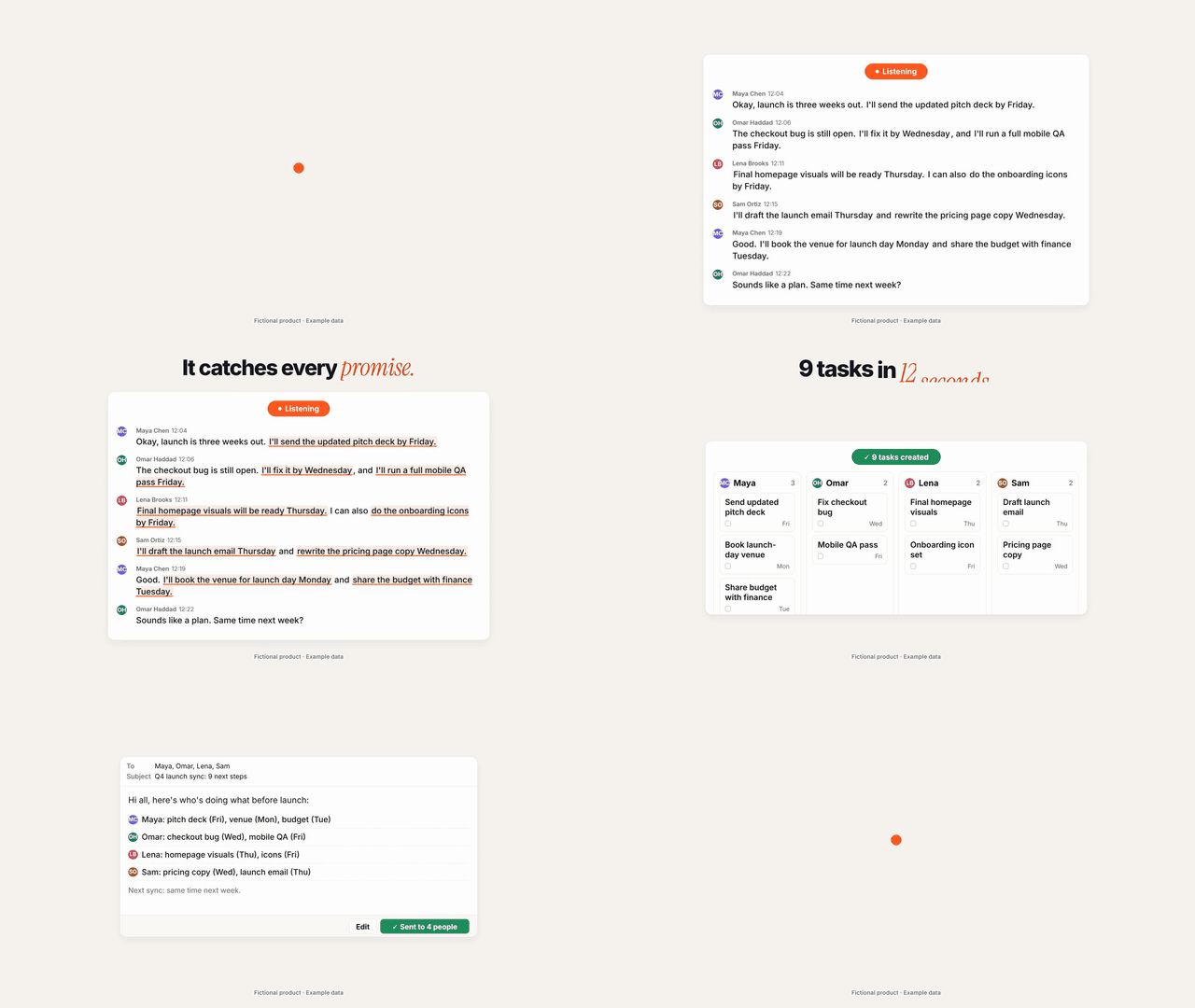
Actova: a 30-second launch film made end to end with Motion Director. Fictional product, example data. See the full run.
Why it exists
Opus 5.5 can write a video, but it can't make one on its own. It writes a program; a browser turns that program into frames. A one-line prompt gets you a clip: centered text on a gradient, everything fading in. The videos that look expensive come from the process around the prompt: real product screens, a reference, a beat grid, springs instead of curves, sound on measured peaks, and a model that looks at its own frames until they're good.
HyperFrames is an excellent engine for this. Motion Director is the director layer on top:
- A guided process with gates: brief → real assets → LOOK card → sound → shot list (you approve it) → scenes → critique loop → delivery
- Scenes as clips: each scene is its own file you can render and judge alone, then one film joined by shape handoffs (a scene's last frame is the next scene's first)
- Motion that feels physical: closed-form springs, stretching indicators, log-space camera, masked word rises, optional motion blur
- Sound that lands: beat and drop detection, effects placed on their measured hit, mixed to -14 LUFS, and a check that proves every effect landed within 10 ms
- A critique loop: stills before renders, contact sheets, phone test, pop scan, loop check, and a scoring prompt Claude runs until every score is 8 or higher
- Truth rules: no redrawn UI, no invented numbers, "Example data" when it's illustrative
Requirements
- Claude Code (Opus 5.5 recommended, xhigh effort for new films)
- Node.js 22+ and FFmpeg
- Python 3 with numpy and scipy (
pip install -r scripts/requirements.txt) - HyperFrames 0.8.86 (installed per project by
new-project.sh, pinned so renders stay identical)
Install
git clone https://github.com/abdullatif06/claude-motion-director ~/.claude/skills/motion-director
pip install -r ~/.claude/skills/motion-director/scripts/requirements.txt
Then, once per machine, prove the pipeline:
bash ~/.claude/skills/motion-director/scripts/new-project.sh test-film
cd test-film && bash ~/.claude/skills/motion-director/scripts/smoke-test.sh
The smoke test checks the composition, renders the same frame twice to prove determinism, and measures a test beep to prove sound lands on time.
Use it
Ask Claude Code for a video. The skill takes it from there:
Make a 20-second launch film for my app at https://example.com. Vertical and wide, it should loop.
Turn these 8 screenshots into a 30-second product reel. Here's a song I licensed and two reference videos I love.
Make a 15-second showreel that shows what you can do as a motion designer.
Claude will ask for everything it needs in one message, show you a LOOK card and a beat-by-beat shot list for approval, build each scene as its own clip, run the critique loop, and deliver every format with a note on what it would still change.
How it works
| Step | What happens | Tools |
|---|---|---|
| 1. Intake | One message collects product, pain, features, payoff, formats, brand, music | templates/brief.md |
| 2. Assets | Real screens, logo, colors, fonts | npx hyperframes capture |
| 3. Look | 3 reference films → style guide + LOOK card with exact values | scripts/review/ref-frames.sh |
| 4. Sound | Tempo, beats, drop (from bass energy), effects measured | scripts/audio/analyze.py, kit.py |
| 5. Shot list | Beat-by-beat plan, handoffs, drop on the payoff. You approve it. | templates/shotlist.md |
| 6. Scenes | One file per scene, rendered alone as a clip | scripts/clip.sh |
| 7. Critique | Stills, sheets, pop scan, sync check, scores until all 8+ | scripts/review/*, prompts/critique.md |
| 8. Render | Every format from one timeline, sound mixed, attached, verified | scripts/render-all.sh |
| 9. Delivery | Checklist, final files, "what I'd still change" | references/workflow.md |
The full guides live in references/: house-rules.md (every film), engine.md (the rules
that break renders if ignored), motion.md, sound.md and workflow.md.
Examples
Actova: a fictional AI meeting assistant, built as a real mini web app and then filmed. 30 seconds, 5 scenes, vertical + wide, seamless loop, 27 effects on the beat. The folder has the brief, LOOK card, shot list, cue sheet and the full critique log, including everything the run caught.
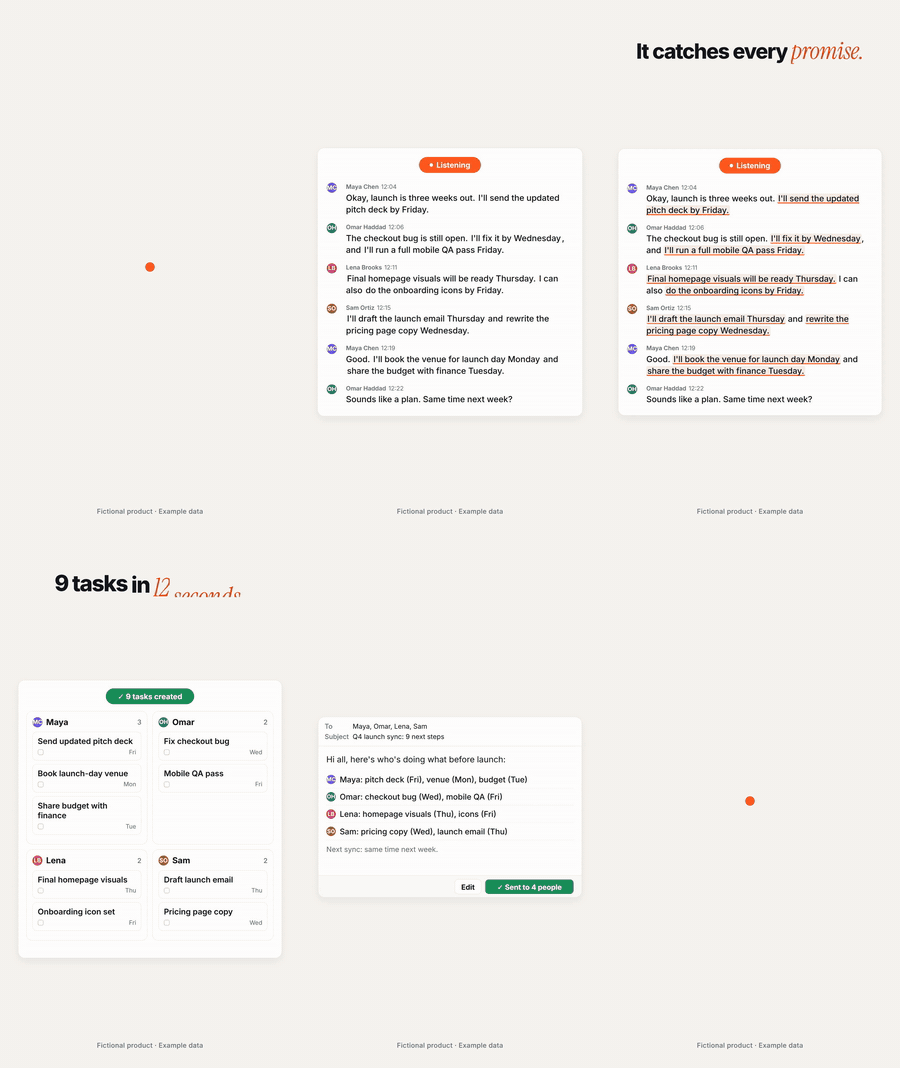
Note: the Actova example uses generated placeholder audio, not release-quality sound.
Posting tips
- Frame one is the thumbnail on a muted feed: make it say the pain in words, or upload a thumbnail
- Assume no sound: every beat has to work as text on screen
- Wide for X, YouTube and websites; vertical for Reels, TikTok and Shorts
- Put the link in the first reply, not in the video
Upgrading HyperFrames
Projects pin HyperFrames so re-renders stay identical. To move a project up:
npx hyperframes@latest upgrade --project . --check, then without --check. To change the
version new projects get, set HF_VERSION when running the scripts.
Credits
- Engine: HyperFrames by HeyGen (Apache 2.0). Motion Director depends on it and does not include its code.
- Animation: GSAP, installed from npm into each project under its own license (not included in this repo).
- Fonts in the example: Inter and Instrument Serif (SIL Open Font License), fetched from npm.
- Inspired by the Opus 5.5 motion design guides by Movez, Raphael Aubry and Muhammad Ayan, and by HeyGen's research on HTML-to-video rendering.
License
MIT. See LICENSE.
Similar repos


Languages
Python
41.0%
JavaScript
29.7%
Shell
24.9%
CSS
2.7%
HTML
1.6%
See what people are saying
README
Motion Director
claude-motion-director · a Claude Code skill that directs and renders motion design videos from code
Launch films, product reels, showreels and animated explainers, in vertical, square and wide from one timeline. Built on HyperFrames.
Actova: a 30-second launch film made end to end with Motion Director. Fictional product, example data. See the full run.
Why it exists
Opus 5.5 can write a video, but it can't make one on its own. It writes a program; a browser turns that program into frames. A one-line prompt gets you a clip: centered text on a gradient, everything fading in. The videos that look expensive come from the process around the prompt: real product screens, a reference, a beat grid, springs instead of curves, sound on measured peaks, and a model that looks at its own frames until they're good.
HyperFrames is an excellent engine for this. Motion Director is the director layer on top:
- A guided process with gates: brief → real assets → LOOK card → sound → shot list (you approve it) → scenes → critique loop → delivery
- Scenes as clips: each scene is its own file you can render and judge alone, then one film joined by shape handoffs (a scene's last frame is the next scene's first)
- Motion that feels physical: closed-form springs, stretching indicators, log-space camera, masked word rises, optional motion blur
- Sound that lands: beat and drop detection, effects placed on their measured hit, mixed to -14 LUFS, and a check that proves every effect landed within 10 ms
- A critique loop: stills before renders, contact sheets, phone test, pop scan, loop check, and a scoring prompt Claude runs until every score is 8 or higher
- Truth rules: no redrawn UI, no invented numbers, "Example data" when it's illustrative
Requirements
- Claude Code (Opus 5.5 recommended, xhigh effort for new films)
- Node.js 22+ and FFmpeg
- Python 3 with numpy and scipy (
pip install -r scripts/requirements.txt) - HyperFrames 0.8.86 (installed per project by
new-project.sh, pinned so renders stay identical)
Install
git clone https://github.com/abdullatif06/claude-motion-director ~/.claude/skills/motion-director
pip install -r ~/.claude/skills/motion-director/scripts/requirements.txt
Then, once per machine, prove the pipeline:
bash ~/.claude/skills/motion-director/scripts/new-project.sh test-film
cd test-film && bash ~/.claude/skills/motion-director/scripts/smoke-test.sh
The smoke test checks the composition, renders the same frame twice to prove determinism, and measures a test beep to prove sound lands on time.
Use it
Ask Claude Code for a video. The skill takes it from there:
Make a 20-second launch film for my app at https://example.com. Vertical and wide, it should loop.
Turn these 8 screenshots into a 30-second product reel. Here's a song I licensed and two reference videos I love.
Make a 15-second showreel that shows what you can do as a motion designer.
Claude will ask for everything it needs in one message, show you a LOOK card and a beat-by-beat shot list for approval, build each scene as its own clip, run the critique loop, and deliver every format with a note on what it would still change.
How it works
| Step | What happens | Tools |
|---|---|---|
| 1. Intake | One message collects product, pain, features, payoff, formats, brand, music | templates/brief.md |
| 2. Assets | Real screens, logo, colors, fonts | npx hyperframes capture |
| 3. Look | 3 reference films → style guide + LOOK card with exact values | scripts/review/ref-frames.sh |
| 4. Sound | Tempo, beats, drop (from bass energy), effects measured | scripts/audio/analyze.py, kit.py |
| 5. Shot list | Beat-by-beat plan, handoffs, drop on the payoff. You approve it. | templates/shotlist.md |
| 6. Scenes | One file per scene, rendered alone as a clip | scripts/clip.sh |
| 7. Critique | Stills, sheets, pop scan, sync check, scores until all 8+ | scripts/review/*, prompts/critique.md |
| 8. Render | Every format from one timeline, sound mixed, attached, verified | scripts/render-all.sh |
| 9. Delivery | Checklist, final files, "what I'd still change" | references/workflow.md |
The full guides live in references/: house-rules.md (every film), engine.md (the rules
that break renders if ignored), motion.md, sound.md and workflow.md.
Examples
Actova: a fictional AI meeting assistant, built as a real mini web app and then filmed. 30 seconds, 5 scenes, vertical + wide, seamless loop, 27 effects on the beat. The folder has the brief, LOOK card, shot list, cue sheet and the full critique log, including everything the run caught.
Note: the Actova example uses generated placeholder audio, not release-quality sound.
Posting tips
- Frame one is the thumbnail on a muted feed: make it say the pain in words, or upload a thumbnail
- Assume no sound: every beat has to work as text on screen
- Wide for X, YouTube and websites; vertical for Reels, TikTok and Shorts
- Put the link in the first reply, not in the video
Upgrading HyperFrames
Projects pin HyperFrames so re-renders stay identical. To move a project up:
npx hyperframes@latest upgrade --project . --check, then without --check. To change the
version new projects get, set HF_VERSION when running the scripts.
Credits
- Engine: HyperFrames by HeyGen (Apache 2.0). Motion Director depends on it and does not include its code.
- Animation: GSAP, installed from npm into each project under its own license (not included in this repo).
- Fonts in the example: Inter and Instrument Serif (SIL Open Font License), fetched from npm.
- Inspired by the Opus 5.5 motion design guides by Movez, Raphael Aubry and Muhammad Ayan, and by HeyGen's research on HTML-to-video rendering.
License
MIT. See LICENSE.
Similar repos
Languages
Python
41.0%
JavaScript
29.7%
Shell
24.9%
CSS
2.7%
HTML
1.6%