
An automated payload loader for exploited PS5 consoles
JavaScript
617
141 commits
updated Sep 25, 2026
README

PS5 Y2JB Autoloader
Fork of Y2JB
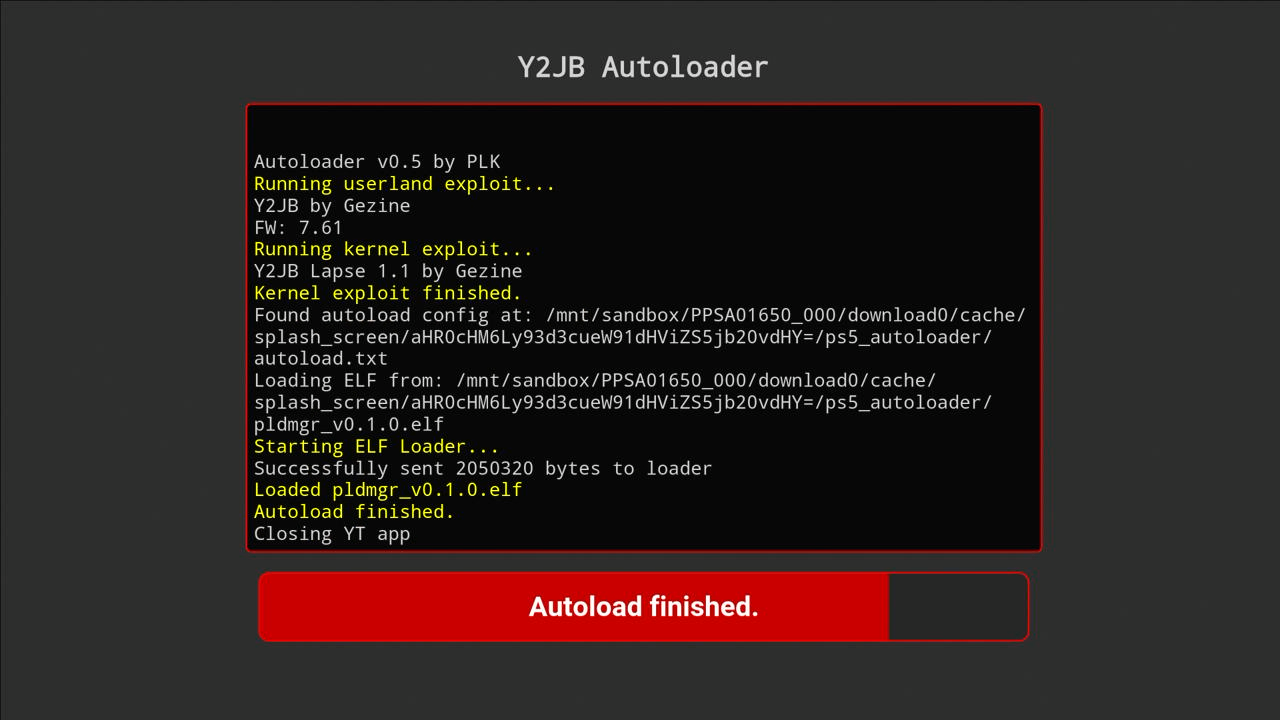
Automatically loads the kernel exploit and your elf payloads.
Supports PS5 firmwares 4.03-12.70
Other Autoloaders:
BD-JB |
Lua
How to Use
There are two ways to use the autoloader:
🟢 Option 1: Payload Manager
If no autoload.txt config is found, the autoloader will automatically launch Payload Manager — a fully-featured PS5 payload manager with a web UI. This lets you configure and send payloads directly from your browser, without needing to manually set up config files or transfer ELF files ahead of time.
Just run the autoloader — if there's nothing configured, Payload Manager starts automatically.
Note: Payload Manager also has its own built-in autoload feature, which lets you configure payloads to load automatically on startup — all managed through its web UI. This is separate from the
autoload.txtmechanism described below.
⚙️ Option 2: Manual Config (autoload.txt)
For a fixed, automated payload chain, you can configure payloads manually:
- Create a directory named
ps5_autoloader. - Inside this directory, place your
.elf/.binfiles, and anautoload.txtfile.- In
autoload.txt, list the files you want to load, one filename per line. - Filenames are case-sensitive — ensure each name exactly matches the file.
- You can add lines like
!1000to make the loader wait 1000 ms before sending the next payload.
- In
- Put the
ps5_autoloaderdirectory in one of these locations (priority order - highest first):- Root of a USB drive
- Internal drive:
/data/ps5_autoloader
Note: When an
autoload.txtconfig is found, Payload Manager is not launched automatically. If you also want Payload Manager available, placepldmgr.elfin yourps5_autoloaderdirectory and add it toautoload.txt.
How to Update
Since version v0.2, you can update the autoloader by simply placing y2jb_update.zip (from the Releases page) on the root of a USB drive, and starting the app.
Setup Instructions
Installation is the same as the original Y2JB (remote loader).
Jailbroken PS5 (Webkit, Lua, BD-JB)
- Install the correct YouTube version for your firmware:
- For firmware 4.03 to 12.40 get YouTube app (PPSA01650) version 01.000.003 PKG
- For firmware 12.60 and up get YouTube app (PPSA01650) version 01.000.030 PKG
- (Note: PPSA01651 and PPSA01652 from different regions also work)
- Use FTP to place
download0.datfrom releases page in/user/download/PPSA0165*
Non-Jailbroken PS5
You might find a system backup with pre-configured Autoloader (I don't distribute such backups).
You can also restore Y2JB (remote loader) system backup, and then:
- install Autoloader over it by using y2jb_updater
- or use FTP to place
download0.datfrom releases page in/user/download/PPSA01650 - or install separate YT app from different region, and use FTP to place
download0.datfrom releases page in/user/download/PPSA0165*
Additional Info
How to have different autoload configs for multiple YT apps?
If you want to use multiple YT apps from different regions,
name your directory ps5_autoloader_[TITLE_ID], e.g. ps5_autoloader_PPSA01650
this will allow you to have different autoload.txt files for each app
(these directories always take precedence over the generic ps5_autoloader directory)
How to use custom ELF Loader version?
By default, the autoloader uses a custom version of elfldr that only accepts connections from the PS5 itself (localhost). This improves security by preventing other devices on your network from sending payloads to your console.
If you want to use a "normal" ELF Loader that allows sending payloads from any device:
- Place your custom ELF Loader (e.g.
elfldr.elf) in theps5_autoloaderdirectory. - Add
elfldr.elfto yourautoload.txt. - Note: If you are loading other payloads right after
elfldr.elfin yourautoload.txt, add a sleep command immediately after it (like!4000to sleep for 4 seconds) to give the new ELF Loader time to start up and listen before subsequent payloads are sent.
Example autoload.txt:
# Load custom ELF Loader
elfldr.elf
# Give it 4 seconds to start up (only needed if sending more payloads)
!4000
# Send other payloads
etaHEN.elf
Credits
- Gezine - creator of the original Y2JB
- shahrilnet, null_ptr - Referenced many codes from Remote Lua Loader
- BenNoxXD - ClosePlayer reference
- ntfargo - Thanks for providing V8 CVEs and CTF writeups
- abc and psfree team - Lapse implementation
- matem6 - P2JB implementation
- flat_z and LM - Helping implement GPU rw using direct ioctl
- john-tornblom and EchoStretch - Providing elfldr.elf payload
- hammer-83 - Various BD-J PS5 exploit references
- zecoxao, idlesauce, and TheFlow - Helping troubleshoot dlsym
- Dr.Yenyen and PS5 R&D community - Testing Y2JB
- Rush - Creating Y2JB backup file
- ufm42 - kexp used for PS5 post JB all-in-one shellcode
License
This project is licensed under the GPL-3.0 License.
The original Y2JB base code remains under its original MIT License (see LICENSE-MIT).
All unique modifications and additions in this fork are licensed under GPL-3.0.
Disclaimer
This tool is provided as-is for research and development purposes only. Use at your own risk. The developers are not responsible for any damage, data loss, or consequences resulting from the use of this software.
Donate
- donate to PLK (creator of this autoloader)
- donate to Gezine (creator of the original Y2JB)
Similar repos


Languages
JavaScript
97.4%
Shell
2.0%
An automated payload loader for exploited PS5 consoles
JavaScript
617
141 commits
updated Sep 25, 2026
README
PS5 Y2JB Autoloader
Fork of Y2JB
Automatically loads the kernel exploit and your elf payloads.
Supports PS5 firmwares 4.03-12.70
Other Autoloaders:
BD-JB |
Lua
How to Use
There are two ways to use the autoloader:
🟢 Option 1: Payload Manager
If no autoload.txt config is found, the autoloader will automatically launch Payload Manager — a fully-featured PS5 payload manager with a web UI. This lets you configure and send payloads directly from your browser, without needing to manually set up config files or transfer ELF files ahead of time.
Just run the autoloader — if there's nothing configured, Payload Manager starts automatically.
Note: Payload Manager also has its own built-in autoload feature, which lets you configure payloads to load automatically on startup — all managed through its web UI. This is separate from the
autoload.txtmechanism described below.
⚙️ Option 2: Manual Config (autoload.txt)
For a fixed, automated payload chain, you can configure payloads manually:
- Create a directory named
ps5_autoloader. - Inside this directory, place your
.elf/.binfiles, and anautoload.txtfile.- In
autoload.txt, list the files you want to load, one filename per line. - Filenames are case-sensitive — ensure each name exactly matches the file.
- You can add lines like
!1000to make the loader wait 1000 ms before sending the next payload.
- In
- Put the
ps5_autoloaderdirectory in one of these locations (priority order - highest first):- Root of a USB drive
- Internal drive:
/data/ps5_autoloader
Note: When an
autoload.txtconfig is found, Payload Manager is not launched automatically. If you also want Payload Manager available, placepldmgr.elfin yourps5_autoloaderdirectory and add it toautoload.txt.
How to Update
Since version v0.2, you can update the autoloader by simply placing y2jb_update.zip (from the Releases page) on the root of a USB drive, and starting the app.
Setup Instructions
Installation is the same as the original Y2JB (remote loader).
Jailbroken PS5 (Webkit, Lua, BD-JB)
- Install the correct YouTube version for your firmware:
- For firmware 4.03 to 12.40 get YouTube app (PPSA01650) version 01.000.003 PKG
- For firmware 12.60 and up get YouTube app (PPSA01650) version 01.000.030 PKG
- (Note: PPSA01651 and PPSA01652 from different regions also work)
- Use FTP to place
download0.datfrom releases page in/user/download/PPSA0165*
Non-Jailbroken PS5
You might find a system backup with pre-configured Autoloader (I don't distribute such backups).
You can also restore Y2JB (remote loader) system backup, and then:
- install Autoloader over it by using y2jb_updater
- or use FTP to place
download0.datfrom releases page in/user/download/PPSA01650 - or install separate YT app from different region, and use FTP to place
download0.datfrom releases page in/user/download/PPSA0165*
Additional Info
How to have different autoload configs for multiple YT apps?
If you want to use multiple YT apps from different regions,
name your directory ps5_autoloader_[TITLE_ID], e.g. ps5_autoloader_PPSA01650
this will allow you to have different autoload.txt files for each app
(these directories always take precedence over the generic ps5_autoloader directory)
How to use custom ELF Loader version?
By default, the autoloader uses a custom version of elfldr that only accepts connections from the PS5 itself (localhost). This improves security by preventing other devices on your network from sending payloads to your console.
If you want to use a "normal" ELF Loader that allows sending payloads from any device:
- Place your custom ELF Loader (e.g.
elfldr.elf) in theps5_autoloaderdirectory. - Add
elfldr.elfto yourautoload.txt. - Note: If you are loading other payloads right after
elfldr.elfin yourautoload.txt, add a sleep command immediately after it (like!4000to sleep for 4 seconds) to give the new ELF Loader time to start up and listen before subsequent payloads are sent.
Example autoload.txt:
# Load custom ELF Loader
elfldr.elf
# Give it 4 seconds to start up (only needed if sending more payloads)
!4000
# Send other payloads
etaHEN.elf
Credits
- Gezine - creator of the original Y2JB
- shahrilnet, null_ptr - Referenced many codes from Remote Lua Loader
- BenNoxXD - ClosePlayer reference
- ntfargo - Thanks for providing V8 CVEs and CTF writeups
- abc and psfree team - Lapse implementation
- matem6 - P2JB implementation
- flat_z and LM - Helping implement GPU rw using direct ioctl
- john-tornblom and EchoStretch - Providing elfldr.elf payload
- hammer-83 - Various BD-J PS5 exploit references
- zecoxao, idlesauce, and TheFlow - Helping troubleshoot dlsym
- Dr.Yenyen and PS5 R&D community - Testing Y2JB
- Rush - Creating Y2JB backup file
- ufm42 - kexp used for PS5 post JB all-in-one shellcode
License
This project is licensed under the GPL-3.0 License.
The original Y2JB base code remains under its original MIT License (see LICENSE-MIT).
All unique modifications and additions in this fork are licensed under GPL-3.0.
Disclaimer
This tool is provided as-is for research and development purposes only. Use at your own risk. The developers are not responsible for any damage, data loss, or consequences resulting from the use of this software.
Donate
- donate to PLK (creator of this autoloader)
- donate to Gezine (creator of the original Y2JB)
Similar repos
Languages
JavaScript
97.4%
Shell
2.0%