
See what people are saying
README
cligram
Flow diagrams for the terminal, from YAML or Go. Like Mermaid, but drawn in text: boxes, decisions and labelled edges, laid out to fit your terminal, and repainted live as a run moves through them.
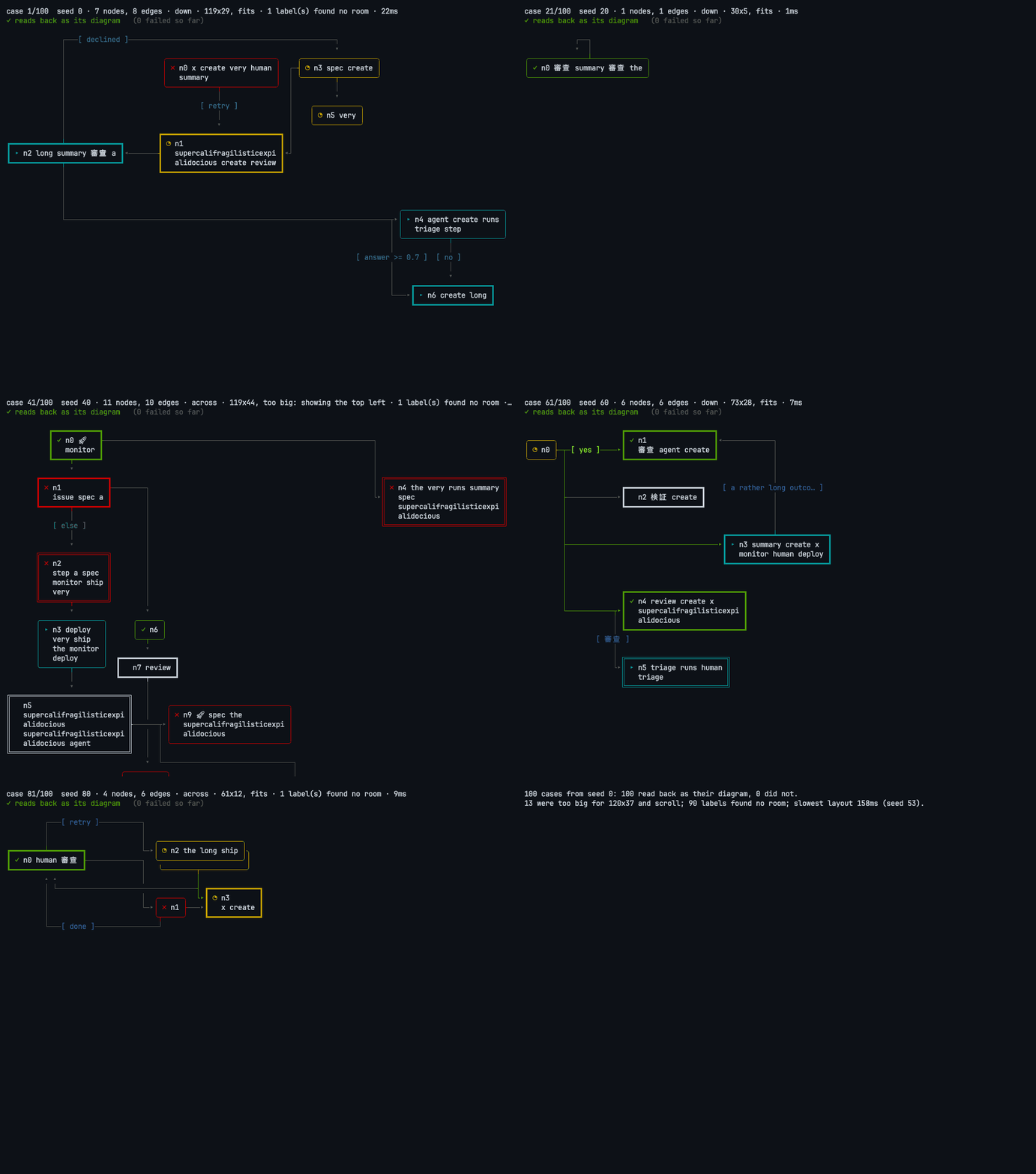
100 random diagrams, each drawn and then read back from the text alone to check it says what the diagram says. Click to play.
go install github.com/isacikgoz/cligram/cmd/cligram@latest   # the command
go get github.com/isacikgoz/cligram                          # the library
From YAML
title: Release
nodes:
  triage: Triage
  ready:
    text: Ready to ship?
    kind: decision
  ship: { text: Ship it, kind: end }
  fix: { text: Fix it, class: agent }
edges:
  - triage -> ready
  - ready -> ship: yes
  - ready -> fix: no
  - fix -> ready
cligram -width 80 examples/release.yaml
Release

╭──────────╮    ╔══════════════════╗              ┏━━━━━━━━━━━┓
│   Triage ├───▸║   Ready to ship? ╟─┬─[ yes ]───▸┃   Ship it ┃
╰──────────╯    ╚══════════════════╝ │            ┗━━━━━━━━━━━┛
                         ▴           │
                         │           │
                         │           │            ╭──────────╮
                         │           └───[ no ]──▸│   Fix it │
                         │                        ╰────┬─────╯
                         │                             │
                         └─────────────────────────────┘
A node is a text, or text, kind (step, decision or end), class
and at, a placement such as right of ready or below a and b. Without
-width, the drawing fits the terminal it is printed to.
From Go
d := cligram.New()
d.Node("triage", "Triage")
d.Node("ready", "Ready to ship?", cligram.As(cligram.Decision))
d.Node("ship", "Ship it")
d.Node("fix", "Fix it", cligram.Class("agent"))
d.Edge("triage", "ready")
d.Edge("ready", "ship", cligram.Label("yes"))
d.Edge("ready", "fix", cligram.Label("no"))
d.Edge("fix", "ready")

l := d.Layout(cligram.Fit(80, 24))
fmt.Println(l.Render(cligram.State{
	Status: map[string]cligram.Status{"triage": cligram.Done, "ready": cligram.Active},
	Taken:  []cligram.EdgeRef{{From: "triage", To: "ready"}},
}, cligram.Plain))
╭──────────╮    ╔══════════════════╗              ╭───────────╮
│ ✓ Triage ├───▸║ ▸ Ready to ship? ╟─┬─[ yes ]───▸│   Ship it │
╰──────────╯    ╚══════════════════╝ │            ╰───────────╯
                         ▴           │
                         │           │
                         │           │            ╭──────────╮
                         │           └───[ no ]──▸│   Fix it │
                         │                        ╰────┬─────╯
                         │                             │
                         └─────────────────────────────┘
Lay out once per size, then repaint as often as the run moves: a box never
moves when its state changes. Use cligram.ANSI, or a Palette of your
own colors, instead of cligram.Plain for color.
More
- Placement:
cligram.At("right of x")pins a node; everything else is placed by following the edges. - Fitting:
Fit(w, h)compacts, wraps the flow like a snake, turns it, or narrows text, andRevealwithRenderViewscrolls what still does not fit. - Live in a TUI: package
bubbleis a Bubble Tea component with keyboard focus that follows the run and nodes that open into sub-diagrams.go run ./examples/liveshows one.
AGENTS.md is the full guide; docs/design.md has the decisions behind it.
License
MIT, see LICENSE.
Similar repos


Languages
Go
95.9%
JavaScript
3.2%
See what people are saying
README
cligram
Flow diagrams for the terminal, from YAML or Go. Like Mermaid, but drawn in text: boxes, decisions and labelled edges, laid out to fit your terminal, and repainted live as a run moves through them.
100 random diagrams, each drawn and then read back from the text alone to check it says what the diagram says. Click to play.
go install github.com/isacikgoz/cligram/cmd/cligram@latest   # the command
go get github.com/isacikgoz/cligram                          # the library
From YAML
title: Release
nodes:
  triage: Triage
  ready:
    text: Ready to ship?
    kind: decision
  ship: { text: Ship it, kind: end }
  fix: { text: Fix it, class: agent }
edges:
  - triage -> ready
  - ready -> ship: yes
  - ready -> fix: no
  - fix -> ready
cligram -width 80 examples/release.yaml
Release

╭──────────╮    ╔══════════════════╗              ┏━━━━━━━━━━━┓
│   Triage ├───▸║   Ready to ship? ╟─┬─[ yes ]───▸┃   Ship it ┃
╰──────────╯    ╚══════════════════╝ │            ┗━━━━━━━━━━━┛
                         ▴           │
                         │           │
                         │           │            ╭──────────╮
                         │           └───[ no ]──▸│   Fix it │
                         │                        ╰────┬─────╯
                         │                             │
                         └─────────────────────────────┘
A node is a text, or text, kind (step, decision or end), class
and at, a placement such as right of ready or below a and b. Without
-width, the drawing fits the terminal it is printed to.
From Go
d := cligram.New()
d.Node("triage", "Triage")
d.Node("ready", "Ready to ship?", cligram.As(cligram.Decision))
d.Node("ship", "Ship it")
d.Node("fix", "Fix it", cligram.Class("agent"))
d.Edge("triage", "ready")
d.Edge("ready", "ship", cligram.Label("yes"))
d.Edge("ready", "fix", cligram.Label("no"))
d.Edge("fix", "ready")

l := d.Layout(cligram.Fit(80, 24))
fmt.Println(l.Render(cligram.State{
	Status: map[string]cligram.Status{"triage": cligram.Done, "ready": cligram.Active},
	Taken:  []cligram.EdgeRef{{From: "triage", To: "ready"}},
}, cligram.Plain))
╭──────────╮    ╔══════════════════╗              ╭───────────╮
│ ✓ Triage ├───▸║ ▸ Ready to ship? ╟─┬─[ yes ]───▸│   Ship it │
╰──────────╯    ╚══════════════════╝ │            ╰───────────╯
                         ▴           │
                         │           │
                         │           │            ╭──────────╮
                         │           └───[ no ]──▸│   Fix it │
                         │                        ╰────┬─────╯
                         │                             │
                         └─────────────────────────────┘
Lay out once per size, then repaint as often as the run moves: a box never
moves when its state changes. Use cligram.ANSI, or a Palette of your
own colors, instead of cligram.Plain for color.
More
- Placement:
cligram.At("right of x")pins a node; everything else is placed by following the edges. - Fitting:
Fit(w, h)compacts, wraps the flow like a snake, turns it, or narrows text, andRevealwithRenderViewscrolls what still does not fit. - Live in a TUI: package
bubbleis a Bubble Tea component with keyboard focus that follows the run and nodes that open into sub-diagrams.go run ./examples/liveshows one.
AGENTS.md is the full guide; docs/design.md has the decisions behind it.
License
MIT, see LICENSE.
Similar repos
Languages
Go
95.9%
JavaScript
3.2%