
A GameCube/Wii emulator and debugger written in Rust.
See the codeREADME
Gecko
A cross-platform GameCube/Wii emulator and debugger written in Rust.
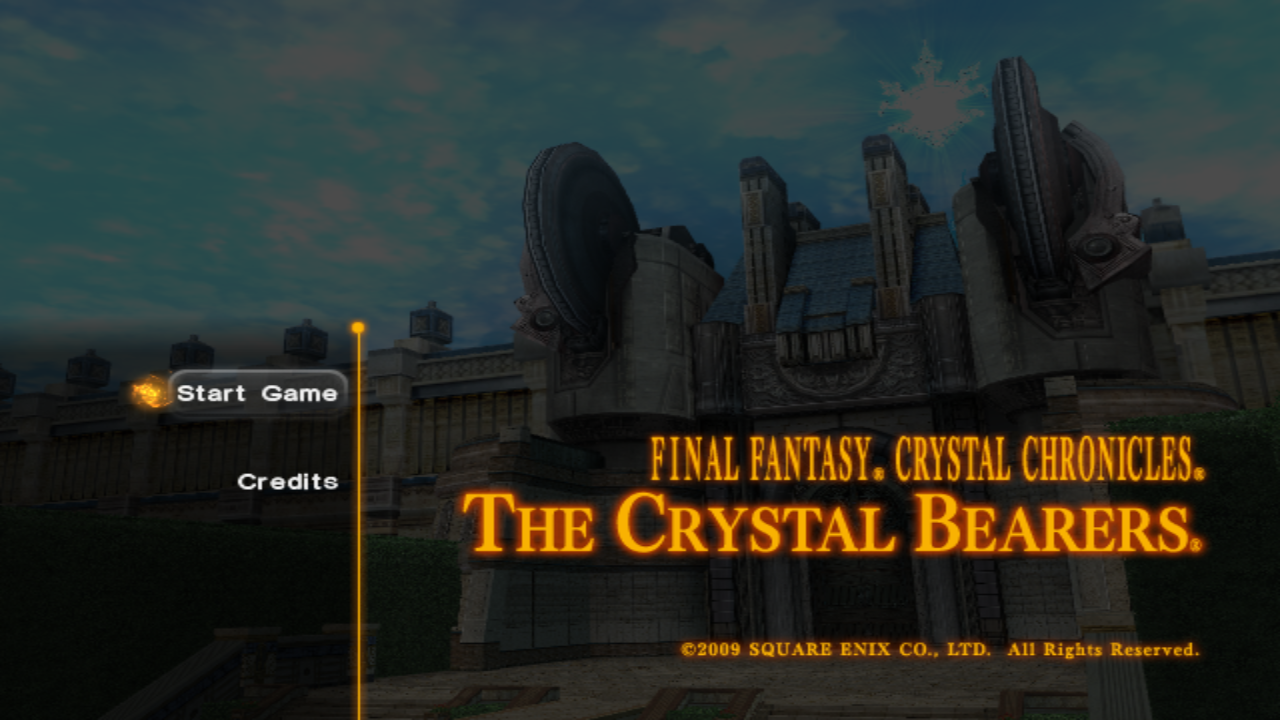
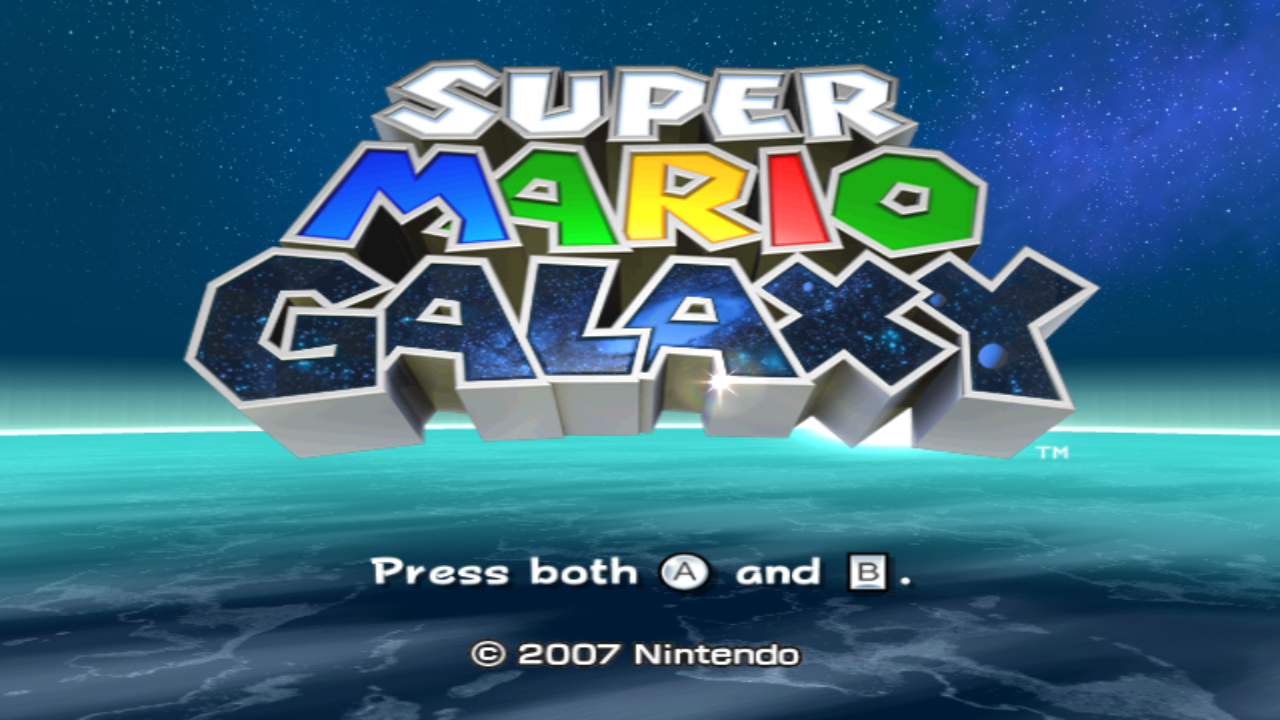
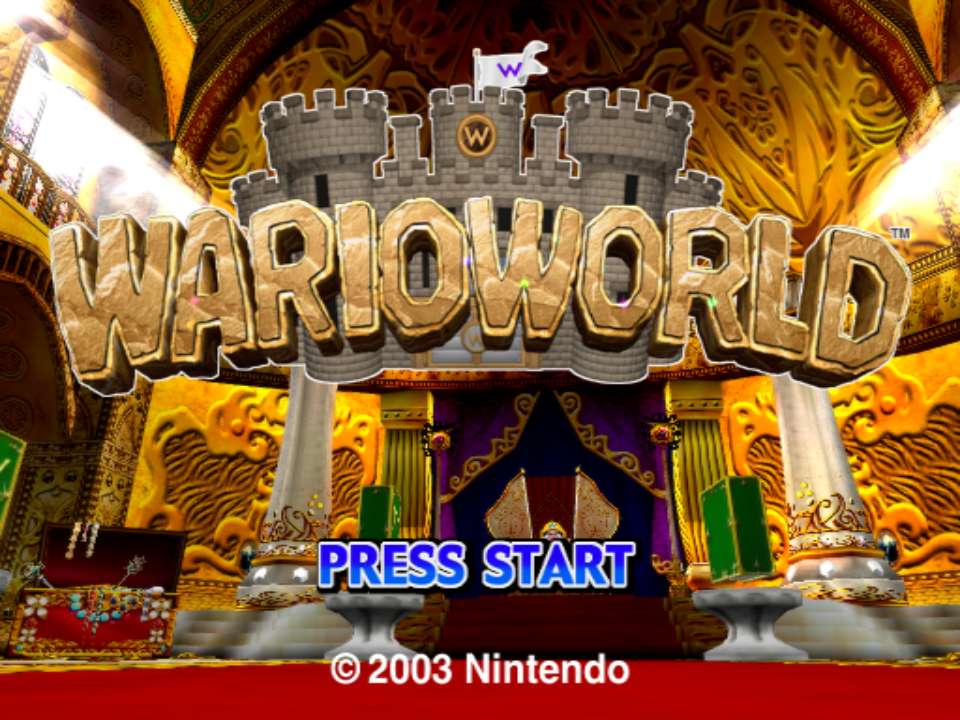
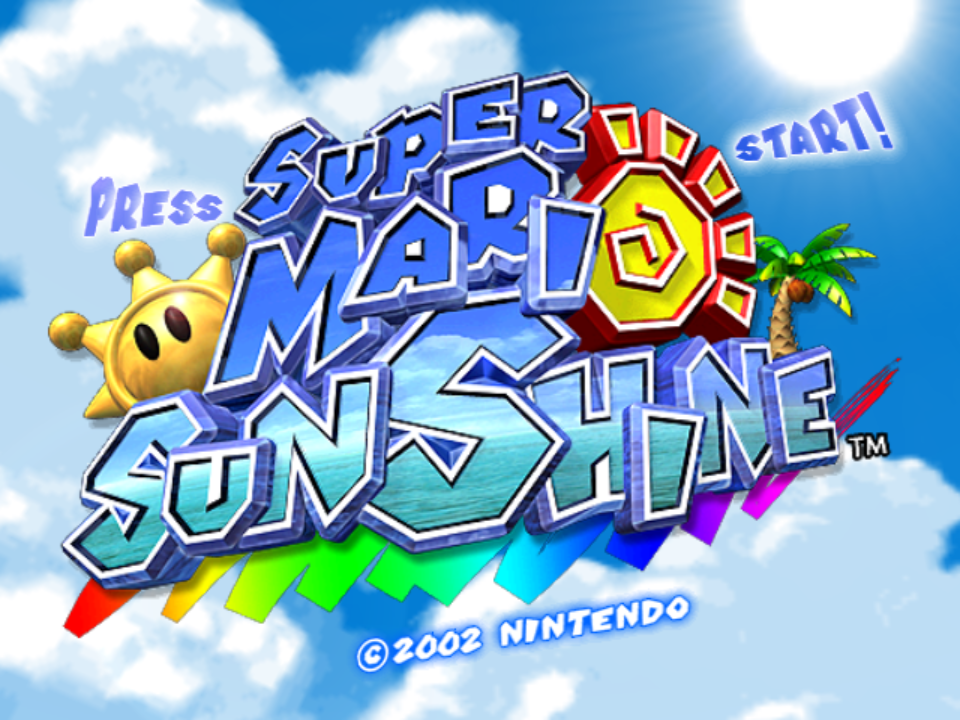
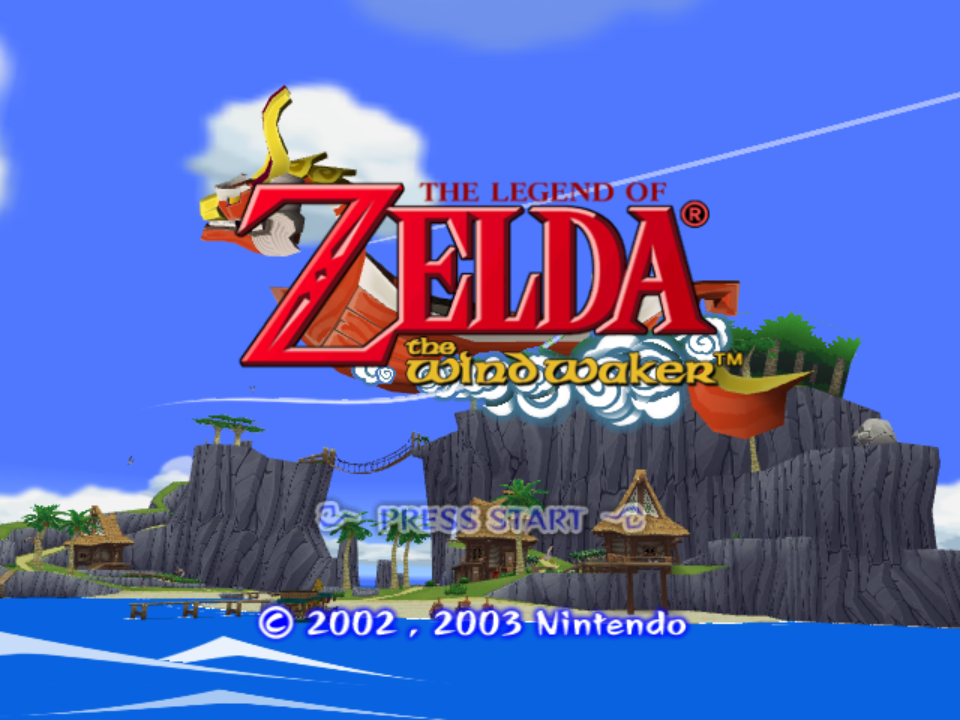
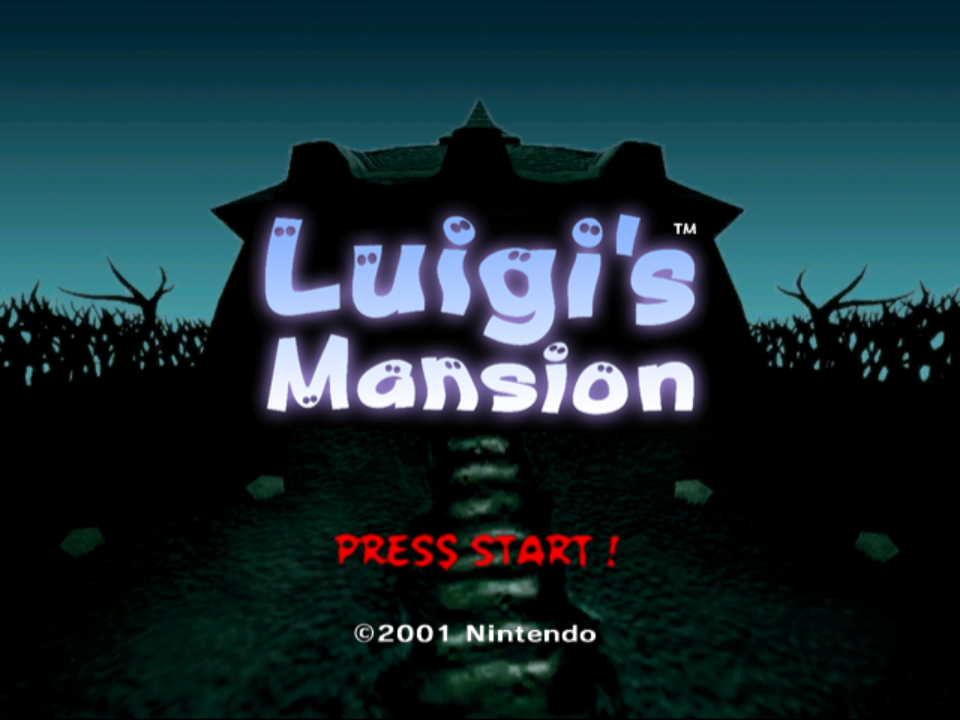
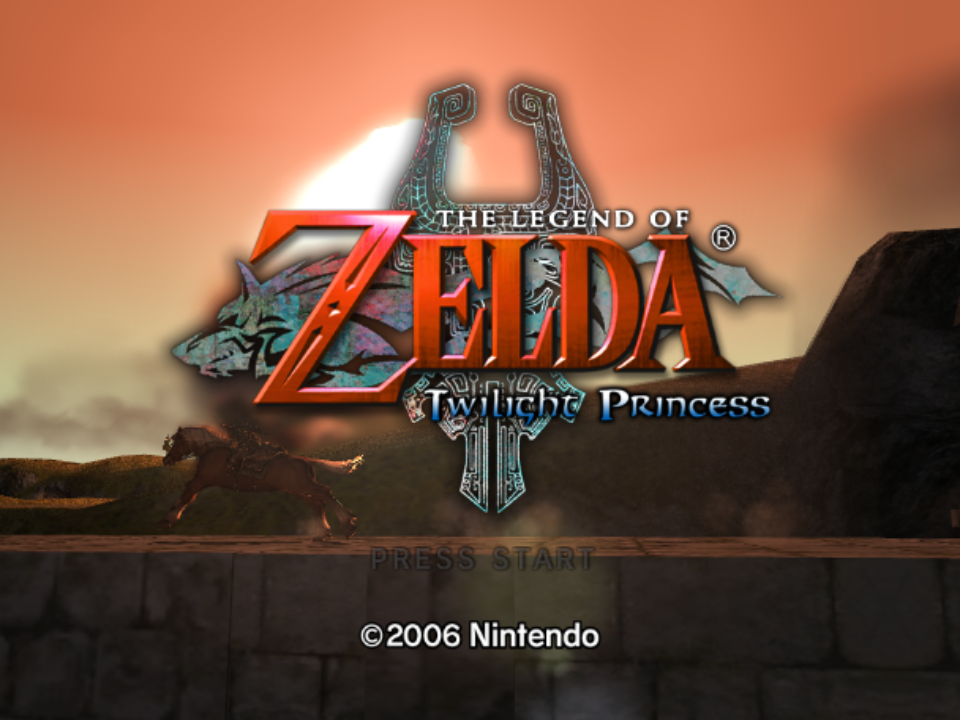
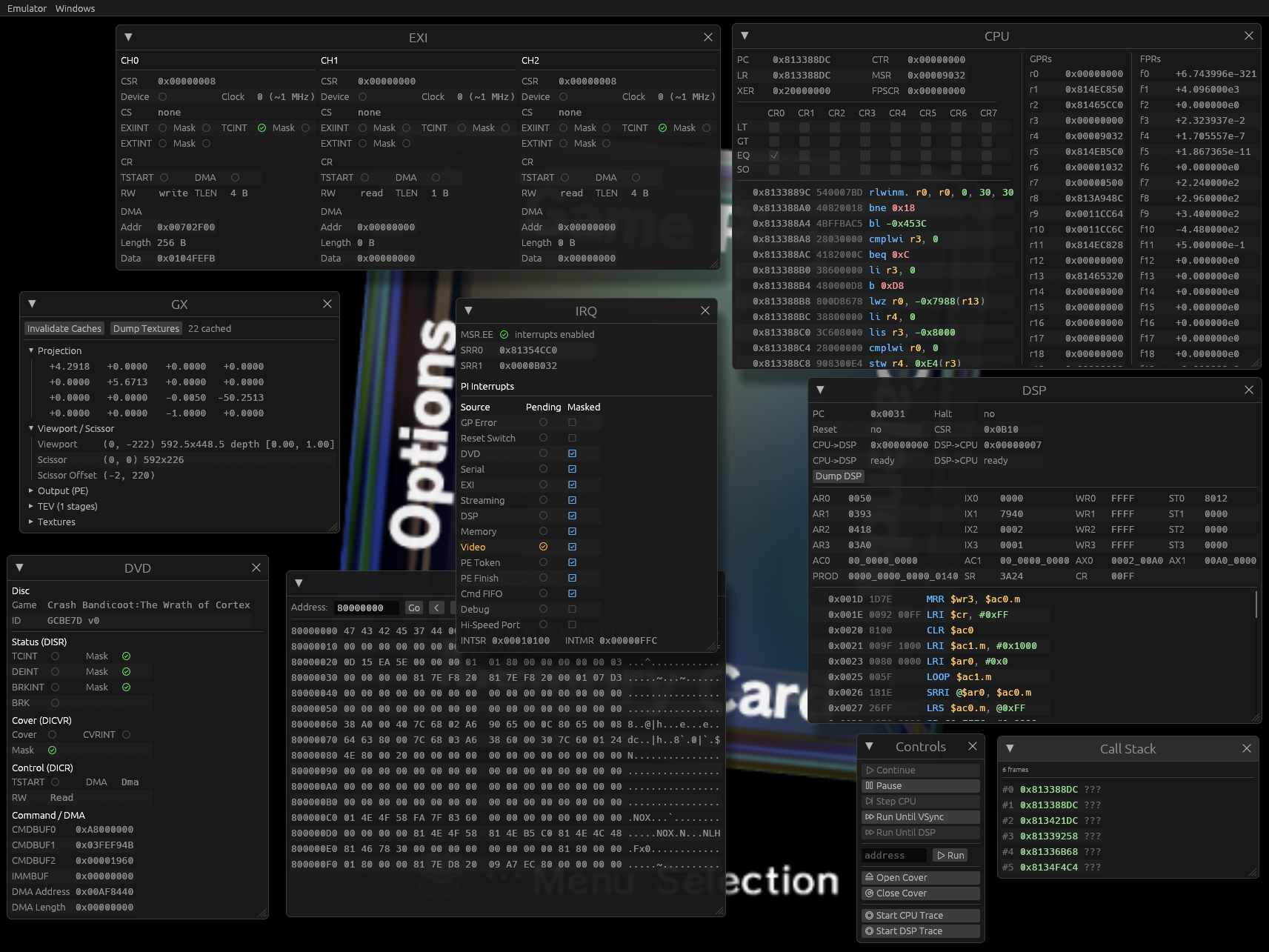
Status
Gecko is still in development. While many games work well, most will likely have varying degrees of visual glitches or will be outright broken. Refer to the screenshot databases to gauge compatiblity:
[!NOTE] Not all games are tracked. The screenshot service makes a best effort attempt to enter games by pressing random buttons. Just because a game doesn't go ingame, doesn't mean it actually doesn't.
Gecko now also has a community driven compatibility database! Feel free to leave a vote when trying out games. The database is still new, so please take the ratings with a grain of salt!
Features
Gecko is developed with homebrew development and reverse engineering in mind, but also aims to provide a faithful and playable experience!
- Cross-platform: Windows, Linux and macOS
- x86 and ARM supported on each platform
- More platforms supported if compiling yourself
- Cranelift based JITs
- PowerPC, DSP, vertex decoder
- Upscaling 1x - 4x
- Controller support
- Xbox, Steam, etc.
- PS5 DualSense Wiimote motion control
- Starlet HLE
- IPL skip patches for NTSC and PAL
wgpubased renderer backend- Supports all major platforms
weslbased specialized shader compiler- JIT and shader cache
- FIFO recorder, player and debugger
- Compatible with Dolphin
- GameCube memory cards
- Savestates
- Frame pacing
- Modular audio backend, defaults to
cpal- Supports mixing audio sinks
- Supports dumping to .wav files
- MCP server
- Lua scripting system for runtime introspection
- A beautiful yet advanced egui-based debugging UI
- Experimental freecam in the debugger
- Symbol parsing from ELFs and IDA Pro databases
- IDA Pro loaders for DOL and Apploader
- RenderDoc captures with all sorts of debug markers
- ISO and RVZ support
- Supports either compressed as ZIP
- Included multitool, supports:
- IPL decode/encode
- SYSCONF decode/encode
- setting.txt decode/encode
- DVD filesystem extraction
- Disassembler for PPC and DSP
- Various built-in diagnostics for JIT and GX
- Support for web browser
Usage
Prebuilt releases (including debug builds) can be downloaded here. GameCube and Wii require system files to use the emulator, please refer to the "Required Files" chapter. Minimal commands to launch a game:
# Launch a GameCube game
./tinyapp --ipl IPL.decoded.bin --dsp dsp_rom.bin --coef dsp_coef.bin --skip-ipl --dvd YourGame.rvz

# Launch a Wii game
./tinyapp --dsp dsp_rom.bin --coef dsp_coef.bin --dvd YourGame.rvz
A more modern and friendly experience is provided via gecko (short preview on YouTube):
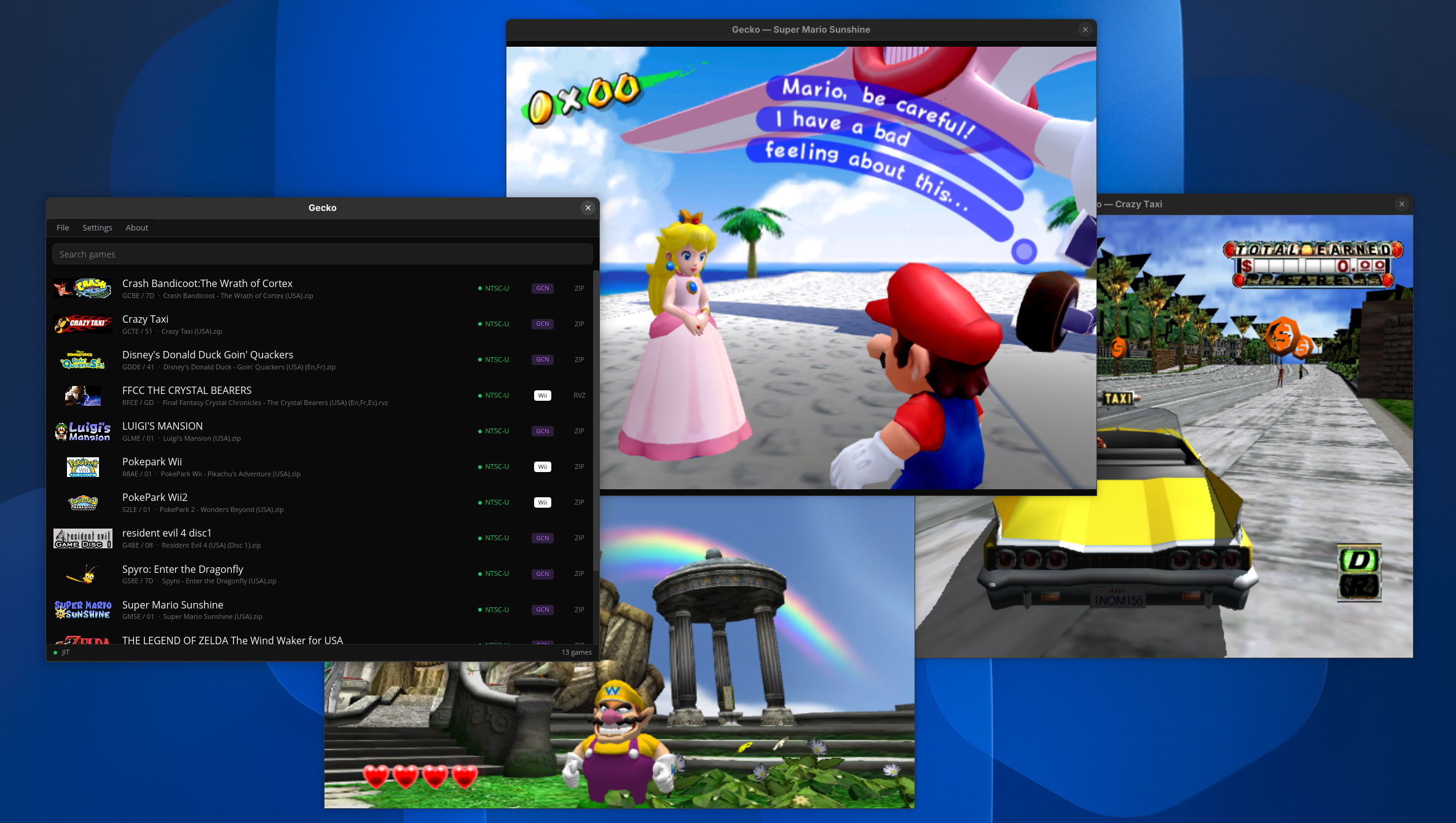
It scans the configured GameCube and Wii folders for .iso, .rvz and .zip files. Double-clicking on a row opens a dedicated player window for that game. The decoded GameCube IPL and DSP files are expected to be inside the system folder and must be named exactly as follows:
<gecko exe dir>/
  config.toml                # settings, auto-generated
  cache/library.bin          # cached library, auto-generated
  screenshots/               # F12 screenshots, auto-generated
  internal/                  # contains SRAM and memory cards, auto-generated
  system/                    # system file folder (user provided!)
    IPL.bin                  # GameCube only (must be decoded! see multitool)
    dsp_rom.bin              # GameCube and Wii
    dsp_coef.bin             # GameCube and Wii
  fs/                        # Wii NAND, auto-generated if missing (or drop in a Dolphin/real dump)
Controls
Gamepads are supported on all frontends through SDL3. Xbox, DualSense (PS5) and anything else SDL recognizes works out of the box. Keyboard and mouse stay active.
On Wii, the pointer source is picked automatically based on what the connected gamepad can do: gyro aiming on a DualSense (press R3 to recenter), right stick otherwise, mouse as the fallback. The DualSense touchpad can also act as an pointer. Its accelerometer drives Wiimote motion directly, so physically shaking the controller shakes the Wiimote. Pads without motion sensors use R1 as a shake button instead. The right stick doubles as the Wiimote D-pad whenever it is not serving as the pointer, and game rumble is forwarded to the controller on both GameCube and Wii.
Bindings, pointer source, sensitivity and axis inversion are configurable in gecko under Settings > Controller Bindings, persisted in the [input] section of config.toml (see other/example.conf for every option). tinyapp uses the default bindings and points with the mouse. Pass --pointer gyro|stick|touchpad|auto to override.
Keyboard and player-window hotkeys are configurable the same way under Settings > Keyboard Bindings, persisted in the [keyboard] section of config.toml. The keyboard and hotkey tables below are the defaults.
[!NOTE] DualSense motion sensors and rumble on Linux require hidraw permissions. Install the
steam-devicespackage (or an equivalent udev rule for054c:0ce6) and replug the controller. Without it the pad still works, but falls back to buttons and sticks only.
Default gamepad bindings
GameCube
| Gamepad | Action |
|---|---|
| Left stick | Main stick |
| Right stick | C-stick |
| D-pad | D-pad |
South | A |
West | B |
East | X |
North | Y |
Start | Start |
L2 R2 | L / R (analog) |
R1 | Z |
Wii
| Gamepad | Action |
|---|---|
| Gyro | IR pointer (if available) |
| Right stick | IR pointer or D-pad |
| Left stick | Nunchuk stick |
| D-pad | D-pad |
South | A |
R2 | B |
West | 1 |
North | 2 |
Start | Plus |
Select | Minus |
Guide | Home |
L1 | Nunchuk C |
L2 | Nunchuk Z |
R1 | Shake (pads without sensors) |
R3 | Recenter pointer |
Hotkeys
tinyapp and debugger:
| Key | Action |
|---|---|
Space | Start emulation from the splash screen (--wait flag) |
F5 | Save state (overwrites the game's existing state) |
F7 | Load state |
F10 | Trigger a RenderDoc capture (requires renderdoc-capture feature) |
F11 | Screenshot the full window |
F12 | Screenshot the emulated framebuffer only |
gecko player window:
| Key | Action |
|---|---|
Space | Pause / resume emulation |
Tab | Toggle the speed limit (run uncapped) |
F5 | Save state (overwrites the game's existing state) |
F7 | Load state |
F10 | Toggle borderless fullscreen |
F11 | Toggle the FPS and emulation speed overlay |
F12 | Screenshot the emulated framebuffer to <gecko exe dir>/screenshots/ |
Keyboard bindings
GameCube
| Key | Action |
|---|---|
| Arrow keys | Main stick |
I K J L | D-pad (up/down/left/right) |
X | A |
Z | B |
C | X |
V | Y |
Enter | Start |
A | L |
S | R |
D | Z |
Wii
Wiimote:
| Input | Action |
|---|---|
| Mouse movement | IR pointer |
| Left mouse | A |
| Right mouse | B |
| Arrow keys | D-pad |
1 | 1 |
2 | 2 |
Home | Home |
- | Minus |
= | Plus |
Left Shift | Shake (motion) |
Nunchuk:
| Key | Action |
|---|---|
W S A D | Analog stick |
Q | Z |
E | C |
Savestates
tinyapp, debugger and the gecko player support saving and loading GameCube and Wii emulation state with F5 and F7. The debugger also provides Save State and Load State menu actions. In gecko, these hotkeys are configurable under Settings > Keyboard Bindings; requests made while paused are processed after emulation resumes.
Each game has one state slot at <data dir>/cache/<game ID>/state.gkst; saving again overwrites it. The data directory defaults to the executable's directory and can be overridden with GECKO_DATA_DIR. Sessions without a game ID use cache/default/state.gkst.
tinyapp and debugger can also load a state immediately after boot with --load-state <file>.
Freecam (experimental)
In debugger, open Windows > GX, expand Freecam and enable Unlock camera. Freecam controls are not exposed in tinyapp or the gecko player.
| Input | Action |
|---|---|
| Hold right mouse button and move | Look around |
W A S D | Move forward, left, backward and right |
Q / E | Move down / up |
Shift | Move 5x faster |
| Mouse wheel | Adjust movement speed |
The panel also provides a speed slider and Reset view button. Game input is suspended while freecam is enabled; disable Unlock camera to return to normal controls.
Required files
Gecko does not ship any system files.
Reference SHA-256 hashes (these are the files the project is developed against):
| File | SHA-256 |
|---|---|
IPL.bin (NTSC, encoded) | 7228bd8f0171008e71c48788eef5e0fd5abce8ef85f1d00327c6f3368113d2a5 |
IPL.decoded.bin (NTSC) | 31e9aa82d972a423d9b7ea7bdbdcff0aff86c3ed953600ca841fe24f3f577051 |
PAL_IPL.bin (PAL, encoded) | a5fd3ab0ed3d63ad365990cbf522f9f175e01d3b37e5f30a8e5a103cbbc749fd |
PAL_IPL.decoded.bin (PAL) | 011b66ce68d8dcb4f37460fcb322215bcda7df79072aeca22fdc690499deabac |
dsp_rom.bin | 49d987ee1eab29a157425b82d54516957a81e1bac247c8834e494642605c3e8c |
dsp_coef.bin | d7741279c2e8ec5c5fb318f8fbdd6de6bf583520d288e836a5383233a4238179 |
GameCube
- IPL (NTSC and PAL tested)
- DSP IROM
- DSP coefficient ROM
If you only have an encoded IPL, decode it first with multitool:
multitool ipl --action decode private/IPL.bin private/IPL.decoded.bin
Wii
A NAND is generated on boot whenever fs/ is missing. The folder can be overriden using the GECKO_FS_ROOT environment variable.
# optional!
GECKO_FS_ROOT=/path/to/dolphin-nand tinyapp --dvd wii_game.rvz # ... and other arguments
Examples
Examples you might find useful:
multitool ipl --action decode ipl.encoded.bin ipl.decoded.bin
multitool sysconf --action decode fs/shared2/sys/SYSCONF SYSCONF.txt  # edit, then re-encode
multitool sysconf --action encode SYSCONF.txt fs/shared2/sys/SYSCONF
multitool setting --action decode fs/title/00000001/00000002/data/setting.txt setting.decoded
multitool setting --action encode setting.decoded fs/title/00000001/00000002/data/setting.txt
multitool dvd --extract game.rvz

tinyapp --dol homebrew.dol  # may also require a DSP depending on the DOL
tinyapp --dvd game.iso --ipl ipl.decoded.bin --dsp dsp_rom.bin --coef dsp_coef.bin --skip-ipl

debugger --dvd game.rvz --ipl ipl.decoded.bin --dsp dsp_rom.bin --coef dsp_coef.bin --script example.lua

fifoplayer recording.dff # just the player
fifoplayer recording.dff --debug # enable the debugger
The CLI options are largely the same across the sub projects (such as the debugger). For more options, see --help.
Projects
This is a table of the main projects. Refer to crates/ to find out about all available projects.
| Crate | Description |
|---|---|
app | End-user library browser (binary name gecko): iced-based game list, double-click to play, per-game player window |
tinyapp | Lightweight emulator application with an egui/wgpu GUI, optional Lua scripting |
debugger | Interactive GUI debugger built on egui with rendering support, hooks and scripting capabilities |
web | WebAssembly build of the emulator for browser deployment via wasm-bindgen, with optional debug UI |
multitool | CLI utility for analyzing, disassembling and extracting GC/Wii binaries/images (DOL, IPL, ISO/RVZ) with support for PPC and DSP |
fifoplayer | Plays (and debugs via --debug) a recorded .dff fifo log. Supports replays generated from Dolphin and Gecko's debugger |
Building
git submodule init && git submodule update

cargo build -p gecko-app --release                               # game launcher (binary: gecko)
cargo build -p tinyapp --release                                 # tinyapp
cargo build -p debugger --release                                # debugger
cargo build -p multitool --release                               # multitool
cargo build -p fifoplayer --release                              # fifo player and debugger
wasm-pack build crates/web --target web --out-dir pkg --release  # web version
Release builds compile out all tracing output (the
geckocrate pinstracingwithrelease_max_level_off), so--releasebinaries are silent. Build with--profile devif you want log messages.
Features
Features below are listed based on the frontend crate that supports them. Most of them are simply forwarded into the core gecko and backend-wgpu crates, so the underlying flag of the same name is what actually toggles the behavior. These can be useful when debugging the emulator itself and when investigating various issues (example: performance bugs in games).
Expand build feature flags
tinyapp
| Flag | Default | Description |
|---|---|---|
fps-counter | on | Emulator-core driven FPS counter (forwards gecko/fps-counter). |
scripting | off | Enables Lua scripting support and the --script CLI option (pulls in gecko/hooks + the scripting crate). |
scripting-mut-traps | off | Implies scripting: lets scripted hooks re-register themselves at runtime (gecko/hooks-mut-traps). |
audio-wav-dump | off | Forwards gecko/audio-wav-dump: write all emulated audio to a .wav sink while running. |
renderdoc-capture | off | Forwards backend-wgpu/renderdoc-capture: load the RenderDoc in-app API and emit debug markers. |
jit-stats | off | Forwards gecko/jit-stats: per-block PPC JIT stats, block-frequency CSV dumps and more. |
gx-stats | off | Forwards gecko/gx-stats: GX submission and draw-call counters surfaced by the core. |
profile | off | Forwards gecko/profile: in-process profiler (Windows-only kernel IP sampler). |
hotpath | off | Compiles hotpath::measure instrumentation into the core and the wgpu backend; reports on shutdown. |
hotpath-alloc | off | Implies hotpath: swaps the global allocator for a counting allocator that attributes allocs to hot functions. |
hotpath-cpu | off | Implies hotpath: samples CPU time per measured function via hotpath/hotpath-cpu. |
hotpath-tui | off | Implies hotpath: renders the live hotpath TUI instead of dumping a report on exit. |
debugger
debugger always builds with gecko/hooks, gecko/audio-wav-dump, image/symbols (ELF/IDA symbol parsing), and the full scripting crate enabled.
| Flag | Default | Description |
|---|---|---|
scripting-mut-traps | off | Same as in tinyapp: re-registerable scripted hooks (gecko/hooks-mut-traps + scripting/hooks-mut-traps). |
renderdoc-capture | off | Forwards backend-wgpu/renderdoc-capture. With this enabled, F10 triggers a RenderDoc capture of the next frame. |
gecko
| Flag | Default | Description |
|---|---|---|
jit | on | Cranelift-backed JIT for Gekko, DSP, and GX vertex decode. Without it the core falls back to interpreters. |
hooks | off | Memory/instruction trap hook surface used by scripting, the debugger, and tooling like dsptestrunner. |
hooks-mut-traps | off | Implies hooks: allows hooks to mutate trap state. |
audio-wav-dump | off | Compiles the hound-backed .wav audio sink. |
fps-counter | off | Compiles the core FPS counter for more accurate measurements. |
jit-stats | off | Implies jit: per-block JIT hit counts, idle-skip stats, CSV dumps (pulls in backtrace). |
gx-stats | off | GX command-processor / BP / XF submission counters. |
vtx-jit-validate | off | Implies jit + gx-stats. Runs both the GX vertex JIT and interpreter for every draw and reports drift between them. |
profile | off | Per-block PPC/DSP heatmap profiler; on Windows it also enables a kernel-IP sampler via windows-sys. |
rendersink-blackbox | off | Wraps EmptyRenderSink::exec in std::hint::black_box. Useful for benchmarking. |
hotpath | off | Compiles hotpath::measure instrumentation across the core hot loops. |
backend-wgpu
| Flag | Default | Description |
|---|---|---|
renderdoc-capture | off | Pulls in the renderdoc crate and enables the in-app capture API + debug markers. |
hotpath | off | Instruments the wgpu sink (incl. crossbeam channels) for hotpath reporting. |
web
| Flag | Default | Description |
|---|---|---|
debug | off | Bundles the in-browser debugger UI (pulls in dbglib and egui-phosphor). Enabled for the /dbg build. |
tinybench
| Flag | Default | Description |
|---|---|---|
| (default) | — | Forwards gecko/rendersink-blackbox so the renderless benchmark loop doesn't get optimized away. |
jit-stats | off | Forwards gecko/jit-stats for benchmarking. |
Why?
Why do we get a new Wii emulator? Well, it all started a few years ago. I wanted to do something nostalgic and as a kid I spent countless hour in this one Wii game called Final Fantasy Crystal Chronicals: The Crystal Bearers. It wasn't a well received game but I loved it so much, I chose my online persona "Layle" after the main protagonist. I figured it would be cool to spend some years learning about emulation development with the goal to eventually run the game in my own emulator!
Sister Projects
Gecko is being developed alongside other amazing emulators that shaped how Gecko came to be. Without them, Gecko wouldn't exist!
Besides these "sister projects", Dolphin has also been a major contributor in many ways.
Contributors

509 commits
Similar repos


Languages
Rust
98.2%
A GameCube/Wii emulator and debugger written in Rust.
See the codeREADME
Gecko
A cross-platform GameCube/Wii emulator and debugger written in Rust.
Status
Gecko is still in development. While many games work well, most will likely have varying degrees of visual glitches or will be outright broken. Refer to the screenshot databases to gauge compatiblity:
[!NOTE] Not all games are tracked. The screenshot service makes a best effort attempt to enter games by pressing random buttons. Just because a game doesn't go ingame, doesn't mean it actually doesn't.
Gecko now also has a community driven compatibility database! Feel free to leave a vote when trying out games. The database is still new, so please take the ratings with a grain of salt!
Features
Gecko is developed with homebrew development and reverse engineering in mind, but also aims to provide a faithful and playable experience!
- Cross-platform: Windows, Linux and macOS
- x86 and ARM supported on each platform
- More platforms supported if compiling yourself
- Cranelift based JITs
- PowerPC, DSP, vertex decoder
- Upscaling 1x - 4x
- Controller support
- Xbox, Steam, etc.
- PS5 DualSense Wiimote motion control
- Starlet HLE
- IPL skip patches for NTSC and PAL
wgpubased renderer backend- Supports all major platforms
weslbased specialized shader compiler- JIT and shader cache
- FIFO recorder, player and debugger
- Compatible with Dolphin
- GameCube memory cards
- Savestates
- Frame pacing
- Modular audio backend, defaults to
cpal- Supports mixing audio sinks
- Supports dumping to .wav files
- MCP server
- Lua scripting system for runtime introspection
- A beautiful yet advanced egui-based debugging UI
- Experimental freecam in the debugger
- Symbol parsing from ELFs and IDA Pro databases
- IDA Pro loaders for DOL and Apploader
- RenderDoc captures with all sorts of debug markers
- ISO and RVZ support
- Supports either compressed as ZIP
- Included multitool, supports:
- IPL decode/encode
- SYSCONF decode/encode
- setting.txt decode/encode
- DVD filesystem extraction
- Disassembler for PPC and DSP
- Various built-in diagnostics for JIT and GX
- Support for web browser
Usage
Prebuilt releases (including debug builds) can be downloaded here. GameCube and Wii require system files to use the emulator, please refer to the "Required Files" chapter. Minimal commands to launch a game:
# Launch a GameCube game
./tinyapp --ipl IPL.decoded.bin --dsp dsp_rom.bin --coef dsp_coef.bin --skip-ipl --dvd YourGame.rvz

# Launch a Wii game
./tinyapp --dsp dsp_rom.bin --coef dsp_coef.bin --dvd YourGame.rvz
A more modern and friendly experience is provided via gecko (short preview on YouTube):
It scans the configured GameCube and Wii folders for .iso, .rvz and .zip files. Double-clicking on a row opens a dedicated player window for that game. The decoded GameCube IPL and DSP files are expected to be inside the system folder and must be named exactly as follows:
<gecko exe dir>/
  config.toml                # settings, auto-generated
  cache/library.bin          # cached library, auto-generated
  screenshots/               # F12 screenshots, auto-generated
  internal/                  # contains SRAM and memory cards, auto-generated
  system/                    # system file folder (user provided!)
    IPL.bin                  # GameCube only (must be decoded! see multitool)
    dsp_rom.bin              # GameCube and Wii
    dsp_coef.bin             # GameCube and Wii
  fs/                        # Wii NAND, auto-generated if missing (or drop in a Dolphin/real dump)
Controls
Gamepads are supported on all frontends through SDL3. Xbox, DualSense (PS5) and anything else SDL recognizes works out of the box. Keyboard and mouse stay active.
On Wii, the pointer source is picked automatically based on what the connected gamepad can do: gyro aiming on a DualSense (press R3 to recenter), right stick otherwise, mouse as the fallback. The DualSense touchpad can also act as an pointer. Its accelerometer drives Wiimote motion directly, so physically shaking the controller shakes the Wiimote. Pads without motion sensors use R1 as a shake button instead. The right stick doubles as the Wiimote D-pad whenever it is not serving as the pointer, and game rumble is forwarded to the controller on both GameCube and Wii.
Bindings, pointer source, sensitivity and axis inversion are configurable in gecko under Settings > Controller Bindings, persisted in the [input] section of config.toml (see other/example.conf for every option). tinyapp uses the default bindings and points with the mouse. Pass --pointer gyro|stick|touchpad|auto to override.
Keyboard and player-window hotkeys are configurable the same way under Settings > Keyboard Bindings, persisted in the [keyboard] section of config.toml. The keyboard and hotkey tables below are the defaults.
[!NOTE] DualSense motion sensors and rumble on Linux require hidraw permissions. Install the
steam-devicespackage (or an equivalent udev rule for054c:0ce6) and replug the controller. Without it the pad still works, but falls back to buttons and sticks only.
Default gamepad bindings
GameCube
| Gamepad | Action |
|---|---|
| Left stick | Main stick |
| Right stick | C-stick |
| D-pad | D-pad |
South | A |
West | B |
East | X |
North | Y |
Start | Start |
L2 R2 | L / R (analog) |
R1 | Z |
Wii
| Gamepad | Action |
|---|---|
| Gyro | IR pointer (if available) |
| Right stick | IR pointer or D-pad |
| Left stick | Nunchuk stick |
| D-pad | D-pad |
South | A |
R2 | B |
West | 1 |
North | 2 |
Start | Plus |
Select | Minus |
Guide | Home |
L1 | Nunchuk C |
L2 | Nunchuk Z |
R1 | Shake (pads without sensors) |
R3 | Recenter pointer |
Hotkeys
tinyapp and debugger:
| Key | Action |
|---|---|
Space | Start emulation from the splash screen (--wait flag) |
F5 | Save state (overwrites the game's existing state) |
F7 | Load state |
F10 | Trigger a RenderDoc capture (requires renderdoc-capture feature) |
F11 | Screenshot the full window |
F12 | Screenshot the emulated framebuffer only |
gecko player window:
| Key | Action |
|---|---|
Space | Pause / resume emulation |
Tab | Toggle the speed limit (run uncapped) |
F5 | Save state (overwrites the game's existing state) |
F7 | Load state |
F10 | Toggle borderless fullscreen |
F11 | Toggle the FPS and emulation speed overlay |
F12 | Screenshot the emulated framebuffer to <gecko exe dir>/screenshots/ |
Keyboard bindings
GameCube
| Key | Action |
|---|---|
| Arrow keys | Main stick |
I K J L | D-pad (up/down/left/right) |
X | A |
Z | B |
C | X |
V | Y |
Enter | Start |
A | L |
S | R |
D | Z |
Wii
Wiimote:
| Input | Action |
|---|---|
| Mouse movement | IR pointer |
| Left mouse | A |
| Right mouse | B |
| Arrow keys | D-pad |
1 | 1 |
2 | 2 |
Home | Home |
- | Minus |
= | Plus |
Left Shift | Shake (motion) |
Nunchuk:
| Key | Action |
|---|---|
W S A D | Analog stick |
Q | Z |
E | C |
Savestates
tinyapp, debugger and the gecko player support saving and loading GameCube and Wii emulation state with F5 and F7. The debugger also provides Save State and Load State menu actions. In gecko, these hotkeys are configurable under Settings > Keyboard Bindings; requests made while paused are processed after emulation resumes.
Each game has one state slot at <data dir>/cache/<game ID>/state.gkst; saving again overwrites it. The data directory defaults to the executable's directory and can be overridden with GECKO_DATA_DIR. Sessions without a game ID use cache/default/state.gkst.
tinyapp and debugger can also load a state immediately after boot with --load-state <file>.
Freecam (experimental)
In debugger, open Windows > GX, expand Freecam and enable Unlock camera. Freecam controls are not exposed in tinyapp or the gecko player.
| Input | Action |
|---|---|
| Hold right mouse button and move | Look around |
W A S D | Move forward, left, backward and right |
Q / E | Move down / up |
Shift | Move 5x faster |
| Mouse wheel | Adjust movement speed |
The panel also provides a speed slider and Reset view button. Game input is suspended while freecam is enabled; disable Unlock camera to return to normal controls.
Required files
Gecko does not ship any system files.
Reference SHA-256 hashes (these are the files the project is developed against):
| File | SHA-256 |
|---|---|
IPL.bin (NTSC, encoded) | 7228bd8f0171008e71c48788eef5e0fd5abce8ef85f1d00327c6f3368113d2a5 |
IPL.decoded.bin (NTSC) | 31e9aa82d972a423d9b7ea7bdbdcff0aff86c3ed953600ca841fe24f3f577051 |
PAL_IPL.bin (PAL, encoded) | a5fd3ab0ed3d63ad365990cbf522f9f175e01d3b37e5f30a8e5a103cbbc749fd |
PAL_IPL.decoded.bin (PAL) | 011b66ce68d8dcb4f37460fcb322215bcda7df79072aeca22fdc690499deabac |
dsp_rom.bin | 49d987ee1eab29a157425b82d54516957a81e1bac247c8834e494642605c3e8c |
dsp_coef.bin | d7741279c2e8ec5c5fb318f8fbdd6de6bf583520d288e836a5383233a4238179 |
GameCube
- IPL (NTSC and PAL tested)
- DSP IROM
- DSP coefficient ROM
If you only have an encoded IPL, decode it first with multitool:
multitool ipl --action decode private/IPL.bin private/IPL.decoded.bin
Wii
A NAND is generated on boot whenever fs/ is missing. The folder can be overriden using the GECKO_FS_ROOT environment variable.
# optional!
GECKO_FS_ROOT=/path/to/dolphin-nand tinyapp --dvd wii_game.rvz # ... and other arguments
Examples
Examples you might find useful:
multitool ipl --action decode ipl.encoded.bin ipl.decoded.bin
multitool sysconf --action decode fs/shared2/sys/SYSCONF SYSCONF.txt  # edit, then re-encode
multitool sysconf --action encode SYSCONF.txt fs/shared2/sys/SYSCONF
multitool setting --action decode fs/title/00000001/00000002/data/setting.txt setting.decoded
multitool setting --action encode setting.decoded fs/title/00000001/00000002/data/setting.txt
multitool dvd --extract game.rvz

tinyapp --dol homebrew.dol  # may also require a DSP depending on the DOL
tinyapp --dvd game.iso --ipl ipl.decoded.bin --dsp dsp_rom.bin --coef dsp_coef.bin --skip-ipl

debugger --dvd game.rvz --ipl ipl.decoded.bin --dsp dsp_rom.bin --coef dsp_coef.bin --script example.lua

fifoplayer recording.dff # just the player
fifoplayer recording.dff --debug # enable the debugger
The CLI options are largely the same across the sub projects (such as the debugger). For more options, see --help.
Projects
This is a table of the main projects. Refer to crates/ to find out about all available projects.
| Crate | Description |
|---|---|
app | End-user library browser (binary name gecko): iced-based game list, double-click to play, per-game player window |
tinyapp | Lightweight emulator application with an egui/wgpu GUI, optional Lua scripting |
debugger | Interactive GUI debugger built on egui with rendering support, hooks and scripting capabilities |
web | WebAssembly build of the emulator for browser deployment via wasm-bindgen, with optional debug UI |
multitool | CLI utility for analyzing, disassembling and extracting GC/Wii binaries/images (DOL, IPL, ISO/RVZ) with support for PPC and DSP |
fifoplayer | Plays (and debugs via --debug) a recorded .dff fifo log. Supports replays generated from Dolphin and Gecko's debugger |
Building
git submodule init && git submodule update

cargo build -p gecko-app --release                               # game launcher (binary: gecko)
cargo build -p tinyapp --release                                 # tinyapp
cargo build -p debugger --release                                # debugger
cargo build -p multitool --release                               # multitool
cargo build -p fifoplayer --release                              # fifo player and debugger
wasm-pack build crates/web --target web --out-dir pkg --release  # web version
Release builds compile out all tracing output (the
geckocrate pinstracingwithrelease_max_level_off), so--releasebinaries are silent. Build with--profile devif you want log messages.
Features
Features below are listed based on the frontend crate that supports them. Most of them are simply forwarded into the core gecko and backend-wgpu crates, so the underlying flag of the same name is what actually toggles the behavior. These can be useful when debugging the emulator itself and when investigating various issues (example: performance bugs in games).
Expand build feature flags
tinyapp
| Flag | Default | Description |
|---|---|---|
fps-counter | on | Emulator-core driven FPS counter (forwards gecko/fps-counter). |
scripting | off | Enables Lua scripting support and the --script CLI option (pulls in gecko/hooks + the scripting crate). |
scripting-mut-traps | off | Implies scripting: lets scripted hooks re-register themselves at runtime (gecko/hooks-mut-traps). |
audio-wav-dump | off | Forwards gecko/audio-wav-dump: write all emulated audio to a .wav sink while running. |
renderdoc-capture | off | Forwards backend-wgpu/renderdoc-capture: load the RenderDoc in-app API and emit debug markers. |
jit-stats | off | Forwards gecko/jit-stats: per-block PPC JIT stats, block-frequency CSV dumps and more. |
gx-stats | off | Forwards gecko/gx-stats: GX submission and draw-call counters surfaced by the core. |
profile | off | Forwards gecko/profile: in-process profiler (Windows-only kernel IP sampler). |
hotpath | off | Compiles hotpath::measure instrumentation into the core and the wgpu backend; reports on shutdown. |
hotpath-alloc | off | Implies hotpath: swaps the global allocator for a counting allocator that attributes allocs to hot functions. |
hotpath-cpu | off | Implies hotpath: samples CPU time per measured function via hotpath/hotpath-cpu. |
hotpath-tui | off | Implies hotpath: renders the live hotpath TUI instead of dumping a report on exit. |
debugger
debugger always builds with gecko/hooks, gecko/audio-wav-dump, image/symbols (ELF/IDA symbol parsing), and the full scripting crate enabled.
| Flag | Default | Description |
|---|---|---|
scripting-mut-traps | off | Same as in tinyapp: re-registerable scripted hooks (gecko/hooks-mut-traps + scripting/hooks-mut-traps). |
renderdoc-capture | off | Forwards backend-wgpu/renderdoc-capture. With this enabled, F10 triggers a RenderDoc capture of the next frame. |
gecko
| Flag | Default | Description |
|---|---|---|
jit | on | Cranelift-backed JIT for Gekko, DSP, and GX vertex decode. Without it the core falls back to interpreters. |
hooks | off | Memory/instruction trap hook surface used by scripting, the debugger, and tooling like dsptestrunner. |
hooks-mut-traps | off | Implies hooks: allows hooks to mutate trap state. |
audio-wav-dump | off | Compiles the hound-backed .wav audio sink. |
fps-counter | off | Compiles the core FPS counter for more accurate measurements. |
jit-stats | off | Implies jit: per-block JIT hit counts, idle-skip stats, CSV dumps (pulls in backtrace). |
gx-stats | off | GX command-processor / BP / XF submission counters. |
vtx-jit-validate | off | Implies jit + gx-stats. Runs both the GX vertex JIT and interpreter for every draw and reports drift between them. |
profile | off | Per-block PPC/DSP heatmap profiler; on Windows it also enables a kernel-IP sampler via windows-sys. |
rendersink-blackbox | off | Wraps EmptyRenderSink::exec in std::hint::black_box. Useful for benchmarking. |
hotpath | off | Compiles hotpath::measure instrumentation across the core hot loops. |
backend-wgpu
| Flag | Default | Description |
|---|---|---|
renderdoc-capture | off | Pulls in the renderdoc crate and enables the in-app capture API + debug markers. |
hotpath | off | Instruments the wgpu sink (incl. crossbeam channels) for hotpath reporting. |
web
| Flag | Default | Description |
|---|---|---|
debug | off | Bundles the in-browser debugger UI (pulls in dbglib and egui-phosphor). Enabled for the /dbg build. |
tinybench
| Flag | Default | Description |
|---|---|---|
| (default) | — | Forwards gecko/rendersink-blackbox so the renderless benchmark loop doesn't get optimized away. |
jit-stats | off | Forwards gecko/jit-stats for benchmarking. |
Why?
Why do we get a new Wii emulator? Well, it all started a few years ago. I wanted to do something nostalgic and as a kid I spent countless hour in this one Wii game called Final Fantasy Crystal Chronicals: The Crystal Bearers. It wasn't a well received game but I loved it so much, I chose my online persona "Layle" after the main protagonist. I figured it would be cool to spend some years learning about emulation development with the goal to eventually run the game in my own emulator!
Sister Projects
Gecko is being developed alongside other amazing emulators that shaped how Gecko came to be. Without them, Gecko wouldn't exist!
Besides these "sister projects", Dolphin has also been a major contributor in many ways.
Similar repos
Contributors
509 commits
Languages
Rust
98.2%