
Private, local-first personal finance. Automatic and entirely on-device.
See the codeSee what people are saying
README
cipher
A local-first, privacy-focused personal finance app for Android. cipher reads your bank SMS alerts and app notifications, turning them into a clean, searchable transaction ledger — entirely on-device, with zero cloud dependency.


Screenshots
| Dashboard | Financial Flow | Spending Habits | Calendar Heatmap | Subscriptions Hub |
|---|---|---|---|---|
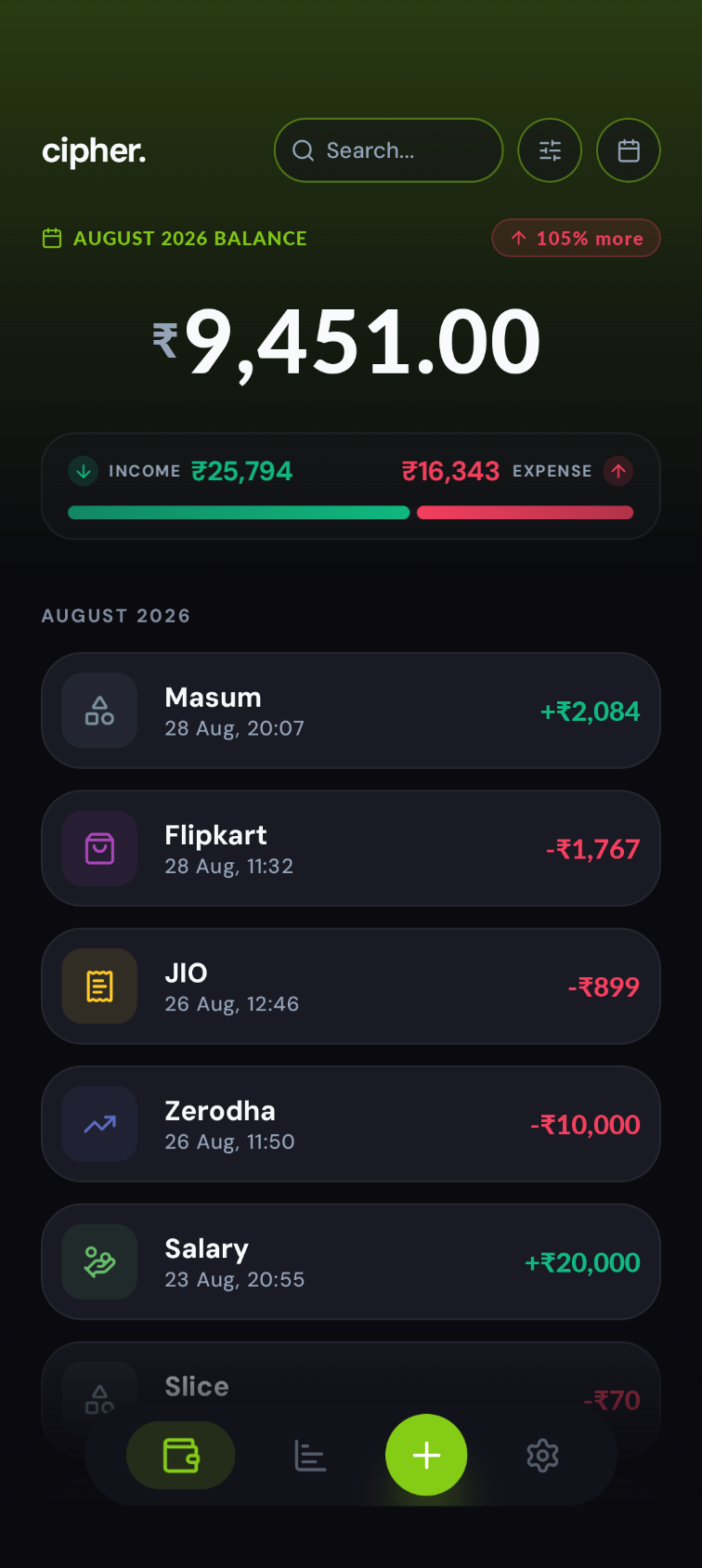 | 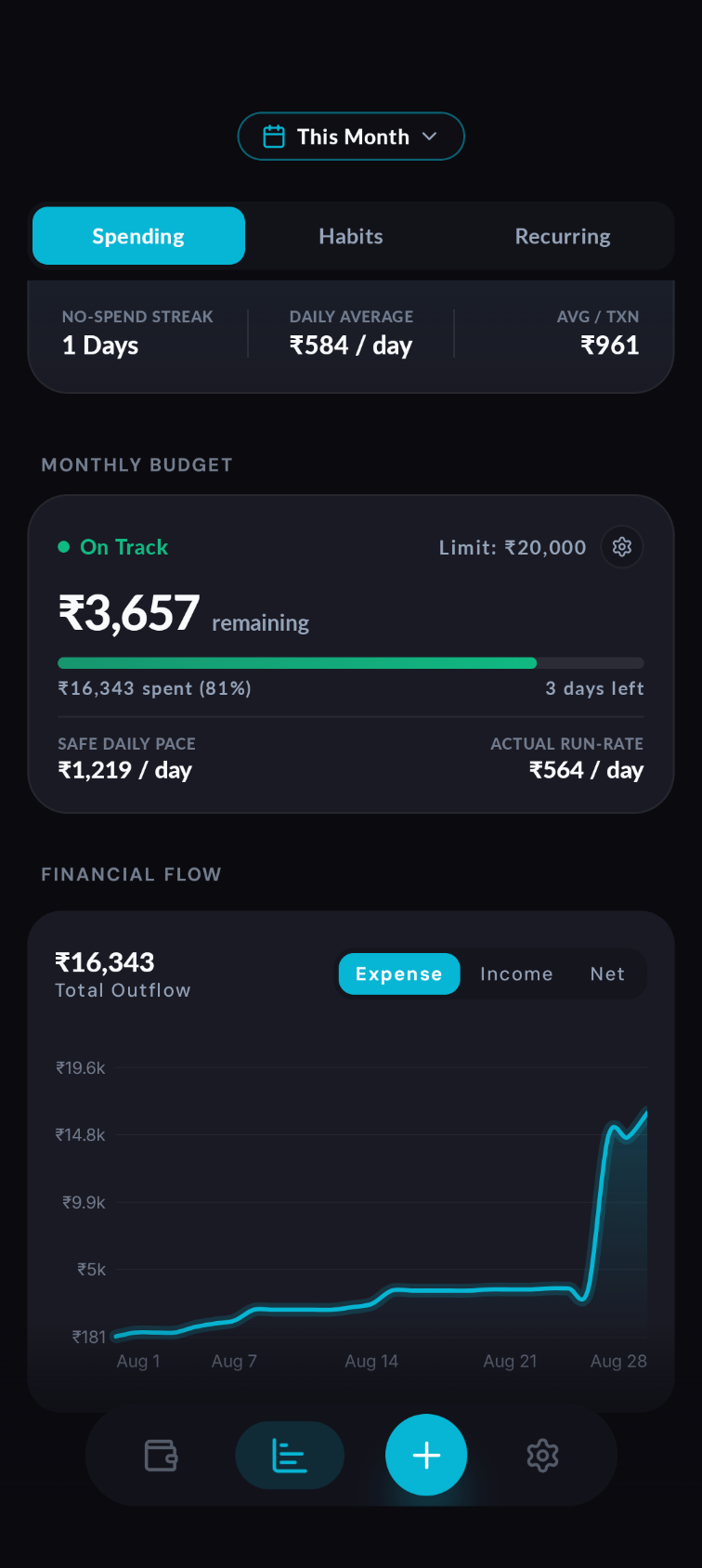 | 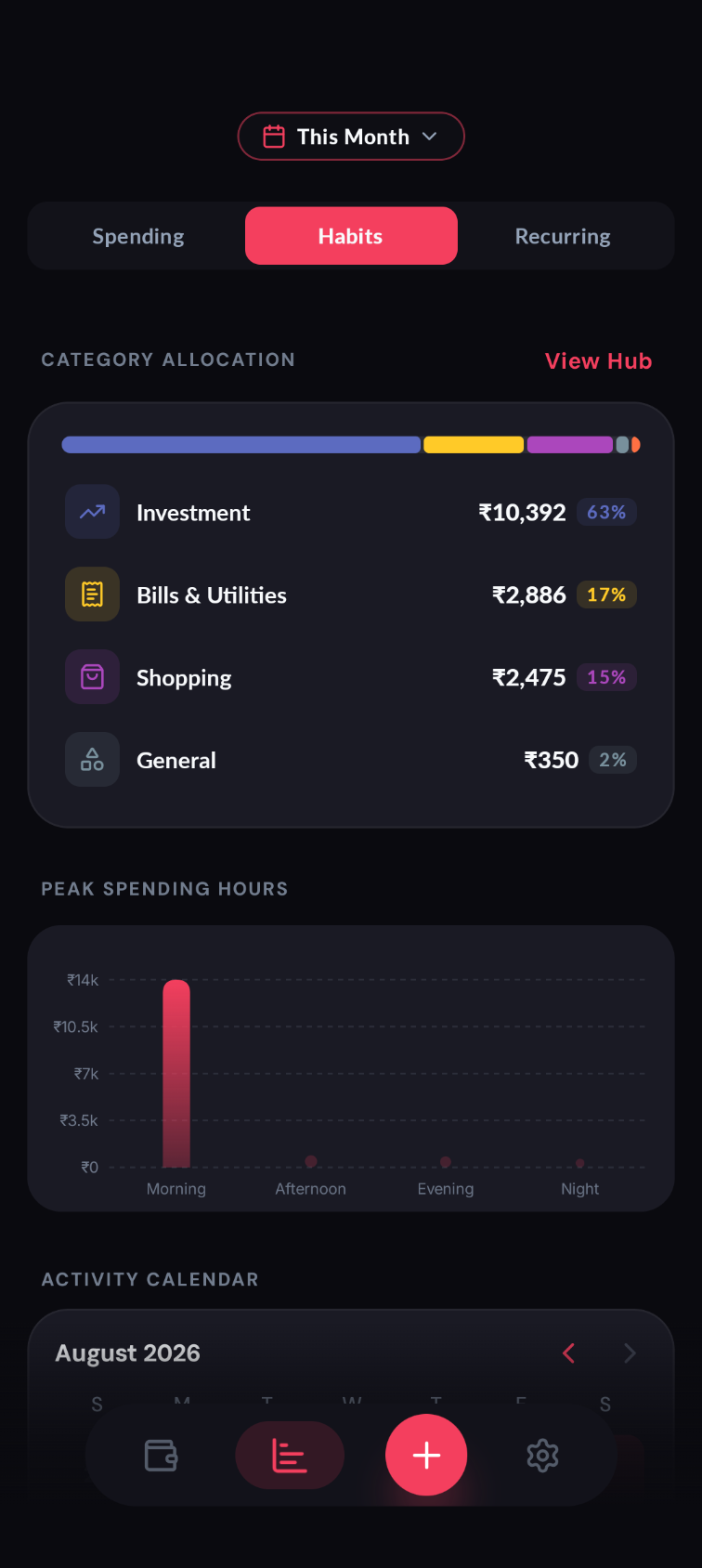 | 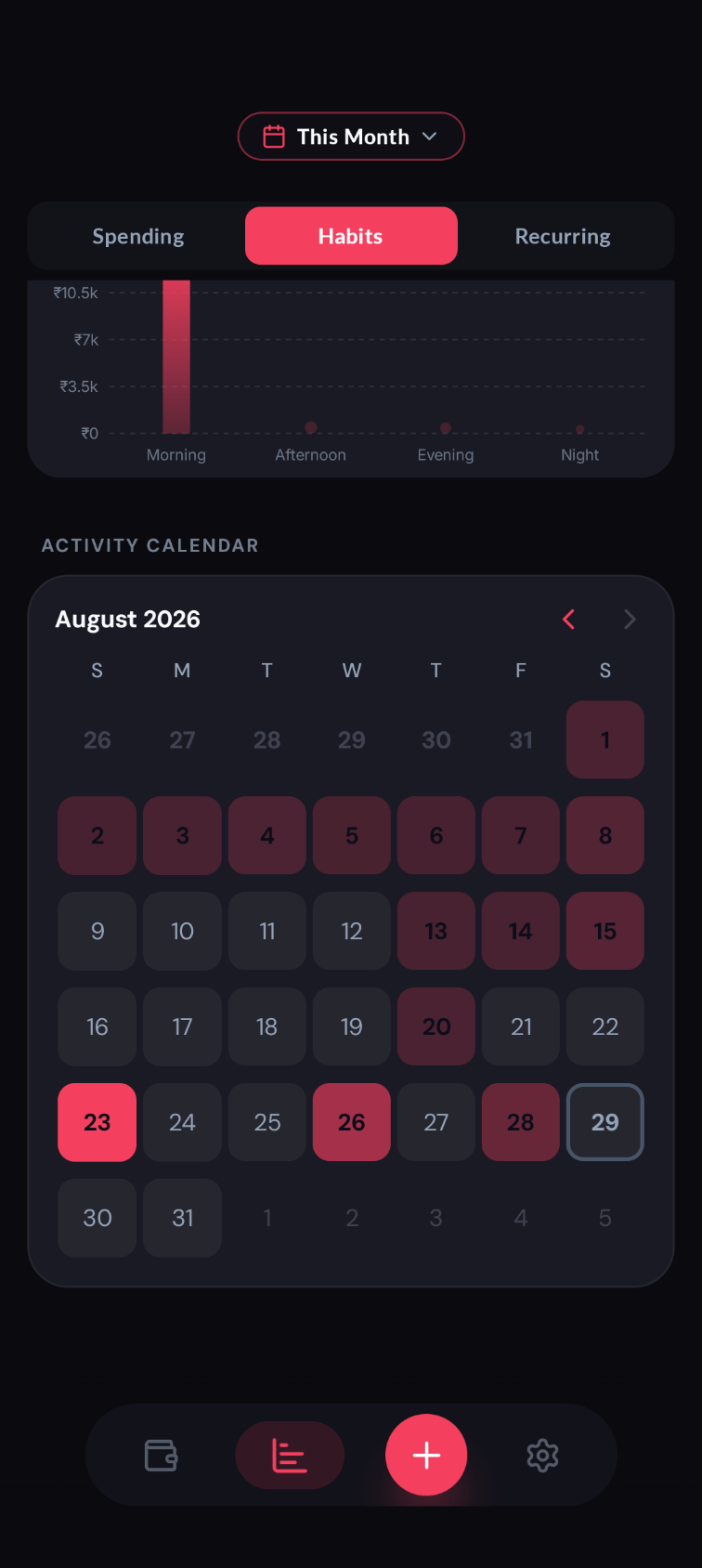 | 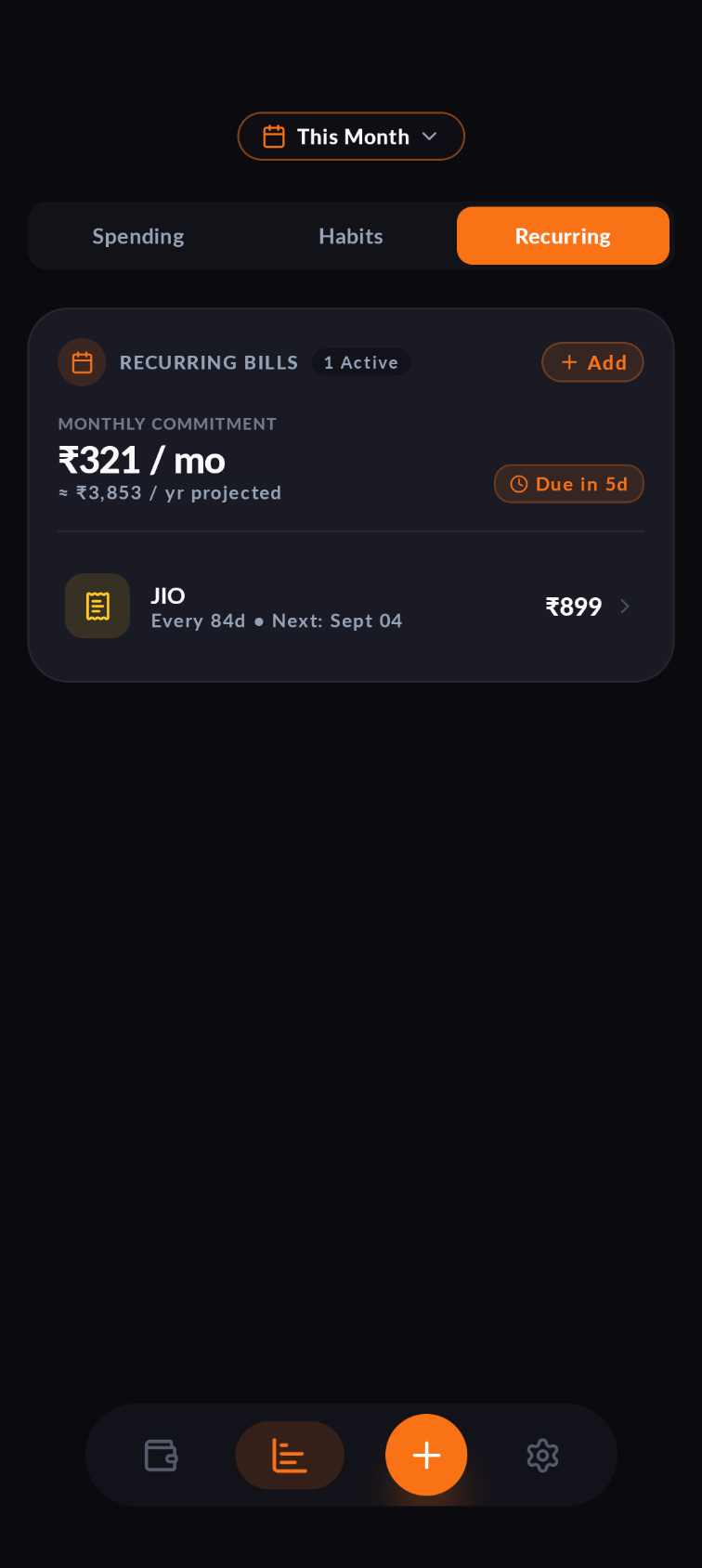 |
| Category Overview | Category Breakdown | Calculator Keypad | Theme Customization | Settings & Privacy |
|---|---|---|---|---|
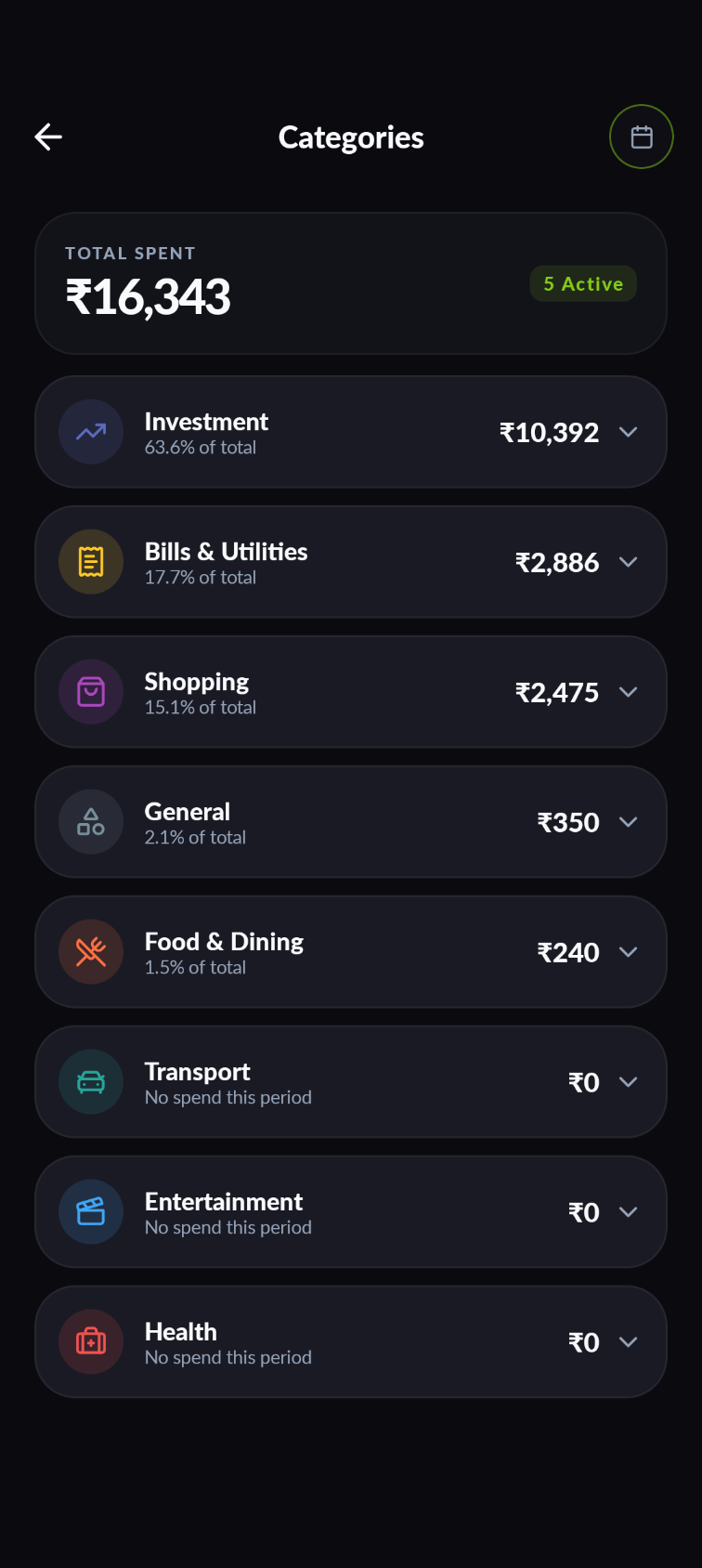 | 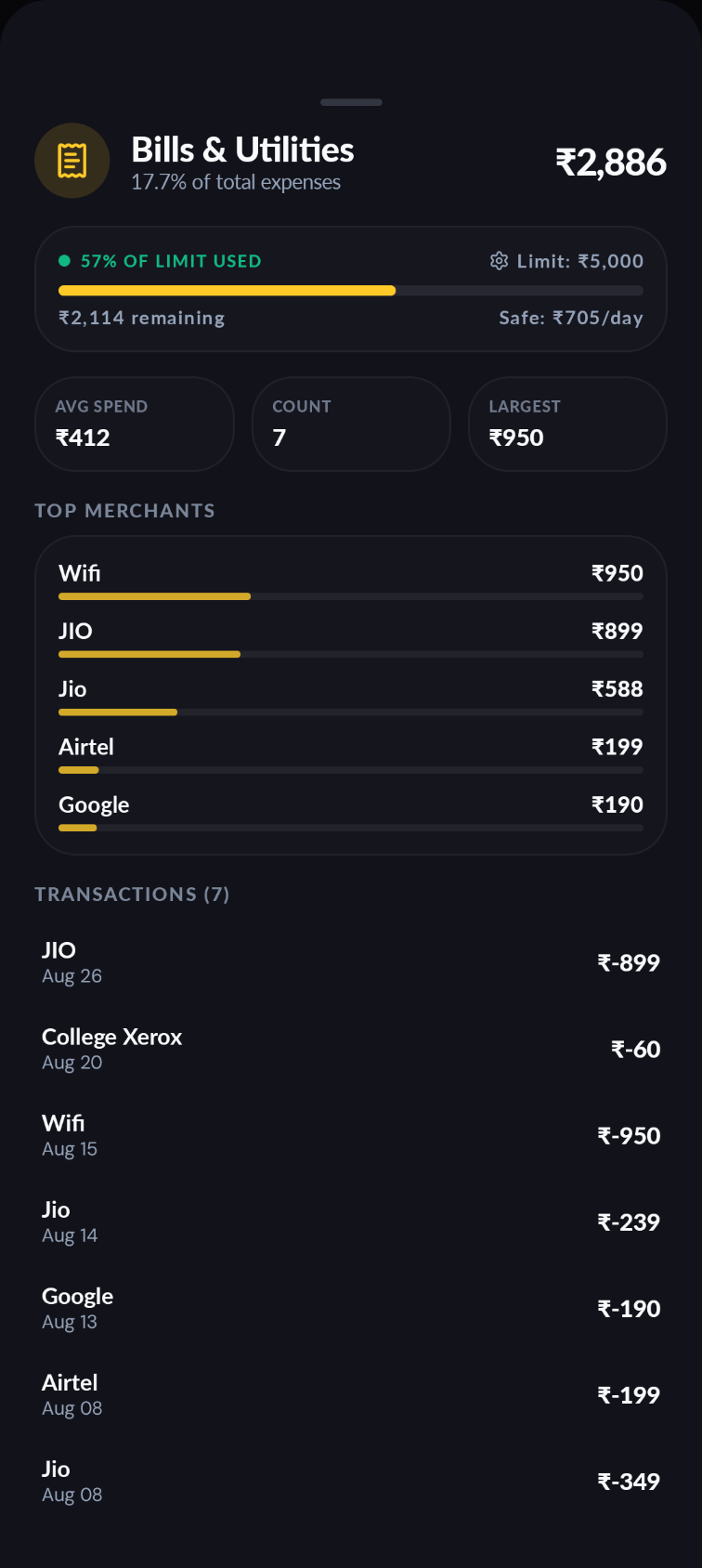 | 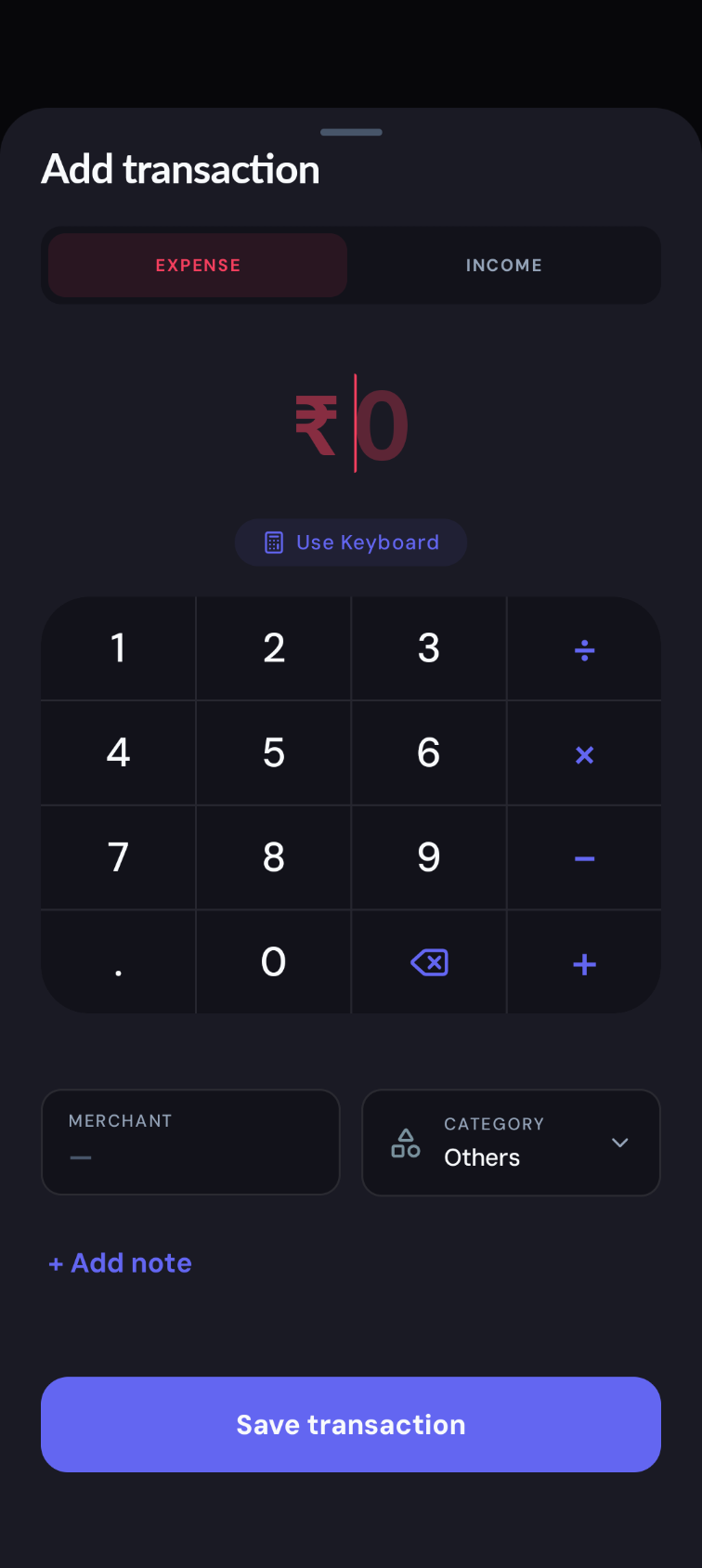 | 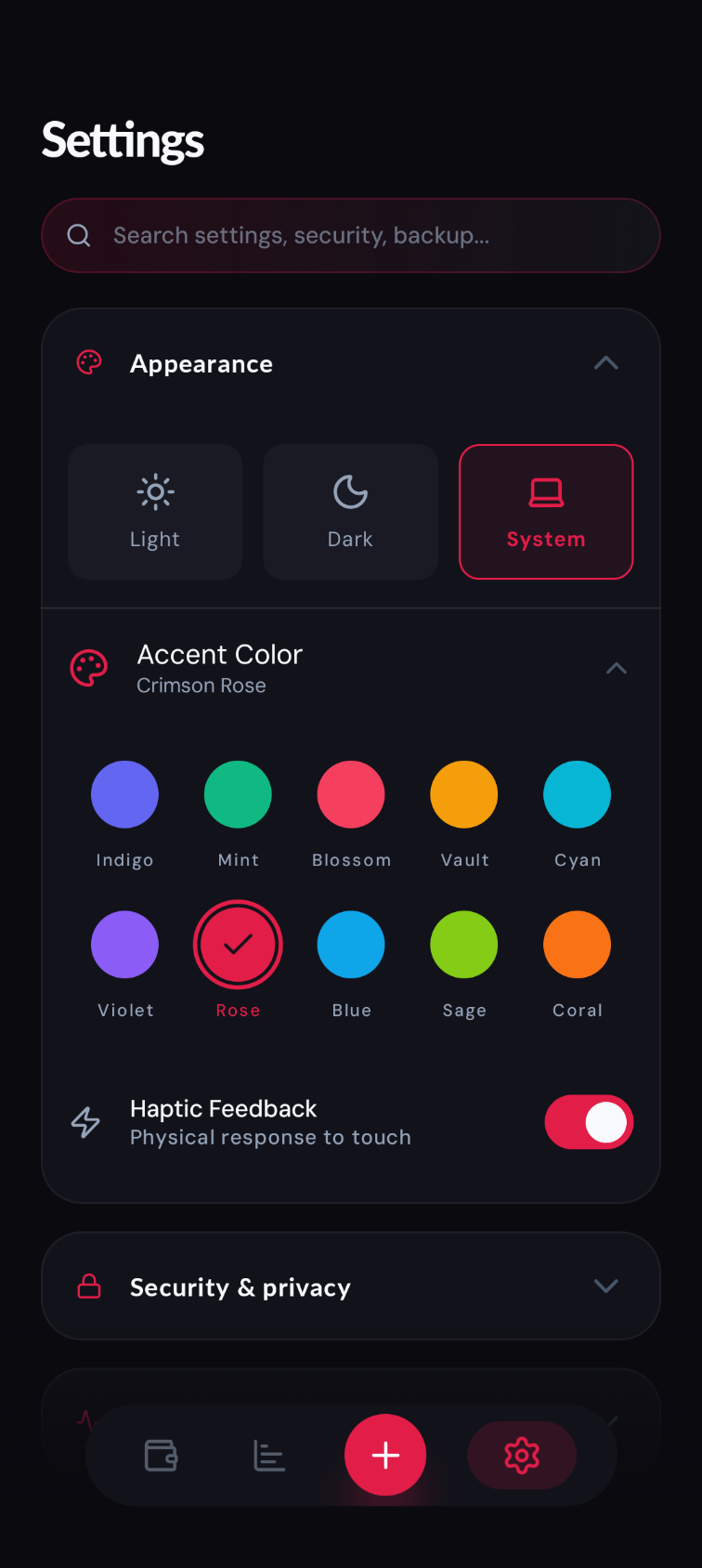 | 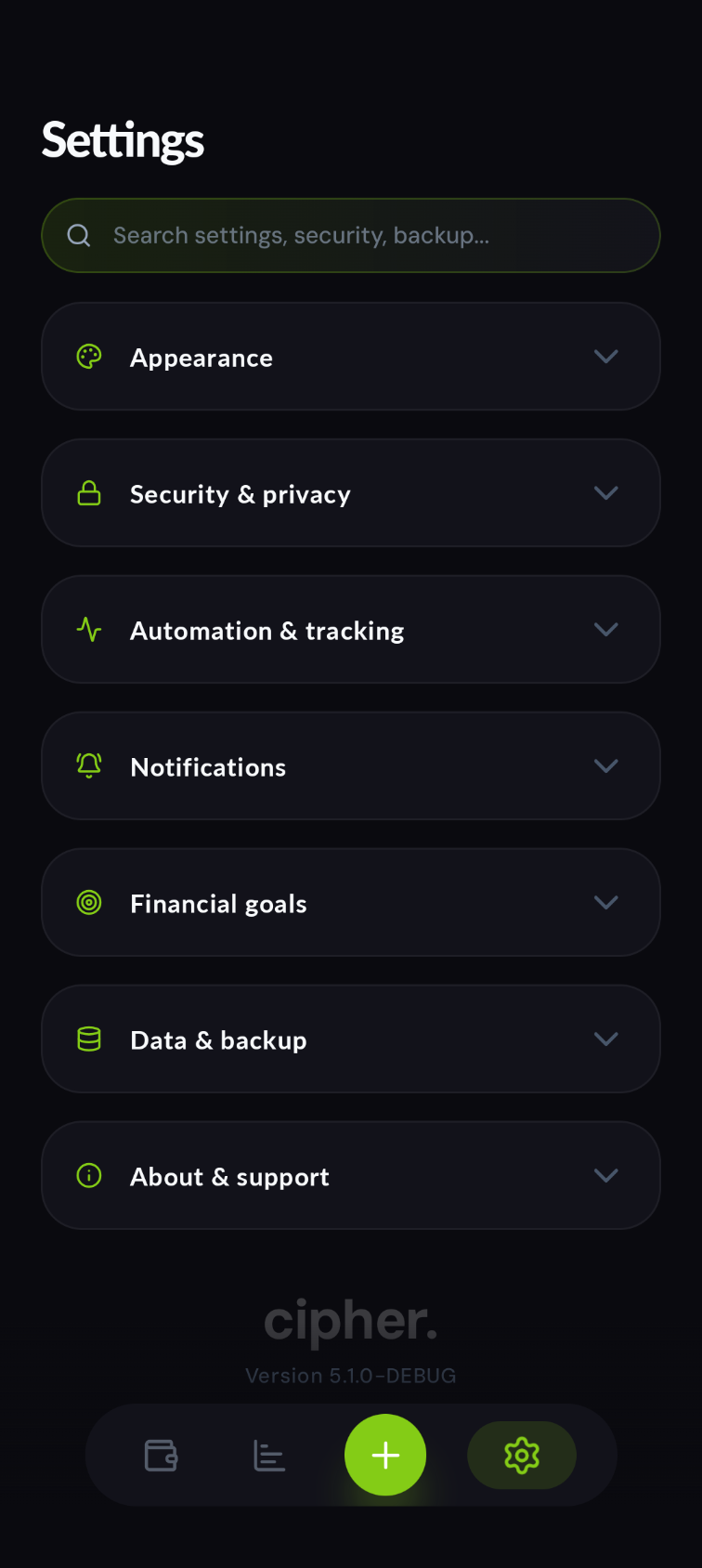 |
How it works
Bank sends SMS alert           App sends Notification
        │                                │
        ▼                                ▼
  SmsReceiver                 TransactionNotificationService
        │  raw message body
        ▼
    SmsParser
   ┌────────────────────────────────┐
   │  1. Regex: amount + direction  │
   │  2. Brand dict: merchant name  │
   │  3. Currency extraction (INR)  │
   └────────────────────────────────┘
        │  ParsedTransaction
        ▼
  CategorizerEngine
   assigns category (Food, Travel, UPI…)
        │
        ▼
  TransactionRepository
        │  TransactionEntity
        ▼
  Room + SQLCipher (AES-256 encrypted DB)
        │
        ▼
  DashboardViewModel ──► UI (Jetpack Compose)
All financial transactions, parsing, categorization, and database operations run 100% locally and offline on your device. Network access is used solely for Pro license key validation and device seat management. No financial data ever leaves your device.
Architecture
cipher uses MVI (Model-View-Intent) across all screens, backed by Hilt DI.
Each screen follows the same contract pattern, now utilizing a dedicated UseCase layer:
Screen.kt  ──intent──►  ViewModel  ──state──►  Screen.kt
                │                        ▲
                └──► UseCase ────────────┘
                        │
                        ▼
                    Repository
Transaction pipeline
flowchart TD
    A([Bank SMS]) --> B[SmsReceiver]
    A2([App Notification]) --> B2[TransactionNotificationService]
    B --> C[SmsParser]
    B2 --> C
    C -->|not a transaction| D([dropped])
    C -->|ParsedTransaction| E[CategorizerEngine]
    E --> F[TransactionRepository]
    F --> G[(Room · SQLCipher)]

    classDef sys   fill:#0D0D1A,stroke:#4E6CF7,color:#EEEEF5
    classDef logic fill:#0D0D1A,stroke:#8585A0,color:#EEEEF5
    classDef store fill:#141420,stroke:#1AC47D,color:#EEEEF5
    classDef dead  fill:#0D0D1A,stroke:#E8453C,color:#8585A0

    class A,A2,B,B2 sys
    class C,E,F logic
    class G store
    class D dead
App layers
flowchart LR
    MA[MainActivity] --> OS[OnboardingScreen]
    MA --> LS[LockScreen]
    MA --> SCR[DashboardScreen]
    MA --> IS[InsightsScreen]
    MA --> SS[SettingsScreen]

    MA  --> MVM[MainViewModel]
    SCR --> DVM[DashboardViewModel]
    IS  --> IVM[InsightsViewModel]
    SS  --> SVM[SettingsViewModel]

    IVM --> SD[SubscriptionDetector]
    DVM --> TR[TransactionRepository]
    IVM --> TR
    SVM --> UP[UserPreferences]

    TR  --> DB[(Room · SQLCipher)]
    UP  --> PDS[(DataStore)]

    BW[BudgetWidget] --> TR
    SW[StatsWidget]  --> TR

    classDef entry  fill:#0D0D1A,stroke:#4E6CF7,color:#EEEEF5
    classDef screen fill:#0D0D1A,stroke:#4E6CF7,color:#EEEEF5
    classDef vm     fill:#0D0D1A,stroke:#8585A0,color:#EEEEF5
    classDef logic  fill:#0D0D1A,stroke:#8585A0,color:#EEEEF5
    classDef store  fill:#141420,stroke:#1AC47D,color:#EEEEF5
    classDef widget fill:#0D0D1A,stroke:#4E6CF7,color:#8585A0

    class MA entry
    class OS,LS,SCR,IS,SS screen
    class DVM,IVM,SVM,MVM vm
    class TR,UP,SD logic
    class DB,PDS store
    class BW,SW widget
Features
Automatic Transaction parsing
- SMS Parsing: Listens for
SMS_RECEIVEDbroadcasts from bank sender IDs - Notification Parsing: Uses
NotificationListenerServiceto capture and parse transaction alerts from explicitly tracked finance/UPI apps - Smart Rules Engine: Allows users to define persistent custom overrides for merchant-to-category mappings
- Externalized Regex patterns and dictionaries via
SmsPatternsfor easier maintenance - Detects promotional SMS and notifications and filters them out reliably
- India-focused brand dictionary covers major UPI, credit card, and bank alert formats
- False-positive filtering rejects OTPs, promotional, and non-transactional messages
Push Notifications
- Budget Alerts: Get notified when your monthly spending crosses 50%, 90%, and 100% of your budget limit.
- Daily Summaries: A quick evening recap of your spending (only triggers on days you actually spend money).
- Monthly Wrap-up: A snapshot of your total income and expenses pushed on the 1st of every month.
- Categorization Reminder: A quick nudge when a transaction defaults to the "Others" category.
Dashboard
- Global Pill-shaped floating Navigation Bar
- Running balance with income/expense split and scrolling header layout
- Filter Transactions: Filter by direction (All, Expenses, Income), multi-category selection, and min/max amount ranges
- Custom Time Selector: Quick filters for This Week, Last Week, This Month, Last Month, This Year, All Time, and custom start/end date ranges
- Live search by merchant or category
- Add, edit, delete with snackbar undo
- Transaction Notes: Add personal notes to remember what a transaction was for
- Privacy mode — blurs all amounts with one tap
Insights
- 3-tab segmented layout: Spending, Habits, and Recurring
- Cash Flow Trend charts: Interactive Expense, Income, and Net cash flow curves with drag scrubbing
- Overview card: Displays top spend category share, no-spend streak, daily run-rate, and average transaction amount
- Monthly Budget: Support for fixed limits and dynamic income-adjusted budgets with dual-layer progress tracking
- Category breakdown doughnut
- Advanced scrollable Calendar heatmap with monthly paging and day-detail drill-down
- Subscriptions Hub: Tracks recurring bills with monthly totals, annual projections, due date alerts, and manual entry/editing
Security
- Database: SQLCipher AES-256 full-disk encryption
- Biometric lock: Fingerprint / face auth via
BiometricPrompt; configurable auto-lock timeout - First-run onboarding: Welcome + SMS permission gate before dashboard is accessible
- Privacy mode: All monetary values blurred on-screen
Home screen widgets
- BudgetWidget — monthly spend vs. budget at a glance
- StatsWidget — today's income and expense summary
- AccountsWidget — live multi-account balances & wallet breakdowns
- PassbookWidget — instant recent transaction passbook scroll
- DailyAllowanceWidget — daily spending target & run-rate gauge
- QuickLogWidget — 1-tap instant transaction expense logger
Data portability
- CSV export — standard format, opens in any spreadsheet app
- PDF statement — export elegant transaction history reports natively generated on-device
- Encrypted backup / restore — password-protected binary backup of the full database
- Auto backup — automated scheduled database backups to a local or synced folder
Storage Footprint
Because cipher stores data in a local SQLite database, it is incredibly lightweight and infinitely scalable.
- 1 Transaction = ~200 Bytes
- 1,000 Transactions = ~200 KB
- 10,000 Transactions = ~2.0 MB You could log 5 transactions a day for over 5 years and the database would barely cross 2.0 megabytes.
Data flow in detail
SMS & Notification → Transaction
android.provider.Telephony.Sms.Intents.SMS_RECEIVED
    └─► SmsReceiver.onReceive()
            └─► SmsParser.parse(body: String): ParsedTransaction?

android.service.notification.NotificationListenerService
    └─► TransactionNotificationService.onNotificationPosted()
            └─► SmsParser.parse(body: String): ParsedTransaction?
                    ├── amount regex        (e.g. "Rs. 450.00", "INR 1,200")
                    ├── direction keywords  (debited/credited/spent/received)
                    ├── merchant extraction (brand dict → fallback heuristics)
                    └── returns null for non-transactional messages
            └─► CategorizerEngine.classify(merchant): TransactionCategory
            └─► TransactionRepository.insertTransaction(TransactionEntity)
                    └─► TransactionDao.insert() → SQLCipher Room DB
App launch → visible UI
MainActivity.onCreate()
    └─► UserPreferences.settingsFlow (DataStore)
            ├── hasCompletedOnboarding?
            │       NO  → show OnboardingScreen (blocks all input below it)
            │       YES → continue
            ├── isBiometricEnabled + BiometricAuthenticator.available?
            │       YES → show LockScreen → BiometricPrompt
            │       NO  → isAuthenticated = true immediately
            └─► NavHost renders: dashboard / insights / day_detail / settings
UserPreferences (DataStore)
| Key | Type | Default | Purpose |
|---|---|---|---|
app_theme | String | SYSTEM | Light / Dark / System |
biometric_enabled | Boolean | true | Biometric lock on/off |
privacy_mode | Boolean | false | Blur amounts |
haptics_enabled | Boolean | true | Haptic feedback |
preferred_currency | String | INR | Display currency |
auto_lock_timeout | Long | 0 | ms before re-locking on resume |
last_stop_time | Long | 0 | Used to compute lock grace period |
monthly_budget | Double | 0.0 | Budget cap |
onboarding_completed | Boolean | false | First-run gate |
Module map
app/
└── src/main/java/com/masum/cipher/
    ├── MainActivity.kt               # Nav host, biometric gate, lifecycle lock
    ├── CipherSpendApp.kt             # Hilt application class
    │
    ├── core/
    │   ├── data/
    │   │   ├── local/
    │   │   │   ├── AppDatabase.kt    # Room + SQLCipher setup
    │   │   │   ├── dao/              # TransactionDao, MerchantAliasDao
    │   │   │   ├── entity/           # TransactionEntity, MerchantAliasEntity
    │   │   │   └── pref/             # UserPreferences, WidgetDataStore
    │   │   └── repository/           # TransactionRepository, BackupRepository
    │   ├── di/                       # Hilt modules (DatabaseModule)
    │   ├── domain/
    │   │   ├── CategorizerEngine.kt  # Merchant → category heuristics
    │   │   ├── SubscriptionDetector.kt
    │   │   └── model/                # ParsedTransaction, TransactionCategory
    │   ├── mvi/                      # MviBase (shared ViewModel base)
    │   ├── security/                 # BiometricAuthenticator, SecurityManager
    │   ├── sms/                      # SmsReceiver, SmsParser
    │   ├── util/                     # Formatters, PdfGenerator
    │   └── worker/                   # WorkManager (AutoBackup, Notifications)
    │
    └── ui/
        ├── components/               # Shared composables, Charts, LockScreen
        ├── dashboard/                # DashboardScreen + ViewModel + Contract
        ├── insights/                 # InsightsScreen + DayDetailScreen + ViewModel
        ├── onboarding/               # OnboardingScreen (first-run)
        ├── privacy/                  # PrivacyPolicyScreen
        ├── settings/                 # SettingsScreen + ViewModel + Contract
        ├── theme/                    # Color, Typography, Theme
        └── widget/                   # BudgetWidget, StatsWidget + Receivers
Tech stack
| Layer | Technology |
|---|---|
| Language | Kotlin 2.4.10 |
| UI | Jetpack Compose + Material 3 |
| Architecture | MVI via MviBase |
| DI | Hilt |
| Database | Room 2.x + SQLCipher (AES-256) |
| Preferences | DataStore Preferences |
| Security | BiometricPrompt, androidx.security.crypto |
| Navigation | Navigation Compose |
| Widgets | Glance (AppWidget) |
| Min SDK | 26 (Android 8.0) |
| Target SDK | 37 (Android 17) |
Build
# Debug APK
./gradlew :app:assembleDebug

# Release APK (requires signing config)
./gradlew :app:assembleRelease
Open in Android Studio (Ladybug or newer). Compile SDK 37 required.
Installing
- Google Play: Install directly from Google Play Store.
- GitHub: Download the latest APK from the Latest Release page.
For step-by-step sideloading instructions including the Android 13+ SMS permission setup, see INSTALL.md.
Privacy
Cipher is designed from the ground up as a 100% local-first financial ledger. All SMS alerts, app notifications, transaction records, accounts, and PDF statements are parsed and stored strictly on your device using AES-256 encrypted storage.
There is zero telemetry, zero analytics trackers, zero advertising SDKs, and zero crash reporters. Network communication is used strictly for optional cryptographic Pro product license verification (allocating your 3-device quota). No financial data is ever transmitted to remote servers.
Release history
See RELEASE_NOTES.md.
License
Cipher is licensed under the GNU General Public License v3.0 (GPL-3.0).
Contributors

300 commits
Similar repos


Languages
Kotlin
98.5%
JavaScript
1.5%
Private, local-first personal finance. Automatic and entirely on-device.
See the codeSee what people are saying
README
cipher
A local-first, privacy-focused personal finance app for Android. cipher reads your bank SMS alerts and app notifications, turning them into a clean, searchable transaction ledger — entirely on-device, with zero cloud dependency.
Screenshots
| Dashboard | Financial Flow | Spending Habits | Calendar Heatmap | Subscriptions Hub |
|---|---|---|---|---|
| | | | |
| Category Overview | Category Breakdown | Calculator Keypad | Theme Customization | Settings & Privacy |
|---|---|---|---|---|
| | | | |
How it works
Bank sends SMS alert           App sends Notification
        │                                │
        ▼                                ▼
  SmsReceiver                 TransactionNotificationService
        │  raw message body
        ▼
    SmsParser
   ┌────────────────────────────────┐
   │  1. Regex: amount + direction  │
   │  2. Brand dict: merchant name  │
   │  3. Currency extraction (INR)  │
   └────────────────────────────────┘
        │  ParsedTransaction
        ▼
  CategorizerEngine
   assigns category (Food, Travel, UPI…)
        │
        ▼
  TransactionRepository
        │  TransactionEntity
        ▼
  Room + SQLCipher (AES-256 encrypted DB)
        │
        ▼
  DashboardViewModel ──► UI (Jetpack Compose)
All financial transactions, parsing, categorization, and database operations run 100% locally and offline on your device. Network access is used solely for Pro license key validation and device seat management. No financial data ever leaves your device.
Architecture
cipher uses MVI (Model-View-Intent) across all screens, backed by Hilt DI.
Each screen follows the same contract pattern, now utilizing a dedicated UseCase layer:
Screen.kt  ──intent──►  ViewModel  ──state──►  Screen.kt
                │                        ▲
                └──► UseCase ────────────┘
                        │
                        ▼
                    Repository
Transaction pipeline
flowchart TD
    A([Bank SMS]) --> B[SmsReceiver]
    A2([App Notification]) --> B2[TransactionNotificationService]
    B --> C[SmsParser]
    B2 --> C
    C -->|not a transaction| D([dropped])
    C -->|ParsedTransaction| E[CategorizerEngine]
    E --> F[TransactionRepository]
    F --> G[(Room · SQLCipher)]

    classDef sys   fill:#0D0D1A,stroke:#4E6CF7,color:#EEEEF5
    classDef logic fill:#0D0D1A,stroke:#8585A0,color:#EEEEF5
    classDef store fill:#141420,stroke:#1AC47D,color:#EEEEF5
    classDef dead  fill:#0D0D1A,stroke:#E8453C,color:#8585A0

    class A,A2,B,B2 sys
    class C,E,F logic
    class G store
    class D dead
App layers
flowchart LR
    MA[MainActivity] --> OS[OnboardingScreen]
    MA --> LS[LockScreen]
    MA --> SCR[DashboardScreen]
    MA --> IS[InsightsScreen]
    MA --> SS[SettingsScreen]

    MA  --> MVM[MainViewModel]
    SCR --> DVM[DashboardViewModel]
    IS  --> IVM[InsightsViewModel]
    SS  --> SVM[SettingsViewModel]

    IVM --> SD[SubscriptionDetector]
    DVM --> TR[TransactionRepository]
    IVM --> TR
    SVM --> UP[UserPreferences]

    TR  --> DB[(Room · SQLCipher)]
    UP  --> PDS[(DataStore)]

    BW[BudgetWidget] --> TR
    SW[StatsWidget]  --> TR

    classDef entry  fill:#0D0D1A,stroke:#4E6CF7,color:#EEEEF5
    classDef screen fill:#0D0D1A,stroke:#4E6CF7,color:#EEEEF5
    classDef vm     fill:#0D0D1A,stroke:#8585A0,color:#EEEEF5
    classDef logic  fill:#0D0D1A,stroke:#8585A0,color:#EEEEF5
    classDef store  fill:#141420,stroke:#1AC47D,color:#EEEEF5
    classDef widget fill:#0D0D1A,stroke:#4E6CF7,color:#8585A0

    class MA entry
    class OS,LS,SCR,IS,SS screen
    class DVM,IVM,SVM,MVM vm
    class TR,UP,SD logic
    class DB,PDS store
    class BW,SW widget
Features
Automatic Transaction parsing
- SMS Parsing: Listens for
SMS_RECEIVEDbroadcasts from bank sender IDs - Notification Parsing: Uses
NotificationListenerServiceto capture and parse transaction alerts from explicitly tracked finance/UPI apps - Smart Rules Engine: Allows users to define persistent custom overrides for merchant-to-category mappings
- Externalized Regex patterns and dictionaries via
SmsPatternsfor easier maintenance - Detects promotional SMS and notifications and filters them out reliably
- India-focused brand dictionary covers major UPI, credit card, and bank alert formats
- False-positive filtering rejects OTPs, promotional, and non-transactional messages
Push Notifications
- Budget Alerts: Get notified when your monthly spending crosses 50%, 90%, and 100% of your budget limit.
- Daily Summaries: A quick evening recap of your spending (only triggers on days you actually spend money).
- Monthly Wrap-up: A snapshot of your total income and expenses pushed on the 1st of every month.
- Categorization Reminder: A quick nudge when a transaction defaults to the "Others" category.
Dashboard
- Global Pill-shaped floating Navigation Bar
- Running balance with income/expense split and scrolling header layout
- Filter Transactions: Filter by direction (All, Expenses, Income), multi-category selection, and min/max amount ranges
- Custom Time Selector: Quick filters for This Week, Last Week, This Month, Last Month, This Year, All Time, and custom start/end date ranges
- Live search by merchant or category
- Add, edit, delete with snackbar undo
- Transaction Notes: Add personal notes to remember what a transaction was for
- Privacy mode — blurs all amounts with one tap
Insights
- 3-tab segmented layout: Spending, Habits, and Recurring
- Cash Flow Trend charts: Interactive Expense, Income, and Net cash flow curves with drag scrubbing
- Overview card: Displays top spend category share, no-spend streak, daily run-rate, and average transaction amount
- Monthly Budget: Support for fixed limits and dynamic income-adjusted budgets with dual-layer progress tracking
- Category breakdown doughnut
- Advanced scrollable Calendar heatmap with monthly paging and day-detail drill-down
- Subscriptions Hub: Tracks recurring bills with monthly totals, annual projections, due date alerts, and manual entry/editing
Security
- Database: SQLCipher AES-256 full-disk encryption
- Biometric lock: Fingerprint / face auth via
BiometricPrompt; configurable auto-lock timeout - First-run onboarding: Welcome + SMS permission gate before dashboard is accessible
- Privacy mode: All monetary values blurred on-screen
Home screen widgets
- BudgetWidget — monthly spend vs. budget at a glance
- StatsWidget — today's income and expense summary
- AccountsWidget — live multi-account balances & wallet breakdowns
- PassbookWidget — instant recent transaction passbook scroll
- DailyAllowanceWidget — daily spending target & run-rate gauge
- QuickLogWidget — 1-tap instant transaction expense logger
Data portability
- CSV export — standard format, opens in any spreadsheet app
- PDF statement — export elegant transaction history reports natively generated on-device
- Encrypted backup / restore — password-protected binary backup of the full database
- Auto backup — automated scheduled database backups to a local or synced folder
Storage Footprint
Because cipher stores data in a local SQLite database, it is incredibly lightweight and infinitely scalable.
- 1 Transaction = ~200 Bytes
- 1,000 Transactions = ~200 KB
- 10,000 Transactions = ~2.0 MB You could log 5 transactions a day for over 5 years and the database would barely cross 2.0 megabytes.
Data flow in detail
SMS & Notification → Transaction
android.provider.Telephony.Sms.Intents.SMS_RECEIVED
    └─► SmsReceiver.onReceive()
            └─► SmsParser.parse(body: String): ParsedTransaction?

android.service.notification.NotificationListenerService
    └─► TransactionNotificationService.onNotificationPosted()
            └─► SmsParser.parse(body: String): ParsedTransaction?
                    ├── amount regex        (e.g. "Rs. 450.00", "INR 1,200")
                    ├── direction keywords  (debited/credited/spent/received)
                    ├── merchant extraction (brand dict → fallback heuristics)
                    └── returns null for non-transactional messages
            └─► CategorizerEngine.classify(merchant): TransactionCategory
            └─► TransactionRepository.insertTransaction(TransactionEntity)
                    └─► TransactionDao.insert() → SQLCipher Room DB
App launch → visible UI
MainActivity.onCreate()
    └─► UserPreferences.settingsFlow (DataStore)
            ├── hasCompletedOnboarding?
            │       NO  → show OnboardingScreen (blocks all input below it)
            │       YES → continue
            ├── isBiometricEnabled + BiometricAuthenticator.available?
            │       YES → show LockScreen → BiometricPrompt
            │       NO  → isAuthenticated = true immediately
            └─► NavHost renders: dashboard / insights / day_detail / settings
UserPreferences (DataStore)
| Key | Type | Default | Purpose |
|---|---|---|---|
app_theme | String | SYSTEM | Light / Dark / System |
biometric_enabled | Boolean | true | Biometric lock on/off |
privacy_mode | Boolean | false | Blur amounts |
haptics_enabled | Boolean | true | Haptic feedback |
preferred_currency | String | INR | Display currency |
auto_lock_timeout | Long | 0 | ms before re-locking on resume |
last_stop_time | Long | 0 | Used to compute lock grace period |
monthly_budget | Double | 0.0 | Budget cap |
onboarding_completed | Boolean | false | First-run gate |
Module map
app/
└── src/main/java/com/masum/cipher/
    ├── MainActivity.kt               # Nav host, biometric gate, lifecycle lock
    ├── CipherSpendApp.kt             # Hilt application class
    │
    ├── core/
    │   ├── data/
    │   │   ├── local/
    │   │   │   ├── AppDatabase.kt    # Room + SQLCipher setup
    │   │   │   ├── dao/              # TransactionDao, MerchantAliasDao
    │   │   │   ├── entity/           # TransactionEntity, MerchantAliasEntity
    │   │   │   └── pref/             # UserPreferences, WidgetDataStore
    │   │   └── repository/           # TransactionRepository, BackupRepository
    │   ├── di/                       # Hilt modules (DatabaseModule)
    │   ├── domain/
    │   │   ├── CategorizerEngine.kt  # Merchant → category heuristics
    │   │   ├── SubscriptionDetector.kt
    │   │   └── model/                # ParsedTransaction, TransactionCategory
    │   ├── mvi/                      # MviBase (shared ViewModel base)
    │   ├── security/                 # BiometricAuthenticator, SecurityManager
    │   ├── sms/                      # SmsReceiver, SmsParser
    │   ├── util/                     # Formatters, PdfGenerator
    │   └── worker/                   # WorkManager (AutoBackup, Notifications)
    │
    └── ui/
        ├── components/               # Shared composables, Charts, LockScreen
        ├── dashboard/                # DashboardScreen + ViewModel + Contract
        ├── insights/                 # InsightsScreen + DayDetailScreen + ViewModel
        ├── onboarding/               # OnboardingScreen (first-run)
        ├── privacy/                  # PrivacyPolicyScreen
        ├── settings/                 # SettingsScreen + ViewModel + Contract
        ├── theme/                    # Color, Typography, Theme
        └── widget/                   # BudgetWidget, StatsWidget + Receivers
Tech stack
| Layer | Technology |
|---|---|
| Language | Kotlin 2.4.10 |
| UI | Jetpack Compose + Material 3 |
| Architecture | MVI via MviBase |
| DI | Hilt |
| Database | Room 2.x + SQLCipher (AES-256) |
| Preferences | DataStore Preferences |
| Security | BiometricPrompt, androidx.security.crypto |
| Navigation | Navigation Compose |
| Widgets | Glance (AppWidget) |
| Min SDK | 26 (Android 8.0) |
| Target SDK | 37 (Android 17) |
Build
# Debug APK
./gradlew :app:assembleDebug

# Release APK (requires signing config)
./gradlew :app:assembleRelease
Open in Android Studio (Ladybug or newer). Compile SDK 37 required.
Installing
- Google Play: Install directly from Google Play Store.
- GitHub: Download the latest APK from the Latest Release page.
For step-by-step sideloading instructions including the Android 13+ SMS permission setup, see INSTALL.md.
Privacy
Cipher is designed from the ground up as a 100% local-first financial ledger. All SMS alerts, app notifications, transaction records, accounts, and PDF statements are parsed and stored strictly on your device using AES-256 encrypted storage.
There is zero telemetry, zero analytics trackers, zero advertising SDKs, and zero crash reporters. Network communication is used strictly for optional cryptographic Pro product license verification (allocating your 3-device quota). No financial data is ever transmitted to remote servers.
Release history
See RELEASE_NOTES.md.
License
Cipher is licensed under the GNU General Public License v3.0 (GPL-3.0).
Similar repos
Contributors
300 commits
Languages
Kotlin
98.5%
JavaScript
1.5%