🛠 [Beta] 面向研发的低代码元编程,代码可视编辑,辅助编码工具 The coding tools which is visual code editing, auxiliary and Low-code metaprogramming for R&D
TypeScript
4,087
242 commits
updated Jan 31, 2024





The tool for R&D which has low-code meta programming and WYSIWYG editing
English | 简体中文
mometa is not similar to the traditional lowcode project which is schema based. mometa is code based, It's WYSIWYG editing following code ast.
Which problems mometa can resolved:
The positioning of mometa is more based on the local development model of programmers, adding the ability of visual coding (the local code file itself is also modified);
It is not recommended to set up a local development environment for remote services, so there is no online deployment.
The current implementation relies on the webpack dev development mode, and compatibility with vite will be considered in the future.
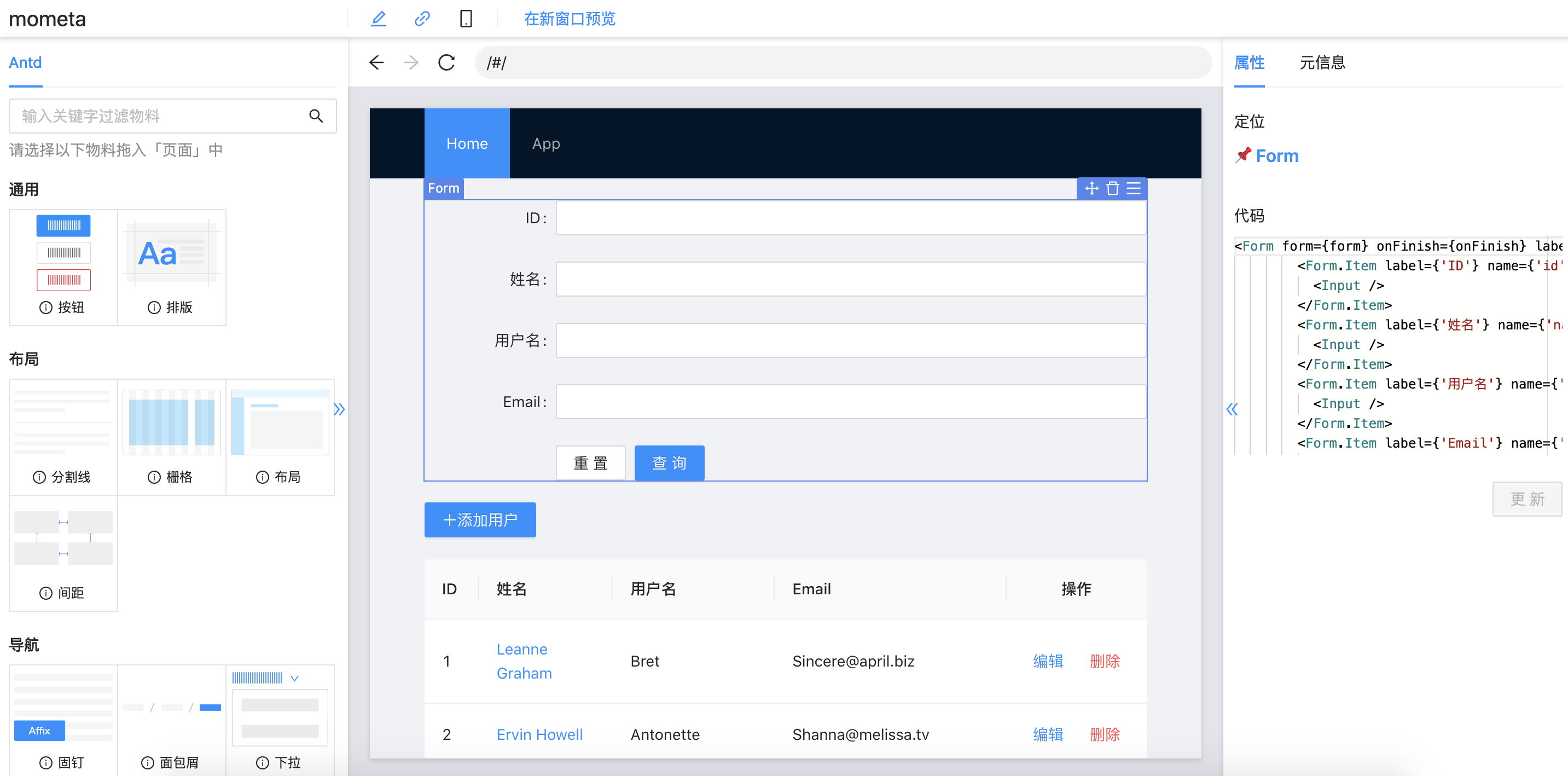
Support positioning code location from view
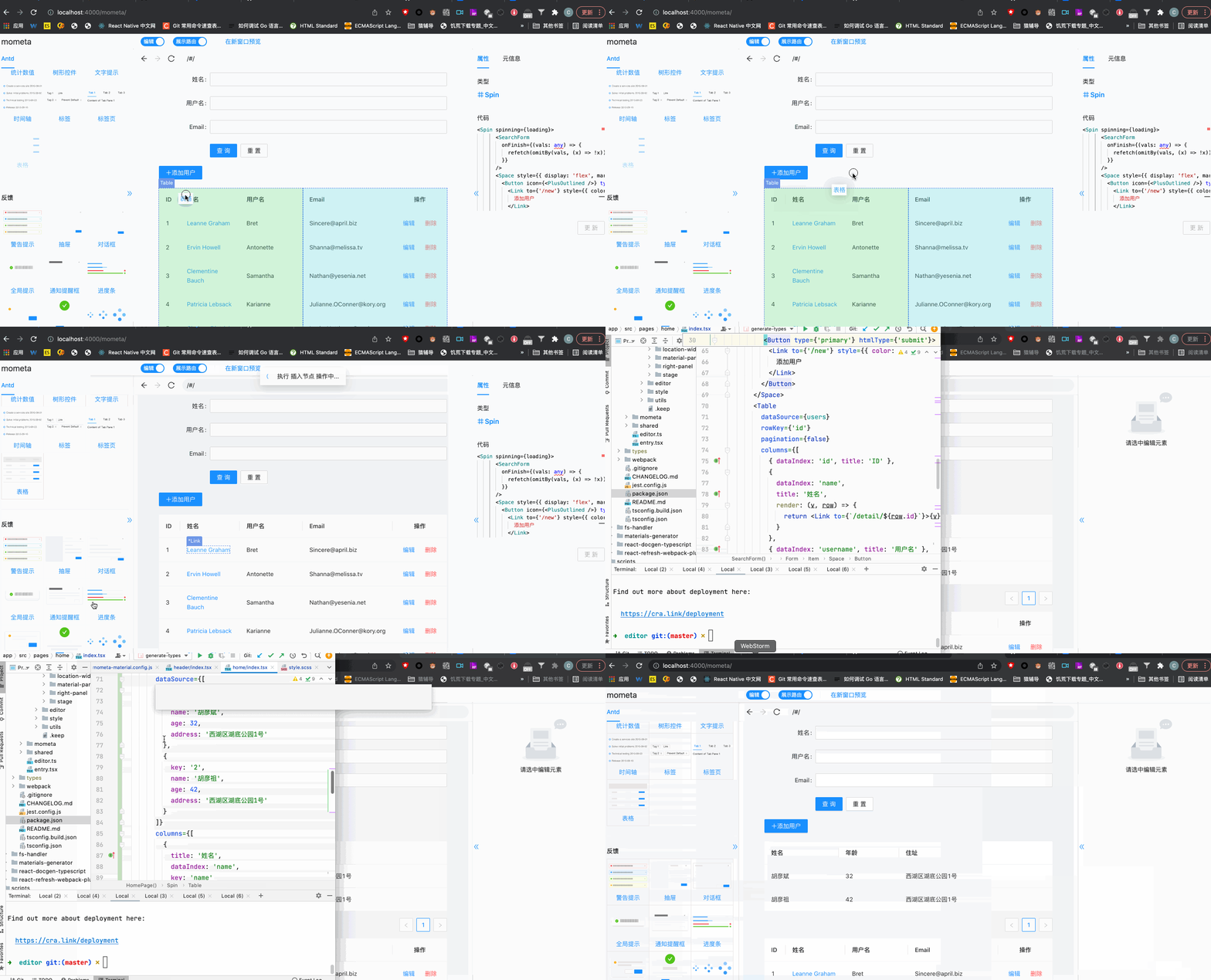
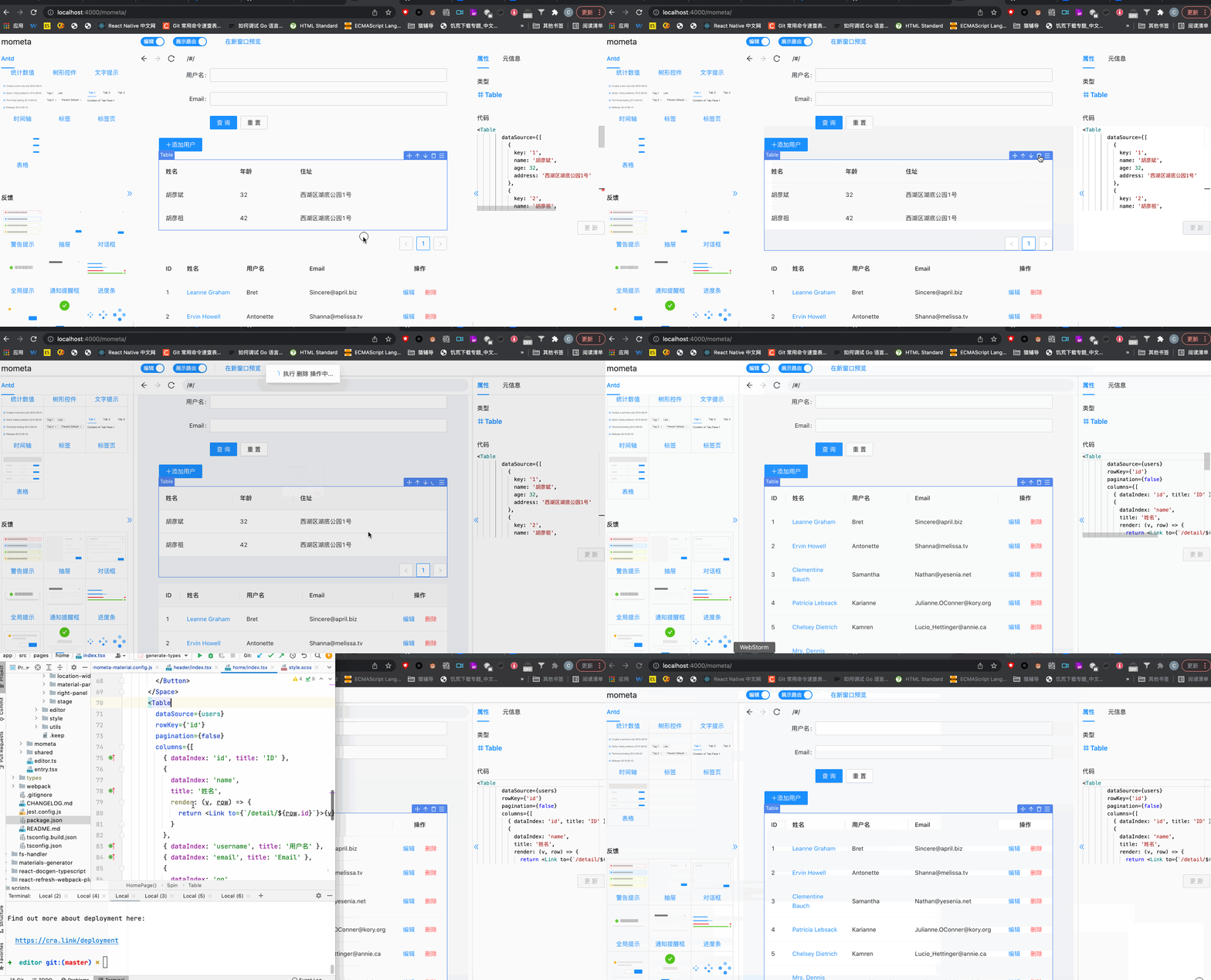
Visually insert materials
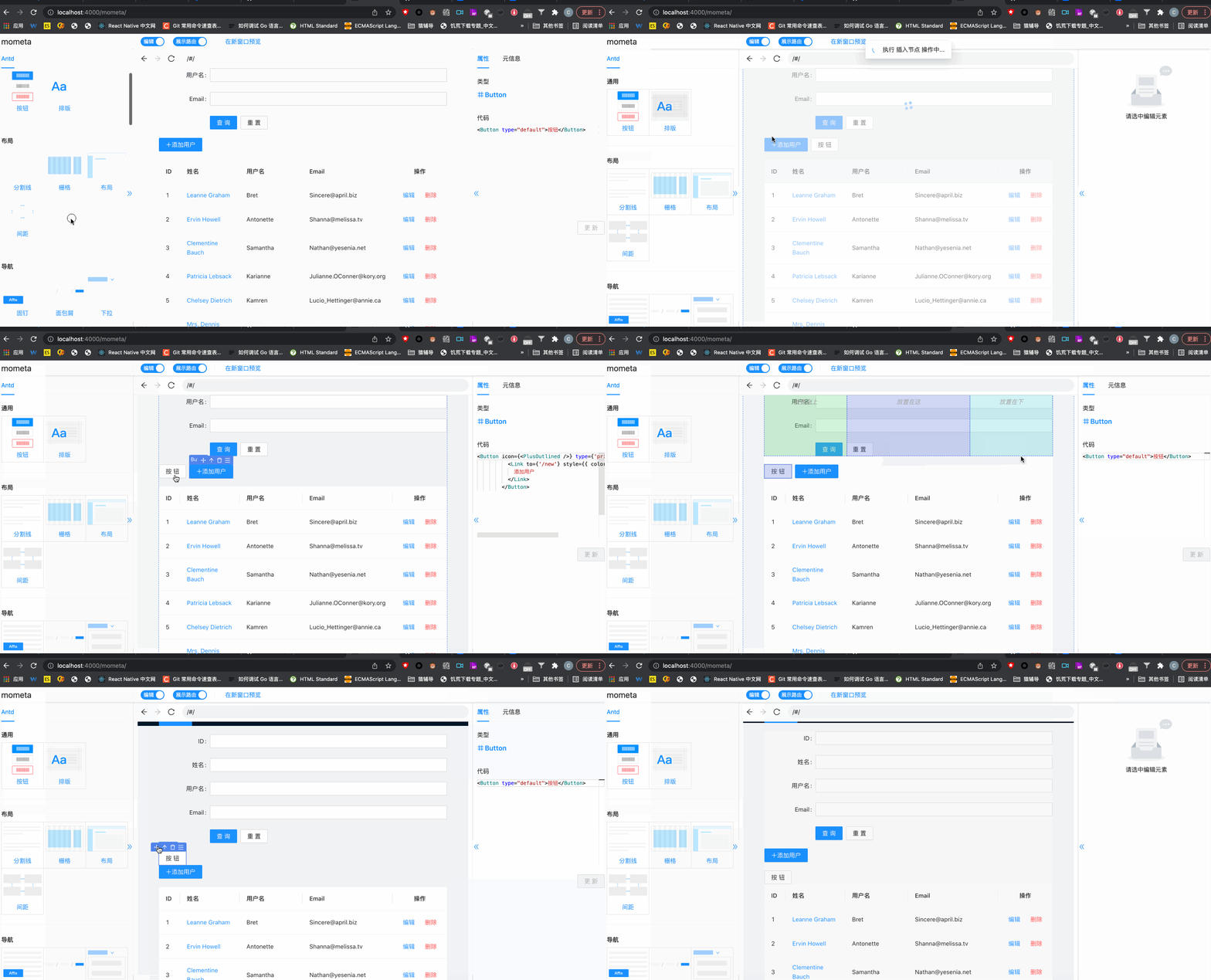
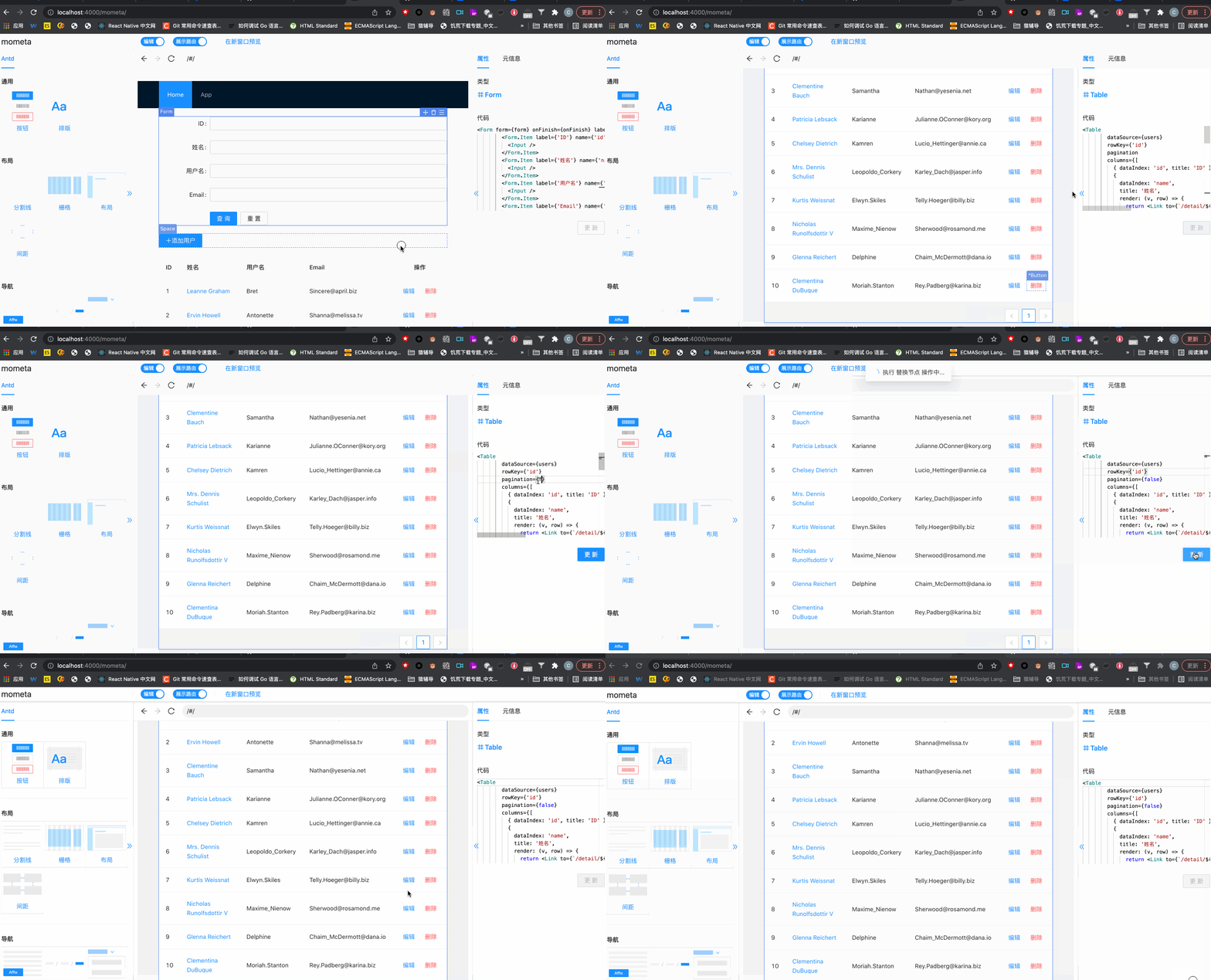
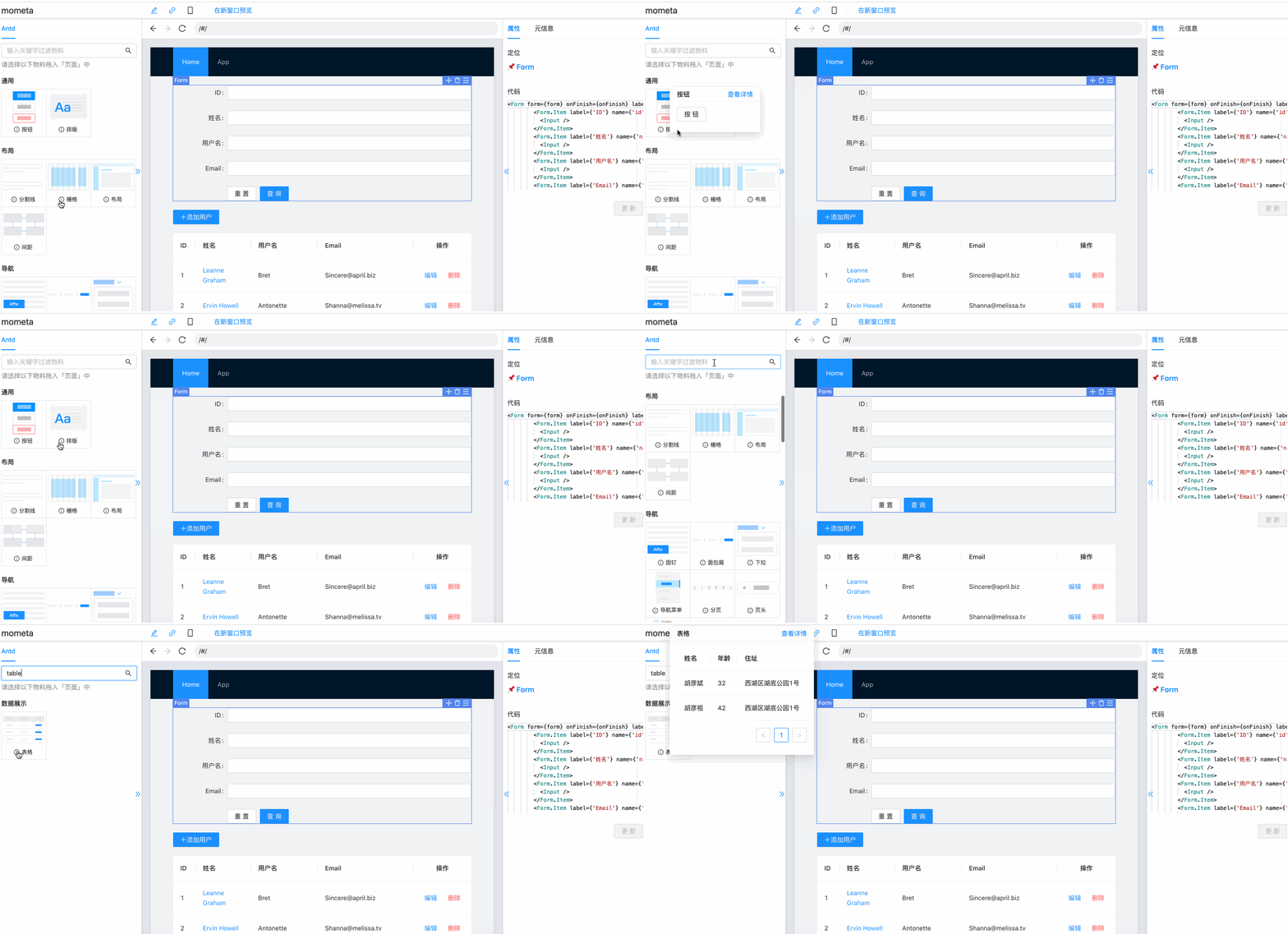
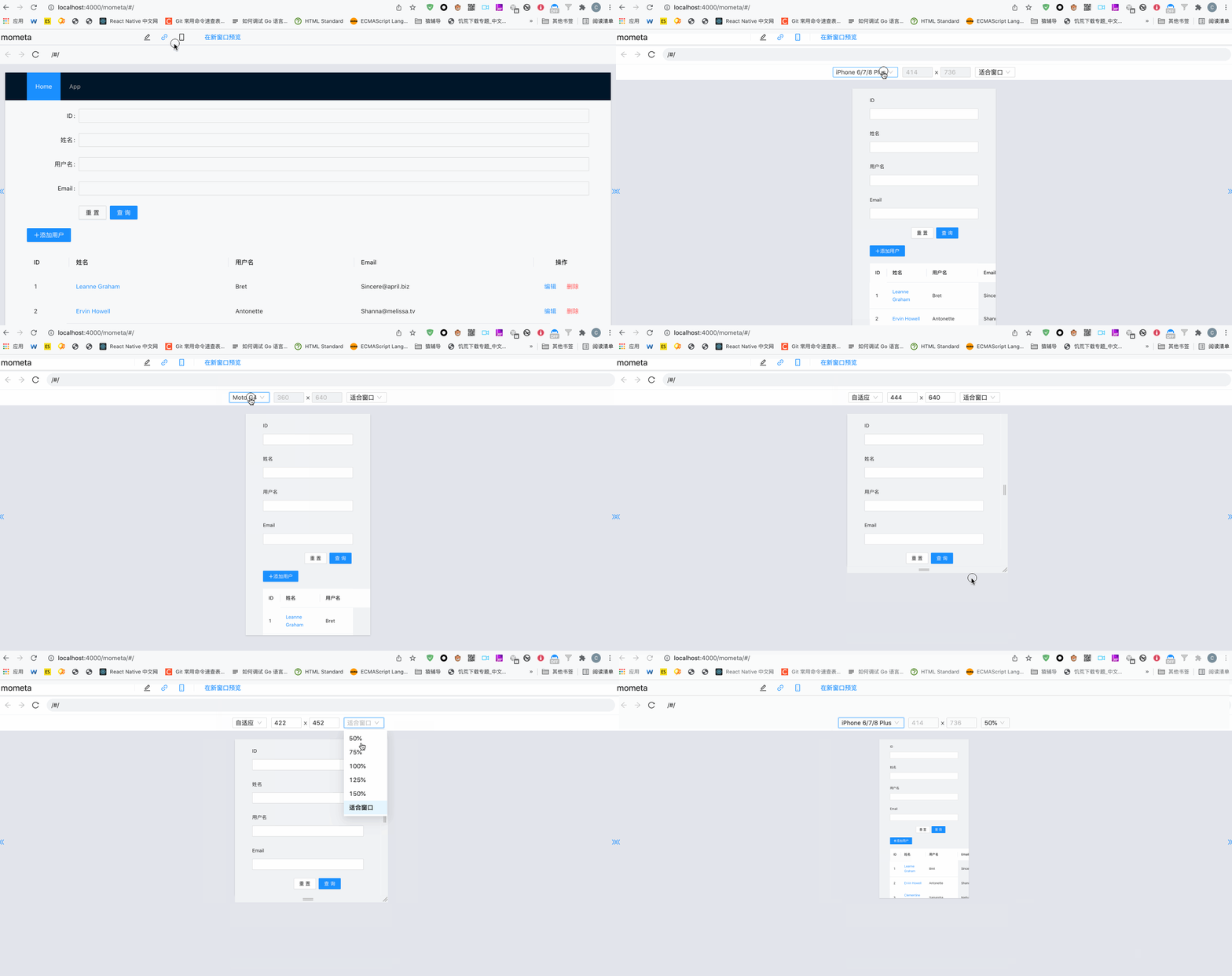
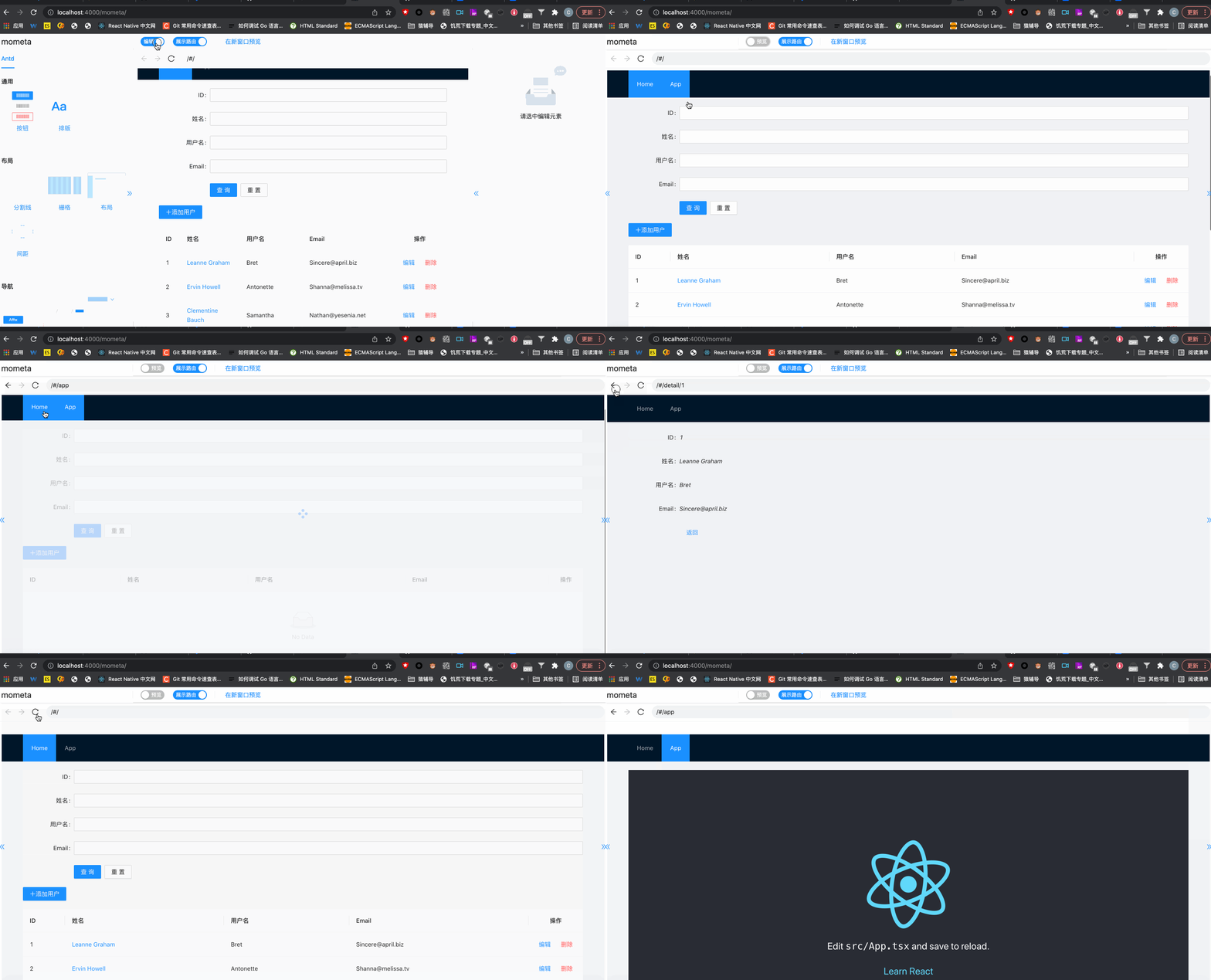
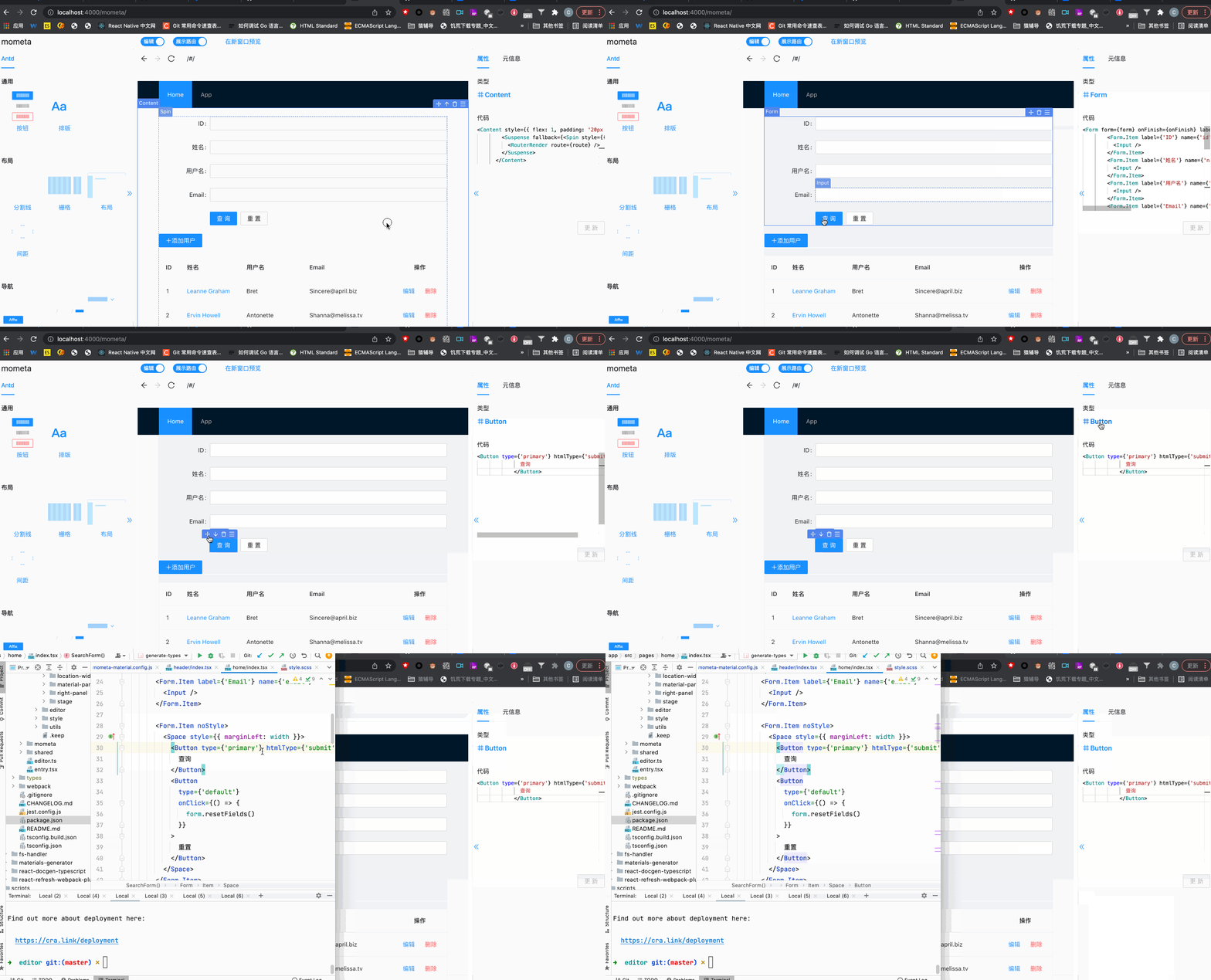
See mometa implementation principle
Since mometa relies on the local development environment and is only used in the local development environment, there is no online demo built; it can be used during local development.
git clone https://github.com/imcuttle/mometa.git
cd mometa
pnpm install
pnpm run start:app:cr # 开启本地开发预览模式
npm i @mometa/editor -D
npm i @mometa-mat/antd -D
mometa-material.config.js in the project root directorymodule.exports = [require('@mometa-mat/antd').default]
You can also create your own material library. For data structure rules, see Material definition
webpack.config.js is modified as follows:
const MometaEditorPlugin = require('@mometa/editor/webpack')

module.exports = {
  module: {
    rules: [
      {
        test: /\.(js|mjs|jsx|ts|tsx)$/,
        // Note that only the file directory you need to edit needs to be processed
        include: paths.appSrc,
        loader: require.resolve('babel-loader'),
        options: {
          plugins: [isEnvDevelopment && require.resolve('@mometa/editor/babel/plugin-react')]
        }
      }
    ]
  },
  plugins: [
    isEnvDevelopment &&
      new MometaEditorPlugin({
        react: true,
        //Open material preview
        experimentalMaterialsClientRender: true
      })
  ]
}
Note: You do not need to enable the official default react-refresh when using it. Mometa will enable the react-refresh capability by default
Start webpack dev server and open http://localhost:${port}/mometa/
The provided example can be found at @mometa/app】
This library is written and maintained by imcuttle, imcuttle@163.com.
2,229 followers · starred Jan 2022
7 followers · starred Jan 2022
75 followers · starred Apr 2022
10 followers · starred May 2023
🛠 [Beta] 面向研发的低代码元编程,代码可视编辑,辅助编码工具 The coding tools which is visual code editing, auxiliary and Low-code metaprogramming for R&D
TypeScript
4,087
242 commits
updated Jan 31, 2024
The tool for R&D which has low-code meta programming and WYSIWYG editing
English | 简体中文
mometa is not similar to the traditional lowcode project which is schema based. mometa is code based, It's WYSIWYG editing following code ast.
Which problems mometa can resolved:
The positioning of mometa is more based on the local development model of programmers, adding the ability of visual coding (the local code file itself is also modified);
It is not recommended to set up a local development environment for remote services, so there is no online deployment.
The current implementation relies on the webpack dev development mode, and compatibility with vite will be considered in the future.
Support positioning code location from view
Visually insert materials
See mometa implementation principle
Since mometa relies on the local development environment and is only used in the local development environment, there is no online demo built; it can be used during local development.
git clone https://github.com/imcuttle/mometa.git
cd mometa
pnpm install
pnpm run start:app:cr # 开启本地开发预览模式
npm i @mometa/editor -D
npm i @mometa-mat/antd -D
mometa-material.config.js in the project root directorymodule.exports = [require('@mometa-mat/antd').default]
You can also create your own material library. For data structure rules, see Material definition
webpack.config.js is modified as follows:
const MometaEditorPlugin = require('@mometa/editor/webpack')

module.exports = {
  module: {
    rules: [
      {
        test: /\.(js|mjs|jsx|ts|tsx)$/,
        // Note that only the file directory you need to edit needs to be processed
        include: paths.appSrc,
        loader: require.resolve('babel-loader'),
        options: {
          plugins: [isEnvDevelopment && require.resolve('@mometa/editor/babel/plugin-react')]
        }
      }
    ]
  },
  plugins: [
    isEnvDevelopment &&
      new MometaEditorPlugin({
        react: true,
        //Open material preview
        experimentalMaterialsClientRender: true
      })
  ]
}
Note: You do not need to enable the official default react-refresh when using it. Mometa will enable the react-refresh capability by default
Start webpack dev server and open http://localhost:${port}/mometa/
The provided example can be found at @mometa/app】
This library is written and maintained by imcuttle, imcuttle@163.com.
2,229 followers · starred Jan 2022
7 followers · starred Jan 2022
75 followers · starred Apr 2022
10 followers · starred May 2023



