
README
RomM iOS App

A native iOS companion app for RomM. Connect to your self-hosted RomM server to browse, play, and manage your retro game ROM collection directly from your iPhone or iPad.
Compatible with RomM 5.0.*
Download
TestFlight Beta
Join the beta program and help improve the app:
Screenshots
Features
Emulation
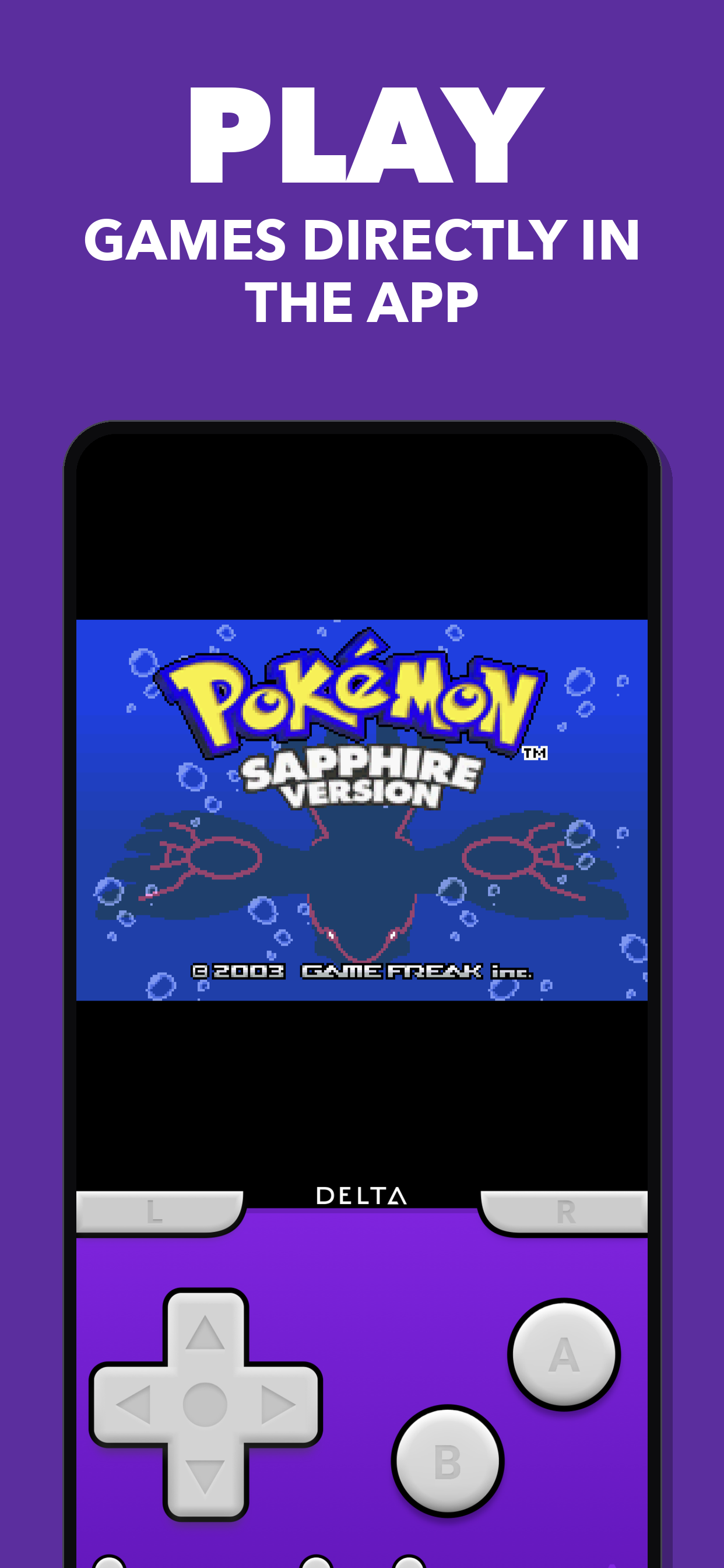
- 🎮 Play ROMs directly on your iPhone or iPad
- 🕹️ Native Delta emulator cores for GBA, GBC, GB, NES, SNES, N64, and NDS
- 🖥️ Libretro-based emulation for Sega Genesis/Mega Drive, Master System, Game Gear, Saturn, Dreamcast, PlayStation, PSP, and Arcade
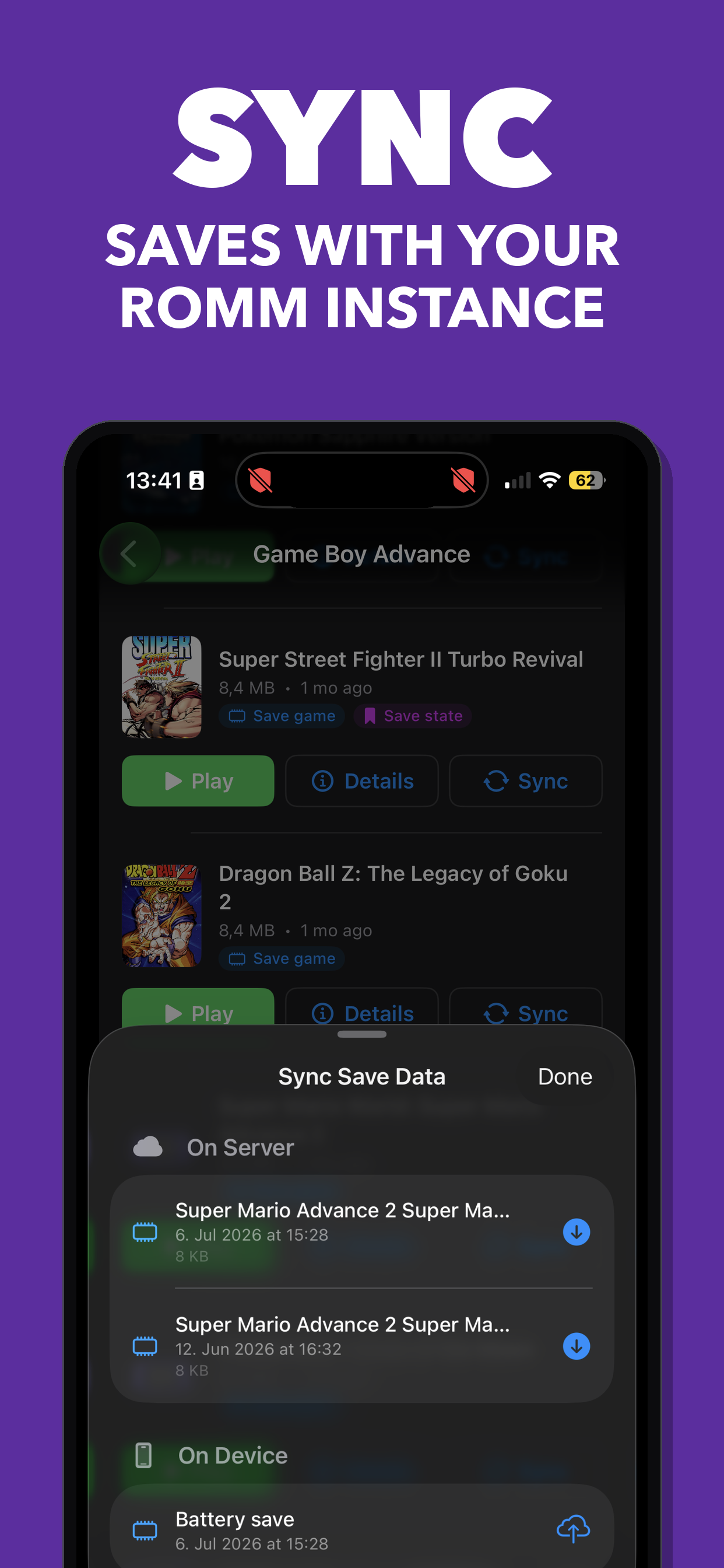
- ☁️ Cloud save sync — upload and download save states and save files to/from your RomM server
- 🎛️ Physical controller support
- ⏩ 2x fast-forward for native DeltaCore emulation from the in-game menu
Library
- 📱 Native SwiftUI design with dark mode support
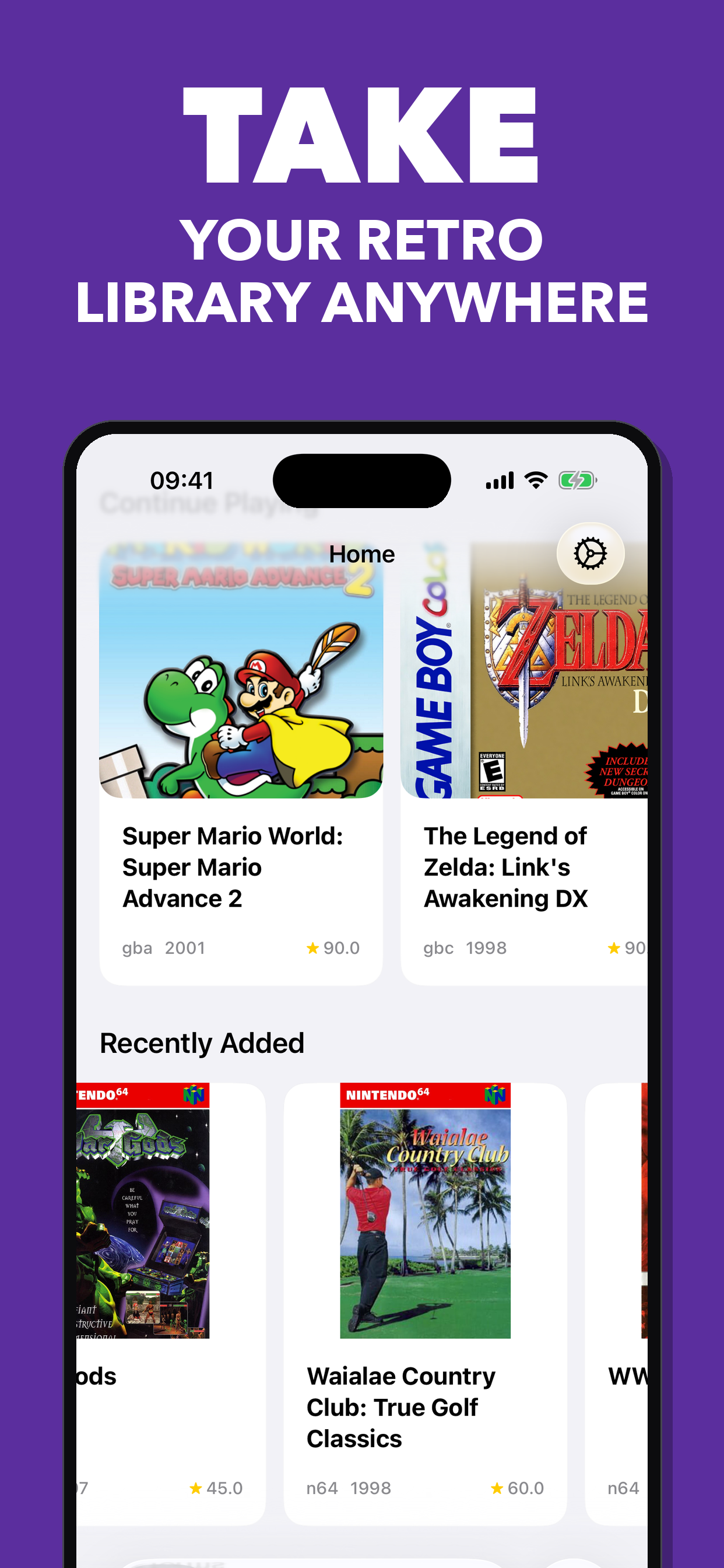
- 🖼️ Game covers, screenshots, and full metadata from your RomM server
- 📊 Card and list view layouts
- 🔍 Search across your entire ROM library
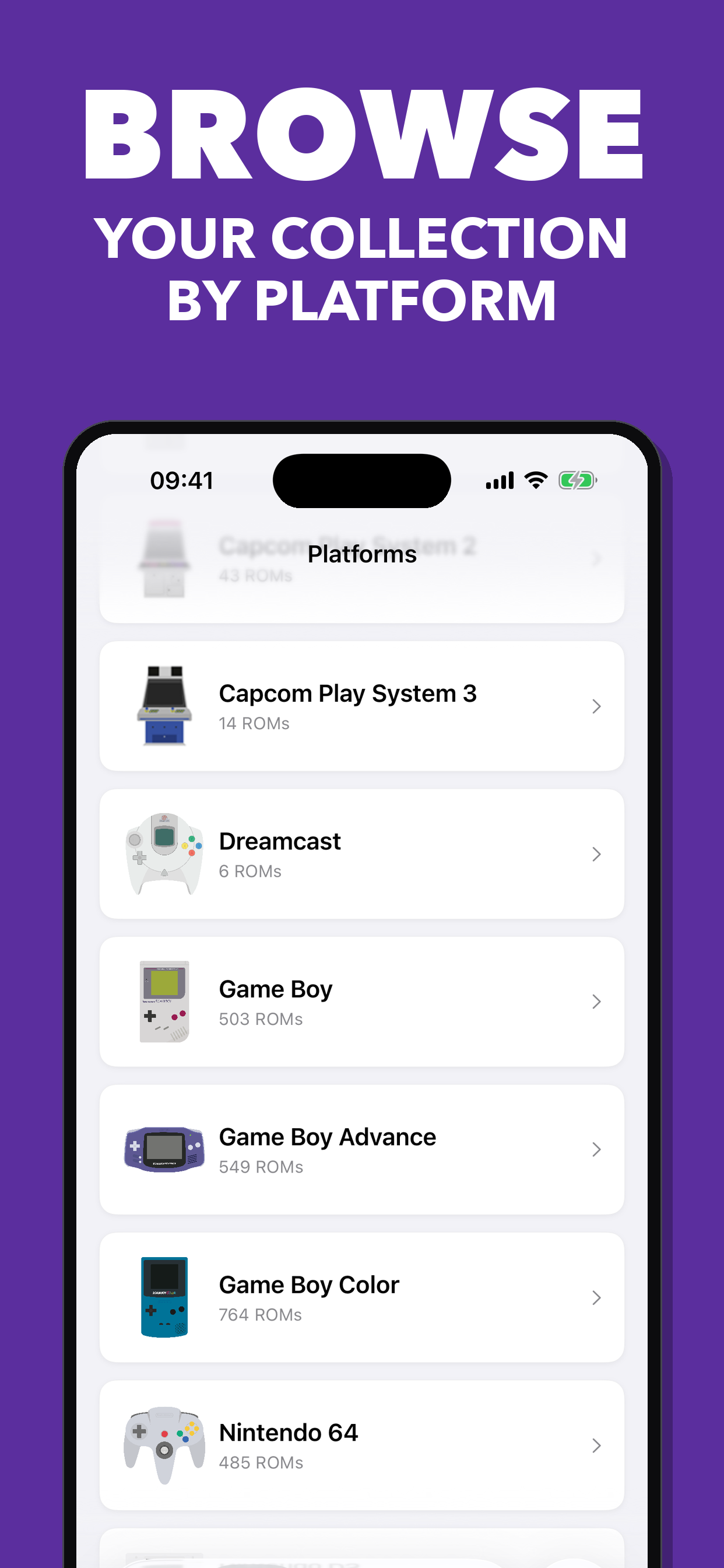
- 📚 Browse by platform with ROM counts and platform logos
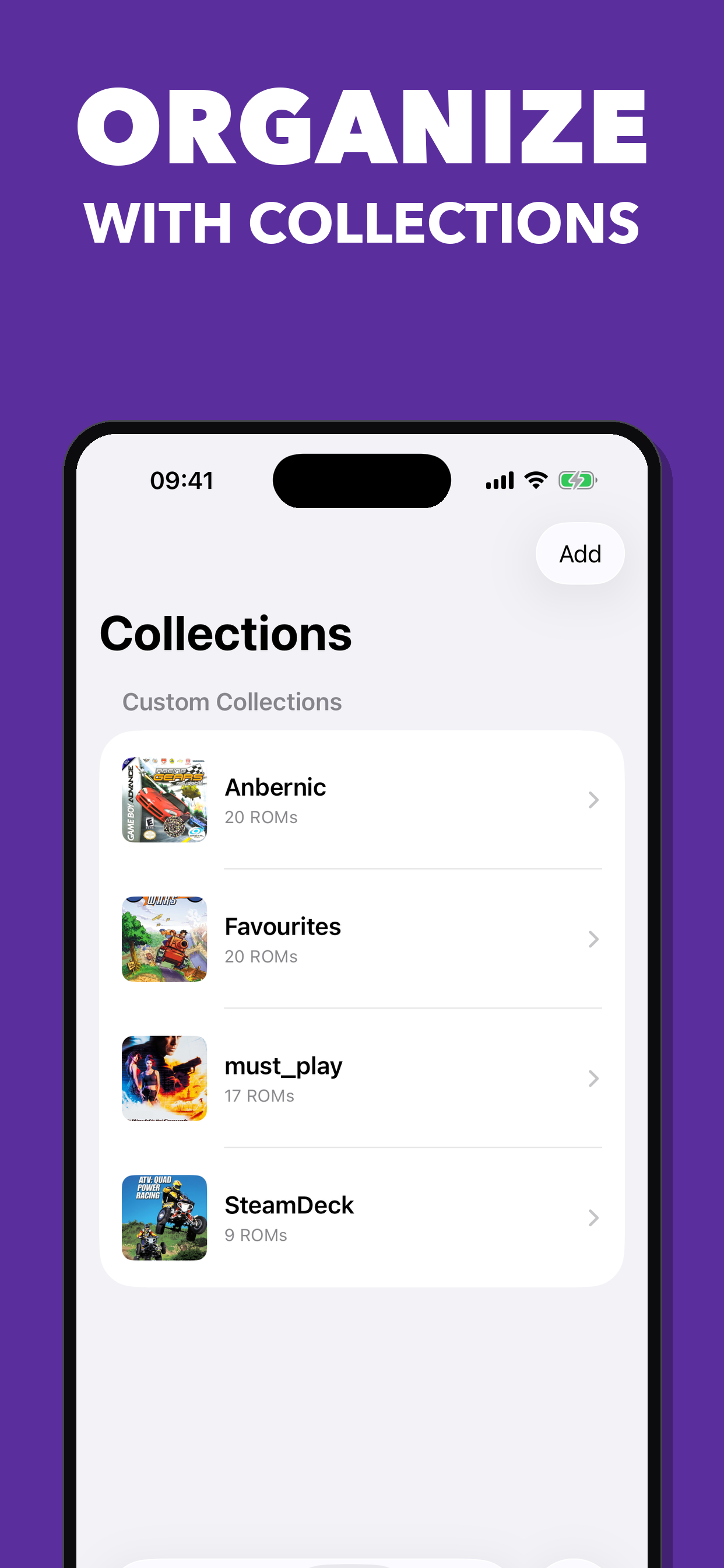
- 📁 Organize games in custom collections
- 📈 Server statistics and platform insights
- ⚙️ QR code scanner for quick server setup
Offline & Transfer
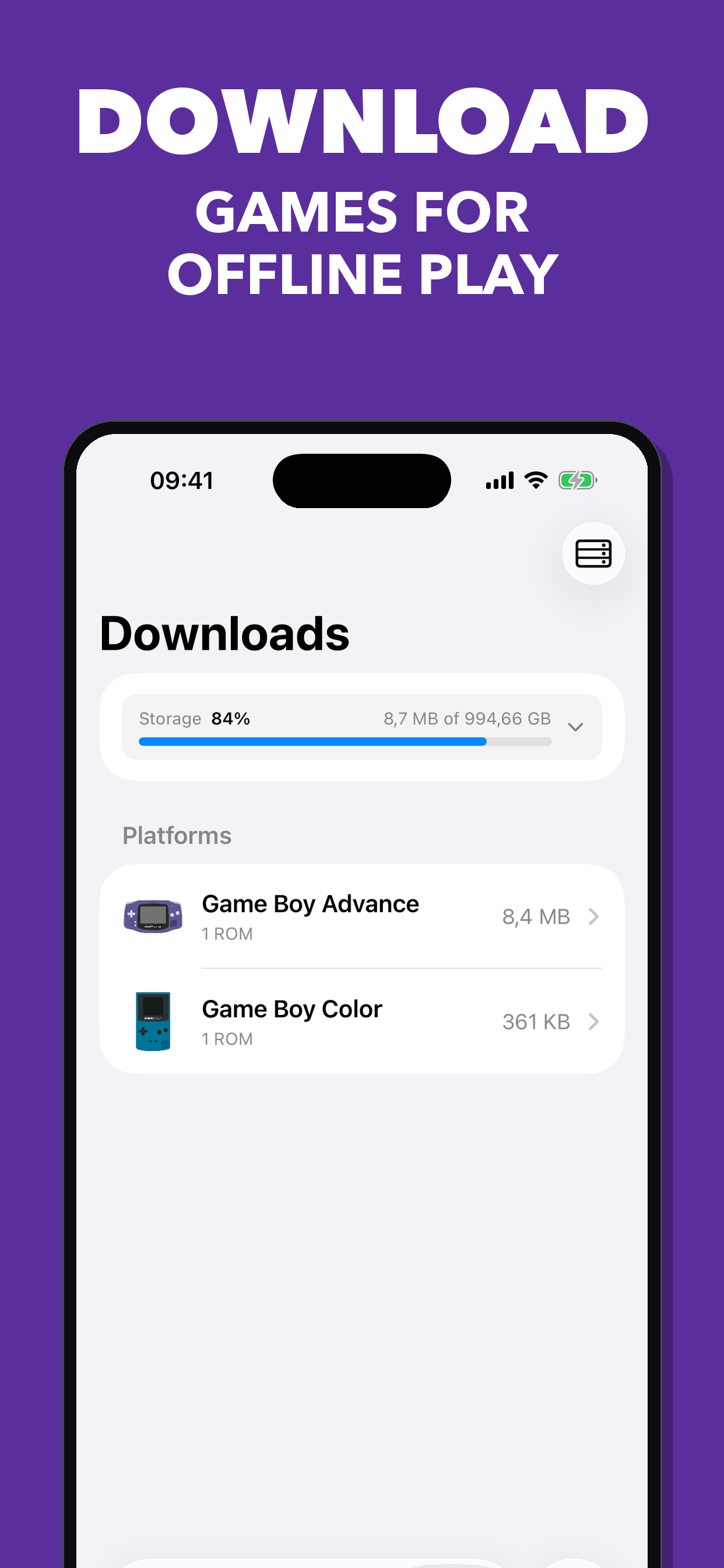
- 💾 Download ROMs for offline play
- 🔄 Transfer ROMs to remote devices via SFTP
- 🗂️ BIOS file management for emulator cores
Platform
- 📲 iPhone and iPad support
Getting Started
This repository uses git submodules for the emulator cores in Vendor/. Clone with submodules:
git clone --recurse-submodules https://github.com/ilyas-hallak/romm-ios-app.git
If you already cloned without submodules:
git submodule update --init --recursive
Then open romm/romm.xcodeproj in Xcode and build.
Building on a device
Building for the Simulator needs nothing extra. To run on a physical device you
need your own Apple Developer team and a bundle identifier that is unique to you.
The upstream de.ilyashallak.* identifiers are already registered to the
maintainer and cannot be re-registered to your account.
The project reads those two values from a gitignored Signing.xcconfig, so you
never have to edit project.pbxproj:
cp romm/Config/Signing.xcconfig.template romm/Config/Signing.xcconfig
Then edit romm/Config/Signing.xcconfig and set:
DEVELOPMENT_TEAM, your 10-character Team ID (Xcode > Settings > Accounts, or the Apple Developer site under Membership details)ROMM_BUNDLE_ID_PREFIX, a reverse-DNS prefix only you use, e.g.com.yourname
Signing is automatic, so Xcode registers the App ID and provisioning profile the first time you build to a connected device.
The emulator core submodules
Signing.xcconfig only applies to this project's targets, not to the DeltaCore
projects under Vendor/. Several of those pin their own DEVELOPMENT_TEAM, so a
device build needs your team applied to them too:
-
Xcode (UI): in each
Vendor/*/…xcodeproj, select every target and set your team under Signing & Capabilities. These edits stay in the submodule working trees, don't commit them. -
Command line: pass
DEVELOPMENT_TEAMon thexcodebuildinvocation. It applies to every target in the graph, submodules included, so nothing underVendor/needs editing:xcodebuild -project romm/romm.xcodeproj -scheme romm \ -destination 'generic/platform=iOS' \ -allowProvisioningUpdates \ DEVELOPMENT_TEAM=YOURTEAMID \ buildSigning.xcconfigis still required, it supplies the unique app bundle identifier (ROMM_BUNDLE_ID_PREFIX) that no command-line override can set per-target.
Credits
Standing on the shoulders of giants.
This app would not be possible without the outstanding open-source emulation work of:
- Delta / DeltaCore by Riley Testut — the emulation framework powering GB, GBC, GBA, NES, SNES, N64, and NDS
- PCSX ReARMed via Libretro — PlayStation emulation on ARM
Contributing
- Follow the established Clean Architecture patterns (Domain / Data / UI layers)
- Maintain one ViewModel per View — no sharing between views
- Use Cases must not call other Use Cases — compose at the ViewModel level
- Use the existing dependency injection system
- Follow SwiftUI best practices
- All user-facing strings must be in English
License
MIT — see LICENSE for details. This project is part of the RomM ecosystem.
Contributors


Similar repos


Languages
Swift
84.6%
C
7.8%
Objective-C
4.9%
README
RomM iOS App
A native iOS companion app for RomM. Connect to your self-hosted RomM server to browse, play, and manage your retro game ROM collection directly from your iPhone or iPad.
Compatible with RomM 5.0.*
Download
TestFlight Beta
Join the beta program and help improve the app:
Screenshots
Features
Emulation
- 🎮 Play ROMs directly on your iPhone or iPad
- 🕹️ Native Delta emulator cores for GBA, GBC, GB, NES, SNES, N64, and NDS
- 🖥️ Libretro-based emulation for Sega Genesis/Mega Drive, Master System, Game Gear, Saturn, Dreamcast, PlayStation, PSP, and Arcade
- ☁️ Cloud save sync — upload and download save states and save files to/from your RomM server
- 🎛️ Physical controller support
- ⏩ 2x fast-forward for native DeltaCore emulation from the in-game menu
Library
- 📱 Native SwiftUI design with dark mode support
- 🖼️ Game covers, screenshots, and full metadata from your RomM server
- 📊 Card and list view layouts
- 🔍 Search across your entire ROM library
- 📚 Browse by platform with ROM counts and platform logos
- 📁 Organize games in custom collections
- 📈 Server statistics and platform insights
- ⚙️ QR code scanner for quick server setup
Offline & Transfer
- 💾 Download ROMs for offline play
- 🔄 Transfer ROMs to remote devices via SFTP
- 🗂️ BIOS file management for emulator cores
Platform
- 📲 iPhone and iPad support
Getting Started
This repository uses git submodules for the emulator cores in Vendor/. Clone with submodules:
git clone --recurse-submodules https://github.com/ilyas-hallak/romm-ios-app.git
If you already cloned without submodules:
git submodule update --init --recursive
Then open romm/romm.xcodeproj in Xcode and build.
Building on a device
Building for the Simulator needs nothing extra. To run on a physical device you
need your own Apple Developer team and a bundle identifier that is unique to you.
The upstream de.ilyashallak.* identifiers are already registered to the
maintainer and cannot be re-registered to your account.
The project reads those two values from a gitignored Signing.xcconfig, so you
never have to edit project.pbxproj:
cp romm/Config/Signing.xcconfig.template romm/Config/Signing.xcconfig
Then edit romm/Config/Signing.xcconfig and set:
DEVELOPMENT_TEAM, your 10-character Team ID (Xcode > Settings > Accounts, or the Apple Developer site under Membership details)ROMM_BUNDLE_ID_PREFIX, a reverse-DNS prefix only you use, e.g.com.yourname
Signing is automatic, so Xcode registers the App ID and provisioning profile the first time you build to a connected device.
The emulator core submodules
Signing.xcconfig only applies to this project's targets, not to the DeltaCore
projects under Vendor/. Several of those pin their own DEVELOPMENT_TEAM, so a
device build needs your team applied to them too:
-
Xcode (UI): in each
Vendor/*/…xcodeproj, select every target and set your team under Signing & Capabilities. These edits stay in the submodule working trees, don't commit them. -
Command line: pass
DEVELOPMENT_TEAMon thexcodebuildinvocation. It applies to every target in the graph, submodules included, so nothing underVendor/needs editing:xcodebuild -project romm/romm.xcodeproj -scheme romm \ -destination 'generic/platform=iOS' \ -allowProvisioningUpdates \ DEVELOPMENT_TEAM=YOURTEAMID \ buildSigning.xcconfigis still required, it supplies the unique app bundle identifier (ROMM_BUNDLE_ID_PREFIX) that no command-line override can set per-target.
Credits
Standing on the shoulders of giants.
This app would not be possible without the outstanding open-source emulation work of:
- Delta / DeltaCore by Riley Testut — the emulation framework powering GB, GBC, GBA, NES, SNES, N64, and NDS
- PCSX ReARMed via Libretro — PlayStation emulation on ARM
Contributing
- Follow the established Clean Architecture patterns (Domain / Data / UI layers)
- Maintain one ViewModel per View — no sharing between views
- Use Cases must not call other Use Cases — compose at the ViewModel level
- Use the existing dependency injection system
- Follow SwiftUI best practices
- All user-facing strings must be in English
License
MIT — see LICENSE for details. This project is part of the RomM ecosystem.
Similar repos
Contributors
Languages
Swift
84.6%
C
7.8%
Objective-C
4.9%