
README
RomM - RetroArch Sync
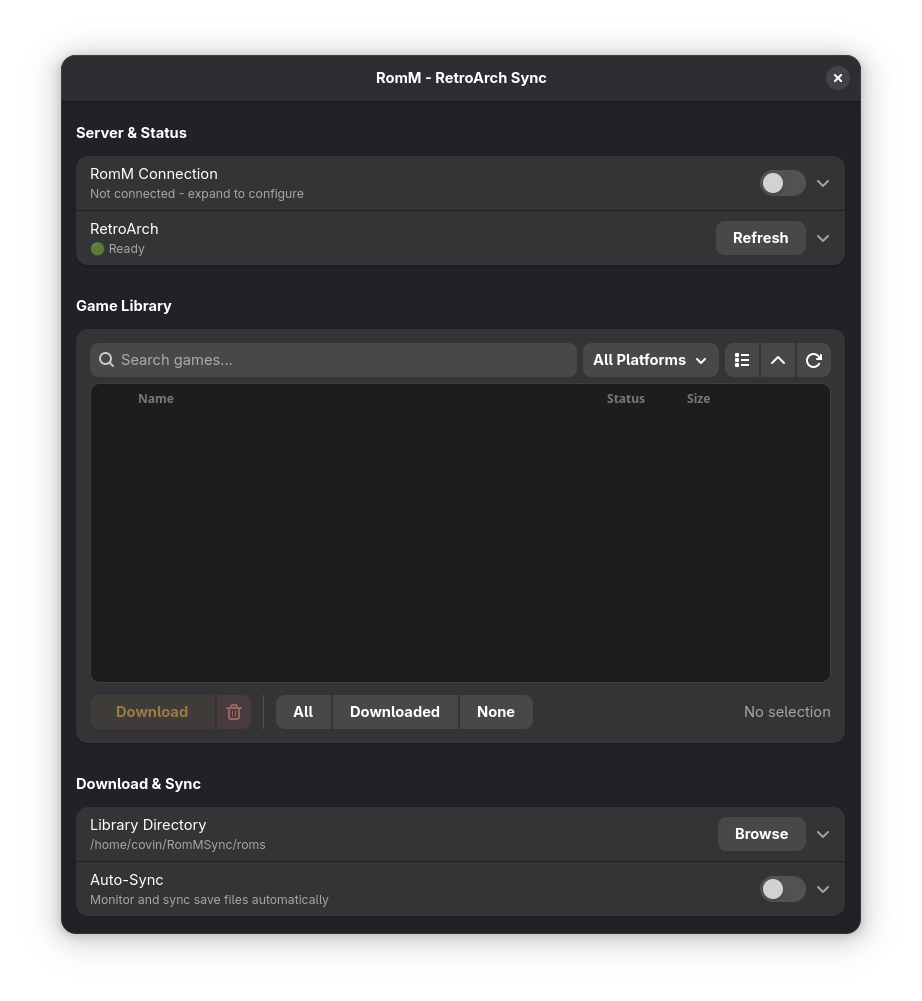
A desktop application for managing your retro game library by syncing ROMs, saves, and save states between RomM server and RetroArch.
📥 Download

✨ Features
- 🎮 Game Library Management: Browse and download your entire RomM game collection
- 🔄 Auto-Sync: Automatically sync save files and save states between RetroArch and RomM
- 🚀 RetroArch Integration: Launch games directly with appropriate cores
🚀 Quick Start
Download AppImage (Recommended)
- Download the latest
RomM-RetroArch-Sync.AppImagefrom Releases - Make it executable:
chmod +x RomM-RetroArch-Sync.AppImage - Run:
./RomM-RetroArch-Sync.AppImage
🔧 Configuration
- Connect to RomM: Enter your RomM server URL and credentials
- Verify RetroArch: Check that RetroArch installation is detected
- Set Download Path: Choose where to store downloaded ROMs
- Enable Auto-Sync: Turn on automatic save file synchronization
🔗 Links
- RomM Project: GitHub
- RetroArch: Official Site
📜 License
This project is licensed under the GNU General Public License v3.0 - see the LICENSE file for details.
🤝 Contributing
Contributions are welcome! Please feel free to submit a Pull Request.
🐛 Bug Reports
Found a bug? Please open an issue with details about your system and the problem.
Note: This application requires a running RomM server and is designed for personal game library management. Please ensure you own the games you are downloading and managing.


Similar repos


Languages
Python
95.8%
Shell
4.2%
README
RomM - RetroArch Sync
A desktop application for managing your retro game library by syncing ROMs, saves, and save states between RomM server and RetroArch.
📥 Download
✨ Features
- 🎮 Game Library Management: Browse and download your entire RomM game collection
- 🔄 Auto-Sync: Automatically sync save files and save states between RetroArch and RomM
- 🚀 RetroArch Integration: Launch games directly with appropriate cores
🚀 Quick Start
Download AppImage (Recommended)
- Download the latest
RomM-RetroArch-Sync.AppImagefrom Releases - Make it executable:
chmod +x RomM-RetroArch-Sync.AppImage - Run:
./RomM-RetroArch-Sync.AppImage
🔧 Configuration
- Connect to RomM: Enter your RomM server URL and credentials
- Verify RetroArch: Check that RetroArch installation is detected
- Set Download Path: Choose where to store downloaded ROMs
- Enable Auto-Sync: Turn on automatic save file synchronization
🔗 Links
- RomM Project: GitHub
- RetroArch: Official Site
📜 License
This project is licensed under the GNU General Public License v3.0 - see the LICENSE file for details.
🤝 Contributing
Contributions are welcome! Please feel free to submit a Pull Request.
🐛 Bug Reports
Found a bug? Please open an issue with details about your system and the problem.
Note: This application requires a running RomM server and is designed for personal game library management. Please ensure you own the games you are downloading and managing.
Similar repos
Languages
Python
95.8%
Shell
4.2%