Nebula is an open-source and free-to-use modern C++ game engine.
See the code
Get in contact on Discord! https://discord.gg/wuYPxUF
Check out the documentation (WIP) here: https://gscept.github.io/nebula-doc/
The fastest way to setup and test nebula is to clone the Nebula-demo instead. It contains a setup.bat which will setup dependencies and configure a
solution for you to run via fips open.
Alternatively you can build and run the project manually with fips build, fips run assetbatcher and fips run nebula-demo --. If you add a -editor commandline argument it will start with the editor ui enabled.
Apart from that there are a few simple projects in the test folder.
Fips will take care of getting the relevant dependencies (including the actual engine in case you are setting up a external project)
If you want to proceed with the normal setup you can follow the instructions below. Proceed to the project iteration section afterwards.
fips set config win64-vstudio-debug in your project directory, e.g. the cloned nebula-demo. There are other configs available, see in fips-files/configsfips fetch Downloads/checks out all the other required repositoriesRun fips nebula verb to set work and toolkit directory registry variables:
fips nebula set work {PATH} (If you are building an external project, this would be the current path)fips nebula set toolkit {PATH} (this is the path to where the nebula checkout resides, if an external project that would be ../nebula)In your project directory:
fips physx build vc17 debug (if you are running VS 2022, use vc16 or vc15 for vs 2019/2017 instead)fips gpulang setupOnce the project is set up and working there are some common operations that you may have to perform. Most of the steps and operations are required to be completed at least once to be able to run the project.
fips genIf you are adding new files, either source or flatbuffer things that you add to cmake or a cmake subfolder will typically picked up by running fips gen. This will regenerate your solution via cmake, in case you are using visual studio it will normally
notice and prompt reloading. Generally calling fips gen is a safe operation you can do if dependencies change etc.
Fips will place the solution and makefiles and the like in the ../fips-build/{PROJECT-NAME}/{CONFIG}/ folder. Easiest is to just use fips open to start your editor
fips updateThe project you are working in is commonly synced with e.g. git or some other version control, if you have other fips dependencies that changed, you can do a fips update to perform a git pull on the depencies used.
fips build(Re-)Building the project is possible either via the generated solution (fips open to open it quickly) or manually with fips build.
fips run assetbatcher --Content is usually batched using the assetbatcher contained in the nebula repository which is built by default by projects as well. Running it will incrementally convert or cook content in your work folder to an export folder in the project location. It has a number of options to force or only batch specific folders, as well as
the option to be run in parallel. Running it with -help will print some of the options available.
To run the debug project without editor tools, use fips run {PROJECT-NAME} or run a debug session in your solution opened with fips open. Use fips run {PROJECT-NAME} -- -editor to run the project with editor ui enabled.
Nebula is being developed continuously, which means that features keep getting added all the time. Currently, we support this:
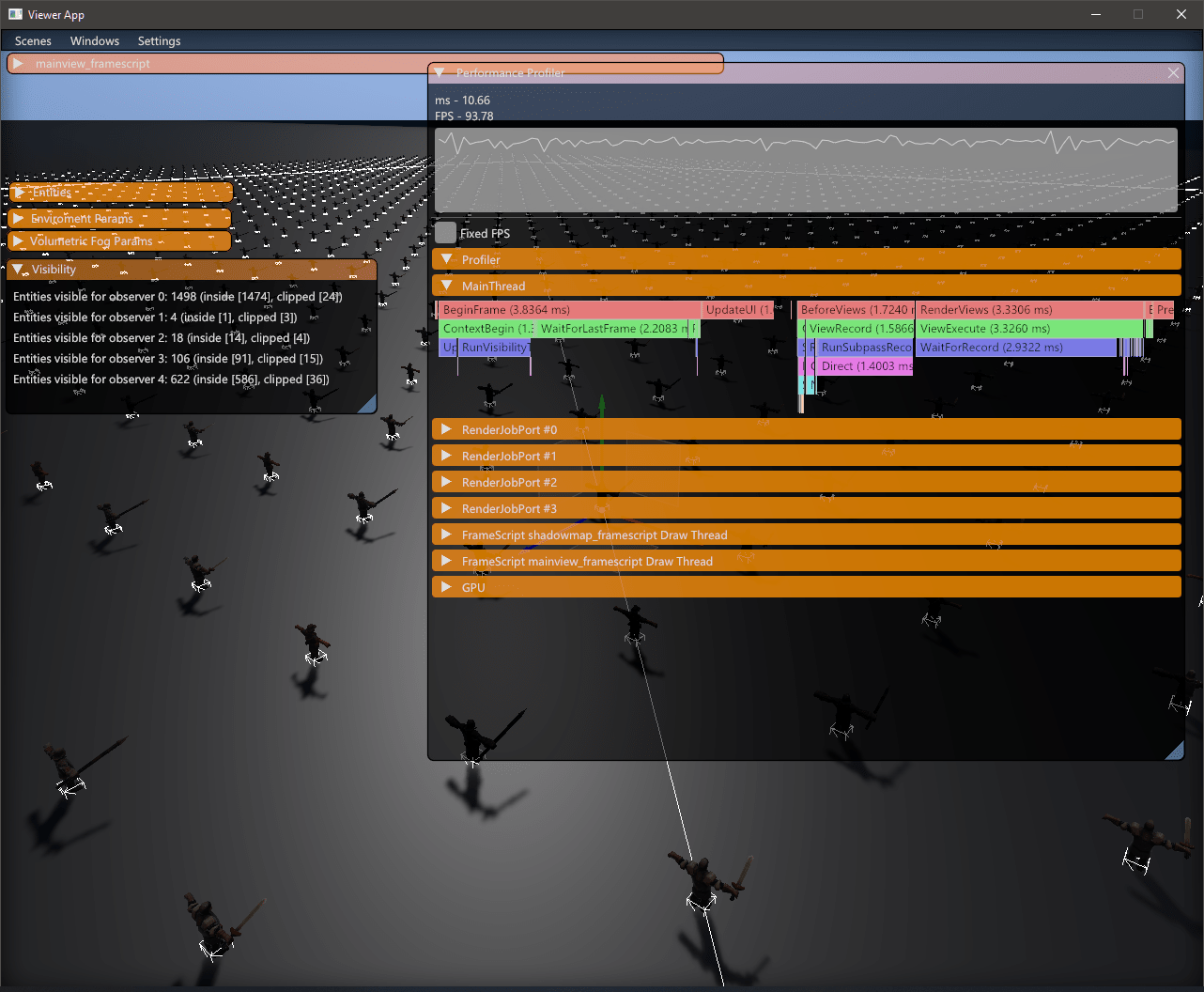
A lot of effort has been made to the Nebula rendering subsystem, where we currently support:
Nebula has historically had a database-centric approach to entities. With the newest iteration of Nebula, we've decided to keep improving by adopting an ECS approach, still keeping it database-centric.
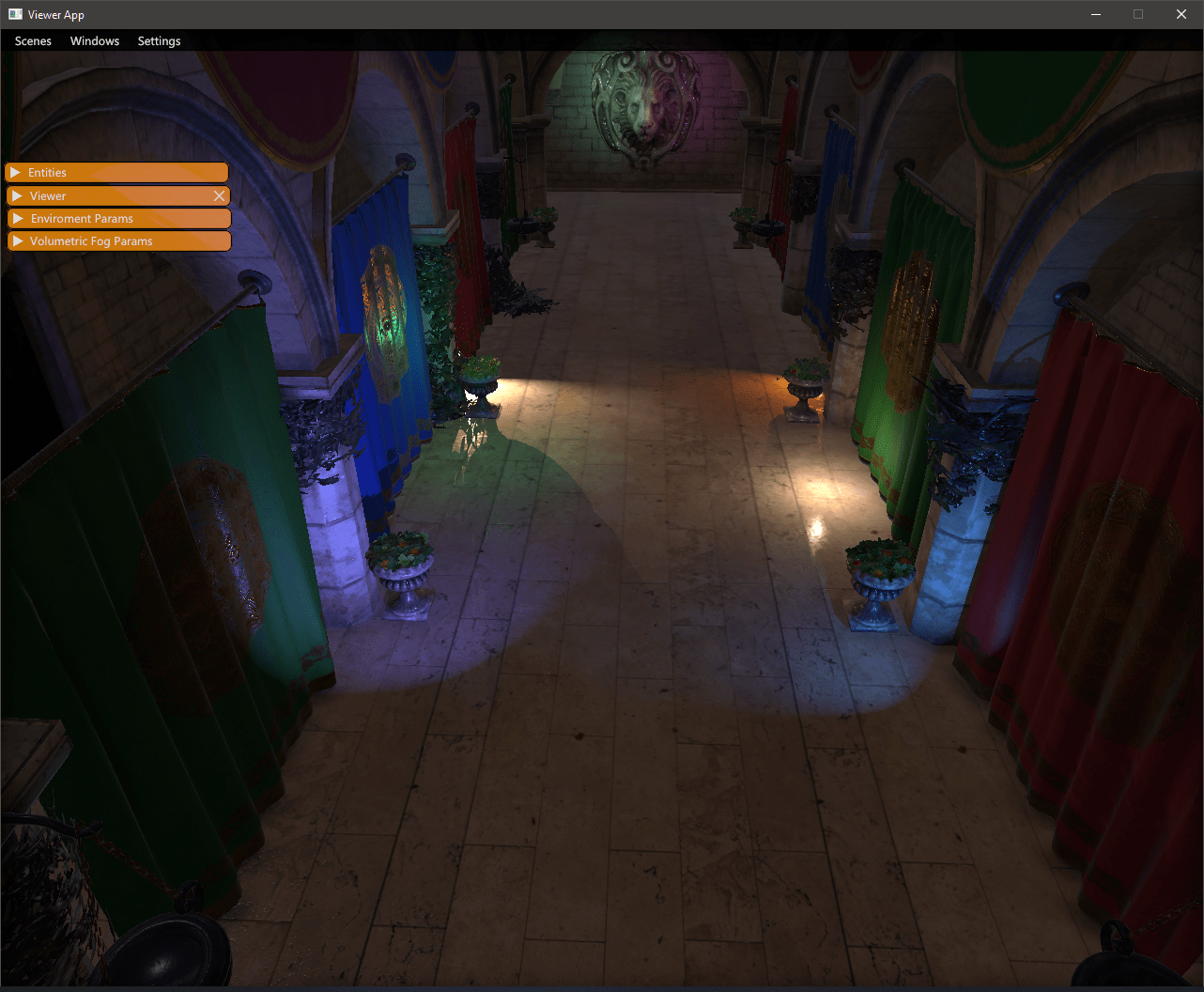
Deferred Lighting using 3D clustering and GPU culling.
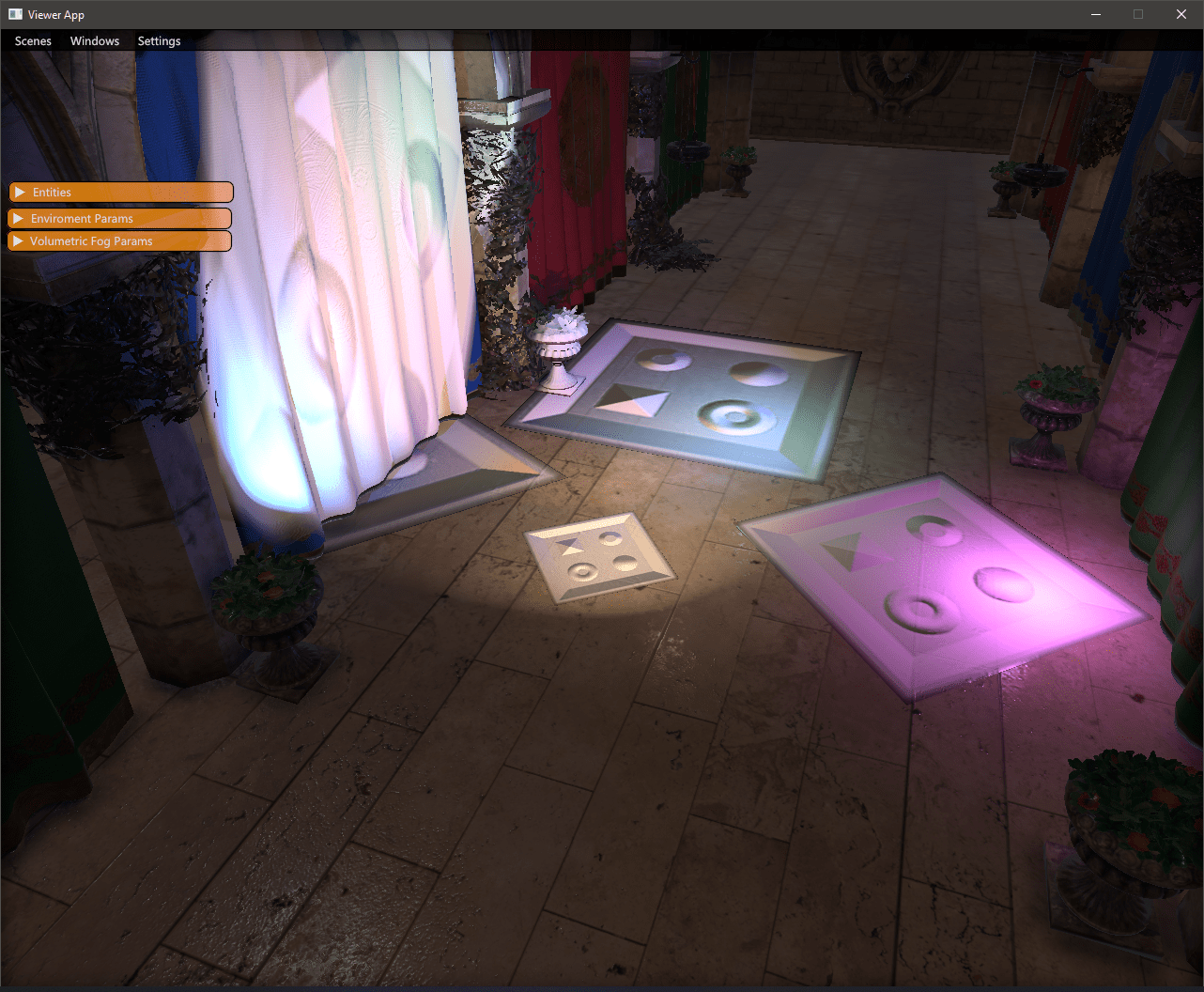
 Geometric decals, culled on GPU and rendered in screen-space.
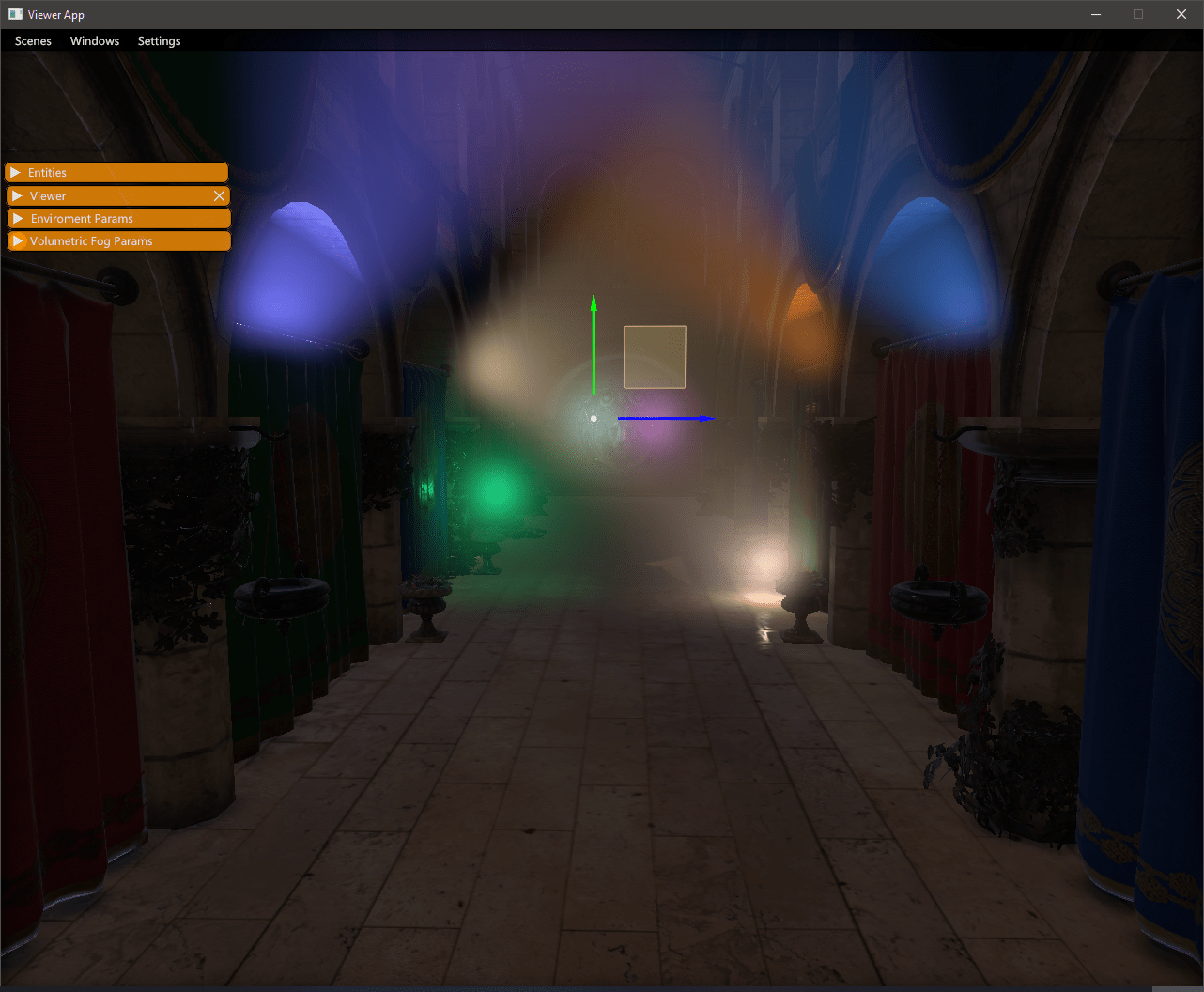
 Volumetric fog lighting.
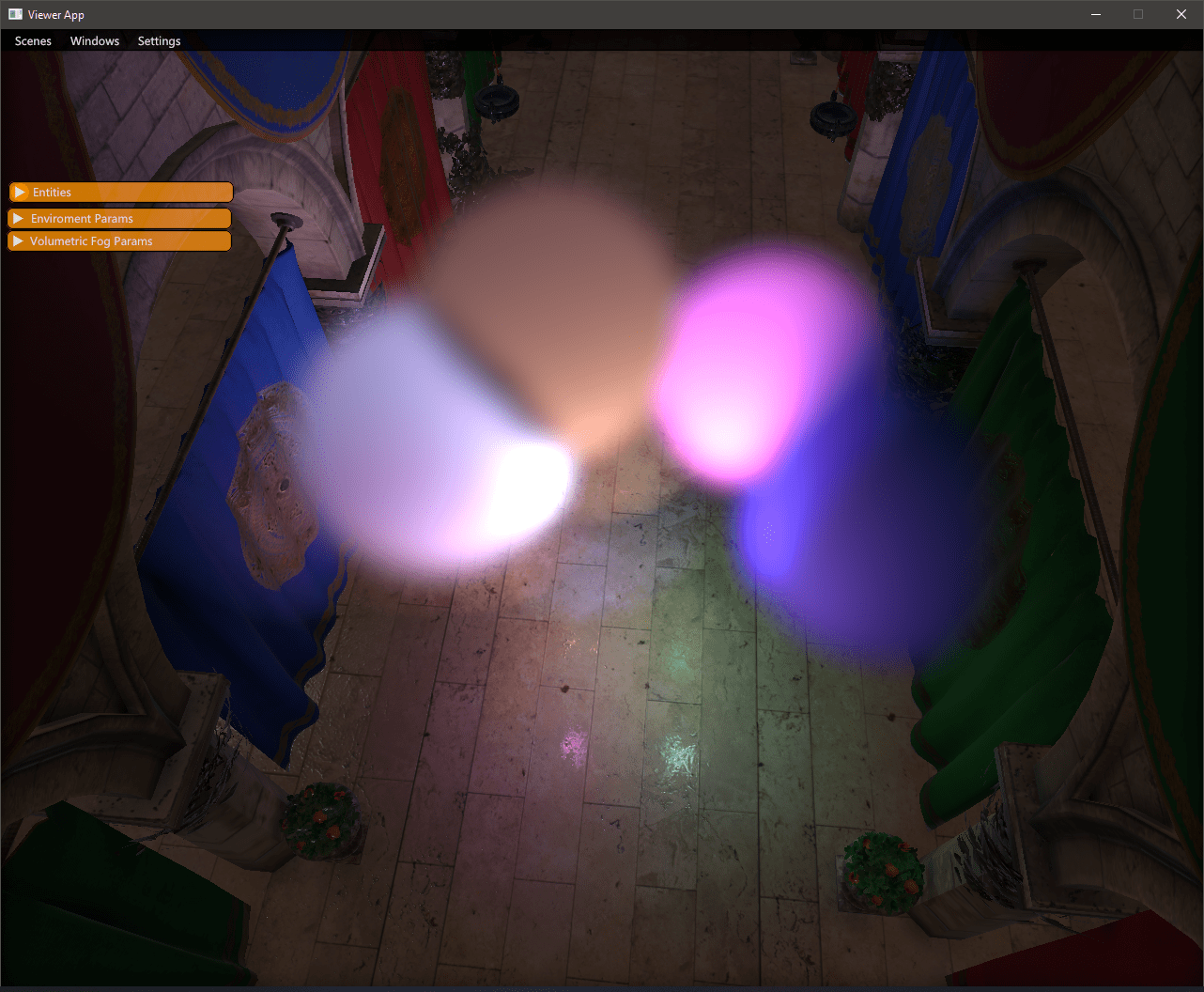
 Local fog volumes.
 Profiling tools.
326 followers · starred May 2023
29 followers · starred Oct 2023
309 followers · starred Jan 2021
165 followers · starred Aug 2026
Nebula is an open-source and free-to-use modern C++ game engine.
See the code
Get in contact on Discord! https://discord.gg/wuYPxUF
Check out the documentation (WIP) here: https://gscept.github.io/nebula-doc/
The fastest way to setup and test nebula is to clone the Nebula-demo instead. It contains a setup.bat which will setup dependencies and configure a
solution for you to run via fips open.
Alternatively you can build and run the project manually with fips build, fips run assetbatcher and fips run nebula-demo --. If you add a -editor commandline argument it will start with the editor ui enabled.
Apart from that there are a few simple projects in the test folder.
Fips will take care of getting the relevant dependencies (including the actual engine in case you are setting up a external project)
If you want to proceed with the normal setup you can follow the instructions below. Proceed to the project iteration section afterwards.
fips set config win64-vstudio-debug in your project directory, e.g. the cloned nebula-demo. There are other configs available, see in fips-files/configsfips fetch Downloads/checks out all the other required repositoriesRun fips nebula verb to set work and toolkit directory registry variables:
fips nebula set work {PATH} (If you are building an external project, this would be the current path)fips nebula set toolkit {PATH} (this is the path to where the nebula checkout resides, if an external project that would be ../nebula)In your project directory:
fips physx build vc17 debug (if you are running VS 2022, use vc16 or vc15 for vs 2019/2017 instead)fips gpulang setupOnce the project is set up and working there are some common operations that you may have to perform. Most of the steps and operations are required to be completed at least once to be able to run the project.
fips genIf you are adding new files, either source or flatbuffer things that you add to cmake or a cmake subfolder will typically picked up by running fips gen. This will regenerate your solution via cmake, in case you are using visual studio it will normally
notice and prompt reloading. Generally calling fips gen is a safe operation you can do if dependencies change etc.
Fips will place the solution and makefiles and the like in the ../fips-build/{PROJECT-NAME}/{CONFIG}/ folder. Easiest is to just use fips open to start your editor
fips updateThe project you are working in is commonly synced with e.g. git or some other version control, if you have other fips dependencies that changed, you can do a fips update to perform a git pull on the depencies used.
fips build(Re-)Building the project is possible either via the generated solution (fips open to open it quickly) or manually with fips build.
fips run assetbatcher --Content is usually batched using the assetbatcher contained in the nebula repository which is built by default by projects as well. Running it will incrementally convert or cook content in your work folder to an export folder in the project location. It has a number of options to force or only batch specific folders, as well as
the option to be run in parallel. Running it with -help will print some of the options available.
To run the debug project without editor tools, use fips run {PROJECT-NAME} or run a debug session in your solution opened with fips open. Use fips run {PROJECT-NAME} -- -editor to run the project with editor ui enabled.
Nebula is being developed continuously, which means that features keep getting added all the time. Currently, we support this:
A lot of effort has been made to the Nebula rendering subsystem, where we currently support:
Nebula has historically had a database-centric approach to entities. With the newest iteration of Nebula, we've decided to keep improving by adopting an ECS approach, still keeping it database-centric.
Deferred Lighting using 3D clustering and GPU culling.
Geometric decals, culled on GPU and rendered in screen-space.
Volumetric fog lighting.
Local fog volumes.
Profiling tools.
326 followers · starred May 2023
29 followers · starred Oct 2023
309 followers · starred Jan 2021
165 followers · starred Aug 2026



