
README
Inkscape shortcut manager
A shortcut manager that speeds up drawing (mathematical) figures in Inkscape.
Problem
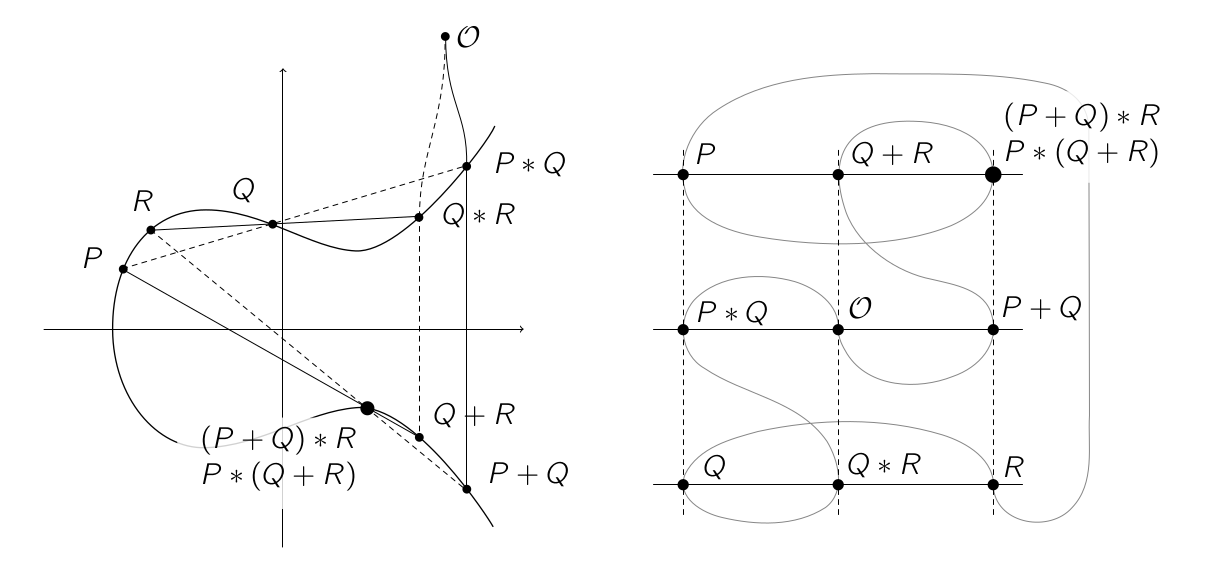
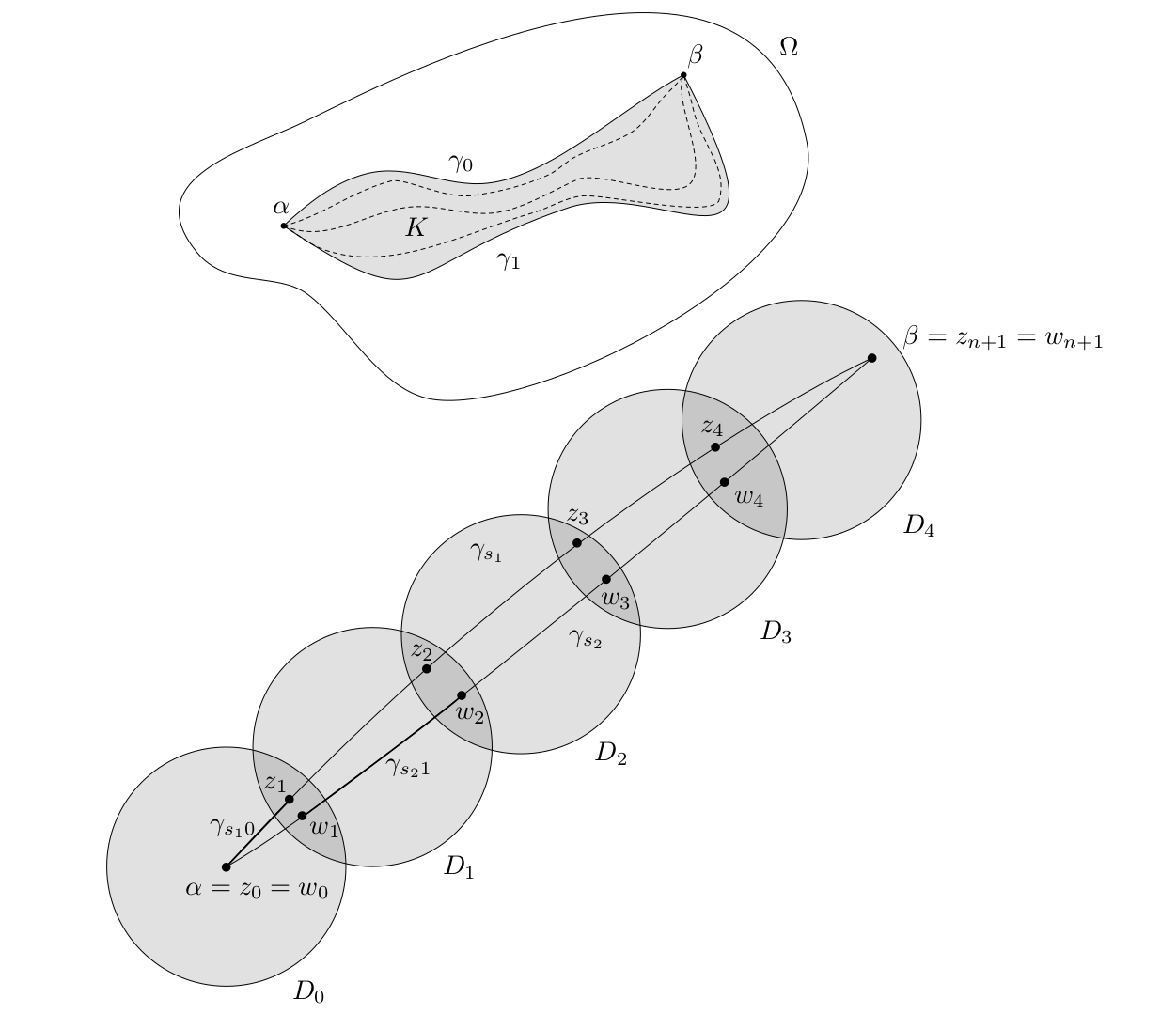
I write my lecture notes in LaTeX and I want to draw figures in real time, i.e. while the lecturer is drawing on the blackboard. While the figures I want to draw quite simple, drawing them in Inkscape with default shortcuts takes too much time to keep up with a fast paced lecture. My goal is to draw figures like this:
Solution
I created a custom shortcut manager that intercepts all keyboard events sent to Inkscape windows giving me full control of user input. The script has the following features
- Press clusters of keys (key chords) to apply common styles. Pressing d+a gives a dotted arrow, f+s fills the selection in gray and adds a stroke. You want a circle that's dotted and filled? Press f + d. Try pressing combinations of s, a, d, g, h, x, e, b, f, w. Being able to combine these common styles by pressing key chords feels quite intuitive after a while.
- Save custom styles and objects. Press Shift+S or Shift+A to give a style or object a name. Use it by pressing s or a and typing the name. For common styles that aren't covered by the key chords, this comes in handy.
- Use your editor to write LaTeX. Pressing t opens an instance of vim (or any editor you want). Write some LaTeX, close it, and the shortcut manager pastes the text in the figure. Pressing Shift+T does the same but renders the LaTeX as an svg and adds it to the document.
- Ergonomic shortcuts for frequently used functions. Press w for pencil, x to toggle snapping, f for Bézier, z to undo, Shift+z to delete and ` to dis/enable the shortcut manager.
For more details and context, feel free to read my blog post.
Installing
Note that this script only works on GNU/Linux using Python ≥ 3.6. It also has the following dependencies:
Xlibpython library to intercept keyboard eventspdflatexandpdf2svgto render LaTeX in Inkscapexclipto access the clipboardrofifor a selection dialog when saving styles and objects
Use the shortcut manager by running python3 main.py and opening an Inkscape window.
Configuration
You can configure the shortcut manager by creating a file located at ~/.config/inkscape-shortcut-manager/config.py. You can override the rofi theme, font, editor, as well as the LaTeX template that's being used. It's merged with the default config located at config.py. An example configuration file is located in the examples directory.
Related
Contributors


Similar repos


Languages
Python
100.0%
README
Inkscape shortcut manager
A shortcut manager that speeds up drawing (mathematical) figures in Inkscape.
Problem
I write my lecture notes in LaTeX and I want to draw figures in real time, i.e. while the lecturer is drawing on the blackboard. While the figures I want to draw quite simple, drawing them in Inkscape with default shortcuts takes too much time to keep up with a fast paced lecture. My goal is to draw figures like this:
Solution
I created a custom shortcut manager that intercepts all keyboard events sent to Inkscape windows giving me full control of user input. The script has the following features
- Press clusters of keys (key chords) to apply common styles. Pressing d+a gives a dotted arrow, f+s fills the selection in gray and adds a stroke. You want a circle that's dotted and filled? Press f + d. Try pressing combinations of s, a, d, g, h, x, e, b, f, w. Being able to combine these common styles by pressing key chords feels quite intuitive after a while.
- Save custom styles and objects. Press Shift+S or Shift+A to give a style or object a name. Use it by pressing s or a and typing the name. For common styles that aren't covered by the key chords, this comes in handy.
- Use your editor to write LaTeX. Pressing t opens an instance of vim (or any editor you want). Write some LaTeX, close it, and the shortcut manager pastes the text in the figure. Pressing Shift+T does the same but renders the LaTeX as an svg and adds it to the document.
- Ergonomic shortcuts for frequently used functions. Press w for pencil, x to toggle snapping, f for Bézier, z to undo, Shift+z to delete and ` to dis/enable the shortcut manager.
For more details and context, feel free to read my blog post.
Installing
Note that this script only works on GNU/Linux using Python ≥ 3.6. It also has the following dependencies:
Xlibpython library to intercept keyboard eventspdflatexandpdf2svgto render LaTeX in Inkscapexclipto access the clipboardrofifor a selection dialog when saving styles and objects
Use the shortcut manager by running python3 main.py and opening an Inkscape window.
Configuration
You can configure the shortcut manager by creating a file located at ~/.config/inkscape-shortcut-manager/config.py. You can override the rofi theme, font, editor, as well as the LaTeX template that's being used. It's merged with the default config located at config.py. An example configuration file is located in the examples directory.
Related
Similar repos
Contributors
Languages
Python
100.0%