
README
ascdraw
I value ascdraw at $9.99 or €9.99 for a personal license. It is GPLv3 software, so payment is entirely optional. If it is useful to you, please fund its development.
Native, keyboard-first diagramming for people who think in text.
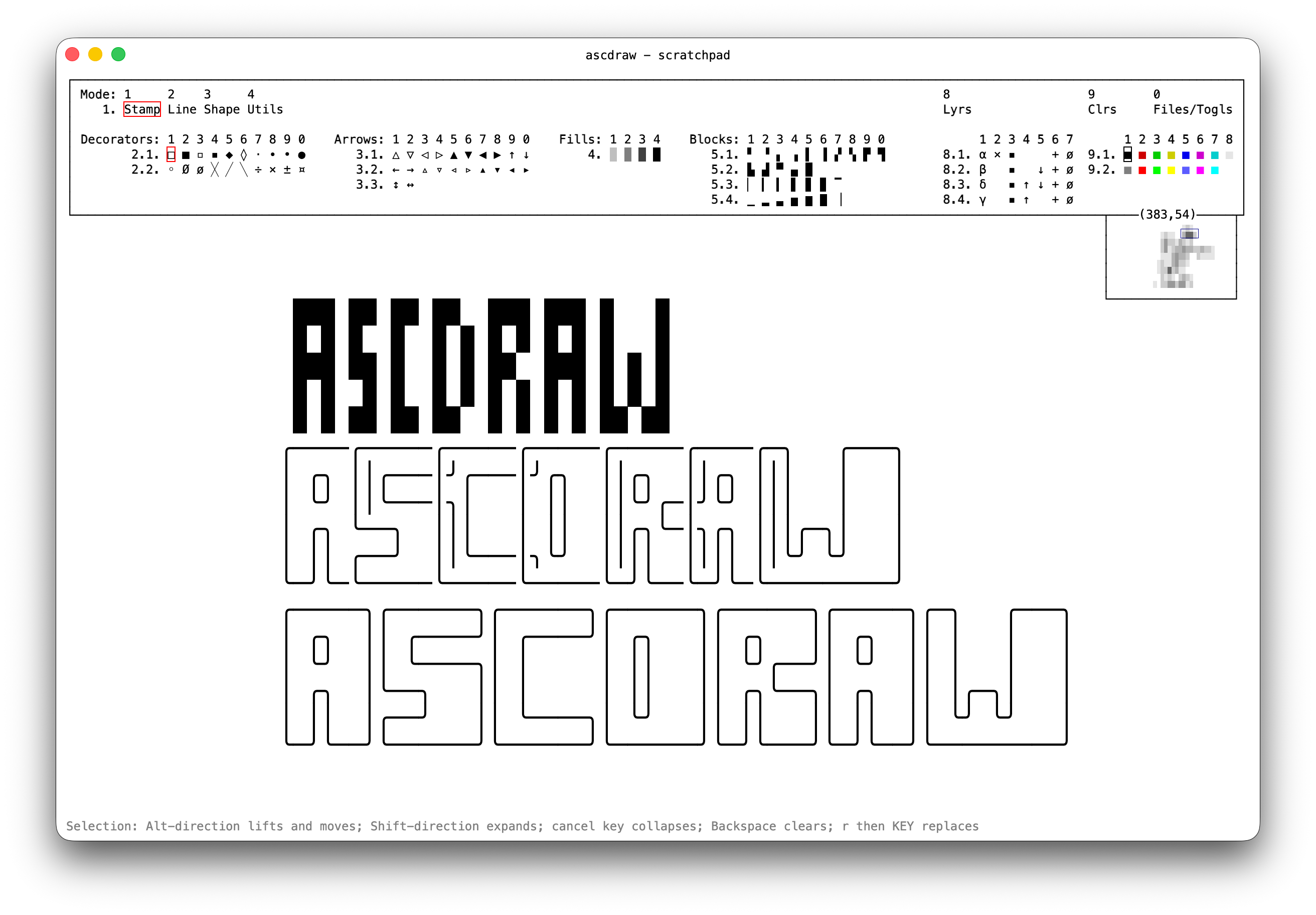
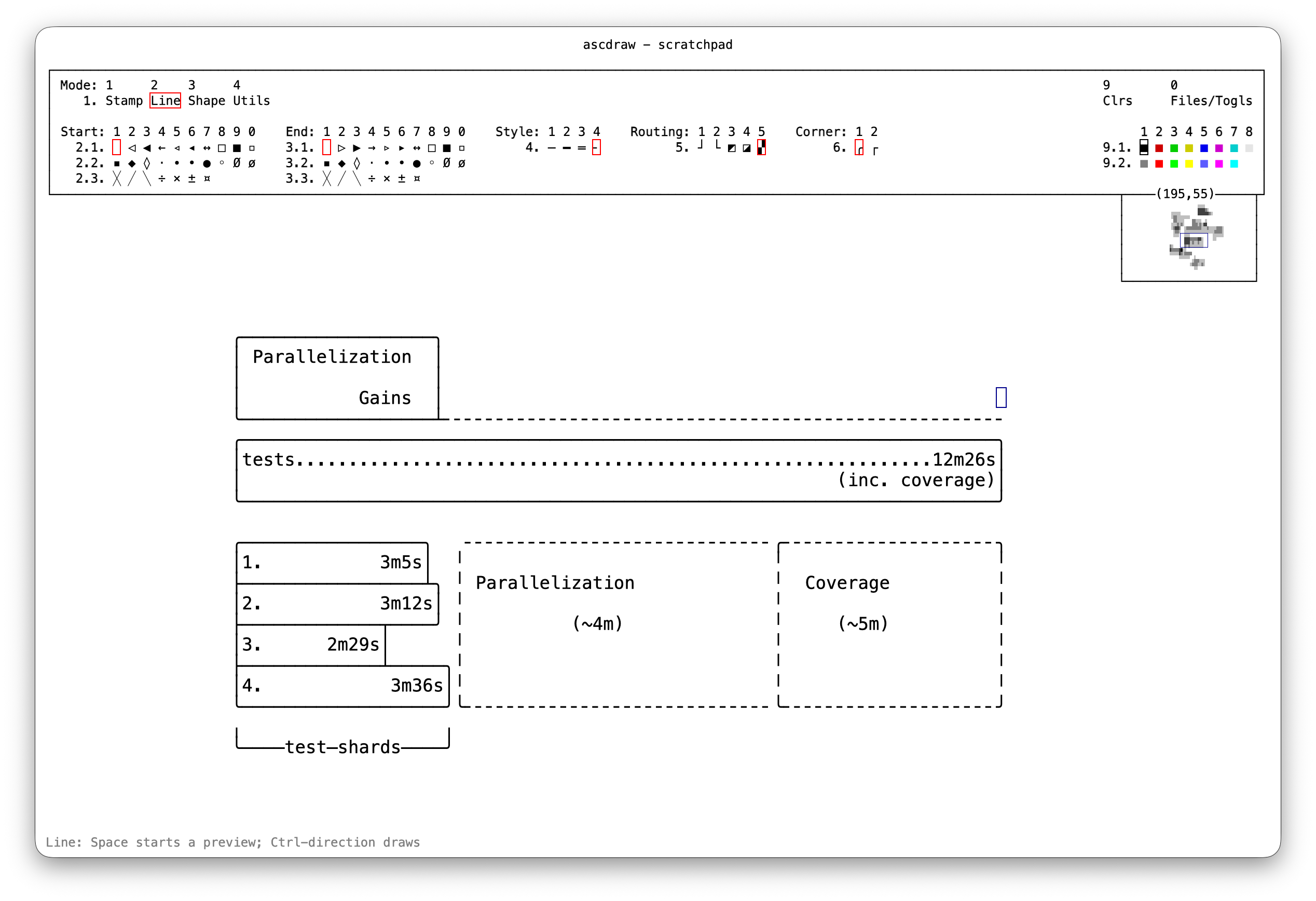
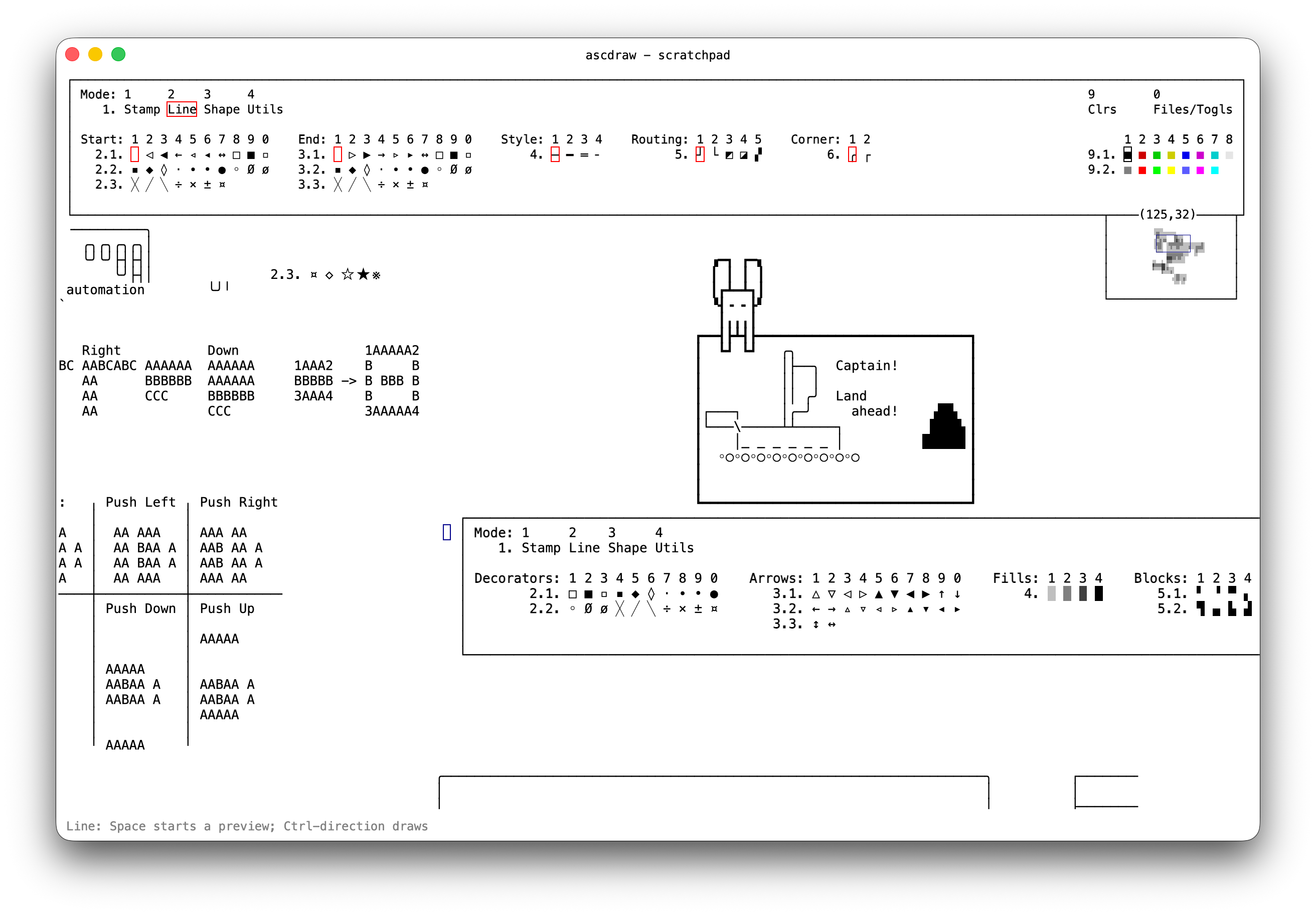
ascdraw is an effectively infinite Unicode canvas for connected lines, symbols, shapes, text, rectangular editing, layers, and TXT/JSON/PNG export. It is usable today, but its interfaces and document format are still evolving. The canvas renders at 120+ FPS, which matters more than you might think in a keyboard-first editor.
Get it
Download a current nightly from GitHub Releases, or build it yourself with the Rust toolchain managed by mise:
cargo build --release --locked
./target/release/ascdraw
Install from a checkout instead:
cargo install --path . --locked
The Linux nightly is built on Ubuntu 22.04, so it needs glibc 2.35 or newer. On an older distribution, build from source.
Use it
ascdraw opens in Stamp mode. Numbered menus show their own keys; this table covers the less
obvious shortcuts. Directions are arrow keys or h, j, k, l.
| Action | Key |
|---|---|
| Move | direction |
| Draw/apply tool | Ctrl + direction |
| Place stamp / preview line or shape | Space |
| Select rectangle | Shift + direction |
| Erase / move selection | Alt + direction (moves when selection is expanded) |
| Text mode | i |
| Continuous replace mode | Return or Shift + R |
| Replace once | r, then a character |
| Jump across canvas | m, then direction |
| Clear selection | Backspace |
| Undo / redo | u / U or Ctrl/Cmd + Z / R |
| Copy / cut / paste | Cmd + C / Ctrl/Cmd + X / Ctrl/Cmd + V |
| Cancel | Escape, Ctrl + C, or Ctrl + G |
- Stamp: place symbols, arrows, fills, and blocks. Copy one cell to use its glyph as a custom stamp until you select a bundled stamp.
- Line: draw connected Unicode lines; Space starts a routed preview.
- Shape: draw outlined or filled rectangles.
- Utils: push/pull rows and columns, or pan the viewport.
- Files/Togls (
0): load, save, export, change theme, and enable colors or layers.
Optional features:
- Color: choose from 16 ANSI-style colors for new text and drawing. PNG and JSON preserve colors; TXT does not.
- Layers: add, hide, reorder, and merge layers. Editing affects the active layer; PNG preserves the visible stack.
- Dark Mode: available, but less polished because I prefer and primarily use black on white.
In Line mode, Space starts a routed preview; move to route, Space commits an anchor, and Space again finishes. Backspace removes the last anchor and Escape cancels the live segment.
Modifier order matters. The first chooses the action; the second changes its distance:
| First held | Action | Add for 5 cells | Add for 10 cells |
|---|---|---|---|
| Shift | Select | Ctrl | Alt |
| Alt | Erase | Ctrl | Shift |
| Ctrl | Draw/apply tool | Alt | Shift |
Scroll or two-finger drag to pan. Pinch or Ctrl/Cmd + scroll to zoom. Most tools also support clicking and dragging.
Edit a native document in place, with normal autosaving:
ascdraw drawing.json
Filter mode reads plain text from stdin, opens it for interactive editing, then prints the result to stdout once the window closes. It does not touch the scratchpad:
ascdraw - < input.txt > output.txt
# or
printf 'box\n' | ascdraw - > output.txt
This also makes ascdraw usable as an external editor filter:
| Editor | Command |
|---|---|
| Kakoune | ` |
| Neovim | :%!ascdraw - |
| Emacs | `M- |
Configure it
Bundled defaults are in ascdraw.toml and theme.toml. Put overrides
in $XDG_CONFIG_HOME/ascdraw/config.toml, or ~/.config/ascdraw/config.toml. Changes reload while
the app is running. Run ascdraw --show-config to see the merged configuration and searched paths.
Only include values you want to override:
font-family = "SF Mono"
font-size = 14.0
transparent-menubar = true

[jump]
inactivity-ms = 500

[keys]
font-scale-up = "Cmd-="
font-scale-down = "Cmd--"
window-new = "Cmd-N"

[theme.default]
fg = "#000000"
bg = "#ffffff"

[theme.cursor-drawing]
fg = "#00008b"
Colors use #RRGGBB or #RRGGBBAA. Theme faces and all available settings are listed in the two
bundled default files linked above.
Develop it
cargo fmt --all -- --check
cargo test --locked --quiet
cargo clippy --all-targets --all-features --locked -- -D warnings
OpenAI GPT-5.5 and GPT-5.6 Sol aided development. Mostly.
License
Copyright (C) 2026 Przemysław Alexander Kamiński vel xlii vel exlee.
ascdraw is released under the GNU General Public License, version 3 or later. Commercial
licenses are available where GPL terms are unsuitable; contact
alexander@kaminski.se. See NOTICE for details.
Contributors

390 commits
See what people are saying
Similar repos


Languages
Rust
98.4%
Ruby
1.6%
README
ascdraw
I value ascdraw at $9.99 or €9.99 for a personal license. It is GPLv3 software, so payment is entirely optional. If it is useful to you, please fund its development.
Native, keyboard-first diagramming for people who think in text.
ascdraw is an effectively infinite Unicode canvas for connected lines, symbols, shapes, text, rectangular editing, layers, and TXT/JSON/PNG export. It is usable today, but its interfaces and document format are still evolving. The canvas renders at 120+ FPS, which matters more than you might think in a keyboard-first editor.
Get it
Download a current nightly from GitHub Releases, or build it yourself with the Rust toolchain managed by mise:
cargo build --release --locked
./target/release/ascdraw
Install from a checkout instead:
cargo install --path . --locked
The Linux nightly is built on Ubuntu 22.04, so it needs glibc 2.35 or newer. On an older distribution, build from source.
Use it
ascdraw opens in Stamp mode. Numbered menus show their own keys; this table covers the less
obvious shortcuts. Directions are arrow keys or h, j, k, l.
| Action | Key |
|---|---|
| Move | direction |
| Draw/apply tool | Ctrl + direction |
| Place stamp / preview line or shape | Space |
| Select rectangle | Shift + direction |
| Erase / move selection | Alt + direction (moves when selection is expanded) |
| Text mode | i |
| Continuous replace mode | Return or Shift + R |
| Replace once | r, then a character |
| Jump across canvas | m, then direction |
| Clear selection | Backspace |
| Undo / redo | u / U or Ctrl/Cmd + Z / R |
| Copy / cut / paste | Cmd + C / Ctrl/Cmd + X / Ctrl/Cmd + V |
| Cancel | Escape, Ctrl + C, or Ctrl + G |
- Stamp: place symbols, arrows, fills, and blocks. Copy one cell to use its glyph as a custom stamp until you select a bundled stamp.
- Line: draw connected Unicode lines; Space starts a routed preview.
- Shape: draw outlined or filled rectangles.
- Utils: push/pull rows and columns, or pan the viewport.
- Files/Togls (
0): load, save, export, change theme, and enable colors or layers.
Optional features:
- Color: choose from 16 ANSI-style colors for new text and drawing. PNG and JSON preserve colors; TXT does not.
- Layers: add, hide, reorder, and merge layers. Editing affects the active layer; PNG preserves the visible stack.
- Dark Mode: available, but less polished because I prefer and primarily use black on white.
In Line mode, Space starts a routed preview; move to route, Space commits an anchor, and Space again finishes. Backspace removes the last anchor and Escape cancels the live segment.
Modifier order matters. The first chooses the action; the second changes its distance:
| First held | Action | Add for 5 cells | Add for 10 cells |
|---|---|---|---|
| Shift | Select | Ctrl | Alt |
| Alt | Erase | Ctrl | Shift |
| Ctrl | Draw/apply tool | Alt | Shift |
Scroll or two-finger drag to pan. Pinch or Ctrl/Cmd + scroll to zoom. Most tools also support clicking and dragging.
Edit a native document in place, with normal autosaving:
ascdraw drawing.json
Filter mode reads plain text from stdin, opens it for interactive editing, then prints the result to stdout once the window closes. It does not touch the scratchpad:
ascdraw - < input.txt > output.txt
# or
printf 'box\n' | ascdraw - > output.txt
This also makes ascdraw usable as an external editor filter:
| Editor | Command |
|---|---|
| Kakoune | ` |
| Neovim | :%!ascdraw - |
| Emacs | `M- |
Configure it
Bundled defaults are in ascdraw.toml and theme.toml. Put overrides
in $XDG_CONFIG_HOME/ascdraw/config.toml, or ~/.config/ascdraw/config.toml. Changes reload while
the app is running. Run ascdraw --show-config to see the merged configuration and searched paths.
Only include values you want to override:
font-family = "SF Mono"
font-size = 14.0
transparent-menubar = true

[jump]
inactivity-ms = 500

[keys]
font-scale-up = "Cmd-="
font-scale-down = "Cmd--"
window-new = "Cmd-N"

[theme.default]
fg = "#000000"
bg = "#ffffff"

[theme.cursor-drawing]
fg = "#00008b"
Colors use #RRGGBB or #RRGGBBAA. Theme faces and all available settings are listed in the two
bundled default files linked above.
Develop it
cargo fmt --all -- --check
cargo test --locked --quiet
cargo clippy --all-targets --all-features --locked -- -D warnings
OpenAI GPT-5.5 and GPT-5.6 Sol aided development. Mostly.
License
Copyright (C) 2026 Przemysław Alexander Kamiński vel xlii vel exlee.
ascdraw is released under the GNU General Public License, version 3 or later. Commercial
licenses are available where GPL terms are unsuitable; contact
alexander@kaminski.se. See NOTICE for details.
See what people are saying
Similar repos
Contributors
390 commits
Languages
Rust
98.4%
Ruby
1.6%