
Frust — a Rust-native, mobile-first declarative UI framework
See the codeSee what people are saying
README

Frust
Fearless UI in Rust
Frust is a Rust-native, mobile-first declarative UI framework: write one View tree in Rust and
ship it to Android, iOS, macOS, Windows, Linux, and the web, rendered everywhere by the
frust-owned frust-engine GPU pipeline.
Status: pre-1.0; APIs may change between minor versions.
Documentation
- frust.dev — docs home
- Get started
- The
frustTUI - Widget catalog
- Architecture
- Development guide
- Learning the rendering pipeline
About Frust
Beautiful UIs
Frust apps are built from a declarative View API that diffs into a retained Widget tree —
no imperative view mutation. Design systems ship as sibling plugin crates built entirely on the
public frust::authoring toolkit, the same seam a third-party design system uses:
frust-glyph, frust-material (Material 3), frust-cupertino, frust-shadcn, and frust-beui.
Built with Frust: muxr — a mobile client for remote zellij/herdr terminal sessions, built entirely with Frust.
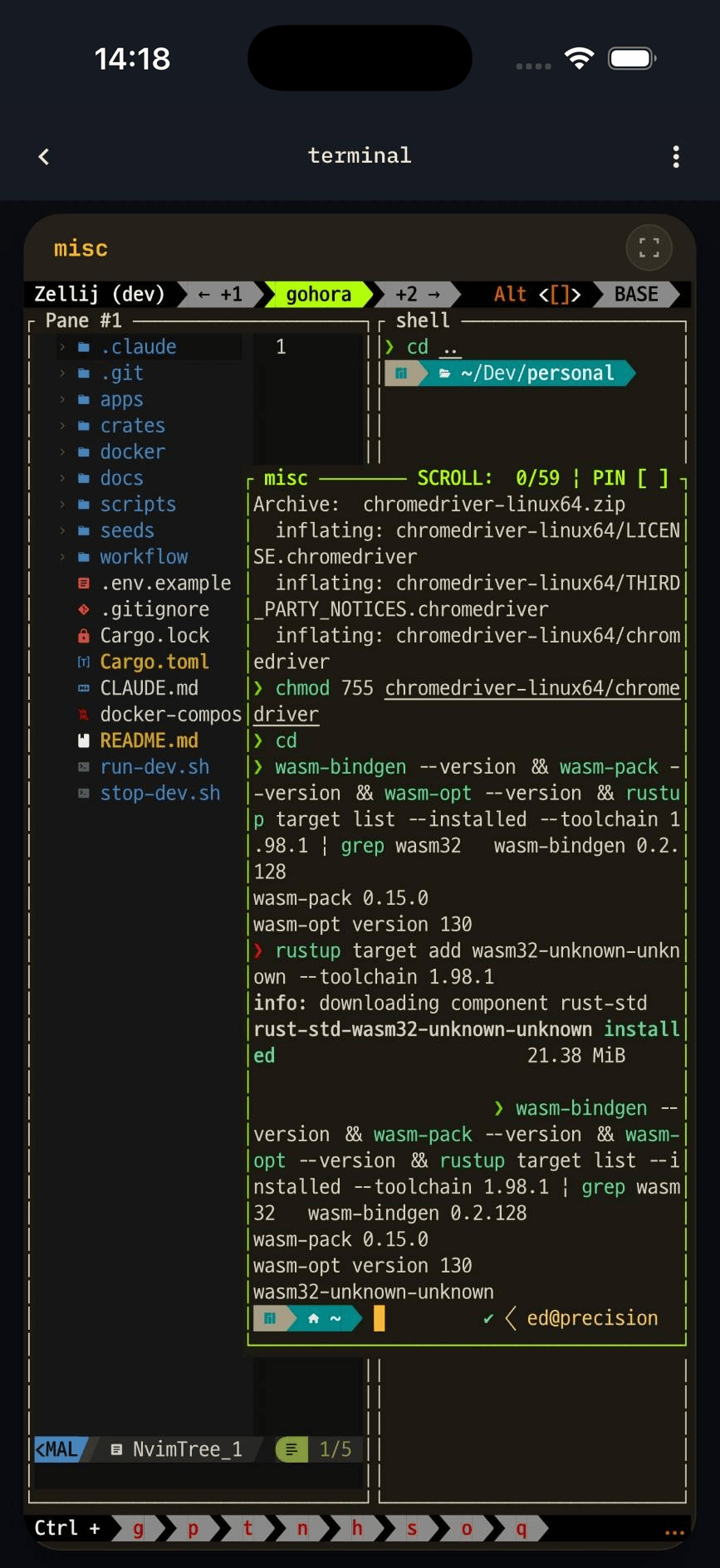
Sample apps from examples/, running on an iPhone:
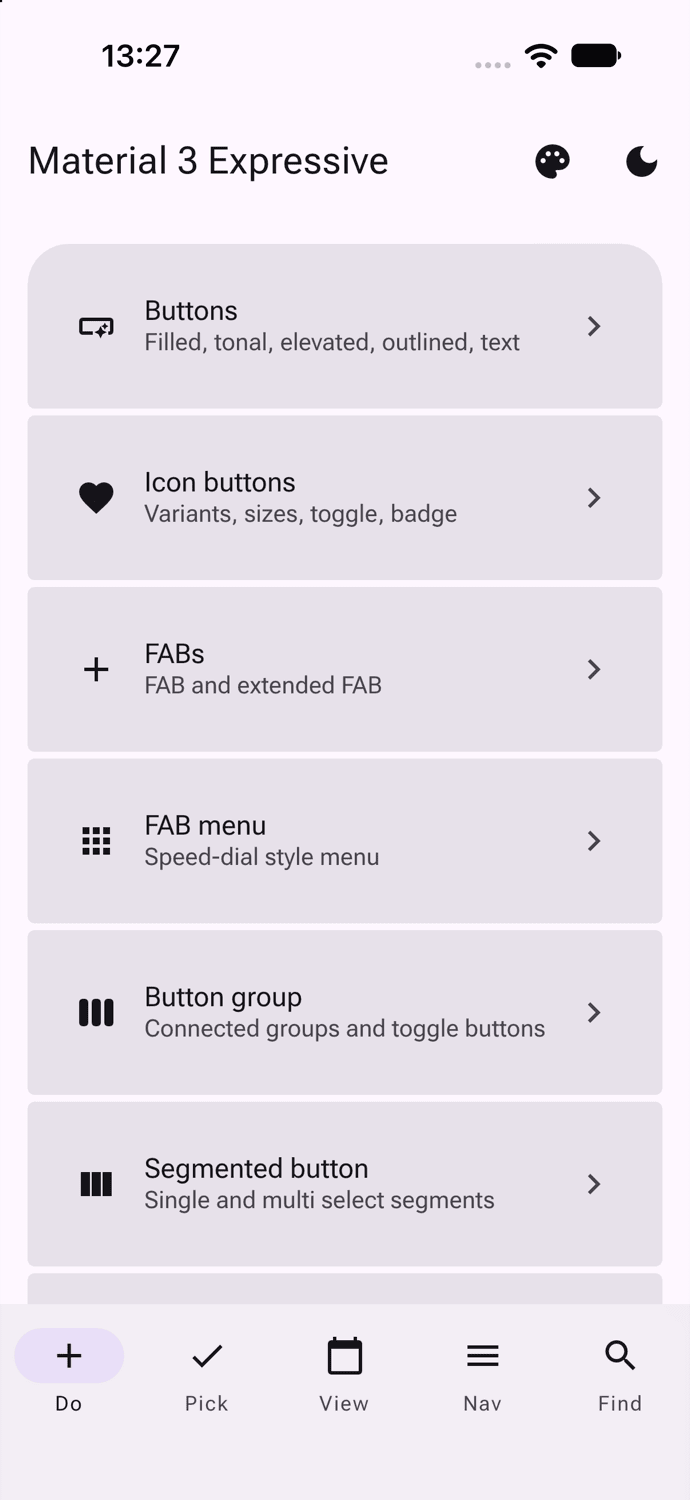
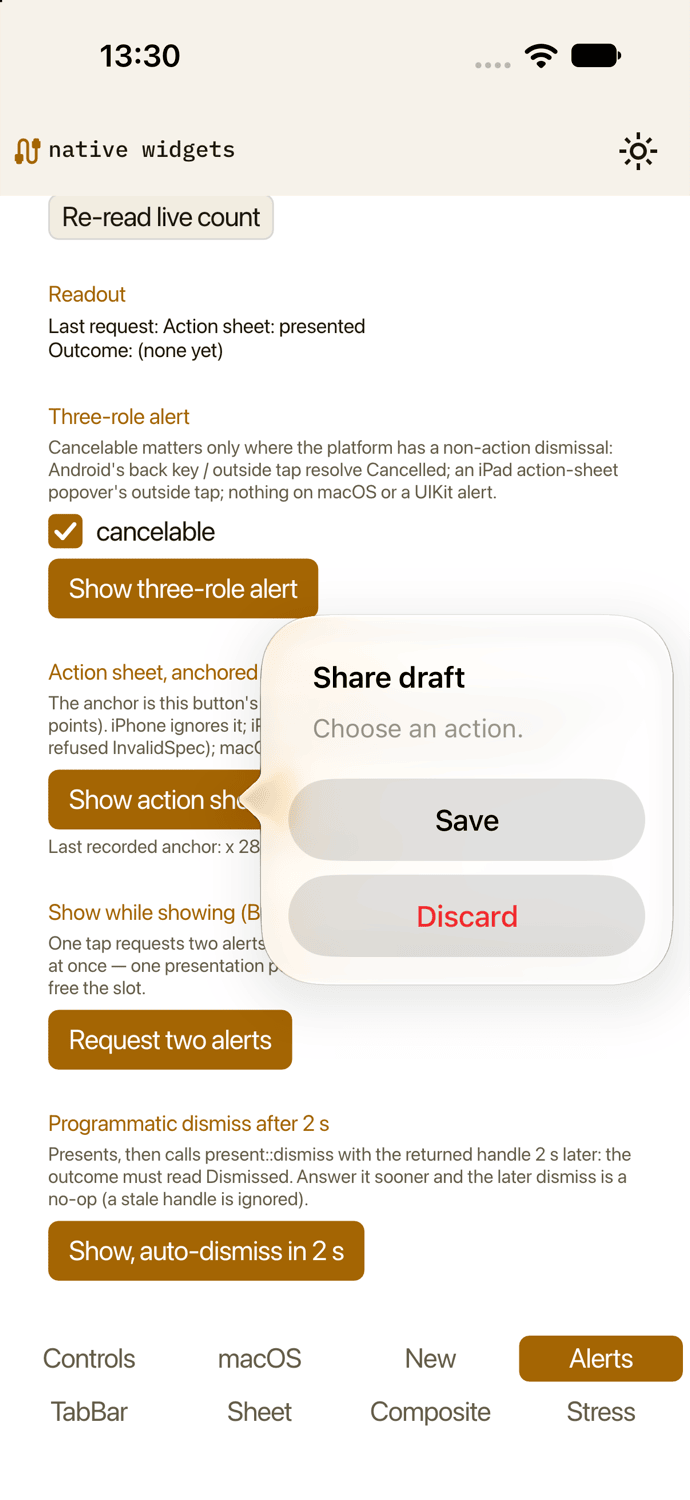
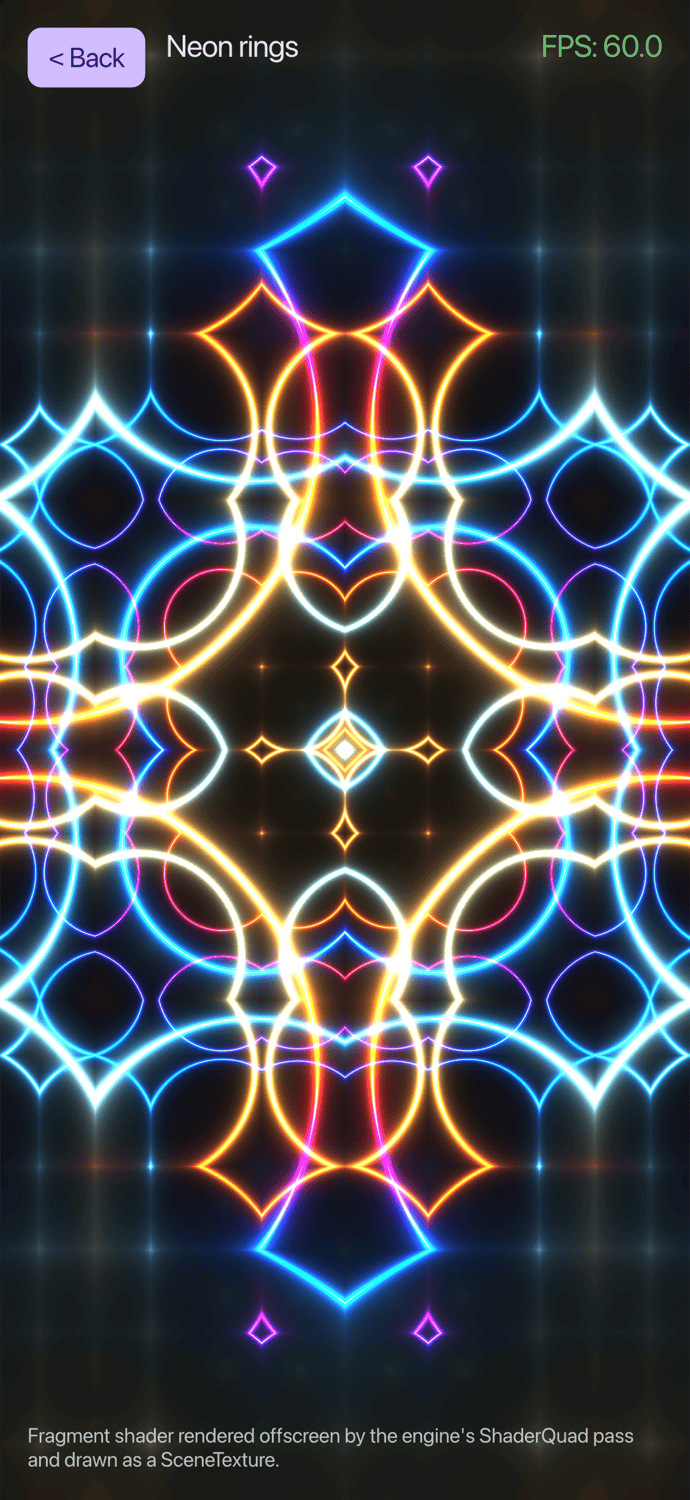
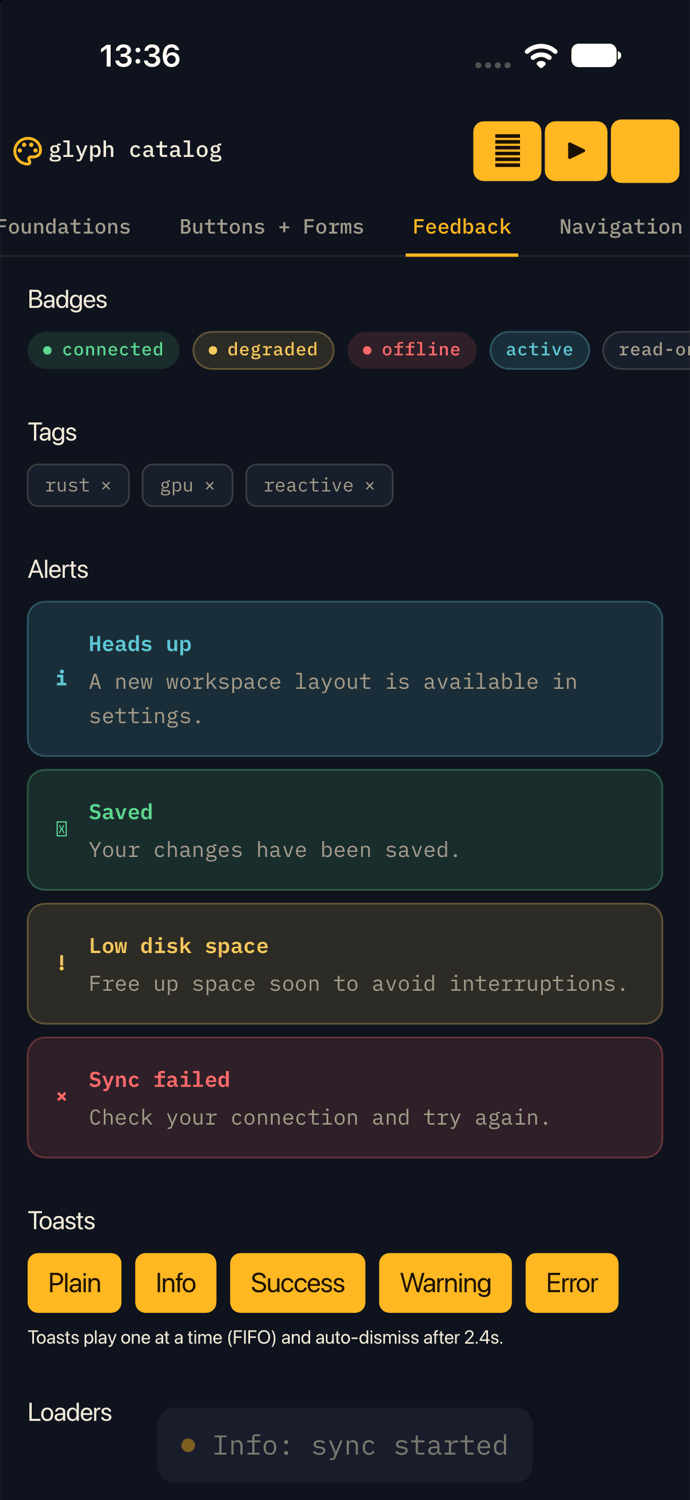
material3-demo · native-widgets-demo · shadertoy · glyph-catalog
Fast
Frust apps are plain Rust, compiled ahead of time to native code — no VM, no garbage collector —
running the same core on Android, iOS, desktop, and the web. Every frame renders through
frust-engine, Frust's own GPU strip renderer, on top of wgpu: Vulkan on Android and Linux,
Metal on macOS and iOS, Direct3D 12 on Windows, and WebGPU (with a WebGL2 fallback) in the
browser. Nothing renders until something changes — a static screen produces zero frames, and a
decorative animation is paced to the current theme's cosmetic rate rather than running flat-out
every vsync.
Productive development — the TUI
Bare frust opens frust-tui, a mouse-first terminal workbench, rather than dropping you at a
bare CLI:
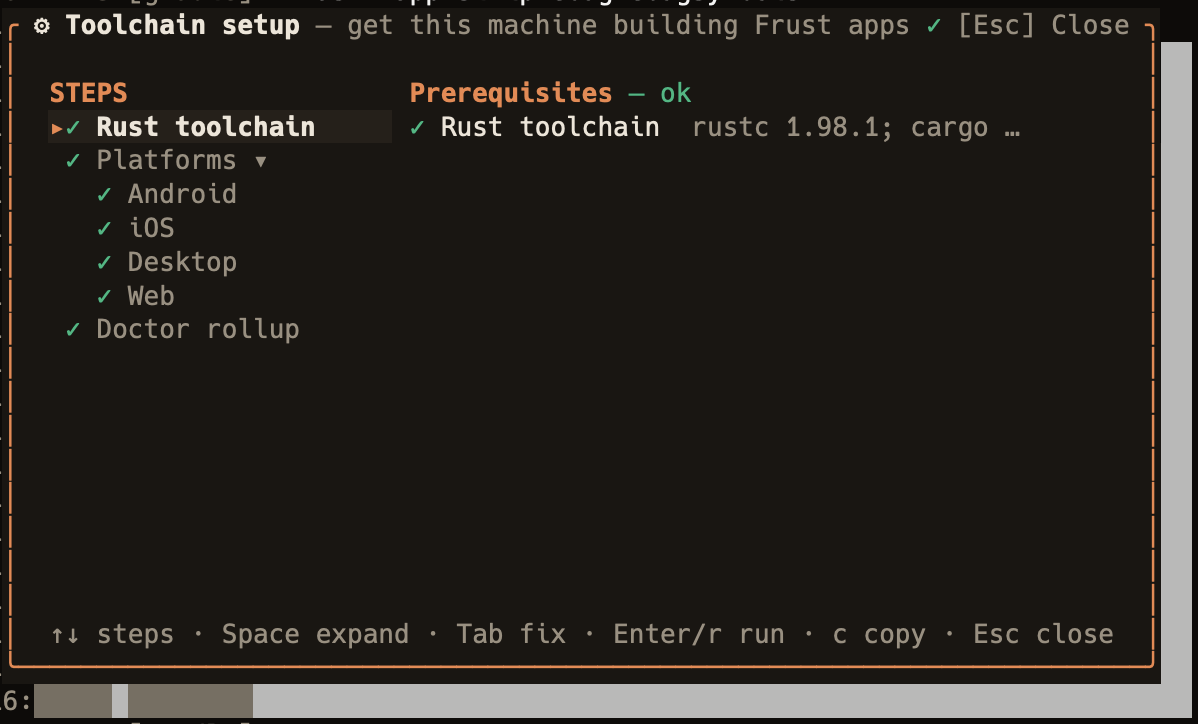
Toolchain setup wizard
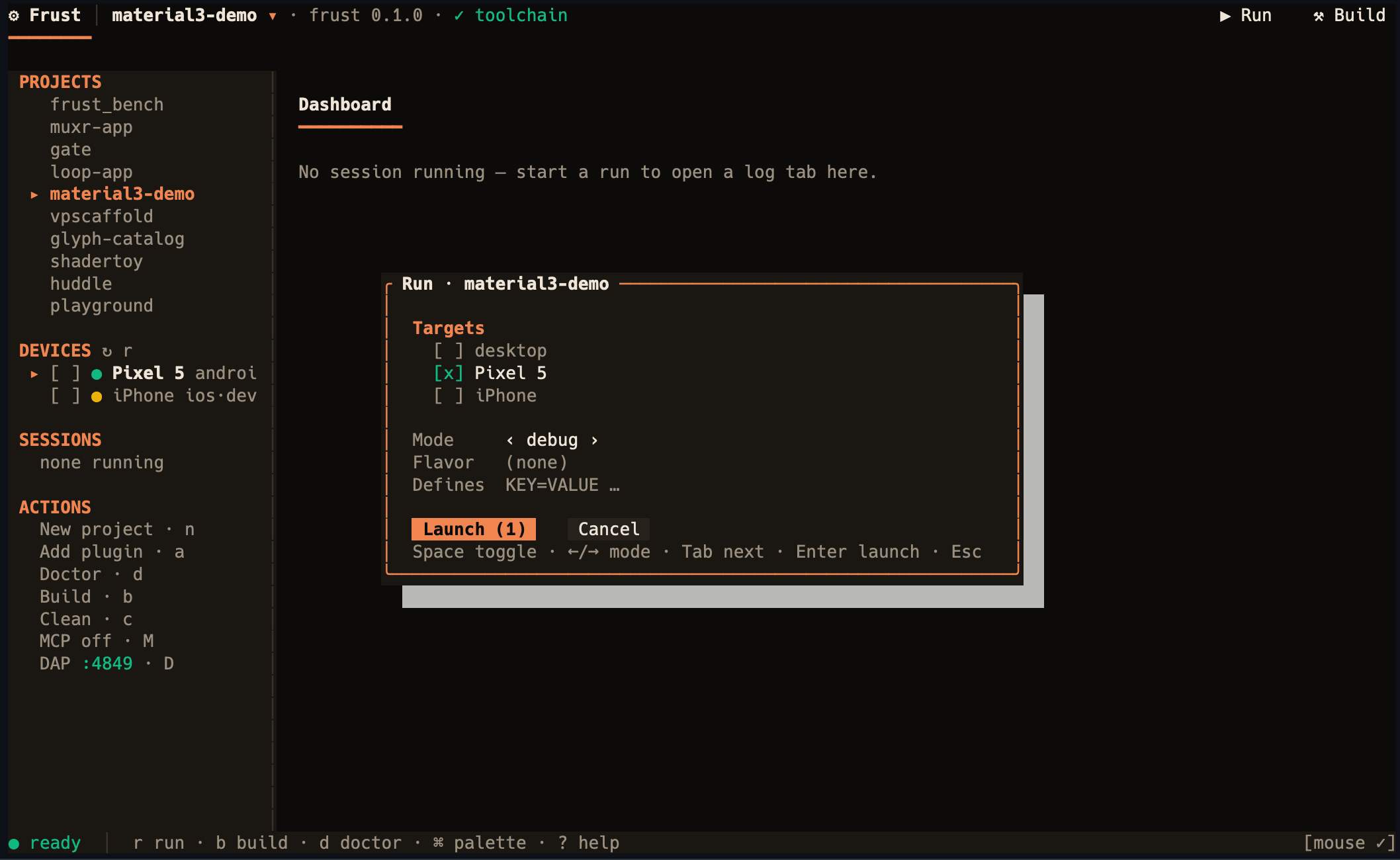
Run configuration
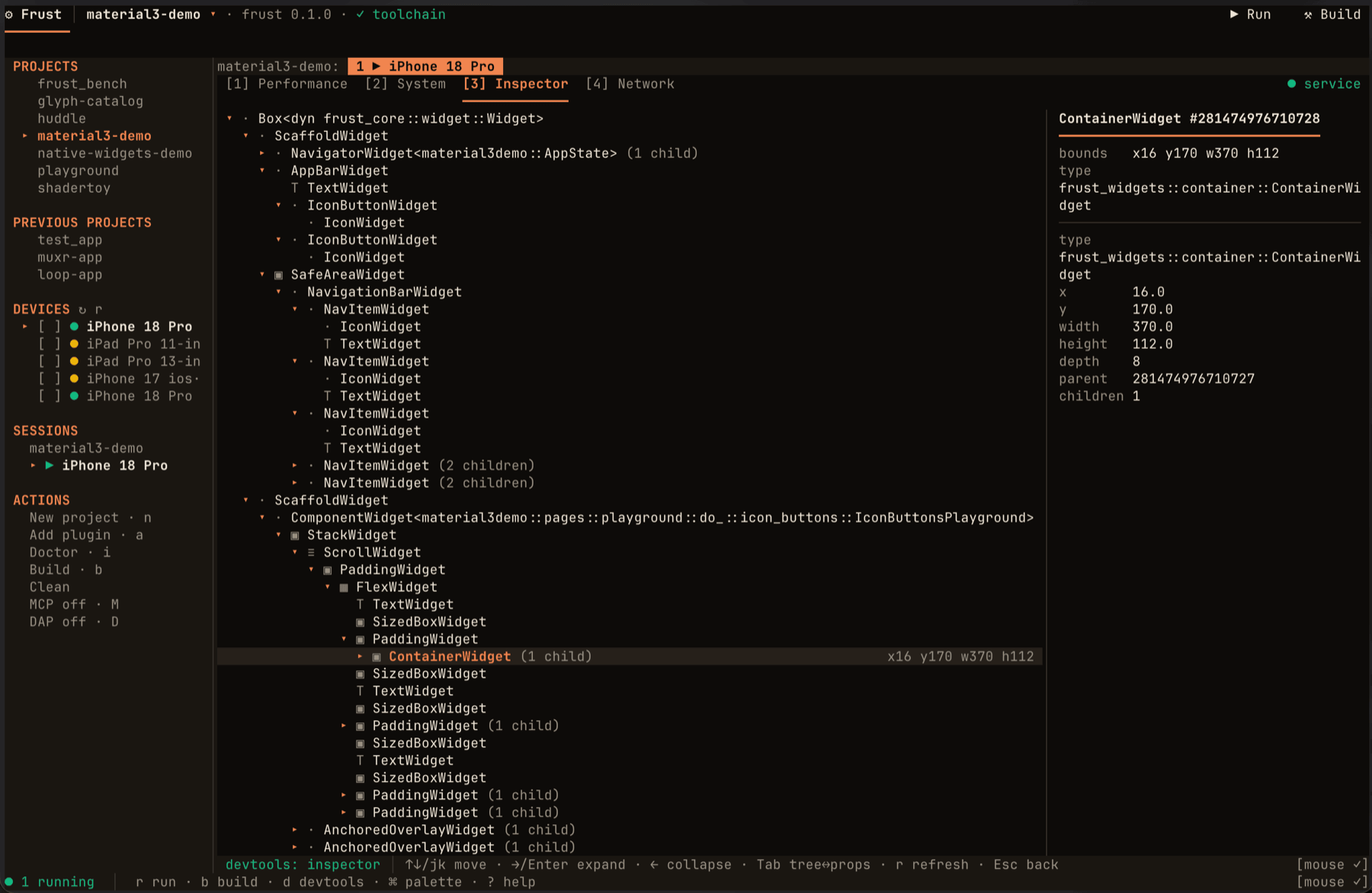
DevTools inspector
- A toolchain setup wizard checks Rust plus each platform area (Android, iOS, Desktop, Web) and offers a guided fix action per gap.
- A projects list with new-project scaffolding, and device discovery feeding a run dialog that launches on one or several devices at once, in debug, profile, or release mode.
- Concurrent run sessions, each with its own log tab.
- A DevTools panel (Performance, System, Inspector, Network) for a running session.
- Add plugin, to wire an OS-capability or design-system plugin into the current project.
- An embedded MCP server for AI agents and an embedded DAP server for editor debuggers, both driving the same sessions the workbench shows.
See the website's TUI docs for the full picture. (There is
no hot reload — a code change still needs a rebuild. Press R in the TUI, or use frust run --watch on desktop, to rebuild and relaunch.)
Extensible
Frust apps are plain Rust in the same process as the OS, so an OS-capability plugin calls
platform APIs directly through FFI (jni on Android, objc2 on Apple) rather than through a
per-plugin Kotlin/Swift bridge: frust-shared-preferences, frust-secure-storage,
frust-camera, frust-clipboard, frust-haptics, frust-url-launcher, frust-auth-session,
frust-iap, frust-database, frust-i18n, frust-video-player, and frust-native-widgets
(real platform controls). The generated app shell itself still carries a thin native entry point
— Kotlin on Android, Swift on iOS — that the Rust core calls into. frust create --arch clean-signals scaffolds an opt-in clean-architecture variant wired to clean-signals-frust.
Status
Pre-1.0. APIs are unstable and may change without notice between commits.
[!WARNING] Frust can currently be considered in an alpha state. In particular, we're still working on the following:
- No partial repaint / damage regions — every rendered frame re-rasterizes the full surface, a whole-stack gap shared with the wider ecosystem today (wgpu#2869, xilem#789). The mobile frame gate, cosmetic-loop pacing, and viewport culling bound how many frames render (a static screen renders none; a decorative loop is capped at the theme's cosmetic rate), not what each one costs.
- Back handling is single-navigator, process-wide — concurrently-live navigators (per-tab stacks, multi-window) are unsupported until the back provider slot is widened to a stack.
frust-engine, the frust-owned strips-on-wgpu renderer, carries its own named alpha-state gaps, notably:
- Bitmap-strike color emoji (PNG/BGRA/Mask — e.g. Android's CBDT strikes) do not render; COLR-format color emoji do.
- A per-corner blurred shadow/glow rounds to its largest corner rather than each corner independently.
- The glyph atlas is built on a cache upstream itself labels experimental, wrapped in frust-owned policy.
See
docs/LIMITATIONS.mdfor the full, evidenced register.
Quickstart
Prerequisites: Rust 1.88+ (edition 2024). See docs/DEVELOPMENT.md for platform toolchains (Android/iOS/Web) beyond the desktop preview.
cargo install frust-cli
frust create my_app && cd my_app   # scaffold a new app
frust run                          # build/install/launch on a connected device/emulator/simulator
Bare frust opens the terminal workbench: the toolchain wizard gets this machine building Frust
apps, then the workbench scaffolds and runs one. frust doctor runs the wizard's checks
non-interactively. Contributors can build a generated project against a checkout of this repository
with frust create my_app --frust-path <checkout>.
Hello, Frust
// crates/frust/src/lib.rs (doctest)
use frust::{Component, View, AnyView, any, text};

struct Counter;

impl Component for Counter {
    type State = i32;

    fn init(&self) -> i32 {
        0
    }

    fn build(&self, state: &mut i32) -> AnyView<i32> {
        any(text(format!("count: {state}")).size(32.0))
    }
}

frust::run(Counter).unwrap();
Learning the rendering pipeline
docs/learning/ is a hands-on, lab-based
curriculum for understanding how Frust turns a View into pixels — from
the display list, the widget-tree machinery, and the widget paint seam,
through the frame loop and the frust-engine/wgpu encode-present path (its
compiler, its scheduler and passes, its paint/image/filter and text
pipelines, and the frust-gpu substrate underneath), to text shaping, the
mobile frame gate, and the measurement tooling. Every chapter anchors to
real files in this repo and ends with runnable experiments (build a scene
by hand, break the S1 bubble-chart benchmark scenario on purpose, trace a
frame with FRUST_TRACE=1), plus a
verified watchlist of talks and university lectures for the theory —
after you've seen the mechanism working.
Contributing
Contributions are welcome; see CONTRIBUTING.md. Participation is governed by the Code of Conduct.
License
Licensed under either of MIT or Apache-2.0, at your option
(MIT OR Apache-2.0). Some design-system crates bundle fonts under OFL-1.1.
Similar repos


Frust — a Rust-native, mobile-first declarative UI framework
See the codeSee what people are saying
README
Frust
Fearless UI in Rust
Frust is a Rust-native, mobile-first declarative UI framework: write one View tree in Rust and
ship it to Android, iOS, macOS, Windows, Linux, and the web, rendered everywhere by the
frust-owned frust-engine GPU pipeline.
Status: pre-1.0; APIs may change between minor versions.
Documentation
- frust.dev — docs home
- Get started
- The
frustTUI - Widget catalog
- Architecture
- Development guide
- Learning the rendering pipeline
About Frust
Beautiful UIs
Frust apps are built from a declarative View API that diffs into a retained Widget tree —
no imperative view mutation. Design systems ship as sibling plugin crates built entirely on the
public frust::authoring toolkit, the same seam a third-party design system uses:
frust-glyph, frust-material (Material 3), frust-cupertino, frust-shadcn, and frust-beui.
Built with Frust: muxr — a mobile client for remote zellij/herdr terminal sessions, built entirely with Frust.
Sample apps from examples/, running on an iPhone:
material3-demo · native-widgets-demo · shadertoy · glyph-catalog
Fast
Frust apps are plain Rust, compiled ahead of time to native code — no VM, no garbage collector —
running the same core on Android, iOS, desktop, and the web. Every frame renders through
frust-engine, Frust's own GPU strip renderer, on top of wgpu: Vulkan on Android and Linux,
Metal on macOS and iOS, Direct3D 12 on Windows, and WebGPU (with a WebGL2 fallback) in the
browser. Nothing renders until something changes — a static screen produces zero frames, and a
decorative animation is paced to the current theme's cosmetic rate rather than running flat-out
every vsync.
Productive development — the TUI
Bare frust opens frust-tui, a mouse-first terminal workbench, rather than dropping you at a
bare CLI:
Toolchain setup wizard
Run configuration
DevTools inspector
- A toolchain setup wizard checks Rust plus each platform area (Android, iOS, Desktop, Web) and offers a guided fix action per gap.
- A projects list with new-project scaffolding, and device discovery feeding a run dialog that launches on one or several devices at once, in debug, profile, or release mode.
- Concurrent run sessions, each with its own log tab.
- A DevTools panel (Performance, System, Inspector, Network) for a running session.
- Add plugin, to wire an OS-capability or design-system plugin into the current project.
- An embedded MCP server for AI agents and an embedded DAP server for editor debuggers, both driving the same sessions the workbench shows.
See the website's TUI docs for the full picture. (There is
no hot reload — a code change still needs a rebuild. Press R in the TUI, or use frust run --watch on desktop, to rebuild and relaunch.)
Extensible
Frust apps are plain Rust in the same process as the OS, so an OS-capability plugin calls
platform APIs directly through FFI (jni on Android, objc2 on Apple) rather than through a
per-plugin Kotlin/Swift bridge: frust-shared-preferences, frust-secure-storage,
frust-camera, frust-clipboard, frust-haptics, frust-url-launcher, frust-auth-session,
frust-iap, frust-database, frust-i18n, frust-video-player, and frust-native-widgets
(real platform controls). The generated app shell itself still carries a thin native entry point
— Kotlin on Android, Swift on iOS — that the Rust core calls into. frust create --arch clean-signals scaffolds an opt-in clean-architecture variant wired to clean-signals-frust.
Status
Pre-1.0. APIs are unstable and may change without notice between commits.
[!WARNING] Frust can currently be considered in an alpha state. In particular, we're still working on the following:
- No partial repaint / damage regions — every rendered frame re-rasterizes the full surface, a whole-stack gap shared with the wider ecosystem today (wgpu#2869, xilem#789). The mobile frame gate, cosmetic-loop pacing, and viewport culling bound how many frames render (a static screen renders none; a decorative loop is capped at the theme's cosmetic rate), not what each one costs.
- Back handling is single-navigator, process-wide — concurrently-live navigators (per-tab stacks, multi-window) are unsupported until the back provider slot is widened to a stack.
frust-engine, the frust-owned strips-on-wgpu renderer, carries its own named alpha-state gaps, notably:
- Bitmap-strike color emoji (PNG/BGRA/Mask — e.g. Android's CBDT strikes) do not render; COLR-format color emoji do.
- A per-corner blurred shadow/glow rounds to its largest corner rather than each corner independently.
- The glyph atlas is built on a cache upstream itself labels experimental, wrapped in frust-owned policy.
See
docs/LIMITATIONS.mdfor the full, evidenced register.
Quickstart
Prerequisites: Rust 1.88+ (edition 2024). See docs/DEVELOPMENT.md for platform toolchains (Android/iOS/Web) beyond the desktop preview.
cargo install frust-cli
frust create my_app && cd my_app   # scaffold a new app
frust run                          # build/install/launch on a connected device/emulator/simulator
Bare frust opens the terminal workbench: the toolchain wizard gets this machine building Frust
apps, then the workbench scaffolds and runs one. frust doctor runs the wizard's checks
non-interactively. Contributors can build a generated project against a checkout of this repository
with frust create my_app --frust-path <checkout>.
Hello, Frust
// crates/frust/src/lib.rs (doctest)
use frust::{Component, View, AnyView, any, text};

struct Counter;

impl Component for Counter {
    type State = i32;

    fn init(&self) -> i32 {
        0
    }

    fn build(&self, state: &mut i32) -> AnyView<i32> {
        any(text(format!("count: {state}")).size(32.0))
    }
}

frust::run(Counter).unwrap();
Learning the rendering pipeline
docs/learning/ is a hands-on, lab-based
curriculum for understanding how Frust turns a View into pixels — from
the display list, the widget-tree machinery, and the widget paint seam,
through the frame loop and the frust-engine/wgpu encode-present path (its
compiler, its scheduler and passes, its paint/image/filter and text
pipelines, and the frust-gpu substrate underneath), to text shaping, the
mobile frame gate, and the measurement tooling. Every chapter anchors to
real files in this repo and ends with runnable experiments (build a scene
by hand, break the S1 bubble-chart benchmark scenario on purpose, trace a
frame with FRUST_TRACE=1), plus a
verified watchlist of talks and university lectures for the theory —
after you've seen the mechanism working.
Contributing
Contributions are welcome; see CONTRIBUTING.md. Participation is governed by the Code of Conduct.
License
Licensed under either of MIT or Apache-2.0, at your option
(MIT OR Apache-2.0). Some design-system crates bundle fonts under OFL-1.1.