A free, open-source menu bar manager for macOS 26 and 27, built with Liquid Glass.
See the code
A menu bar manager for macOS 26 and 27, built with Liquid Glass.
Hide the menu bar icons you rarely use. Bring them back with one click.





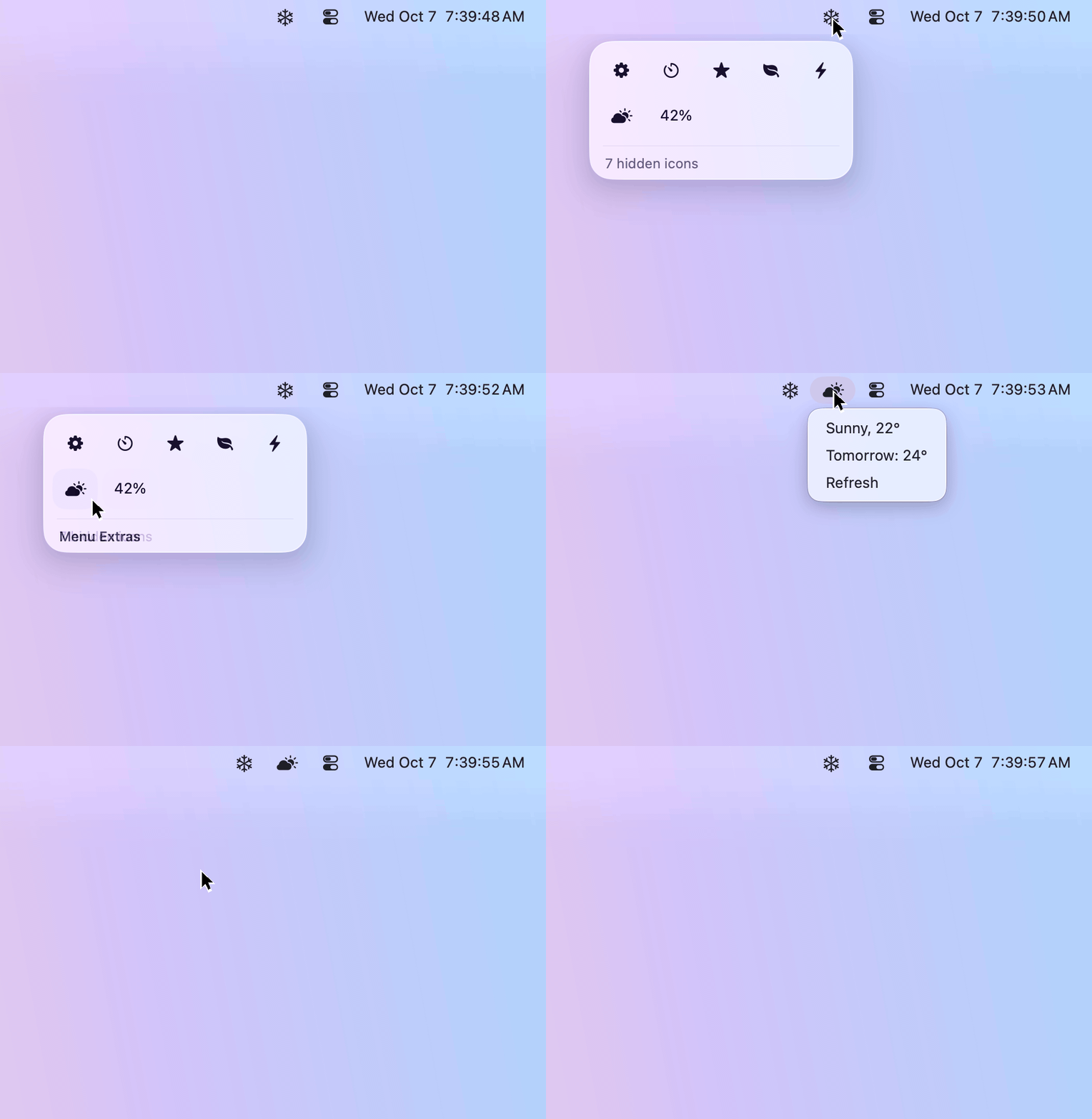
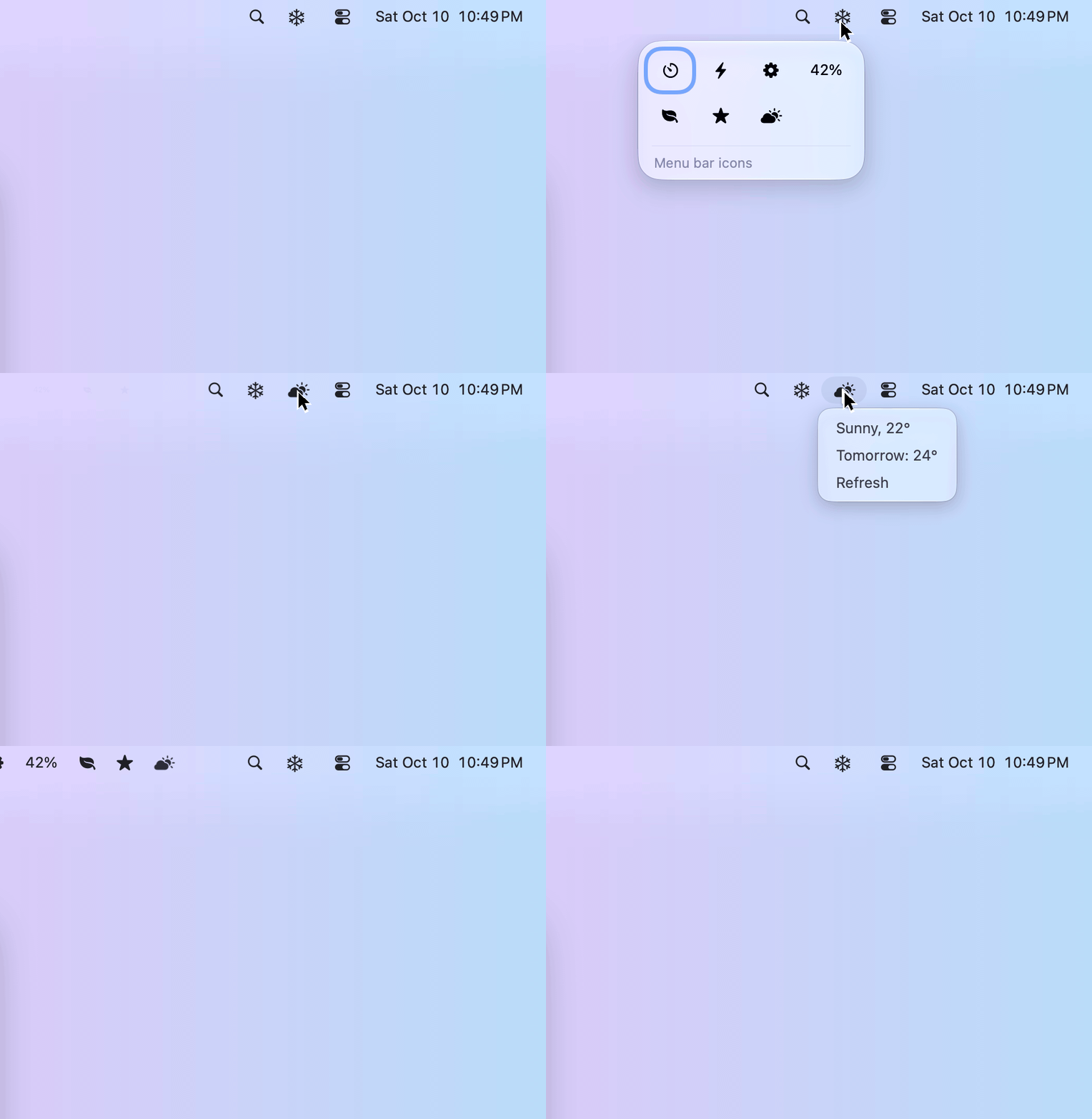
The same Frost Bar and Settings interface, with the macOS 27 differences listed below.
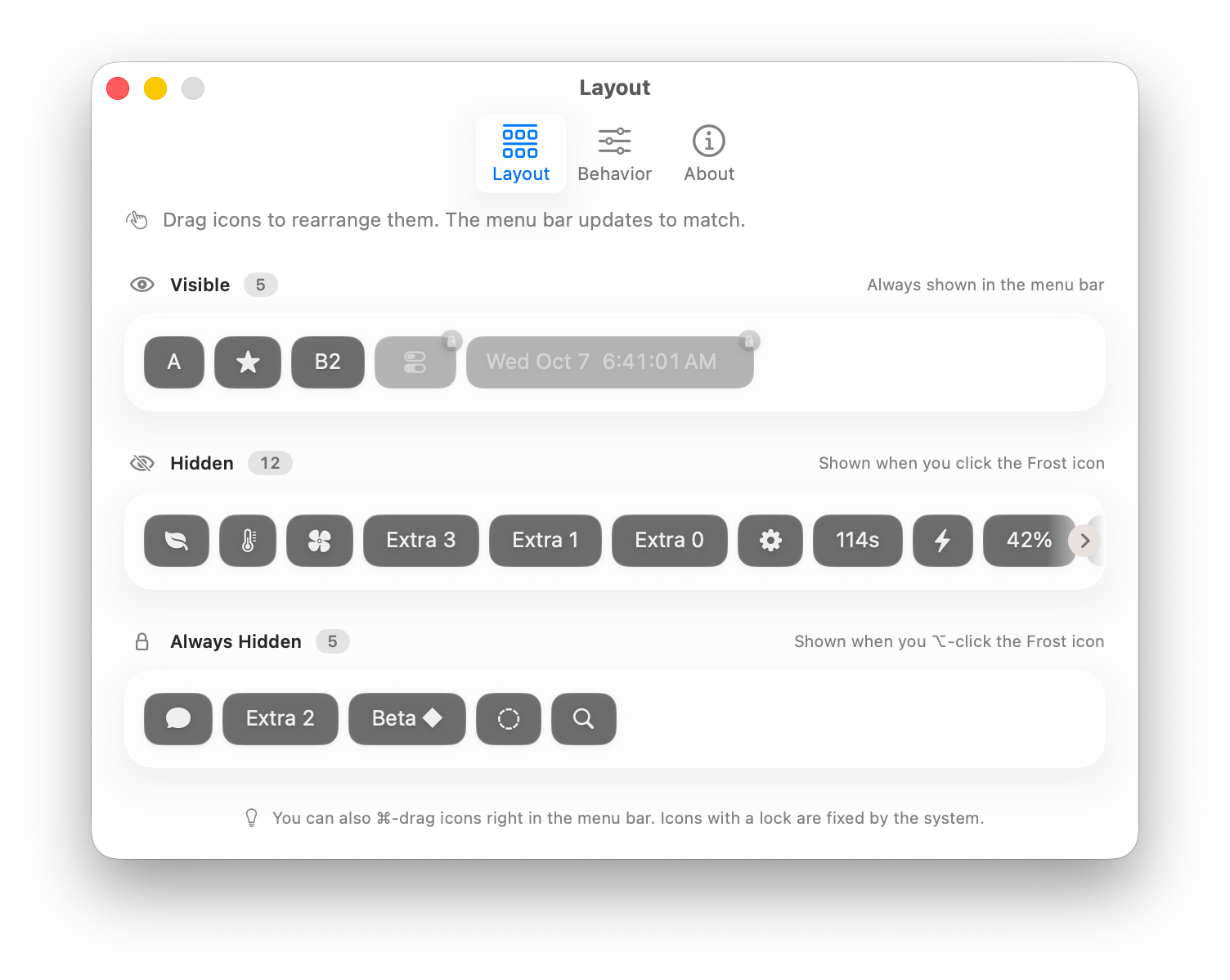
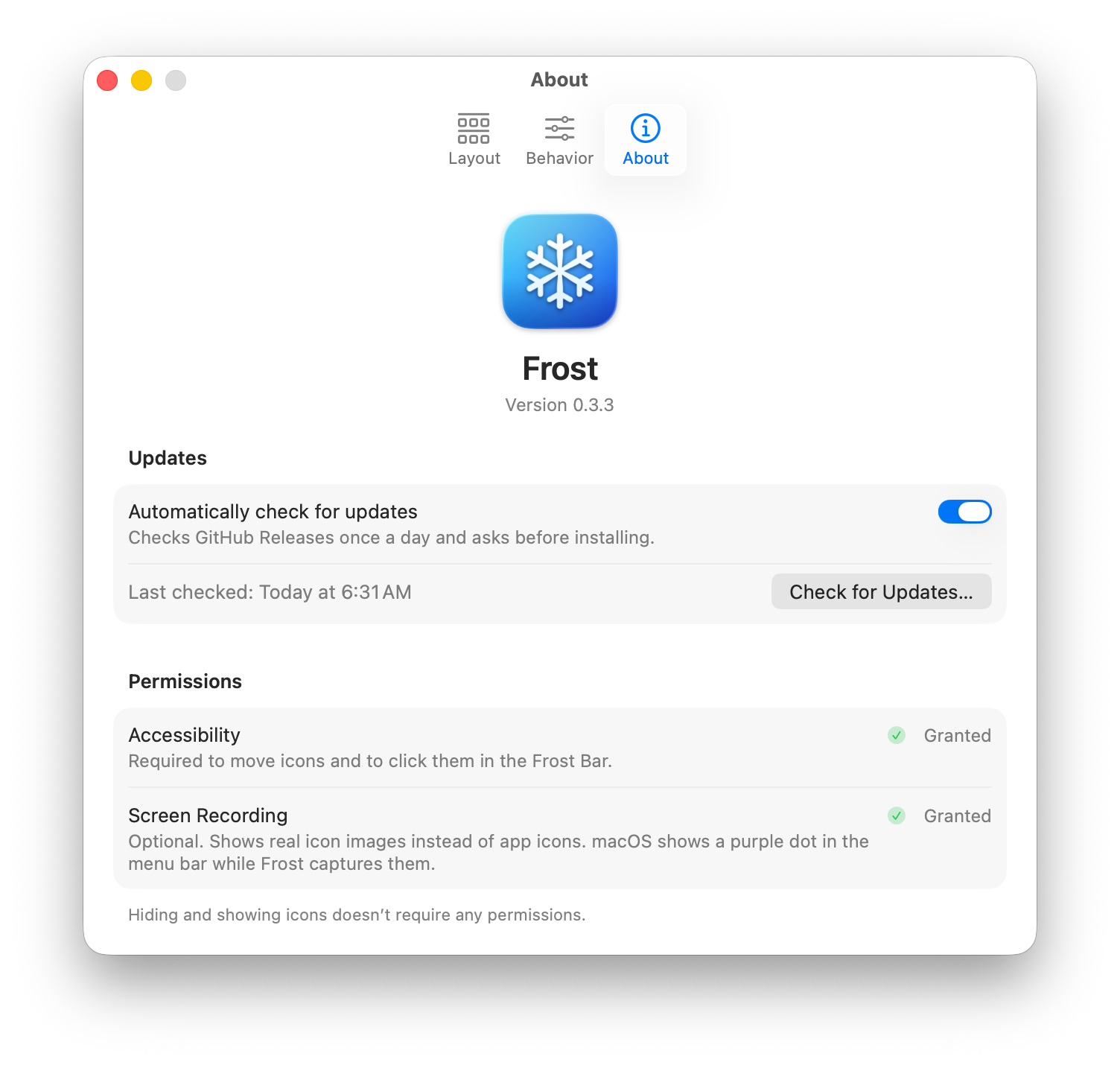
Hiding and showing icons needs no permissions. The Frost Bar and the layout editor need only Accessibility; Screen Recording is optional and shows real images of the icons.
| Settings → Layout | Settings → About |
|---|---|
 |  |
Requires macOS 26 Tahoe or macOS 27 (Apple silicon or Intel). Both use the same Frost Bar and Settings interface; see Known limitations for the macOS 27 differences.
Frost-<version>.dmg from the latest release.Install by dragging in Finder: a copy made another way (e.g. cp from the disk image) runs from a temporary read-only
location and can't update itself.
0.2.0 is the first release signed with a Developer ID, so macOS asks once more for Accessibility and Screen Recording after the update. If a switch in System Settings → Privacy & Security looks on but Frost still asks, remove the old Frost entry and grant it again. Later updates keep the permissions.
| Permission | Used for | Without it | |
|---|---|---|---|
| Accessibility | Required | Identifying icons, moving them in Layout and opening them from the Frost Bar; on macOS 26, also keeping relaunched icons in their sections | The Frost Bar and layout editor ask for it; hiding and showing still work (hidden icons expand in the menu bar) |
| Screen Recording | Optional | Real icon images in the Frost Bar and Layout. On macOS 26 they refresh while the Frost Bar is open; on macOS 27 they refresh when it opens and while editing. Icons that cannot be captured keep their app icon | Everything still works; icons are shown as their app's icon (or a system symbol), with a short label where it helps tell them apart |
Onboarding opens on first launch. Settings → About shows each permission's status, and Grant Access asks for it right away (the system prompt, or System Settings if there is no prompt). Without Screen Recording, the Frost Bar and the layout editor offer it in a small hint you can close. Frost has to be relaunched after granting Screen Recording: a Relaunch button (next to Open System Settings) appears right where you granted it, and Frost reopens the window you were in.
appcast.xml (and the update, if you accept it) from
this repository's GitHub Releases. No analytics, no accounts.~/Library/Caches/dev.frost.Frost/items/ (entries not
seen for 30 days are removed). You can delete the folder at any time.Requires Xcode 27 (Swift 6.4), XcodeGen and OpenSSL 3
(brew install xcodegen openssl).
./scripts/create-signing-cert.sh   # once: a self-signed "Frost Local Signing" identity for Debug builds
make build                         # Debug build: build/DerivedData/Build/Products/Debug/Frost.app
make test-core                     # unit tests (Swift Testing)
make install                       # Release build (Developer ID if you have one), installed to /Applications
make ci-build                      # unsigned universal Release build, as run by CI
A stable signing identity keeps macOS from asking for permissions after every rebuild. If codesign says the
certificate isn't trusted, open Keychain Access → "Frost Local Signing" → Trust → Code Signing: Always Trust.
Frost moves and clicks real menu bar icons, so GUI testing happens in a macOS VM (docs/testing-vm.md).
Releases are described in docs/releasing.md; contributor notes are in AGENTS.md.
Found a bug? Open an issue.
Frost's approach (pushing icons off screen with wide separator items) follows the open-source Ice. Updates use Sparkle.
A free, open-source menu bar manager for macOS 26 and 27, built with Liquid Glass.
See the code
A menu bar manager for macOS 26 and 27, built with Liquid Glass.
Hide the menu bar icons you rarely use. Bring them back with one click.
The same Frost Bar and Settings interface, with the macOS 27 differences listed below.
Hiding and showing icons needs no permissions. The Frost Bar and the layout editor need only Accessibility; Screen Recording is optional and shows real images of the icons.
| Settings → Layout | Settings → About |
|---|---|
| |
Requires macOS 26 Tahoe or macOS 27 (Apple silicon or Intel). Both use the same Frost Bar and Settings interface; see Known limitations for the macOS 27 differences.
Frost-<version>.dmg from the latest release.Install by dragging in Finder: a copy made another way (e.g. cp from the disk image) runs from a temporary read-only
location and can't update itself.
0.2.0 is the first release signed with a Developer ID, so macOS asks once more for Accessibility and Screen Recording after the update. If a switch in System Settings → Privacy & Security looks on but Frost still asks, remove the old Frost entry and grant it again. Later updates keep the permissions.
| Permission | Used for | Without it | |
|---|---|---|---|
| Accessibility | Required | Identifying icons, moving them in Layout and opening them from the Frost Bar; on macOS 26, also keeping relaunched icons in their sections | The Frost Bar and layout editor ask for it; hiding and showing still work (hidden icons expand in the menu bar) |
| Screen Recording | Optional | Real icon images in the Frost Bar and Layout. On macOS 26 they refresh while the Frost Bar is open; on macOS 27 they refresh when it opens and while editing. Icons that cannot be captured keep their app icon | Everything still works; icons are shown as their app's icon (or a system symbol), with a short label where it helps tell them apart |
Onboarding opens on first launch. Settings → About shows each permission's status, and Grant Access asks for it right away (the system prompt, or System Settings if there is no prompt). Without Screen Recording, the Frost Bar and the layout editor offer it in a small hint you can close. Frost has to be relaunched after granting Screen Recording: a Relaunch button (next to Open System Settings) appears right where you granted it, and Frost reopens the window you were in.
appcast.xml (and the update, if you accept it) from
this repository's GitHub Releases. No analytics, no accounts.~/Library/Caches/dev.frost.Frost/items/ (entries not
seen for 30 days are removed). You can delete the folder at any time.Requires Xcode 27 (Swift 6.4), XcodeGen and OpenSSL 3
(brew install xcodegen openssl).
./scripts/create-signing-cert.sh   # once: a self-signed "Frost Local Signing" identity for Debug builds
make build                         # Debug build: build/DerivedData/Build/Products/Debug/Frost.app
make test-core                     # unit tests (Swift Testing)
make install                       # Release build (Developer ID if you have one), installed to /Applications
make ci-build                      # unsigned universal Release build, as run by CI
A stable signing identity keeps macOS from asking for permissions after every rebuild. If codesign says the
certificate isn't trusted, open Keychain Access → "Frost Local Signing" → Trust → Code Signing: Always Trust.
Frost moves and clicks real menu bar icons, so GUI testing happens in a macOS VM (docs/testing-vm.md).
Releases are described in docs/releasing.md; contributor notes are in AGENTS.md.
Found a bug? Open an issue.
Frost's approach (pushing icons off screen with wide separator items) follows the open-source Ice. Updates use Sparkle.



