A beautiful and functional email client for your terminal, built with Go and the charming Bubble Tea TUI library. Never leave your command line to check your inbox or send an email again!
See the code





[!TIP] There are nightly releases!
A powerful, feature-rich email client for your terminal. Built with Go and the Bubble Tea TUI framework, Matcha brings a beautiful, modern email experience to the command line with support for rich content, multiple accounts, and advanced terminal features.
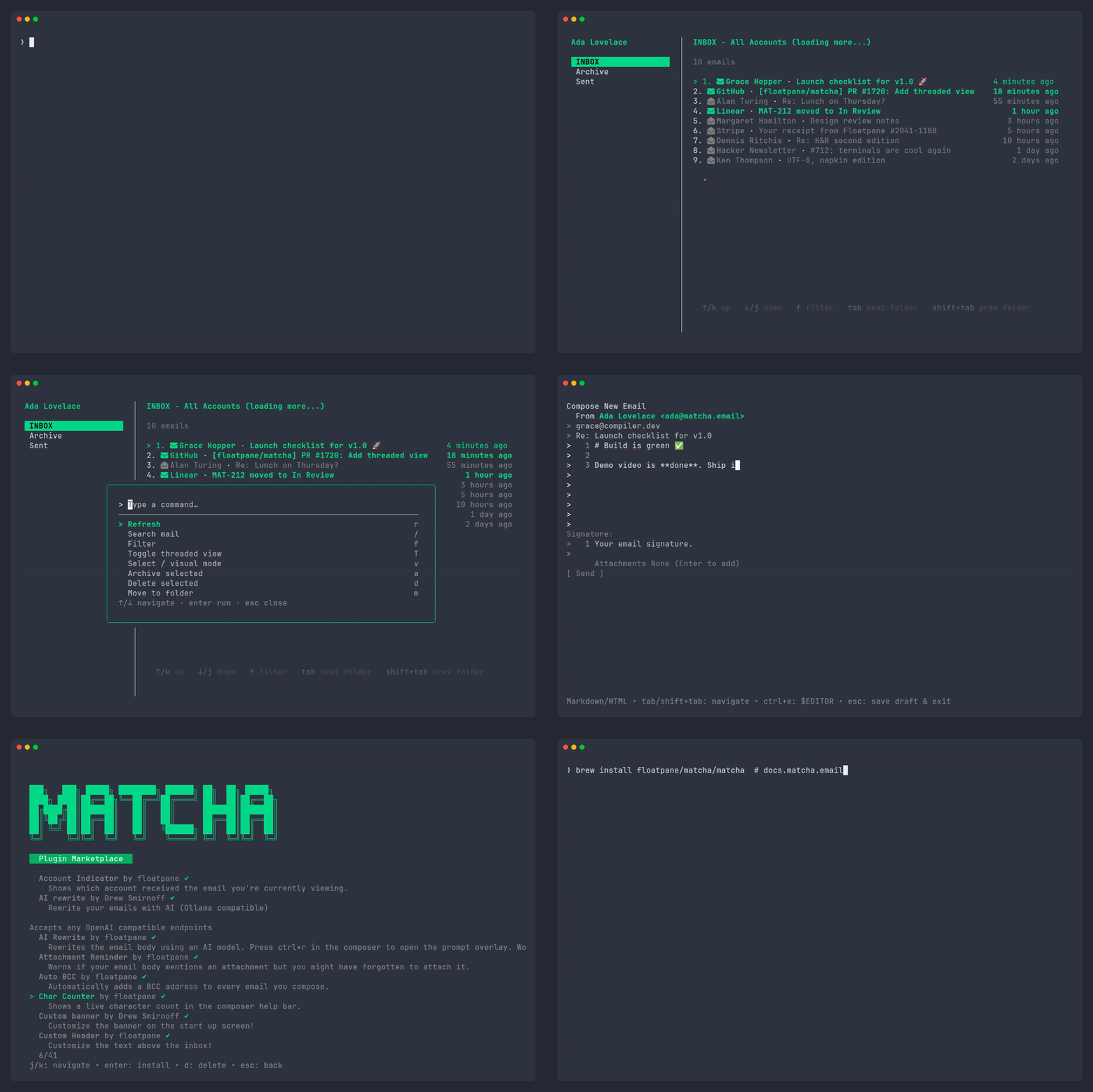
Matcha has a built-in plugin system with 35+ community plugins. Browse and install them from the terminal or the online marketplace.
matcha marketplace                # browse plugins in the TUI
matcha install <url_or_file>      # install a plugin
matcha config <plugin_name>       # configure an installed plugin
Anyone can submit their own plugin — just add an entry to plugins/registry.json and open a PR. Learn more
Matcha supports global logging verbosity flags before the main command or subcommand:
matcha --verbose              # enable verbose logging
matcha -V daemon status       # short form for verbose logging
matcha --debug daemon status  # enable debug logging
The existing -v and --version flags continue to print the Matcha version.
On macOS, Matcha ships with an optional menu bar helper. It lives in the menu bar and shows your unread count, posts native notifications with the Matcha icon on new mail, and lists your accounts so you can open Matcha in a terminal with a click. It talks to the Matcha daemon, so no extra configuration is needed.
matcha helper install     # build & start the menu bar app (runs at login)
matcha helper status      # check whether it's installed and the daemon is up
matcha helper uninstall   # remove it
Building the helper uses the Xcode Command Line Tools' swiftc (the same requirement
as matcha setup-mailto).
Matcha Documention is available on our website
Contributions are welcome! Please feel free to submit a Pull Request. See CONTRIBUTING.md for guidelines.
This project is distributed under the MIT License. See the LICENSE file for more information.
For general suggestions and community discussion, please join our Discord server.
For security-related issues, please refer to the Security Policy.
For urgent concerns, contact support@floatpane.com
[!TIP] Want to sponsor our development and be featured here? You can do so here (or, if you prefer, here), or discuss it via email with our team
Thank you to our sponsors for supporting Matcha's development!
David H. Colmenares | Elliot Hornes | Robert M. | James L. | Chris D.
931 followers · starred Mar 2026
1,255 followers · starred Aug 2026
288 followers · starred Jan 2026
469 followers · starred May 2026
A beautiful and functional email client for your terminal, built with Go and the charming Bubble Tea TUI library. Never leave your command line to check your inbox or send an email again!
See the code
[!TIP] There are nightly releases!
A powerful, feature-rich email client for your terminal. Built with Go and the Bubble Tea TUI framework, Matcha brings a beautiful, modern email experience to the command line with support for rich content, multiple accounts, and advanced terminal features.
Matcha has a built-in plugin system with 35+ community plugins. Browse and install them from the terminal or the online marketplace.
matcha marketplace                # browse plugins in the TUI
matcha install <url_or_file>      # install a plugin
matcha config <plugin_name>       # configure an installed plugin
Anyone can submit their own plugin — just add an entry to plugins/registry.json and open a PR. Learn more
Matcha supports global logging verbosity flags before the main command or subcommand:
matcha --verbose              # enable verbose logging
matcha -V daemon status       # short form for verbose logging
matcha --debug daemon status  # enable debug logging
The existing -v and --version flags continue to print the Matcha version.
On macOS, Matcha ships with an optional menu bar helper. It lives in the menu bar and shows your unread count, posts native notifications with the Matcha icon on new mail, and lists your accounts so you can open Matcha in a terminal with a click. It talks to the Matcha daemon, so no extra configuration is needed.
matcha helper install     # build & start the menu bar app (runs at login)
matcha helper status      # check whether it's installed and the daemon is up
matcha helper uninstall   # remove it
Building the helper uses the Xcode Command Line Tools' swiftc (the same requirement
as matcha setup-mailto).
Matcha Documention is available on our website
Contributions are welcome! Please feel free to submit a Pull Request. See CONTRIBUTING.md for guidelines.
This project is distributed under the MIT License. See the LICENSE file for more information.
For general suggestions and community discussion, please join our Discord server.
For security-related issues, please refer to the Security Policy.
For urgent concerns, contact support@floatpane.com
[!TIP] Want to sponsor our development and be featured here? You can do so here (or, if you prefer, here), or discuss it via email with our team
Thank you to our sponsors for supporting Matcha's development!
David H. Colmenares | Elliot Hornes | Robert M. | James L. | Chris D.
931 followers · starred Mar 2026
1,255 followers · starred Aug 2026
288 followers · starred Jan 2026
469 followers · starred May 2026