qFlipper — desktop application for updating Flipper Zero firmware via PC
See the codeqFlipper is completely open source and based on Qt framework. Runs on Windows, macOS, Linux.
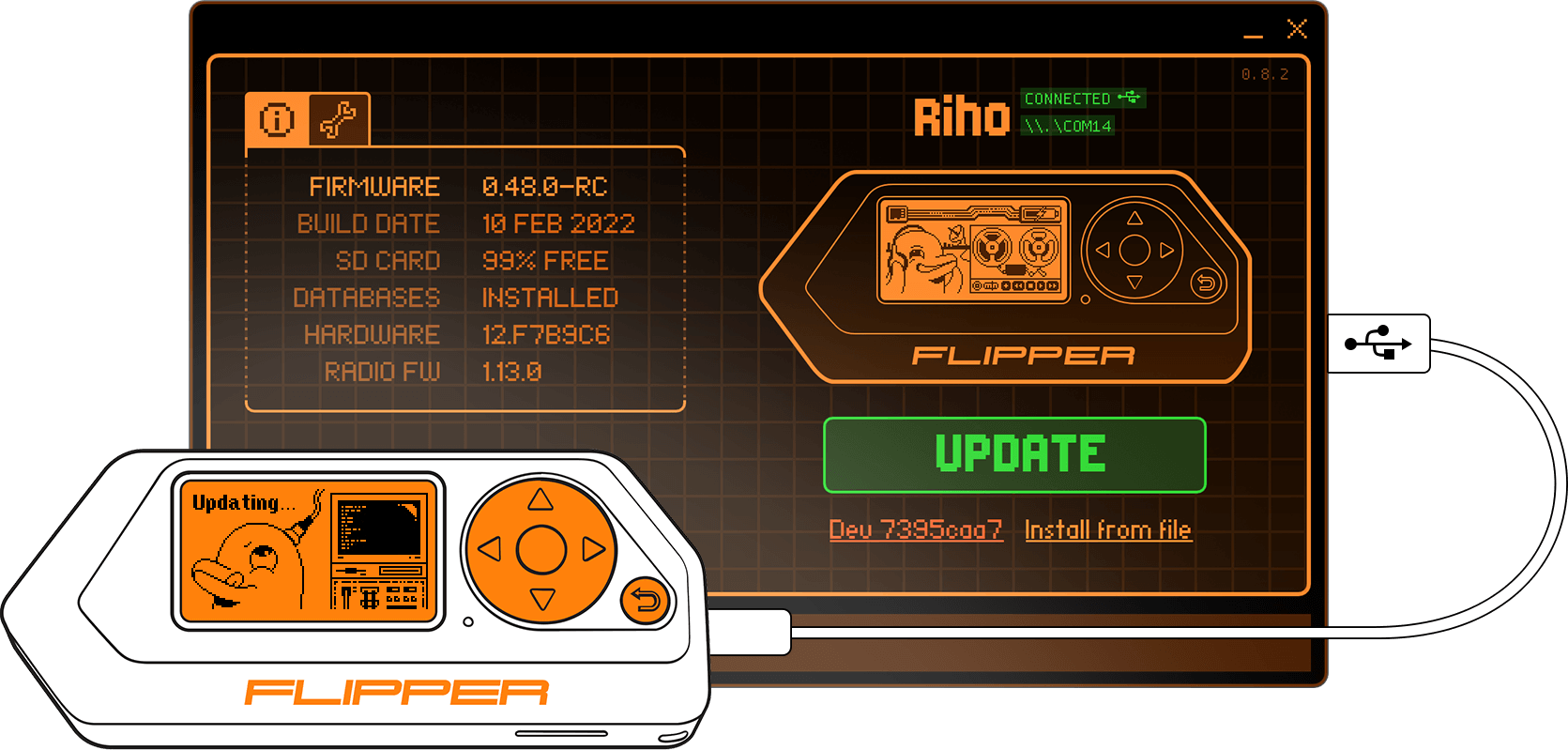
Download official qFlipper builds here: update.flipperzero.one

.dfu fileMake sure to clone the project together with submodules:
git clone https://github.com/flipperdevices/qFlipper.git --recursive
Build requirements:
Edit build_windows.bat to adjust to your build environment and then run:
build_windows.bat
Note: STM32 Bootloader driver is not provided in this repository.
Setup dev container by running:
docker compose up -d
Compile qFlipper by running:
docker compose exec dev ./build_linux.sh
Build requirements:
Make sure to install the following Qt modules (the exact package names might differ slightly depending on your Linux distribution):
base, tools, serialport, declarative, wayland, [quickcontrols2, graphicaleffects] (Qt5 only), qt5-compat (Qt6 only)
Then run:
mkdir build && cd build
qmake ../qFlipper.pro PREFIX=/path/to/install/dir -spec linux-g++ CONFIG+=qtquickcompiler &&
make qmake_all && make && make install
Caution: make installing to the system prefix is not recommended. Instead, use this method for building distro-specific packages.
In this case, it is possible to disable the built-in application update feature by passing DEFINES+=DISABLE_APPLICATION_UPDATES to the qmake call.
Build requirements:
If you want to sign binaries, set SIGNING_KEY environment variable:
export SIGNING_KEY="Your Developer Key ID"
Building, signing and creating package:
./build_mac.sh
Resulting image can be found in: build_mac/qFlipper.dmg
./build/qFlipper-x86_64.AppImage
or just launch the file above from your favourite file manager. You will likely need to set up udev rules in order to use qFlipper as a normal user:
./qFlipper-x86_64.AppImage rules install [/optional/path/to/rules/dir]
See contrib for available options.
application - The main graphical application, written mostly in QML.cli - The command line interface, provides nearly all main application's functionality.backend - The backend library, written in C++. Takes care of most of the logic.dfu - Low level library for accessing USB and DFU devices.plugins - Protobuf-based communication protocol support.3rdparty - Third-party libraries.contrib - Contributed packages and scripts.driver-tool - DFU driver installation tool for Windows (based on libwdi).docker - Docker configuration files.installer-assets - Supplementary data for deployment.qFlipper is a project under active development. Please report any encountered bugs to make it better!
The (mostly) complete guide is located here.
497 followers · starred Mar 2022
82 followers · starred Dec 2024
172 followers · starred Dec 2024
182 followers · starred Feb 2025
qFlipper — desktop application for updating Flipper Zero firmware via PC
See the codeqFlipper is completely open source and based on Qt framework. Runs on Windows, macOS, Linux.
Download official qFlipper builds here: update.flipperzero.one
.dfu fileMake sure to clone the project together with submodules:
git clone https://github.com/flipperdevices/qFlipper.git --recursive
Build requirements:
Edit build_windows.bat to adjust to your build environment and then run:
build_windows.bat
Note: STM32 Bootloader driver is not provided in this repository.
Setup dev container by running:
docker compose up -d
Compile qFlipper by running:
docker compose exec dev ./build_linux.sh
Build requirements:
Make sure to install the following Qt modules (the exact package names might differ slightly depending on your Linux distribution):
base, tools, serialport, declarative, wayland, [quickcontrols2, graphicaleffects] (Qt5 only), qt5-compat (Qt6 only)
Then run:
mkdir build && cd build
qmake ../qFlipper.pro PREFIX=/path/to/install/dir -spec linux-g++ CONFIG+=qtquickcompiler &&
make qmake_all && make && make install
Caution: make installing to the system prefix is not recommended. Instead, use this method for building distro-specific packages.
In this case, it is possible to disable the built-in application update feature by passing DEFINES+=DISABLE_APPLICATION_UPDATES to the qmake call.
Build requirements:
If you want to sign binaries, set SIGNING_KEY environment variable:
export SIGNING_KEY="Your Developer Key ID"
Building, signing and creating package:
./build_mac.sh
Resulting image can be found in: build_mac/qFlipper.dmg
./build/qFlipper-x86_64.AppImage
or just launch the file above from your favourite file manager. You will likely need to set up udev rules in order to use qFlipper as a normal user:
./qFlipper-x86_64.AppImage rules install [/optional/path/to/rules/dir]
See contrib for available options.
application - The main graphical application, written mostly in QML.cli - The command line interface, provides nearly all main application's functionality.backend - The backend library, written in C++. Takes care of most of the logic.dfu - Low level library for accessing USB and DFU devices.plugins - Protobuf-based communication protocol support.3rdparty - Third-party libraries.contrib - Contributed packages and scripts.driver-tool - DFU driver installation tool for Windows (based on libwdi).docker - Docker configuration files.installer-assets - Supplementary data for deployment.qFlipper is a project under active development. Please report any encountered bugs to make it better!
The (mostly) complete guide is located here.
497 followers · starred Mar 2022
82 followers · starred Dec 2024
172 followers · starred Dec 2024
182 followers · starred Feb 2025



