ESP-WHO is an image processing development platform based on Espressif chips. It contains development examples that may be applied in practical applications.
ESP-WHO provides examples such as Human Face Detection, Human Face Recognition, Pedestrian Detection, QRCode Rocognition etc. You can develop a variety of practical applications based on these examples. ESP-WHO is developed based on ESP-DL. It can realize many interesting applications with various peripherals.
Some chip such as esp32 and esp32-s2, and examples such as cat face detection, color detection is not available in this branch currently, we're still working on them. Old branch can be found here. old ESP-WHO branch
| ESP-IDF Release/v5.4 | ESP-IDF Release/v5.5 | ESP-IDF Release/v6.0 | ESP-IDF Release/v6.1 |
|---|---|---|---|
| ✔️ | ✔️ | ✔️ | ✔️ |
| Board name | SoC | Supported Features | Photo |
|---|---|---|---|
| ESP32-P4 Function EV Board | esp32p4 | 🎵 Audio 🎤 Audio Microphone (es8311) 🔈 Audio Speaker (es8311) 📟 LCD Display (ek79007, ili9881c, lt8912b) 💾 uSD Card ☝️ Display Touch (gt911) | 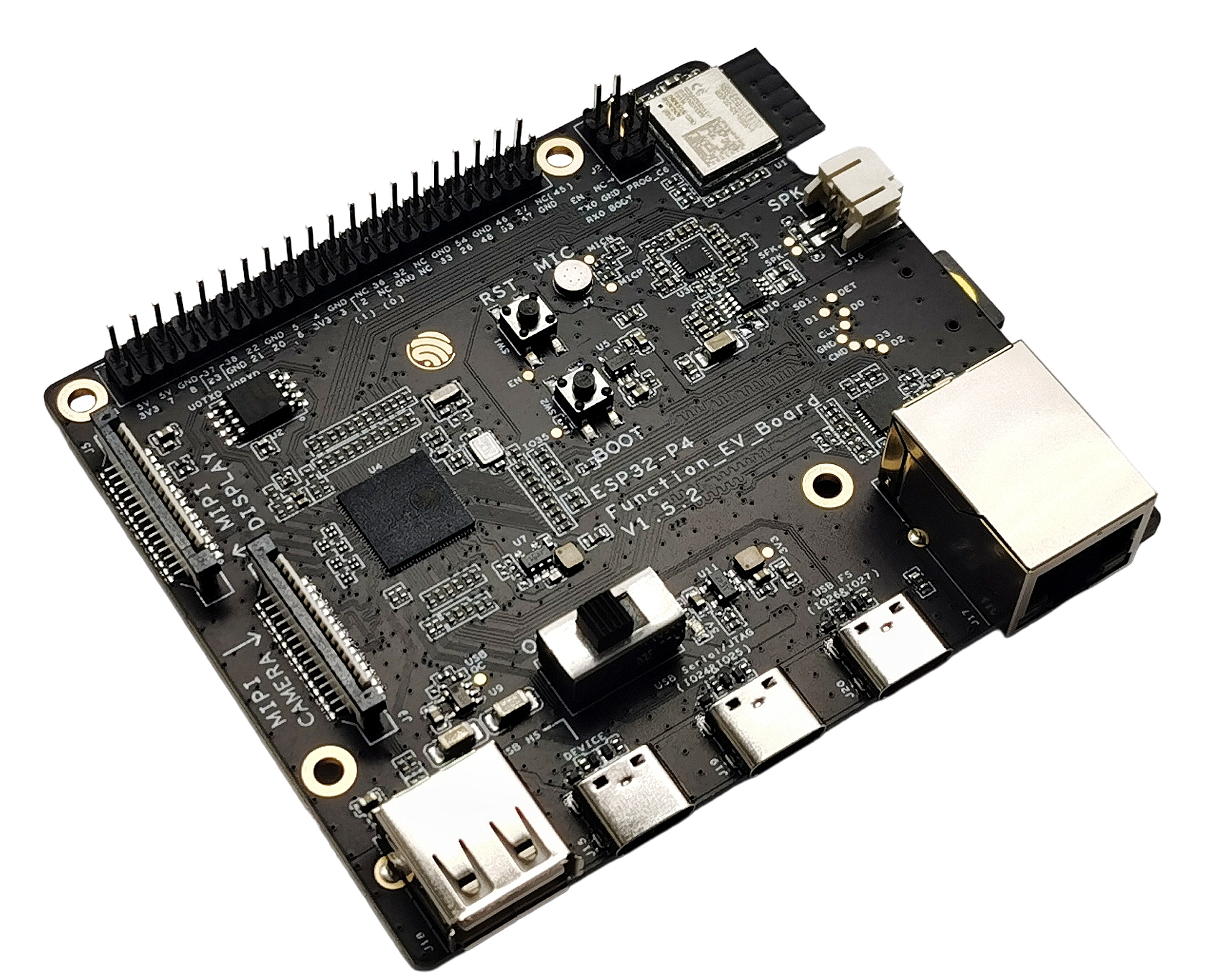 |
| ESP32-S3-EYE | esp32s3 | 🎵 Audio 🎤 Audio Microphone 🔘 Button 📷 Camera 📟 LCD Display (st7789) 🎮 IMU 💾 uSD Card | 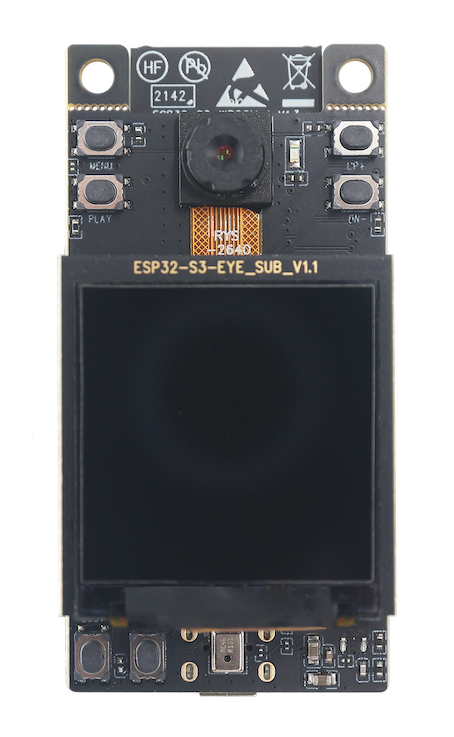 |
| ESP32-S3-Korvo-2 | esp32s3 | 🎵 Audio 🎤 Audio Microphone (es7210) 🔈 Audio Speaker (es8311) 🔘 Button 📷 Camera 📟 LCD Display (ili9341) 💡 LED 💾 uSD Card ☝️ Display Touch (tt21100) | 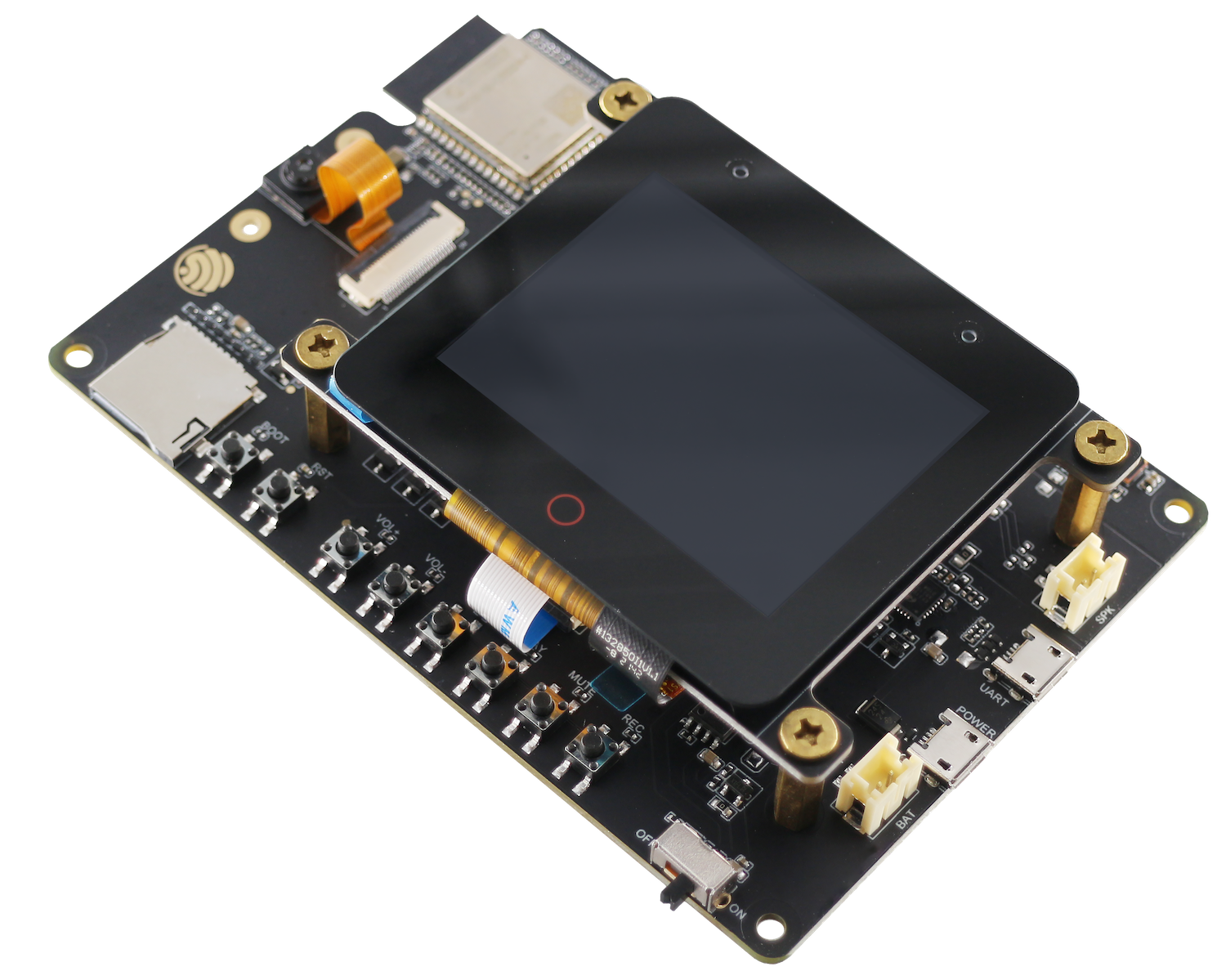 |
All examples of ESP-WHO are stored in examples. Enter the corresponding folder and perform the following steps.
Linux:
export IDF_EXTRA_ACTIONS_PATH=/path_to_esp-who/tools/
echo $IDF_EXTRA_ACTIONS_PATH
Win/powershell:
$Env:IDF_EXTRA_ACTIONS_PATH="/path_to_esp-who/tools/"
echo $Env:IDF_EXTRA_ACTIONS_PATH
Win/cmd:
set IDF_EXTRA_ACTIONS_PATH=/path_to_esp-who/tools/
echo %IDF_EXTRA_ACTIONS_PATH%
[!IMPORTANT] Make sure the echo command return the correct path.
idf.py -DSDKCONFIG_DEFAULTS=sdkconfig.bsp.bsp_name set-target esp32xx
Add "" if using powershell.
idf.py -DSDKCONFIG_DEFAULTS="sdkconfig.bsp.bsp_name" set-target "esp32xx"
[!NOTE] Check the sdkconfig.bsp.* files under each example to see the supported bsp_name.
idf.py menuconfig
idf.py [-p port] flash monitor
[!NOTE]
- Here [-p port] is optional, if no port is specified, all ports will be scanned.
- check port on linux/macos
- check port on win
If you need to deploy your own model, you can refer to ESP-DL, ESP-DETECTION.
For the use of the peripheral interfaces related to the development board, you can refer to ESP-BSP.
For camera driver related information, please refer to ESP32_CAMERA, ESP_VIDEO_COMPONENTS.
If you find an error or need new features during use, please check GitHub Issues first to ensure that the issue is not submitted repeatedly.
366 followers · starred May 2019
203 followers · starred Aug 2026
55 followers · starred Feb 2019
188 followers · starred Jan 2019
ESP-WHO is an image processing development platform based on Espressif chips. It contains development examples that may be applied in practical applications.
ESP-WHO provides examples such as Human Face Detection, Human Face Recognition, Pedestrian Detection, QRCode Rocognition etc. You can develop a variety of practical applications based on these examples. ESP-WHO is developed based on ESP-DL. It can realize many interesting applications with various peripherals.
Some chip such as esp32 and esp32-s2, and examples such as cat face detection, color detection is not available in this branch currently, we're still working on them. Old branch can be found here. old ESP-WHO branch
| ESP-IDF Release/v5.4 | ESP-IDF Release/v5.5 | ESP-IDF Release/v6.0 | ESP-IDF Release/v6.1 |
|---|---|---|---|
| ✔️ | ✔️ | ✔️ | ✔️ |
| Board name | SoC | Supported Features | Photo |
|---|---|---|---|
| ESP32-P4 Function EV Board | esp32p4 | 🎵 Audio 🎤 Audio Microphone (es8311) 🔈 Audio Speaker (es8311) 📟 LCD Display (ek79007, ili9881c, lt8912b) 💾 uSD Card ☝️ Display Touch (gt911) | |
| ESP32-S3-EYE | esp32s3 | 🎵 Audio 🎤 Audio Microphone 🔘 Button 📷 Camera 📟 LCD Display (st7789) 🎮 IMU 💾 uSD Card | |
| ESP32-S3-Korvo-2 | esp32s3 | 🎵 Audio 🎤 Audio Microphone (es7210) 🔈 Audio Speaker (es8311) 🔘 Button 📷 Camera 📟 LCD Display (ili9341) 💡 LED 💾 uSD Card ☝️ Display Touch (tt21100) | |
All examples of ESP-WHO are stored in examples. Enter the corresponding folder and perform the following steps.
Linux:
export IDF_EXTRA_ACTIONS_PATH=/path_to_esp-who/tools/
echo $IDF_EXTRA_ACTIONS_PATH
Win/powershell:
$Env:IDF_EXTRA_ACTIONS_PATH="/path_to_esp-who/tools/"
echo $Env:IDF_EXTRA_ACTIONS_PATH
Win/cmd:
set IDF_EXTRA_ACTIONS_PATH=/path_to_esp-who/tools/
echo %IDF_EXTRA_ACTIONS_PATH%
[!IMPORTANT] Make sure the echo command return the correct path.
idf.py -DSDKCONFIG_DEFAULTS=sdkconfig.bsp.bsp_name set-target esp32xx
Add "" if using powershell.
idf.py -DSDKCONFIG_DEFAULTS="sdkconfig.bsp.bsp_name" set-target "esp32xx"
[!NOTE] Check the sdkconfig.bsp.* files under each example to see the supported bsp_name.
idf.py menuconfig
idf.py [-p port] flash monitor
[!NOTE]
- Here [-p port] is optional, if no port is specified, all ports will be scanned.
- check port on linux/macos
- check port on win
If you need to deploy your own model, you can refer to ESP-DL, ESP-DETECTION.
For the use of the peripheral interfaces related to the development board, you can refer to ESP-BSP.
For camera driver related information, please refer to ESP32_CAMERA, ESP_VIDEO_COMPONENTS.
If you find an error or need new features during use, please check GitHub Issues first to ensure that the issue is not submitted repeatedly.
366 followers · starred May 2019
203 followers · starred Aug 2026
55 followers · starred Feb 2019
188 followers · starred Jan 2019



