An AI-powered interactive avatar engine using Live2D, LLM, ASR, TTS, and RVC. Ideal for VTubing, streaming, and virtual assistant applications.
C#
1,381
95 commits
updated May 20, 2026

An AI-driven voice, animation, and personality stack for your Live2D character.








| What it is | What you need | How long to first pixel |
|---|---|---|
| Voice-driven Live2D character with LLM brain, real-time TTS, and streaming-ready output. | Windows x64, NVIDIA GPU with CUDA, ~16 GB free disk. | Download → double-click → pick a profile. |
Persona Engine listens through your microphone, thinks with an LLM guided by a personality file, speaks back with real-time TTS (optionally voice-cloned), and drives a Live2D avatar in sync. You can watch the character inside the built-in transparent overlay, or pipe it into OBS over Spout for streaming.
The included Aria model is rigged for the engine's lip-sync and expression pipeline out of the box. You can bring your own model too — see the Live2D Integration Guide.
[!IMPORTANT] Persona Engine feels most natural with a fine-tuned LLM trained on the engine's communication format. Standard OpenAI-compatible models (Groq, OpenAI, Ollama, …) work too, but you'll want to put care into
personality.txt. A template (personality_example.txt) ships in the repo, and the fine-tuned model is available in Discord.
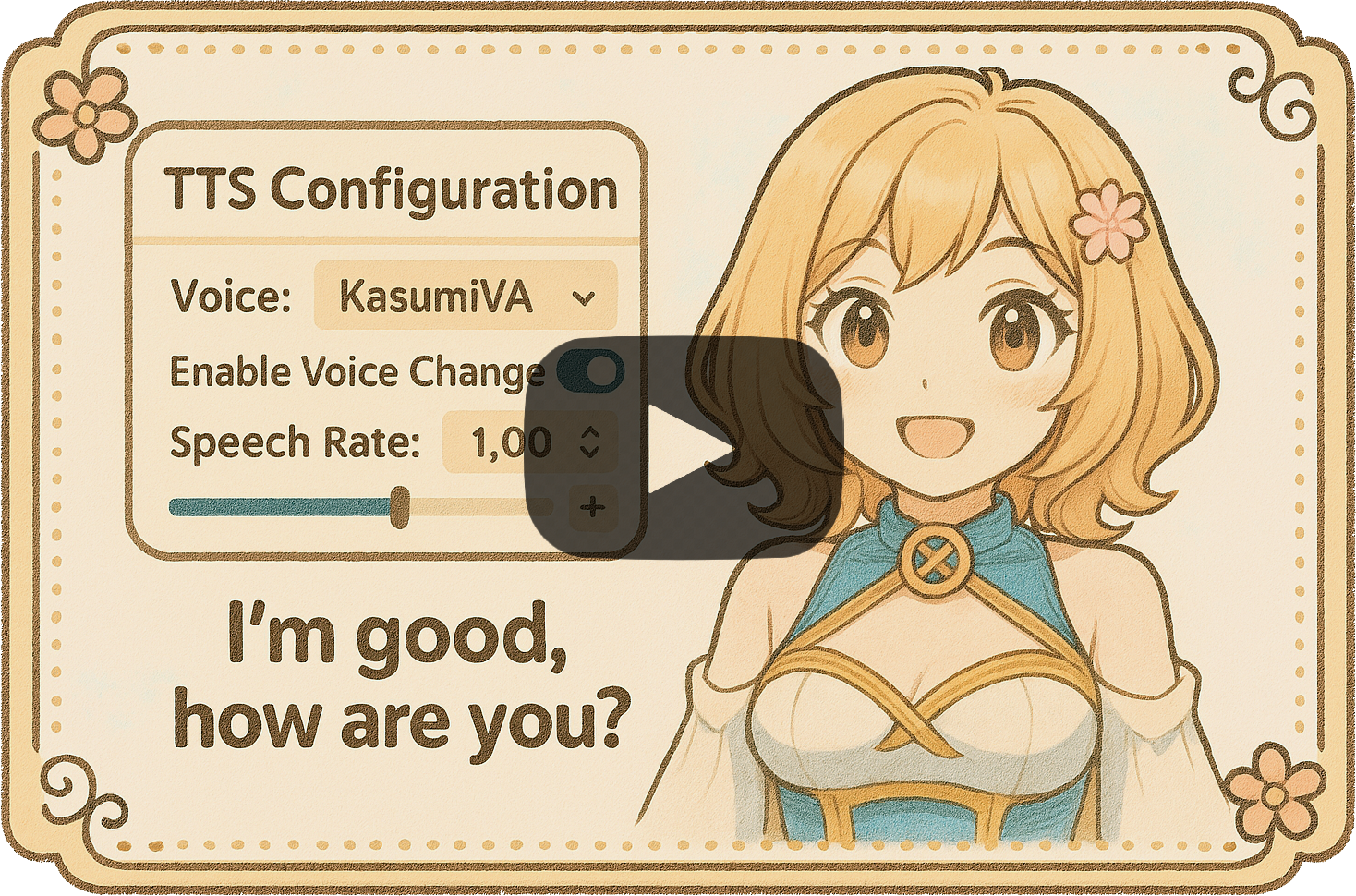
Click to watch the demo on YouTube.
[!IMPORTANT] Requires NVIDIA GPU with CUDA (Windows x64). ASR, TTS, and RVC all run on CUDA via ONNX Runtime — CPU/AMD/Intel are not supported.
PersonaEngine-<version>-win-x64.zip from Releases.Resources/ folder next to the exe.PersonaEngine.exe and pick an install profile when prompted. Models and the NVIDIA runtime are downloaded, hash-verified, and installed automatically.PersonaEngine.exe --reinstall
| Flag | Purpose |
|---|---|
--profile=try|stream|build | Skip the picker and use the named profile |
--repair | Re-download anything that fails hash verification |
--verify | Re-hash installed assets and report mismatches (no downloads) |
--offline | Refuse to touch the network — fail fast if assets are missing |
--non-interactive | Treat any prompt as fatal (pair with --profile=…) |
--skip-gpu-check | Bypass the GPU capability gate (not recommended) |
The asset directory layout changed when the in-app installer landed. Existing Resources/Models/ and Resources/Live2D/Avatars/ trees from older builds are ignored — the installer re-downloads into the new locations on first launch. Free up ~16 GB before starting; delete the old folders once the bootstrapper finishes.
| Try it out | Stream with it | Build with it | |
|---|---|---|---|
| Best for | First look, small downloads | Everyday streaming | Production, highest quality |
| Listening (Whisper) | Tiny | Small | Large-v3 Turbo |
| Voice (TTS) | Kokoro | Kokoro | Kokoro + Qwen3 expressive |
| Lip-sync | VBridger | VBridger | VBridger + Audio2Face |
| Approx. download | Smallest | Mid | Largest (≈ 16 GB) |
[!TIP] Picked Build-with-it? You still have to flip the switches. The profile downloads the bigger models, but the UI defaults keep the light ones active until you toggle them:
- Voice panel → set mode to Expressive (Qwen3)
- Listening panel → pick the Accurate Whisper template
- Avatar panel → enable Audio2Face lip-sync
Full walkthrough in INSTALLATION.md.
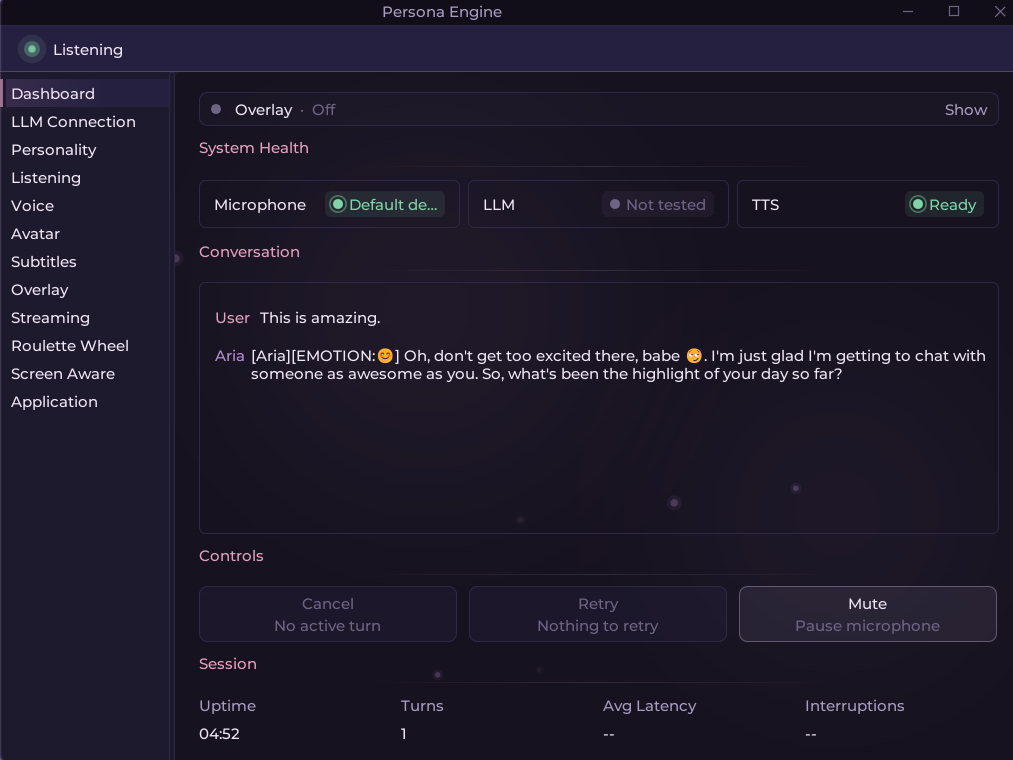 Dashboard — presence strip, LLM probe, quick toggles. |
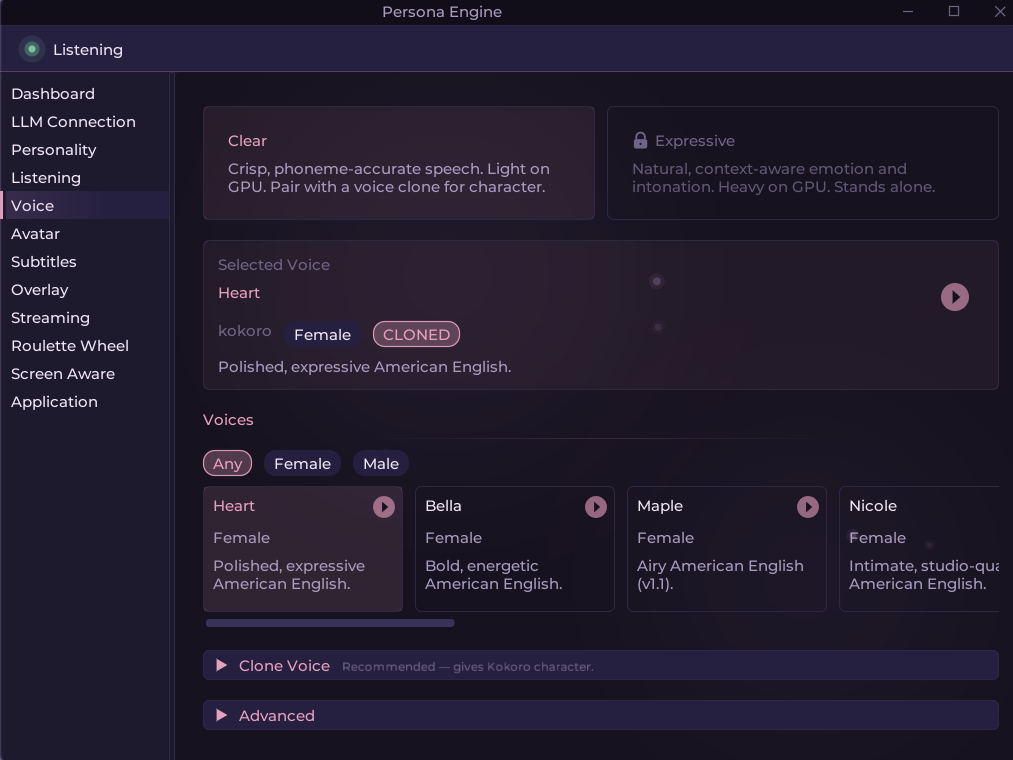 Voice — Clear / Expressive modes, RVC, audition. |
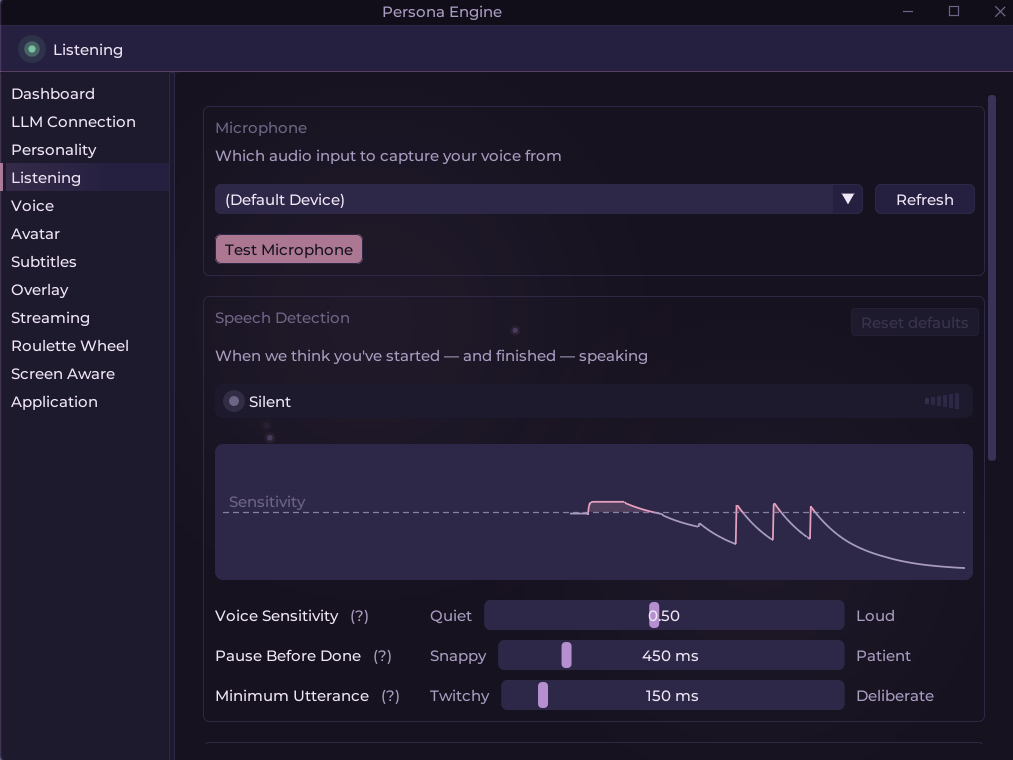 Listening — Whisper template chips, VAD tuning. |
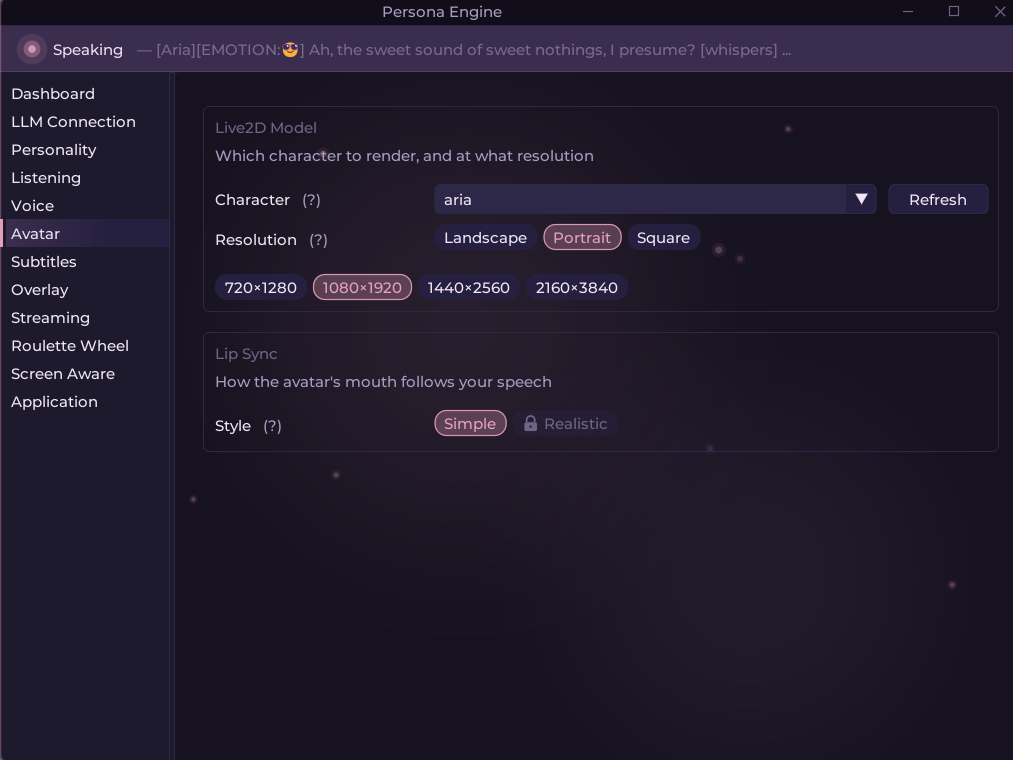 Avatar — VBridger / Audio2Face lip-sync, emotions. |
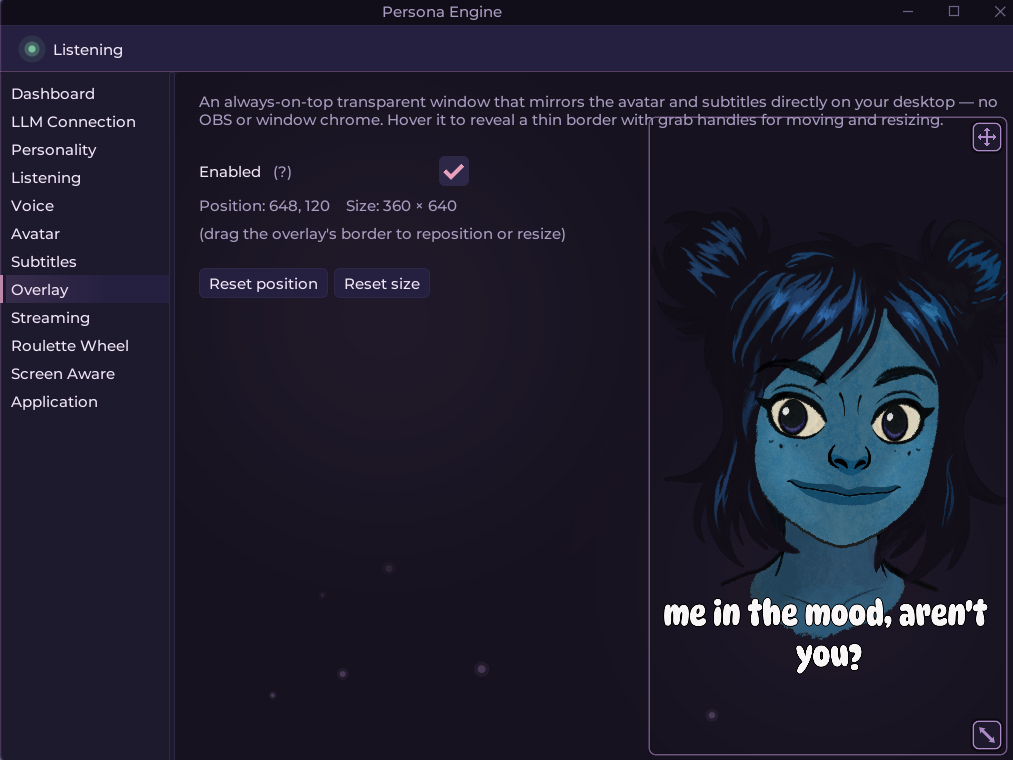 Overlay — transparent, always-on-top, drag to reposition. | |

Live2D avatarReal-time rendering with emotion-driven motions and VBridger lip-sync. Includes the rigged Aria model; custom models supported. |
LLM conversationAny OpenAI-compatible endpoint (local or cloud). Personality driven bypersonality.txt, with a built-in connection probe.
|
Voice in (ASR)Dual-Whisper pipeline via Silero VAD: a fast model for barge-in detection, a large model for accurate transcription. |
Voice out (TTS)Two engines: Kokoro (clear, fast) and Qwen3 (expressive). Optional real-time RVC voice cloning on top. |
Lip-syncVBridger by default, or the higher-fidelity Audio2Face solver for Build-with-it setups. |
Built-in overlayTransparent, always-on-top window that mirrors the avatar. No OBS needed for desktop use. |
OBS-ready outputDedicated Spout streams for avatar, subtitles, and roulette — no window capture required. |
Control panelDashboard, per-subsystem panels, live metrics (LLM / TTS / audio latency), conversation viewer, theming. |
In-app installerProfile picker, SHA-256 verification, repair and verify modes. Ships CUDA 12.4 + cuDNN 9.1.1 + CUDA 13 redists. |
ExtrasSubtitle rendering, interactive roulette wheel, experimental screen awareness, keyword + ML profanity filtering. |
A single turn flows through these stages:
personality.txt go to the LLM.[EMOTION:😊].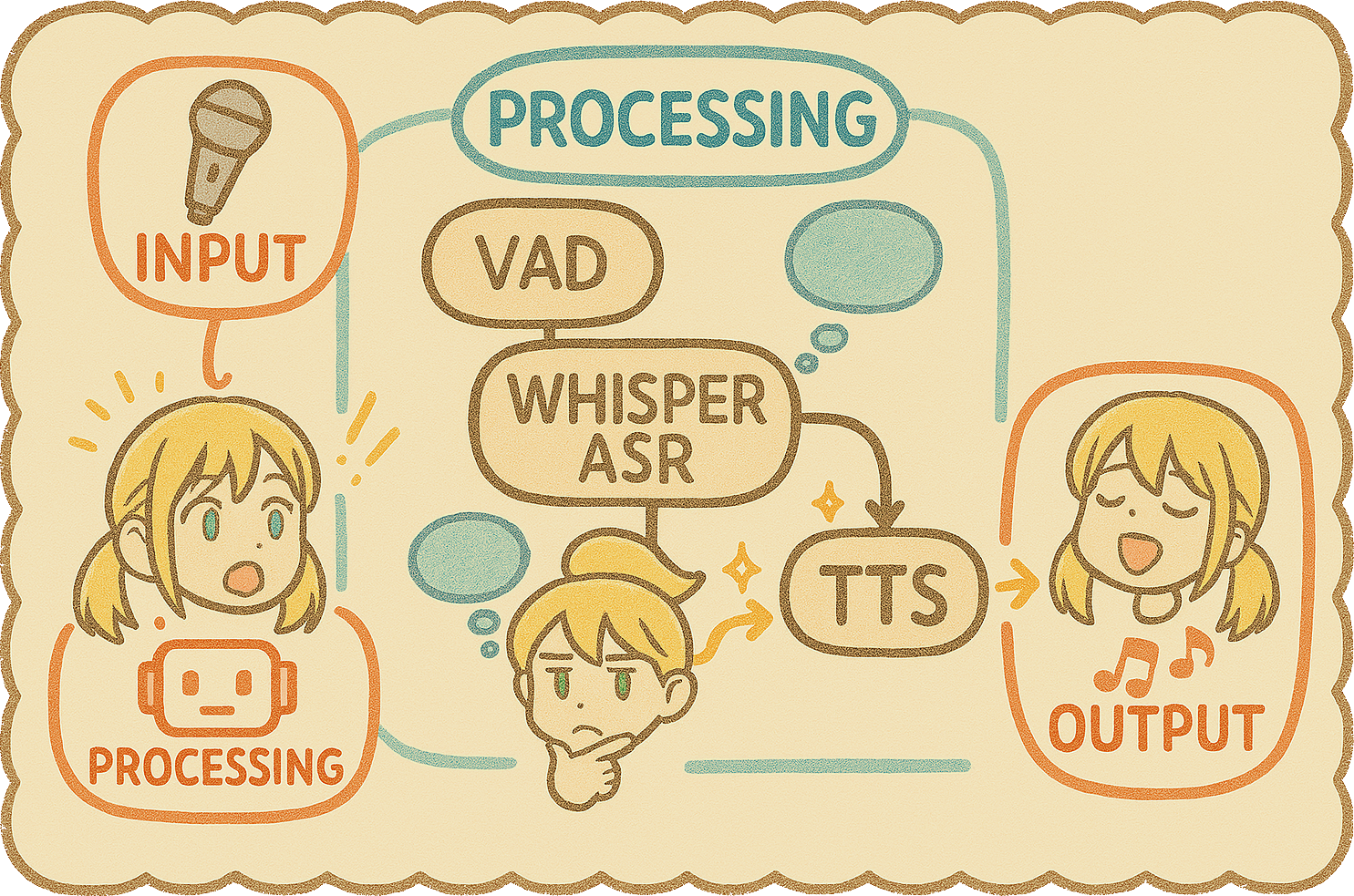

appsettings.json field, annotated.Need help getting started? Want to try the fine-tuned LLM, trade rigging tips, or just chat with the engine live? Come say hi.


Bugs and feature requests live on GitHub Issues.
PRs are welcome. The short version:
feature/your-thing), code, commit, push.main with a clear description of the change.Formatting is enforced in CI via CSharpier (dotnet csharpier check . from src/PersonaEngine/).
[!TIP] Custom avatars → Live2D.md. Every config knob → CONFIGURATION.md. Full setup walkthrough → INSTALLATION.md.
82 followers · starred Apr 2025
108 followers · starred Apr 2025
762 followers · starred Apr 2025
135 followers · starred Apr 2026
An AI-powered interactive avatar engine using Live2D, LLM, ASR, TTS, and RVC. Ideal for VTubing, streaming, and virtual assistant applications.
C#
1,381
95 commits
updated May 20, 2026
An AI-driven voice, animation, and personality stack for your Live2D character.
| What it is | What you need | How long to first pixel |
|---|---|---|
| Voice-driven Live2D character with LLM brain, real-time TTS, and streaming-ready output. | Windows x64, NVIDIA GPU with CUDA, ~16 GB free disk. | Download → double-click → pick a profile. |
Persona Engine listens through your microphone, thinks with an LLM guided by a personality file, speaks back with real-time TTS (optionally voice-cloned), and drives a Live2D avatar in sync. You can watch the character inside the built-in transparent overlay, or pipe it into OBS over Spout for streaming.
The included Aria model is rigged for the engine's lip-sync and expression pipeline out of the box. You can bring your own model too — see the Live2D Integration Guide.
[!IMPORTANT] Persona Engine feels most natural with a fine-tuned LLM trained on the engine's communication format. Standard OpenAI-compatible models (Groq, OpenAI, Ollama, …) work too, but you'll want to put care into
personality.txt. A template (personality_example.txt) ships in the repo, and the fine-tuned model is available in Discord.
Click to watch the demo on YouTube.
[!IMPORTANT] Requires NVIDIA GPU with CUDA (Windows x64). ASR, TTS, and RVC all run on CUDA via ONNX Runtime — CPU/AMD/Intel are not supported.
PersonaEngine-<version>-win-x64.zip from Releases.Resources/ folder next to the exe.PersonaEngine.exe and pick an install profile when prompted. Models and the NVIDIA runtime are downloaded, hash-verified, and installed automatically.PersonaEngine.exe --reinstall
| Flag | Purpose |
|---|---|
--profile=try|stream|build | Skip the picker and use the named profile |
--repair | Re-download anything that fails hash verification |
--verify | Re-hash installed assets and report mismatches (no downloads) |
--offline | Refuse to touch the network — fail fast if assets are missing |
--non-interactive | Treat any prompt as fatal (pair with --profile=…) |
--skip-gpu-check | Bypass the GPU capability gate (not recommended) |
The asset directory layout changed when the in-app installer landed. Existing Resources/Models/ and Resources/Live2D/Avatars/ trees from older builds are ignored — the installer re-downloads into the new locations on first launch. Free up ~16 GB before starting; delete the old folders once the bootstrapper finishes.
| Try it out | Stream with it | Build with it | |
|---|---|---|---|
| Best for | First look, small downloads | Everyday streaming | Production, highest quality |
| Listening (Whisper) | Tiny | Small | Large-v3 Turbo |
| Voice (TTS) | Kokoro | Kokoro | Kokoro + Qwen3 expressive |
| Lip-sync | VBridger | VBridger | VBridger + Audio2Face |
| Approx. download | Smallest | Mid | Largest (≈ 16 GB) |
[!TIP] Picked Build-with-it? You still have to flip the switches. The profile downloads the bigger models, but the UI defaults keep the light ones active until you toggle them:
- Voice panel → set mode to Expressive (Qwen3)
- Listening panel → pick the Accurate Whisper template
- Avatar panel → enable Audio2Face lip-sync
Full walkthrough in INSTALLATION.md.
|
Dashboard — presence strip, LLM probe, quick toggles. |
Voice — Clear / Expressive modes, RVC, audition. |
|
Listening — Whisper template chips, VAD tuning. |
Avatar — VBridger / Audio2Face lip-sync, emotions. |
|
Overlay — transparent, always-on-top, drag to reposition. | |
Live2D avatarReal-time rendering with emotion-driven motions and VBridger lip-sync. Includes the rigged Aria model; custom models supported. |
LLM conversationAny OpenAI-compatible endpoint (local or cloud). Personality driven bypersonality.txt, with a built-in connection probe.
|
Voice in (ASR)Dual-Whisper pipeline via Silero VAD: a fast model for barge-in detection, a large model for accurate transcription. |
Voice out (TTS)Two engines: Kokoro (clear, fast) and Qwen3 (expressive). Optional real-time RVC voice cloning on top. |
Lip-syncVBridger by default, or the higher-fidelity Audio2Face solver for Build-with-it setups. |
Built-in overlayTransparent, always-on-top window that mirrors the avatar. No OBS needed for desktop use. |
OBS-ready outputDedicated Spout streams for avatar, subtitles, and roulette — no window capture required. |
Control panelDashboard, per-subsystem panels, live metrics (LLM / TTS / audio latency), conversation viewer, theming. |
In-app installerProfile picker, SHA-256 verification, repair and verify modes. Ships CUDA 12.4 + cuDNN 9.1.1 + CUDA 13 redists. |
ExtrasSubtitle rendering, interactive roulette wheel, experimental screen awareness, keyword + ML profanity filtering. |
A single turn flows through these stages:
personality.txt go to the LLM.[EMOTION:😊].
appsettings.json field, annotated.Need help getting started? Want to try the fine-tuned LLM, trade rigging tips, or just chat with the engine live? Come say hi.
Bugs and feature requests live on GitHub Issues.
PRs are welcome. The short version:
feature/your-thing), code, commit, push.main with a clear description of the change.Formatting is enforced in CI via CSharpier (dotnet csharpier check . from src/PersonaEngine/).
[!TIP] Custom avatars → Live2D.md. Every config knob → CONFIGURATION.md. Full setup walkthrough → INSTALLATION.md.
82 followers · starred Apr 2025
108 followers · starred Apr 2025
762 followers · starred Apr 2025
135 followers · starred Apr 2026



