Neural Earth builds on World Orogen (project) and InfiniteDiffusion / Terrain Diffusion (scientific paper, project). We combine their planetary generation and learned refinement into a complete procedural world workflow: continents, tectonic relief, erosion, seasonal climate, biomes, soils, and continuous exploration in a map or globe.
Python
7
173 commits
updated Oct 13, 2026
Procedural worlds, from tectonic plates to neural terrain.
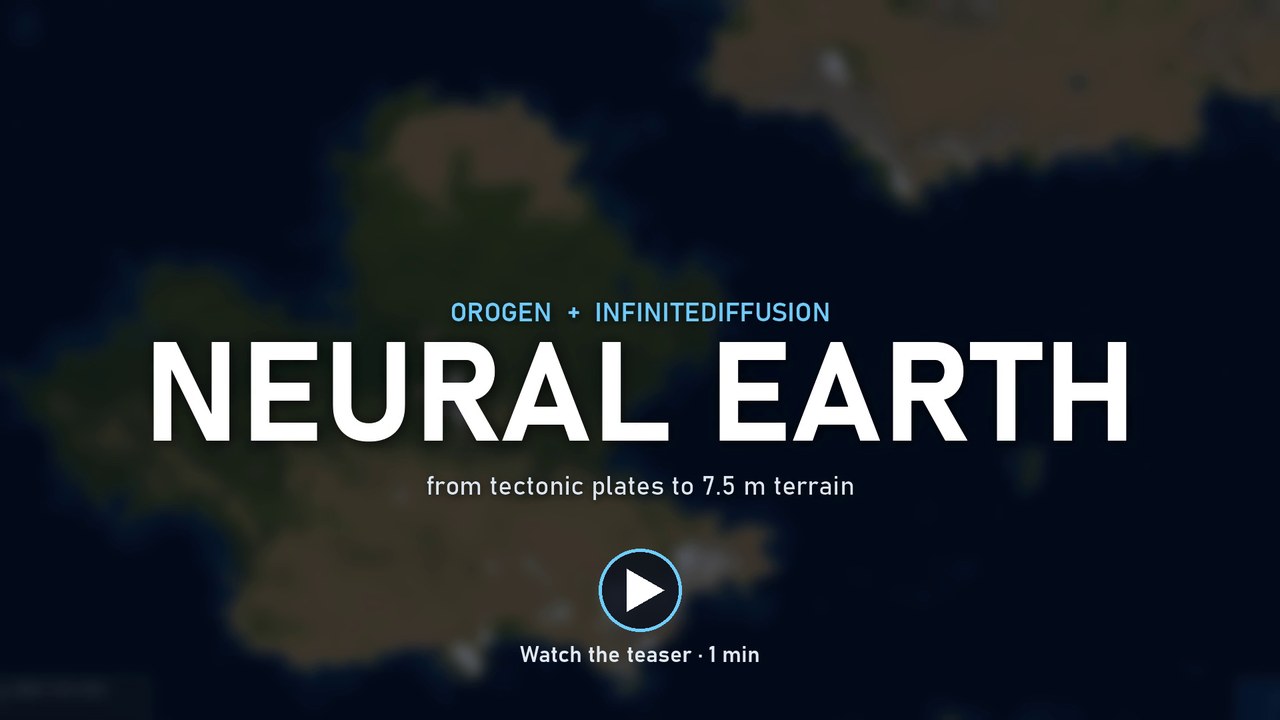
Watch the 1-minute teaser: World Orogen, InfiniteDiffusion, then live Neural Earth navigation from world view to 7.5 m terrain. Loading times are accelerated, and on-screen badges show each speed-up. The project is open source and looking for contributors.
Neural Earth builds on World Orogen (project) and InfiniteDiffusion / Terrain Diffusion (scientific paper, project). We combine their planetary generation and learned refinement into a complete procedural world workflow: continents, tectonic relief, erosion, seasonal climate, biomes, soils, and continuous exploration in a map or globe.
The long-term goal is to integrate MagnaUrbis (GitHub, website) for procedural roads, settlements and cities, extending the geographic world into a populated world. This integration is planned. The project is currently hosted as burgmap; the magna-urbis repository and website links anticipate its upcoming rename.
Orogen's erosion methods draw on stream-power incision and Priority-Flood drainage. These are scientific method references, rather than a dedicated Orogen paper.
Actual application captures follow three locations from LOD 9 to LOD -2. Read each two-row sheet left to right: 9, 8, 7, 6, 5, 4 on the first row, then 3, 2, 1, 0, -1, -2 on the second. The first row moves quickly from the planetary overview to regional relief; every fine view is captured only after its requested tiles have finished loading.
LOD 0 reaches the checkpoint's 30 m native terrain resolution. LOD -1 and -2 show experimental sub-30 m refinement, sampled at 15 m and 7.5 m; these are not independently trained higher-resolution terrain. Click a sheet to open its full-size version.
Snow-covered mountains

Green mountains meeting the sea

Desert terrain

Full-size captures, seeds, coordinates, settings and source resolutions are recorded in the screenshot manifest.
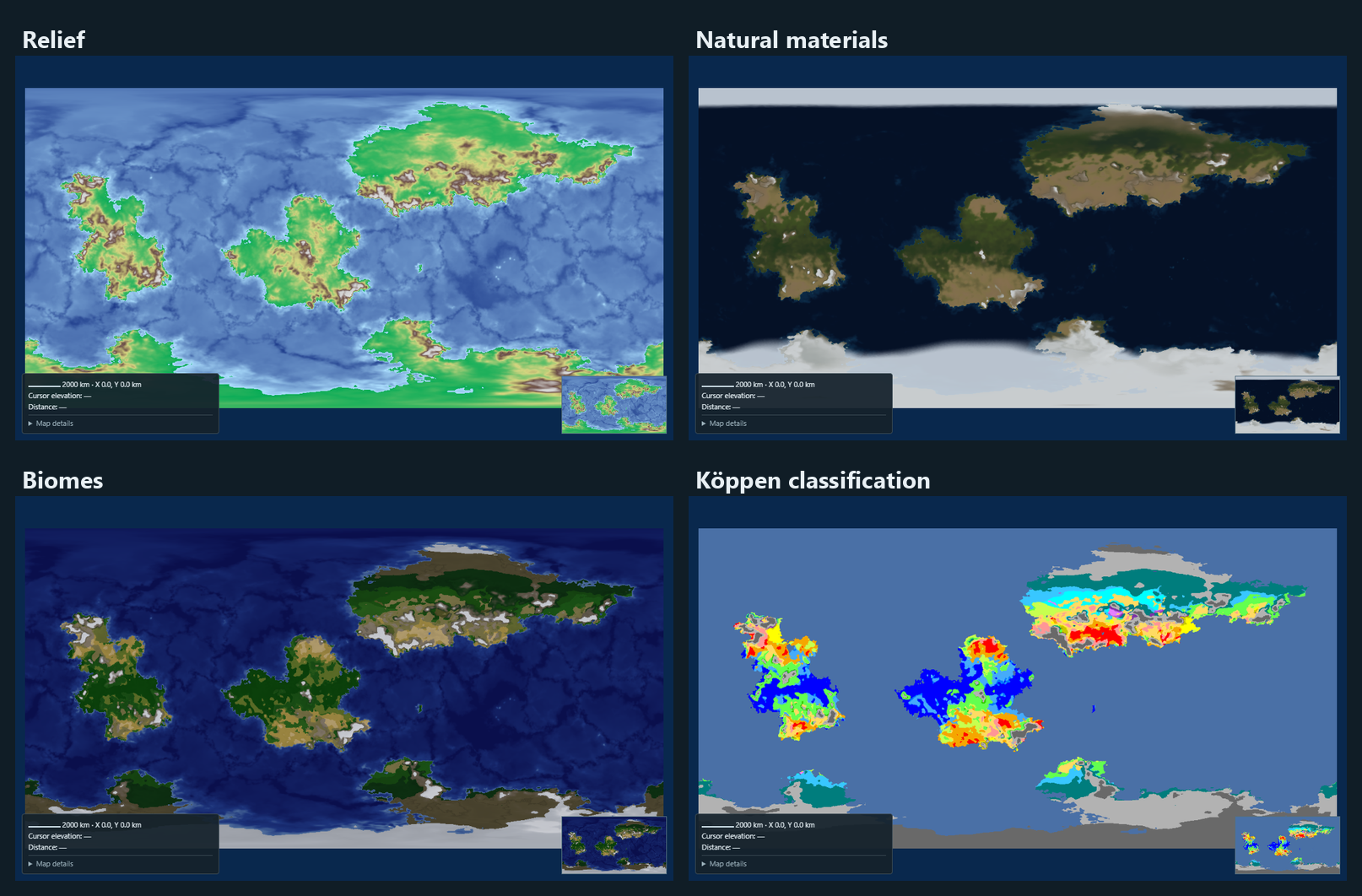
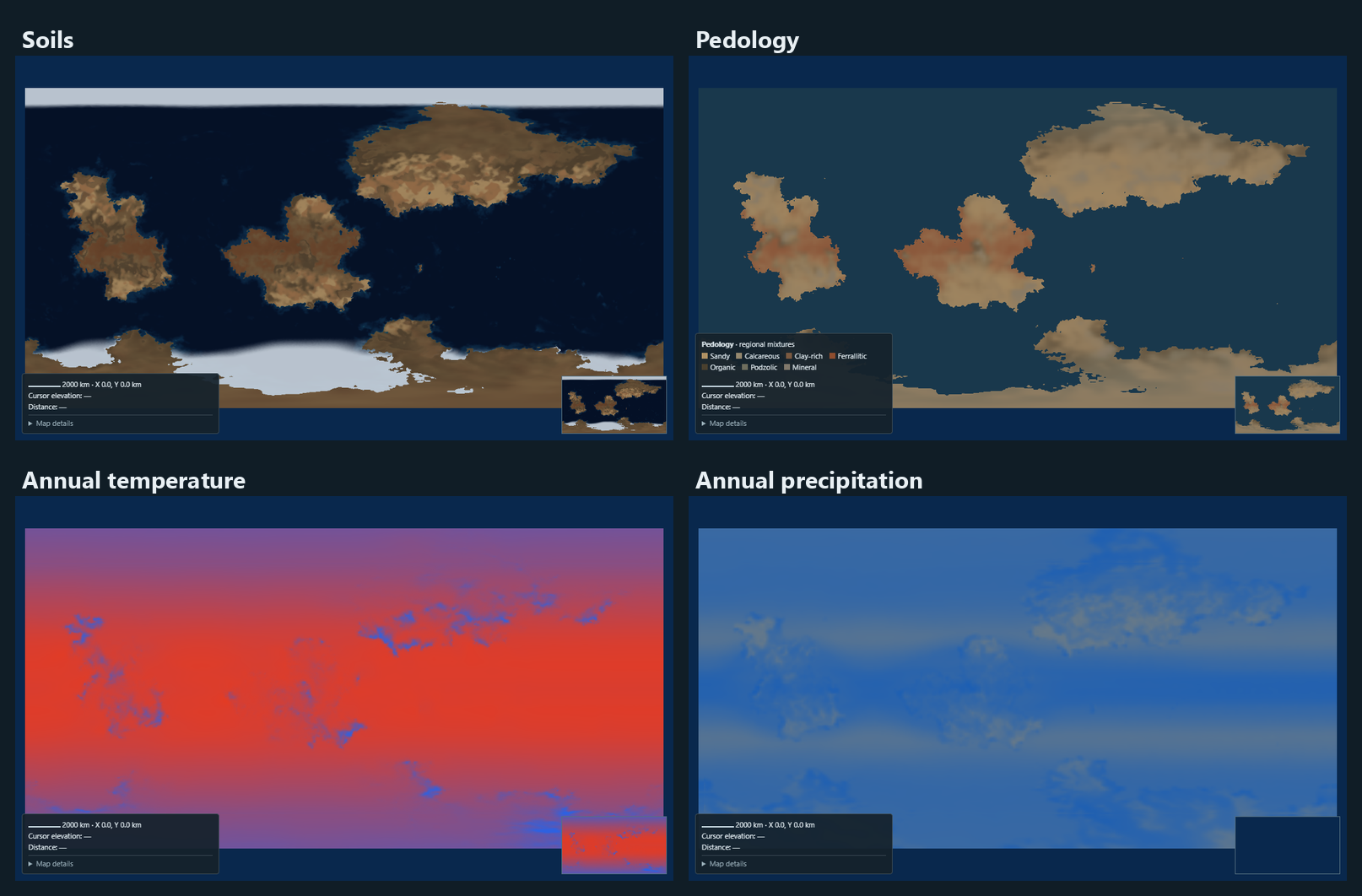
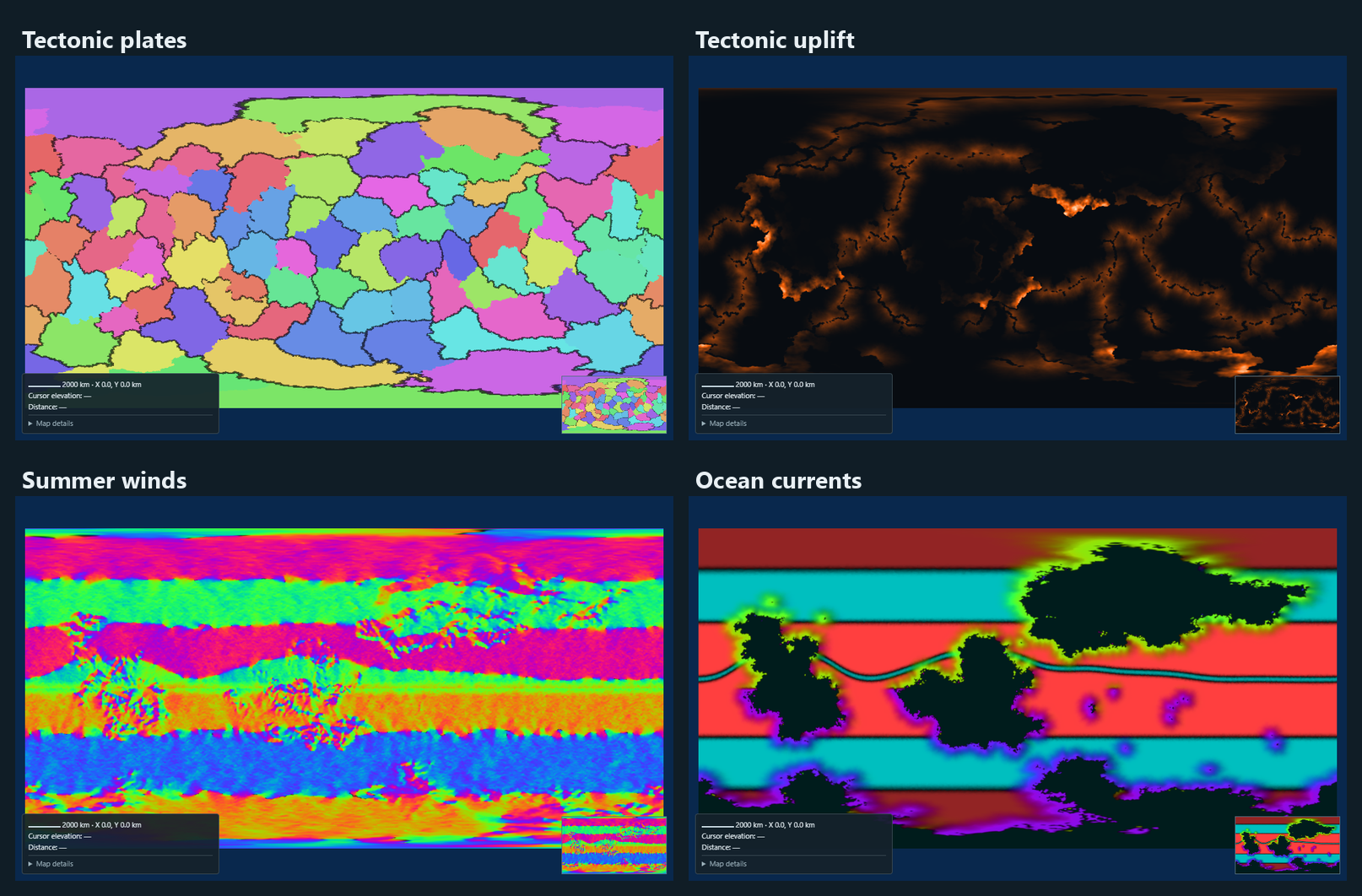
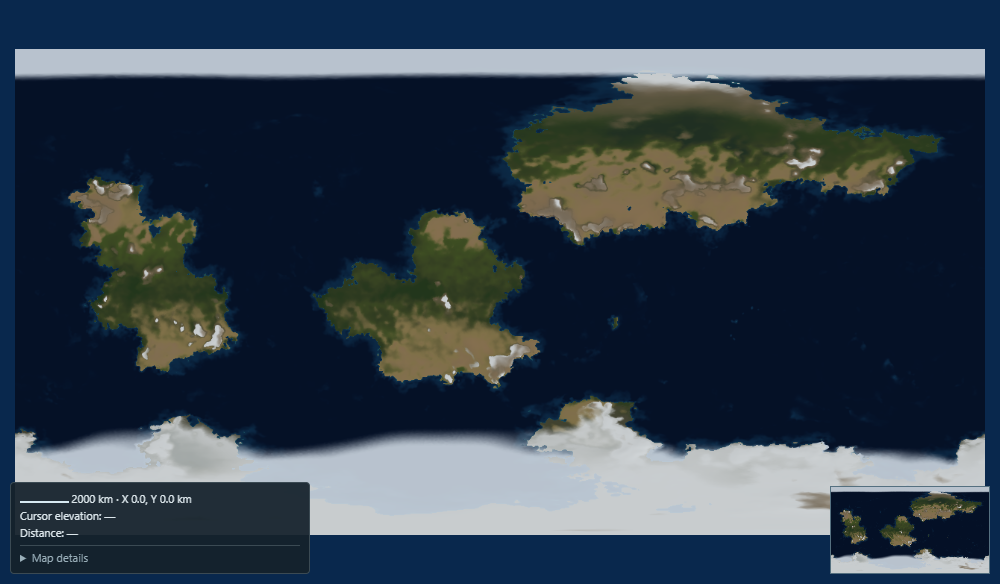
The menu also includes seasonal climate, crust types, plate boundaries, convergence, hotspots, rain shadows, atmospheric pressure and cartographic styles. Layer guide.
The browser WASM edition runs rendering and Rust neural inference locally,
with no Python/PyTorch backend. Build with npm run build:wasm, then run
npm run serve:wasm and open http://127.0.0.1:8780. It reuses the viewer,
Orogen sources and the existing Rust network port. It uses the distilled NF4 B75
base and downloads about 162 MB of model weights. WebGPU is required; FP16 and
subgroups are optional, with FP32 inference on devices without FP16. See the
browser build, shared architecture and current feature differences.
The Python/PyTorch edition is a local Linux/Windows application. Its neural inference requires an NVIDIA GPU with CUDA and BF16 support. A 24 GB GPU such as the RTX 3090 is the tested reference for comfortable exploration; smaller cards have no certified minimum configuration. Browser WebGPU accelerates rendering; the neural networks run on the Python server. PNG fallback still needs CUDA.
Install Python 3.12, Node.js 20+ and an NVIDIA driver compatible with the locked CUDA 12.8 build:
Linux:
git clone --recurse-submodules https://github.com/dunkean/neural-earth.git
cd neural-earth
python3.12 -m venv .venv
source .venv/bin/activate
python -m pip install --upgrade pip
python -m pip install -r requirements-lock.txt --extra-index-url https://download.pytorch.org/whl/cu128
Windows:
git clone --recurse-submodules https://github.com/dunkean/neural-earth.git
cd neural-earth
py -3.12 -m venv .venv
.\.venv\Scripts\python.exe -m pip install --upgrade pip
.\.venv\Scripts\python.exe -m pip install -r requirements-lock.txt --extra-index-url https://download.pytorch.org/whl/cu128
Prepare the geography inputs and runtime directory using the installation guide, then launch:
.\.venv\Scripts\python.exe launch_terrain.py
On Linux, use ./start-neural-earth.sh (add --no-open for unattended startup). On Windows, double-click start-neural-earth.cmd. restart-neural-earth.bat / restart-neural-earth.sh first stop any running server. Open http://127.0.0.1:8765. Pinned model weights download on first use.
The start and restart scripts pass --gpu, which is also the launcher default: a browser's first launch enables every optional GPU acceleration without asking. Pass --cpu (for example start-neural-earth.cmd --cpu) to choose the CPU options instead. Launching http://127.0.0.1:8765 directly without the launcher asks the question once. A browser's saved choice, then its Settings and Rendering toggles, take precedence over later launches.
A plain launch reopens the last world opened in that browser (seed and settings), so its cached Orogen stages and overview are reused. Use a new seed in the viewer for another world. The world appears while the networks load: model weights load beside world generation, and CUDA Graph preparation yields to it. Neural tiles follow once the networks are ready.
The default Orogen generator uses bundled Orogen code, with 100,000 mesh points, three continents, continent variety 0.85 and erosion enabled. Orogen erosion is active by default for every UI generator: the first-launch GPU answer selects GPU or CPU erosion. It also enables or disables the other optional GPU acceleration settings and map rendering. Existing browsers receive a one-time correction of the old erosion default; later edits are saved locally. Custom → Continental atlas additionally requires Rust/Cargo and a pinned sibling world-builder-rs checkout. Optional GPU erosion has separate dependencies. The installation guide documents these and configurable storage (~/.cache/neural-earth on Linux, E:/TerrainDiffusionRuntime on Windows).
Orogen constructs plates on a spherical mesh, derives boundary motion and stress, builds mountain belts and ocean basins, and applies the selected erosion. Its seasonal climate uses latitude, elevation, atmospheric circulation, ocean currents and moisture transport. Neural Earth rasterizes the source into a persistent atlas and adapts it to five checkpoint conditioning fields:
| Field | Physical convention |
|---|---|
| Elevation | Signed meters; negative values are below sea level |
| BIO1 | Annual mean temperature, °C |
| BIO4 | Monthly temperature standard deviation × 100 |
| BIO12 | Annual precipitation, mm/year |
| BIO15 | Monthly precipitation coefficient of variation, % |
Two seasonal states become monthly proxies to match these statistics. This approximates a climatology, rather than a full atmospheric simulation. Relief, erosion and climate are independent retained stages.
flowchart LR
    A[Seed + settings] --> B[Orogen / noise / custom atlas]
    B --> C[Optional erosion]
    C --> D[Orogen seasonal climate]
    D --> E[Five conditioning fields]
    E --> F[Coarse → latent → decoder]
    F --> G[Physical elevation tiles]
    D --> H[Biomes + soils + diagnostics]
    G --> I[WebGPU map / globe]
    H --> I
We use the unchanged xandergos/terrain-diffusion-30m checkpoint, pinned to revision 9ef8030cb805b433b98ec25c5dddefbac07a9e26. Its EDMUnet2D networks use magnitude-preserving layers. Neural Earth runs them in BF16 on CUDA; it does not train a new model.
| Network | Role | Physical sampling scale |
|---|---|---|
coarse_model | Regional elevation statistics and climate; 20 diffusion solver steps | 7,680 m |
base_model | Conditioned latent terrain generation | 240 m |
decoder_model | Reconstruction of Laplacian-encoded elevation detail | 30 m |
InfiniteDiffusion evaluates overlapping windows of a deterministic noise field on demand. Shared dependencies and context allow consistent spatial access without materializing the entire high-resolution planet. Learned detail is reconstructed with coarse elevation constraints. Coastlines can move during refinement: a land mask does not force the neural DEM into the initial silhouette.
Display sampling follows r(LOD) = 30 × 2^LOD meters. At LOD 4, the screen samples at 480 m while the neural coarse source is 7,680 m: interpolation smooths display, without adding source resolution. LOD 3 uses 240 m latents; LOD 2–0 use the 30 m decoder with downsampling.
flowchart LR
    A[Procedural overview] --> B[Learned coarse · 7.68 km]
    B --> C[Latents · 240 m]
    C --> D[Decoded DEM · 30 m]
    D --> E[Optional experimental sub-30 m refinement]
The camera remains responsive while visible regions receive priority. Parent tiles stay visible until finer coverage arrives. World identities include settings, weights and source fingerprints. Physical heights are cached separately from appearance: lighting, contours and materials recolor existing terrain without rerunning the networks. Near the poles, the globe uses a rotated spherical chart for local neural sampling.
Technical architecture and limitations.
Neural Earth produces a complete geographic world to explore, with finite spherical or planar geometry. It does not generate an entire planet at 30 m on startup. Larger visible regions, deeper refinement and more streams increase computation and memory. Four coarse streams are the default scheduling balance; the coarse network batch remains one.
tools/benchmarks/benchmark_startup.py measures the cold start on a separate port (8775): server response, model loading and CUDA Graph preparation, /api/world and the Render overview. --gpu (default) runs every optional Orogen stage on CUDA, --cpu runs Orogen on the CPU; without --seed it generates a new random world, and a seed already generated measures a reopened world. Stop other servers first, because they share GPU memory. On an RTX 3090, a reopened world shows its overview after about 9 s, and a new world with CPU Orogen after about 16 s.
Terrain and climate target worldbuilding plausibility. Biomes and materials are visual models, without independent ecosystem simulation. Neural detail does not guarantee globally connected rivers or preservation of every source erosion feature. Optional sub-30 m refinement is experimental.
Runtime modules live in backend/, browser assets in web/, automated tests in tests/, and verification/benchmark tools in tools/. The root contains startup scripts, dependencies and project metadata.
Upstream projects retain their names, licenses and pinned revisions. Native adaptations have explicit provenance. Historical audits, reviews and implementation work reports are archived outside this repository.
Neural Earth builds on World Orogen (project) and InfiniteDiffusion / Terrain Diffusion (scientific paper, project). We combine their planetary generation and learned refinement into a complete procedural world workflow: continents, tectonic relief, erosion, seasonal climate, biomes, soils, and continuous exploration in a map or globe.
Python
7
173 commits
updated Oct 13, 2026
Procedural worlds, from tectonic plates to neural terrain.
Watch the 1-minute teaser: World Orogen, InfiniteDiffusion, then live Neural Earth navigation from world view to 7.5 m terrain. Loading times are accelerated, and on-screen badges show each speed-up. The project is open source and looking for contributors.
Neural Earth builds on World Orogen (project) and InfiniteDiffusion / Terrain Diffusion (scientific paper, project). We combine their planetary generation and learned refinement into a complete procedural world workflow: continents, tectonic relief, erosion, seasonal climate, biomes, soils, and continuous exploration in a map or globe.
The long-term goal is to integrate MagnaUrbis (GitHub, website) for procedural roads, settlements and cities, extending the geographic world into a populated world. This integration is planned. The project is currently hosted as burgmap; the magna-urbis repository and website links anticipate its upcoming rename.
Orogen's erosion methods draw on stream-power incision and Priority-Flood drainage. These are scientific method references, rather than a dedicated Orogen paper.
Actual application captures follow three locations from LOD 9 to LOD -2. Read each two-row sheet left to right: 9, 8, 7, 6, 5, 4 on the first row, then 3, 2, 1, 0, -1, -2 on the second. The first row moves quickly from the planetary overview to regional relief; every fine view is captured only after its requested tiles have finished loading.
LOD 0 reaches the checkpoint's 30 m native terrain resolution. LOD -1 and -2 show experimental sub-30 m refinement, sampled at 15 m and 7.5 m; these are not independently trained higher-resolution terrain. Click a sheet to open its full-size version.
Snow-covered mountains
Green mountains meeting the sea
Desert terrain
Full-size captures, seeds, coordinates, settings and source resolutions are recorded in the screenshot manifest.
The menu also includes seasonal climate, crust types, plate boundaries, convergence, hotspots, rain shadows, atmospheric pressure and cartographic styles. Layer guide.
The browser WASM edition runs rendering and Rust neural inference locally,
with no Python/PyTorch backend. Build with npm run build:wasm, then run
npm run serve:wasm and open http://127.0.0.1:8780. It reuses the viewer,
Orogen sources and the existing Rust network port. It uses the distilled NF4 B75
base and downloads about 162 MB of model weights. WebGPU is required; FP16 and
subgroups are optional, with FP32 inference on devices without FP16. See the
browser build, shared architecture and current feature differences.
The Python/PyTorch edition is a local Linux/Windows application. Its neural inference requires an NVIDIA GPU with CUDA and BF16 support. A 24 GB GPU such as the RTX 3090 is the tested reference for comfortable exploration; smaller cards have no certified minimum configuration. Browser WebGPU accelerates rendering; the neural networks run on the Python server. PNG fallback still needs CUDA.
Install Python 3.12, Node.js 20+ and an NVIDIA driver compatible with the locked CUDA 12.8 build:
Linux:
git clone --recurse-submodules https://github.com/dunkean/neural-earth.git
cd neural-earth
python3.12 -m venv .venv
source .venv/bin/activate
python -m pip install --upgrade pip
python -m pip install -r requirements-lock.txt --extra-index-url https://download.pytorch.org/whl/cu128
Windows:
git clone --recurse-submodules https://github.com/dunkean/neural-earth.git
cd neural-earth
py -3.12 -m venv .venv
.\.venv\Scripts\python.exe -m pip install --upgrade pip
.\.venv\Scripts\python.exe -m pip install -r requirements-lock.txt --extra-index-url https://download.pytorch.org/whl/cu128
Prepare the geography inputs and runtime directory using the installation guide, then launch:
.\.venv\Scripts\python.exe launch_terrain.py
On Linux, use ./start-neural-earth.sh (add --no-open for unattended startup). On Windows, double-click start-neural-earth.cmd. restart-neural-earth.bat / restart-neural-earth.sh first stop any running server. Open http://127.0.0.1:8765. Pinned model weights download on first use.
The start and restart scripts pass --gpu, which is also the launcher default: a browser's first launch enables every optional GPU acceleration without asking. Pass --cpu (for example start-neural-earth.cmd --cpu) to choose the CPU options instead. Launching http://127.0.0.1:8765 directly without the launcher asks the question once. A browser's saved choice, then its Settings and Rendering toggles, take precedence over later launches.
A plain launch reopens the last world opened in that browser (seed and settings), so its cached Orogen stages and overview are reused. Use a new seed in the viewer for another world. The world appears while the networks load: model weights load beside world generation, and CUDA Graph preparation yields to it. Neural tiles follow once the networks are ready.
The default Orogen generator uses bundled Orogen code, with 100,000 mesh points, three continents, continent variety 0.85 and erosion enabled. Orogen erosion is active by default for every UI generator: the first-launch GPU answer selects GPU or CPU erosion. It also enables or disables the other optional GPU acceleration settings and map rendering. Existing browsers receive a one-time correction of the old erosion default; later edits are saved locally. Custom → Continental atlas additionally requires Rust/Cargo and a pinned sibling world-builder-rs checkout. Optional GPU erosion has separate dependencies. The installation guide documents these and configurable storage (~/.cache/neural-earth on Linux, E:/TerrainDiffusionRuntime on Windows).
Orogen constructs plates on a spherical mesh, derives boundary motion and stress, builds mountain belts and ocean basins, and applies the selected erosion. Its seasonal climate uses latitude, elevation, atmospheric circulation, ocean currents and moisture transport. Neural Earth rasterizes the source into a persistent atlas and adapts it to five checkpoint conditioning fields:
| Field | Physical convention |
|---|---|
| Elevation | Signed meters; negative values are below sea level |
| BIO1 | Annual mean temperature, °C |
| BIO4 | Monthly temperature standard deviation × 100 |
| BIO12 | Annual precipitation, mm/year |
| BIO15 | Monthly precipitation coefficient of variation, % |
Two seasonal states become monthly proxies to match these statistics. This approximates a climatology, rather than a full atmospheric simulation. Relief, erosion and climate are independent retained stages.
flowchart LR
    A[Seed + settings] --> B[Orogen / noise / custom atlas]
    B --> C[Optional erosion]
    C --> D[Orogen seasonal climate]
    D --> E[Five conditioning fields]
    E --> F[Coarse → latent → decoder]
    F --> G[Physical elevation tiles]
    D --> H[Biomes + soils + diagnostics]
    G --> I[WebGPU map / globe]
    H --> I
We use the unchanged xandergos/terrain-diffusion-30m checkpoint, pinned to revision 9ef8030cb805b433b98ec25c5dddefbac07a9e26. Its EDMUnet2D networks use magnitude-preserving layers. Neural Earth runs them in BF16 on CUDA; it does not train a new model.
| Network | Role | Physical sampling scale |
|---|---|---|
coarse_model | Regional elevation statistics and climate; 20 diffusion solver steps | 7,680 m |
base_model | Conditioned latent terrain generation | 240 m |
decoder_model | Reconstruction of Laplacian-encoded elevation detail | 30 m |
InfiniteDiffusion evaluates overlapping windows of a deterministic noise field on demand. Shared dependencies and context allow consistent spatial access without materializing the entire high-resolution planet. Learned detail is reconstructed with coarse elevation constraints. Coastlines can move during refinement: a land mask does not force the neural DEM into the initial silhouette.
Display sampling follows r(LOD) = 30 × 2^LOD meters. At LOD 4, the screen samples at 480 m while the neural coarse source is 7,680 m: interpolation smooths display, without adding source resolution. LOD 3 uses 240 m latents; LOD 2–0 use the 30 m decoder with downsampling.
flowchart LR
    A[Procedural overview] --> B[Learned coarse · 7.68 km]
    B --> C[Latents · 240 m]
    C --> D[Decoded DEM · 30 m]
    D --> E[Optional experimental sub-30 m refinement]
The camera remains responsive while visible regions receive priority. Parent tiles stay visible until finer coverage arrives. World identities include settings, weights and source fingerprints. Physical heights are cached separately from appearance: lighting, contours and materials recolor existing terrain without rerunning the networks. Near the poles, the globe uses a rotated spherical chart for local neural sampling.
Technical architecture and limitations.
Neural Earth produces a complete geographic world to explore, with finite spherical or planar geometry. It does not generate an entire planet at 30 m on startup. Larger visible regions, deeper refinement and more streams increase computation and memory. Four coarse streams are the default scheduling balance; the coarse network batch remains one.
tools/benchmarks/benchmark_startup.py measures the cold start on a separate port (8775): server response, model loading and CUDA Graph preparation, /api/world and the Render overview. --gpu (default) runs every optional Orogen stage on CUDA, --cpu runs Orogen on the CPU; without --seed it generates a new random world, and a seed already generated measures a reopened world. Stop other servers first, because they share GPU memory. On an RTX 3090, a reopened world shows its overview after about 9 s, and a new world with CPU Orogen after about 16 s.
Terrain and climate target worldbuilding plausibility. Biomes and materials are visual models, without independent ecosystem simulation. Neural detail does not guarantee globally connected rivers or preservation of every source erosion feature. Optional sub-30 m refinement is experimental.
Runtime modules live in backend/, browser assets in web/, automated tests in tests/, and verification/benchmark tools in tools/. The root contains startup scripts, dependencies and project metadata.
Upstream projects retain their names, licenses and pinned revisions. Native adaptations have explicit provenance. Historical audits, reviews and implementation work reports are archived outside this repository.



