

Markmap is a javascript component that will visualize your markdown documents as mindmaps. It is useful for better navigation and overview of the content. You can see it in action online here.
It is used in:
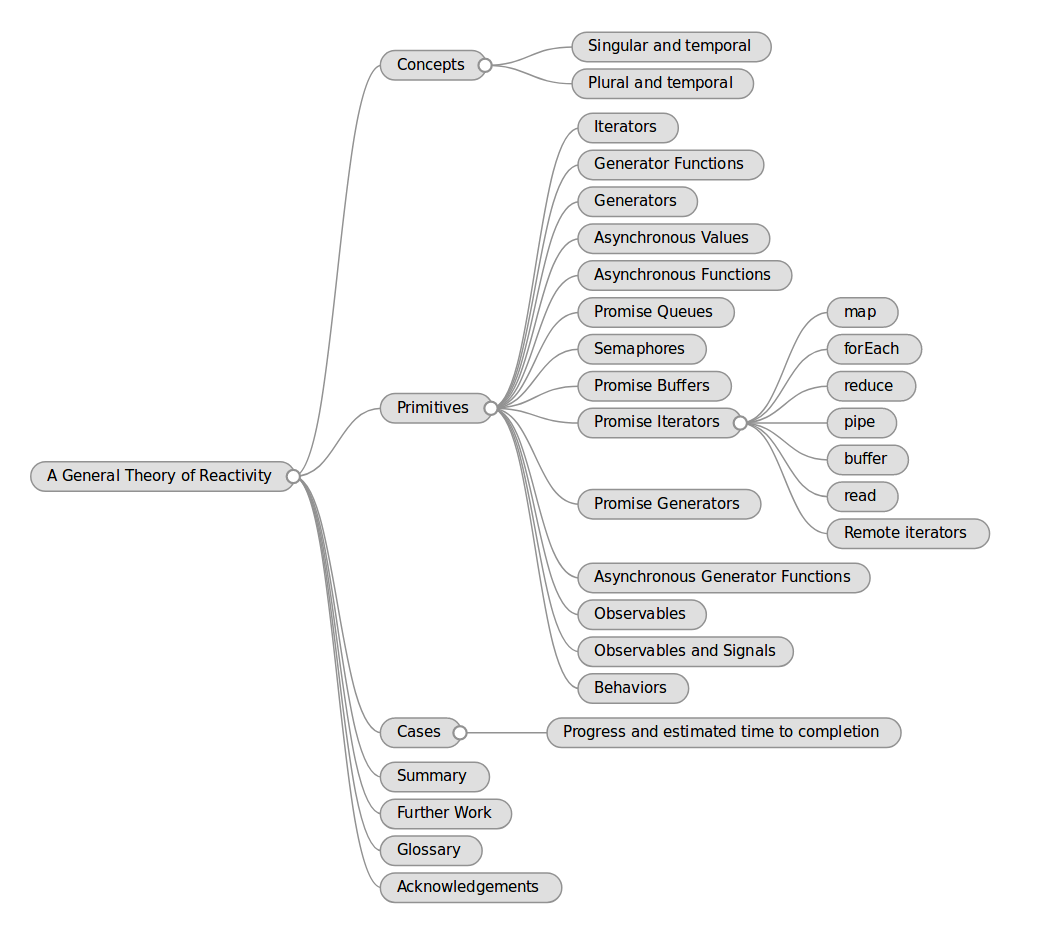 | 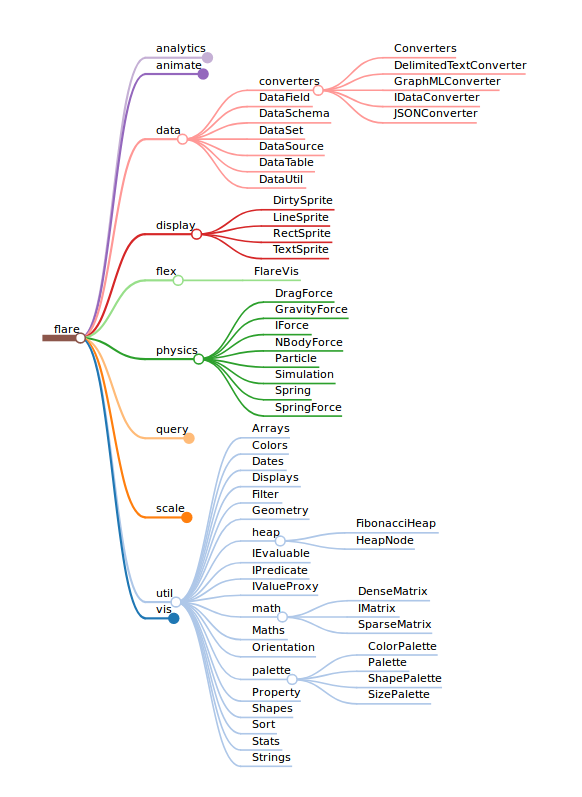 |
|---|---|
| Default style | Colorful style |
Supported formats:
Suggestions for new features are welcome, feel free to open an issue.
Install the component with NPM:
npm install markmap
Visualizing a markdown text consists of two steps:
To run the examples first clone the project and install dependencies:
git clone https://github.com/dundalek/markmap.git
cd markmap
npm install
In the examples code there are imports like require('../../lib/somefile'). When using this library in your project you need to change those to require('markmap/lib/somefile').
Run npm start and a browser will open with the example page where you can see how different formats are parsed and displayed. The source code for browser examples is located in examples/browser folder.
Node examples are located in examples/node. You can run the markdown example or others as follows:
cd examples/node
node example.markdown.js
The MIT License.
Overall
Maintained
Code review
npm
Latest release
Releases this year
146 followers · starred Jun 2021
28 followers · starred Mar 2020
115 followers · starred Jan 2019
587 followers · starred Sep 2024
Markmap is a javascript component that will visualize your markdown documents as mindmaps. It is useful for better navigation and overview of the content. You can see it in action online here.
It is used in:
| |
|---|---|
| Default style | Colorful style |
Supported formats:
Suggestions for new features are welcome, feel free to open an issue.
Install the component with NPM:
npm install markmap
Visualizing a markdown text consists of two steps:
To run the examples first clone the project and install dependencies:
git clone https://github.com/dundalek/markmap.git
cd markmap
npm install
In the examples code there are imports like require('../../lib/somefile'). When using this library in your project you need to change those to require('markmap/lib/somefile').
Run npm start and a browser will open with the example page where you can see how different formats are parsed and displayed. The source code for browser examples is located in examples/browser folder.
Node examples are located in examples/node. You can run the markdown example or others as follows:
cd examples/node
node example.markdown.js
The MIT License.
Overall
Maintained
Code review
npm
Latest release
Releases this year
146 followers · starred Jun 2021
28 followers · starred Mar 2020
115 followers · starred Jan 2019
587 followers · starred Sep 2024



