I needed to edit many Resource files, so figured someone would too.
GDScript
1,029
266 commits
updated Jan 27, 2026
"Welp, it does what it sounds like!"
A plugin for Godot 4 that adds a tab for viewing and editing folders of Resources as data tables, one Resource per row. It was made from necessity when trying to develop another plugin.
Godot 3 branch, Godot 4 branch
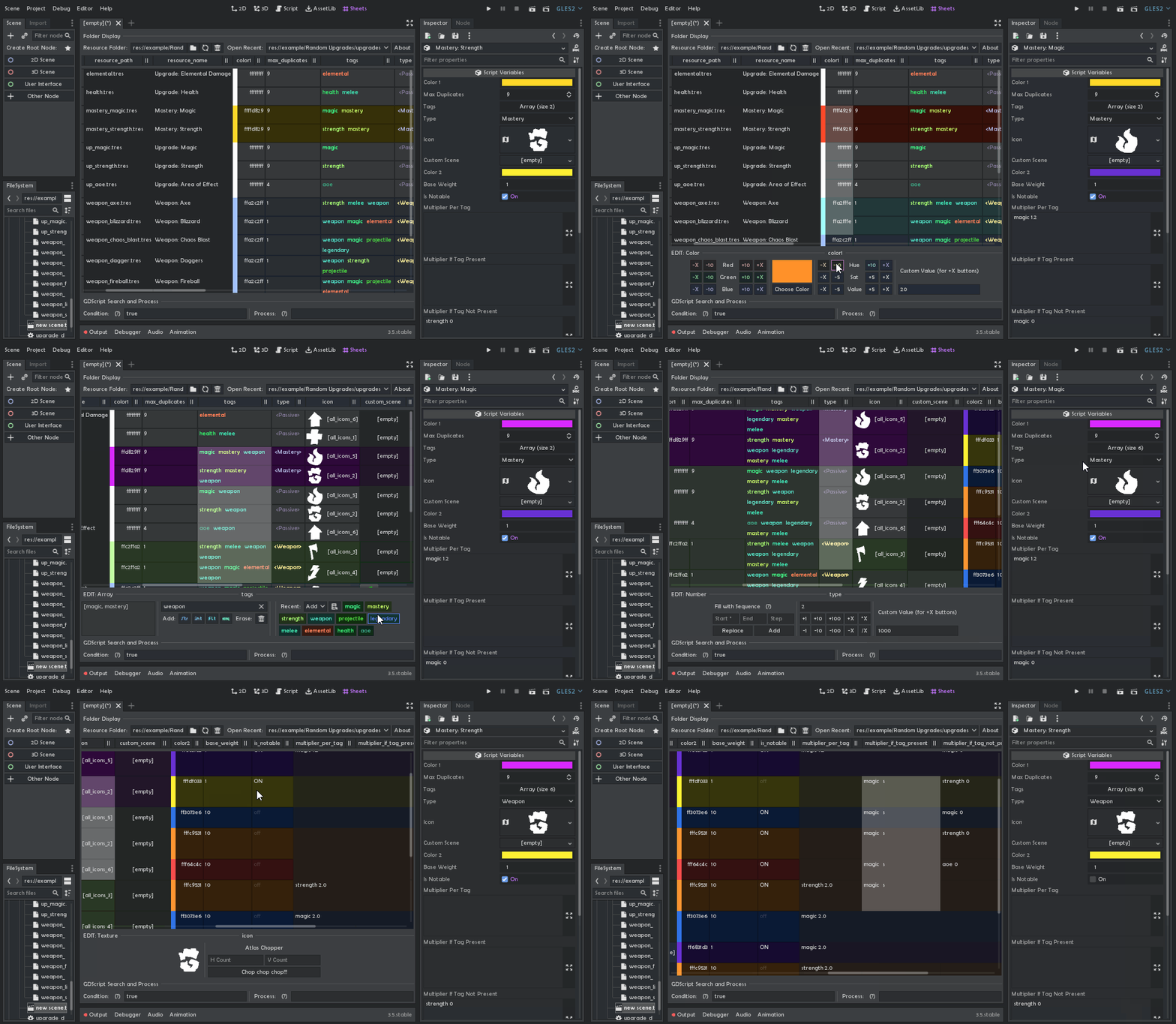
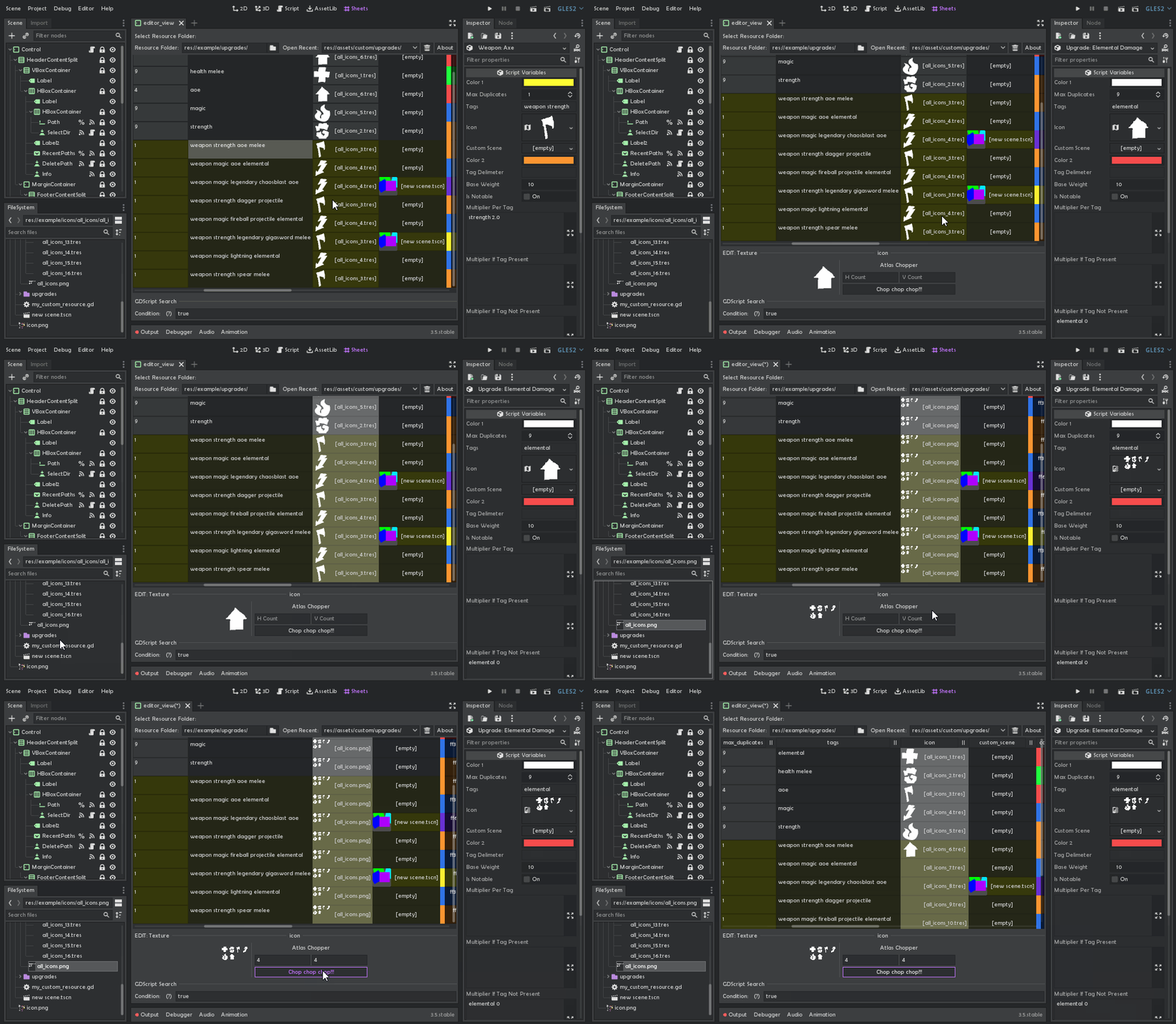
Ctrl + Click / Cmd + Click - Select multiple cells in one columnShift + Click - Select all cells between A and B in one columnUp / Down / Shift + Tab / Tab - Move cell selectionLeft / Right - Move caret along cell textBackspace / Delete - Erase one character Left / Right from caretHome / End - Move caret to start/end of cellCtrl + <move/erase> / Cmd + <move/erase> - Move through / Erase whole wordCtrl / Cmd + C/V - Copy cells / Paste text into cells (make sure no scene nodes are selected)Ctrl / Cmd + D - Duplicate selected rows (make sure no scene nodes are selected)Ctrl / Cmd + R - Rename resourceCtrl / Cmd + (Shift) + Z - The SaviorIf clipboard contains as many lines as there are cells selected, each line is pasted into a separate cell.
To add support of more datatypes, check out the typed_cells and typed_editors folders. typed_cells need to be added in the editor_view root's exported array, and typed_editors are placed there under the %PropertyEditors node.
Made by Don Tnowe in 2022.
Need help or want to chat? Message me! Telegram, Discord
Did this tool help you so much you'd like to give back? Donate via PayPal!
Copying and Modification is allowed in accordance to the MIT license, full text is included.
731 followers · starred May 2024
966 followers · starred Feb 2024
361 followers · starred Mar 2025
163 followers · starred Sep 2022
I needed to edit many Resource files, so figured someone would too.
GDScript
1,029
266 commits
updated Jan 27, 2026
"Welp, it does what it sounds like!"
A plugin for Godot 4 that adds a tab for viewing and editing folders of Resources as data tables, one Resource per row. It was made from necessity when trying to develop another plugin.
Godot 3 branch, Godot 4 branch
Ctrl + Click / Cmd + Click - Select multiple cells in one columnShift + Click - Select all cells between A and B in one columnUp / Down / Shift + Tab / Tab - Move cell selectionLeft / Right - Move caret along cell textBackspace / Delete - Erase one character Left / Right from caretHome / End - Move caret to start/end of cellCtrl + <move/erase> / Cmd + <move/erase> - Move through / Erase whole wordCtrl / Cmd + C/V - Copy cells / Paste text into cells (make sure no scene nodes are selected)Ctrl / Cmd + D - Duplicate selected rows (make sure no scene nodes are selected)Ctrl / Cmd + R - Rename resourceCtrl / Cmd + (Shift) + Z - The SaviorIf clipboard contains as many lines as there are cells selected, each line is pasted into a separate cell.
To add support of more datatypes, check out the typed_cells and typed_editors folders. typed_cells need to be added in the editor_view root's exported array, and typed_editors are placed there under the %PropertyEditors node.
Made by Don Tnowe in 2022.
Need help or want to chat? Message me! Telegram, Discord
Did this tool help you so much you'd like to give back? Donate via PayPal!
Copying and Modification is allowed in accordance to the MIT license, full text is included.
731 followers · starred May 2024
966 followers · starred Feb 2024
361 followers · starred Mar 2025
163 followers · starred Sep 2022



