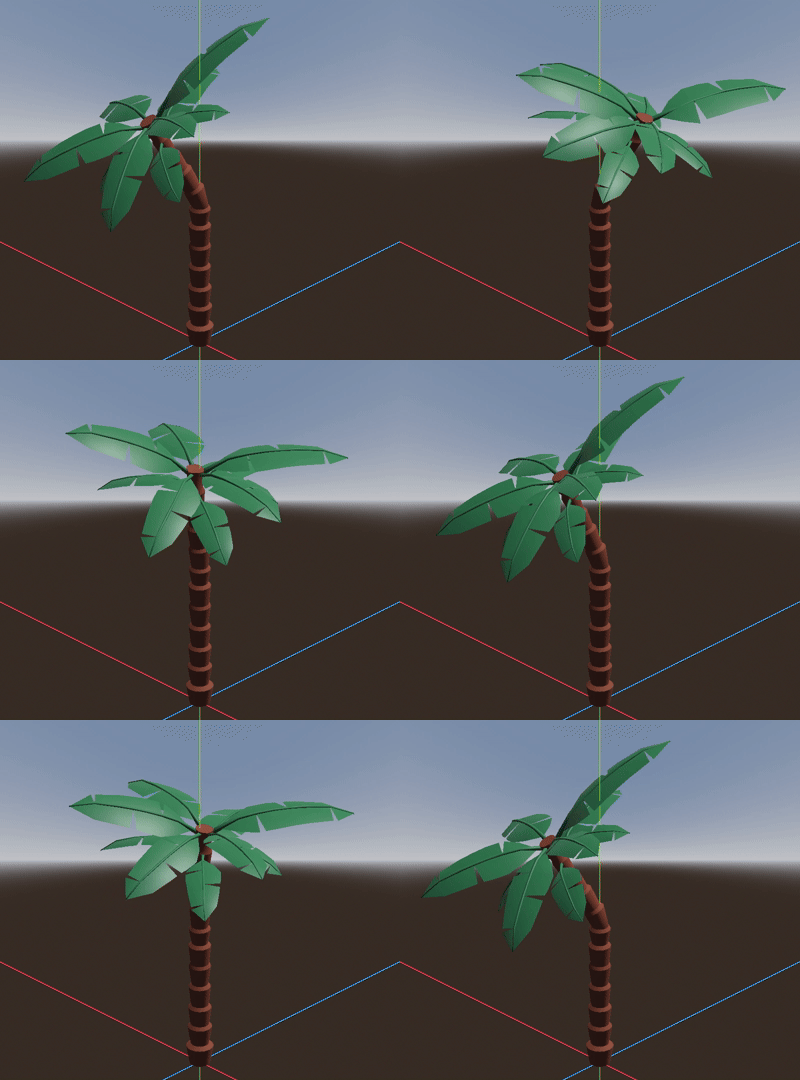
Adds jiggle physics to a Skeleton3D bone using SkeletonModifier3D nodes
GDScript
536
81 commits
updated May 14, 2026
Adds jiggle physics to a Skeleton3D bone using SkeletonModifier3D nodes.
[!NOTE] Requires Godot 4.3. As Godot 4.2 and lower does not support
SkeletonModifier3Dnodes, the branch godot-4.2 has an alternative implementation usingNode3Dand can be used as a fallback for existing projects.
wigglebone in the AssetLib editor tabPlugins tabor...
addons/wigglebone to your project's addons folder (create it if needed)Plugins tabYou can now add DMWBWiggleRotationModifier3D or DMWBWigglePositionModifier3D nodes to a Skeleton3D. See the example scenes in examples.
Note: Poses modified in SkeletonModifier3D nodes are only temporary for the current frame. Modifiers for parent bones should come first (above) in the scene tree, otherwise it may have not the desired effect.
[!WARNING] The
WiggleBonenode is deprecated and should be replaced with eitherDMWBWiggleRotationModifier3DorDMWBWigglePositionModifier3D.
DMWBWiggleRotationModifier3D
Rotates the bone around the current bone pose. The current pose direction acts as the spring's rest position.
| Property | Description |
|---|---|
properties | Properties used to move the bone. (DMWBWiggleRotationProperties3D) |
force_global | Applies a constant global force. |
force_local | Applies a constant force relative to the bone's pose. |
handle_distance | Sets the distance of the editor handle on the bone's Y axis. |
DMWBWiggleRotationProperties3D
Used to set the modifier properties. Can be shared by multiple modifiers.
| Property | Description |
|---|---|
spring_freq | The spring's oscillation frequency. Note: Adding forces may change the frequency. |
angular_damp | Damping factor of the angular velocity. |
force_scale | Defines how much the rotation is influenced by forces. |
linear_scale | Defines how much the rotation is influenced by global movement. |
swing_span | Maximum angle the bone can rotate around its pose. |
gravity | Applies a constant global force. |
| Method | Description |
|---|---|
void reset() | Reset rotation and angular velocity. |
void add_torque_impulse(torque: Vector3) | Add a global torque impulse. |
void add_force_impulse(force: Vector3) | Add a global force impulse. |
To allow the bone to rotate freely, the spring frequency (spring_freq) can be set to 0.0 or a very low value.
Note: Some of these problems can be avoided by setting the bone pose rotation already to the desired rest position. For example, if a bone is hanging down, the bone pose should already be pointing down.
DMWBWigglePositionModifier3D
Moves the bone around the current bone pose without rotating. The current pose position acts as the spring's rest position.
| Property | Description |
|---|---|
properties | Properties used to move the bone. (DMWBWigglePositionProperties3D) |
force_global | Applies a constant global force. |
force_local | Applies a constant local force relative to the bone's pose. |
DMWBWigglePositionProperties3D
Used to set the modifier properties. Can be shared by multiple modifiers.
| Property | Description |
|---|---|
spring_freq | The spring's oscillation frequency. Note: Adding forces may change the frequency. |
linear_damp | Damping factor of the velocity. |
force_scale | Defines how much the position is influenced by forces. |
linear_scale | Defines how much the position is influenced by global movement. |
max_distance | Maximum distance the bone can move around its pose position. |
gravity | Applies a constant global force. |
| Method | Description |
|---|---|
void reset() | Reset position and velocity. |
void add_force_impulse(force: Vector3) | Add a global force impulse. |
When a DMWBWiggleRotationModifier3D or DMWBWigglePositionModifier3D node is selected in the scene tree, a force can be applied to it by dragging its handle. Another way is to drag or rotate the Skeleton3D or one of its parents.
The editor gizmo (cone/sphere) can be hidden in the 3D viewport by disabling it in View > Gizmos > DMWBWiggleRotationModifier3D or View > Gizmos > DMWBWigglePositionModifier3D, respectively.
Based on Springs: From Hooke's law to a time based equation by EgoMooses
https://www.youtube.com/watch?v=FZekwtIO0I4
Lerp smoothing is broken by Freya Holmér
https://www.youtube.com/watch?v=LSNQuFEDOyQ
967 followers · starred May 2024
1,283 followers · starred Dec 2024
154 followers · starred May 2024
1,015 followers · starred Oct 2023
Adds jiggle physics to a Skeleton3D bone using SkeletonModifier3D nodes
GDScript
536
81 commits
updated May 14, 2026
Adds jiggle physics to a Skeleton3D bone using SkeletonModifier3D nodes.
[!NOTE] Requires Godot 4.3. As Godot 4.2 and lower does not support
SkeletonModifier3Dnodes, the branch godot-4.2 has an alternative implementation usingNode3Dand can be used as a fallback for existing projects.
wigglebone in the AssetLib editor tabPlugins tabor...
addons/wigglebone to your project's addons folder (create it if needed)Plugins tabYou can now add DMWBWiggleRotationModifier3D or DMWBWigglePositionModifier3D nodes to a Skeleton3D. See the example scenes in examples.
Note: Poses modified in SkeletonModifier3D nodes are only temporary for the current frame. Modifiers for parent bones should come first (above) in the scene tree, otherwise it may have not the desired effect.
[!WARNING] The
WiggleBonenode is deprecated and should be replaced with eitherDMWBWiggleRotationModifier3DorDMWBWigglePositionModifier3D.
DMWBWiggleRotationModifier3D
Rotates the bone around the current bone pose. The current pose direction acts as the spring's rest position.
| Property | Description |
|---|---|
properties | Properties used to move the bone. (DMWBWiggleRotationProperties3D) |
force_global | Applies a constant global force. |
force_local | Applies a constant force relative to the bone's pose. |
handle_distance | Sets the distance of the editor handle on the bone's Y axis. |
DMWBWiggleRotationProperties3D
Used to set the modifier properties. Can be shared by multiple modifiers.
| Property | Description |
|---|---|
spring_freq | The spring's oscillation frequency. Note: Adding forces may change the frequency. |
angular_damp | Damping factor of the angular velocity. |
force_scale | Defines how much the rotation is influenced by forces. |
linear_scale | Defines how much the rotation is influenced by global movement. |
swing_span | Maximum angle the bone can rotate around its pose. |
gravity | Applies a constant global force. |
| Method | Description |
|---|---|
void reset() | Reset rotation and angular velocity. |
void add_torque_impulse(torque: Vector3) | Add a global torque impulse. |
void add_force_impulse(force: Vector3) | Add a global force impulse. |
To allow the bone to rotate freely, the spring frequency (spring_freq) can be set to 0.0 or a very low value.
Note: Some of these problems can be avoided by setting the bone pose rotation already to the desired rest position. For example, if a bone is hanging down, the bone pose should already be pointing down.
DMWBWigglePositionModifier3D
Moves the bone around the current bone pose without rotating. The current pose position acts as the spring's rest position.
| Property | Description |
|---|---|
properties | Properties used to move the bone. (DMWBWigglePositionProperties3D) |
force_global | Applies a constant global force. |
force_local | Applies a constant local force relative to the bone's pose. |
DMWBWigglePositionProperties3D
Used to set the modifier properties. Can be shared by multiple modifiers.
| Property | Description |
|---|---|
spring_freq | The spring's oscillation frequency. Note: Adding forces may change the frequency. |
linear_damp | Damping factor of the velocity. |
force_scale | Defines how much the position is influenced by forces. |
linear_scale | Defines how much the position is influenced by global movement. |
max_distance | Maximum distance the bone can move around its pose position. |
gravity | Applies a constant global force. |
| Method | Description |
|---|---|
void reset() | Reset position and velocity. |
void add_force_impulse(force: Vector3) | Add a global force impulse. |
When a DMWBWiggleRotationModifier3D or DMWBWigglePositionModifier3D node is selected in the scene tree, a force can be applied to it by dragging its handle. Another way is to drag or rotate the Skeleton3D or one of its parents.
The editor gizmo (cone/sphere) can be hidden in the 3D viewport by disabling it in View > Gizmos > DMWBWiggleRotationModifier3D or View > Gizmos > DMWBWigglePositionModifier3D, respectively.
Based on Springs: From Hooke's law to a time based equation by EgoMooses
https://www.youtube.com/watch?v=FZekwtIO0I4
Lerp smoothing is broken by Freya Holmér
https://www.youtube.com/watch?v=LSNQuFEDOyQ
967 followers · starred May 2024
1,283 followers · starred Dec 2024
154 followers · starred May 2024
1,015 followers · starred Oct 2023



