
Open-source accessibility engine for creative software (video/audio tools)
C#
11
62 commits
updated Sep 28, 2026
README
Ultra Creative Suite
A family of professional creative apps for Windows that are fully accessible to blind, low-vision, and sighted users — without compromise.
Built by a blind developer. Tested daily with JAWS for Windows.
Demo
This video was created entirely by the author — who is blind — using Ultra Creative Suite with JAWS for Windows. No sighted assistance.
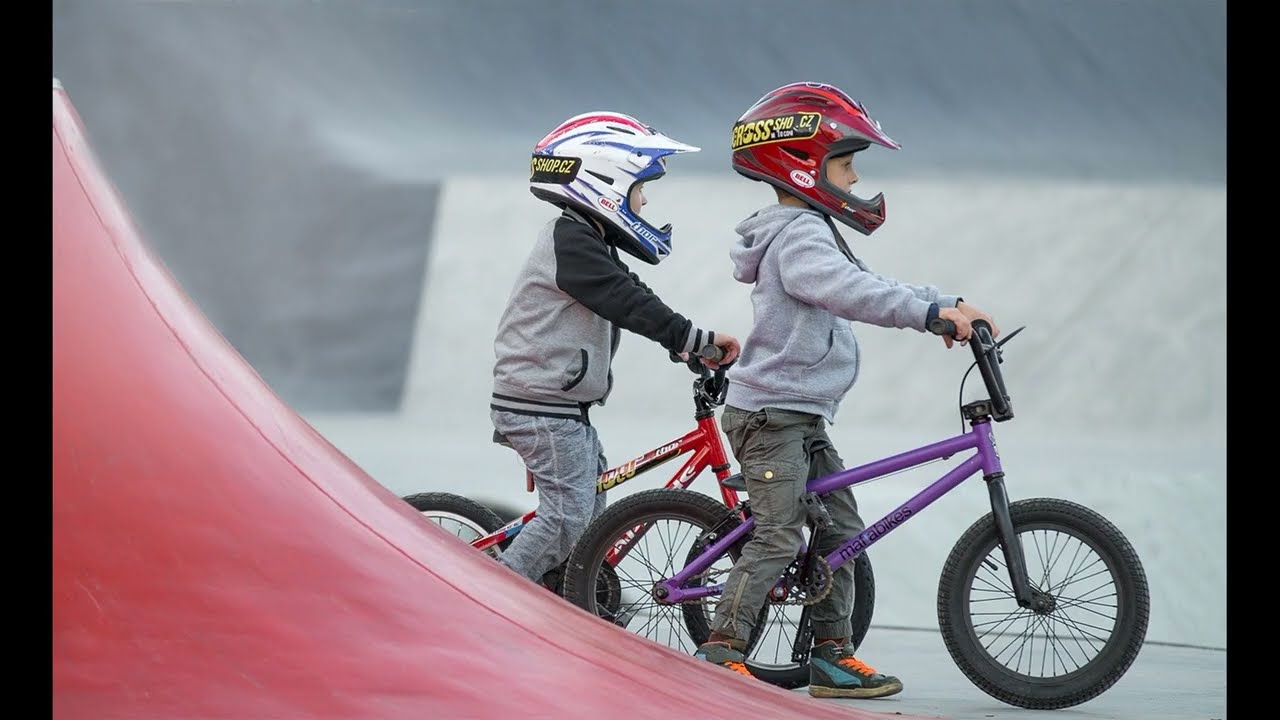
A children's song video: lyrics analyzed by AI, stock footage automatically selected and downloaded, mood-based color grading applied, ambient sounds mixed, rendered to 4K. Created independently by a blind user.
What is this?
Ultra Creative Suite is a family of creative and productivity apps for Windows, built from the ground up with full accessibility as a core requirement — not an afterthought. It started with an AI-assisted video editor and has grown into a full suite: video editing, audio editing, photo editing, captioning, screen recording, multi-track audio recording, podcast/audiobook playback, and an accessible DAW, with more apps added over time.
Every app works for blind, low-vision, and sighted users equally. Blind users can independently edit timelines, apply AI effects, transcribe audio, compose music, and produce finished, professional-quality output — without sighted assistance, and without a stripped-down "accessible mode" that hides features.
"I am blind and I use JAWS for Windows. I built this because no professional creative software on the market is actually usable with a screen reader." — Author
Repository Structure
This repository hosts the full Ultra Creative Suite as a monorepo. Every app lives in its own sibling subfolder — none of them is "the root project":
/UltraVideoEditor— Ultra Video Editor, the flagship AI-assisted video editor/UltraAudioEditor— Ultra Audio Editor, a companion professional audio editor with the same accessibility standard/UltraStudio— Ultra Studio, an AI-assisted photo editor with the same accessibility standard: a dual JAWS Mode / Visual Mode interface, local AI image description and editing suggestions, and AI-guided precise object extraction (Segment Anything)/UltraCaptions— Ultra Captions, an accessible subtitle/caption editor combining Whisper auto-transcription with manual keyboard-driven timing/UltraCast— Ultra Cast, an accessible screen recorder for tutorials, demos, and walkthroughs/UltraRecord— Ultra Record, a multi-track audio recorder with audio-based clipping alerts instead of visual VU meters/UltraPlayer— Ultra Player, an accessible podcast/audiobook player with adjustable playback speed and sleep timer/UltraComposer— Ultra Composer, an accessible keyboard-first DAW (FL Studio-style architecture) built from the ground up for screen reader users
Each app has its own README with full details.
All apps share this repository's single GPL-3.0 license.
Related, separately-repo'd Ultra apps: Ultra YouTube Downloader (standalone video/audio downloader), Ultra Uninstaller, Ultra Shield, Ultra Accessible Kit, and Ultra Keyboard — same brand and accessibility standard, kept in their own repos rather than this monorepo.
Current Status
Fully functional. Source code is provided as-is — the apps work and are actively used in real-world production by the author. Individual apps are at different stages of maturity; each app's own README says exactly where it stands.
Want to test it? Clone the repo, pick an app's subfolder, follow that app's own README, and try it. If you find issues, open a GitHub issue.
Shared Accessibility Foundation
Every app in the suite is built on the same accessibility principles, mostly via the shared Ultra Accessible Kit:
Native Windows controls — Win32 ListViews, standard WPF controls, and other real, native controls throughout, rather than custom-drawn UI that screen readers can't parse. Where an app has a specialized surface (e.g. a native ListView timeline instead of a drag-and-drop track view), JAWS and NVDA read it directly, with no plugins or workarounds.
Live region status — actions, progress, errors, and confirmations are announced automatically, without needing to navigate to find out what happened.
Full keyboard control — every feature in every app is reachable without a mouse. No drag-and-drop is required for any core workflow.
Consistent theming — Light / Dark / High-Contrast themes shared across the suite, with automatic screen-reader detection so an app can start directly in the right mode.
Screen-reader-optimized dialogs — proper focus management, labeled controls, and logical tab order throughout.
Beyond this shared foundation, several apps add their own deeper accessibility features specific to what they do — AI-generated audio descriptions and an exportable accessibility report in Ultra Video Editor, a dual JAWS Mode/Visual Mode in Ultra Studio, audio-based clipping alerts instead of visual VU meters in Ultra Record, and so on. See each app's own README for its specifics.
Installation
Each app is self-contained, with its own requirements, build steps, and (where available) installer. Clone the whole monorepo, then follow the README inside the specific app's subfolder:
git clone https://github.com/demirajvazi10-max/Ultra-Creative-suite.git
cd Ultra-Creative-suite/<AppFolder>
All apps target Windows 10/11 (64-bit) and .NET 8, and most either bundle or auto-download their own external tools (FFmpeg, yt-dlp, etc.) — see each app's README for the exact list.
Why This Matters
There is no professional creative software that blind users can actually use independently. Adobe Premiere, DaVinci Resolve, Final Cut, and their equivalents in photo editing and audio production — none of them work meaningfully with screen readers.
Ultra Creative Suite exists to change that: a growing family of apps where a blind person can independently edit video, mix audio, retouch photos, transcribe and caption, record a screen or a podcast, and compose music — without sighted assistance.
This project is being developed as part of an NLnet Foundation grant application under the NGI0 Commons Fund.
Contributing
See CONTRIBUTING.md for guidelines.
Code of Conduct
See CODE_OF_CONDUCT.md.
License
GPL-3.0 License — see LICENSE file.
Ultra Creative Suite — Because creativity has no boundaries.
Similar repos


Languages
C#
87.4%
C++
8.1%
Inno Setup
4.2%
Open-source accessibility engine for creative software (video/audio tools)
C#
11
62 commits
updated Sep 28, 2026
README
Ultra Creative Suite
A family of professional creative apps for Windows that are fully accessible to blind, low-vision, and sighted users — without compromise.
Built by a blind developer. Tested daily with JAWS for Windows.
Demo
This video was created entirely by the author — who is blind — using Ultra Creative Suite with JAWS for Windows. No sighted assistance.
A children's song video: lyrics analyzed by AI, stock footage automatically selected and downloaded, mood-based color grading applied, ambient sounds mixed, rendered to 4K. Created independently by a blind user.
What is this?
Ultra Creative Suite is a family of creative and productivity apps for Windows, built from the ground up with full accessibility as a core requirement — not an afterthought. It started with an AI-assisted video editor and has grown into a full suite: video editing, audio editing, photo editing, captioning, screen recording, multi-track audio recording, podcast/audiobook playback, and an accessible DAW, with more apps added over time.
Every app works for blind, low-vision, and sighted users equally. Blind users can independently edit timelines, apply AI effects, transcribe audio, compose music, and produce finished, professional-quality output — without sighted assistance, and without a stripped-down "accessible mode" that hides features.
"I am blind and I use JAWS for Windows. I built this because no professional creative software on the market is actually usable with a screen reader." — Author
Repository Structure
This repository hosts the full Ultra Creative Suite as a monorepo. Every app lives in its own sibling subfolder — none of them is "the root project":
/UltraVideoEditor— Ultra Video Editor, the flagship AI-assisted video editor/UltraAudioEditor— Ultra Audio Editor, a companion professional audio editor with the same accessibility standard/UltraStudio— Ultra Studio, an AI-assisted photo editor with the same accessibility standard: a dual JAWS Mode / Visual Mode interface, local AI image description and editing suggestions, and AI-guided precise object extraction (Segment Anything)/UltraCaptions— Ultra Captions, an accessible subtitle/caption editor combining Whisper auto-transcription with manual keyboard-driven timing/UltraCast— Ultra Cast, an accessible screen recorder for tutorials, demos, and walkthroughs/UltraRecord— Ultra Record, a multi-track audio recorder with audio-based clipping alerts instead of visual VU meters/UltraPlayer— Ultra Player, an accessible podcast/audiobook player with adjustable playback speed and sleep timer/UltraComposer— Ultra Composer, an accessible keyboard-first DAW (FL Studio-style architecture) built from the ground up for screen reader users
Each app has its own README with full details.
All apps share this repository's single GPL-3.0 license.
Related, separately-repo'd Ultra apps: Ultra YouTube Downloader (standalone video/audio downloader), Ultra Uninstaller, Ultra Shield, Ultra Accessible Kit, and Ultra Keyboard — same brand and accessibility standard, kept in their own repos rather than this monorepo.
Current Status
Fully functional. Source code is provided as-is — the apps work and are actively used in real-world production by the author. Individual apps are at different stages of maturity; each app's own README says exactly where it stands.
Want to test it? Clone the repo, pick an app's subfolder, follow that app's own README, and try it. If you find issues, open a GitHub issue.
Shared Accessibility Foundation
Every app in the suite is built on the same accessibility principles, mostly via the shared Ultra Accessible Kit:
Native Windows controls — Win32 ListViews, standard WPF controls, and other real, native controls throughout, rather than custom-drawn UI that screen readers can't parse. Where an app has a specialized surface (e.g. a native ListView timeline instead of a drag-and-drop track view), JAWS and NVDA read it directly, with no plugins or workarounds.
Live region status — actions, progress, errors, and confirmations are announced automatically, without needing to navigate to find out what happened.
Full keyboard control — every feature in every app is reachable without a mouse. No drag-and-drop is required for any core workflow.
Consistent theming — Light / Dark / High-Contrast themes shared across the suite, with automatic screen-reader detection so an app can start directly in the right mode.
Screen-reader-optimized dialogs — proper focus management, labeled controls, and logical tab order throughout.
Beyond this shared foundation, several apps add their own deeper accessibility features specific to what they do — AI-generated audio descriptions and an exportable accessibility report in Ultra Video Editor, a dual JAWS Mode/Visual Mode in Ultra Studio, audio-based clipping alerts instead of visual VU meters in Ultra Record, and so on. See each app's own README for its specifics.
Installation
Each app is self-contained, with its own requirements, build steps, and (where available) installer. Clone the whole monorepo, then follow the README inside the specific app's subfolder:
git clone https://github.com/demirajvazi10-max/Ultra-Creative-suite.git
cd Ultra-Creative-suite/<AppFolder>
All apps target Windows 10/11 (64-bit) and .NET 8, and most either bundle or auto-download their own external tools (FFmpeg, yt-dlp, etc.) — see each app's README for the exact list.
Why This Matters
There is no professional creative software that blind users can actually use independently. Adobe Premiere, DaVinci Resolve, Final Cut, and their equivalents in photo editing and audio production — none of them work meaningfully with screen readers.
Ultra Creative Suite exists to change that: a growing family of apps where a blind person can independently edit video, mix audio, retouch photos, transcribe and caption, record a screen or a podcast, and compose music — without sighted assistance.
This project is being developed as part of an NLnet Foundation grant application under the NGI0 Commons Fund.
Contributing
See CONTRIBUTING.md for guidelines.
Code of Conduct
See CODE_OF_CONDUCT.md.
License
GPL-3.0 License — see LICENSE file.
Ultra Creative Suite — Because creativity has no boundaries.
Similar repos
Languages
C#
87.4%
C++
8.1%
Inno Setup
4.2%