




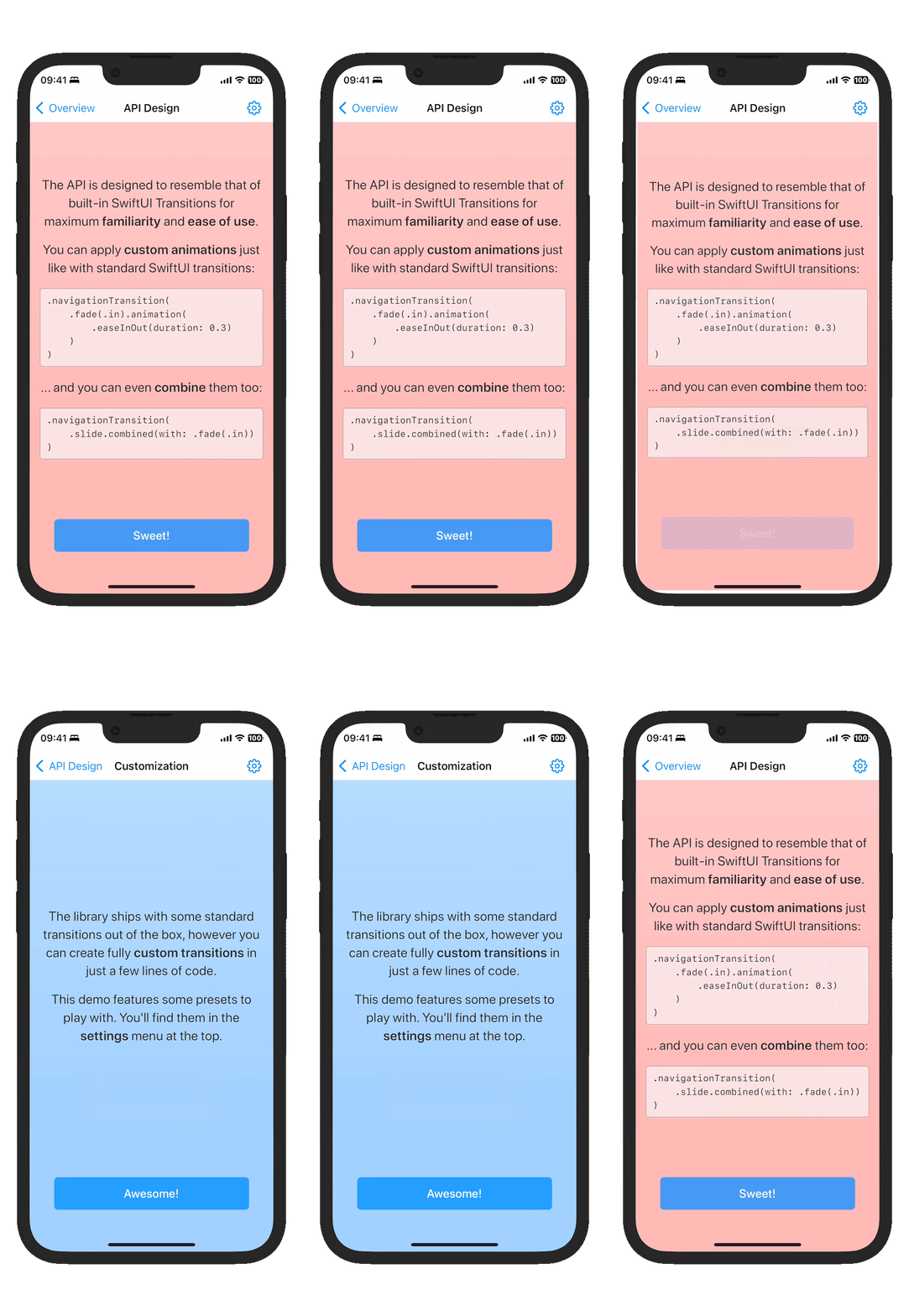

SwiftUINavigationTransitions is a library that integrates seamlessly with SwiftUI's NavigationView and NavigationStack, allowing complete customization over push and pop transitions!
Instead of reinventing the entire navigation stack just to control its transitions, this library ships with a simple modifier that can be applied directly to SwiftUI's very own first-party navigation components.
NavigationView {
  // ...
}
.navigationViewStyle(.stack)
.customNavigationTransition(.slide)
NavigationStack {
  // ...
}
.customNavigationTransition(.slide)
The API is designed to resemble that of built-in SwiftUI Transitions for maximum familiarity and ease of use.
You can apply custom animations just like with standard SwiftUI transitions:
.customNavigationTransition(
    .fade(.in).animation(.easeInOut(duration: 0.3))
)
You can combine them:
.customNavigationTransition(
    .slide.combined(with: .fade(.in))
)
And you can dynamically choose between transitions based on logic:
.customNavigationTransition(
    reduceMotion ? .fade(.in).animation(.linear) : .slide(.vertical)
)
The library ships with some standard transitions out of the box:
In addition to these, you can create fully custom transitions in just a few lines of SwiftUI-like code!
struct Swing: NavigationTransitionProtocol {
    var body: some NavigationTransitionProtocol {
        Slide(axis: .horizontal)
        MirrorPush {
            let angle = 70.0
            let offset = 150.0
            OnInsertion {
                ZPosition(1)
                Rotate(.degrees(-angle))
                Offset(x: offset)
                Opacity()
                Scale(0.5)
            }
            OnRemoval {
                Rotate(.degrees(angle))
                Offset(x: -offset)
            }
        }
    }
}
The Demo app showcases some of these transitions in action.
Choose from three interactivity options: .disabled, .edgePan, or .contentPan:
.customNavigationTransition(.slide, interactivity: .disabled) // disables back swipes
.contentPan back-deploys iOS 26 full-screen pop gestures all the way to iOS 13:
.customNavigationTransition(.slide, interactivity: .contentPan) // works on iOS 13-26!
This also works while maintaining the default system transition:
.customNavigationTransition(.default, interactivity: .contentPan) // works on iOS 13-26!
Add the package via Swift Package Manager:
dependencies: [
    .package(url: "https://github.com/davdroman/swiftui-navigation-transitions", from: "0.19.0"),
]
.product(name: "SwiftUINavigationTransitions", package: "swiftui-navigation-transitions"),
Install Mise, then install the project tools and Git hooks:
mise install
mise exec -- hk install --mise
1,222 followers · starred Aug 2023
1,013 followers · starred Nov 2022
97 followers · starred Aug 2023
348 followers · starred Jan 2023
SwiftUINavigationTransitions is a library that integrates seamlessly with SwiftUI's NavigationView and NavigationStack, allowing complete customization over push and pop transitions!
Instead of reinventing the entire navigation stack just to control its transitions, this library ships with a simple modifier that can be applied directly to SwiftUI's very own first-party navigation components.
NavigationView {
  // ...
}
.navigationViewStyle(.stack)
.customNavigationTransition(.slide)
NavigationStack {
  // ...
}
.customNavigationTransition(.slide)
The API is designed to resemble that of built-in SwiftUI Transitions for maximum familiarity and ease of use.
You can apply custom animations just like with standard SwiftUI transitions:
.customNavigationTransition(
    .fade(.in).animation(.easeInOut(duration: 0.3))
)
You can combine them:
.customNavigationTransition(
    .slide.combined(with: .fade(.in))
)
And you can dynamically choose between transitions based on logic:
.customNavigationTransition(
    reduceMotion ? .fade(.in).animation(.linear) : .slide(.vertical)
)
The library ships with some standard transitions out of the box:
In addition to these, you can create fully custom transitions in just a few lines of SwiftUI-like code!
struct Swing: NavigationTransitionProtocol {
    var body: some NavigationTransitionProtocol {
        Slide(axis: .horizontal)
        MirrorPush {
            let angle = 70.0
            let offset = 150.0
            OnInsertion {
                ZPosition(1)
                Rotate(.degrees(-angle))
                Offset(x: offset)
                Opacity()
                Scale(0.5)
            }
            OnRemoval {
                Rotate(.degrees(angle))
                Offset(x: -offset)
            }
        }
    }
}
The Demo app showcases some of these transitions in action.
Choose from three interactivity options: .disabled, .edgePan, or .contentPan:
.customNavigationTransition(.slide, interactivity: .disabled) // disables back swipes
.contentPan back-deploys iOS 26 full-screen pop gestures all the way to iOS 13:
.customNavigationTransition(.slide, interactivity: .contentPan) // works on iOS 13-26!
This also works while maintaining the default system transition:
.customNavigationTransition(.default, interactivity: .contentPan) // works on iOS 13-26!
Add the package via Swift Package Manager:
dependencies: [
    .package(url: "https://github.com/davdroman/swiftui-navigation-transitions", from: "0.19.0"),
]
.product(name: "SwiftUINavigationTransitions", package: "swiftui-navigation-transitions"),
Install Mise, then install the project tools and Git hooks:
mise install
mise exec -- hk install --mise
1,222 followers · starred Aug 2023
1,013 followers · starred Nov 2022
97 followers · starred Aug 2023
348 followers · starred Jan 2023





