Project to build a RAG system based on UC Davis Lib Guides and Ollama
Jupyter Notebook
3
496 commits
updated Jun 18, 2026
[!IMPORTANT]
This project originated as a group collaboration back during 2025 Spring Quarter. The original team prototype was primarily built in R, along with Ollama; team member acknowledgements, resources and data store, and documentation can be found in the [v1.0b-STS195] branch of this repository.
[!NOTE] LibBot's corpus is based on UC Davis LibGuides scraped June 11th, 2026. Corpus refreshes are now repeatable through the scraping pipeline — see the
pipeline/README.
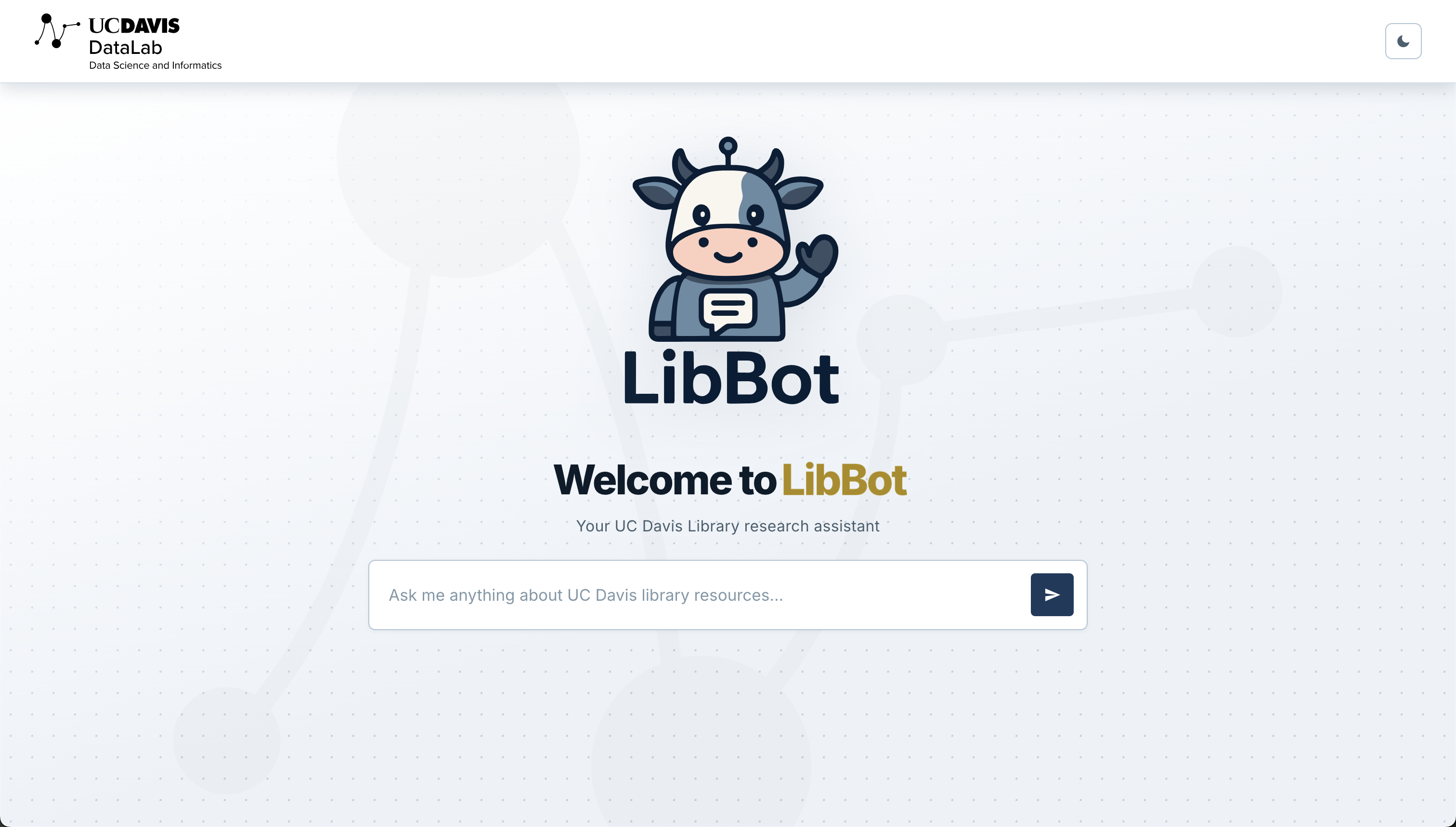
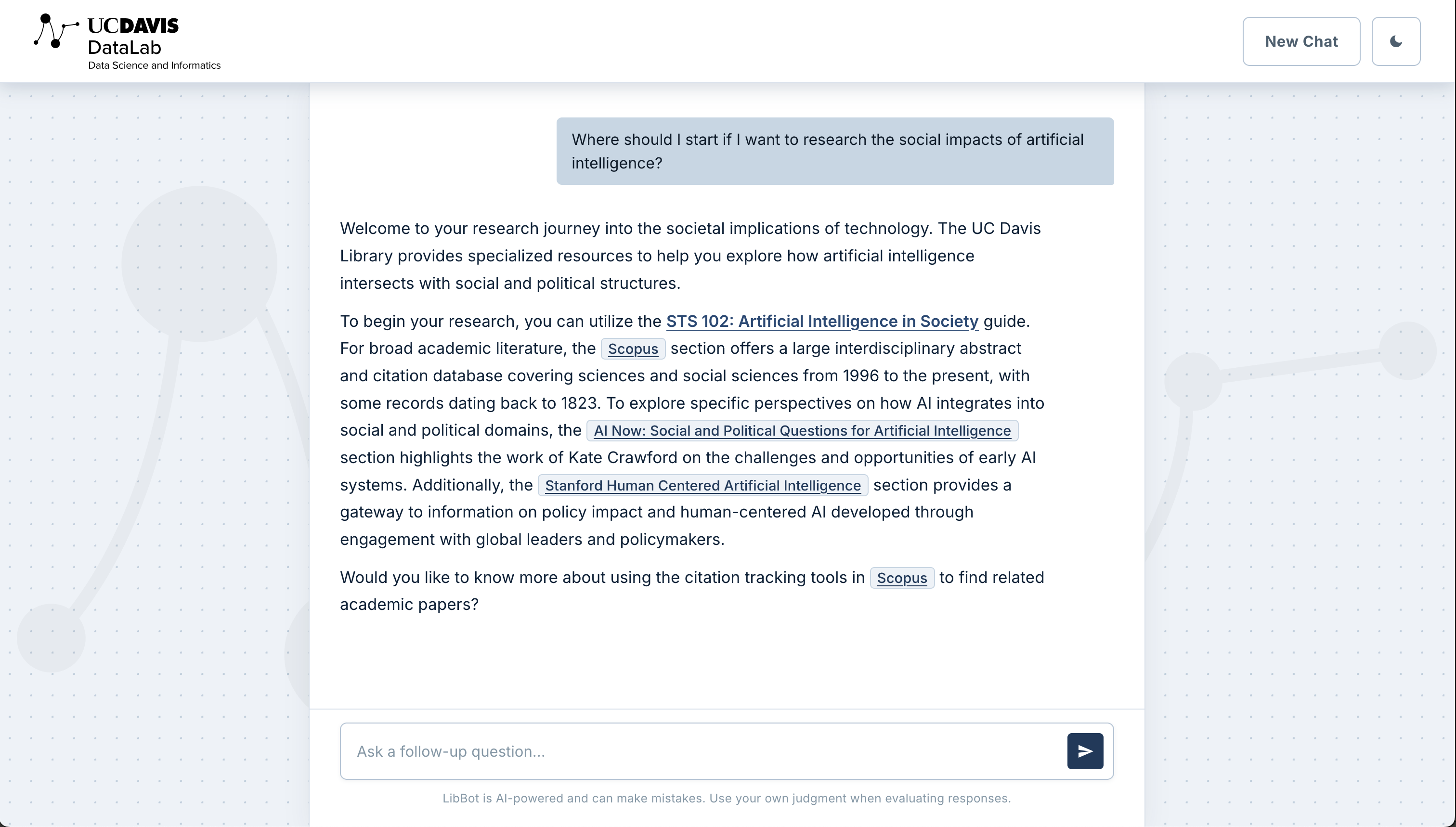
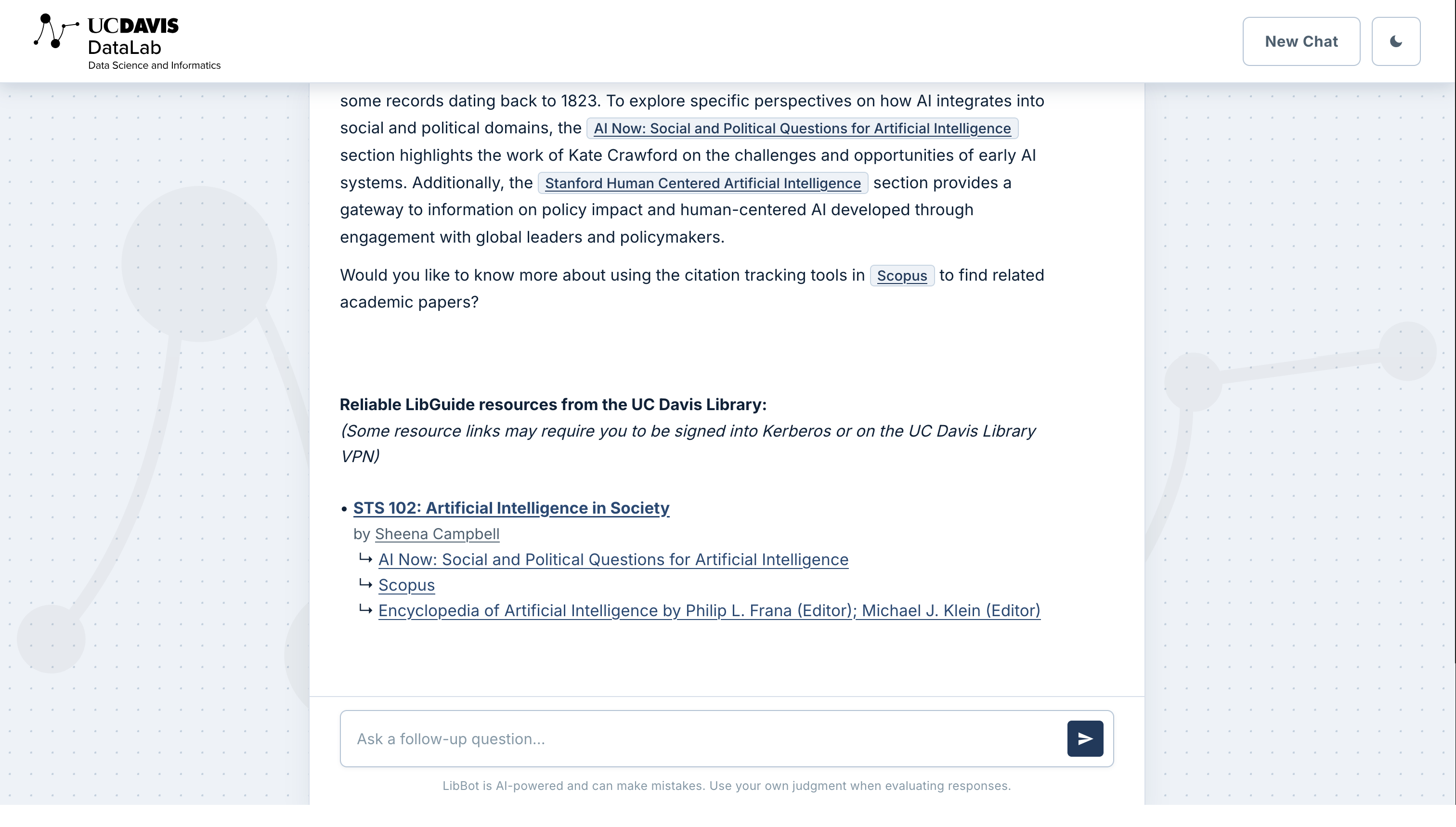
LibBot is a virtual librarian chatbot designed to bring together scattered academic resources into a unified research tool. Developed to support the UC Davis Library, it connects researchers with relevant materials and expertise, maintaining high-quality research support even amidst institutional constraints like reduced librarian availability. LibBot is currently deployed on the UC Davis DataLab server and accessible to users on the university VPN.
The system transforms the UC Davis library’s corpus of guides and resources into a conversational experience through a structured RAG (Retrieval-Augmented Generation) pipeline:
[!TIP] Accessing and Interacting with LibBot:
- Connect to the UC Davis Library VPN
- Go to http://datasci.library.ucdavis.edu:8075
[!NOTE] If the page doesn't load, verify you are connected to the UC Davis Library VPN.
[!CAUTION] As with all large language model output, use your own critical reading and thinking skills to assess the validity and reliability of this response for your specific query.
[!NOTE]
- For maintainers needing to start or restart the server, see the
Maintenance Guide.- To verify the package is working independently of the web server, run:
pixi run python test_retriever.py "your query here"
This project uses Pixi for environment and dependency management on a Linux x86-64 server running Python 3.10. Pixi handles Python versioning, package installation, and task running — no manual pip install or conda environment setup needed. The full dependency list is defined in pixi.toml.
| Package | Purpose |
|---|---|
| fastapi / uvicorn | REST API server and ASGI runtime |
| chromadb | Vector database for storing and querying embeddings |
| sentence-transformers / pytorch | Qwen3-Embedding model for query and document encoding |
| pydantic-settings | Request/response validation and .env-based configuration |
| httpx | Async HTTP client for communicating with Ollama |
| ollama | LLM inference (runs as a separate process — see Maintenance Guide) |
[!NOTE] For full environment setup and server operation, see the Maintenance Guide.
2025_startup_libguide_chatbot/
  ├── README.md                          # This README
  ├── docs
  │   ├── methodology.md                 # Doc - Methodology and Research Notes
  │   ├── maintenance.md                 # Doc - LibBot server maintenance/configuration
  │   ├── ollama.md                      # Doc - LLM configuration and Modelfiles
  │   └── assets                         # Images
  │       └── ...
  ├── libbot_pkg/                        # Main package - see dedicated README
  │   └── ...
  ├── research/                          # Model benchmarking — see dedicated README
  │   └── ...
  ├── pipeline/                          # Corpus scraping/refresh pipeline — see dedicated README
  │   └── ...
  ├── models/                            # Ollama models — see dedicated README
  │   └── ...
  │
  ├── test_retriever.py                  # Testing whether libbot_pkg module imports work on a simple script
  ├── .gitignore/.gitattributes          # What files Git should not track, and how Git should handle the files it does track
  └── pixi.toml                          # Environment and dependency definitions
libbot_pkg/ READMEresearch/ READMEpipeline/ READMEmodels/ READMEDedicated Methodology Notes doc that covers the highlights of the research, considerations, and the decisions made at every step of this project--from working on the corpus, to experimenting with embedding models, facilitating retrieval, and more.
Project to build a RAG system based on UC Davis Lib Guides and Ollama
Jupyter Notebook
3
496 commits
updated Jun 18, 2026
[!IMPORTANT]
This project originated as a group collaboration back during 2025 Spring Quarter. The original team prototype was primarily built in R, along with Ollama; team member acknowledgements, resources and data store, and documentation can be found in the [v1.0b-STS195] branch of this repository.
[!NOTE] LibBot's corpus is based on UC Davis LibGuides scraped June 11th, 2026. Corpus refreshes are now repeatable through the scraping pipeline — see the
pipeline/README.
LibBot is a virtual librarian chatbot designed to bring together scattered academic resources into a unified research tool. Developed to support the UC Davis Library, it connects researchers with relevant materials and expertise, maintaining high-quality research support even amidst institutional constraints like reduced librarian availability. LibBot is currently deployed on the UC Davis DataLab server and accessible to users on the university VPN.
The system transforms the UC Davis library’s corpus of guides and resources into a conversational experience through a structured RAG (Retrieval-Augmented Generation) pipeline:
[!TIP] Accessing and Interacting with LibBot:
- Connect to the UC Davis Library VPN
- Go to http://datasci.library.ucdavis.edu:8075
[!NOTE] If the page doesn't load, verify you are connected to the UC Davis Library VPN.
[!CAUTION] As with all large language model output, use your own critical reading and thinking skills to assess the validity and reliability of this response for your specific query.
[!NOTE]
- For maintainers needing to start or restart the server, see the
Maintenance Guide.- To verify the package is working independently of the web server, run:
pixi run python test_retriever.py "your query here"
This project uses Pixi for environment and dependency management on a Linux x86-64 server running Python 3.10. Pixi handles Python versioning, package installation, and task running — no manual pip install or conda environment setup needed. The full dependency list is defined in pixi.toml.
| Package | Purpose |
|---|---|
| fastapi / uvicorn | REST API server and ASGI runtime |
| chromadb | Vector database for storing and querying embeddings |
| sentence-transformers / pytorch | Qwen3-Embedding model for query and document encoding |
| pydantic-settings | Request/response validation and .env-based configuration |
| httpx | Async HTTP client for communicating with Ollama |
| ollama | LLM inference (runs as a separate process — see Maintenance Guide) |
[!NOTE] For full environment setup and server operation, see the Maintenance Guide.
2025_startup_libguide_chatbot/
  ├── README.md                          # This README
  ├── docs
  │   ├── methodology.md                 # Doc - Methodology and Research Notes
  │   ├── maintenance.md                 # Doc - LibBot server maintenance/configuration
  │   ├── ollama.md                      # Doc - LLM configuration and Modelfiles
  │   └── assets                         # Images
  │       └── ...
  ├── libbot_pkg/                        # Main package - see dedicated README
  │   └── ...
  ├── research/                          # Model benchmarking — see dedicated README
  │   └── ...
  ├── pipeline/                          # Corpus scraping/refresh pipeline — see dedicated README
  │   └── ...
  ├── models/                            # Ollama models — see dedicated README
  │   └── ...
  │
  ├── test_retriever.py                  # Testing whether libbot_pkg module imports work on a simple script
  ├── .gitignore/.gitattributes          # What files Git should not track, and how Git should handle the files it does track
  └── pixi.toml                          # Environment and dependency definitions
libbot_pkg/ READMEresearch/ READMEpipeline/ READMEmodels/ READMEDedicated Methodology Notes doc that covers the highlights of the research, considerations, and the decisions made at every step of this project--from working on the corpus, to experimenting with embedding models, facilitating retrieval, and more.



