

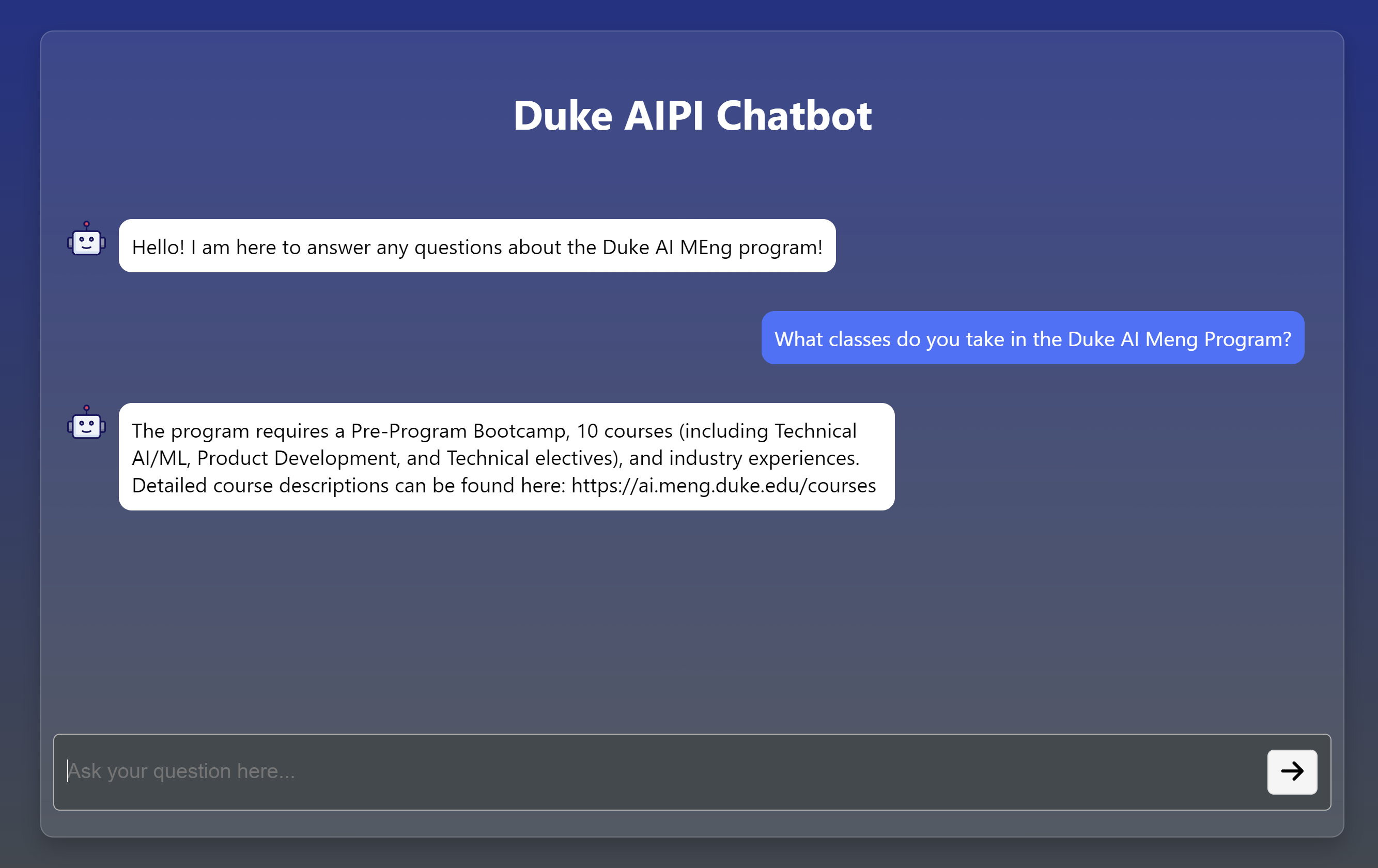
This project will be hosted on Azure until 4/21/24. The link to the chatbot is here.
This chatbot leverages a Mistral 7B large language model (LLM) that has been instruction fine-tuned to specifically address queries and provide detailed information about the Duke AIPI MEng Masters program. Utilizing the technique of Retrieval-Augmented Generation (RAG), the platform dynamically interacts with a comprehensive and curated corpus of the program's documentation. This advanced method allows the system to retrieve the most pertinent and current information from the corpus, augmenting the language model's responses to ensure they are both accurate and contextually relevant.
This integration of fine-tuned language modeling with retrieval-augmented generation techniques ensures that users not only receive generalized answers but also responses that are deeply rooted in the specific factual content of the Duke AIPI MEng Masters program.
The Mistral 7B model is a type of transformer-based model that has been trained on a diverse range of internet text. For this project, the model has been instruction fine-tuned to handle question-answering and summarization tasks. Therefore, the model doesn't just generate text based on the input but understands and executes a range of instructed tasks, such as answering queries directly, summarizing information, or even comparing different aspects of the program. This makes the platform more intuitive and effective for users seeking specific information. Model hosted on Huggingface
Retrieval-Augmented Generation enhances the capabilities the language model by combining it with a retrieval system. In the platform, RAG involves the language model querying a retriever component that searches a pre-built corpus containing detailed information about the Duke AIPI MEng program. The retriever fetches the most relevant documents or snippets of information, which are then fed back into the language model. This combination allows the model to generate responses that are not only contextually aware but also deeply informed by the specific data contained in the program’s corpus.
The RAG system’s performance metrics are compared to the base Mistral 7B model (pre-finetuning). These metric scores were calculated from the average performance on the questions below using human evaluation.
Metrics: (Score rated on a scale of 1-10)
Relevance: How relevant is the response to the input prompt?Accuracy: How correct is all of the information provided in the response?Informativeness: How informative or useful is the response?Specificity: How detailed is the response?Clarity: How clear and understandable is the response?| Relevance | Accuracy | Informativeness | Specificity | Clarity | |
|---|---|---|---|---|---|
| Base Model | 2.182 | 1.307 | 1.926 | 4.816 | 5.881 |
| RAG System | 9.130 | 8.223 | 7.131 | 6.659 | 7.917 |
| Δ | 6.948 | 6.916 | 5.205 | 1.843 | 2.036 |
The run the application locally, follow these steps:
python -m venv venv.source venv/bin/activate for mac/linux or venv\Scripts\activate for windows.pip install -r requirements.txt..env file in the root directory.python .src/app/app.py.├── .devcontainer
├── .github
├── data
├── models
├── app
│ ├── app.py
│ ├── static
│ │ ├── css
│ │ ├── images
├── data
├── notebooks
├── scripts
├── main.py
├── .gitignore
├── .dockerignore
├── Dockerfile
├── Makefile
├── README.md
├── requirements.txt
├── setup.sh
This project will be hosted on Azure until 4/21/24. The link to the chatbot is here.
This chatbot leverages a Mistral 7B large language model (LLM) that has been instruction fine-tuned to specifically address queries and provide detailed information about the Duke AIPI MEng Masters program. Utilizing the technique of Retrieval-Augmented Generation (RAG), the platform dynamically interacts with a comprehensive and curated corpus of the program's documentation. This advanced method allows the system to retrieve the most pertinent and current information from the corpus, augmenting the language model's responses to ensure they are both accurate and contextually relevant.
This integration of fine-tuned language modeling with retrieval-augmented generation techniques ensures that users not only receive generalized answers but also responses that are deeply rooted in the specific factual content of the Duke AIPI MEng Masters program.
The Mistral 7B model is a type of transformer-based model that has been trained on a diverse range of internet text. For this project, the model has been instruction fine-tuned to handle question-answering and summarization tasks. Therefore, the model doesn't just generate text based on the input but understands and executes a range of instructed tasks, such as answering queries directly, summarizing information, or even comparing different aspects of the program. This makes the platform more intuitive and effective for users seeking specific information. Model hosted on Huggingface
Retrieval-Augmented Generation enhances the capabilities the language model by combining it with a retrieval system. In the platform, RAG involves the language model querying a retriever component that searches a pre-built corpus containing detailed information about the Duke AIPI MEng program. The retriever fetches the most relevant documents or snippets of information, which are then fed back into the language model. This combination allows the model to generate responses that are not only contextually aware but also deeply informed by the specific data contained in the program’s corpus.
The RAG system’s performance metrics are compared to the base Mistral 7B model (pre-finetuning). These metric scores were calculated from the average performance on the questions below using human evaluation.
Metrics: (Score rated on a scale of 1-10)
Relevance: How relevant is the response to the input prompt?Accuracy: How correct is all of the information provided in the response?Informativeness: How informative or useful is the response?Specificity: How detailed is the response?Clarity: How clear and understandable is the response?| Relevance | Accuracy | Informativeness | Specificity | Clarity | |
|---|---|---|---|---|---|
| Base Model | 2.182 | 1.307 | 1.926 | 4.816 | 5.881 |
| RAG System | 9.130 | 8.223 | 7.131 | 6.659 | 7.917 |
| Δ | 6.948 | 6.916 | 5.205 | 1.843 | 2.036 |
The run the application locally, follow these steps:
python -m venv venv.source venv/bin/activate for mac/linux or venv\Scripts\activate for windows.pip install -r requirements.txt..env file in the root directory.python .src/app/app.py.├── .devcontainer
├── .github
├── data
├── models
├── app
│ ├── app.py
│ ├── static
│ │ ├── css
│ │ ├── images
├── data
├── notebooks
├── scripts
├── main.py
├── .gitignore
├── .dockerignore
├── Dockerfile
├── Makefile
├── README.md
├── requirements.txt
├── setup.sh



