
A modern OSC UI replacement for MPV that retains the functionality of the default OSC.
Lua
764
131 commits
updated Feb 4, 2026
README
ModernX
An MPV OSC script based on mpv-osc-modern that aims to mirror the functionality of MPV's stock OSC while with a more modern-looking interface.
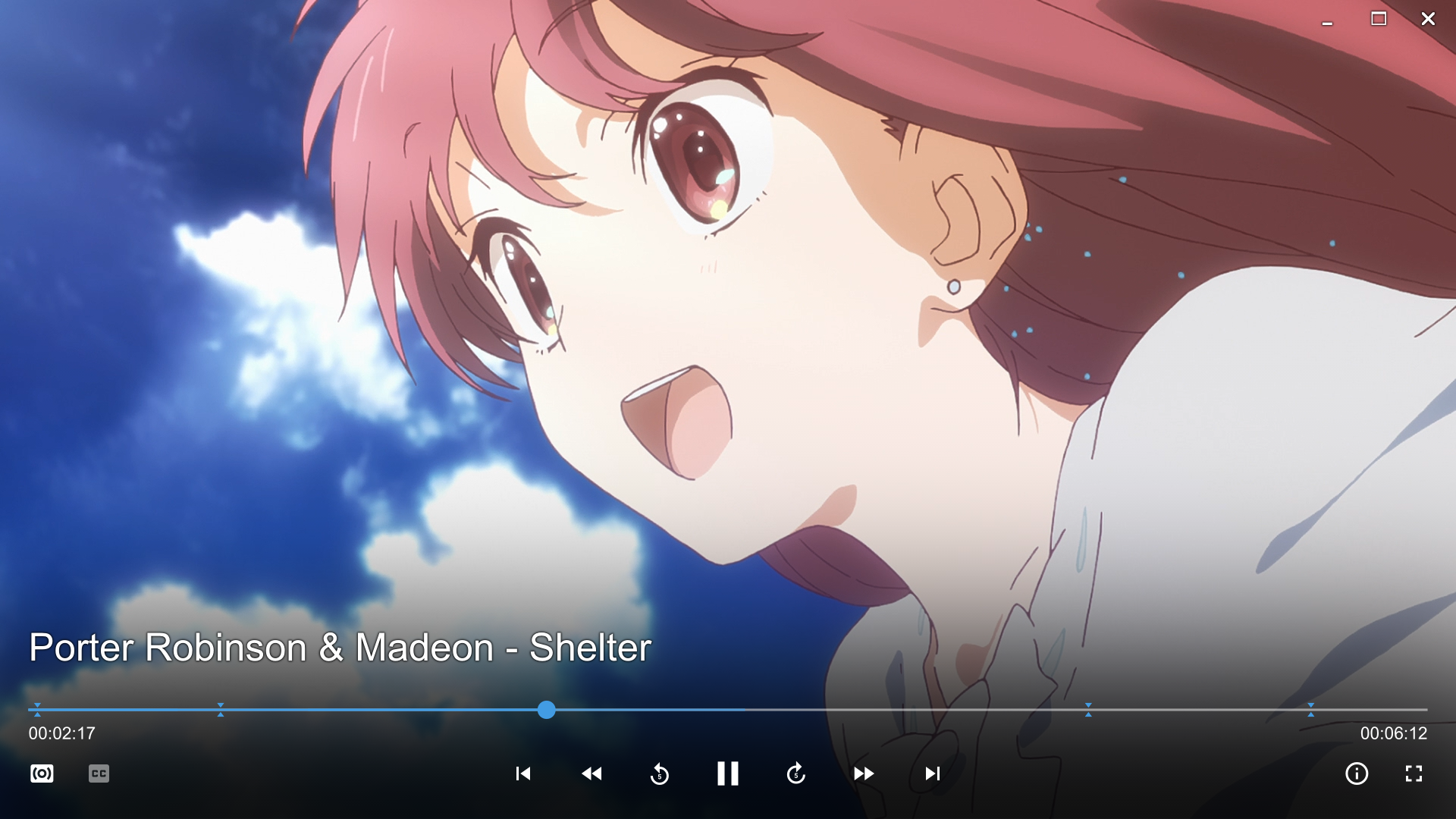
How to install
Locate your MPV folder. It is typically located at \%APPDATA%\mpv\ on Windows and ~/.config/mpv/ on Linux/MacOS. See the Files section in mpv's manual for more info.
Put mordenx.lua into your mpv "~~/scripts/" folder. Create the "~~/scripts/" folder if you don't already have one and remove any other OSC scripts,
then put Material-Design-Iconic-Font.ttf in the "~~/fonts" folder.
in mpv.conf:
osc = no
border = no # Optional, but recommended
Material-Design-Iconic-Font.ttf can also be downloaded from here.
How to config
edit osc.conf in "~~/script-opts/" folder, however many options are changed, so refer to the user_opts variable in the script file for details.
Thumbnails
To enable thumbnails in timeline, install thumbfast. No other step necessary.
Buttons
like the built-in script, some buttons may accept multiple mouse actions, here is a list:
Seekbar
- Left mouse button: seek to chosen position.
- Right mouse button: seek to the head of chosen chapter
Playlist back/forward buttons
- Left mouse button: play previous/next file.
- Right mouse button: show playlist.
Skip back/forward buttons
- Left mouse button: go to previous/next chapter.
- Right mouse button: show chapter list.
Jump back/forward buttons
- Left mouse button: Jumps forwards/backwards by 5 seconds, or by the amount set in
user_opts. - Right mouse button: Jumps forwards/backwards by 1 minute.
- Shift + Left mouse button: Skips to the previous/next frame.
Cycle audio/subtitle buttons
- Left mouse button/Right mouse button: cycle to next/previous track.
- Middle mouse button: show track list.
Playback time
- Left mouse button: display time in milliseconds
Duration
- Left mouse button: display total time instead of remaining time
Contributors


Similar repos


Languages
Lua
100.0%
A modern OSC UI replacement for MPV that retains the functionality of the default OSC.
Lua
764
131 commits
updated Feb 4, 2026
README
ModernX
An MPV OSC script based on mpv-osc-modern that aims to mirror the functionality of MPV's stock OSC while with a more modern-looking interface.
How to install
Locate your MPV folder. It is typically located at \%APPDATA%\mpv\ on Windows and ~/.config/mpv/ on Linux/MacOS. See the Files section in mpv's manual for more info.
Put mordenx.lua into your mpv "~~/scripts/" folder. Create the "~~/scripts/" folder if you don't already have one and remove any other OSC scripts,
then put Material-Design-Iconic-Font.ttf in the "~~/fonts" folder.
in mpv.conf:
osc = no
border = no # Optional, but recommended
Material-Design-Iconic-Font.ttf can also be downloaded from here.
How to config
edit osc.conf in "~~/script-opts/" folder, however many options are changed, so refer to the user_opts variable in the script file for details.
Thumbnails
To enable thumbnails in timeline, install thumbfast. No other step necessary.
Buttons
like the built-in script, some buttons may accept multiple mouse actions, here is a list:
Seekbar
- Left mouse button: seek to chosen position.
- Right mouse button: seek to the head of chosen chapter
Playlist back/forward buttons
- Left mouse button: play previous/next file.
- Right mouse button: show playlist.
Skip back/forward buttons
- Left mouse button: go to previous/next chapter.
- Right mouse button: show chapter list.
Jump back/forward buttons
- Left mouse button: Jumps forwards/backwards by 5 seconds, or by the amount set in
user_opts. - Right mouse button: Jumps forwards/backwards by 1 minute.
- Shift + Left mouse button: Skips to the previous/next frame.
Cycle audio/subtitle buttons
- Left mouse button/Right mouse button: cycle to next/previous track.
- Middle mouse button: show track list.
Playback time
- Left mouse button: display time in milliseconds
Duration
- Left mouse button: display total time instead of remaining time
Similar repos
Contributors
Languages
Lua
100.0%