This is a project, where I give you a way to use Autodesk Fusion 360 on Linux!
Shell
3,280
2,549 commits
updated Feb 21, 2026
[!WARNING] The transfer of all repositories to my Codeberg account is currently ongoing. In the future, this project will be continued on: https://codeberg.org/cryinkfly/Autodesk-Fusion-360-on-Linux!




Autodesk Fusion 360 is a powerful, cloud-based platform that integrates 3D modeling, CAD, CAM, CAE, and PCB design in a single solution. However, for Linux users, accessing this application can be a challenge, as it was primarily designed for Windows and macOS.
This is where Wine comes in. Wine (which stands for "Wine Is Not an Emulator") is a compatibility layer that enables Windows applications to run on Linux, macOS, and BSD systems. Unlike traditional virtual machines or emulators, Wine doesn't simulate Windows. Instead, it translates Windows API calls into POSIX calls in real time, preserving performance and reducing overhead. This means that Windows applications can run smoothly on Linux systems without the typical performance penalties of virtual machines. Imagine running Autodesk Fusion 360 on Linux using Wine!
This would mean no need for dual-booting between Windows and Linux to use Fusion 360. You’d be able to work seamlessly on your projects without switching operating systems. For Linux users, it could be a game-changer—making Fusion 360 fully accessible while staying within the Linux ecosystem.
Is this a good idea for the future of Autodesk Fusion 360?
I think it’s a brilliant idea! If Fusion 360 could run on Linux via Wine, it would expand accessibility to a wider audience—especially among open-source advocates and professionals who prefer Linux for their work.
More information about this project:
As a fan of both Fusion 360 and Linux, I'm excited to do my part in making this a reality. By making Fusion 360 accessible on Linux, we open up new possibilities for a lot of creators and engineers who prefer Linux as their primary platform.
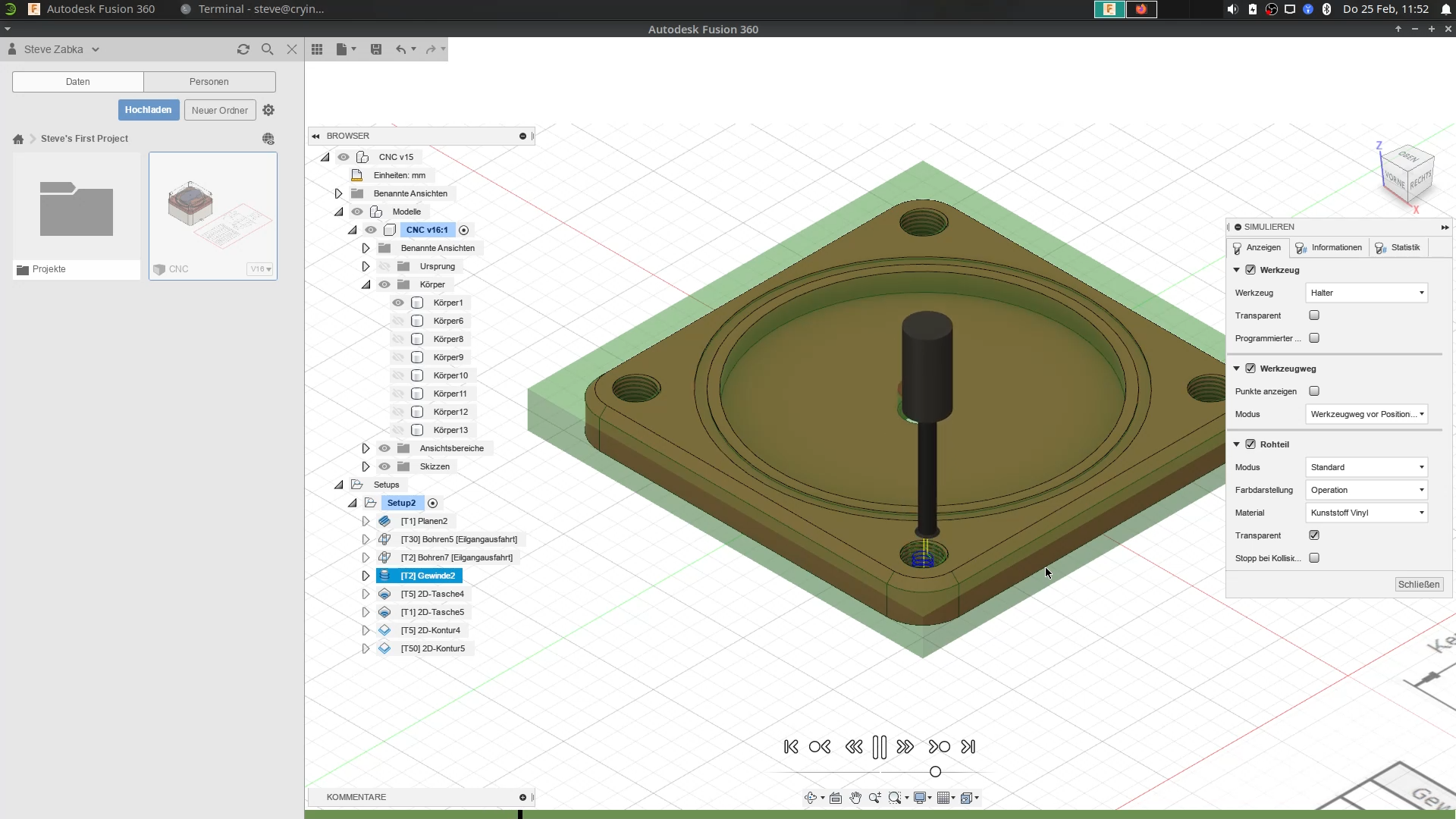

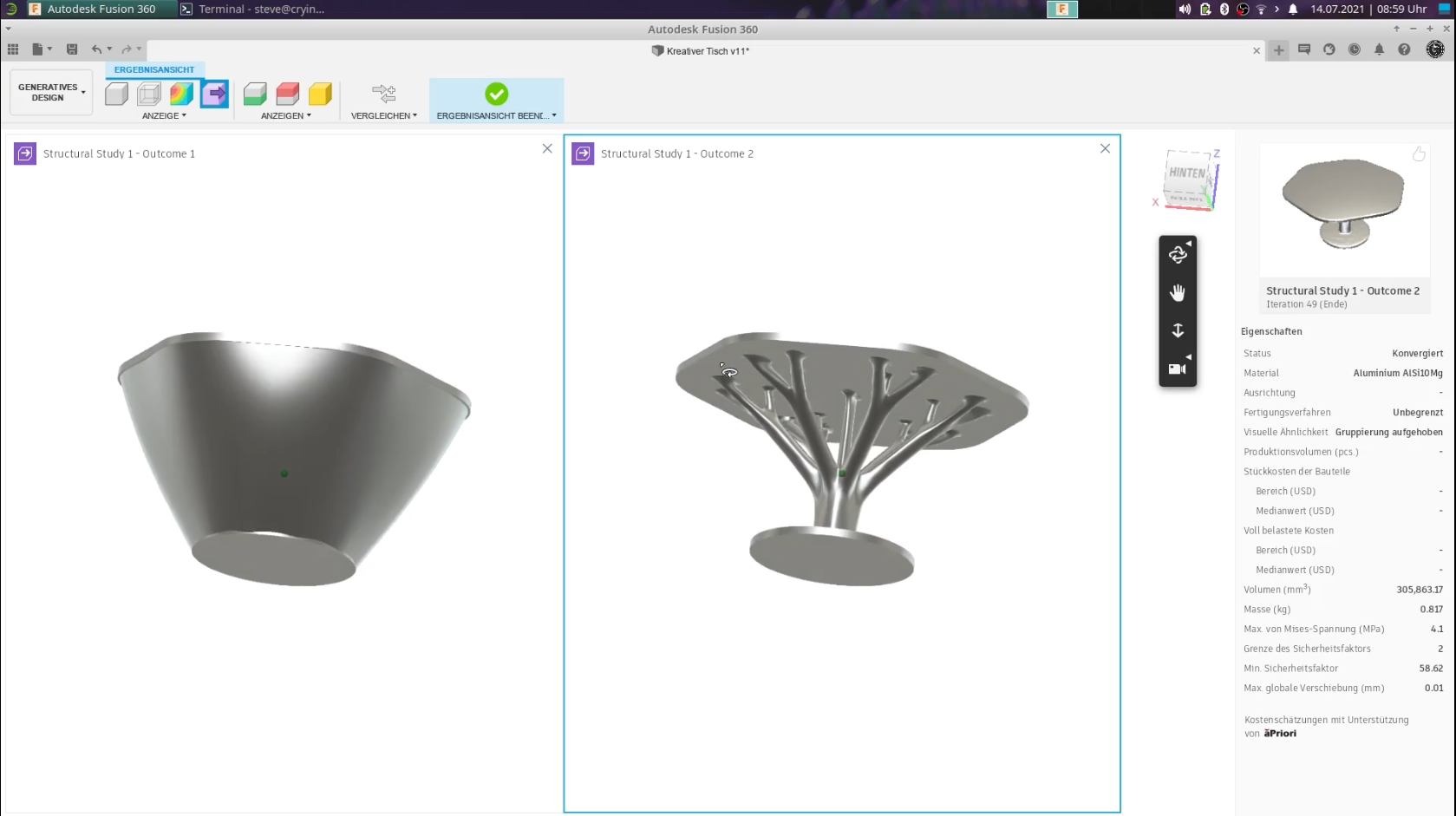
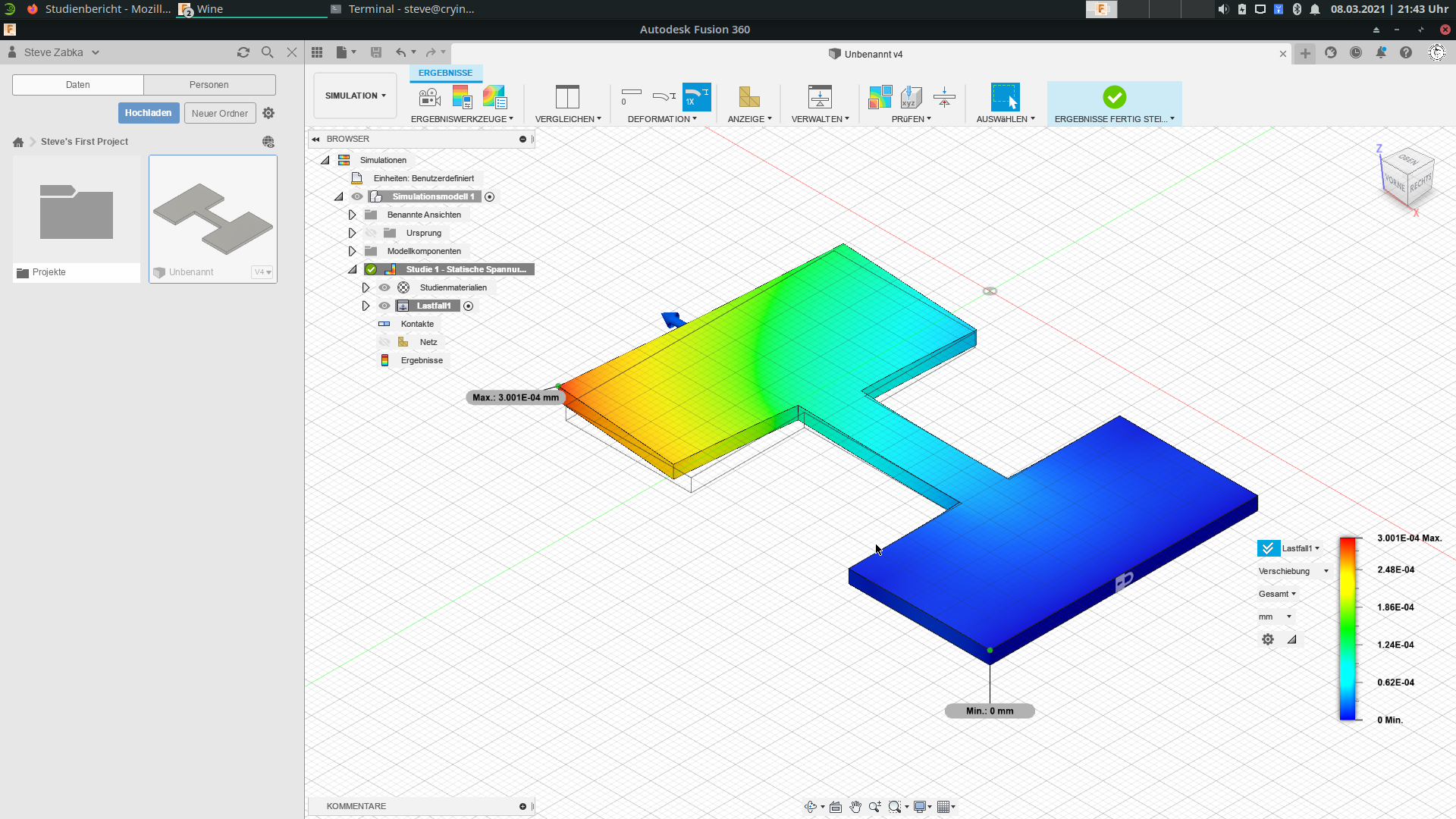
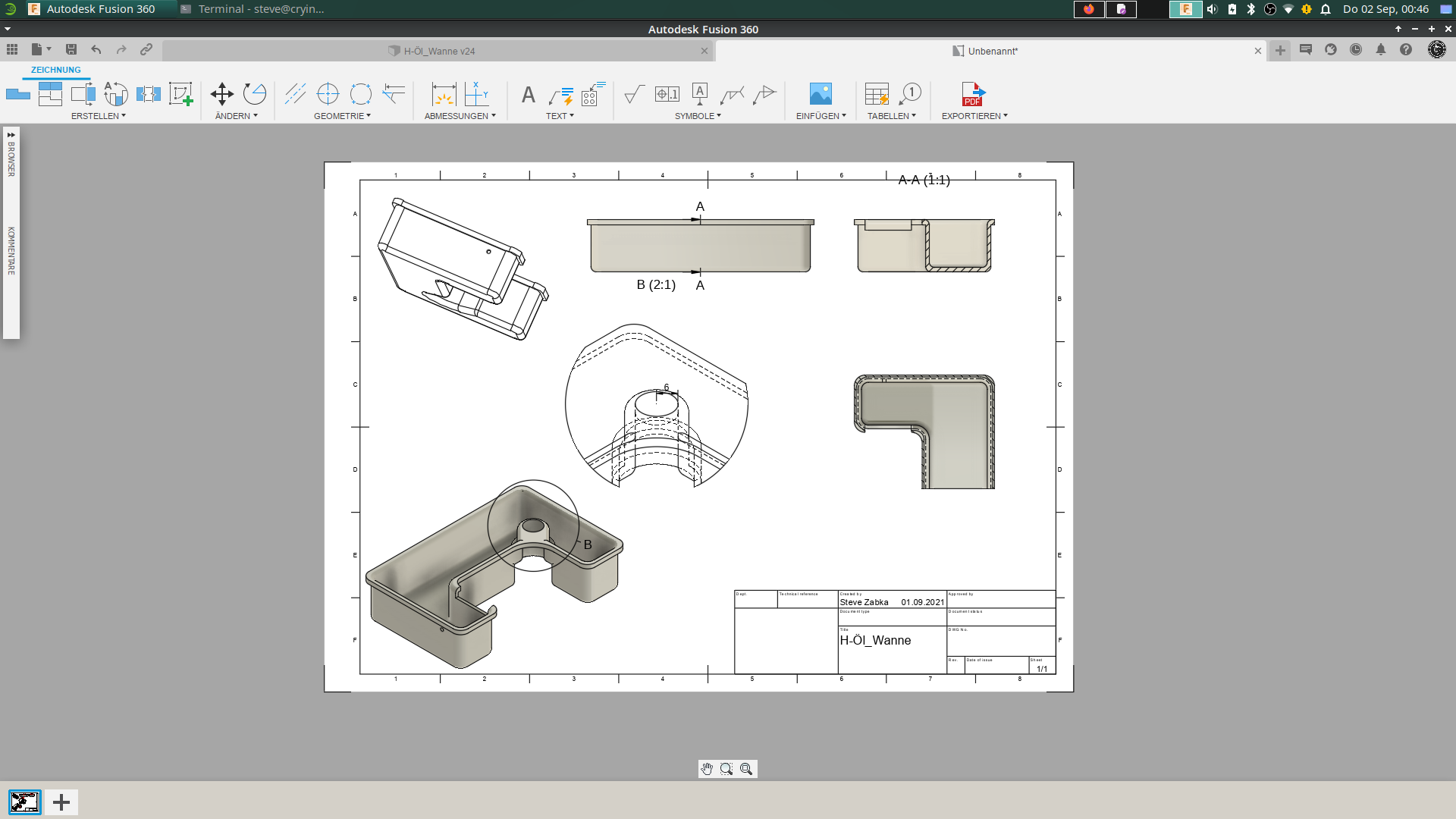
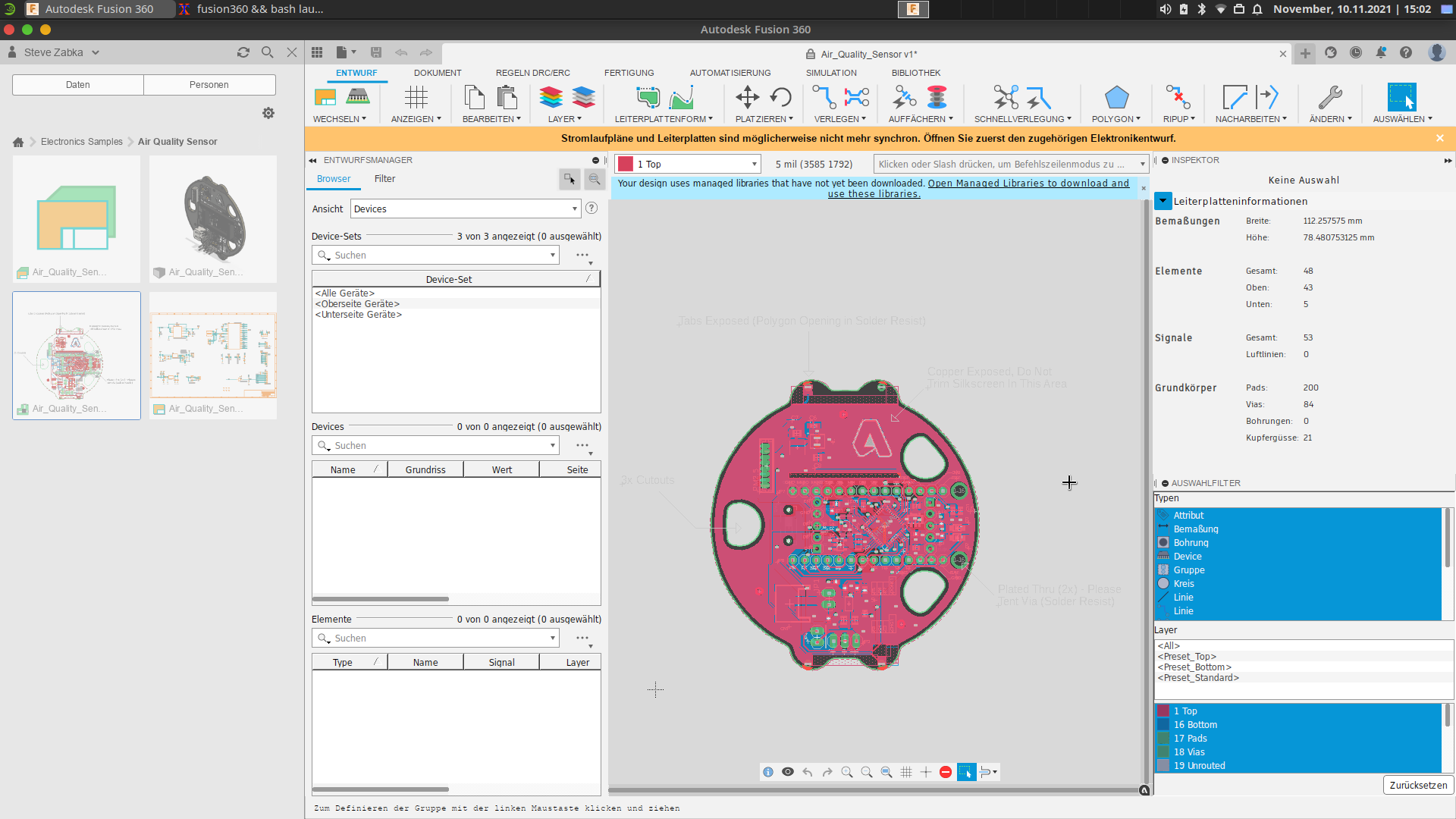
| Features | Description of the feature |
|---|---|
| 3D design and modeling | Engineer products with a comprehensive set of modeling tools. Ensure your products' form, fit, and function with diverse analysis methods. |
| Sketching | Create and edit sketches with sketch constraints, dimensions, and a powerful suite of sketch tools. |
| Direct modeling | Edit or repair imported geometry from non-native file formats. Make design changes without worrying about time-based features. |
| Surface modeling | Create and edit complex parametric surfaces for repairing, patching, or designing geometry. |
| Parametric modeling | Create history-based features, including extrude, revolve, loft, sweep, etc., that update with design changes. |
| Mesh modeling | Edit and repair imported scans or mesh models, including STL and OBJ files. |
| Freeform modeling | Create complex sub-divisional surfaces with T-splines and edit them with intuitive push-pull gestures. |
| Rendering | Create photo-realistic images of your model, leveraging local or cloud rendering. |
| PCB design integration | Synchronize bi-directional changes from your electronics designs seamlessly with Autodesk EAGLE interoperability. |
| Sheet metal | Design sheet metal part components. Document flat patterns using 2D drawings and DXFs. Manufacture your designs with cutting strategies for water jet, laser, and plasma machines. |
| Assemblies | Assemble designs with a traditional bottom-up, middle-out, or top-down approach, and analyze assembly motion. |
| License | Description of the license |
|---|---|
| Free Trial | Autodesk offers a 30-day free trial after registration. |
| Personal | Autodesk offers a free, feature-limited, 1-year, renewable trial for personal use only |
| Education | Like most CAD packages, Fusion 360 offers an educational license for students, teachers, and educational institutions. |
| Start-up | There are free licenses for start-ups as well as for non-commercial private users. Companies with annual sales of less than USD 100,000 are eligible for the start-up license. But it doesn't include any of the more advanced features like generative design. |
| Standard | There have been two versions of the paid license so far: Standard and Ultimate. However, they have been merged into one version that includes all the features of the Ultimate version. Fees are incurred as part of a subscription. |
Complete the following steps:
[!NOTE] How to check which version of Fusion 360 is being used on your system?
| System requirements for Autodesk Fusion 360 | |
|---|---|
| Operating System |
Linux distributions
Note: These Linux distributions are not officially supported by Autodesk! |
| CPU Type | x86-based 64-bit processor (for example, Intel Core i, AMD Ryzen series), 4 cores, 1.7 GHz or greater; 32-bit not supported |
| Memory | 4 GB of RAM (integrated graphics recommend 6 GB or more) |
| Graphics Card | DirectX11 (Direct3D 10.1 or greater) = DXVK Mode OpenGL (2.0 or greater) = OpenGL Mode Dedicated GPU with 1 GB or more of VRAM Integrated graphics with 6 GB or more of RAM Note 1: There is a list of tested graphics cards that will work with Autodesk Fusion 360 on Linux! Note 2: If you want to use DXVK with an NVIDIA graphics card, you must disable Secure Boot in the BIOS and ensure that the latest graphics drivers are installed. This is because the NVIDIA driver modules can only be loaded when Secure Boot is disabled! |
| Disk Space | 3 GB of storage |
| Display Resolution | 1366 x 768 (1920 x 1080 or greater at 100% scale recommended) |
| Pointing Device | HID-compliant mouse or trackpad, optional Wacom® tablet and 3Dconnexion SpaceMouse®* support
*Note: That still needs to be checked if it works on Linux! |
| Internet | 2.5 Mbps or faster download; 500 Kbps or faster upload |
| Dependencies | SSL 3.0, TLS 1.2+, p7zip, p7zip-full, p7zip-rar, curl, wget, winbind, cabextract, wine, wine-mono, wine-gecko, winetricks; .NET Framework 4.5 (winetricks) or newer required to submit crash reports |
| Recommended specs for complex modeling and processing | |
|---|---|
| CPU Type | 3 GHz or greater, 6 or more cores |
| Memory | 8-GB RAM or greater |
| Graphics | Dedicated GPU with 4 GB or more VRAM, DirectX11 (Direct3D 10.1 or greater) = DXVK Mode, OpenGL (2.0 or greater) = OpenGL Mode |
And would you like to use extra functions or languages as like the Czech language later in Autodesk Fusion 360, then you need a special extension what you must have bought and downloaded before you can install this with my Setup Wizard! 🧩
Open a terminal and run this command to install the basic Autodesk Fusion:
curl -L https://raw.githubusercontent.com/cryinkfly/Autodesk-Fusion-360-for-Linux/main/files/setup/autodesk_fusion_installer_x86-64.sh -o "autodesk_fusion_installer_x86-64.sh" && chmod +x autodesk_fusion_installer_x86-64.sh && ./autodesk_fusion_installer_x86-64.sh --install --default
Open a terminal and run this command to install Autodesk Fusion with all tested extensions:
curl -L https://raw.githubusercontent.com/cryinkfly/Autodesk-Fusion-360-for-Linux/main/files/setup/autodesk_fusion_installer_x86-64.sh -o "autodesk_fusion_installer_x86-64.sh" && chmod +x autodesk_fusion_installer_x86-64.sh && ./autodesk_fusion_installer_x86-64.sh --install --default --full
curl -L https://raw.githubusercontent.com/cryinkfly/Autodesk-Fusion-360-for-Linux/main/files/setup/autodesk_fusion_installer_x86-64.sh -o "autodesk_fusion_installer_x86-64.sh" && chmod +x autodesk_fusion_installer_x86-64.sh && ./autodesk_fusion_installer_x86-64.sh --uninstall
Or you install and use Autodesk Fusion 360 as a Flatpak app: https://usebottles.com/app/#fusion
For the SSO-Login bug use this Workaround: https://github.com/cryinkfly/Autodesk-Fusion-360-for-Linux/issues/460#issuecomment-2315888332
There are some script releases available, built from the release targets. It's recommended that if you're new you start with the stable builds. Development builds are available here if you need it, but correspondingly may be less stable. In the development branch you will find, for example, the upcoming versions of my setup wizard, as well as builds that run with the help of Flatpak or Docker/Podman.
| Windows | macOS | Linux | |
|---|---|---|---|
| Construction | ✅ | ✅ | ✅ |
| Animation | ✅ | ✅ | ✅ |
| Rendering | ✅ | ✅ | ✅ |
| Production | ✅ | ✅ | ✅ |
| Simulation | ✅ | ✅ | ✅ |
| Generative Design | ✅ | ✅ | ✅ |
| Drawing | ✅ | ✅ | ✅ |
| Electronics | ✅ | ✅ | ✅ |
| Online- & Offline-Mode | ✅ | ✅ | ✅ |
| Support all languages | ✅ | ✅ | ✅ |
| 3Dconnexion SpaceMouse | ✅ | ✅ | ✅ |
| Scripts and additional modules | ✅ | ✅ | ✅ |
| Voice Assistant | ❌ | ❌ | ⚠️ |
| Sandbox-Mode | ❌ | ❌ | ✅ |
[!IMPORTANT] With the help of my script, you get a way to install Autodesk Fusion 360 on your Linux system. Certain packages and programs that are required will be set up for you, but it's important to know, that my script only helps you to get the program to run and nothing more! And so, you must to purchase the licenses directly from the manufacturer of the program Autodesk Fusion 360!
All my scripts are released under the MIT license, see LICENSE.md for full text.
If you enjoy my work and want to help me create more tutorials, guides, and open-source projects, you can support me in multiple ways — either as a sponsor or as an active helper!
Ways to Support:
Benefits of Supporting:
Support my work, contribute ideas, and help the community grow!
(top 24 of 30)
540 followers · starred Apr 2022
1,865 followers · starred Aug 2024
257 followers · starred Oct 2023
62 followers · starred Nov 2022
This is a project, where I give you a way to use Autodesk Fusion 360 on Linux!
Shell
3,280
2,549 commits
updated Feb 21, 2026
[!WARNING] The transfer of all repositories to my Codeberg account is currently ongoing. In the future, this project will be continued on: https://codeberg.org/cryinkfly/Autodesk-Fusion-360-on-Linux!
Autodesk Fusion 360 is a powerful, cloud-based platform that integrates 3D modeling, CAD, CAM, CAE, and PCB design in a single solution. However, for Linux users, accessing this application can be a challenge, as it was primarily designed for Windows and macOS.
This is where Wine comes in. Wine (which stands for "Wine Is Not an Emulator") is a compatibility layer that enables Windows applications to run on Linux, macOS, and BSD systems. Unlike traditional virtual machines or emulators, Wine doesn't simulate Windows. Instead, it translates Windows API calls into POSIX calls in real time, preserving performance and reducing overhead. This means that Windows applications can run smoothly on Linux systems without the typical performance penalties of virtual machines. Imagine running Autodesk Fusion 360 on Linux using Wine!
This would mean no need for dual-booting between Windows and Linux to use Fusion 360. You’d be able to work seamlessly on your projects without switching operating systems. For Linux users, it could be a game-changer—making Fusion 360 fully accessible while staying within the Linux ecosystem.
Is this a good idea for the future of Autodesk Fusion 360?
I think it’s a brilliant idea! If Fusion 360 could run on Linux via Wine, it would expand accessibility to a wider audience—especially among open-source advocates and professionals who prefer Linux for their work.
More information about this project:
As a fan of both Fusion 360 and Linux, I'm excited to do my part in making this a reality. By making Fusion 360 accessible on Linux, we open up new possibilities for a lot of creators and engineers who prefer Linux as their primary platform.
| Features | Description of the feature |
|---|---|
| 3D design and modeling | Engineer products with a comprehensive set of modeling tools. Ensure your products' form, fit, and function with diverse analysis methods. |
| Sketching | Create and edit sketches with sketch constraints, dimensions, and a powerful suite of sketch tools. |
| Direct modeling | Edit or repair imported geometry from non-native file formats. Make design changes without worrying about time-based features. |
| Surface modeling | Create and edit complex parametric surfaces for repairing, patching, or designing geometry. |
| Parametric modeling | Create history-based features, including extrude, revolve, loft, sweep, etc., that update with design changes. |
| Mesh modeling | Edit and repair imported scans or mesh models, including STL and OBJ files. |
| Freeform modeling | Create complex sub-divisional surfaces with T-splines and edit them with intuitive push-pull gestures. |
| Rendering | Create photo-realistic images of your model, leveraging local or cloud rendering. |
| PCB design integration | Synchronize bi-directional changes from your electronics designs seamlessly with Autodesk EAGLE interoperability. |
| Sheet metal | Design sheet metal part components. Document flat patterns using 2D drawings and DXFs. Manufacture your designs with cutting strategies for water jet, laser, and plasma machines. |
| Assemblies | Assemble designs with a traditional bottom-up, middle-out, or top-down approach, and analyze assembly motion. |
| License | Description of the license |
|---|---|
| Free Trial | Autodesk offers a 30-day free trial after registration. |
| Personal | Autodesk offers a free, feature-limited, 1-year, renewable trial for personal use only |
| Education | Like most CAD packages, Fusion 360 offers an educational license for students, teachers, and educational institutions. |
| Start-up | There are free licenses for start-ups as well as for non-commercial private users. Companies with annual sales of less than USD 100,000 are eligible for the start-up license. But it doesn't include any of the more advanced features like generative design. |
| Standard | There have been two versions of the paid license so far: Standard and Ultimate. However, they have been merged into one version that includes all the features of the Ultimate version. Fees are incurred as part of a subscription. |
Complete the following steps:
[!NOTE] How to check which version of Fusion 360 is being used on your system?
| System requirements for Autodesk Fusion 360 | |
|---|---|
| Operating System |
Linux distributions
Note: These Linux distributions are not officially supported by Autodesk! |
| CPU Type | x86-based 64-bit processor (for example, Intel Core i, AMD Ryzen series), 4 cores, 1.7 GHz or greater; 32-bit not supported |
| Memory | 4 GB of RAM (integrated graphics recommend 6 GB or more) |
| Graphics Card | DirectX11 (Direct3D 10.1 or greater) = DXVK Mode OpenGL (2.0 or greater) = OpenGL Mode Dedicated GPU with 1 GB or more of VRAM Integrated graphics with 6 GB or more of RAM Note 1: There is a list of tested graphics cards that will work with Autodesk Fusion 360 on Linux! Note 2: If you want to use DXVK with an NVIDIA graphics card, you must disable Secure Boot in the BIOS and ensure that the latest graphics drivers are installed. This is because the NVIDIA driver modules can only be loaded when Secure Boot is disabled! |
| Disk Space | 3 GB of storage |
| Display Resolution | 1366 x 768 (1920 x 1080 or greater at 100% scale recommended) |
| Pointing Device | HID-compliant mouse or trackpad, optional Wacom® tablet and 3Dconnexion SpaceMouse®* support
*Note: That still needs to be checked if it works on Linux! |
| Internet | 2.5 Mbps or faster download; 500 Kbps or faster upload |
| Dependencies | SSL 3.0, TLS 1.2+, p7zip, p7zip-full, p7zip-rar, curl, wget, winbind, cabextract, wine, wine-mono, wine-gecko, winetricks; .NET Framework 4.5 (winetricks) or newer required to submit crash reports |
| Recommended specs for complex modeling and processing | |
|---|---|
| CPU Type | 3 GHz or greater, 6 or more cores |
| Memory | 8-GB RAM or greater |
| Graphics | Dedicated GPU with 4 GB or more VRAM, DirectX11 (Direct3D 10.1 or greater) = DXVK Mode, OpenGL (2.0 or greater) = OpenGL Mode |
And would you like to use extra functions or languages as like the Czech language later in Autodesk Fusion 360, then you need a special extension what you must have bought and downloaded before you can install this with my Setup Wizard! 🧩
Open a terminal and run this command to install the basic Autodesk Fusion:
curl -L https://raw.githubusercontent.com/cryinkfly/Autodesk-Fusion-360-for-Linux/main/files/setup/autodesk_fusion_installer_x86-64.sh -o "autodesk_fusion_installer_x86-64.sh" && chmod +x autodesk_fusion_installer_x86-64.sh && ./autodesk_fusion_installer_x86-64.sh --install --default
Open a terminal and run this command to install Autodesk Fusion with all tested extensions:
curl -L https://raw.githubusercontent.com/cryinkfly/Autodesk-Fusion-360-for-Linux/main/files/setup/autodesk_fusion_installer_x86-64.sh -o "autodesk_fusion_installer_x86-64.sh" && chmod +x autodesk_fusion_installer_x86-64.sh && ./autodesk_fusion_installer_x86-64.sh --install --default --full
curl -L https://raw.githubusercontent.com/cryinkfly/Autodesk-Fusion-360-for-Linux/main/files/setup/autodesk_fusion_installer_x86-64.sh -o "autodesk_fusion_installer_x86-64.sh" && chmod +x autodesk_fusion_installer_x86-64.sh && ./autodesk_fusion_installer_x86-64.sh --uninstall
Or you install and use Autodesk Fusion 360 as a Flatpak app: https://usebottles.com/app/#fusion
For the SSO-Login bug use this Workaround: https://github.com/cryinkfly/Autodesk-Fusion-360-for-Linux/issues/460#issuecomment-2315888332
There are some script releases available, built from the release targets. It's recommended that if you're new you start with the stable builds. Development builds are available here if you need it, but correspondingly may be less stable. In the development branch you will find, for example, the upcoming versions of my setup wizard, as well as builds that run with the help of Flatpak or Docker/Podman.
| Windows | macOS | Linux | |
|---|---|---|---|
| Construction | ✅ | ✅ | ✅ |
| Animation | ✅ | ✅ | ✅ |
| Rendering | ✅ | ✅ | ✅ |
| Production | ✅ | ✅ | ✅ |
| Simulation | ✅ | ✅ | ✅ |
| Generative Design | ✅ | ✅ | ✅ |
| Drawing | ✅ | ✅ | ✅ |
| Electronics | ✅ | ✅ | ✅ |
| Online- & Offline-Mode | ✅ | ✅ | ✅ |
| Support all languages | ✅ | ✅ | ✅ |
| 3Dconnexion SpaceMouse | ✅ | ✅ | ✅ |
| Scripts and additional modules | ✅ | ✅ | ✅ |
| Voice Assistant | ❌ | ❌ | ⚠️ |
| Sandbox-Mode | ❌ | ❌ | ✅ |
[!IMPORTANT] With the help of my script, you get a way to install Autodesk Fusion 360 on your Linux system. Certain packages and programs that are required will be set up for you, but it's important to know, that my script only helps you to get the program to run and nothing more! And so, you must to purchase the licenses directly from the manufacturer of the program Autodesk Fusion 360!
All my scripts are released under the MIT license, see LICENSE.md for full text.
If you enjoy my work and want to help me create more tutorials, guides, and open-source projects, you can support me in multiple ways — either as a sponsor or as an active helper!
Ways to Support:
Benefits of Supporting:
Support my work, contribute ideas, and help the community grow!
(top 24 of 30)
540 followers · starred Apr 2022
1,865 followers · starred Aug 2024
257 followers · starred Oct 2023
62 followers · starred Nov 2022