
A fast, minimal music file player for macOS and iOS. Seekable waveform, turntable-style pitch fader, DJ FX. No library, no account, no subscription.
See the codeSee what people are saying
README
Vibe
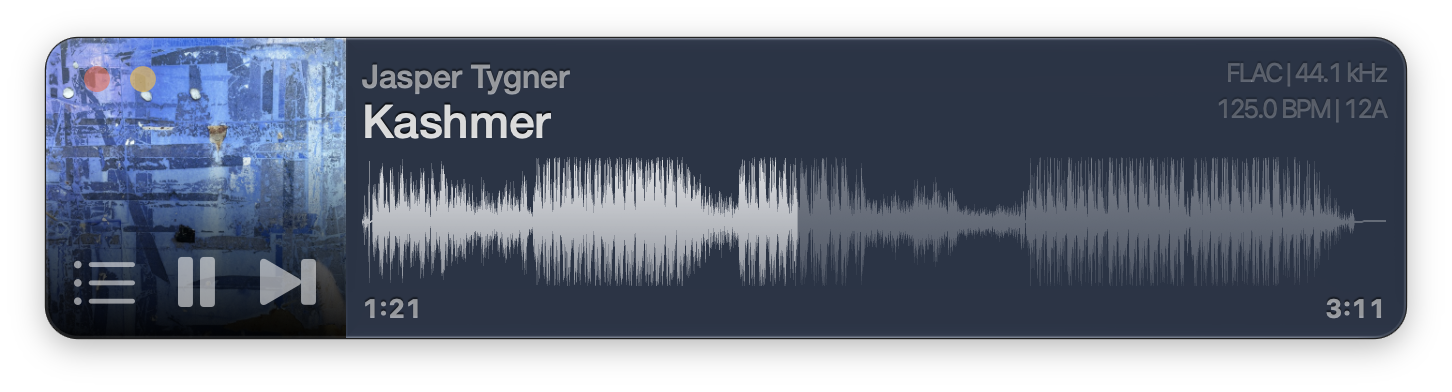
A fast, minimal player for your music files for the Mac, iPhone, and iPad. No third-party engine, no account, no subscription.
Features
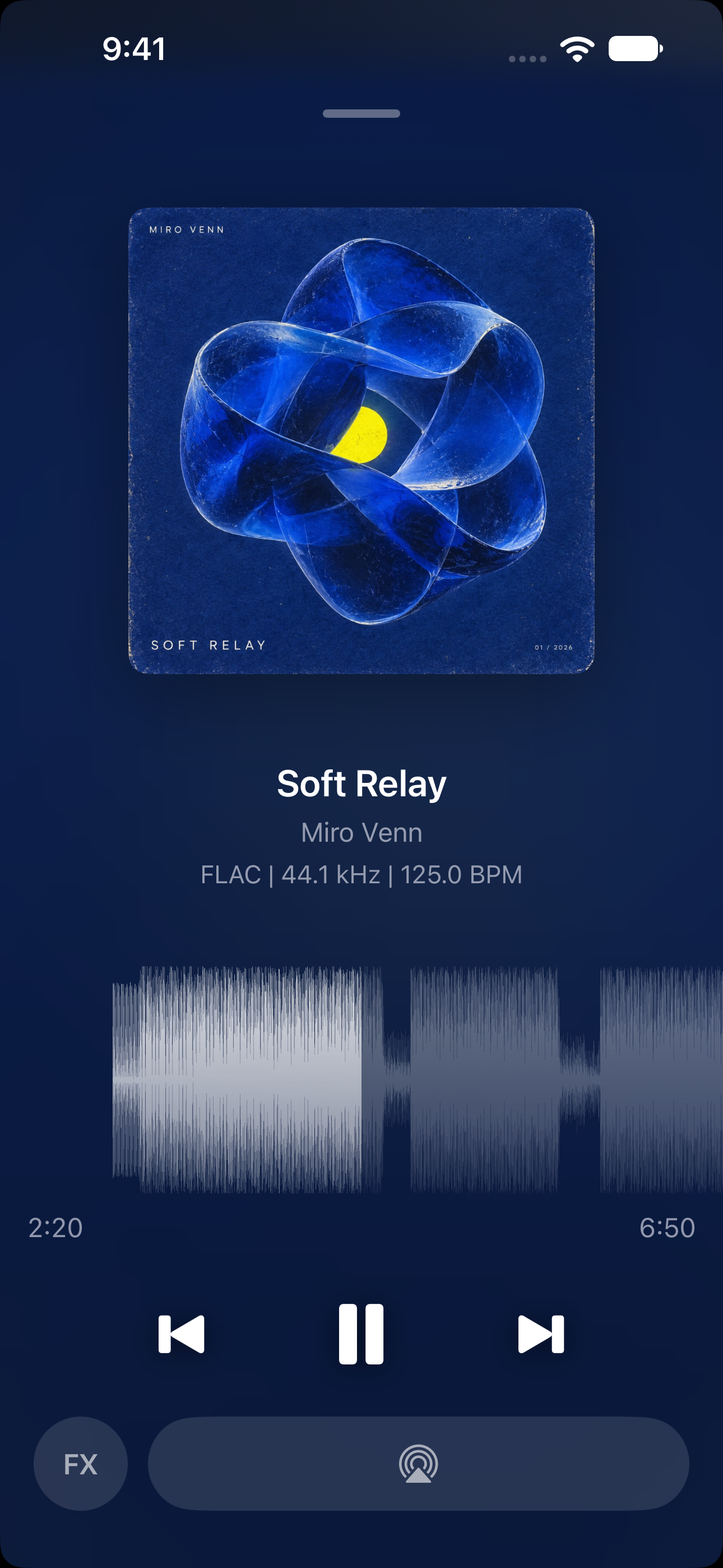
- Waveform seek bar — a SoundCloud-style waveform; click it to seek
- Drag and drop — drop files or folders on the window or the dock icon to play them
- Themes — restyle the whole player; build your own in Settings and share it as a file
- Formats — MP3, MP2, AAC, FLAC, ALAC, MP4/M4A/M4B, QTA (Voice Memos), AIFF, WAV, W64, CAF, Ogg Opus, and Ogg Vorbis on the Mac, all played by Vibe's own CoreAudio engine
- Metadata and artwork — read with TagLib, then cached to disk
- Keyboard transport —
Spaceplays and pauses,BandNchange track,A–DandZ–Cskip by bars - Performance FX — a low-kill filter, a reverb wash and BPM-synced delays on
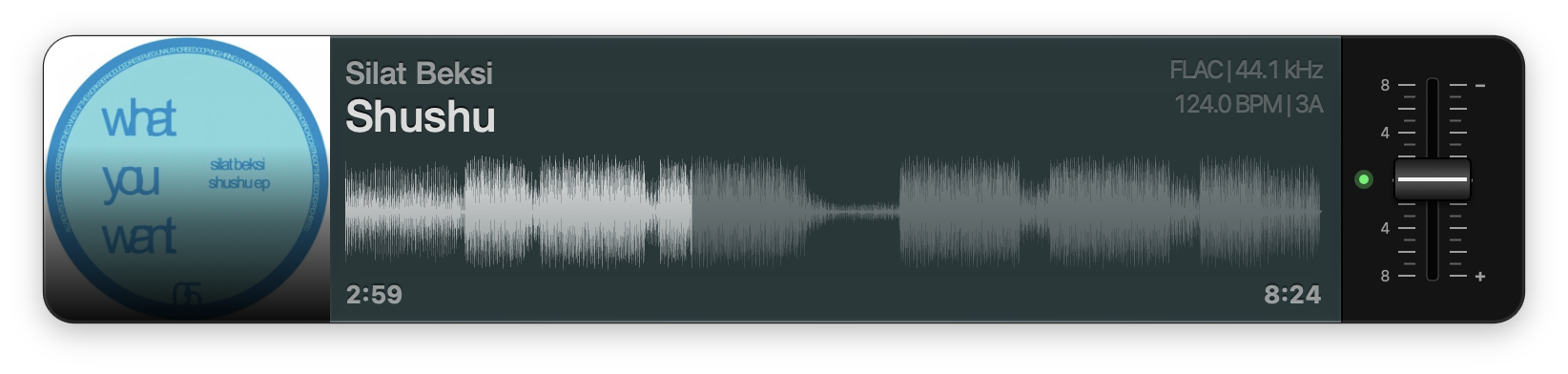
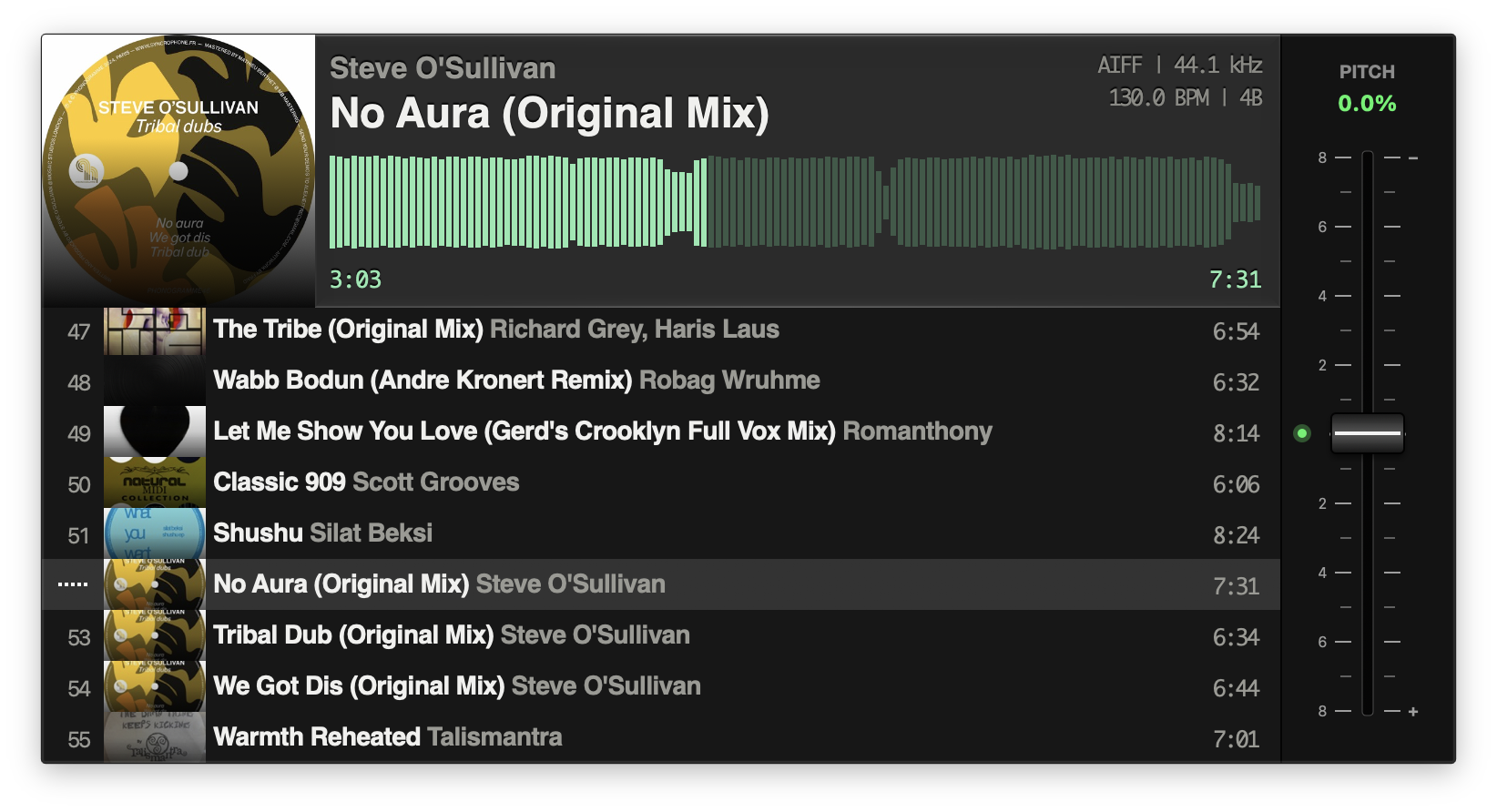
Q–T; tap to latch, hold for momentary - Pitch adjust — an optional SL-1200-style pitch fader
- Bit-perfect output — Bit-perfect and exclusive mode send audio to your output device exactly as-is, for the best possible audio quality
Website: vibeplayer.app
Audio quality guide: audio-quality.md
Usage
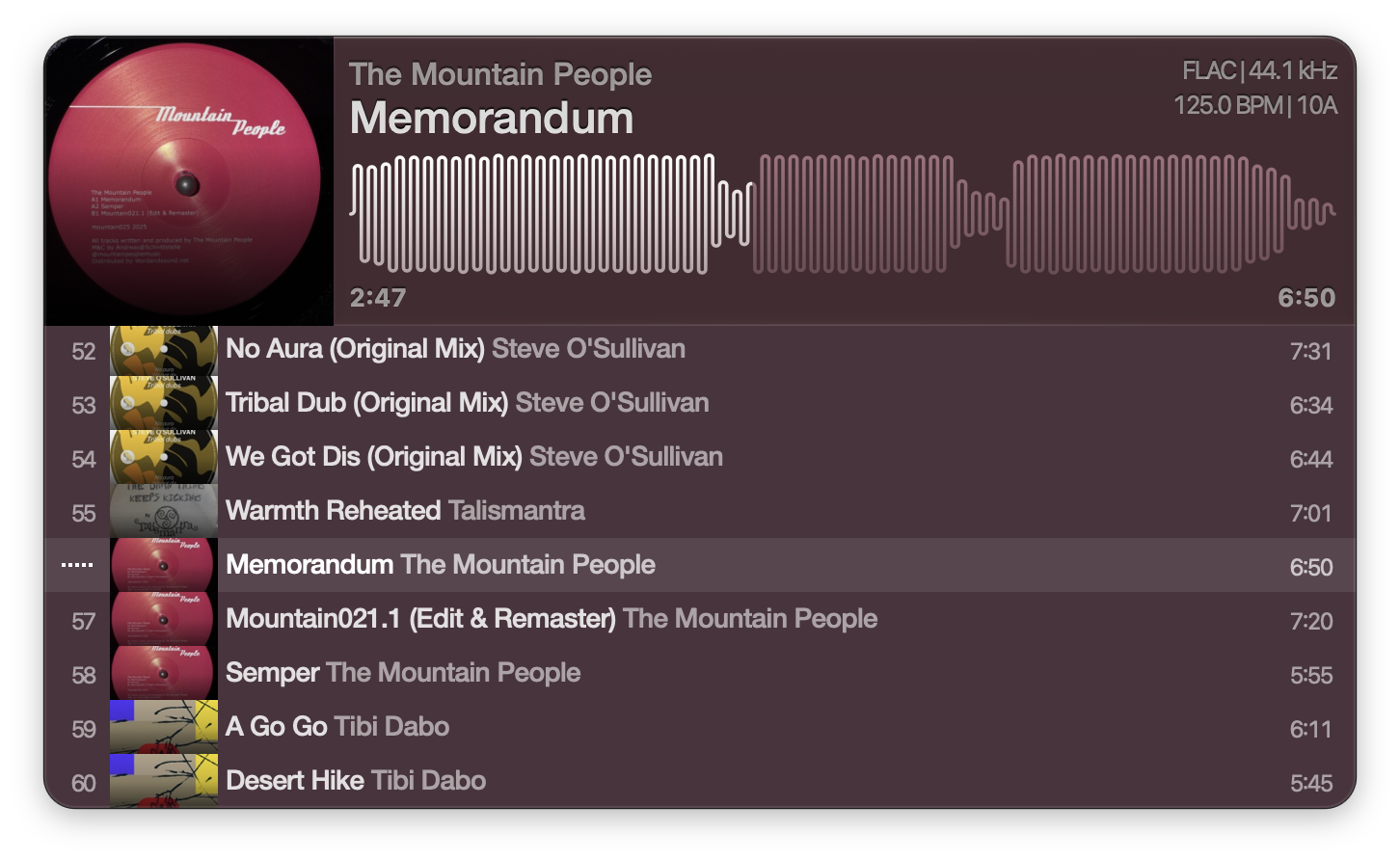
Drop audio files or a folder on the window to play them. Click the waveform to seek.
Drag the artwork out to copy the playing file somewhere else.
Key commands
These are the defaults; every one can be changed in Settings > Keyboard Shortcuts. The single-letter keys follow their position on the keyboard, so they stay put under AZERTY, Dvorak or a non-Latin layout.
| Key | Action |
|---|---|
Space | Play / pause |
B | Previous track |
N | Next track |
A / S / D | Skip forward 8 / 16 / 32 bars when the tempo is known, else 10 / 30 / 60 seconds |
Z / X / C | Skip back 8 / 16 / 32 bars when the tempo is known, else 10 / 30 / 60 seconds |
Tab | Show / hide playlist |
P | Show / hide pitch control |
⌘O | Open file or folder |
⌘S | Save the playlist as an M3U file |
FX
| Key | Action |
|---|---|
Q | Low-kill filter |
W | Low-kill boost, which pushes the Q cutoff higher |
E | Reverb wash |
R | Delay, 1/8-note taps |
T | Delay, 1/16-note taps |
Tap an FX key to latch the effect; hold it for momentary.
Themes
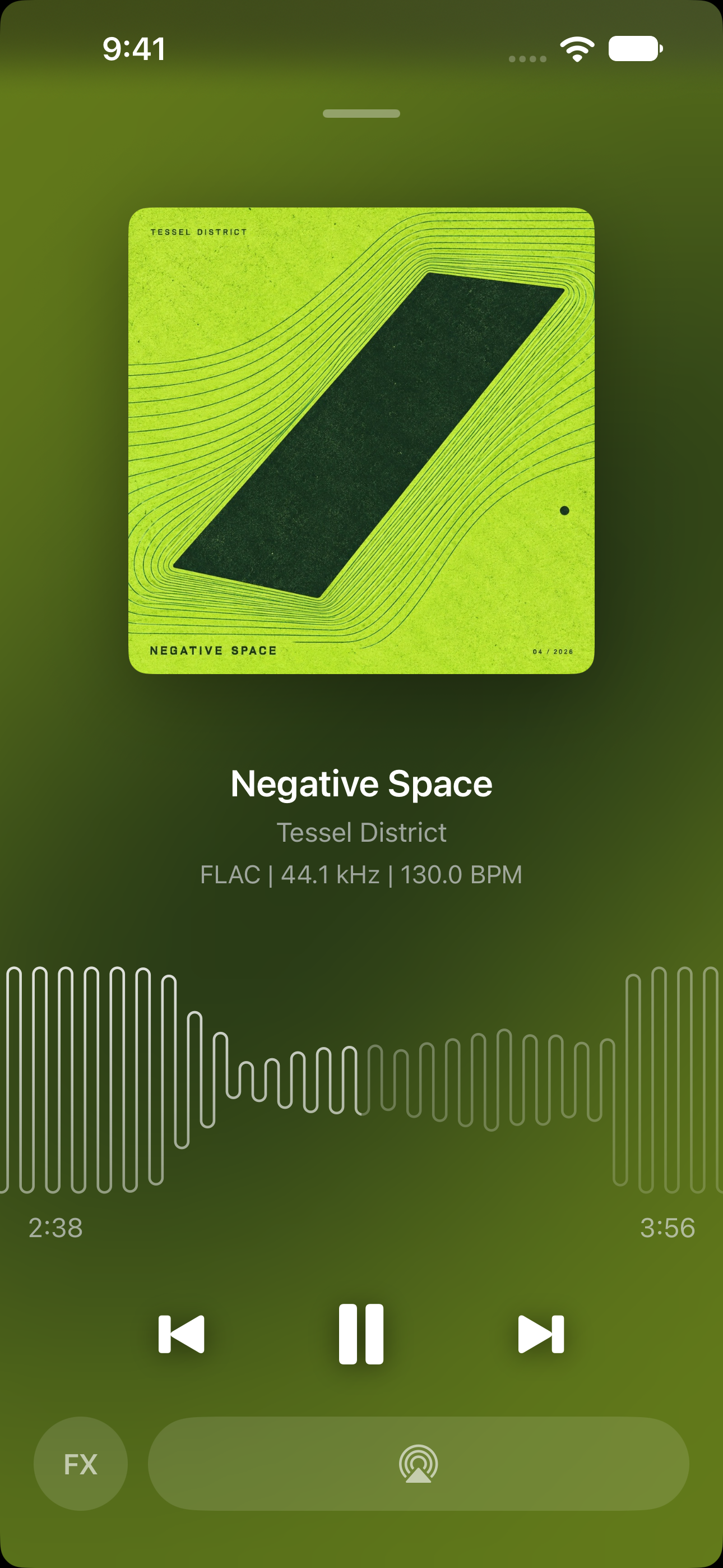
Vibe ships with several built-in themes, and you can make your own in Settings > Appearance: start from the current look (or duplicate a built-in), then edit the window, fonts, colors, waveform, playlist, and even the no-artwork placeholder — changes apply live. Themes export as a single file (including any custom artwork) that anyone can import, so they're easy to share. See docs/themes.md for the full guide.
On iPhone and iPad
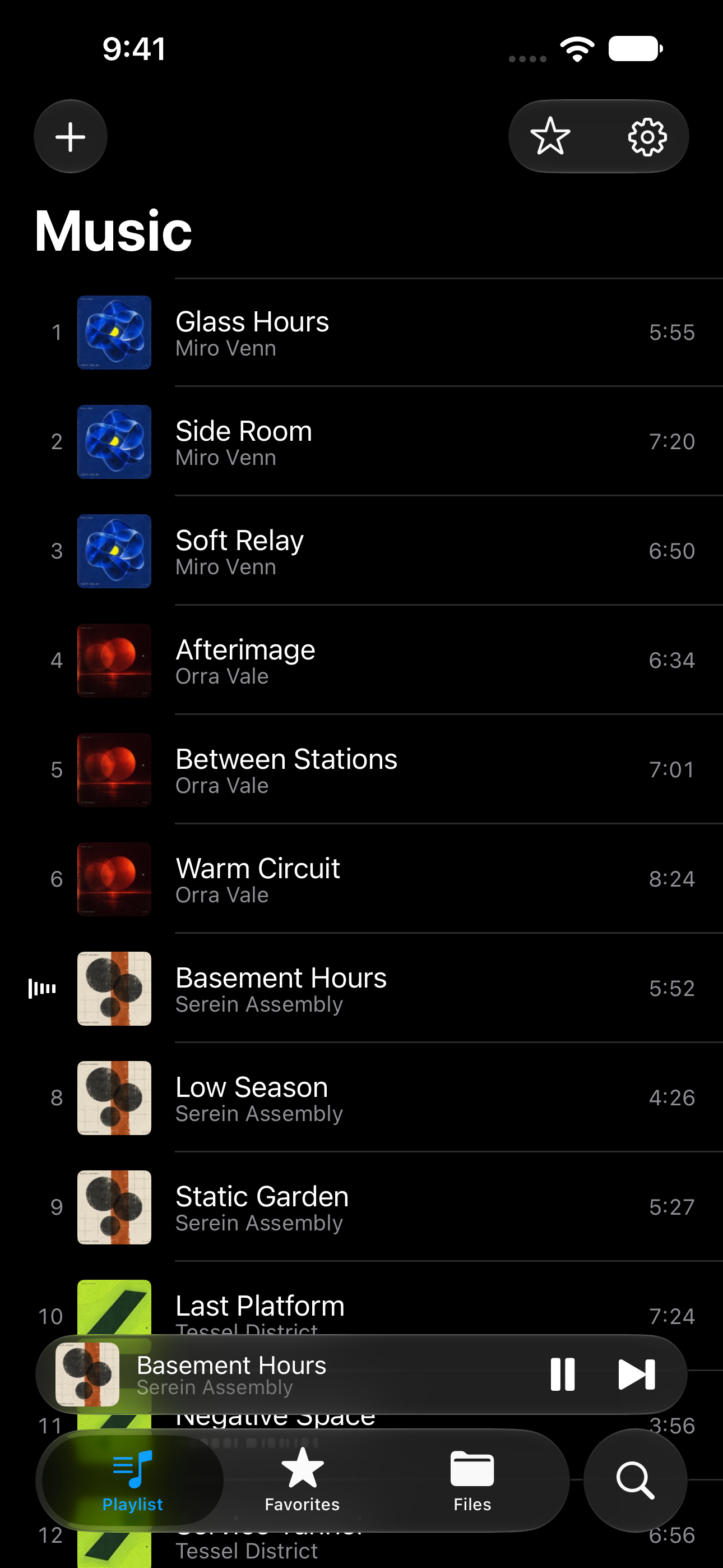
The same engine and the same file handling. Uses the (not great) iOS native file picker. UI is iOS native but waveform rendering, audio engine, tag and file handling, and more are shared with the Mac app.
Development
Vibe is written in Objective-C/C++ and is focused on performance and speed. It uses CoreAudio directly and avoids 3rd-party libraries where possible. TagLib 2.1 is included in-tree and used for reading metadata and artwork.
Vibe.xcodeproj is generated by XcodeGen from project.yml and is not checked in, so a fresh clone has no project to open:
Setup
brew install xcodegen
Build
xcodegen generate
open Vibe.xcodeproj
Build and run the Vibe scheme with ⌘R. Re-run xcodegen generate after every pull or edit to project.yml.
Requirements, the make targets for building and testing from the command line, and the house rules are in CONTRIBUTING.md.
- Localization — adding a string, adding a language, testing one: docs/localization.md
- Releasing — credentials, localized product-page assets, metadata upload, shipping a build: docs/app-store-releasing.md
- Performance — one benchmark run against every release, charted by version: docs/performance.md
License
Vibe is licensed under the Apache License 2.0.
There is no package manager: all third-party code is vendored under Vibe/ThirdParty/ and compiled into both app targets. THIRD-PARTY-NOTICES.md lists every component and the license it is used under — most notably TagLib, which is dual-licensed and which Vibe uses under the Mozilla Public License 1.1 rather than the LGPL, because it is statically linked.
Similar repos


Languages
Objective-C
80.8%
Python
6.1%
Objective-C++
6.0%
Shell
3.3%
Swift
3.1%
A fast, minimal music file player for macOS and iOS. Seekable waveform, turntable-style pitch fader, DJ FX. No library, no account, no subscription.
See the codeSee what people are saying
README
Vibe
A fast, minimal player for your music files for the Mac, iPhone, and iPad. No third-party engine, no account, no subscription.
Features
- Waveform seek bar — a SoundCloud-style waveform; click it to seek
- Drag and drop — drop files or folders on the window or the dock icon to play them
- Themes — restyle the whole player; build your own in Settings and share it as a file
- Formats — MP3, MP2, AAC, FLAC, ALAC, MP4/M4A/M4B, QTA (Voice Memos), AIFF, WAV, W64, CAF, Ogg Opus, and Ogg Vorbis on the Mac, all played by Vibe's own CoreAudio engine
- Metadata and artwork — read with TagLib, then cached to disk
- Keyboard transport —
Spaceplays and pauses,BandNchange track,A–DandZ–Cskip by bars - Performance FX — a low-kill filter, a reverb wash and BPM-synced delays on
Q–T; tap to latch, hold for momentary - Pitch adjust — an optional SL-1200-style pitch fader
- Bit-perfect output — Bit-perfect and exclusive mode send audio to your output device exactly as-is, for the best possible audio quality
Website: vibeplayer.app
Audio quality guide: audio-quality.md
Usage
Drop audio files or a folder on the window to play them. Click the waveform to seek.
Drag the artwork out to copy the playing file somewhere else.
Key commands
These are the defaults; every one can be changed in Settings > Keyboard Shortcuts. The single-letter keys follow their position on the keyboard, so they stay put under AZERTY, Dvorak or a non-Latin layout.
| Key | Action |
|---|---|
Space | Play / pause |
B | Previous track |
N | Next track |
A / S / D | Skip forward 8 / 16 / 32 bars when the tempo is known, else 10 / 30 / 60 seconds |
Z / X / C | Skip back 8 / 16 / 32 bars when the tempo is known, else 10 / 30 / 60 seconds |
Tab | Show / hide playlist |
P | Show / hide pitch control |
⌘O | Open file or folder |
⌘S | Save the playlist as an M3U file |
FX
| Key | Action |
|---|---|
Q | Low-kill filter |
W | Low-kill boost, which pushes the Q cutoff higher |
E | Reverb wash |
R | Delay, 1/8-note taps |
T | Delay, 1/16-note taps |
Tap an FX key to latch the effect; hold it for momentary.
Themes
Vibe ships with several built-in themes, and you can make your own in Settings > Appearance: start from the current look (or duplicate a built-in), then edit the window, fonts, colors, waveform, playlist, and even the no-artwork placeholder — changes apply live. Themes export as a single file (including any custom artwork) that anyone can import, so they're easy to share. See docs/themes.md for the full guide.
On iPhone and iPad
The same engine and the same file handling. Uses the (not great) iOS native file picker. UI is iOS native but waveform rendering, audio engine, tag and file handling, and more are shared with the Mac app.
Development
Vibe is written in Objective-C/C++ and is focused on performance and speed. It uses CoreAudio directly and avoids 3rd-party libraries where possible. TagLib 2.1 is included in-tree and used for reading metadata and artwork.
Vibe.xcodeproj is generated by XcodeGen from project.yml and is not checked in, so a fresh clone has no project to open:
Setup
brew install xcodegen
Build
xcodegen generate
open Vibe.xcodeproj
Build and run the Vibe scheme with ⌘R. Re-run xcodegen generate after every pull or edit to project.yml.
Requirements, the make targets for building and testing from the command line, and the house rules are in CONTRIBUTING.md.
- Localization — adding a string, adding a language, testing one: docs/localization.md
- Releasing — credentials, localized product-page assets, metadata upload, shipping a build: docs/app-store-releasing.md
- Performance — one benchmark run against every release, charted by version: docs/performance.md
License
Vibe is licensed under the Apache License 2.0.
There is no package manager: all third-party code is vendored under Vibe/ThirdParty/ and compiled into both app targets. THIRD-PARTY-NOTICES.md lists every component and the license it is used under — most notably TagLib, which is dual-licensed and which Vibe uses under the Mozilla Public License 1.1 rather than the LGPL, because it is statically linked.
Similar repos
Languages
Objective-C
80.8%
Python
6.1%
Objective-C++
6.0%
Shell
3.3%
Swift
3.1%