
🎧 A modern local music player with an Apple Music-inspired UI. (macOS, Windows, Linux, Android) - NO ELECTRON
See the codeSee what people are saying
README
Airmedy
All in one offline music player.






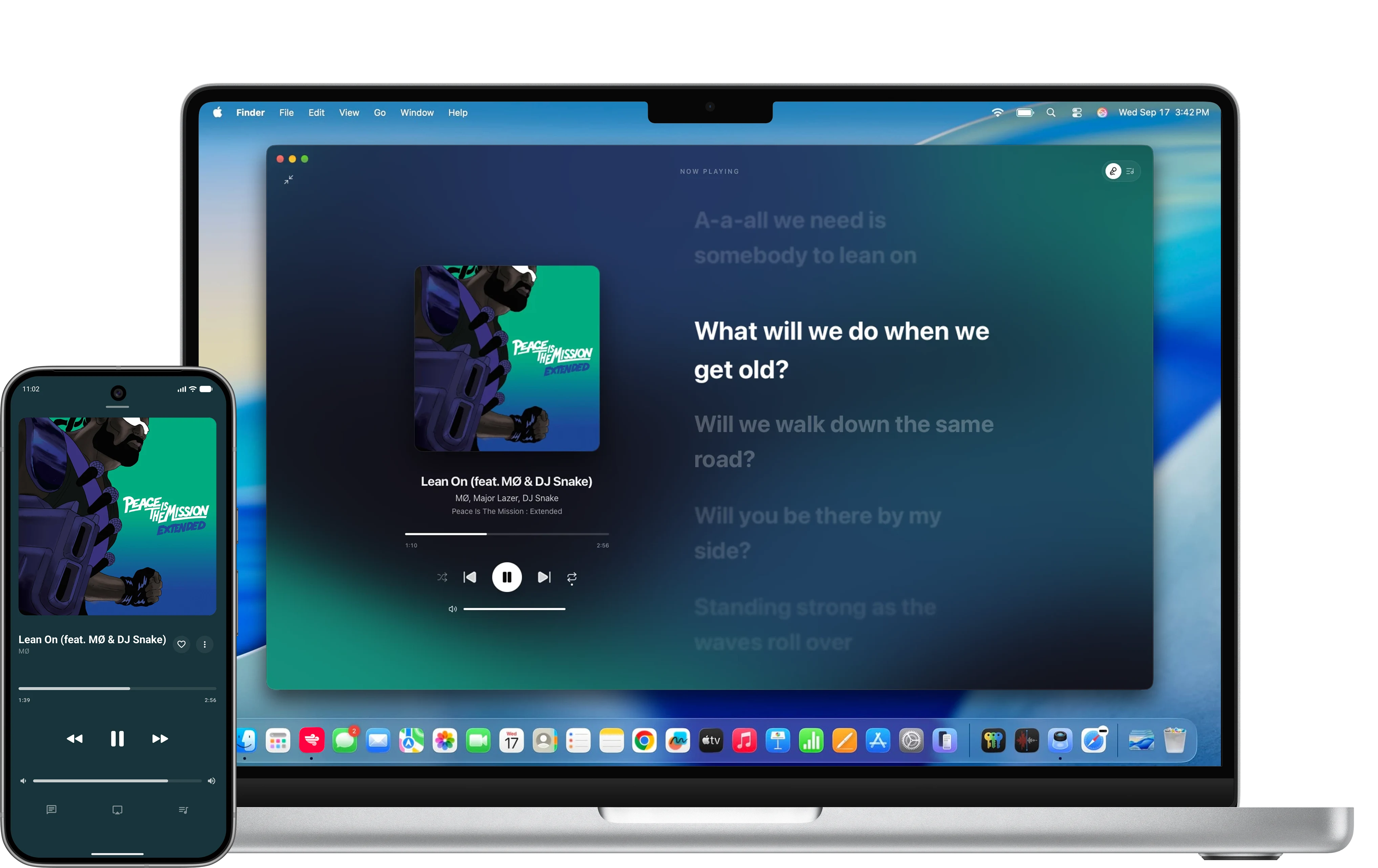
Screenshots
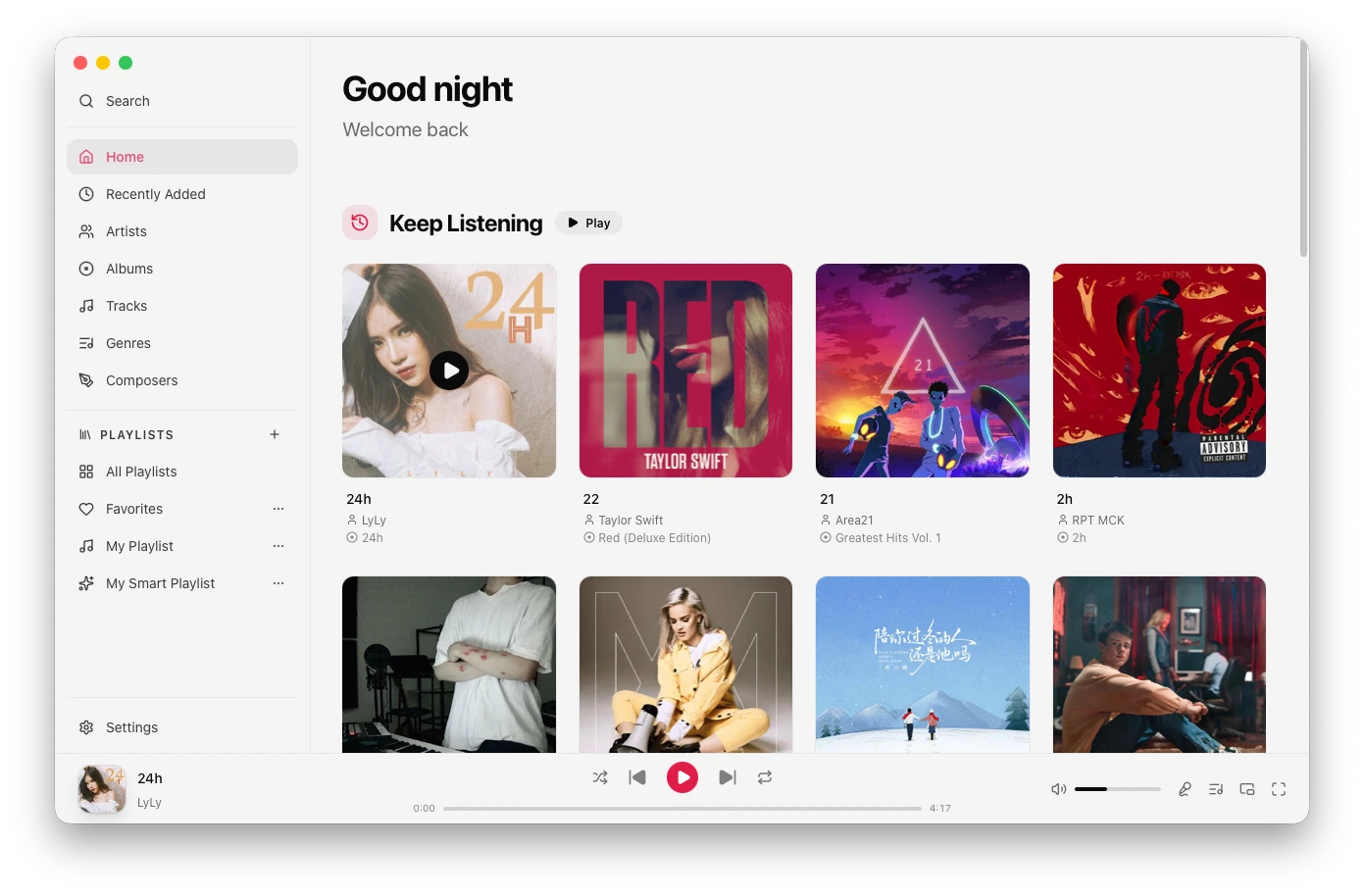 Home | 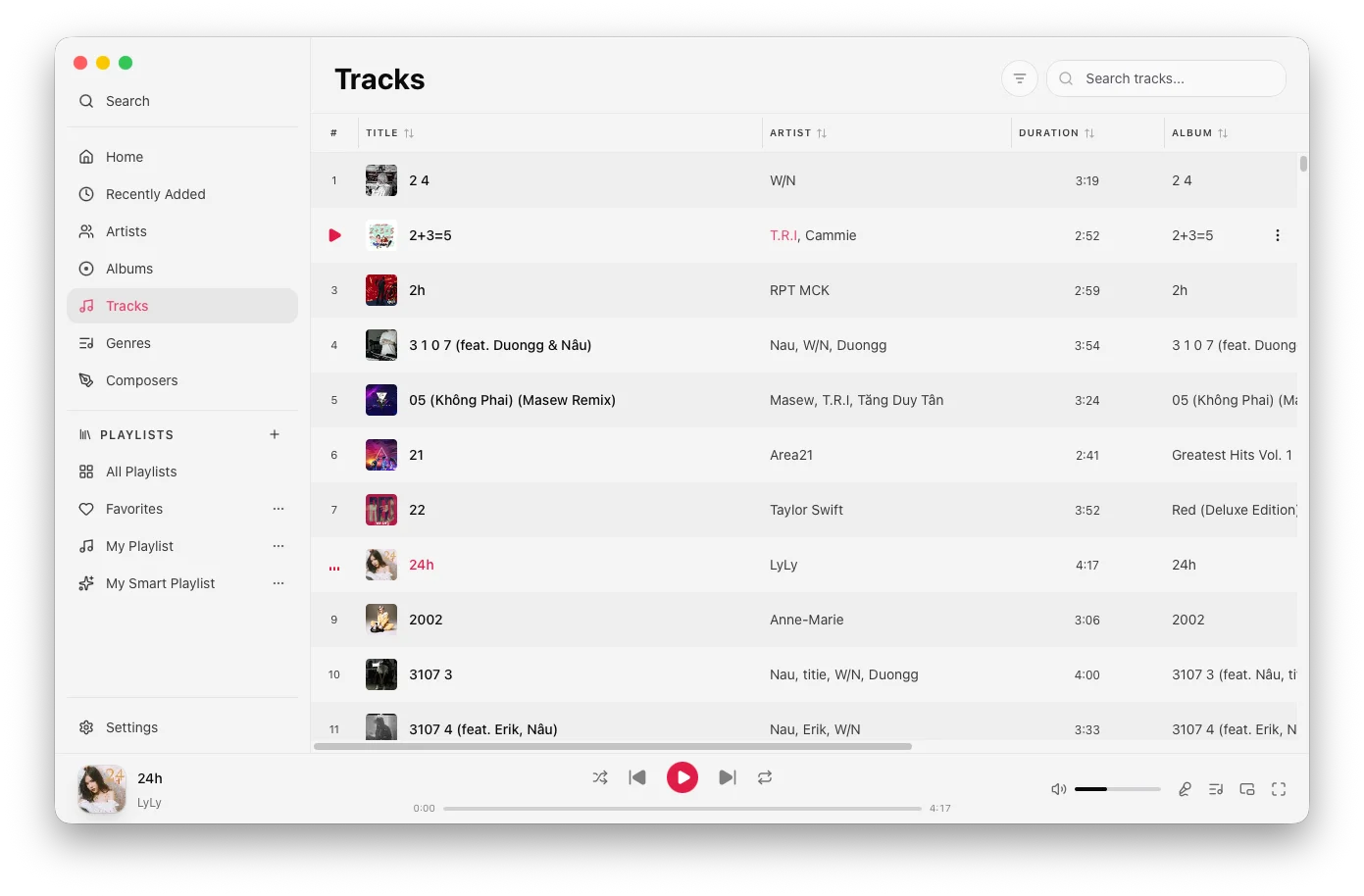 Tracks | 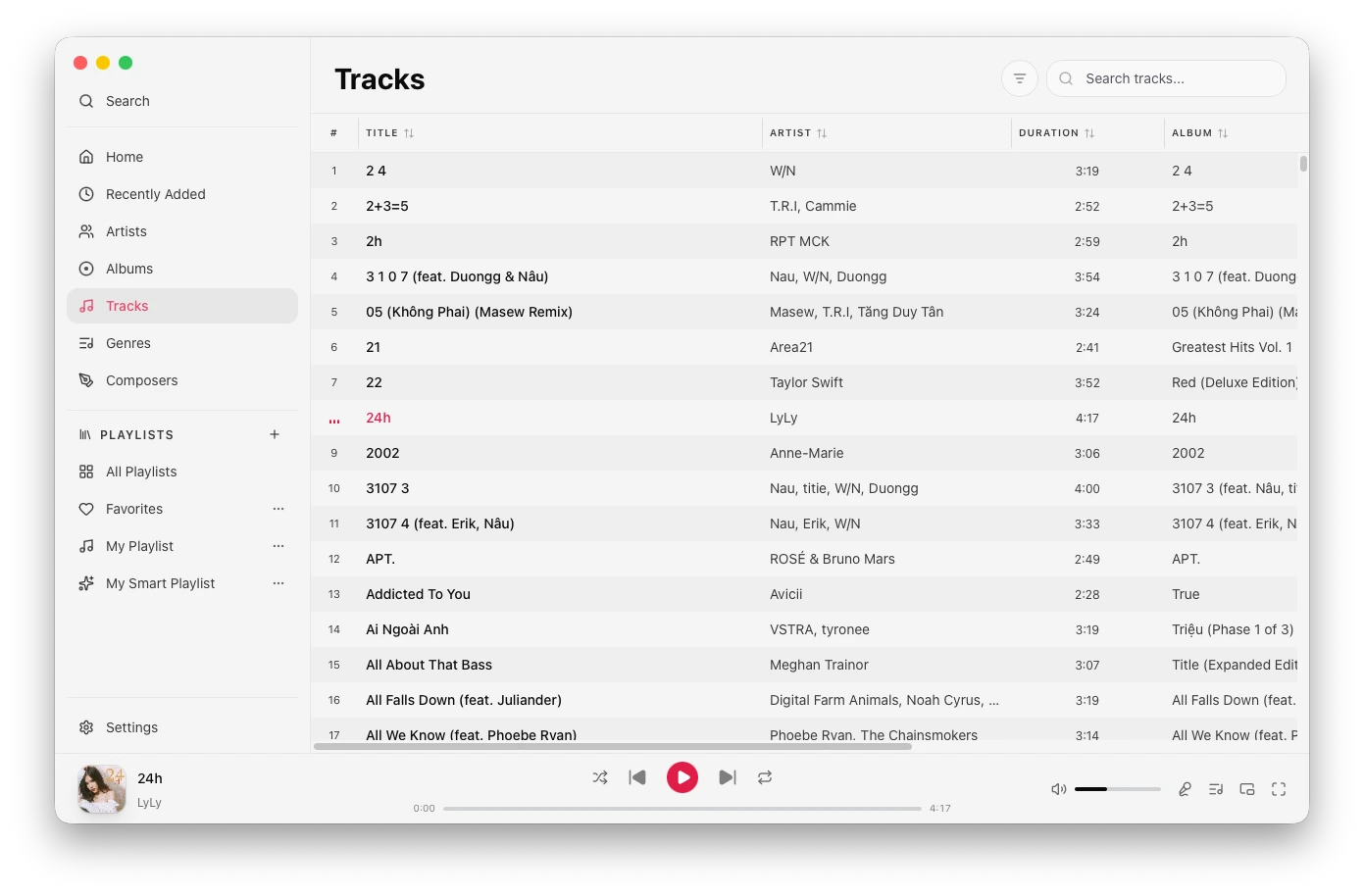 Tracks (compact mode) |
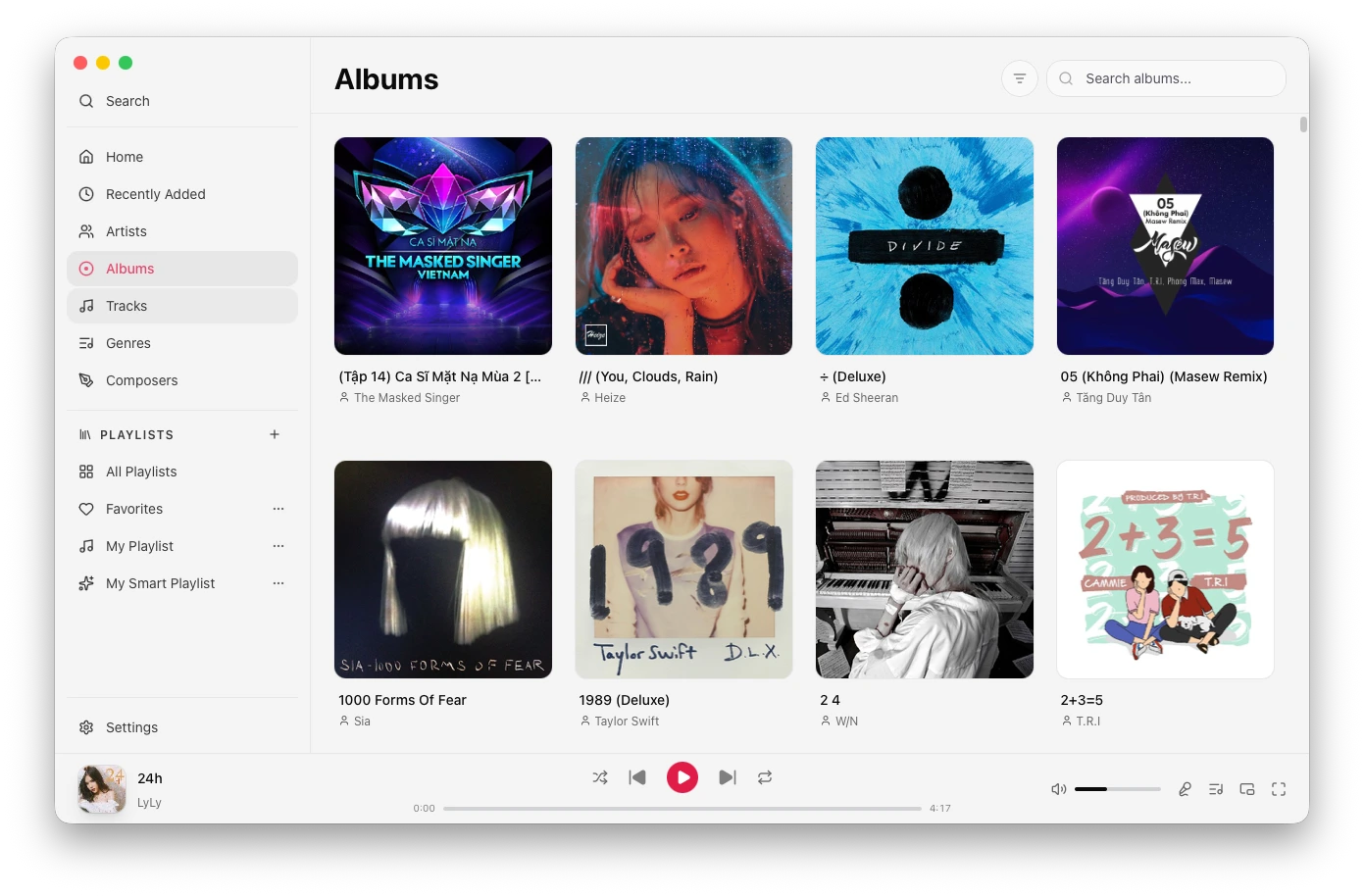 Albums | 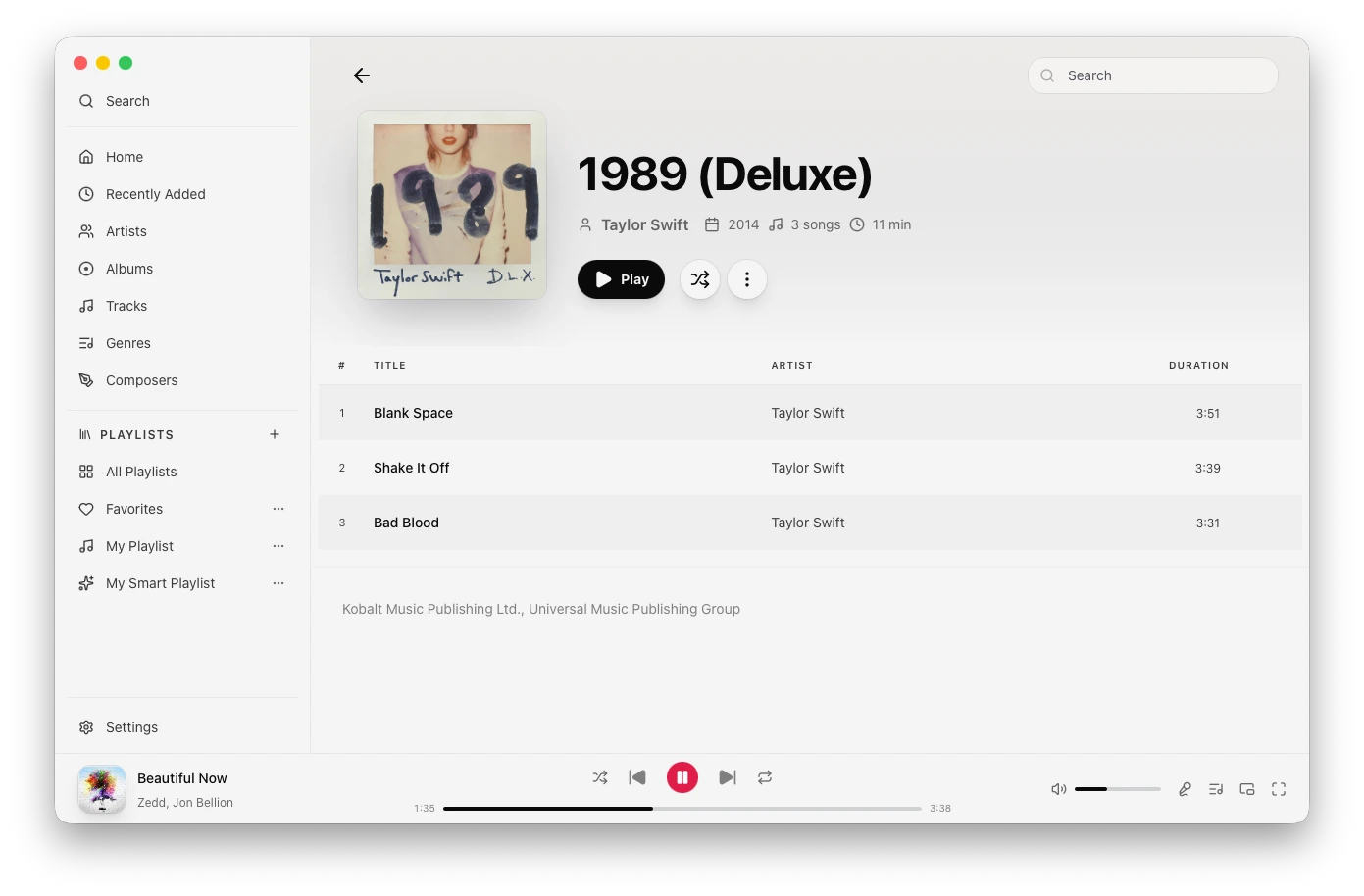 Album | 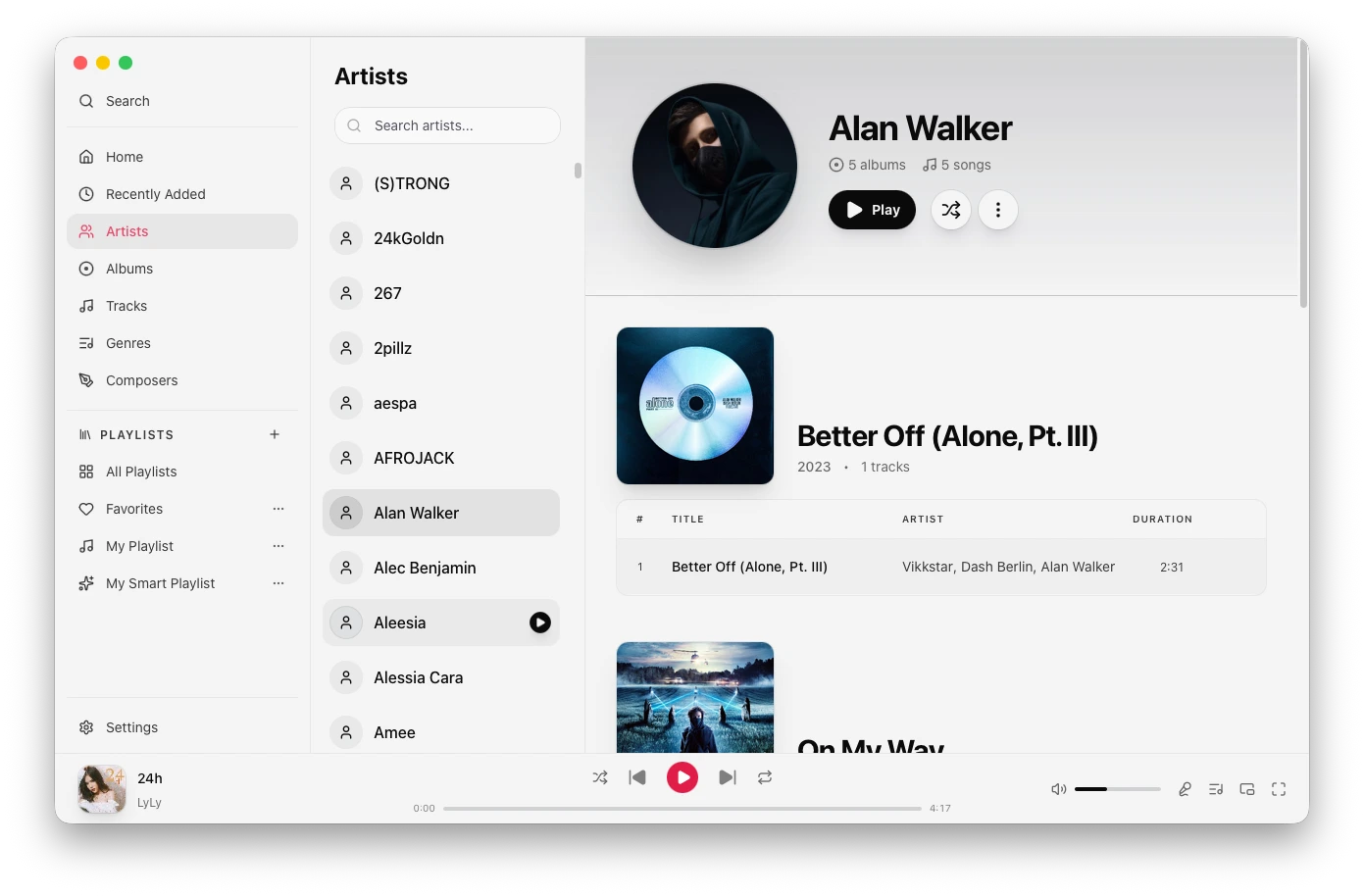 Artists |
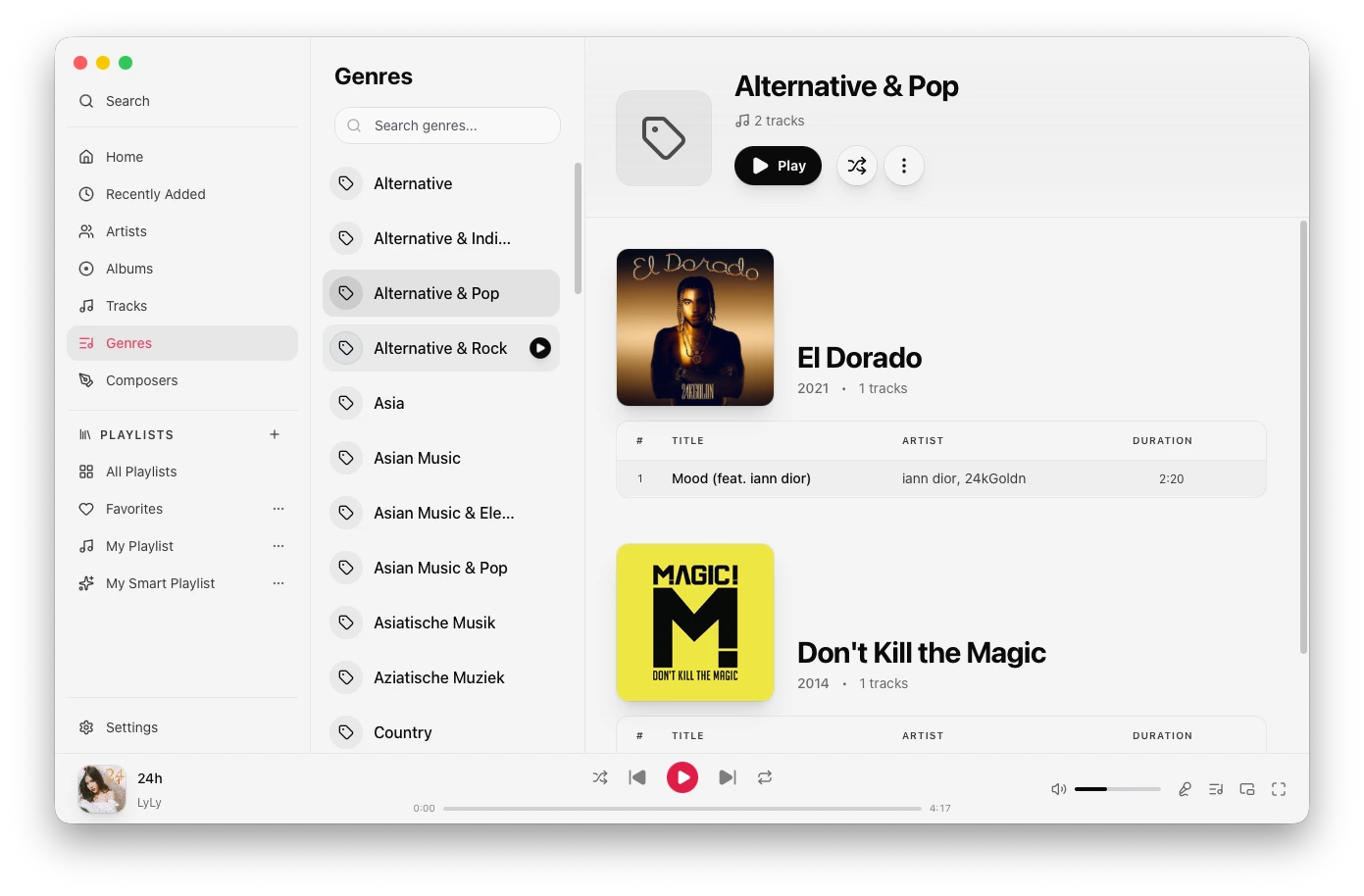 Genres | 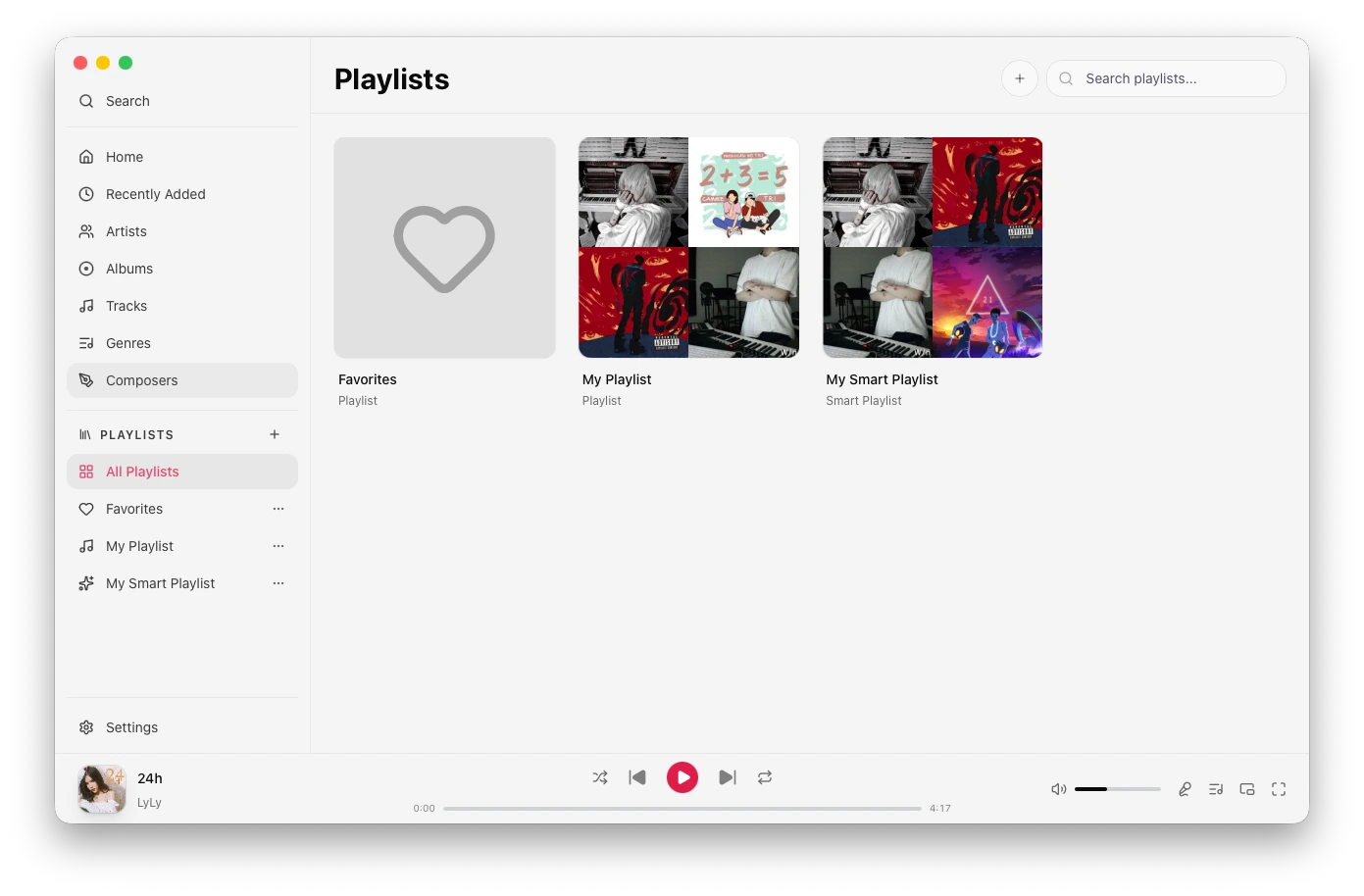 Playlists | 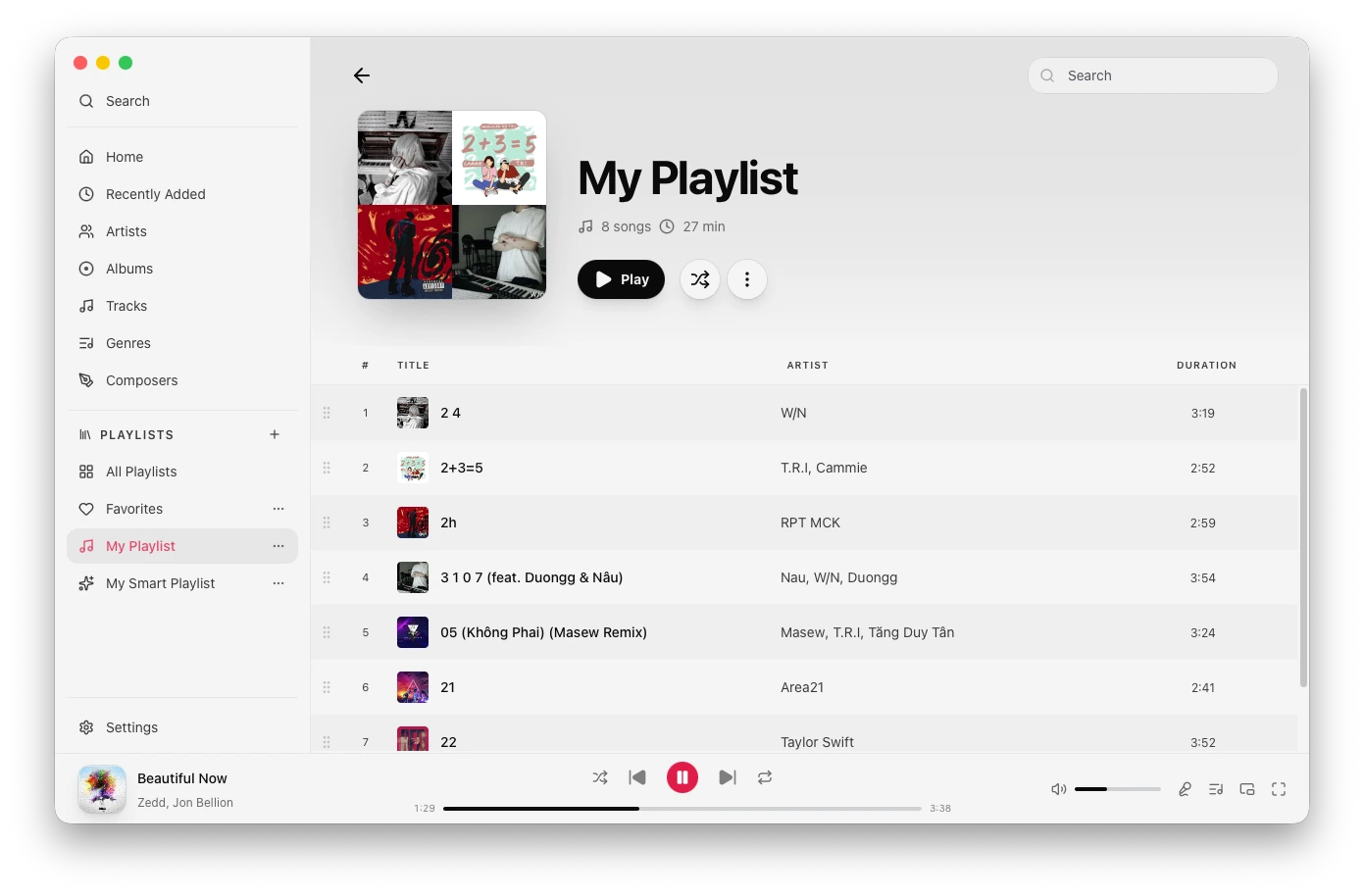 Playlist |
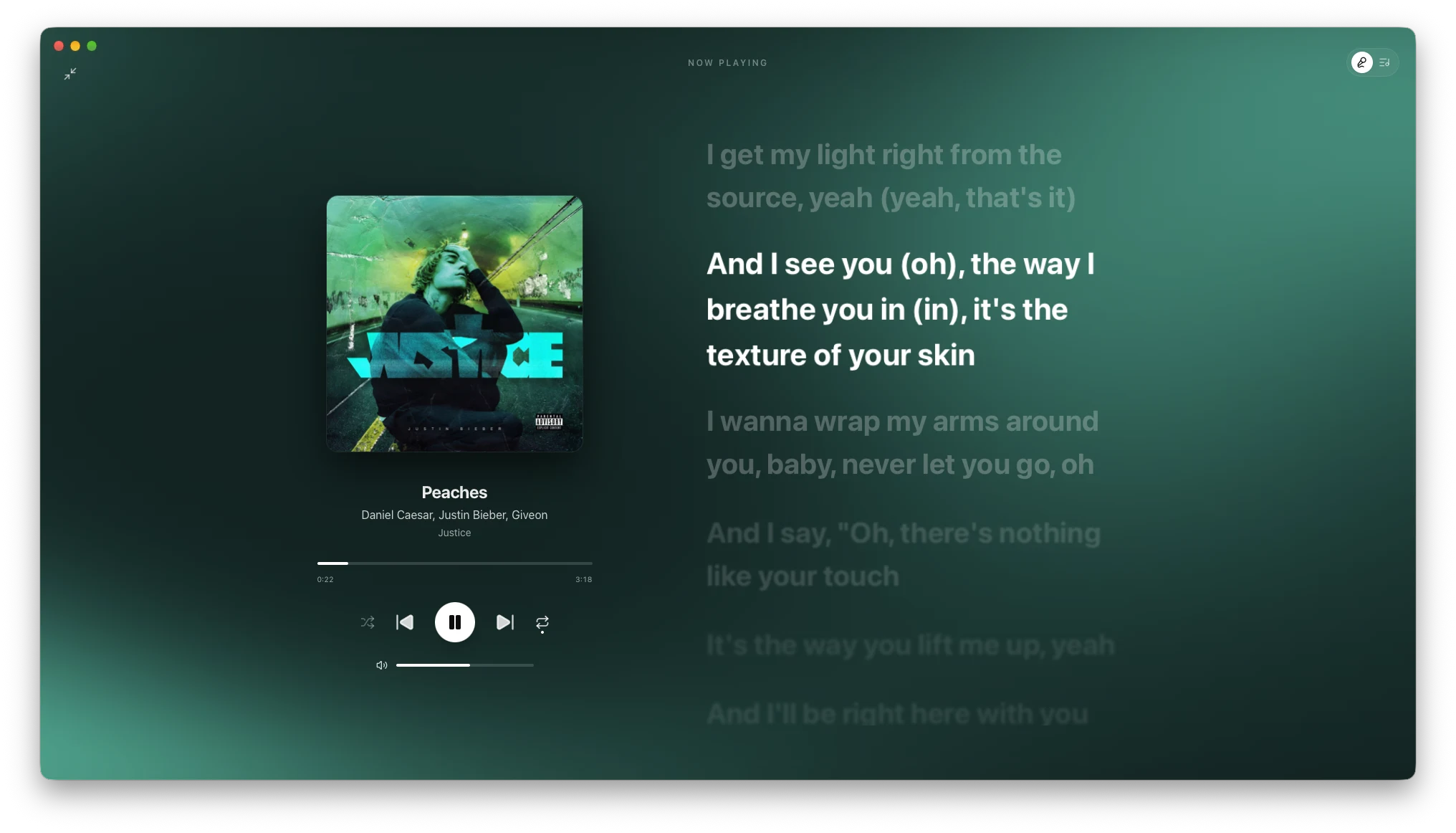 Fullscreen player | 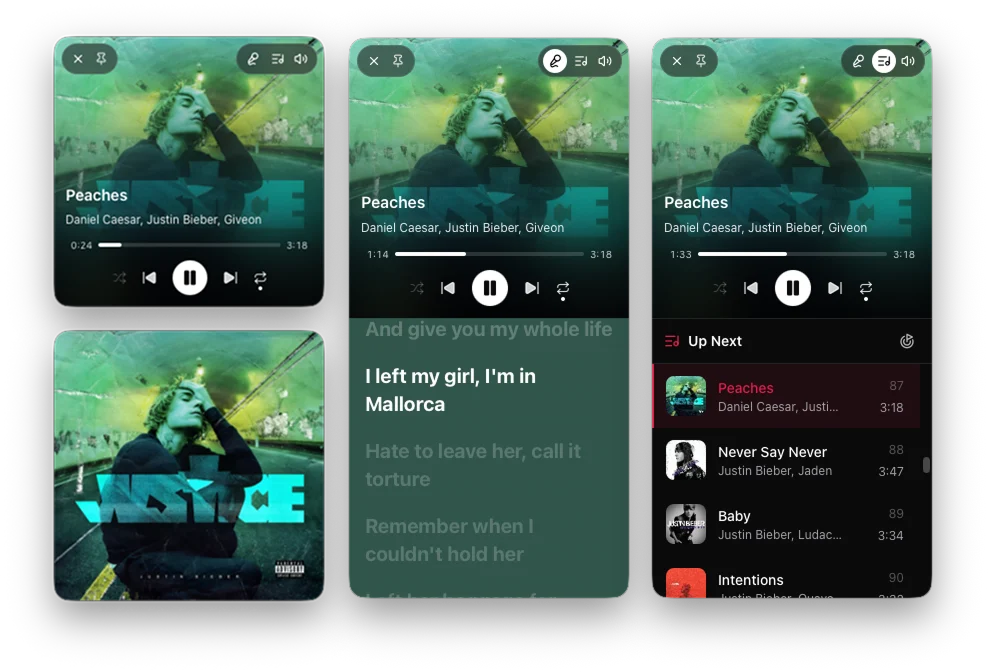 Mini player | 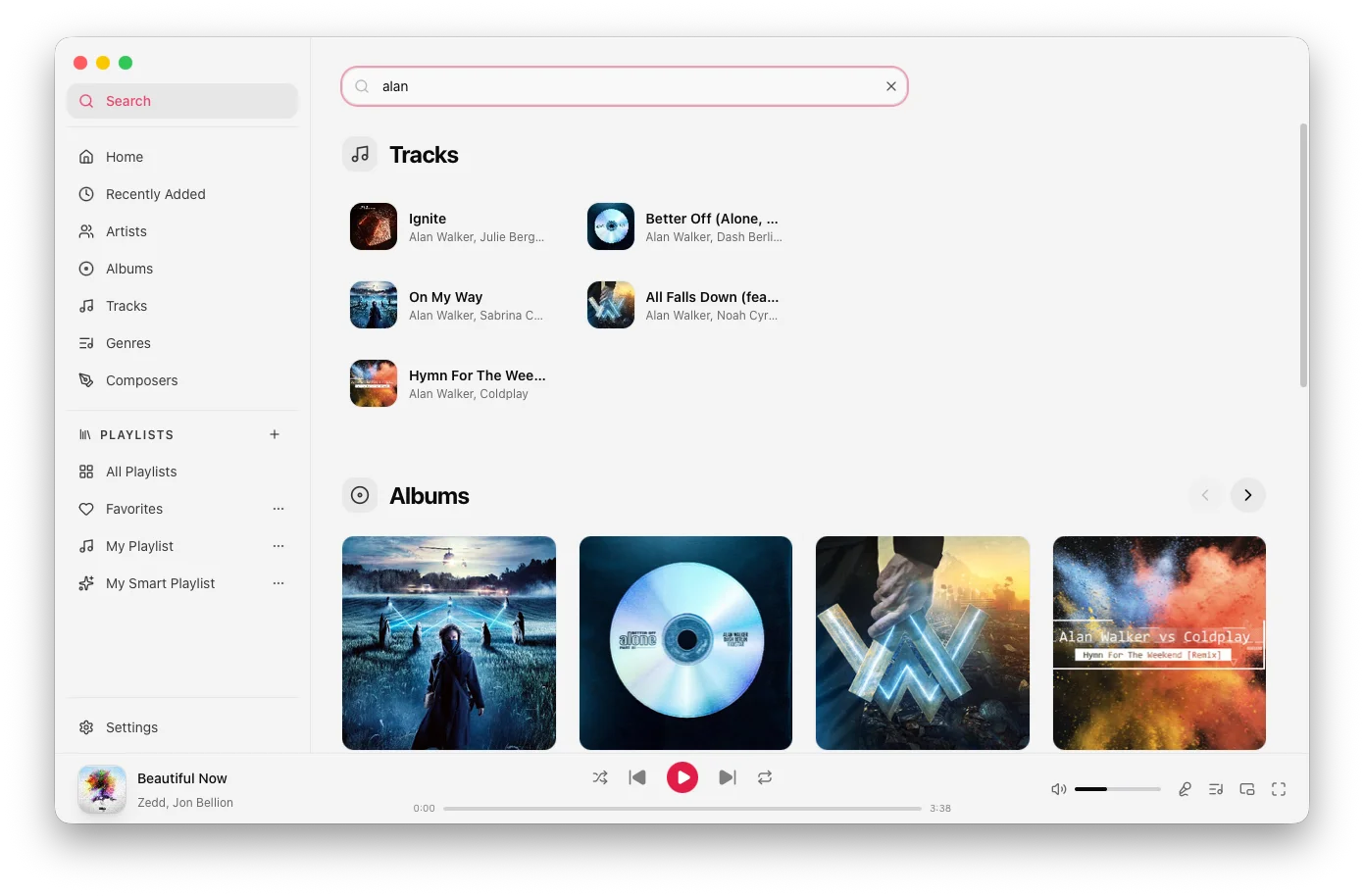 Search |
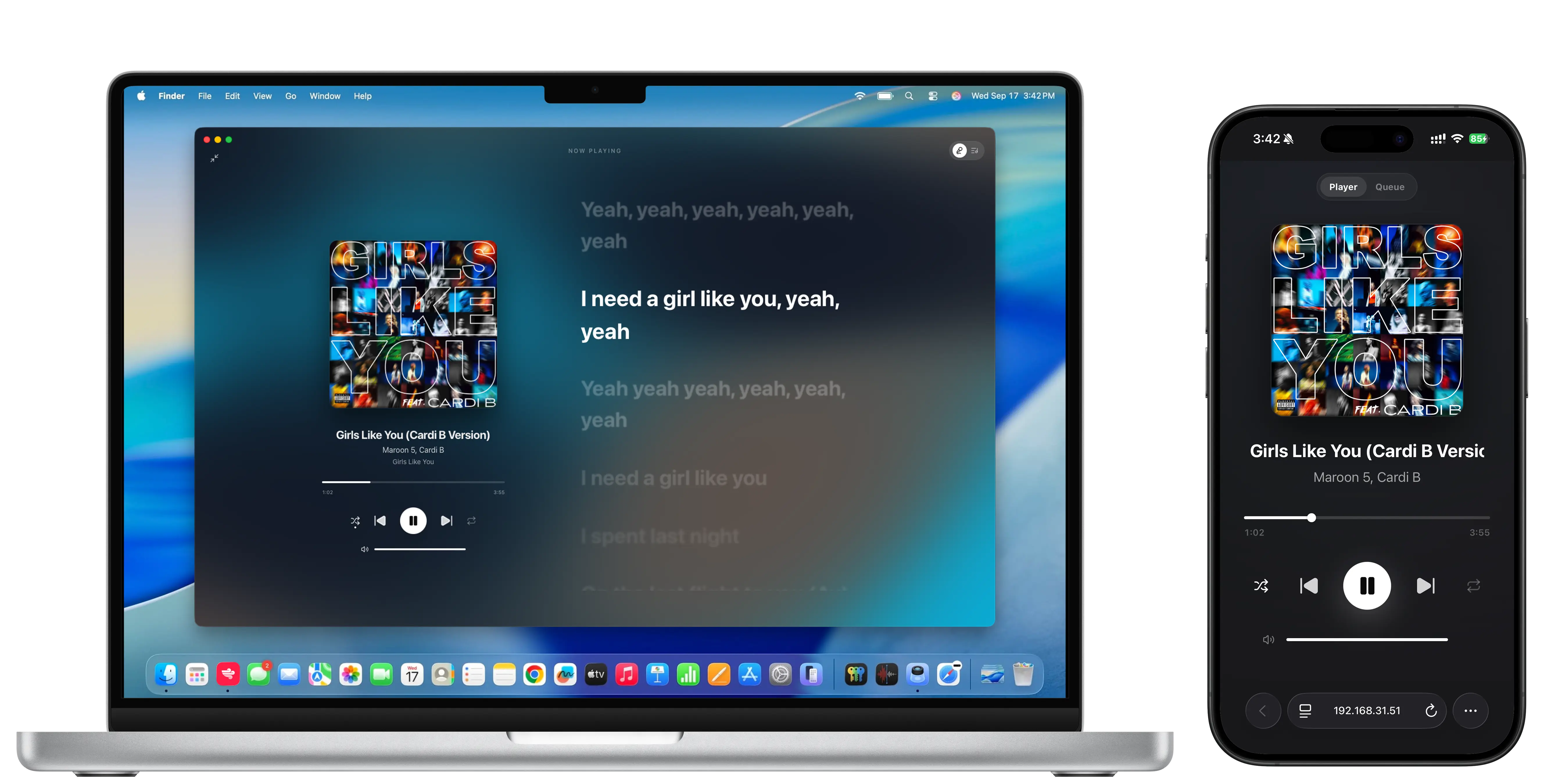 Remote control | 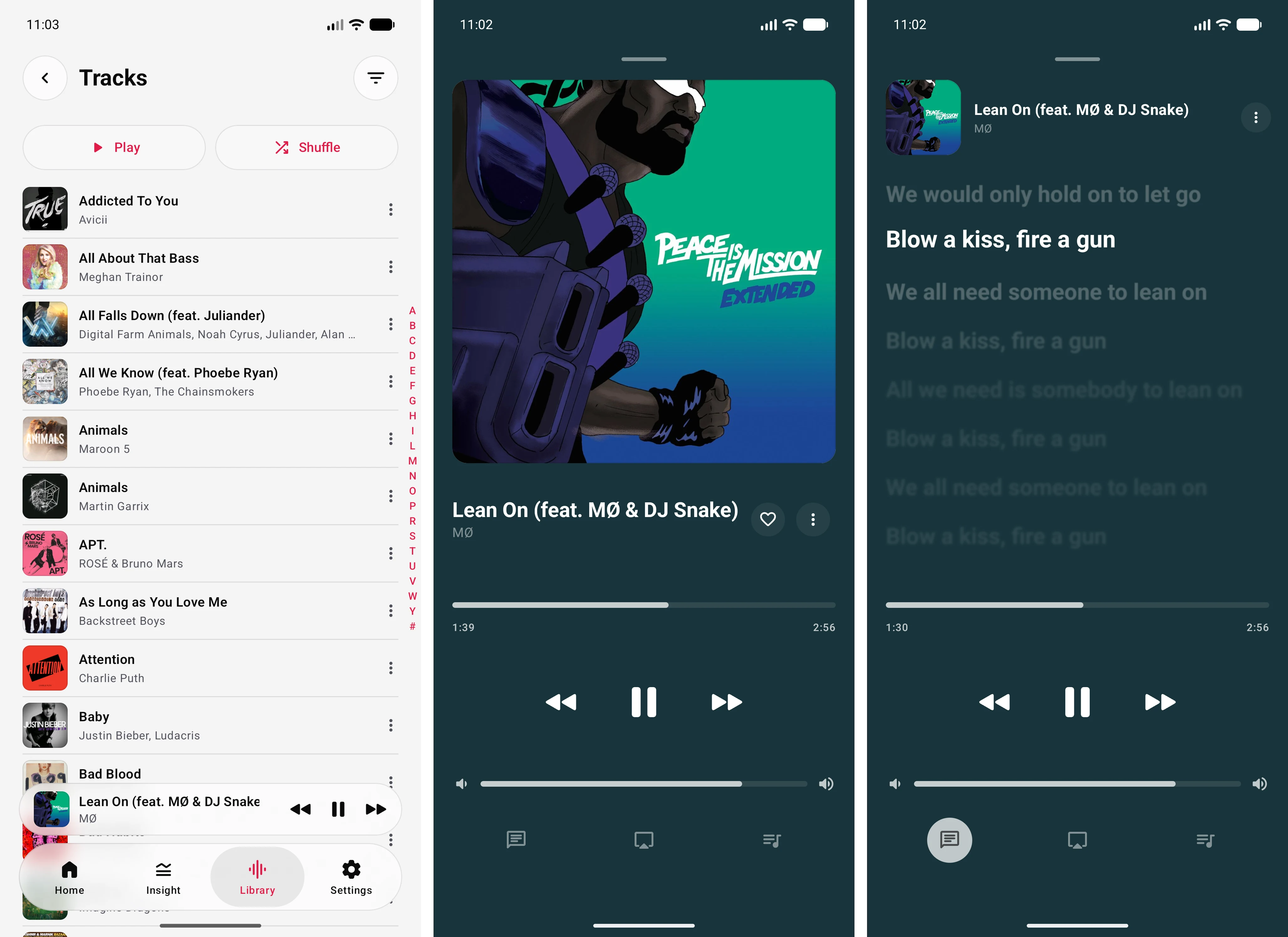 Mobile app |
Features
- Your whole library — add any folder and Airmedy scans it, even with tens of thousands of tracks. Rescans on a configurable interval (default hourly) to pick up changes made outside the app.
- Lyrics that follow along — synced lyrics scroll line-by-line as the song plays. Plain-text lyrics shown when sync data isn't available. Sources, in priority order: local lyric files next to the track (
.lrc, then.txt), embedded lyrics, then online lyrics from LRCLIB and Kugou. Search and pick lyrics manually, optionally saving the result as a.lrcfile (dedicated lyrics folder, subfolder next to the track, or next to the track itself, in that order). - Offline romanization — read Chinese and Korean lyrics in Latin script without sending your lyrics anywhere. Toggle it directly from the lyrics view.
- Fullscreen & miniplayer modes — go fullscreen for an immersive listening experience, or shrink to a miniplayer that stays out of your way.
- Playlists — create and manage playlists, import and export them, and browse your collection by genre, artist, or album.
- Gapless playback — tracks transition without any silence or interruption.
- Crossfade — overlap the end of the current track with the start of the next using an equal-power fade curve. Adjustable from 1 to 12 seconds in Playback settings, or turn it off for pure gapless transitions.
- 10-band equalizer — tune the sound to your headphones or speakers. Runs natively on macOS (SFBAudioEngine) and Windows/Linux (miniaudio) for optimal performance.
- Lock screen & media keys — control playback from your keyboard, lock screen, or Control Center — just like a first-party app.
- Last.fm scrobbling — sync your listening history and loved tracks automatically.
- Listening insights — see your listening activity, total time, qualified plays, top artists, and most-played tracks over the last 7 days, 30 days, or all time. When tracks have the same play count, longer listening time breaks the tie.
- Fast search — find any track, album, or artist in milliseconds.
- Metadata editor — update track titles, artists, albums, and other tags. Support for updating album artwork with automatic JPEG conversion.
- Plays in the background — close the window and music keeps going. Quit when you actually mean it.
- Tray menu — control playback from the system tray.
- Prevent sleep — optionally keep your system awake while music is playing.
- Themes — light, dark (gray), and black (pure black for OLED screens) themes.
- Artist images — uses local
artist.jpg/.jpeg/.webpfiles from your music folders (in the artist folder or beside the songs), or set your own custom image per artist. Toggle "Online Artist Artwork" to use Deezer images instead; turn it off to use your local files. - Remote control — control playback from any browser on the same network. Enable the remote server in settings, open the displayed URL on your phone or tablet, and enter the PIN to start controlling playback, managing the queue, and viewing lyrics remotely.
- Volume normalization — consistent loudness across your library, no more reaching for the volume knob between tracks. Analyzes your library with FFmpeg (LUFS loudness + true peak), then applies per-track pre-amp gain at playback. Track mode normalizes each song individually; album mode keeps an album's natural dynamics by applying one gain across all its tracks. Target loudness is configurable (default -14 LUFS), with an optional prevent-clipping guard.
- Mood Radio — start an auto-refilling radio queue from any track. Finds similar tracks across your whole library by comparing energy, danceability, and tempo derived from per-track audio analysis.
- Smart Playlists — auto-updating playlists built from rules (genre, artist, year, play count, rating, and more) or from a mood picker that filters your library by energy × danceability.
- Player quick settings — right-click the footer player bar to toggle prevent sleep, player indicator, and crossfade on/off, switch EQ presets, or jump straight to Playback settings — all without leaving the current view.
Mobile
Airmedy Mobile is an Android-first companion app, built with native Jetpack Compose for Android 12 and newer. It is independently usable and pairs with Airmedy Desktop when you want your library on the go.
- Pair and sync your library — scan a QR code to securely sync tracks, artwork, playlists, favorites, and listening history from a paired desktop.
- Offline playback — play synced local music through the native FFmpeg + AAudio player, with a persistent mini player, playback queue, seek controls, shuffle, and repeat.
- Immersive player & lyrics — open a full-screen player for artwork and controls, then follow synced bilingual lyrics or tap a line to seek directly to it.
- Browse your collection — explore tracks, albums, artists, genres, composers, playlists, and listening insights in a native mobile UI.
- Your listening, kept in sync — scrobbles to Last.fm directly from the app and reconciles listening activity and playlist changes with your desktop.
Keyboard Shortcuts
Ctrl on Windows/Linux, Cmd on macOS. Ignored while typing in an input/textarea.
| Shortcut | Action |
|---|---|
Space | Play / pause |
Ctrl/Cmd + → | Next track |
Ctrl/Cmd + Alt + → | Fast forward |
Ctrl/Cmd + ← | Previous track |
Ctrl/Cmd + Alt + ← | Rewind |
Ctrl/Cmd + ↑ | Volume up |
Ctrl/Cmd + ↓ | Volume down |
Ctrl/Cmd + Alt + ↓ | Mute toggle |
Ctrl/Cmd + S | Shuffle toggle |
Ctrl/Cmd + R | Cycle repeat mode |
Ctrl/Cmd + F | Go to search |
Ctrl + Cmd + F (macOS), Ctrl + Alt + F (Windows) | Toggle fullscreen |
Ctrl/Cmd + , | Open settings |
Audio Format Support
Every format plays on macOS · Windows · Linux.
| Format | Extensions |
|---|---|
| MP3 | .mp3 |
| AAC / ALAC | .m4a .aac .mp4 |
| FLAC | .flac |
| WAV / AIFF | .wav .aiff |
| Ogg Vorbis | .ogg |
| Opus | .opus |
| APE (Monkey's Audio) | .ape |
| WavPack | .wv |
| DSD | .dsf .dff |
On macOS, playback runs through SFBAudioEngine — a powerful, high-performance audio engine that provides native support for almost every format without needing FFmpeg. On Windows and Linux, miniaudio provides high-performance audio output, while FFmpeg serves as the universal decoding backend for all supported formats, ensuring consistent and robust playback across the entire library.
flowchart TB
    subgraph Core["Airmedy Core"]
        subgraph macOS["macOS Path"]
            SFB["SFBAudioEngine<br/>(All Formats)"]
        end
        subgraph WinLinux["Windows / Linux Path"]
            FF["FFmpeg Decoder<br/>(All Formats)"] --> MA["miniaudio<br/>(output engine)"]
        end
        SFB --> Stream
        MA --> Stream["Consistent Audio Stream<br/>(Float32 PCM)"]
    end
The FFmpeg libraries are statically compiled and bundled inside internal/infra/audio/ffmpeg_libs/. No system FFmpeg installation is ever required.
Tech Stack
| Layer | Technology |
|---|---|
| Backend runtime | Go 1.25, Wails v3 |
| Dependency injection | uber-go/fx |
| Database | SQLite via golang-migrate |
| Search index | Bleve |
| Audio (macOS) | SFBAudioEngine + CGo |
| Audio (Win/Linux) | miniaudio + FFmpeg (CGo) |
| Metadata | go-taglib |
| Frontend framework | Vue 3 (Composition API) |
| State management | Pinia 3 |
| UI components | Radix Vue + Tailwind CSS v4 |
| Monorepo | pnpm workspaces + Turbo |
| UI package | @airmedy/ui (packages/ui) |
| Utils package | @airmedy/utils (packages/utils) |
| Lyrics | Local .lrc/.txt, embedded tags, LRCLIB + Kugou |
Mobile Tech Stack
| Layer | Technology |
|---|---|
| Platform | Kotlin Multiplatform, Android 12+ |
| UI | Jetpack Compose |
| Local storage | Room + DataStore |
| Audio | FFmpeg + AAudio |
| Shared logic | sharedLogic (models, use cases, ports) |
Architecture
Airmedy follows a Hexagonal / Ports & Adapters pattern:
main.go                      # Entry point

internal/
├── domain/                  # Business logic, interfaces, DTOs
├── app/                     # Application services (use cases)
└── infra/
    ├── audio/               # SFBAudioEngine / miniaudio / FFmpeg adapters
    ├── db/                  # SQLite migrations and queries
    ├── search/              # Bleve index adapter
    └── wails/               # Thin Wails bindings (frontend ↔ app)

frontend/                    # Main desktop UI (Vue 3)
├── src/
│   ├── components/          # Feature components (AlbumCard, TrackTable…)
│   ├── views/               # Route-level pages
│   ├── stores/              # Pinia stores
│   ├── composables/         # Shared logic
│   └── locales/             # i18n locale files

packages/
├── ui/                      # @airmedy/ui — stateless UI primitives (Slider, Input…)
└── utils/                   # @airmedy/utils — shared utilities (logger, utils)

remote/                      # Browser-based remote control SPA (Vue 3)
└── src/
    ├── components/          # Remote UI components
    ├── stores/              # Pinia stores (player state over WS)
    └── locales/             # i18n locale files

mobile/                      # Android-first Kotlin Multiplatform app
├── androidApp/              # Compose UI, ViewModels, Android adapters
└── sharedLogic/             # Platform-neutral models, use cases, and ports
Dependencies always point inward — infra depends on app, app depends on domain, never the reverse.
Building from Source
Prerequisites
| Tool | Version |
|---|---|
| Go | ≥ 1.25 |
| Node.js | ≥ 20 |
| pnpm | ≥ 9 |
| Task | taskfile.dev |
| Wails CLI v3 | go install github.com/wailsapp/wails/v3/cmd/wails@latest |
| JDK | 11 (mobile builds) |
| Android SDK | Platform 36 (mobile builds) |
| Android NDK | 30.0.15729638 (mobile audio builds) |
No system FFmpeg required. FFmpeg is the decode backend on Windows/Linux only — macOS uses SFBAudioEngine and ships no FFmpeg. Pre-built static libraries for
windows/amd64,windows/arm64,linux/amd64, andlinux/arm64are bundled ininternal/infra/audio/ffmpeg_libs/.To rebuild them:
scripts/build-ffmpeg-linux.shandscripts/build-ffmpeg-windows.sh(the latter cross-compilesamd64+arm64from Linux viagcc-mingw-w64).scripts/build-ffmpeg-windows-msys2.shbuilds Windowsamd64natively inside an MSYS2 MINGW64 shell. All produce minimal static.alibs (FFmpeg 8.1.2, decoders only).
Clone & Run
git clone https://github.com/misa198/airmedy.git
cd airmedy

# Run in development mode
wails3 dev

# Build production binary
wails3 build
Verify
wails3 task verify   # runs all Go unit tests + Vue component tests + linters

# Mobile shared-logic tests
./mobile/gradlew :sharedLogic:testAndroidHostTest
Run task
wails3 task {task_name}
Build Mobile (Android)
Build the Android FFmpeg libraries once, then assemble either installable variant:
bash scripts/build-ffmpeg-android.sh arm64-v8a
./mobile/gradlew :androidApp:assembleDevDebug
./mobile/gradlew :androidApp:assembleProdDebug
dev and prod use separate application IDs, so both can be installed on one device. Android requires API 31 (Android 12) or newer.
Roadmap
- AirPlay 2 — stream to any AirPlay speaker or Apple TV directly from Airmedy.
Contributing
- Fork the repo and create a feature branch
- Follow Conventional Commits — enforced by the
commit-msghook (wails3 task setup:hooks) - All new features and bug fixes require accompanying tests
- Open a pull request against
master
License
GPL-3.0 © misa198. Third-party licenses in NOTICES.
Contributors


Similar repos


Languages
Kotlin
37.9%
Go
29.3%
Vue
15.9%
TypeScript
8.7%
Shell
2.2%
C
2.0%
C++
1.7%
🎧 A modern local music player with an Apple Music-inspired UI. (macOS, Windows, Linux, Android) - NO ELECTRON
See the codeSee what people are saying
README
Airmedy
All in one offline music player.
Screenshots
Home | Tracks | Tracks (compact mode) |
Albums | Album | Artists |
Genres | Playlists | Playlist |
Fullscreen player | Mini player | Search |
Remote control | Mobile app |
Features
- Your whole library — add any folder and Airmedy scans it, even with tens of thousands of tracks. Rescans on a configurable interval (default hourly) to pick up changes made outside the app.
- Lyrics that follow along — synced lyrics scroll line-by-line as the song plays. Plain-text lyrics shown when sync data isn't available. Sources, in priority order: local lyric files next to the track (
.lrc, then.txt), embedded lyrics, then online lyrics from LRCLIB and Kugou. Search and pick lyrics manually, optionally saving the result as a.lrcfile (dedicated lyrics folder, subfolder next to the track, or next to the track itself, in that order). - Offline romanization — read Chinese and Korean lyrics in Latin script without sending your lyrics anywhere. Toggle it directly from the lyrics view.
- Fullscreen & miniplayer modes — go fullscreen for an immersive listening experience, or shrink to a miniplayer that stays out of your way.
- Playlists — create and manage playlists, import and export them, and browse your collection by genre, artist, or album.
- Gapless playback — tracks transition without any silence or interruption.
- Crossfade — overlap the end of the current track with the start of the next using an equal-power fade curve. Adjustable from 1 to 12 seconds in Playback settings, or turn it off for pure gapless transitions.
- 10-band equalizer — tune the sound to your headphones or speakers. Runs natively on macOS (SFBAudioEngine) and Windows/Linux (miniaudio) for optimal performance.
- Lock screen & media keys — control playback from your keyboard, lock screen, or Control Center — just like a first-party app.
- Last.fm scrobbling — sync your listening history and loved tracks automatically.
- Listening insights — see your listening activity, total time, qualified plays, top artists, and most-played tracks over the last 7 days, 30 days, or all time. When tracks have the same play count, longer listening time breaks the tie.
- Fast search — find any track, album, or artist in milliseconds.
- Metadata editor — update track titles, artists, albums, and other tags. Support for updating album artwork with automatic JPEG conversion.
- Plays in the background — close the window and music keeps going. Quit when you actually mean it.
- Tray menu — control playback from the system tray.
- Prevent sleep — optionally keep your system awake while music is playing.
- Themes — light, dark (gray), and black (pure black for OLED screens) themes.
- Artist images — uses local
artist.jpg/.jpeg/.webpfiles from your music folders (in the artist folder or beside the songs), or set your own custom image per artist. Toggle "Online Artist Artwork" to use Deezer images instead; turn it off to use your local files. - Remote control — control playback from any browser on the same network. Enable the remote server in settings, open the displayed URL on your phone or tablet, and enter the PIN to start controlling playback, managing the queue, and viewing lyrics remotely.
- Volume normalization — consistent loudness across your library, no more reaching for the volume knob between tracks. Analyzes your library with FFmpeg (LUFS loudness + true peak), then applies per-track pre-amp gain at playback. Track mode normalizes each song individually; album mode keeps an album's natural dynamics by applying one gain across all its tracks. Target loudness is configurable (default -14 LUFS), with an optional prevent-clipping guard.
- Mood Radio — start an auto-refilling radio queue from any track. Finds similar tracks across your whole library by comparing energy, danceability, and tempo derived from per-track audio analysis.
- Smart Playlists — auto-updating playlists built from rules (genre, artist, year, play count, rating, and more) or from a mood picker that filters your library by energy × danceability.
- Player quick settings — right-click the footer player bar to toggle prevent sleep, player indicator, and crossfade on/off, switch EQ presets, or jump straight to Playback settings — all without leaving the current view.
Mobile
Airmedy Mobile is an Android-first companion app, built with native Jetpack Compose for Android 12 and newer. It is independently usable and pairs with Airmedy Desktop when you want your library on the go.
- Pair and sync your library — scan a QR code to securely sync tracks, artwork, playlists, favorites, and listening history from a paired desktop.
- Offline playback — play synced local music through the native FFmpeg + AAudio player, with a persistent mini player, playback queue, seek controls, shuffle, and repeat.
- Immersive player & lyrics — open a full-screen player for artwork and controls, then follow synced bilingual lyrics or tap a line to seek directly to it.
- Browse your collection — explore tracks, albums, artists, genres, composers, playlists, and listening insights in a native mobile UI.
- Your listening, kept in sync — scrobbles to Last.fm directly from the app and reconciles listening activity and playlist changes with your desktop.
Keyboard Shortcuts
Ctrl on Windows/Linux, Cmd on macOS. Ignored while typing in an input/textarea.
| Shortcut | Action |
|---|---|
Space | Play / pause |
Ctrl/Cmd + → | Next track |
Ctrl/Cmd + Alt + → | Fast forward |
Ctrl/Cmd + ← | Previous track |
Ctrl/Cmd + Alt + ← | Rewind |
Ctrl/Cmd + ↑ | Volume up |
Ctrl/Cmd + ↓ | Volume down |
Ctrl/Cmd + Alt + ↓ | Mute toggle |
Ctrl/Cmd + S | Shuffle toggle |
Ctrl/Cmd + R | Cycle repeat mode |
Ctrl/Cmd + F | Go to search |
Ctrl + Cmd + F (macOS), Ctrl + Alt + F (Windows) | Toggle fullscreen |
Ctrl/Cmd + , | Open settings |
Audio Format Support
Every format plays on macOS · Windows · Linux.
| Format | Extensions |
|---|---|
| MP3 | .mp3 |
| AAC / ALAC | .m4a .aac .mp4 |
| FLAC | .flac |
| WAV / AIFF | .wav .aiff |
| Ogg Vorbis | .ogg |
| Opus | .opus |
| APE (Monkey's Audio) | .ape |
| WavPack | .wv |
| DSD | .dsf .dff |
On macOS, playback runs through SFBAudioEngine — a powerful, high-performance audio engine that provides native support for almost every format without needing FFmpeg. On Windows and Linux, miniaudio provides high-performance audio output, while FFmpeg serves as the universal decoding backend for all supported formats, ensuring consistent and robust playback across the entire library.
flowchart TB
    subgraph Core["Airmedy Core"]
        subgraph macOS["macOS Path"]
            SFB["SFBAudioEngine<br/>(All Formats)"]
        end
        subgraph WinLinux["Windows / Linux Path"]
            FF["FFmpeg Decoder<br/>(All Formats)"] --> MA["miniaudio<br/>(output engine)"]
        end
        SFB --> Stream
        MA --> Stream["Consistent Audio Stream<br/>(Float32 PCM)"]
    end
The FFmpeg libraries are statically compiled and bundled inside internal/infra/audio/ffmpeg_libs/. No system FFmpeg installation is ever required.
Tech Stack
| Layer | Technology |
|---|---|
| Backend runtime | Go 1.25, Wails v3 |
| Dependency injection | uber-go/fx |
| Database | SQLite via golang-migrate |
| Search index | Bleve |
| Audio (macOS) | SFBAudioEngine + CGo |
| Audio (Win/Linux) | miniaudio + FFmpeg (CGo) |
| Metadata | go-taglib |
| Frontend framework | Vue 3 (Composition API) |
| State management | Pinia 3 |
| UI components | Radix Vue + Tailwind CSS v4 |
| Monorepo | pnpm workspaces + Turbo |
| UI package | @airmedy/ui (packages/ui) |
| Utils package | @airmedy/utils (packages/utils) |
| Lyrics | Local .lrc/.txt, embedded tags, LRCLIB + Kugou |
Mobile Tech Stack
| Layer | Technology |
|---|---|
| Platform | Kotlin Multiplatform, Android 12+ |
| UI | Jetpack Compose |
| Local storage | Room + DataStore |
| Audio | FFmpeg + AAudio |
| Shared logic | sharedLogic (models, use cases, ports) |
Architecture
Airmedy follows a Hexagonal / Ports & Adapters pattern:
main.go                      # Entry point

internal/
├── domain/                  # Business logic, interfaces, DTOs
├── app/                     # Application services (use cases)
└── infra/
    ├── audio/               # SFBAudioEngine / miniaudio / FFmpeg adapters
    ├── db/                  # SQLite migrations and queries
    ├── search/              # Bleve index adapter
    └── wails/               # Thin Wails bindings (frontend ↔ app)

frontend/                    # Main desktop UI (Vue 3)
├── src/
│   ├── components/          # Feature components (AlbumCard, TrackTable…)
│   ├── views/               # Route-level pages
│   ├── stores/              # Pinia stores
│   ├── composables/         # Shared logic
│   └── locales/             # i18n locale files

packages/
├── ui/                      # @airmedy/ui — stateless UI primitives (Slider, Input…)
└── utils/                   # @airmedy/utils — shared utilities (logger, utils)

remote/                      # Browser-based remote control SPA (Vue 3)
└── src/
    ├── components/          # Remote UI components
    ├── stores/              # Pinia stores (player state over WS)
    └── locales/             # i18n locale files

mobile/                      # Android-first Kotlin Multiplatform app
├── androidApp/              # Compose UI, ViewModels, Android adapters
└── sharedLogic/             # Platform-neutral models, use cases, and ports
Dependencies always point inward — infra depends on app, app depends on domain, never the reverse.
Building from Source
Prerequisites
| Tool | Version |
|---|---|
| Go | ≥ 1.25 |
| Node.js | ≥ 20 |
| pnpm | ≥ 9 |
| Task | taskfile.dev |
| Wails CLI v3 | go install github.com/wailsapp/wails/v3/cmd/wails@latest |
| JDK | 11 (mobile builds) |
| Android SDK | Platform 36 (mobile builds) |
| Android NDK | 30.0.15729638 (mobile audio builds) |
No system FFmpeg required. FFmpeg is the decode backend on Windows/Linux only — macOS uses SFBAudioEngine and ships no FFmpeg. Pre-built static libraries for
windows/amd64,windows/arm64,linux/amd64, andlinux/arm64are bundled ininternal/infra/audio/ffmpeg_libs/.To rebuild them:
scripts/build-ffmpeg-linux.shandscripts/build-ffmpeg-windows.sh(the latter cross-compilesamd64+arm64from Linux viagcc-mingw-w64).scripts/build-ffmpeg-windows-msys2.shbuilds Windowsamd64natively inside an MSYS2 MINGW64 shell. All produce minimal static.alibs (FFmpeg 8.1.2, decoders only).
Clone & Run
git clone https://github.com/misa198/airmedy.git
cd airmedy

# Run in development mode
wails3 dev

# Build production binary
wails3 build
Verify
wails3 task verify   # runs all Go unit tests + Vue component tests + linters

# Mobile shared-logic tests
./mobile/gradlew :sharedLogic:testAndroidHostTest
Run task
wails3 task {task_name}
Build Mobile (Android)
Build the Android FFmpeg libraries once, then assemble either installable variant:
bash scripts/build-ffmpeg-android.sh arm64-v8a
./mobile/gradlew :androidApp:assembleDevDebug
./mobile/gradlew :androidApp:assembleProdDebug
dev and prod use separate application IDs, so both can be installed on one device. Android requires API 31 (Android 12) or newer.
Roadmap
- AirPlay 2 — stream to any AirPlay speaker or Apple TV directly from Airmedy.
Contributing
- Fork the repo and create a feature branch
- Follow Conventional Commits — enforced by the
commit-msghook (wails3 task setup:hooks) - All new features and bug fixes require accompanying tests
- Open a pull request against
master
License
GPL-3.0 © misa198. Third-party licenses in NOTICES.
Similar repos
Contributors
Languages
Kotlin
37.9%
Go
29.3%
Vue
15.9%
TypeScript
8.7%
Shell
2.2%
C
2.0%
C++
1.7%