

Another TUI based system monitor, this time in Rust!
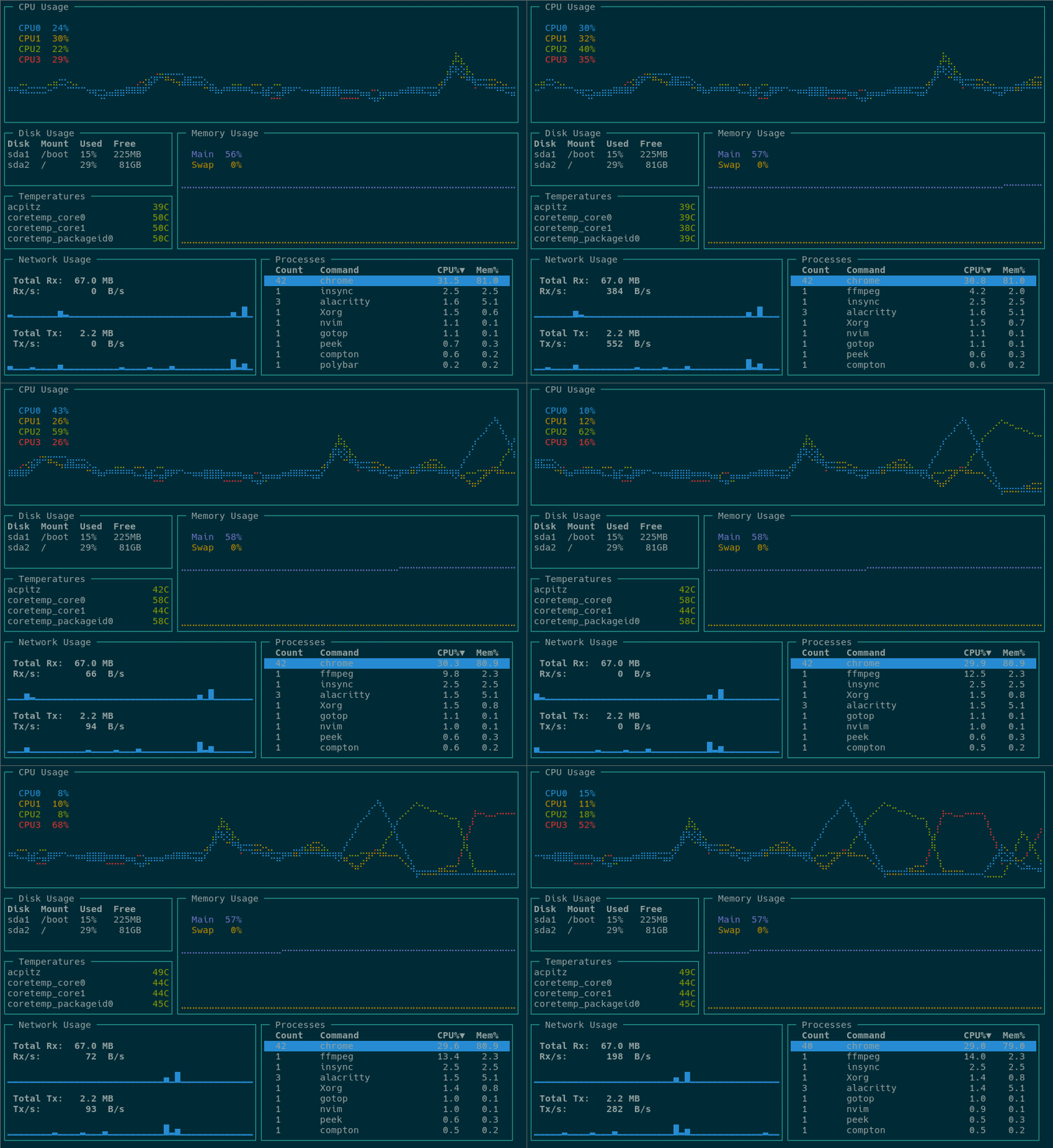
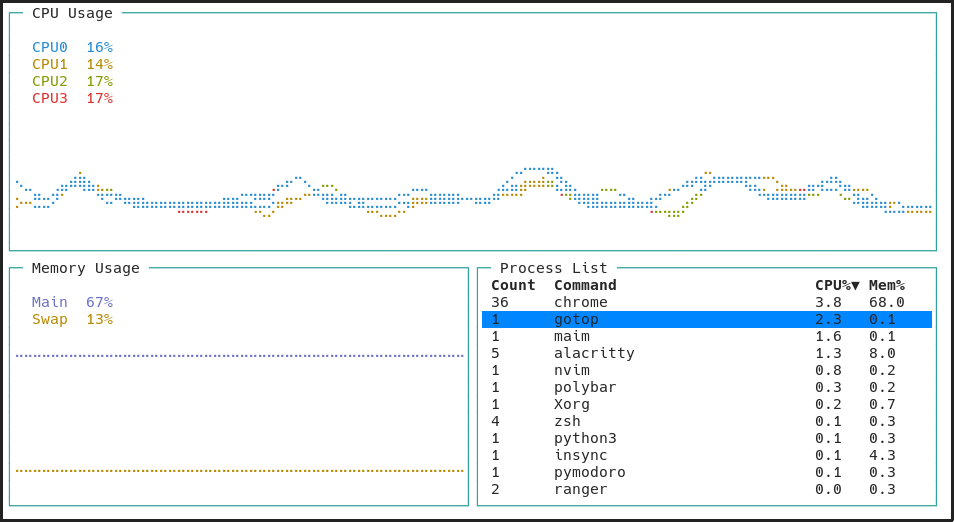
ytop currently works on Linux and macOS with support planned for all major platforms.

ytop is available in three different AUR packages: ytop, ytop-bin, and ytop-git.
ytop is also available in COPR:
sudo dnf copr enable atim/ytop -y
sudo dnf install ytop
brew tap cjbassi/ytop
brew install ytop
Prebuilt binaries are provided in the releases tab.
cargo install ytop
q or <C-c><Space>k and <Up>: upj and <Down>: down<C-u>: half page up<C-d>: half page down<C-b>: full page up<C-f>: full page downgg and <Home>: jump to topG and <End>: jump to bottom<Tab>: toggle process groupingdd: kill selected process or process groupp: PID/Countn: Commandc: CPUm: Mem/: start editing filter<Enter>: accept filter<C-c> and <Escape>: clear filterh: scale inl: scale out?: toggles keybind help menuytop ships with a few colorschemes which can be set with the -c flag followed by the name of one. You can find all the colorschemes in the colorschemes folder.
To make a custom colorscheme, copy one of the default ones to ~/.config/ytop/<new-name>.json and load it with ytop -c <new-name>. Colorscheme PRs are welcome!
USAGE:
    ytop [FLAGS] [OPTIONS]

FLAGS:
    -a, --average-cpu    Show average CPU in the CPU widget
    -b, --battery        Show Battery widget (overridden by 'minimal' flag)
    -f, --fahrenheit     Show temperatures in fahrenheit
    -h, --help           Prints help information
    -m, --minimal        Only show the CPU, Mem, and Process widgets
    -p, --per-cpu        Show each CPU in the CPU widget
    -s, --statusbar      Show a statusbar with the time
    -V, --version        Prints version information

OPTIONS:
    -c, --colorscheme <colorscheme>    Set a colorscheme [default: default]
    -i, --interface <interface>        The name of the network interface to show in the Net widget. 'all' shows all
                                       interfaces [default: all]
    -I, --interval <interval>          Interval in seconds between updates of the CPU and Mem widgets. Can specify
                                       either a whole number or a fraction with a numerator of 1 [default: 1]
(top 24 of 47)
208 followers · starred Jan 2020
304 followers · starred Apr 2020
489 followers · starred Jan 2020
71 followers · starred Mar 2020
Another TUI based system monitor, this time in Rust!
ytop currently works on Linux and macOS with support planned for all major platforms.
ytop is available in three different AUR packages: ytop, ytop-bin, and ytop-git.
ytop is also available in COPR:
sudo dnf copr enable atim/ytop -y
sudo dnf install ytop
brew tap cjbassi/ytop
brew install ytop
Prebuilt binaries are provided in the releases tab.
cargo install ytop
q or <C-c><Space>k and <Up>: upj and <Down>: down<C-u>: half page up<C-d>: half page down<C-b>: full page up<C-f>: full page downgg and <Home>: jump to topG and <End>: jump to bottom<Tab>: toggle process groupingdd: kill selected process or process groupp: PID/Countn: Commandc: CPUm: Mem/: start editing filter<Enter>: accept filter<C-c> and <Escape>: clear filterh: scale inl: scale out?: toggles keybind help menuytop ships with a few colorschemes which can be set with the -c flag followed by the name of one. You can find all the colorschemes in the colorschemes folder.
To make a custom colorscheme, copy one of the default ones to ~/.config/ytop/<new-name>.json and load it with ytop -c <new-name>. Colorscheme PRs are welcome!
USAGE:
    ytop [FLAGS] [OPTIONS]

FLAGS:
    -a, --average-cpu    Show average CPU in the CPU widget
    -b, --battery        Show Battery widget (overridden by 'minimal' flag)
    -f, --fahrenheit     Show temperatures in fahrenheit
    -h, --help           Prints help information
    -m, --minimal        Only show the CPU, Mem, and Process widgets
    -p, --per-cpu        Show each CPU in the CPU widget
    -s, --statusbar      Show a statusbar with the time
    -V, --version        Prints version information

OPTIONS:
    -c, --colorscheme <colorscheme>    Set a colorscheme [default: default]
    -i, --interface <interface>        The name of the network interface to show in the Net widget. 'all' shows all
                                       interfaces [default: all]
    -I, --interval <interval>          Interval in seconds between updates of the CPU and Mem widgets. Can specify
                                       either a whole number or a fraction with a numerator of 1 [default: 1]
(top 24 of 47)
208 followers · starred Jan 2020
304 followers · starred Apr 2020
489 followers · starred Jan 2020
71 followers · starred Mar 2020



