Training-free diffusion inpainting and outpainting with LanPaint, built on Hugging Face Diffusers.
diffusers library only. No ComfyUI or other graph-based UI dependency.flux-klein)z-image)krea2)sd3)qwen) — thanks @spartanz51requirements.txt);cd LanPaint-diffusers # or your clone path
python -m venv .venv
source .venv/bin/activate # Windows: .venv\Scripts\activate
pip install --upgrade pip
pip install -r requirements.txt
If you need a different PyTorch/CUDA build, install PyTorch first, then:
pip install -r requirements.txt --no-deps
Verify:
python -c "import torch, diffusers, LanPaint; print(torch.__version__, diffusers.__version__)"
python run_lanpaint.py --list-models
We recommend using the example commands in run_lanpaint.sh. Uncomment the block you need (or run it as-is if one is already uncommented), then:
./run_lanpaint.sh
# or: bash run_lanpaint.sh
The script includes ready-to-run examples for:
python run_lanpaint.py --list-models--outpaint-pad)Quick reference (same CLI, custom args):
--model <name> --prompt "..." --image <path-or-URL> --mask <path-or-URL>--model <name> --prompt "..." --image <path> --outpaint-pad l200r200t200b200 (no --mask; do not use --height/--width with --outpaint-pad)Useful options: --guidance-scale, --num-steps, --seed, --output <path>, --model-id <hf-or-local-path>, --save-preprocess-dir <dir>, --local-files-only
--mask)The pipeline supports both standalone mask images and RGBA masks:
L mode or RGB converted to grayscale):
Below are visual examples for flux-klein, z-image, krea2, and qwen.
| Original | Masked | Diffusers Version | ComfyUI Version |
|---|---|---|---|
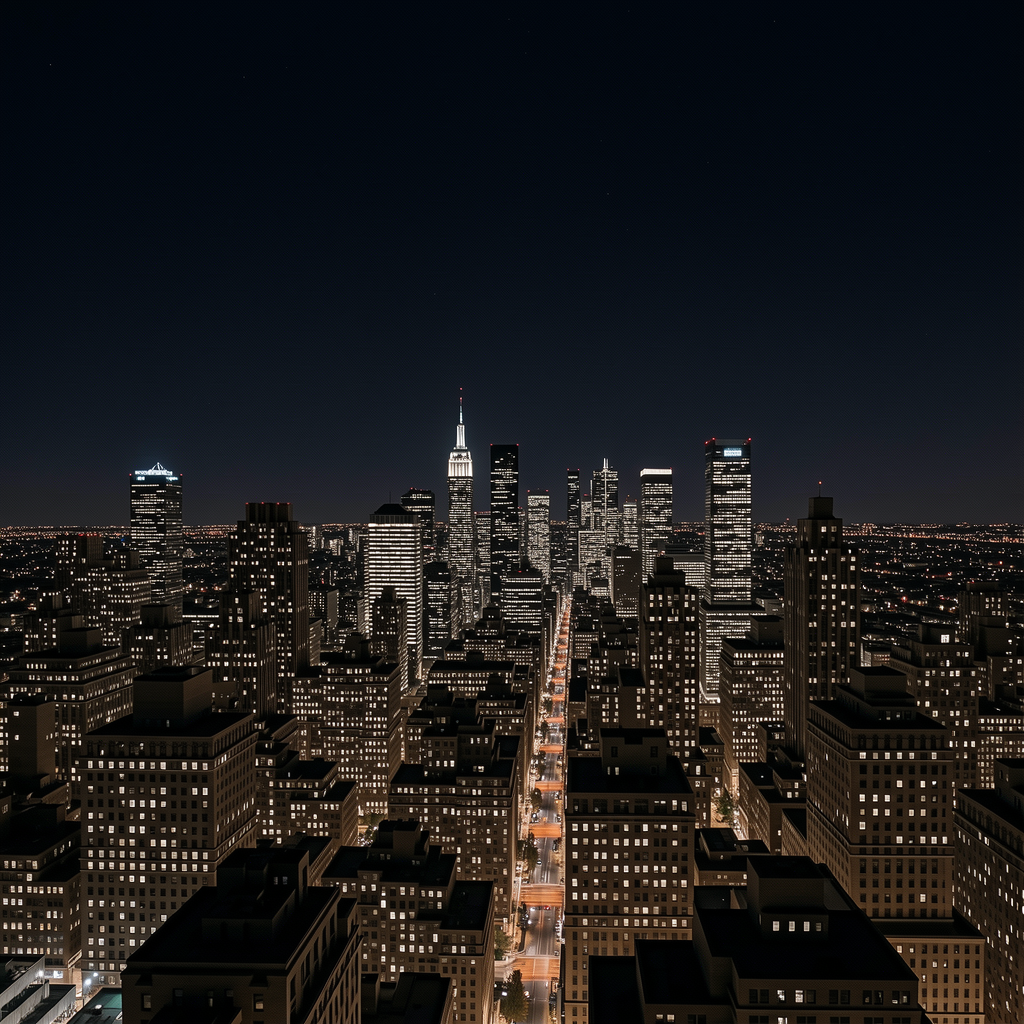 | 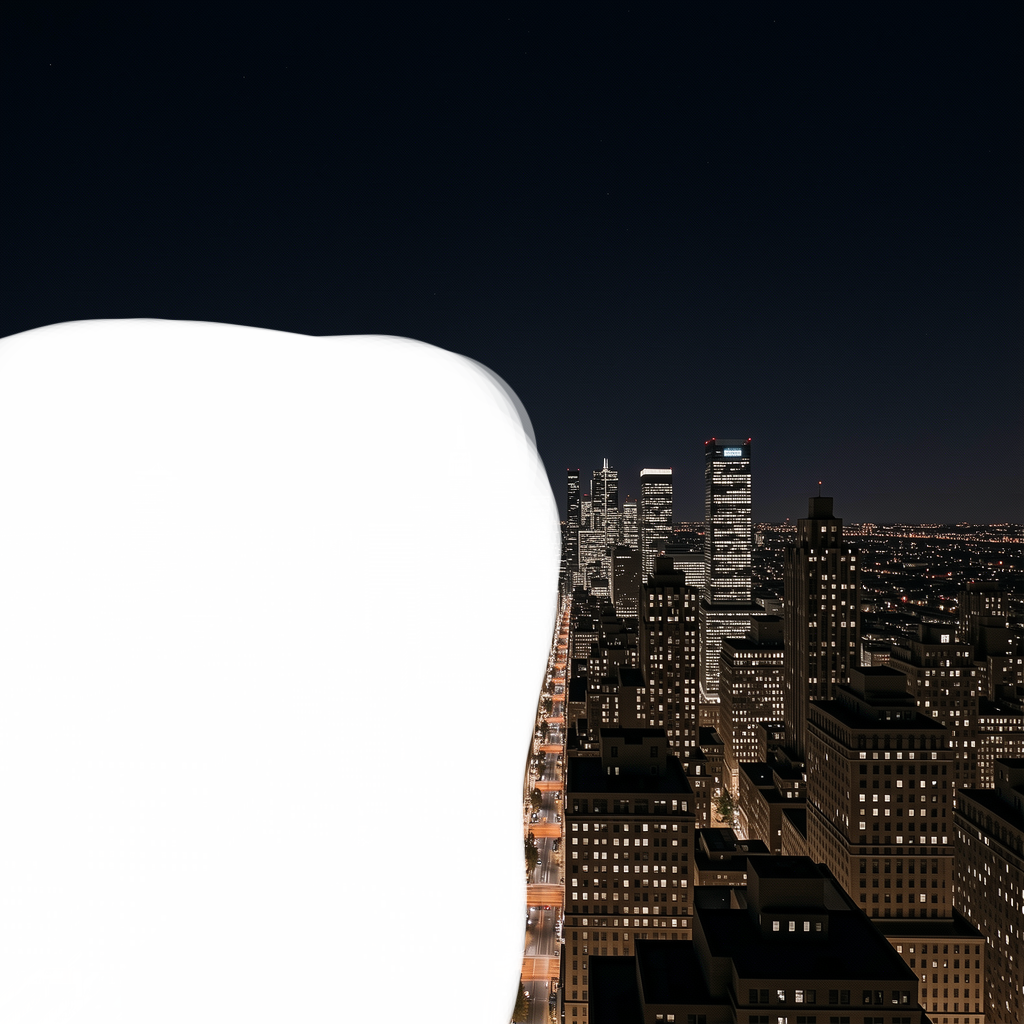 | 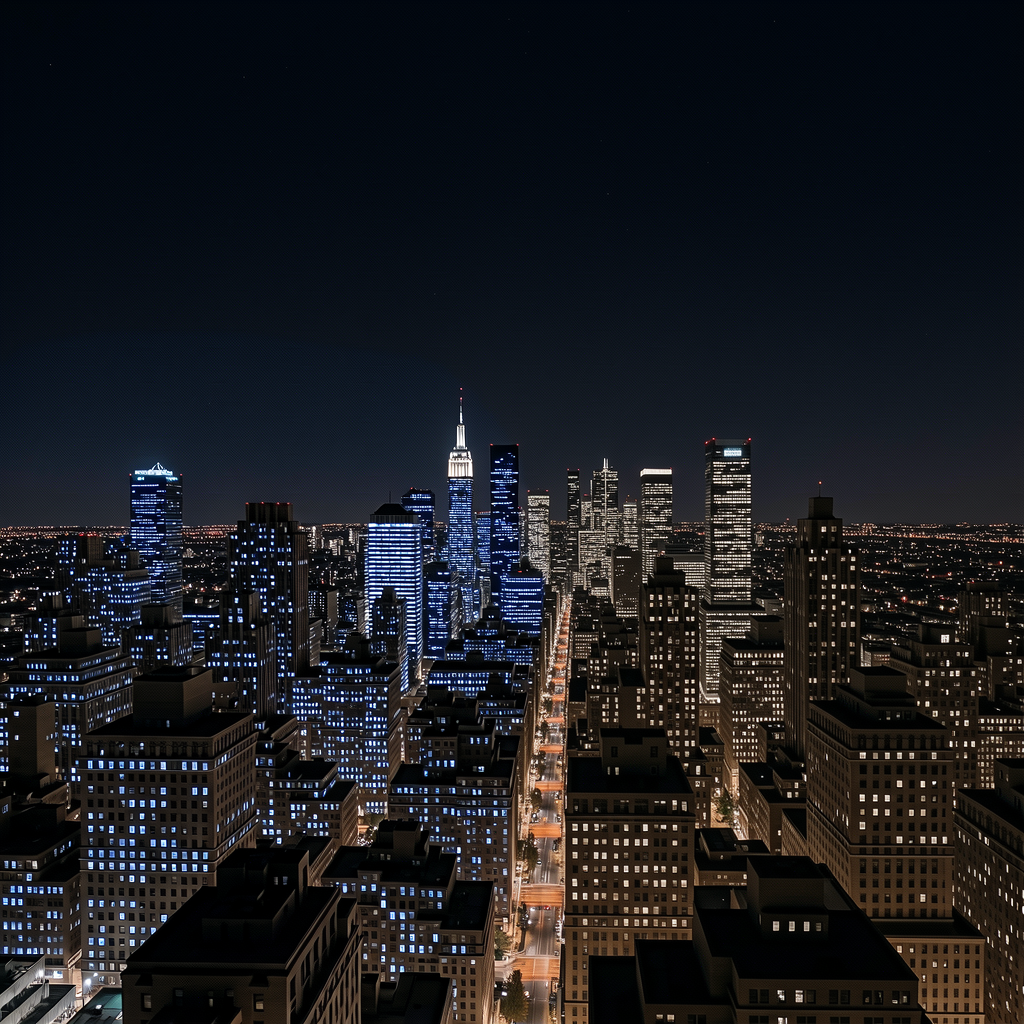 | 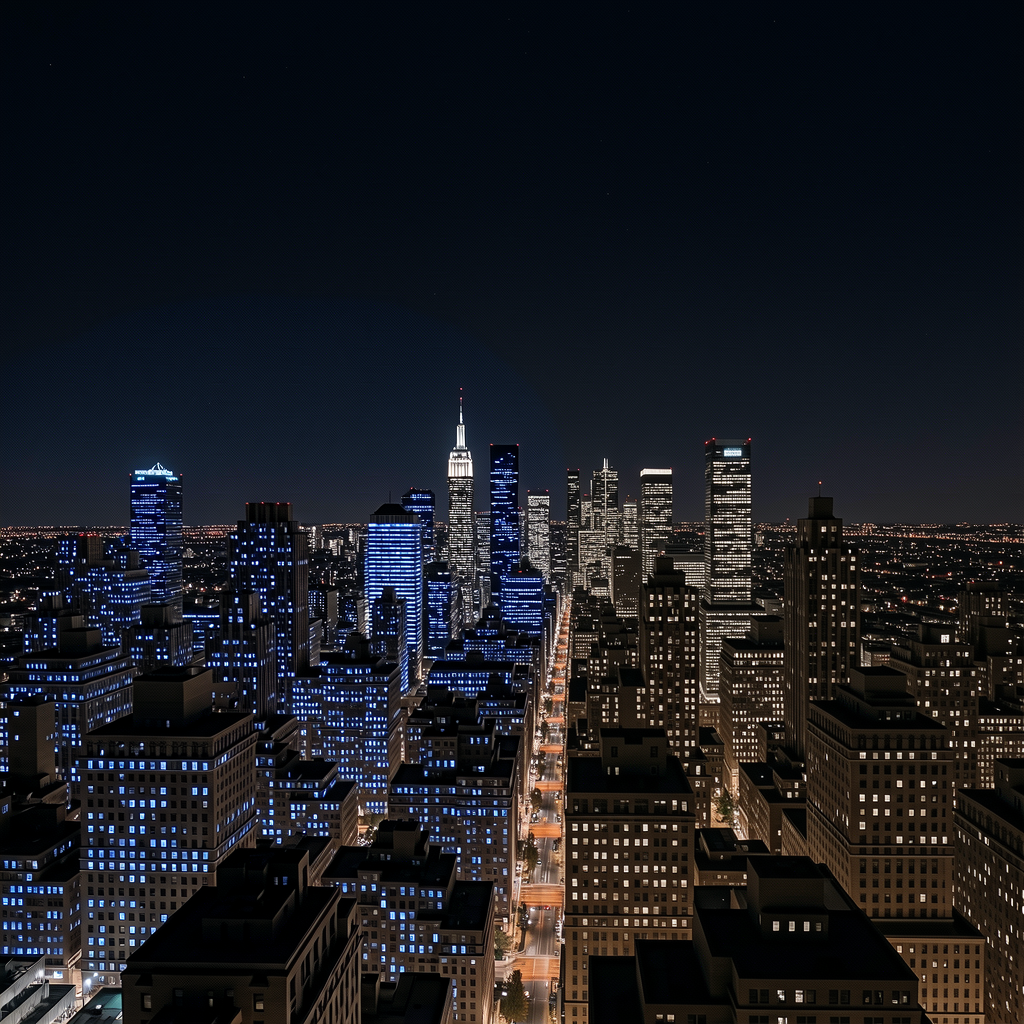 |
| Original | Masked | Diffusers Version | ComfyUI Version |
|---|---|---|---|
 |  | 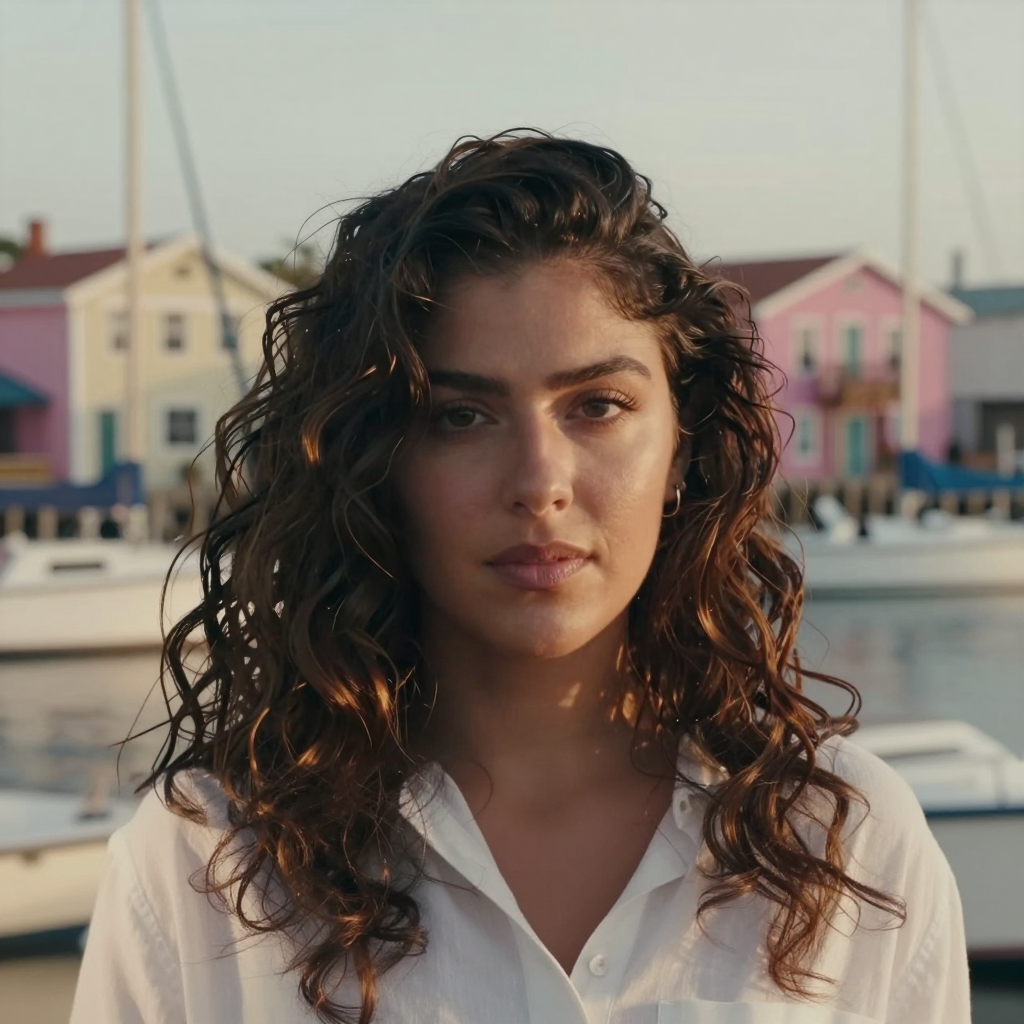 | 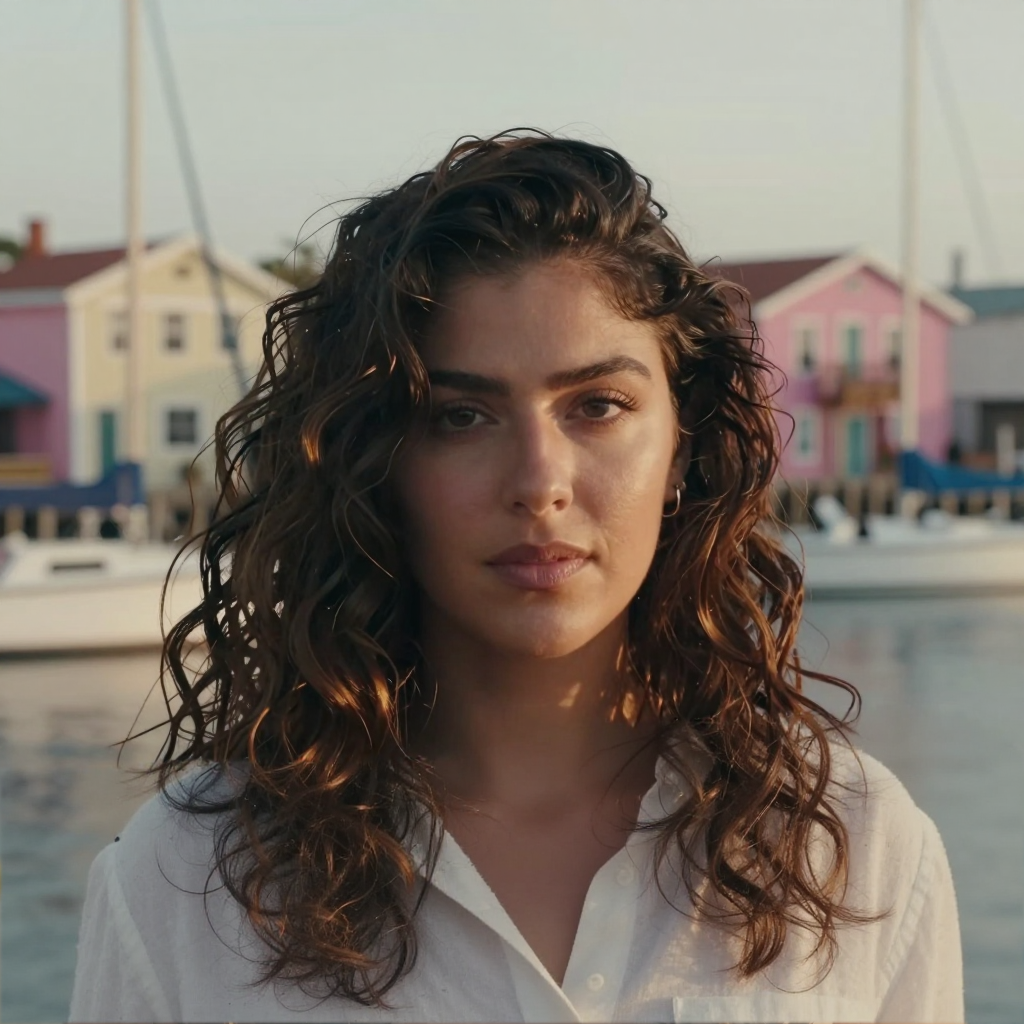 |
| Original | Masked | Diffusers Version | ComfyUI Version |
|---|---|---|---|
 |  |  | 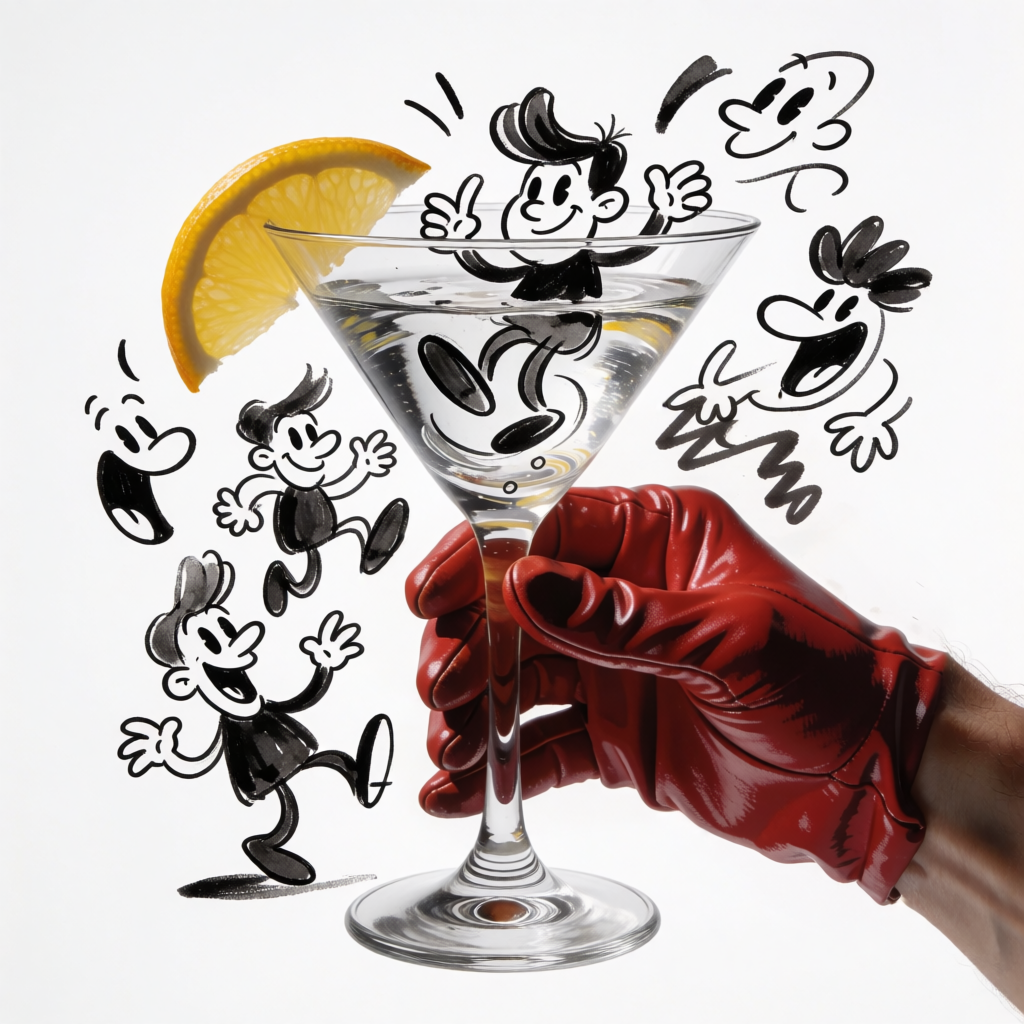 |
| Original | Masked | Diffusers Version | ComfyUI Version |
|---|---|---|---|
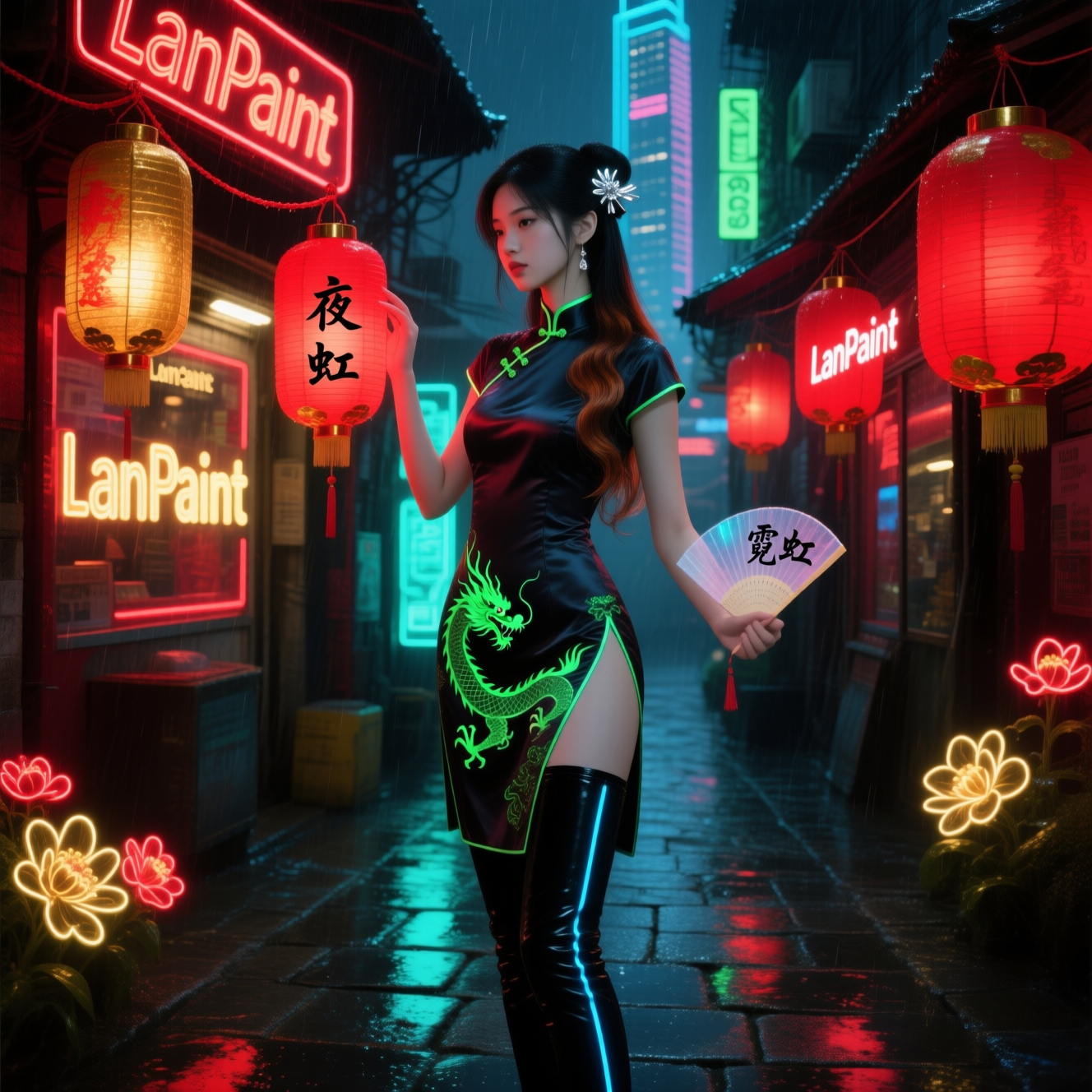 | 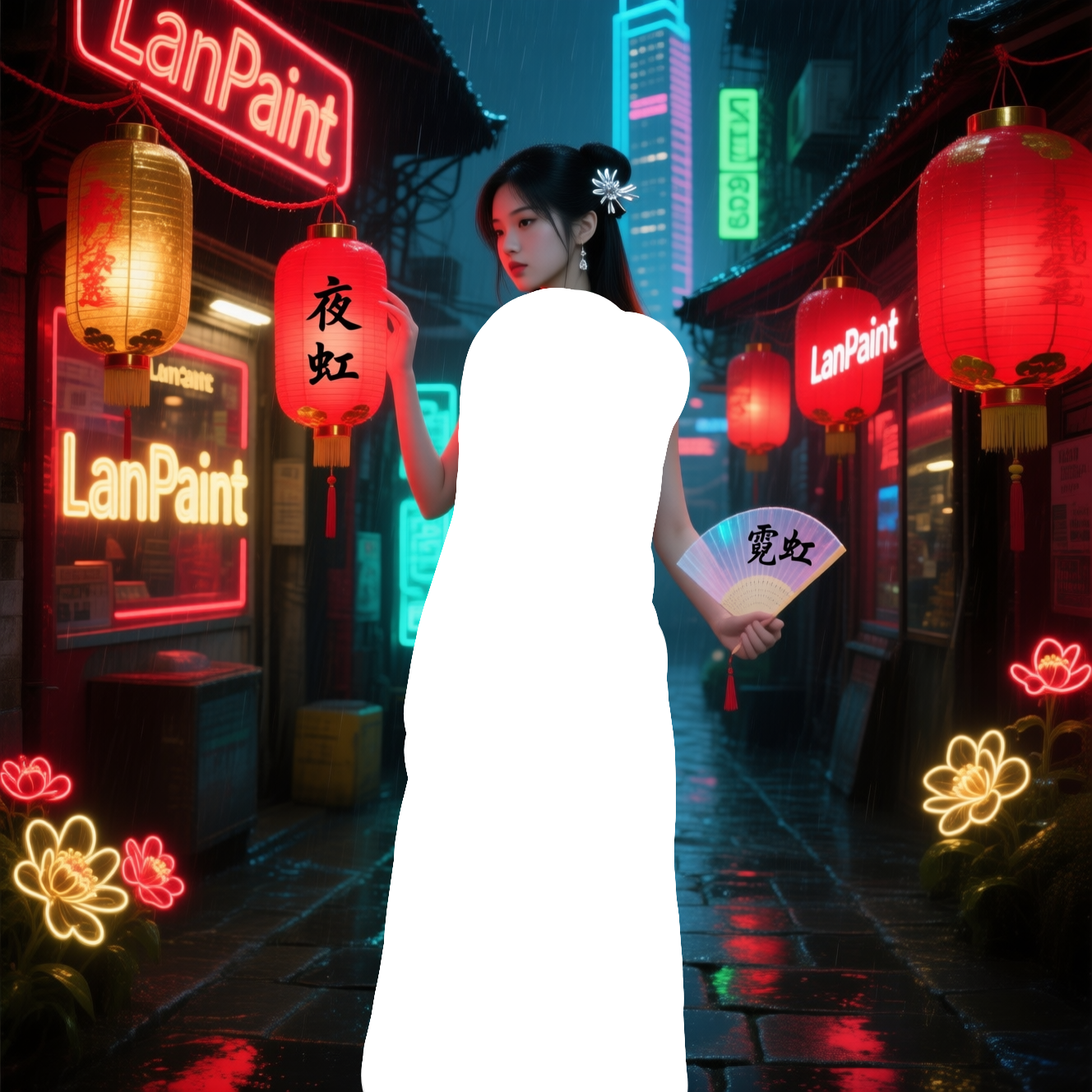 | 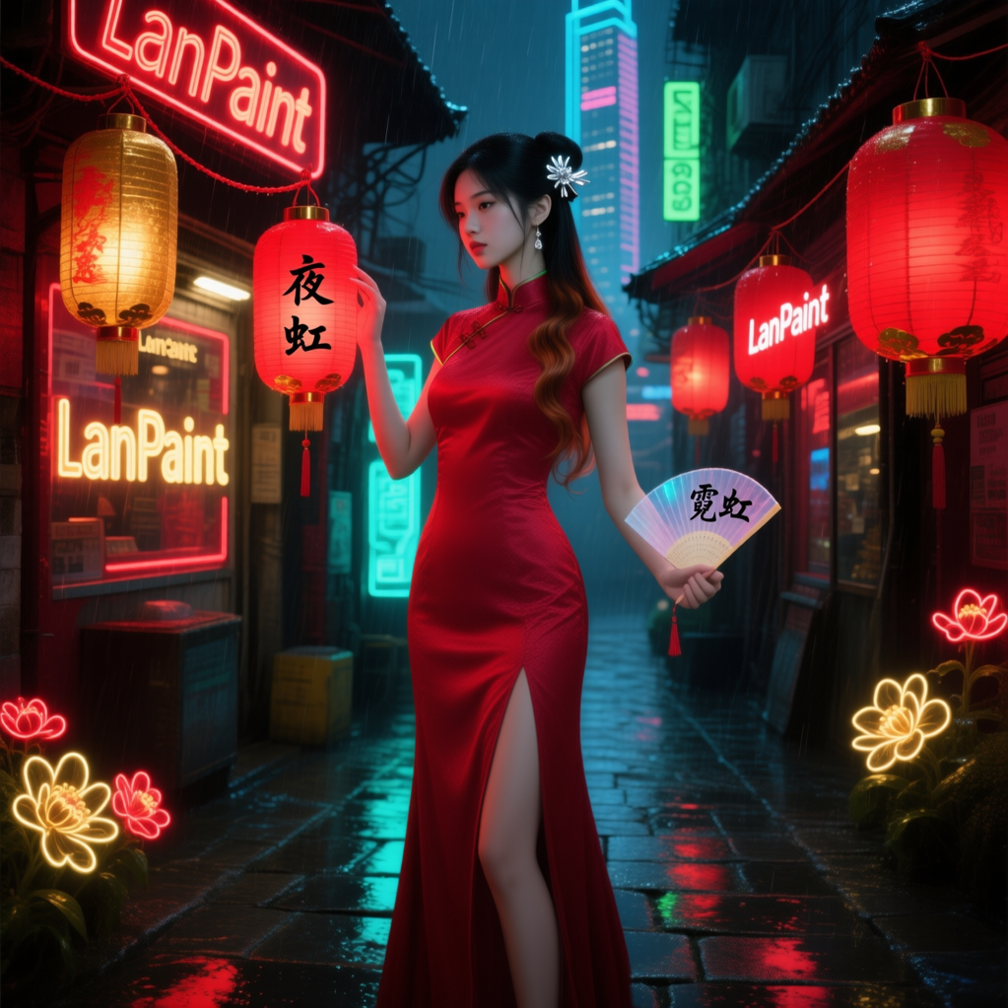 | 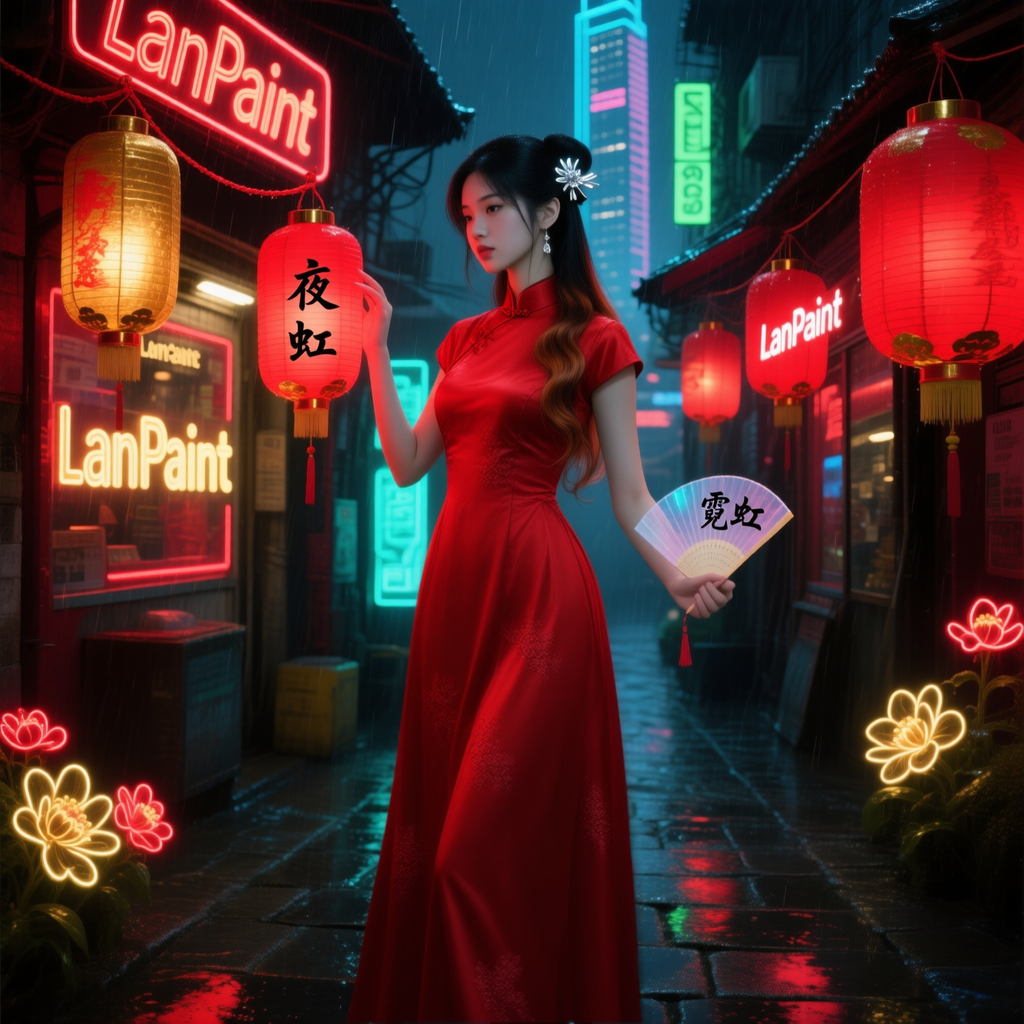 |
LanPaint-diffusers/
├── README.md
├── requirements.txt
├── run_lanpaint.py      # Unified CLI
├── run_lanpaint.sh      # Example commands
└── lanpaint_pipeline/
    ├── __init__.py
    ├── model_adapter.py   # Abstract adapter interface
    ├── pipeline.py        # LanPaintInpaintPipeline (orchestrator)
    ├── registry.py        # Model registry (flux-klein, sd3, z-image, krea2, qwen)
    ├── utils.py           # Blend, time helpers, image loading
    └── adapters/
        ├── __init__.py
        ├── flux_klein.py  # Flux2KleinAdapter
        ├── krea2.py       # Krea2Adapter
        ├── qwen.py        # QwenAdapter
        ├── sd3.py         # SD3Adapter
        └── z_image.py     # ZImageAdapter
pipeline.py): model-agnostic flow (preprocess → encode → LanPaint Langevin + scheduler loop → decode → blend).model_adapter.py): abstract interface (encode_prompt, encode_and_prepare, mask_to_latent_space, prepare_timesteps, predict_x0, decode_latents). Each backend implements one adapter in adapters/.registry.py): maps model keys to pipeline class, adapter class, and default config; adding a model is done by registering one entry.If you use this repository or LanPaint in your work, please cite:
@article{
zheng2025lanpaint,
title={LanPaint: Training-Free Diffusion Inpainting with Asymptotically Exact and Fast Conditional Sampling},
author={Candi Zheng and Yuan Lan and Yang Wang},
journal={Transactions on Machine Learning Research},
issn={2835-8856},
year={2025},
url={https://openreview.net/forum?id=JPC8JyOUSW},
note={}
}
Training-free diffusion inpainting and outpainting with LanPaint, built on Hugging Face Diffusers.
diffusers library only. No ComfyUI or other graph-based UI dependency.flux-klein)z-image)krea2)sd3)qwen) — thanks @spartanz51requirements.txt);cd LanPaint-diffusers # or your clone path
python -m venv .venv
source .venv/bin/activate # Windows: .venv\Scripts\activate
pip install --upgrade pip
pip install -r requirements.txt
If you need a different PyTorch/CUDA build, install PyTorch first, then:
pip install -r requirements.txt --no-deps
Verify:
python -c "import torch, diffusers, LanPaint; print(torch.__version__, diffusers.__version__)"
python run_lanpaint.py --list-models
We recommend using the example commands in run_lanpaint.sh. Uncomment the block you need (or run it as-is if one is already uncommented), then:
./run_lanpaint.sh
# or: bash run_lanpaint.sh
The script includes ready-to-run examples for:
python run_lanpaint.py --list-models--outpaint-pad)Quick reference (same CLI, custom args):
--model <name> --prompt "..." --image <path-or-URL> --mask <path-or-URL>--model <name> --prompt "..." --image <path> --outpaint-pad l200r200t200b200 (no --mask; do not use --height/--width with --outpaint-pad)Useful options: --guidance-scale, --num-steps, --seed, --output <path>, --model-id <hf-or-local-path>, --save-preprocess-dir <dir>, --local-files-only
--mask)The pipeline supports both standalone mask images and RGBA masks:
L mode or RGB converted to grayscale):
Below are visual examples for flux-klein, z-image, krea2, and qwen.
| Original | Masked | Diffusers Version | ComfyUI Version |
|---|---|---|---|
| | | |
| Original | Masked | Diffusers Version | ComfyUI Version |
|---|---|---|---|
| | | |
| Original | Masked | Diffusers Version | ComfyUI Version |
|---|---|---|---|
| | | |
| Original | Masked | Diffusers Version | ComfyUI Version |
|---|---|---|---|
| | | |
LanPaint-diffusers/
├── README.md
├── requirements.txt
├── run_lanpaint.py      # Unified CLI
├── run_lanpaint.sh      # Example commands
└── lanpaint_pipeline/
    ├── __init__.py
    ├── model_adapter.py   # Abstract adapter interface
    ├── pipeline.py        # LanPaintInpaintPipeline (orchestrator)
    ├── registry.py        # Model registry (flux-klein, sd3, z-image, krea2, qwen)
    ├── utils.py           # Blend, time helpers, image loading
    └── adapters/
        ├── __init__.py
        ├── flux_klein.py  # Flux2KleinAdapter
        ├── krea2.py       # Krea2Adapter
        ├── qwen.py        # QwenAdapter
        ├── sd3.py         # SD3Adapter
        └── z_image.py     # ZImageAdapter
pipeline.py): model-agnostic flow (preprocess → encode → LanPaint Langevin + scheduler loop → decode → blend).model_adapter.py): abstract interface (encode_prompt, encode_and_prepare, mask_to_latent_space, prepare_timesteps, predict_x0, decode_latents). Each backend implements one adapter in adapters/.registry.py): maps model keys to pipeline class, adapter class, and default config; adding a model is done by registering one entry.If you use this repository or LanPaint in your work, please cite:
@article{
zheng2025lanpaint,
title={LanPaint: Training-Free Diffusion Inpainting with Asymptotically Exact and Fast Conditional Sampling},
author={Candi Zheng and Yuan Lan and Yang Wang},
journal={Transactions on Machine Learning Research},
issn={2835-8856},
year={2025},
url={https://openreview.net/forum?id=JPC8JyOUSW},
note={}
}