
Qwen-Image-2.1 Uncensored GGUF on free Kaggle T4 (ComfyUI) with a ChatGPT-style mini UI + tunnel
See the codeREADME
Qwen-Image-2.1 (Uncensored GGUF) on Kaggle T4 — with a ChatGPT-style front end



We run abenzerps/Qwen-Image-2.1-Uncensored-GGUF
on a free Kaggle T4 via ComfyUI + ComfyUI-GGUF, and expose it through a tunnel as a dead-simple
website: type a prompt → get an image. No ComfyUI graph-building required for daily use.
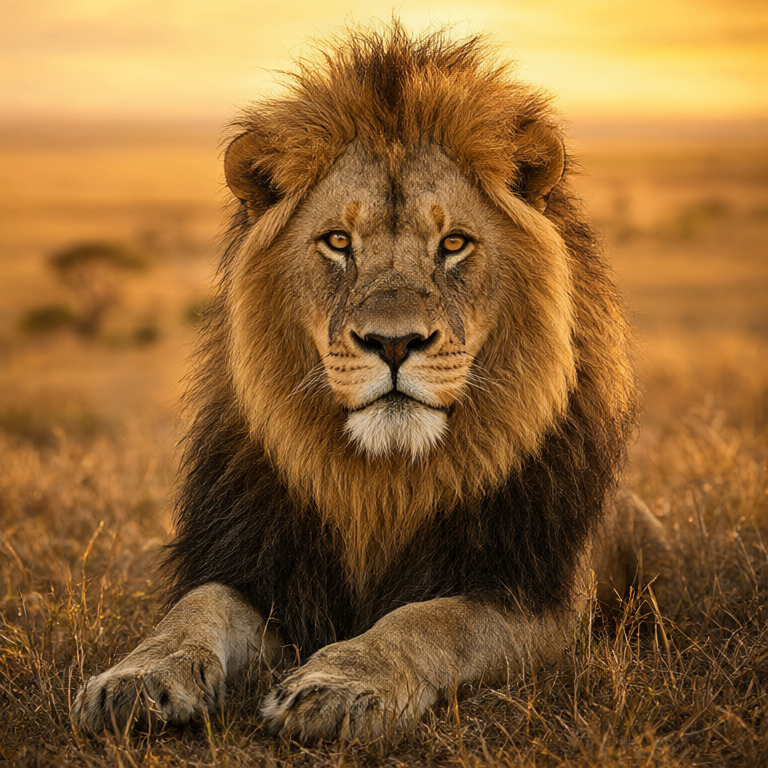
Demo: "majestic lion portrait at golden hour" — generated remotely through the tunnel.
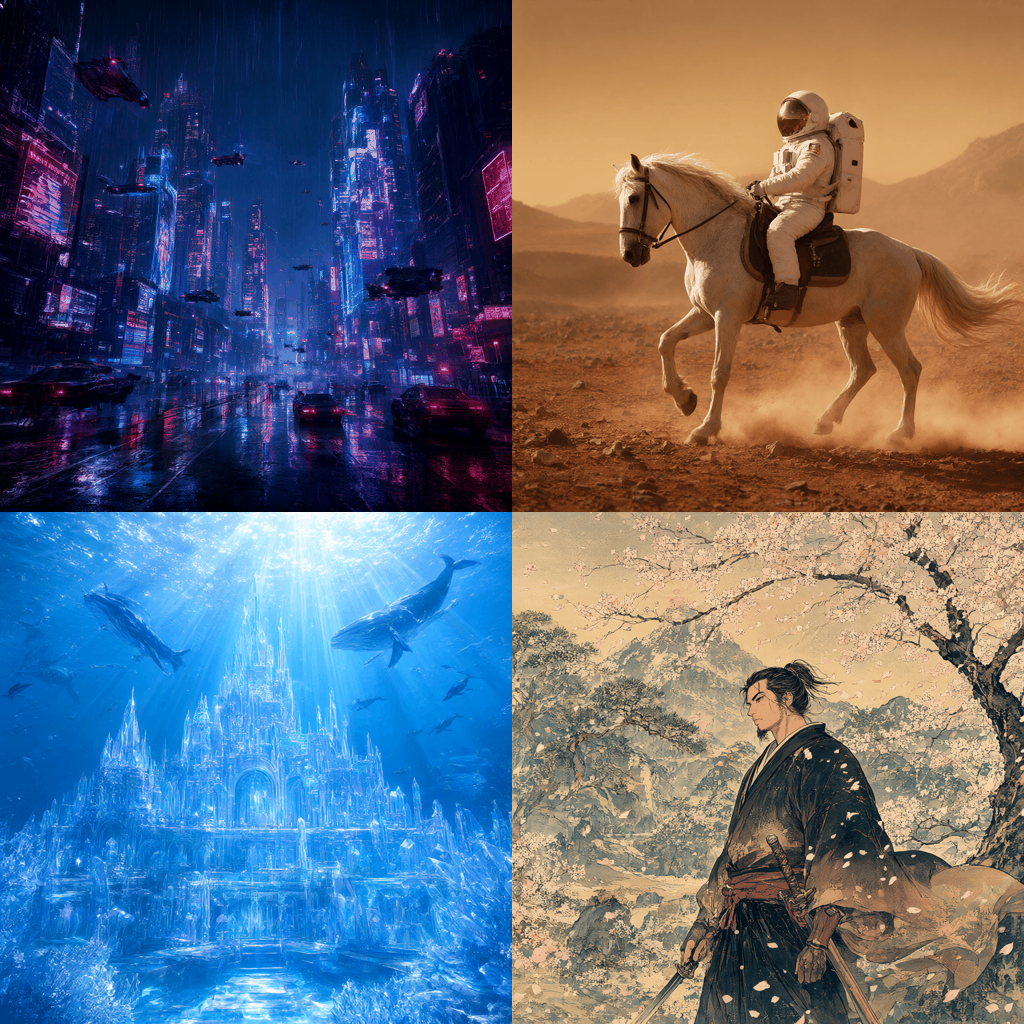
Cyberpunk city, Mars astronaut, underwater palace, ukiyo-e samurai — same model, same GPU.
Everything here was built iteratively and verified end-to-end with the Kaggle CLI (push → run → logs): full run, first image, tunnel serving, and remote generation.
How it works
browser / client/generate.py
        │  HTTPS (cloudflared or pinggy tunnel, ~8h sessions)
        ▼
server/mini_ui.py  (:8189, ~4KB page, stdlib only)
        │  ComfyUI API on localhost
        ▼
ComfyUI + leejet/ComfyUI-GGUF  (:8188, --lowvram)
  UnetLoaderGGUF (Q4_K_M, 4.6GB, stays in VRAM)
  + CLIPLoader qwen_image (int8 encoder, 9.35GB, CPU offload)
  + VAE (676MB) → KSampler (euler/simple, cfg 1.0) → PNG
Why this stack: the GGUF quant is what fits a 16GB T4; the int8 text encoder lives in system RAM
(encoding runs once per prompt, so speed is unaffected); cfg=1.0 keeps sampling to one pass per step.
Q8_0 is deliberately avoided — upstream warns of a [136] vs [128] shape mismatch on some setups.
Measured numbers (Kaggle 2×T4, timed A/B, same prompt family)
Speed — sampling time per image (model already loaded):
| Size / steps | GGUF Q4_K_M | Official int8 | Winner |
|---|---|---|---|
| 768² / 20 | ~250s | ~115s | int8, 2.2× |
| 1024² / 25 | ~560s | ~280s | int8, 2.0× |
| 512² / 10 | ~70s | ~30s | int8, 2.3× |
Cold start (first image incl. weight loading): int8 ~160s vs GGUF ~250s. Full session overhead: setup ~4 min + server boot ~40s.
Quality — sharpness / brightness / contrast per image (higher sharpness = more detail):
| Image | GGUF sharp | int8 sharp |
|---|---|---|
| 768²/20 seed A | 845 | 757 |
| 768²/20 seed B | 452 | 461 |
| 1024²/25 | 545 | 563 |
| 512²/10 | 426 | 395 |
No systematic quality loss from int8: seed-to-seed variance (845 vs 452 on the same backend) dwarfs backend-to-backend differences. Brightness/contrast are near-identical everywhere.
Correction note: two early "~5s" readings turned out to be a repeat-identical-prompt cache artifact (bit-identical stats on re-queue), not real sampling speed. The table above uses distinct seeds and is consistent across 14 timed generations.
Turbo deep-dive (2026-09-21): what actually makes it fast
Biggest finding: the int8 backend samples ~2.2× faster than GGUF at every size (native int8 kernels beat per-step GGUF dequant on the T4), with no quality loss. Second finding: cold starts dominate — first image pays 3–4 min of one-time weight loading (mostly the 8.7GB text encoder), so a persistent session (like our mini-UI service) amortizes that over many images.
Technique shootout for Qwen-Image-2.1 on T4 (sm_75):
| Technique | Verdict | Why |
|---|---|---|
Official int8 diffusion (7.26GB, UNETLoader) | ✅ adopted — ~2.2× faster sampling at all sizes, faster cold start, quality tied | Native int8 kernels, no custom fork, fits 15GB VRAM |
| GGUF Q4_K_M (4.6GB) | ✅ fallback — smaller download, ~2.2× slower sampling | Kept as SERVE_DIFFUSION="gguf" option |
| Lightning/distilled LoRA | ❌ doesn't exist for the 2.1 7B arch (v1 LoRAs incompatible) | Verified via vendor note |
TeaCache (welltop-cn) | ❌ no Qwen coefficients in source → raises ValueError | Read the node source; FLUX coeffs don't transfer (2.1 is single-stream) |
| SageAttention | ❌ upstream wontfix on sm_75; Turing forks slower than xformers | Issues + benchmarks |
torch.compile | ❌ custom quant ops + multi-min warmup on Kaggle | Wrong tradeoff for short sessions |
| FP8 weights | ❌ needs sm_89+ (Ada); T4 is sm_75 | Hardware wall |
| Fewer steps / smaller latents | ✅ already shipped as FAST_MODE (768²/20) | ~2× vs 1024²/25 at same quality class |
Quickstart — Kaggle (recommended)
- Kaggle → create a notebook → Accelerator: GPU T4 x2, Internet: ON.
- Upload
kaggle/qwen-image-2-1-uncensored-gguf-t4.ipynb(or copy its cells in). - Edit cell 0 if you want (
FAST_MODE, prompt, sizes). Run All. - The tunnel cell prints a public
miniuiURL (~6 min in). Open it anywhere: text box → Generate. - For long sessions set
KEEP_ALIVE_MINUTES(last cell); otherwise the run ends after one image.
Push/update from the CLI (see kaggle/):
kaggle kernels push -p kaggle -t 32400   # 9h window for tunnel use
kaggle kernels status <user>/<slug>
kaggle kernels logs   <user>/<slug> | tail -5
Set id in kaggle/kernel-metadata.json to <your-username>/qwen-image-2-1-uncensored-gguf-t4
(the slug must match what the server derives from the title — see Troubleshooting).
The notebook reports live tunnel URLs to an ntfy.sh topic so you can grab them
via CLI while logs are hidden; replace YOUR_PRIVATE_NTFY_TOPIC in the builders/notebook with
your own random topic (python -c "import secrets; print('t-'+secrets.token_hex(12))").
Quickstart — remote client (no Kaggle tab needed)
While a tunnel run is alive:
python client/generate.py "a fox in a snowy forest at night" \
  --url https://<your-tunnel> --size 768 --steps 20 --out fox.png
Quickstart — ComfyUI UI (advanced)
Load comfy/qwen21_gguf_t4_workflow.json via the ComfyUI menu → Load.
It is pre-wired (GGUF loader → qwen_image CLIP → VAE → sampler) and was validated
socket-by-socket against a live server's /object_info.
Repo map
kaggle/   notebook + kernel-metadata.json (Kaggle push source of truth)
server/   mini_ui.py — stdlib-only prompt→image front end for ComfyUI
client/   generate.py — remote CLI client for the tunnel
comfy/    one-click UI workflow JSON for the tunnel's ComfyUI
tools/    build_notebook.py, build_workflow.py — generators for the above
Regenerate artifacts after editing the builders:
python tools/build_notebook.py   # → kaggle/*.ipynb
python tools/build_workflow.py   # → comfy/*.json
Troubleshooting (all hit during the build)
ModuleNotFoundError: No module named 'trampoline'on server boot → install full ComfyUIrequirements.txt(not--no-deps) +trampoline torchsde. Fixed in the notebook.409 Conflictonkernels push→ the local metadataidslug didn't match the server's slug (2-1vs21). Keep them identical; pull once to see the canonical slug.kernels.get permission deniedon a private kernel → usually a stale/revoked API token; generate a fresh one at kaggle.com/settings/api.- Tunnel page loads forever → trycloudflare throughput can collapse (~80KB/s measured). The mini UI page is ~4KB so it still loads; use it instead of the heavy ComfyUI frontend, or use the pinggy URL the notebook also prints.
Safety & rules
The GGUF release ships no safety checker — output is purely a function of your prompt. Kaggle's terms still apply to what you compute and store, and the law still applies to what you generate (hard lines: minors, real people without consent). Tunnel URLs have no login: anyone with the link spends your GPU quota — don't share them.
Credits & license
- Weights: abenzerps/Qwen-Image-2.1-Uncensored-GGUF (Qwen Research License), via Qwen/Qwen-Image-2.1; runner ComfyUI + leejet/ComfyUI-GGUF.
- Our code in this repo (
server/,client/,tools/, notebook glue): MIT — seeLICENSE. Model weights are not included and stay under their own license.
Similar repos






Qwen-Image-2.1 Uncensored GGUF on free Kaggle T4 (ComfyUI) with a ChatGPT-style mini UI + tunnel
See the codeREADME
Qwen-Image-2.1 (Uncensored GGUF) on Kaggle T4 — with a ChatGPT-style front end
We run abenzerps/Qwen-Image-2.1-Uncensored-GGUF
on a free Kaggle T4 via ComfyUI + ComfyUI-GGUF, and expose it through a tunnel as a dead-simple
website: type a prompt → get an image. No ComfyUI graph-building required for daily use.
Demo: "majestic lion portrait at golden hour" — generated remotely through the tunnel.
Cyberpunk city, Mars astronaut, underwater palace, ukiyo-e samurai — same model, same GPU.
Everything here was built iteratively and verified end-to-end with the Kaggle CLI (push → run → logs): full run, first image, tunnel serving, and remote generation.
How it works
browser / client/generate.py
        │  HTTPS (cloudflared or pinggy tunnel, ~8h sessions)
        ▼
server/mini_ui.py  (:8189, ~4KB page, stdlib only)
        │  ComfyUI API on localhost
        ▼
ComfyUI + leejet/ComfyUI-GGUF  (:8188, --lowvram)
  UnetLoaderGGUF (Q4_K_M, 4.6GB, stays in VRAM)
  + CLIPLoader qwen_image (int8 encoder, 9.35GB, CPU offload)
  + VAE (676MB) → KSampler (euler/simple, cfg 1.0) → PNG
Why this stack: the GGUF quant is what fits a 16GB T4; the int8 text encoder lives in system RAM
(encoding runs once per prompt, so speed is unaffected); cfg=1.0 keeps sampling to one pass per step.
Q8_0 is deliberately avoided — upstream warns of a [136] vs [128] shape mismatch on some setups.
Measured numbers (Kaggle 2×T4, timed A/B, same prompt family)
Speed — sampling time per image (model already loaded):
| Size / steps | GGUF Q4_K_M | Official int8 | Winner |
|---|---|---|---|
| 768² / 20 | ~250s | ~115s | int8, 2.2× |
| 1024² / 25 | ~560s | ~280s | int8, 2.0× |
| 512² / 10 | ~70s | ~30s | int8, 2.3× |
Cold start (first image incl. weight loading): int8 ~160s vs GGUF ~250s. Full session overhead: setup ~4 min + server boot ~40s.
Quality — sharpness / brightness / contrast per image (higher sharpness = more detail):
| Image | GGUF sharp | int8 sharp |
|---|---|---|
| 768²/20 seed A | 845 | 757 |
| 768²/20 seed B | 452 | 461 |
| 1024²/25 | 545 | 563 |
| 512²/10 | 426 | 395 |
No systematic quality loss from int8: seed-to-seed variance (845 vs 452 on the same backend) dwarfs backend-to-backend differences. Brightness/contrast are near-identical everywhere.
Correction note: two early "~5s" readings turned out to be a repeat-identical-prompt cache artifact (bit-identical stats on re-queue), not real sampling speed. The table above uses distinct seeds and is consistent across 14 timed generations.
Turbo deep-dive (2026-09-21): what actually makes it fast
Biggest finding: the int8 backend samples ~2.2× faster than GGUF at every size (native int8 kernels beat per-step GGUF dequant on the T4), with no quality loss. Second finding: cold starts dominate — first image pays 3–4 min of one-time weight loading (mostly the 8.7GB text encoder), so a persistent session (like our mini-UI service) amortizes that over many images.
Technique shootout for Qwen-Image-2.1 on T4 (sm_75):
| Technique | Verdict | Why |
|---|---|---|
Official int8 diffusion (7.26GB, UNETLoader) | ✅ adopted — ~2.2× faster sampling at all sizes, faster cold start, quality tied | Native int8 kernels, no custom fork, fits 15GB VRAM |
| GGUF Q4_K_M (4.6GB) | ✅ fallback — smaller download, ~2.2× slower sampling | Kept as SERVE_DIFFUSION="gguf" option |
| Lightning/distilled LoRA | ❌ doesn't exist for the 2.1 7B arch (v1 LoRAs incompatible) | Verified via vendor note |
TeaCache (welltop-cn) | ❌ no Qwen coefficients in source → raises ValueError | Read the node source; FLUX coeffs don't transfer (2.1 is single-stream) |
| SageAttention | ❌ upstream wontfix on sm_75; Turing forks slower than xformers | Issues + benchmarks |
torch.compile | ❌ custom quant ops + multi-min warmup on Kaggle | Wrong tradeoff for short sessions |
| FP8 weights | ❌ needs sm_89+ (Ada); T4 is sm_75 | Hardware wall |
| Fewer steps / smaller latents | ✅ already shipped as FAST_MODE (768²/20) | ~2× vs 1024²/25 at same quality class |
Quickstart — Kaggle (recommended)
- Kaggle → create a notebook → Accelerator: GPU T4 x2, Internet: ON.
- Upload
kaggle/qwen-image-2-1-uncensored-gguf-t4.ipynb(or copy its cells in). - Edit cell 0 if you want (
FAST_MODE, prompt, sizes). Run All. - The tunnel cell prints a public
miniuiURL (~6 min in). Open it anywhere: text box → Generate. - For long sessions set
KEEP_ALIVE_MINUTES(last cell); otherwise the run ends after one image.
Push/update from the CLI (see kaggle/):
kaggle kernels push -p kaggle -t 32400   # 9h window for tunnel use
kaggle kernels status <user>/<slug>
kaggle kernels logs   <user>/<slug> | tail -5
Set id in kaggle/kernel-metadata.json to <your-username>/qwen-image-2-1-uncensored-gguf-t4
(the slug must match what the server derives from the title — see Troubleshooting).
The notebook reports live tunnel URLs to an ntfy.sh topic so you can grab them
via CLI while logs are hidden; replace YOUR_PRIVATE_NTFY_TOPIC in the builders/notebook with
your own random topic (python -c "import secrets; print('t-'+secrets.token_hex(12))").
Quickstart — remote client (no Kaggle tab needed)
While a tunnel run is alive:
python client/generate.py "a fox in a snowy forest at night" \
  --url https://<your-tunnel> --size 768 --steps 20 --out fox.png
Quickstart — ComfyUI UI (advanced)
Load comfy/qwen21_gguf_t4_workflow.json via the ComfyUI menu → Load.
It is pre-wired (GGUF loader → qwen_image CLIP → VAE → sampler) and was validated
socket-by-socket against a live server's /object_info.
Repo map
kaggle/   notebook + kernel-metadata.json (Kaggle push source of truth)
server/   mini_ui.py — stdlib-only prompt→image front end for ComfyUI
client/   generate.py — remote CLI client for the tunnel
comfy/    one-click UI workflow JSON for the tunnel's ComfyUI
tools/    build_notebook.py, build_workflow.py — generators for the above
Regenerate artifacts after editing the builders:
python tools/build_notebook.py   # → kaggle/*.ipynb
python tools/build_workflow.py   # → comfy/*.json
Troubleshooting (all hit during the build)
ModuleNotFoundError: No module named 'trampoline'on server boot → install full ComfyUIrequirements.txt(not--no-deps) +trampoline torchsde. Fixed in the notebook.409 Conflictonkernels push→ the local metadataidslug didn't match the server's slug (2-1vs21). Keep them identical; pull once to see the canonical slug.kernels.get permission deniedon a private kernel → usually a stale/revoked API token; generate a fresh one at kaggle.com/settings/api.- Tunnel page loads forever → trycloudflare throughput can collapse (~80KB/s measured). The mini UI page is ~4KB so it still loads; use it instead of the heavy ComfyUI frontend, or use the pinggy URL the notebook also prints.
Safety & rules
The GGUF release ships no safety checker — output is purely a function of your prompt. Kaggle's terms still apply to what you compute and store, and the law still applies to what you generate (hard lines: minors, real people without consent). Tunnel URLs have no login: anyone with the link spends your GPU quota — don't share them.
Credits & license
- Weights: abenzerps/Qwen-Image-2.1-Uncensored-GGUF (Qwen Research License), via Qwen/Qwen-Image-2.1; runner ComfyUI + leejet/ComfyUI-GGUF.
- Our code in this repo (
server/,client/,tools/, notebook glue): MIT — seeLICENSE. Model weights are not included and stay under their own license.