
A polished terminal UI (TUI) for the pi AI coding agent — real-time chat, multi-provider LLMs, tools and sessions. Built with Go and Bubble Tea.
Go
21
106 commits
updated Oct 1, 2026
See what people are saying
README

https://github.com/user-attachments/assets/93bfcae4-b02e-429d-a302-d2df850f71a7





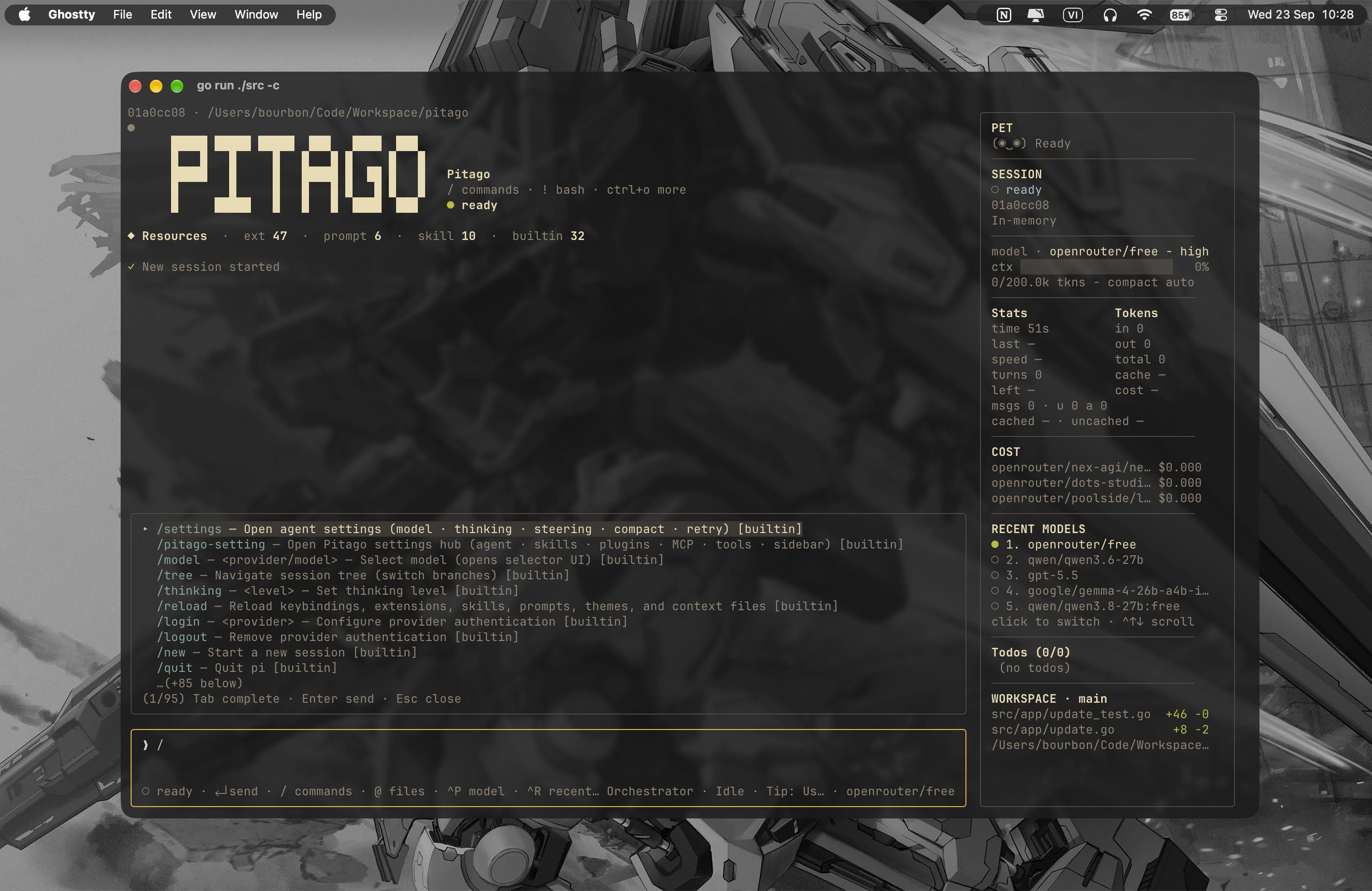
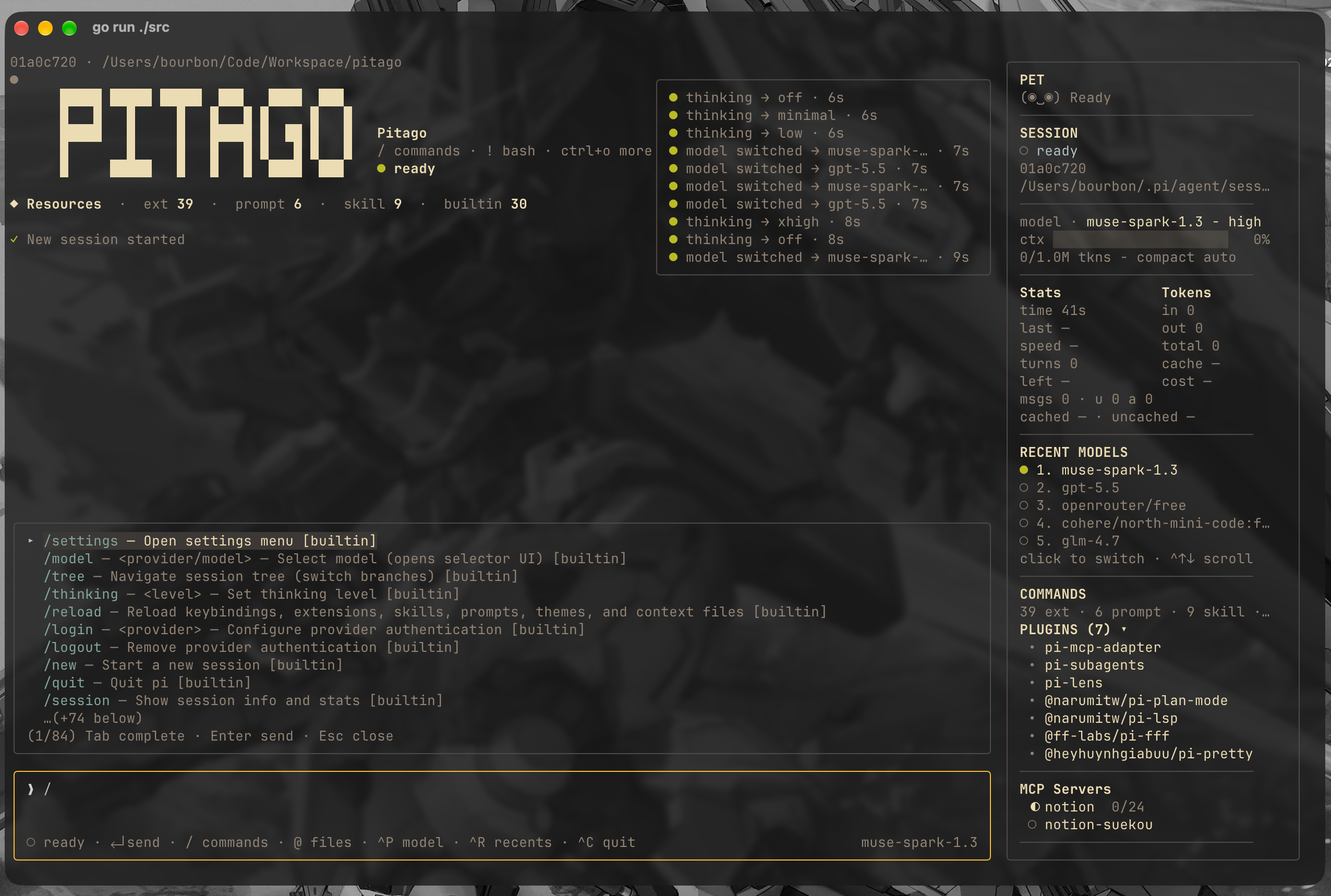
A polished Terminal User Interface (TUI) frontend for the pi agent, built with Bubble Tea. pi --mode rpc serves as the backend (multi-provider, tools, sessions, compaction), while pitago provides a rich terminal interface communicating over JSONL.
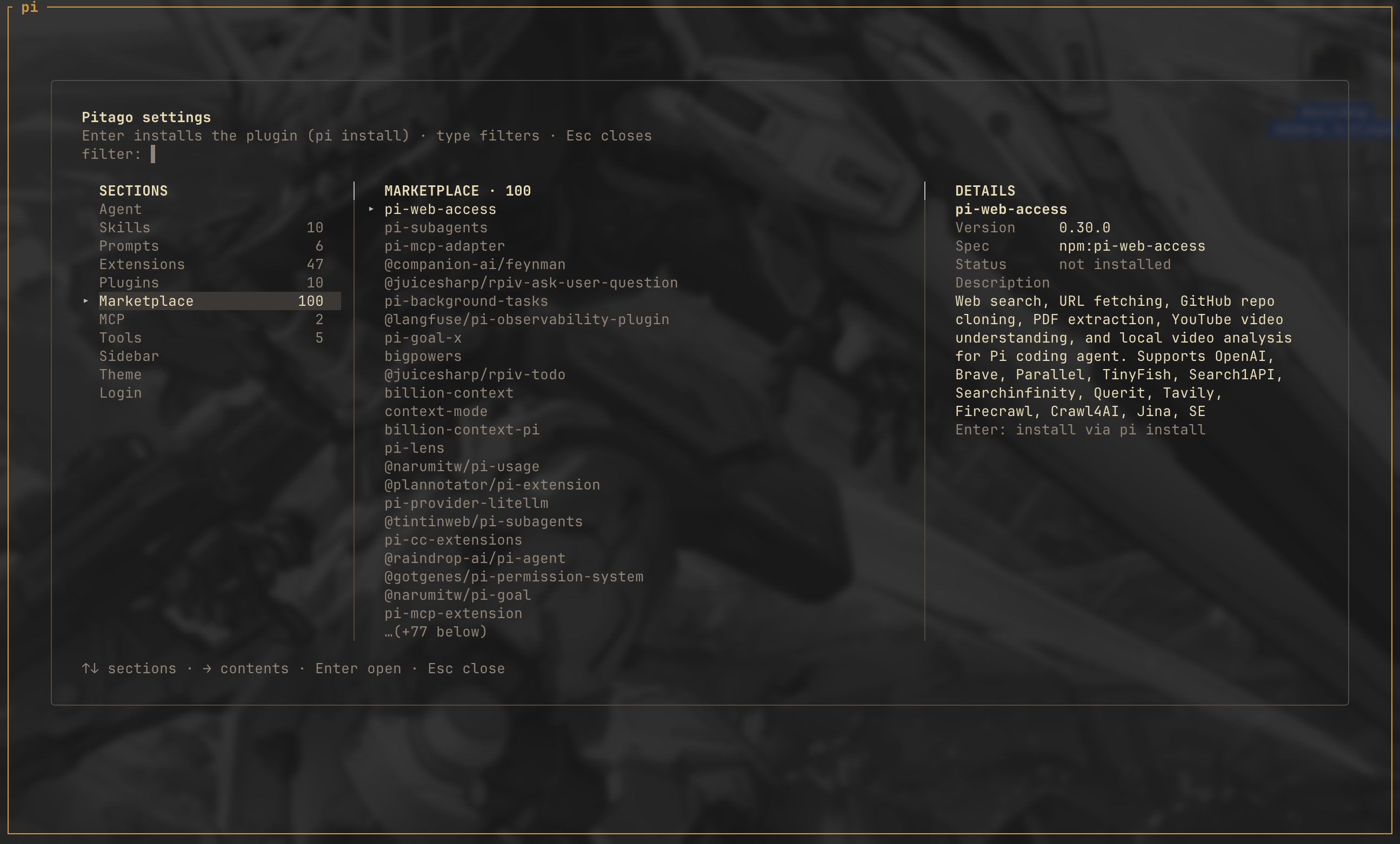
Screenshots
Install
Release binary (macOS and Linux)
curl -fsSL https://raw.githubusercontent.com/cavaldos/pitago/main/script/install.sh | bash
Windows (PowerShell)
Invoke-WebRequest https://github.com/cavaldos/pitago/releases/latest/download/pitago-windows-amd64.exe -OutFile pitago.exe
# move pitago.exe somewhere on your PATH, then: pitago --version
From source
git clone https://github.com/cavaldos/pitago.git
cd pitago
script/build.sh                      # outputs bin/pitago (VERSION defaults to git tag/commit)
mkdir -p ~/.local/bin && cp bin/pitago ~/.local/bin/pitago
pitago --version

script/run.sh                        # or: go run ./src
Uninstall
| Platform | Command |
|---|---|
| macOS / Linux | rm ~/.local/bin/pitago (or /usr/local/bin/pitago if you installed with sudo before) |
| Windows | del C:\path\to\pitago.exe — wherever you placed it, on a folder in your PATH |
| Any (reset data) | rm -rf ~/.config/pitago / Remove-Item -Recurse -Force $HOME\.config\pitago — drops saved API keys + recent models |
Quick Start
# From the repo root — everything lives under src/
go run ./src

# Open another working directory (flags first, then the path)
go run ./src ~/Code/workspace
go run ./src --cwd ~/Code/workspace

# Resume most recent session
go run ./src -c

# Don't persist a session
go run ./src --no-session

# Load no pi extensions (same as `pi -ne`)
go run ./src -ne      # or --no-extensions

# Self-update to the latest GitHub release
go run ./src --update   # or /update inside the app
Live sessions (read-only)
Press /live to list the pi sessions running in the current directory and attach to one of them. It appears live in an EXTERNAL · READ-ONLY view; /live again or Ctrl+D detaches and you can type prompts normally.
You start the pi sessions yourself; pitago only views them. Two sources are offered in the same picker: a bridge session (token-level streaming, busy spinner) and a session file session, which works with any running pi — no restart, no extension, nothing required of that process.
Full documentation: resources/doc/LIVE-SESSION.md.
Build & Test
go vet ./...                    # vet
go build -o /tmp/pitago ./src  # build
go test ./...                  # test
Release
Tag push triggers the release workflow, which cross-builds (linux-amd64, darwin-amd64/arm64, windows-amd64) and publishes a GitHub Release:
script/test-cicd.sh        # check vet + test + builds locally first
script/release.sh v0.0.1
Keybindings
| Key | Action |
|---|---|
Enter | Send (idle) / steer (while running) |
Esc×2 | Cancel running turn (double-press within 3s — 1st press only arms) |
Ctrl+C | Clear the input — text, a recalled message, the image tray; on an empty input, quit (press twice within 3s) |
Ctrl+N | New session |
Ctrl+P / Ctrl+R / Alt+1…5 | Cycle model · recent-models picker · jump to a recent model |
Ctrl+T | Cycle thinking level (no picker) |
Ctrl+E | Hide/show sidebar (hide for clean drag-select of chat only) |
Ctrl+Y / Ctrl+O | Yank last assistant answer · yank picker for any message |
Ctrl+V | Paste text — or screenshot data (pngpaste/wl-paste/xclip) |
Ctrl+G | Expand/collapse tool output: write content, read results, diffs |
Backspace | Empty input + image tray → remove the last [Image N] chip |
↓ (+tray) | Cursor into the image tray · ←→ pick a chip · ⌫ delete it · Esc back to input |
Tab | Complete /command or @file |
@ | Mention a file (fuzzy finder; @*.png/.jpg/.gif/.webp also sends vision) |
↑↓ PgUp PgDn | Empty input: recall sent messages (Esc clear) · otherwise scroll chat |
Alt+… or Ctrl+↑↓ PgUp PgDn Home End | Scroll the sidebar |
Mouse wheel | Hover the sidebar to scroll it, the chat otherwise; --mouse=false disables |
Copying text and messages
https://github.com/user-attachments/assets/35d59f05-45b7-407c-a212-552ca61c1b07
| Action | How |
|---|---|
| Drag-select | With mouse on (default): drag inside the chat — selection is clamped to the chat pane, edge auto-scrolls |
| Select a line | Double-click a chat line |
| Copy a block | Right-click an assistant block for Copy markdown, Copy N code block(s), Copy N table(s), Copy plain text — the menu only lists what the block contains |
| Mouse off | Native terminal selection; toggle at runtime with /mouse off |
| Last answer | Ctrl+Y / /yank / /copy, or /copy-md /copy-tables /copy-code for semantic content |
| Any message | Ctrl+O opens the yank picker |
Whole-message copy preserves raw Markdown, tables, fenced-code languages, and links; partial drag selection copies visible text without ANSI/OSC sequences. In hosted sessions pitago emits OSC 52 — if the terminal does not support it, or the payload is too large, the copy failure is reported instead of claiming success.
Commands
Type / to open the command popup. Builtins are intercepted locally and re-implemented over RPC; extension/prompt/skill commands come from pi's get_commands and run server-side.
| Command | Action |
|---|---|
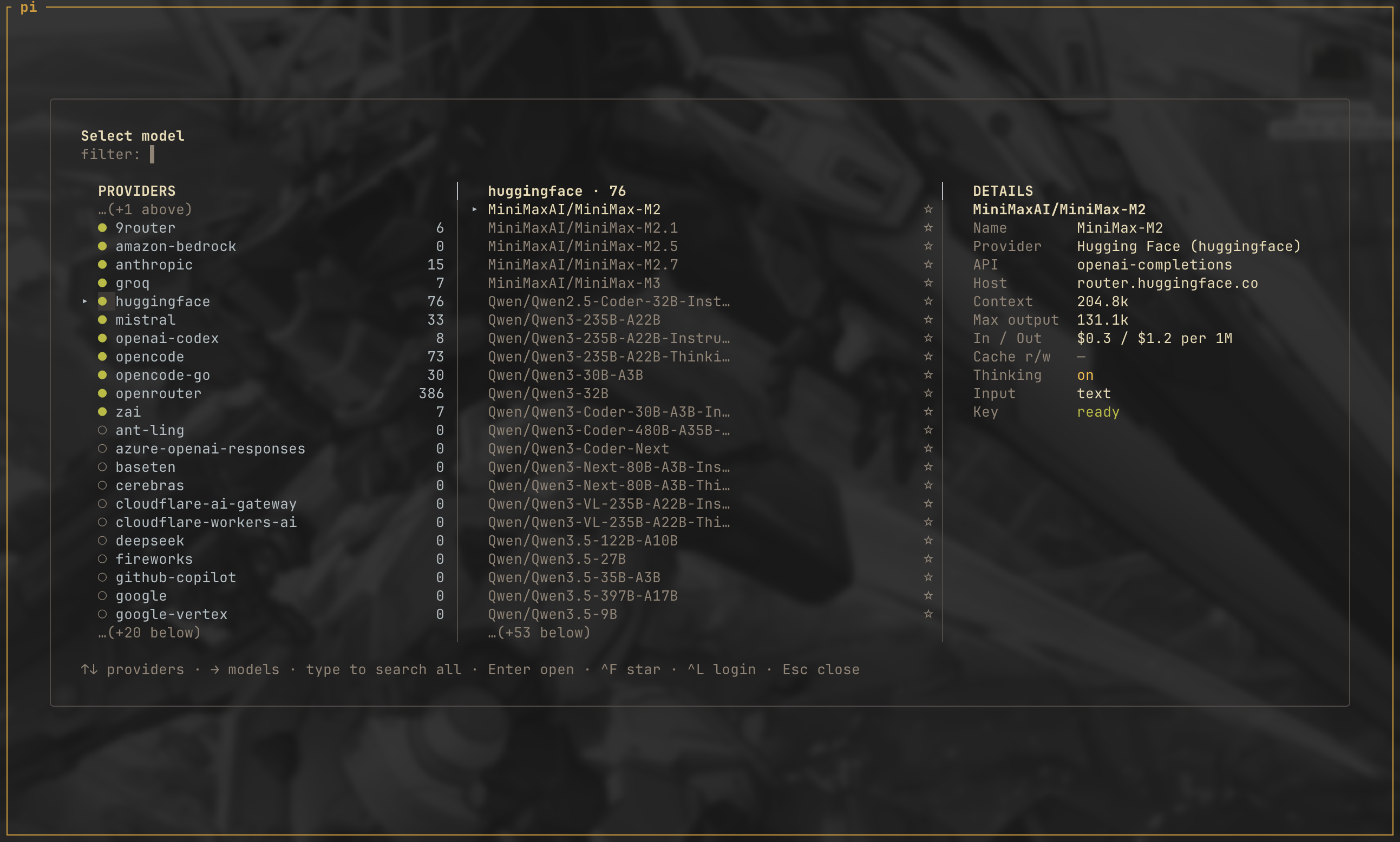
/model · /recent | Change model · recent models picker |
/yank /copy /copy-md /copy-tables /copy-code | Copy the last assistant answer, whole or semantic |
/sidebar · /mouse [on|off] | Hide/show sidebar · toggle mouse (click + wheel) |
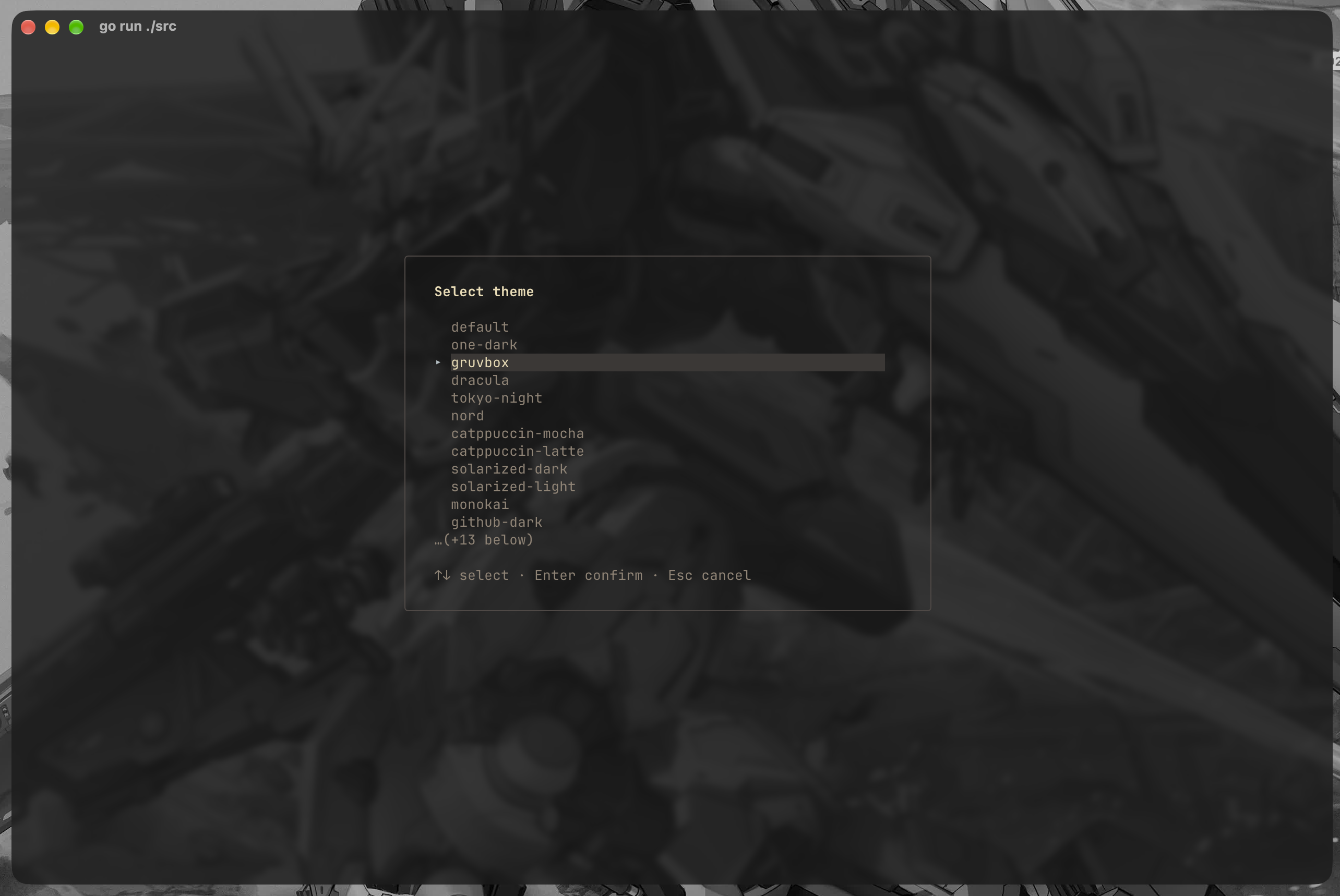
/theme [name] | Switch theme — picker, or apply directly (pitago --theme one-dark) |
/pet [name|ascii|classic] | Sidebar pet: picker dialog, or apply directly |
/plugins | Collapse/expand installed pi plugins in the sidebar |
/thinking | Toggle thinking level |
/mcp | MCP server manager: per-server login, tools, reconnect, exposure, enable/disable |
/tree | Session tree with jump-to-message, copy entry, fork from here |
/trajectory [all|tools|messages] | Harness-style run trace window |
/notification [filter] | Notification history (time + info/error, newest first) |
/settings | Agent settings (22 rows), saved to ~/.pi/agent/settings.json |
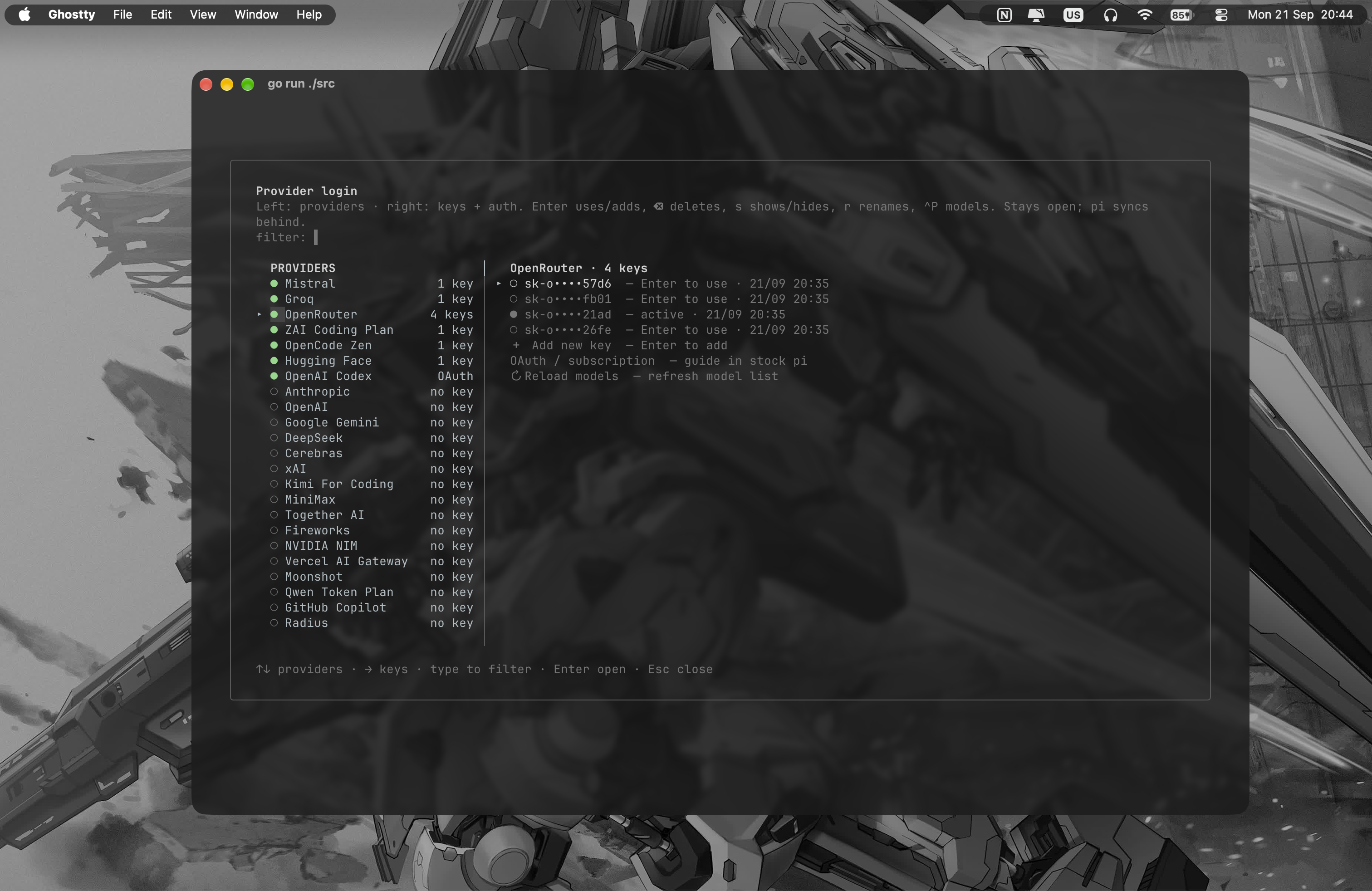
/pitago-setting | Pitago hub: agent, skills, prompts, extensions, plugins, MCP, tasks, theme, login |
/login · /logout | Manage API keys + pi OAuth/subscriptions |
/live | Attach read-only to a running pi session |
/reload | Reload extensions |
/new · /resume · /session | New session · resume picker · session management |
/compact [instructions] | Compact the context now (an LLM call, can take a while) |
/update | Check GitHub releases and install the latest |
/quit | Exit |
Layout (MVC + core/ext/pitago)
app is a thin MVC shell, components holds pure view primitives, ext and pitago are separate pure domain layers, builtin is a command surface over RPC, and pirpc/update are the backend edges. script/check-layers.sh enforces the one-way import graph.
Full map and import rules: resources/doc/ARCHITECTURE.md.
Configuration
State lives in ~/.config/pitago/ — keys, logins, recent models, prefs, theme. Per-file reference: resources/doc/CONFIGURATION.md.
Similar repos


Languages
Go
99.1%
A polished terminal UI (TUI) for the pi AI coding agent — real-time chat, multi-provider LLMs, tools and sessions. Built with Go and Bubble Tea.
Go
21
106 commits
updated Oct 1, 2026
See what people are saying
README
https://github.com/user-attachments/assets/93bfcae4-b02e-429d-a302-d2df850f71a7
A polished Terminal User Interface (TUI) frontend for the pi agent, built with Bubble Tea. pi --mode rpc serves as the backend (multi-provider, tools, sessions, compaction), while pitago provides a rich terminal interface communicating over JSONL.
Screenshots
Install
Release binary (macOS and Linux)
curl -fsSL https://raw.githubusercontent.com/cavaldos/pitago/main/script/install.sh | bash
Windows (PowerShell)
Invoke-WebRequest https://github.com/cavaldos/pitago/releases/latest/download/pitago-windows-amd64.exe -OutFile pitago.exe
# move pitago.exe somewhere on your PATH, then: pitago --version
From source
git clone https://github.com/cavaldos/pitago.git
cd pitago
script/build.sh                      # outputs bin/pitago (VERSION defaults to git tag/commit)
mkdir -p ~/.local/bin && cp bin/pitago ~/.local/bin/pitago
pitago --version

script/run.sh                        # or: go run ./src
Uninstall
| Platform | Command |
|---|---|
| macOS / Linux | rm ~/.local/bin/pitago (or /usr/local/bin/pitago if you installed with sudo before) |
| Windows | del C:\path\to\pitago.exe — wherever you placed it, on a folder in your PATH |
| Any (reset data) | rm -rf ~/.config/pitago / Remove-Item -Recurse -Force $HOME\.config\pitago — drops saved API keys + recent models |
Quick Start
# From the repo root — everything lives under src/
go run ./src

# Open another working directory (flags first, then the path)
go run ./src ~/Code/workspace
go run ./src --cwd ~/Code/workspace

# Resume most recent session
go run ./src -c

# Don't persist a session
go run ./src --no-session

# Load no pi extensions (same as `pi -ne`)
go run ./src -ne      # or --no-extensions

# Self-update to the latest GitHub release
go run ./src --update   # or /update inside the app
Live sessions (read-only)
Press /live to list the pi sessions running in the current directory and attach to one of them. It appears live in an EXTERNAL · READ-ONLY view; /live again or Ctrl+D detaches and you can type prompts normally.
You start the pi sessions yourself; pitago only views them. Two sources are offered in the same picker: a bridge session (token-level streaming, busy spinner) and a session file session, which works with any running pi — no restart, no extension, nothing required of that process.
Full documentation: resources/doc/LIVE-SESSION.md.
Build & Test
go vet ./...                    # vet
go build -o /tmp/pitago ./src  # build
go test ./...                  # test
Release
Tag push triggers the release workflow, which cross-builds (linux-amd64, darwin-amd64/arm64, windows-amd64) and publishes a GitHub Release:
script/test-cicd.sh        # check vet + test + builds locally first
script/release.sh v0.0.1
Keybindings
| Key | Action |
|---|---|
Enter | Send (idle) / steer (while running) |
Esc×2 | Cancel running turn (double-press within 3s — 1st press only arms) |
Ctrl+C | Clear the input — text, a recalled message, the image tray; on an empty input, quit (press twice within 3s) |
Ctrl+N | New session |
Ctrl+P / Ctrl+R / Alt+1…5 | Cycle model · recent-models picker · jump to a recent model |
Ctrl+T | Cycle thinking level (no picker) |
Ctrl+E | Hide/show sidebar (hide for clean drag-select of chat only) |
Ctrl+Y / Ctrl+O | Yank last assistant answer · yank picker for any message |
Ctrl+V | Paste text — or screenshot data (pngpaste/wl-paste/xclip) |
Ctrl+G | Expand/collapse tool output: write content, read results, diffs |
Backspace | Empty input + image tray → remove the last [Image N] chip |
↓ (+tray) | Cursor into the image tray · ←→ pick a chip · ⌫ delete it · Esc back to input |
Tab | Complete /command or @file |
@ | Mention a file (fuzzy finder; @*.png/.jpg/.gif/.webp also sends vision) |
↑↓ PgUp PgDn | Empty input: recall sent messages (Esc clear) · otherwise scroll chat |
Alt+… or Ctrl+↑↓ PgUp PgDn Home End | Scroll the sidebar |
Mouse wheel | Hover the sidebar to scroll it, the chat otherwise; --mouse=false disables |
Copying text and messages
https://github.com/user-attachments/assets/35d59f05-45b7-407c-a212-552ca61c1b07
| Action | How |
|---|---|
| Drag-select | With mouse on (default): drag inside the chat — selection is clamped to the chat pane, edge auto-scrolls |
| Select a line | Double-click a chat line |
| Copy a block | Right-click an assistant block for Copy markdown, Copy N code block(s), Copy N table(s), Copy plain text — the menu only lists what the block contains |
| Mouse off | Native terminal selection; toggle at runtime with /mouse off |
| Last answer | Ctrl+Y / /yank / /copy, or /copy-md /copy-tables /copy-code for semantic content |
| Any message | Ctrl+O opens the yank picker |
Whole-message copy preserves raw Markdown, tables, fenced-code languages, and links; partial drag selection copies visible text without ANSI/OSC sequences. In hosted sessions pitago emits OSC 52 — if the terminal does not support it, or the payload is too large, the copy failure is reported instead of claiming success.
Commands
Type / to open the command popup. Builtins are intercepted locally and re-implemented over RPC; extension/prompt/skill commands come from pi's get_commands and run server-side.
| Command | Action |
|---|---|
/model · /recent | Change model · recent models picker |
/yank /copy /copy-md /copy-tables /copy-code | Copy the last assistant answer, whole or semantic |
/sidebar · /mouse [on|off] | Hide/show sidebar · toggle mouse (click + wheel) |
/theme [name] | Switch theme — picker, or apply directly (pitago --theme one-dark) |
/pet [name|ascii|classic] | Sidebar pet: picker dialog, or apply directly |
/plugins | Collapse/expand installed pi plugins in the sidebar |
/thinking | Toggle thinking level |
/mcp | MCP server manager: per-server login, tools, reconnect, exposure, enable/disable |
/tree | Session tree with jump-to-message, copy entry, fork from here |
/trajectory [all|tools|messages] | Harness-style run trace window |
/notification [filter] | Notification history (time + info/error, newest first) |
/settings | Agent settings (22 rows), saved to ~/.pi/agent/settings.json |
/pitago-setting | Pitago hub: agent, skills, prompts, extensions, plugins, MCP, tasks, theme, login |
/login · /logout | Manage API keys + pi OAuth/subscriptions |
/live | Attach read-only to a running pi session |
/reload | Reload extensions |
/new · /resume · /session | New session · resume picker · session management |
/compact [instructions] | Compact the context now (an LLM call, can take a while) |
/update | Check GitHub releases and install the latest |
/quit | Exit |
Layout (MVC + core/ext/pitago)
app is a thin MVC shell, components holds pure view primitives, ext and pitago are separate pure domain layers, builtin is a command surface over RPC, and pirpc/update are the backend edges. script/check-layers.sh enforces the one-way import graph.
Full map and import rules: resources/doc/ARCHITECTURE.md.
Configuration
State lives in ~/.config/pitago/ — keys, logins, recent models, prefs, theme. Per-file reference: resources/doc/CONFIGURATION.md.
Similar repos
Languages
Go
99.1%