SVG to SwiftUI Compiler
See the code
Convert SVG artwork into native, scalable SwiftUI code—while preserving the original appearance.


Try the web app · Install the Figma plugin · Static report · Animation report
The compiler targets the complete static appearance of SVG 2 and Filter Effects Level 1. Simple artwork becomes a compact, tintable SwiftUI Shape; richer artwork becomes a layered SwiftUI View backed by native paths and Canvas rendering.
Declarative SVG animation is compiled too: SMIL timing and values, <animate>, <set>, transforms, motion paths, timed discard, deterministic events, and CSS @keyframes. The versioned dynamic profile contains 234 classified entries and zero unsupported blockers. Browser scripting, live DOM/network mutation, navigation, and media playback remain intentionally outside the deterministic native runtime.
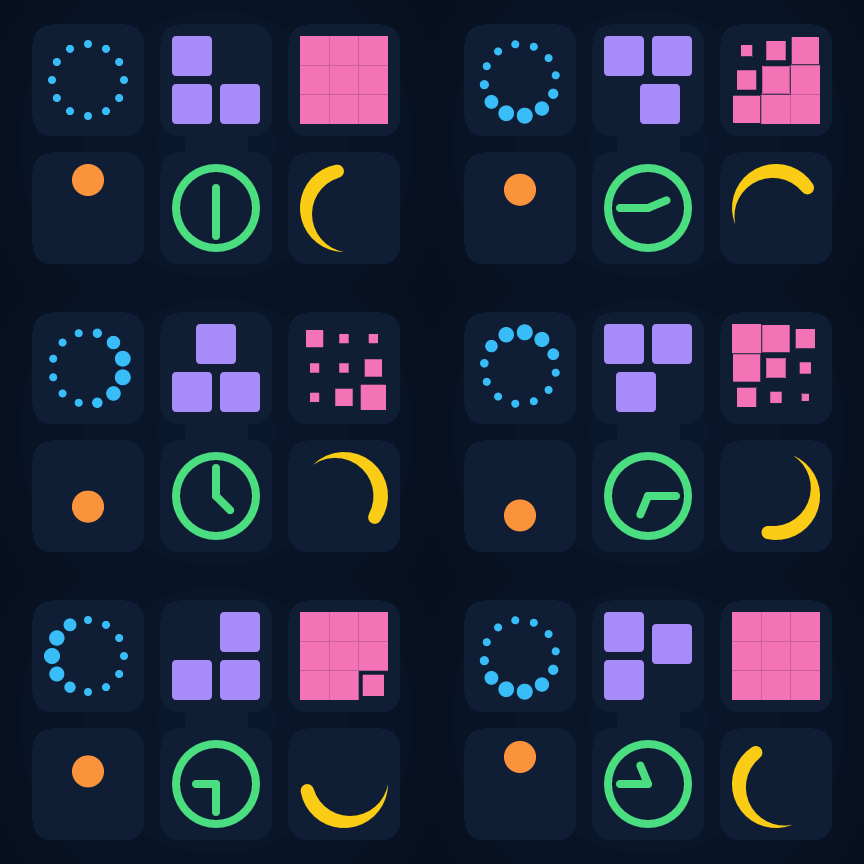
These six real-world SVG Spinners examples are compiled into native SwiftUI. Every frame in this GIF comes from the generated SwiftUI after it passed an exact-time RGBA comparison against WebKit's rendering of the original SVG. Run bun run animation-test:spinner-showcase on macOS to reproduce it.
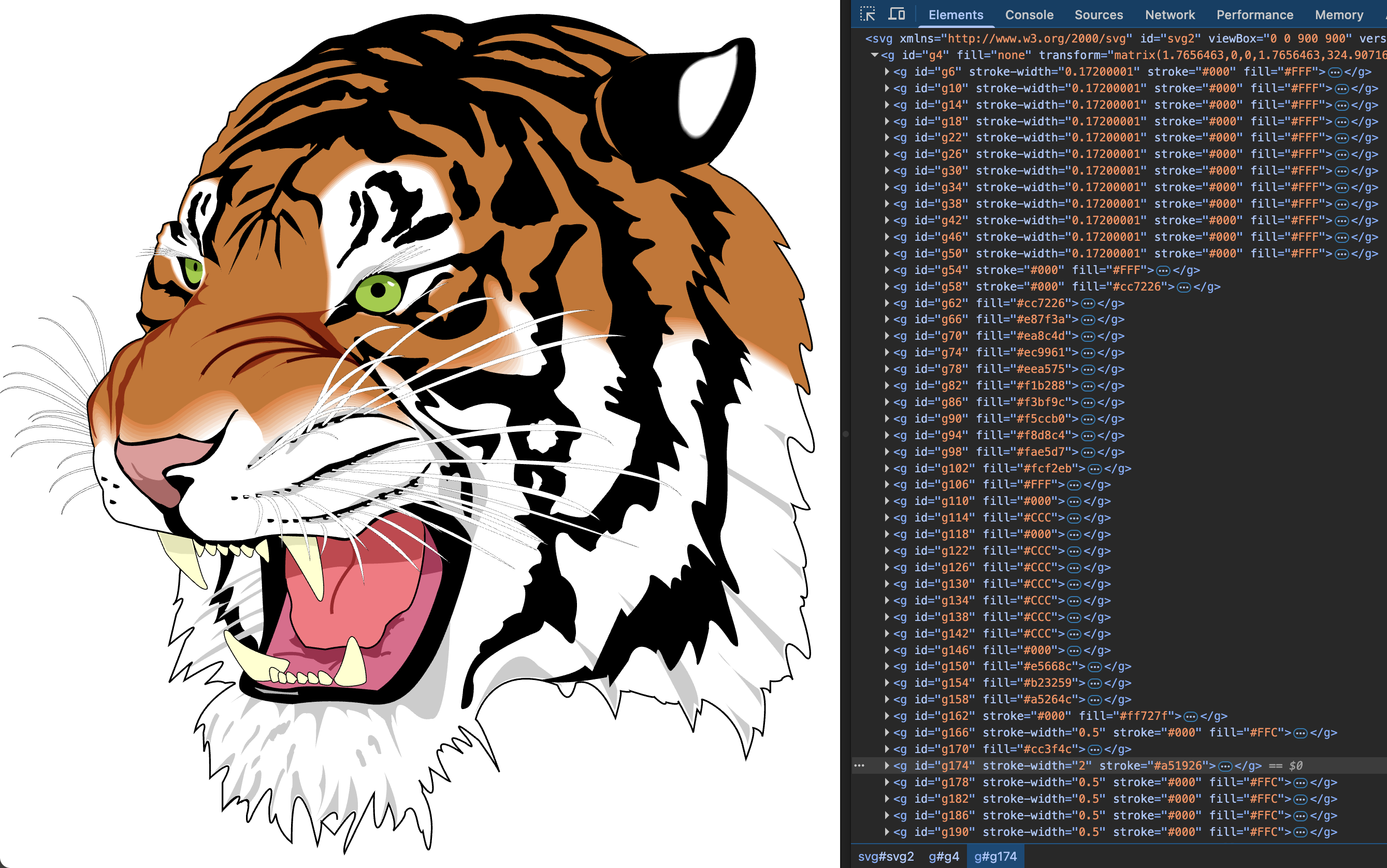
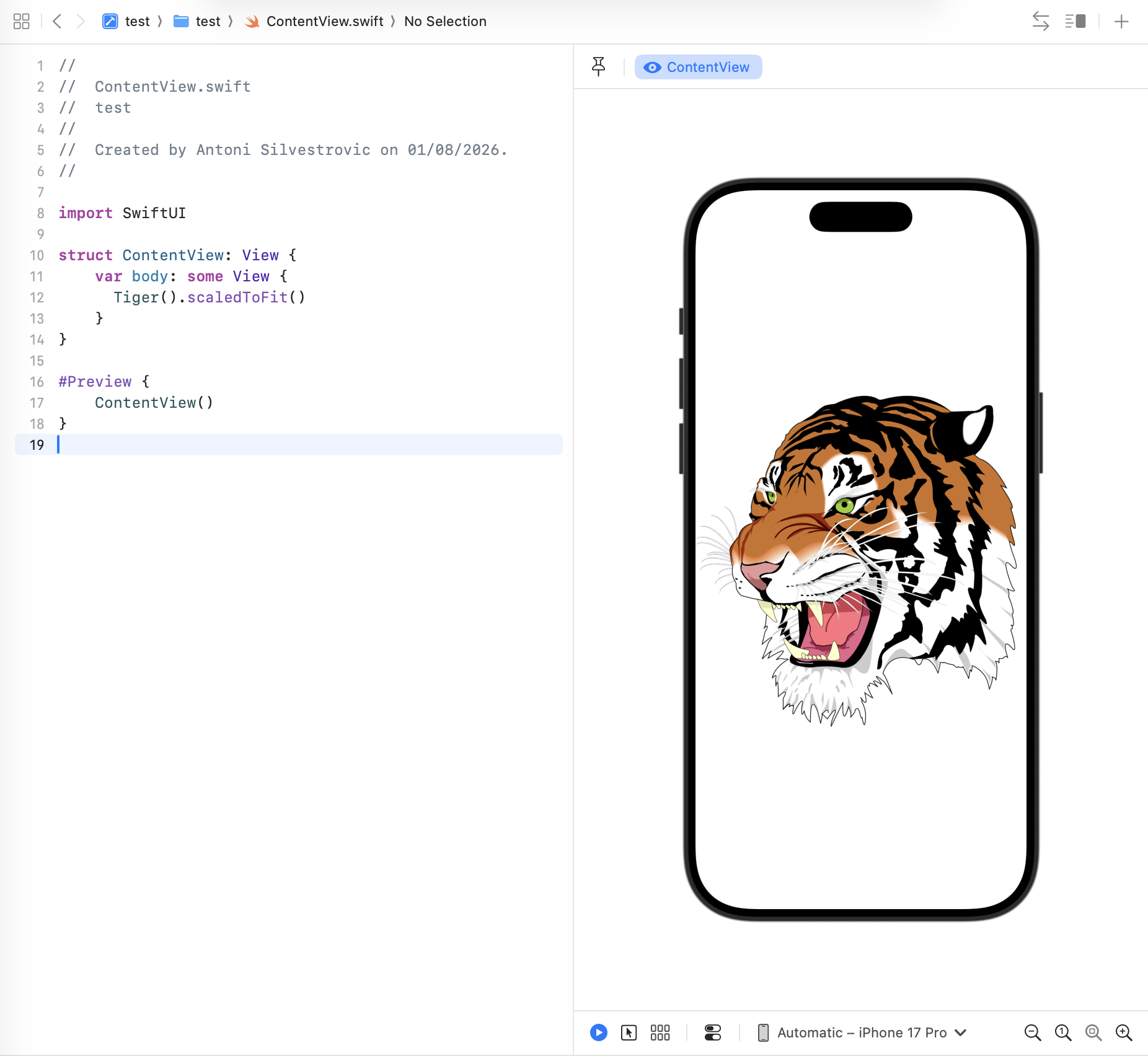
This Ghostscript Tiger contains 240 paths, 241 groups, transforms, strokes, and many colors. The generated Swift compiles and renders as native SwiftUI while retaining the original detail.
| Original SVG | Generated SwiftUI |
|---|---|
 |  |
defs/use, symbols, nested SVG viewports, and every preserveAspectRatio modecurrentColor, selector specificity, visibility, painter order, and opacitytspan, text paths, custom fonts, bidirectional and vertical layout, and text decorationforeignObject snapshotsGenerated views require SwiftUI Canvas: iOS 15, macOS 12, tvOS 15, or watchOS 8 and newer. See the core package documentation for detailed behavior and APIs.
Paste an SVG into svg-to-swiftui.quassum.com, then copy the generated SwiftUI into your project.
npm install svg-to-swiftui-core
import { convert } from "svg-to-swiftui-core";

const swift = convert(svgSource, {
  structName: "AppIcon",
  preserveColors: true,
  strict: true,
});
Use convertDetailed() or convertDetailedAsync() when you also need diagnostics, conformance details, resource artifacts, or foreignObject snapshots.
Every visual fixture runs through the real compiler pipeline:
SVG source → generate Swift → compile with swiftc → render with SwiftUI → compare full RGBA pixels
The original SVG is independently rendered as the reference. The harness compares transparent RGBA output—not screenshots judged by eye—and reports channel, alpha, and differing-pixel metrics. The corpus includes small focused cases, real icon libraries, design-tool exports, and complex artwork such as the Ghostscript Tiger.
Animation coverage uses a 10-step known-good ladder, from one numeric property through a combined scene with motion, transforms, paint servers, compositing, filters, text, and CSS. WebKit and generated SwiftUI render identical microsecond timestamps for frame-by-frame comparison. CI also publishes reference, SwiftUI, side-by-side, and amplified-difference videos for review.
git clone https://github.com/bring-shrubbery/SVG-to-SwiftUI.git
cd SVG-to-SwiftUI
bun install
bun dev
Useful checks:
bun run build
bun run test
bun run typecheck
bun run conformance:verify
bun run visual-test       # macOS: compiles and compares all SwiftUI renders
bun run animation-test    # macOS: compares exact SVG and SwiftUI frame times
packages/svg-to-swiftui-core — the SVG compiler published to npmapps/nextjs — the online converterpackages/figma-to-swiftui — the Figma pluginThis project is especially useful for detailed illustrations, one-off assets, generated graphics, and artwork that needs to remain editable or animatable in SwiftUI. For general-purpose monochrome icons, consider creating a custom SF Symbol.
Issues and pull requests are welcome. If an SVG does not render correctly, please attach the original SVG and describe the expected result so it can become a permanent visual regression test.
Created by Antoni Silvestrovic. You can also follow Antoni on GitHub or X.
The project is available under the MIT License. Separately sourced fixtures are documented in static visual attribution and animation attribution.
622 followers · starred Jul 2025
307 followers · starred Mar 2025
699 followers · starred Jul 2020
1,482 followers · starred Apr 2023
SVG to SwiftUI Compiler
See the code
Convert SVG artwork into native, scalable SwiftUI code—while preserving the original appearance.
Try the web app · Install the Figma plugin · Static report · Animation report
The compiler targets the complete static appearance of SVG 2 and Filter Effects Level 1. Simple artwork becomes a compact, tintable SwiftUI Shape; richer artwork becomes a layered SwiftUI View backed by native paths and Canvas rendering.
Declarative SVG animation is compiled too: SMIL timing and values, <animate>, <set>, transforms, motion paths, timed discard, deterministic events, and CSS @keyframes. The versioned dynamic profile contains 234 classified entries and zero unsupported blockers. Browser scripting, live DOM/network mutation, navigation, and media playback remain intentionally outside the deterministic native runtime.
These six real-world SVG Spinners examples are compiled into native SwiftUI. Every frame in this GIF comes from the generated SwiftUI after it passed an exact-time RGBA comparison against WebKit's rendering of the original SVG. Run bun run animation-test:spinner-showcase on macOS to reproduce it.
This Ghostscript Tiger contains 240 paths, 241 groups, transforms, strokes, and many colors. The generated Swift compiles and renders as native SwiftUI while retaining the original detail.
| Original SVG | Generated SwiftUI |
|---|---|
| |
defs/use, symbols, nested SVG viewports, and every preserveAspectRatio modecurrentColor, selector specificity, visibility, painter order, and opacitytspan, text paths, custom fonts, bidirectional and vertical layout, and text decorationforeignObject snapshotsGenerated views require SwiftUI Canvas: iOS 15, macOS 12, tvOS 15, or watchOS 8 and newer. See the core package documentation for detailed behavior and APIs.
Paste an SVG into svg-to-swiftui.quassum.com, then copy the generated SwiftUI into your project.
npm install svg-to-swiftui-core
import { convert } from "svg-to-swiftui-core";

const swift = convert(svgSource, {
  structName: "AppIcon",
  preserveColors: true,
  strict: true,
});
Use convertDetailed() or convertDetailedAsync() when you also need diagnostics, conformance details, resource artifacts, or foreignObject snapshots.
Every visual fixture runs through the real compiler pipeline:
SVG source → generate Swift → compile with swiftc → render with SwiftUI → compare full RGBA pixels
The original SVG is independently rendered as the reference. The harness compares transparent RGBA output—not screenshots judged by eye—and reports channel, alpha, and differing-pixel metrics. The corpus includes small focused cases, real icon libraries, design-tool exports, and complex artwork such as the Ghostscript Tiger.
Animation coverage uses a 10-step known-good ladder, from one numeric property through a combined scene with motion, transforms, paint servers, compositing, filters, text, and CSS. WebKit and generated SwiftUI render identical microsecond timestamps for frame-by-frame comparison. CI also publishes reference, SwiftUI, side-by-side, and amplified-difference videos for review.
git clone https://github.com/bring-shrubbery/SVG-to-SwiftUI.git
cd SVG-to-SwiftUI
bun install
bun dev
Useful checks:
bun run build
bun run test
bun run typecheck
bun run conformance:verify
bun run visual-test       # macOS: compiles and compares all SwiftUI renders
bun run animation-test    # macOS: compares exact SVG and SwiftUI frame times
packages/svg-to-swiftui-core — the SVG compiler published to npmapps/nextjs — the online converterpackages/figma-to-swiftui — the Figma pluginThis project is especially useful for detailed illustrations, one-off assets, generated graphics, and artwork that needs to remain editable or animatable in SwiftUI. For general-purpose monochrome icons, consider creating a custom SF Symbol.
Issues and pull requests are welcome. If an SVG does not render correctly, please attach the original SVG and describe the expected result so it can become a permanent visual regression test.
Created by Antoni Silvestrovic. You can also follow Antoni on GitHub or X.
The project is available under the MIT License. Separately sourced fixtures are documented in static visual attribution and animation attribution.
622 followers · starred Jul 2025
307 followers · starred Mar 2025
699 followers · starred Jul 2020
1,482 followers · starred Apr 2023