CLI utility to post files and command output to slack
Go
1,222
191 commits
updated Jul 23, 2024
Slackcat is a simple commandline utility to post snippets to Slack.
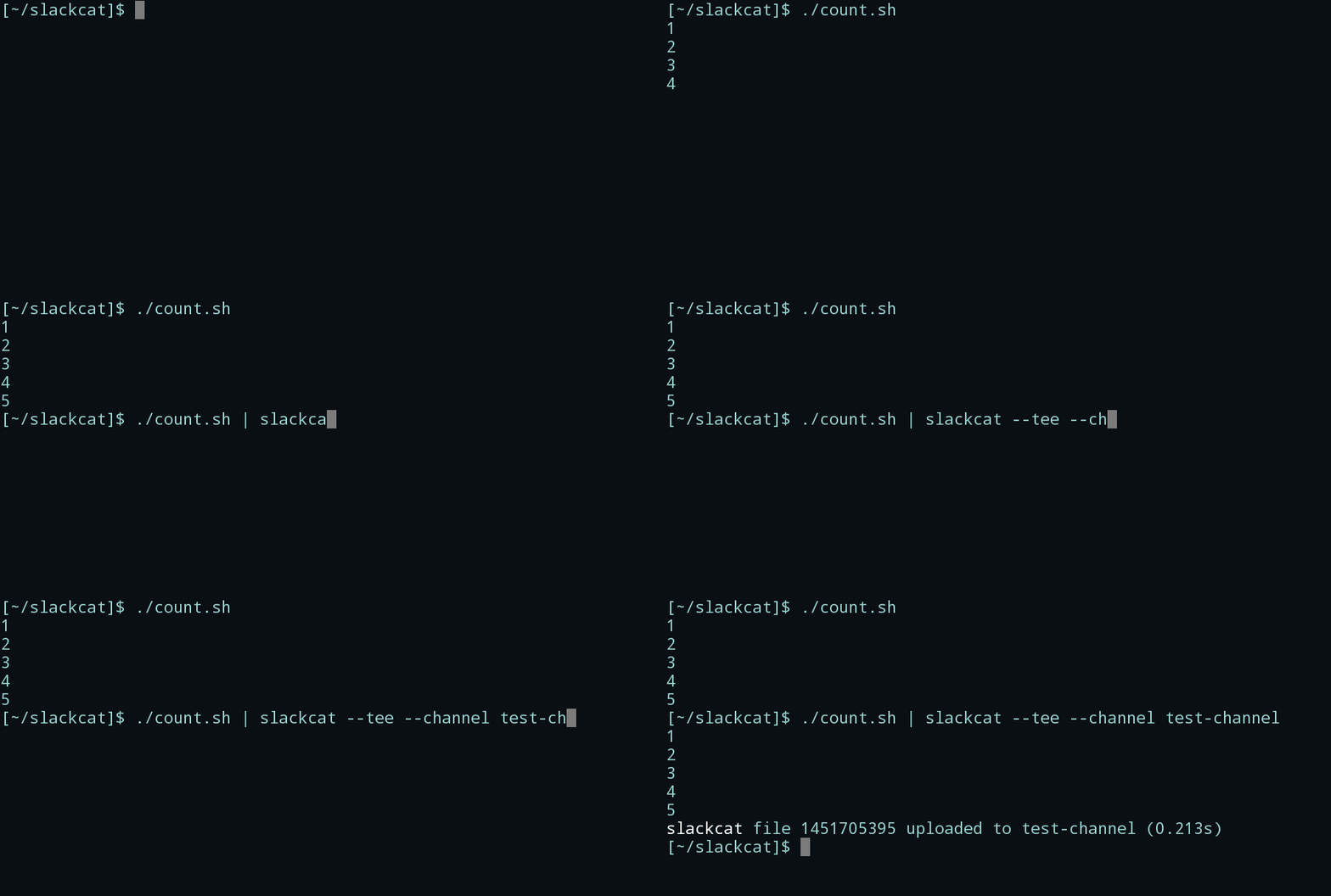
Download the latest release for your platform:
curl -Lo slackcat https://github.com/bcicen/slackcat/releases/download/1.7.2/slackcat-1.7.2-$(uname -s)-amd64
sudo mv slackcat /usr/local/bin/
sudo chmod +x /usr/local/bin/slackcat
slackcat is also available via homebrew:
brew install slackcat
To optionally build slackcat from source, ensure you have dep installed and run:
go get github.com/bcicen/slackcat && \
cd $GOPATH/src/github.com/bcicen/slackcat && \
make build
You must use GNU make for the build to work correctly. If your platform does not install GNU make as make (i.e. OpenBSD) then you will need to install gmake and run:
go get github.com/bcicen/slackcat && \
cd $GOPATH/src/github.com/bcicen/slackcat && \
gmake build
Generate an initial config, or add a new team token with:
slackcat --configure
You'll be prompted for a team nickname and a new browser window will be opened for you to confirm the request via Slack. Provide the returned token to slackcat when prompted, and you're ready to go!
For configuring multiple teams and default channels, see Configuration Guide.
Pipe command output as a text snippet:
$ echo -e "hi\nthere" | slackcat --channel general --filename hello
*slackcat* file hello uploaded to general
Post an existing file:
$ slackcat --channel general /home/user/bot.png
*slackcat* file bot.png uploaded to general
Stream input continuously:
$ tail -F -n0 /path/to/log | slackcat --channel general --stream
*slackcat* posted 5 message lines to general
*slackcat* posted 2 message lines to general
...
| Option | Description |
|---|---|
| --tee, -t | Print stdin to screen before posting |
| --stream, -s | Stream messages to Slack continuously instead of uploading a single snippet |
| --noop | Skip posting file to Slack. Useful for testing |
| --configure | Configure Slackcat via oauth |
| --iconemoji, -i | Specify emoji icon for message (e.g. "👍") |
| --channel, -c | Slack channel, group, or user to post to |
| --filename, -n | Filename for upload. Defaults to given filename or current timestamp if reading from stdin |
| --filetype | Specify filetype for syntax highlighting. Defaults to autodetect |
| --comment | Initial comment for snippet |
| --username | Stream messages as given bot user. Defaults to auth user |
| --thread | Stream messages to thread after initial comment message |
Overall
Maintained
Code review
Go module
Latest release
Releases this year
467 followers · starred Nov 2021
140 followers · starred Aug 2017
508 followers · starred Jan 2016
45 followers · starred Apr 2019
CLI utility to post files and command output to slack
Go
1,222
191 commits
updated Jul 23, 2024
Slackcat is a simple commandline utility to post snippets to Slack.
Download the latest release for your platform:
curl -Lo slackcat https://github.com/bcicen/slackcat/releases/download/1.7.2/slackcat-1.7.2-$(uname -s)-amd64
sudo mv slackcat /usr/local/bin/
sudo chmod +x /usr/local/bin/slackcat
slackcat is also available via homebrew:
brew install slackcat
To optionally build slackcat from source, ensure you have dep installed and run:
go get github.com/bcicen/slackcat && \
cd $GOPATH/src/github.com/bcicen/slackcat && \
make build
You must use GNU make for the build to work correctly. If your platform does not install GNU make as make (i.e. OpenBSD) then you will need to install gmake and run:
go get github.com/bcicen/slackcat && \
cd $GOPATH/src/github.com/bcicen/slackcat && \
gmake build
Generate an initial config, or add a new team token with:
slackcat --configure
You'll be prompted for a team nickname and a new browser window will be opened for you to confirm the request via Slack. Provide the returned token to slackcat when prompted, and you're ready to go!
For configuring multiple teams and default channels, see Configuration Guide.
Pipe command output as a text snippet:
$ echo -e "hi\nthere" | slackcat --channel general --filename hello
*slackcat* file hello uploaded to general
Post an existing file:
$ slackcat --channel general /home/user/bot.png
*slackcat* file bot.png uploaded to general
Stream input continuously:
$ tail -F -n0 /path/to/log | slackcat --channel general --stream
*slackcat* posted 5 message lines to general
*slackcat* posted 2 message lines to general
...
| Option | Description |
|---|---|
| --tee, -t | Print stdin to screen before posting |
| --stream, -s | Stream messages to Slack continuously instead of uploading a single snippet |
| --noop | Skip posting file to Slack. Useful for testing |
| --configure | Configure Slackcat via oauth |
| --iconemoji, -i | Specify emoji icon for message (e.g. "👍") |
| --channel, -c | Slack channel, group, or user to post to |
| --filename, -n | Filename for upload. Defaults to given filename or current timestamp if reading from stdin |
| --filetype | Specify filetype for syntax highlighting. Defaults to autodetect |
| --comment | Initial comment for snippet |
| --username | Stream messages as given bot user. Defaults to auth user |
| --thread | Stream messages to thread after initial comment message |
Overall
Maintained
Code review
Go module
Latest release
Releases this year
467 followers · starred Nov 2021
140 followers · starred Aug 2017
508 followers · starred Jan 2016
45 followers · starred Apr 2019