High-performance Vulkan driver with automated resource management and execution
Rust
344
500 commits
updated Oct 2, 2026


vk-graph is a high-performance Vulkan driver for the Rust programming language featuring automated resource management and execution. It is blazingly-fast, built for real-world use, and supports modern Vulkan commands1.
[dependencies]
vk-graph = "0.15"
Requires Rust 1.92 or newer.
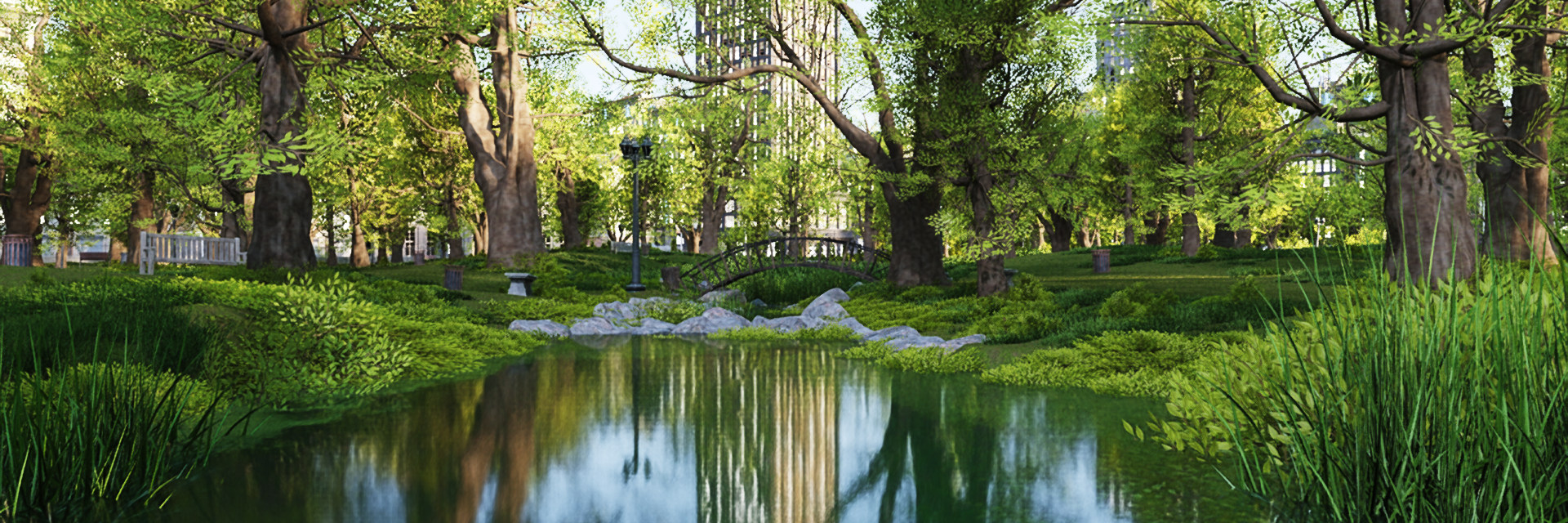
1950s NYC by Leartes using path-tracing; ~700 μs (i7-11700K)
vk-graph supports desktop, mobile, and AR/VR platforms in headless, windowed, or full-screen
modes. An accessory crate is provided for winit support:
use vk_graph_window::{Window, WindowError};

fn main() -> Result<(), WindowError> {
    Window::new()?.run(|frame| {
        // It's time to do some graphics! 😲
    })
}
vk-graph centers frame work around a Graph. Bind Vulkan smart-pointer resources such as buffers,
images, micromaps, acceleration structures, and swapchain images into the graph to get statically
typed node handles. Commands then reference those nodes instead of raw Vulkan handles. When
recording is complete, finalize the graph into a Submission and submit it with a pool.
The normal flow is:
Device, resources, and pipelines.Graph for the frame or workload.Graph::bind_resource or receive nodes from a swapchain
integration crate.Graph::begin_cmd.CommandStream is available when part of the command graph is reusable. A stream records commands
once with typed arguments, then each frame binds those arguments to the frame's concrete graph nodes.
This is useful for overlays, post-processing, or other repeated command sequences that still need
per-frame resources such as the current swapchain image.
Device extension support is exposed through the selected physical device:
if let Some(ray_tracing) = &device.physical.vk_khr_ray_tracing_pipeline {
    println!("max recursion depth: {}", ray_tracing.properties.max_ray_recursion_depth);
}

if device.physical.vk_khr_synchronization2 {
    println!("synchronization2 is available");
}
Example code:
graph
    .begin_cmd()
    .debug_name("Fancy new algorithm for shading a moving character who is actively on fire")
    .bind_pipeline(&gfx_pipeline)
    .shader_resource_access(0, prev_image, AccessType::FragmentShaderReadColorInputAttachment)
    .shader_resource_access(1, some_image, AccessType::FragmentShaderReadOther)
    .shader_resource_access(3, fire_buffer, AccessType::FragmentShaderReadUniformBuffer)
    .color_attachment_image(0, swapchain_image, LoadOp::CLEAR_BLACK_ALPHA_ZERO, StoreOp::Store)
    .depth_stencil_attachment_image(depth_image, LoadOp::Load, StoreOp::DontCare)
    .record_cmd(move |cmd| {
        cmd
            .push_constants(0, some_u8_slice)
            .draw(6, 1, 0, 0);
    });
vk-graph puts a lot of functionality behind optional features in order to optimize compile time for the most common use cases. The following features are available.
checked (disabled by default) — Runtime validation of common misuse patterns
(missing access declarations, buffer bounds, image aspects) that the Vulkan Validation Layer
cannot catch, including cross-graph node ownership checks. Enable explicitly with
vk-graph = { version = "0.15", features = ["checked"] } during validation. It applies in both
debug and release builds, independently of device debug mode or Vulkan validation layers.loaded (enabled by default) — Support searching for the Vulkan loader manually at runtime.linked — Link the Vulkan loader at compile time.ash-molten — Enable ash-molten support for MoltenVK-based platforms.parking_lot (enabled by default) — Use parking_lot synchronization primitives.profile-with-* — Use the specified profiling backend:
profile-with-puffin, profile-with-optick, profile-with-superluminal, or
profile-with-tracyThis crate uses log for low-overhead logging.
To enable logging, set the RUST_LOG environment variable to trace, debug, info, warn or
error and initialize the logging provider of your choice. Examples use
pretty_env_logger.
You may also filter messages, for example:
RUST_LOG=vk_graph::driver=trace,vk_graph=warn cargo run --example ray_tracing
TRACE vk_graph::driver::instance > created a Vulkan instance
DEBUG vk_graph::driver::physical_device > physical device: NVIDIA GeForce RTX 3090
DEBUG vk_graph::driver::physical_device > extension "VK_KHR_16bit_storage" v1
DEBUG vk_graph::driver::physical_device > extension "VK_KHR_8bit_storage" v1
DEBUG vk_graph::driver::physical_device > extension "VK_KHR_acceleration_structure" v13
...
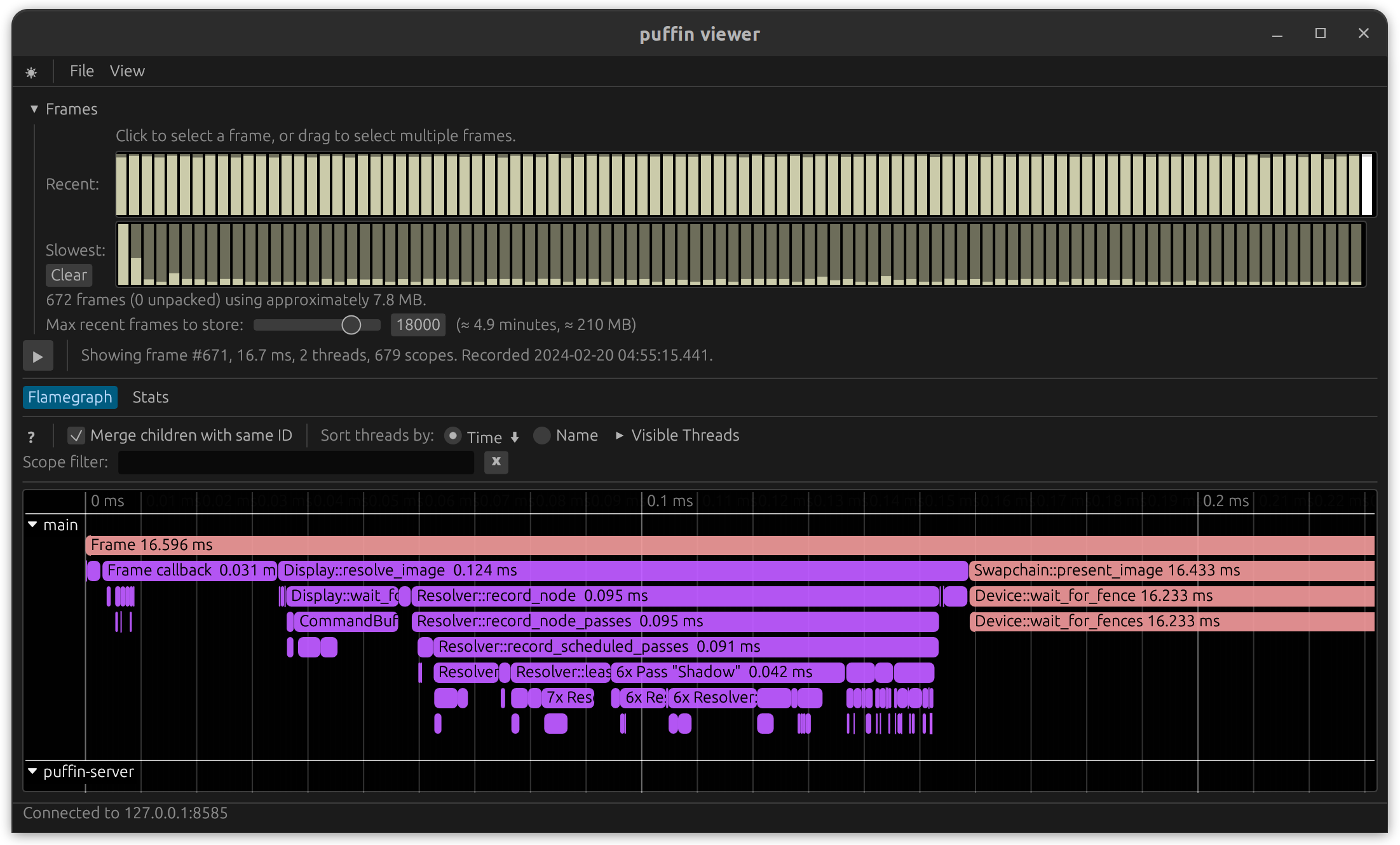
This crate uses profiling and supports multiple profiling
providers. When not in use profiling has zero cost.
To enable profiling, compile with one of the profile-with-* features enabled and initialize the
profiling provider of your choice.
Example code uses puffin:
cargo run --features profile-with-puffin --release --example vsm_omni
Included are some examples you might find helpful:
hello_world.rs — Displays a window on the
screen. Please start here.triangle.rs — Shaders and full setup of index/vertex buffers; < 100 LOC.opacity_micromap.rs — Headless, synchronized construction of a
two-state opacity micromap and attached BLAS; exits cleanly when unsupported.shader-toy/ — Recreation of a two-pass Shadertoy using the original
shader code.See the example code, documentation, or helpful guide book for more information.
NOTE: Required development packages and libraries are listed in the guide. All new users should read and understand the guide.
Modern Vulkan usage means no pixel queries. Anything else unsupported is due to there being better options, no current need, or no interest. Please open an issue. ↩
17,309 followers · starred May 2023
49 followers · starred Jun 2022
260 followers · starred May 2025
584 followers · starred Aug 2023
High-performance Vulkan driver with automated resource management and execution
Rust
344
500 commits
updated Oct 2, 2026
vk-graph is a high-performance Vulkan driver for the Rust programming language featuring automated resource management and execution. It is blazingly-fast, built for real-world use, and supports modern Vulkan commands1.
[dependencies]
vk-graph = "0.15"
Requires Rust 1.92 or newer.
1950s NYC by Leartes using path-tracing; ~700 μs (i7-11700K)
vk-graph supports desktop, mobile, and AR/VR platforms in headless, windowed, or full-screen
modes. An accessory crate is provided for winit support:
use vk_graph_window::{Window, WindowError};

fn main() -> Result<(), WindowError> {
    Window::new()?.run(|frame| {
        // It's time to do some graphics! 😲
    })
}
vk-graph centers frame work around a Graph. Bind Vulkan smart-pointer resources such as buffers,
images, micromaps, acceleration structures, and swapchain images into the graph to get statically
typed node handles. Commands then reference those nodes instead of raw Vulkan handles. When
recording is complete, finalize the graph into a Submission and submit it with a pool.
The normal flow is:
Device, resources, and pipelines.Graph for the frame or workload.Graph::bind_resource or receive nodes from a swapchain
integration crate.Graph::begin_cmd.CommandStream is available when part of the command graph is reusable. A stream records commands
once with typed arguments, then each frame binds those arguments to the frame's concrete graph nodes.
This is useful for overlays, post-processing, or other repeated command sequences that still need
per-frame resources such as the current swapchain image.
Device extension support is exposed through the selected physical device:
if let Some(ray_tracing) = &device.physical.vk_khr_ray_tracing_pipeline {
    println!("max recursion depth: {}", ray_tracing.properties.max_ray_recursion_depth);
}

if device.physical.vk_khr_synchronization2 {
    println!("synchronization2 is available");
}
Example code:
graph
    .begin_cmd()
    .debug_name("Fancy new algorithm for shading a moving character who is actively on fire")
    .bind_pipeline(&gfx_pipeline)
    .shader_resource_access(0, prev_image, AccessType::FragmentShaderReadColorInputAttachment)
    .shader_resource_access(1, some_image, AccessType::FragmentShaderReadOther)
    .shader_resource_access(3, fire_buffer, AccessType::FragmentShaderReadUniformBuffer)
    .color_attachment_image(0, swapchain_image, LoadOp::CLEAR_BLACK_ALPHA_ZERO, StoreOp::Store)
    .depth_stencil_attachment_image(depth_image, LoadOp::Load, StoreOp::DontCare)
    .record_cmd(move |cmd| {
        cmd
            .push_constants(0, some_u8_slice)
            .draw(6, 1, 0, 0);
    });
vk-graph puts a lot of functionality behind optional features in order to optimize compile time for the most common use cases. The following features are available.
checked (disabled by default) — Runtime validation of common misuse patterns
(missing access declarations, buffer bounds, image aspects) that the Vulkan Validation Layer
cannot catch, including cross-graph node ownership checks. Enable explicitly with
vk-graph = { version = "0.15", features = ["checked"] } during validation. It applies in both
debug and release builds, independently of device debug mode or Vulkan validation layers.loaded (enabled by default) — Support searching for the Vulkan loader manually at runtime.linked — Link the Vulkan loader at compile time.ash-molten — Enable ash-molten support for MoltenVK-based platforms.parking_lot (enabled by default) — Use parking_lot synchronization primitives.profile-with-* — Use the specified profiling backend:
profile-with-puffin, profile-with-optick, profile-with-superluminal, or
profile-with-tracyThis crate uses log for low-overhead logging.
To enable logging, set the RUST_LOG environment variable to trace, debug, info, warn or
error and initialize the logging provider of your choice. Examples use
pretty_env_logger.
You may also filter messages, for example:
RUST_LOG=vk_graph::driver=trace,vk_graph=warn cargo run --example ray_tracing
TRACE vk_graph::driver::instance > created a Vulkan instance
DEBUG vk_graph::driver::physical_device > physical device: NVIDIA GeForce RTX 3090
DEBUG vk_graph::driver::physical_device > extension "VK_KHR_16bit_storage" v1
DEBUG vk_graph::driver::physical_device > extension "VK_KHR_8bit_storage" v1
DEBUG vk_graph::driver::physical_device > extension "VK_KHR_acceleration_structure" v13
...
This crate uses profiling and supports multiple profiling
providers. When not in use profiling has zero cost.
To enable profiling, compile with one of the profile-with-* features enabled and initialize the
profiling provider of your choice.
Example code uses puffin:
cargo run --features profile-with-puffin --release --example vsm_omni
Included are some examples you might find helpful:
hello_world.rs — Displays a window on the
screen. Please start here.triangle.rs — Shaders and full setup of index/vertex buffers; < 100 LOC.opacity_micromap.rs — Headless, synchronized construction of a
two-state opacity micromap and attached BLAS; exits cleanly when unsupported.shader-toy/ — Recreation of a two-pass Shadertoy using the original
shader code.See the example code, documentation, or helpful guide book for more information.
NOTE: Required development packages and libraries are listed in the guide. All new users should read and understand the guide.
Modern Vulkan usage means no pixel queries. Anything else unsupported is due to there being better options, no current need, or no interest. Please open an issue. ↩
17,309 followers · starred May 2023
49 followers · starred Jun 2022
260 followers · starred May 2025
584 followers · starred Aug 2023





