
README
Vulkan Samples



A comprehensive collection of Vulkan examples demonstrating various aspects of modern graphics programming, debugging techniques, and integration with NVIDIA tools. This repository serves as both a learning resource and a reference implementation for Vulkan development.
Quick Start
Prerequisites
- nvpro_core2: Vulkan helper classes and utilities
- Vulkan 1.4+ compatible GPU and drivers
- CMake 3.18+
Build Instructions
# Clone repositories
git clone https://github.com/nvpro-samples/nvpro_core2.git
git clone https://github.com/nvpro-samples/vk_mini_samples.git

# Build
cd vk_mini_samples
cmake -B build -S .
cmake --build build -j 8
Compiled files will be under the _bin directory.
Learning Path
For Beginners
Start with these foundational samples to understand the framework:
| Sample | Description | Image | GLSL | Slang |
|---|---|---|---|---|
| solid_color | Single-pixel texture creation and display | 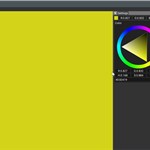 | - | - |
| rectangle | 2D rectangle rendering to GBuffer | 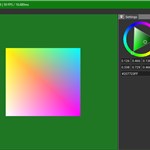 | ✅ | ✅ |
Sample Catalog
Graphics & Rendering
| Sample | Description | Image | GLSL | Slang |
|---|---|---|---|---|
| barycentric_wireframe | Single-pass solid-wireframe rendering using gl_BaryCoordNV | 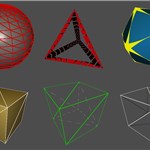 | ✅ | ✅ |
| descriptor_heap | VK_EXT_descriptor_heap with per-draw and bindless rendering modes | 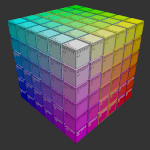 | ✅ | ✅ |
| gltf_raytrace | glTF path tracer, fully bindless with VK_EXT_descriptor_heap |  | ❌ | ✅ |
| image_ktx | KTX image display with tonemapping post-processing | 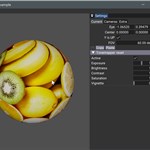 | ✅ | ✅ |
| image_viewer | Image loading with zoom and pan functionality | 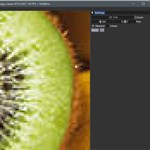 | ✅ | ✅ |
| line_stipple | Dashed line rendering with stipple pattern | 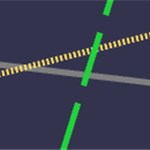 | ✅ | ✅ |
| mesh_shaders | Basic mesh shaders without task shader (baseline) | 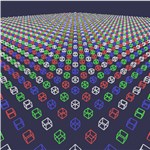 | ✅ | ✅ |
| mesh_task_shaders | Mesh and task shaders with GPU-driven frustum culling | 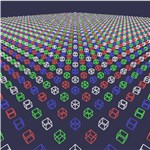 | ✅ | ✅ |
| mm_opacity | Micromap opacity implementation | 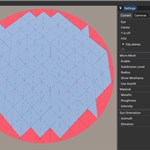 | ✅ | ✅ |
| msaa | Hardware Multi-Sampling Anti-Aliasing demonstration | 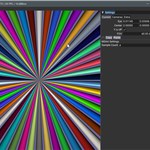 | ✅ | ✅ |
| offscreen | Windowless rendering with image save functionality |  | ✅ | ✅ |
| rectangle | 2D rectangle rendering to GBuffer | | ✅ | ✅ |
| simple_polygons | Multi-polygon rasterization; VK_EXT_descriptor_heap on a classic pipeline | 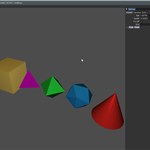 | ✅ | ✅ |
| solid_color | Single-pixel texture creation and display | | ✅ | ✅ |
| texture_3d | 3D texture creation and ray marching; bindless VK_EXT_descriptor_heap | 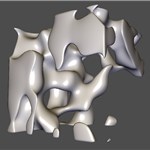 | ✅ | ✅ |
Ray Tracing & Advanced Graphics
| Sample | Description | Image | GLSL | Slang |
|---|---|---|---|---|
| ray_query | Inline raytracing in compute shaders | 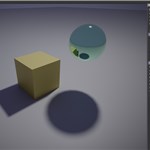 | ✅ | ✅ |
| ray_query_position_fetch | Using VK_KHR_ray_tracing_position_fetch in ray query | 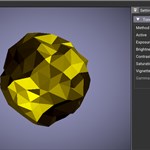 | ✅ | ✅ |
| ray_trace | Basic ray tracer; VK_EXT_descriptor_heap on a ray-tracing pipeline | 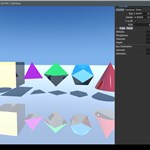 | ❌ | ✅ |
| ray_trace_clusters | Cluster acceleration structures (VK_NV_cluster_acceleration_structure) with per-cluster coloring and LOD | 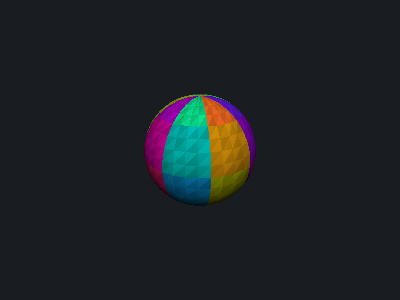 | ✅ | ✅ |
More raytracing examples can be found in the vk_raytracing_tutorial_KHR.
Compute & Performance
| Sample | Description | Image | GLSL | Slang |
|---|---|---|---|---|
| compute_multi_threaded | Executing compute shaders in separate threads |  | ✅ | ✅ |
| compute_only | Basic compute and display; bindless VK_EXT_descriptor_heap | 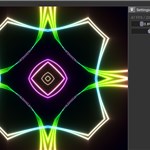 | ✅ | ✅ |
| memory_budget | Dynamic memory allocation within budget constraints | 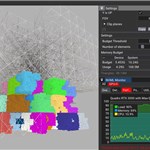 | ✅ | ✅ |
| realtime_analysis | Real-time GPU information display | 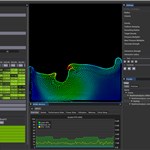 | ✅ | ❌ |
Development & Debugging
| Sample | Description | Image | GLSL | Slang |
|---|---|---|---|---|
| crash_aftermath | Integration of Nsight Aftermath SDK | 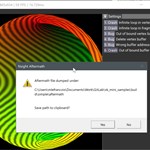 | ✅ | ✅ |
| gpu_monitor | GPU usage visualization | 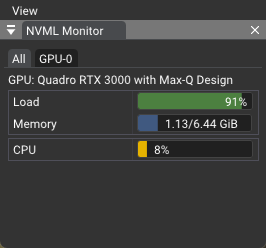 | ✅ | ✅ |
| shader_object | Shader object and dynamic pipeline usage | 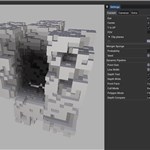 | ✅ | ✅ |
| shader_printf | Shader debugging with printf functionality | 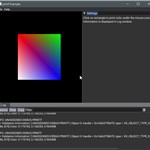 | ✅ | ✅ |
| tiny_shader_toy | Real-time shader compilation with error display | 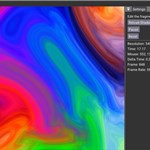 | ✅ | ✅ |
Architecture
Rendering Pipeline
The samples demonstrate an indirect rendering approach with the following structure:
- Off-screen Rendering → Sample renders to off-screen buffer
- GUI Integration → Rendered content embedded in GUI layout
- Composite Rendering →
nvapp::Applicationcombines GUI elements - Swapchain Presentation → Final composition presented to screen
Application Architecture
The examples in this repository leverage various utilities from the nvpro_core2 framework. Central to each sample's implementation is the Application class, which provides core functionality for:
- Window creation and management
- User interface (UI) initialization
- Swapchain setup integrated with the ImGui framework
The Application class is an enhanced derivative of the Dear ImGui Vulkan example, optimized for our use cases.
Modular Design
Samples are implemented as Elements and attached to the Application instance. This modular approach allows for:
- Separation of concerns between core application logic and sample-specific code
- Consistent handling of UI rendering and frame operations across different samples
Application Lifecycle
The following diagram illustrates the complete application lifecycle, from initialization through the main rendering loop:
flowchart LR
    subgraph s1["Application Element"]
        O["onAttach: Initialize"]
        P["onUIMenu: Menu Items"]
        Q["onUIRender: UI Widgets"]
        R["onPreRender: Pre-frame Setup"]
        S["onRender: GPU Commands"]
        T["onPostRender: Post-frame Setup"]
        U["onDetach: Cleanup"]
    end

    A["Constructor"] --> B["init: Setup Window, Vulkan, ImGui"]
    B --> C["run: Main Loop"]
    C --> D["Frame Setup: Events, ImGui, Viewport"]
    D --> E{"prepareFrameResources"}
    E -- Success --> F["beginCommandRecording"]
    E -- Fail --> C
    F --> I["drawFrame: Element Processing"]
    I --> J["renderToSwapchain: ImGui"]
    J --> L["endFrame: Submit Commands"]
    L --> M["presentFrame"]
    M --> N["advanceFrame"]
    N --> C

    B -. addElement .-> O
    D -. Menu Bar .-> P
    I -. UI Phase .-> Q
    I -. "Pre-Render" .-> R
    I -. Render Phase .-> S
    I -. "Post-Render" .-> T

    C -->|Exit Event| V["shutdown()"]
    V -. onDetach .-> U

    style O fill:#f1f8e9
    style P fill:#f1f8e9
    style Q fill:#f1f8e9
    style R fill:#f1f8e9
    style S fill:#f1f8e9
    style T fill:#f1f8e9
    style U fill:#f1f8e9
    style A fill:#e1f5fe
    style C fill:#f3e5f5
    style I fill:#FFE0B2
    style M fill:#FFE0B2
    style V fill:#ffebee
Initialization Process
The init() method orchestrates the following setup procedures:
- GLFW Initialization:
glfwInit()sets up the windowing system - Vulkan Context:
nvvk::Context::init()creates the Vulkan instance, device, and queues - Window Creation:
ImGui_ImplVulkanH_CreateOrResizeWindow()creates the window and swapchain - ImGui Setup:
ImGui_ImplVulkan_Init()initializes the ImGui Vulkan backend - Swapchain: Manages presentation images
During initialization, core Vulkan resources are provided by the framework:
- VkInstance: Connection between application and Vulkan library
- VkPysicalDevice: Representation of the physical GPU
- VkDevice: Logical representation of the physical GPU
- VkQueue: Command submission queue for GPU operations
Execution Cycle
The run() method implements the main application loop, continuing until a termination event is triggered. Each iteration follows this sequence:
Frame Preparation
- Frame Setup: Process events, update ImGui, handle viewport changes
- Resource Management:
prepareFrameResources()acquires swapchain image - Cleanup:
freeResourcesQueue()releases previous frame resources - Synchronization:
prepareFrameToSignal()sets up frame synchronization
Command Recording
- Command Buffer:
beginCommandRecording()starts recording GPU commands - Element Processing:
drawFrame()invokes element callbacks in sequence:onUIRender: UI widget renderingonPreRender: Pre-frame setup operationsonRender: Sample-specific GPU commandsonPostRender: Post-frame cleanup operations
Frame Completion
- ImGui Rendering:
renderToSwapchain()renders UI to swapchain image - Synchronization:
addSwapchainSemaphores()sets up presentation synchronization - Submission:
endFrame()submits command buffers to GPU - Presentation:
presentFrame()presents the completed frame - Advancement:
advanceFrame()moves to next frame resources
Element Lifecycle
Elements attached to the application follow a well-defined lifecycle:
onAttach: Called duringaddElement(), used for initializationonUIMenu: Called during frame setup, adds menu items to the menu baronUIRender: Called during UI phase, renders ImGui widgetsonPreRender: Called before main rendering, handles pre-frame setuponRender: Called during render phase, records GPU commandsonPostRender: Called after main rendering, handles post-frame cleanuponDetach: Called during shutdown, used for cleanup and resource deallocation
Shader Language Support
SPIR-V Intermediate Representation
Vulkan uses SPIR-V as its intermediate shader representation, enabling support for multiple high-level shader languages.
Supported Languages
Slang (Default)
Slang - High-level shader language with C++-like syntax
- Targets: SPIR-V (Vulkan), DirectX 12, CUDA, C++
- Usage: Set
USE_SLANG=1in CMakeLists.txt
GLSL
OpenGL Shading Language - Native Vulkan ecosystem support
- Usage: Set
USE_SLANG=0in CMakeLists.txt
Additional Dependencies
Required SDKs
- Nsight Aftermath SDK: Required for the crash_aftermath sample
- Download from NVIDIA Developer
Resources
Shader Language Resources
Related Projects
- nvpro_core2: Core framework and utilities
- vk_raytracing_tutorial_KHR: Original KHR ray tracing tutorial
License
Copyright 2024-2026 NVIDIA CORPORATION. Released under Apache License, Version 2.0. See LICENSE file for details.
Significant stargazers

26 followers · starred Nov 2021

20 followers · starred Feb 2024

15 followers · starred Jul 2026
Similar repos





Languages
Python
44.2%
C++
25.1%
CMake
23.8%
Batchfile
6.0%
README
Vulkan Samples
A comprehensive collection of Vulkan examples demonstrating various aspects of modern graphics programming, debugging techniques, and integration with NVIDIA tools. This repository serves as both a learning resource and a reference implementation for Vulkan development.
Quick Start
Prerequisites
- nvpro_core2: Vulkan helper classes and utilities
- Vulkan 1.4+ compatible GPU and drivers
- CMake 3.18+
Build Instructions
# Clone repositories
git clone https://github.com/nvpro-samples/nvpro_core2.git
git clone https://github.com/nvpro-samples/vk_mini_samples.git

# Build
cd vk_mini_samples
cmake -B build -S .
cmake --build build -j 8
Compiled files will be under the _bin directory.
Learning Path
For Beginners
Start with these foundational samples to understand the framework:
| Sample | Description | Image | GLSL | Slang |
|---|---|---|---|---|
| solid_color | Single-pixel texture creation and display | | - | - |
| rectangle | 2D rectangle rendering to GBuffer | | ✅ | ✅ |
Sample Catalog
Graphics & Rendering
| Sample | Description | Image | GLSL | Slang |
|---|---|---|---|---|
| barycentric_wireframe | Single-pass solid-wireframe rendering using gl_BaryCoordNV | | ✅ | ✅ |
| descriptor_heap | VK_EXT_descriptor_heap with per-draw and bindless rendering modes | | ✅ | ✅ |
| gltf_raytrace | glTF path tracer, fully bindless with VK_EXT_descriptor_heap | | ❌ | ✅ |
| image_ktx | KTX image display with tonemapping post-processing | | ✅ | ✅ |
| image_viewer | Image loading with zoom and pan functionality | | ✅ | ✅ |
| line_stipple | Dashed line rendering with stipple pattern | | ✅ | ✅ |
| mesh_shaders | Basic mesh shaders without task shader (baseline) | | ✅ | ✅ |
| mesh_task_shaders | Mesh and task shaders with GPU-driven frustum culling | | ✅ | ✅ |
| mm_opacity | Micromap opacity implementation | | ✅ | ✅ |
| msaa | Hardware Multi-Sampling Anti-Aliasing demonstration | | ✅ | ✅ |
| offscreen | Windowless rendering with image save functionality | | ✅ | ✅ |
| rectangle | 2D rectangle rendering to GBuffer | | ✅ | ✅ |
| simple_polygons | Multi-polygon rasterization; VK_EXT_descriptor_heap on a classic pipeline | | ✅ | ✅ |
| solid_color | Single-pixel texture creation and display | | ✅ | ✅ |
| texture_3d | 3D texture creation and ray marching; bindless VK_EXT_descriptor_heap | | ✅ | ✅ |
Ray Tracing & Advanced Graphics
| Sample | Description | Image | GLSL | Slang |
|---|---|---|---|---|
| ray_query | Inline raytracing in compute shaders | | ✅ | ✅ |
| ray_query_position_fetch | Using VK_KHR_ray_tracing_position_fetch in ray query | | ✅ | ✅ |
| ray_trace | Basic ray tracer; VK_EXT_descriptor_heap on a ray-tracing pipeline | | ❌ | ✅ |
| ray_trace_clusters | Cluster acceleration structures (VK_NV_cluster_acceleration_structure) with per-cluster coloring and LOD | | ✅ | ✅ |
More raytracing examples can be found in the vk_raytracing_tutorial_KHR.
Compute & Performance
| Sample | Description | Image | GLSL | Slang |
|---|---|---|---|---|
| compute_multi_threaded | Executing compute shaders in separate threads | | ✅ | ✅ |
| compute_only | Basic compute and display; bindless VK_EXT_descriptor_heap | | ✅ | ✅ |
| memory_budget | Dynamic memory allocation within budget constraints | | ✅ | ✅ |
| realtime_analysis | Real-time GPU information display | | ✅ | ❌ |
Development & Debugging
| Sample | Description | Image | GLSL | Slang |
|---|---|---|---|---|
| crash_aftermath | Integration of Nsight Aftermath SDK | | ✅ | ✅ |
| gpu_monitor | GPU usage visualization | | ✅ | ✅ |
| shader_object | Shader object and dynamic pipeline usage | | ✅ | ✅ |
| shader_printf | Shader debugging with printf functionality | | ✅ | ✅ |
| tiny_shader_toy | Real-time shader compilation with error display | | ✅ | ✅ |
Architecture
Rendering Pipeline
The samples demonstrate an indirect rendering approach with the following structure:
- Off-screen Rendering → Sample renders to off-screen buffer
- GUI Integration → Rendered content embedded in GUI layout
- Composite Rendering →
nvapp::Applicationcombines GUI elements - Swapchain Presentation → Final composition presented to screen
Application Architecture
The examples in this repository leverage various utilities from the nvpro_core2 framework. Central to each sample's implementation is the Application class, which provides core functionality for:
- Window creation and management
- User interface (UI) initialization
- Swapchain setup integrated with the ImGui framework
The Application class is an enhanced derivative of the Dear ImGui Vulkan example, optimized for our use cases.
Modular Design
Samples are implemented as Elements and attached to the Application instance. This modular approach allows for:
- Separation of concerns between core application logic and sample-specific code
- Consistent handling of UI rendering and frame operations across different samples
Application Lifecycle
The following diagram illustrates the complete application lifecycle, from initialization through the main rendering loop:
flowchart LR
    subgraph s1["Application Element"]
        O["onAttach: Initialize"]
        P["onUIMenu: Menu Items"]
        Q["onUIRender: UI Widgets"]
        R["onPreRender: Pre-frame Setup"]
        S["onRender: GPU Commands"]
        T["onPostRender: Post-frame Setup"]
        U["onDetach: Cleanup"]
    end

    A["Constructor"] --> B["init: Setup Window, Vulkan, ImGui"]
    B --> C["run: Main Loop"]
    C --> D["Frame Setup: Events, ImGui, Viewport"]
    D --> E{"prepareFrameResources"}
    E -- Success --> F["beginCommandRecording"]
    E -- Fail --> C
    F --> I["drawFrame: Element Processing"]
    I --> J["renderToSwapchain: ImGui"]
    J --> L["endFrame: Submit Commands"]
    L --> M["presentFrame"]
    M --> N["advanceFrame"]
    N --> C

    B -. addElement .-> O
    D -. Menu Bar .-> P
    I -. UI Phase .-> Q
    I -. "Pre-Render" .-> R
    I -. Render Phase .-> S
    I -. "Post-Render" .-> T

    C -->|Exit Event| V["shutdown()"]
    V -. onDetach .-> U

    style O fill:#f1f8e9
    style P fill:#f1f8e9
    style Q fill:#f1f8e9
    style R fill:#f1f8e9
    style S fill:#f1f8e9
    style T fill:#f1f8e9
    style U fill:#f1f8e9
    style A fill:#e1f5fe
    style C fill:#f3e5f5
    style I fill:#FFE0B2
    style M fill:#FFE0B2
    style V fill:#ffebee
Initialization Process
The init() method orchestrates the following setup procedures:
- GLFW Initialization:
glfwInit()sets up the windowing system - Vulkan Context:
nvvk::Context::init()creates the Vulkan instance, device, and queues - Window Creation:
ImGui_ImplVulkanH_CreateOrResizeWindow()creates the window and swapchain - ImGui Setup:
ImGui_ImplVulkan_Init()initializes the ImGui Vulkan backend - Swapchain: Manages presentation images
During initialization, core Vulkan resources are provided by the framework:
- VkInstance: Connection between application and Vulkan library
- VkPysicalDevice: Representation of the physical GPU
- VkDevice: Logical representation of the physical GPU
- VkQueue: Command submission queue for GPU operations
Execution Cycle
The run() method implements the main application loop, continuing until a termination event is triggered. Each iteration follows this sequence:
Frame Preparation
- Frame Setup: Process events, update ImGui, handle viewport changes
- Resource Management:
prepareFrameResources()acquires swapchain image - Cleanup:
freeResourcesQueue()releases previous frame resources - Synchronization:
prepareFrameToSignal()sets up frame synchronization
Command Recording
- Command Buffer:
beginCommandRecording()starts recording GPU commands - Element Processing:
drawFrame()invokes element callbacks in sequence:onUIRender: UI widget renderingonPreRender: Pre-frame setup operationsonRender: Sample-specific GPU commandsonPostRender: Post-frame cleanup operations
Frame Completion
- ImGui Rendering:
renderToSwapchain()renders UI to swapchain image - Synchronization:
addSwapchainSemaphores()sets up presentation synchronization - Submission:
endFrame()submits command buffers to GPU - Presentation:
presentFrame()presents the completed frame - Advancement:
advanceFrame()moves to next frame resources
Element Lifecycle
Elements attached to the application follow a well-defined lifecycle:
onAttach: Called duringaddElement(), used for initializationonUIMenu: Called during frame setup, adds menu items to the menu baronUIRender: Called during UI phase, renders ImGui widgetsonPreRender: Called before main rendering, handles pre-frame setuponRender: Called during render phase, records GPU commandsonPostRender: Called after main rendering, handles post-frame cleanuponDetach: Called during shutdown, used for cleanup and resource deallocation
Shader Language Support
SPIR-V Intermediate Representation
Vulkan uses SPIR-V as its intermediate shader representation, enabling support for multiple high-level shader languages.
Supported Languages
Slang (Default)
Slang - High-level shader language with C++-like syntax
- Targets: SPIR-V (Vulkan), DirectX 12, CUDA, C++
- Usage: Set
USE_SLANG=1in CMakeLists.txt
GLSL
OpenGL Shading Language - Native Vulkan ecosystem support
- Usage: Set
USE_SLANG=0in CMakeLists.txt
Additional Dependencies
Required SDKs
- Nsight Aftermath SDK: Required for the crash_aftermath sample
- Download from NVIDIA Developer
Resources
Shader Language Resources
Related Projects
- nvpro_core2: Core framework and utilities
- vk_raytracing_tutorial_KHR: Original KHR ray tracing tutorial
License
Copyright 2024-2026 NVIDIA CORPORATION. Released under Apache License, Version 2.0. See LICENSE file for details.
Similar repos
Significant stargazers
26 followers · starred Nov 2021
20 followers · starred Feb 2024
15 followers · starred Jul 2026
Languages
Python
44.2%
C++
25.1%
CMake
23.8%
Batchfile
6.0%